How to Capture Network Requests with Selenium
Learn how to observe, inspect, intercept, and debug browser network traffic with Selenium WebDriver BiDi, plus a Chromium CDP fallback.
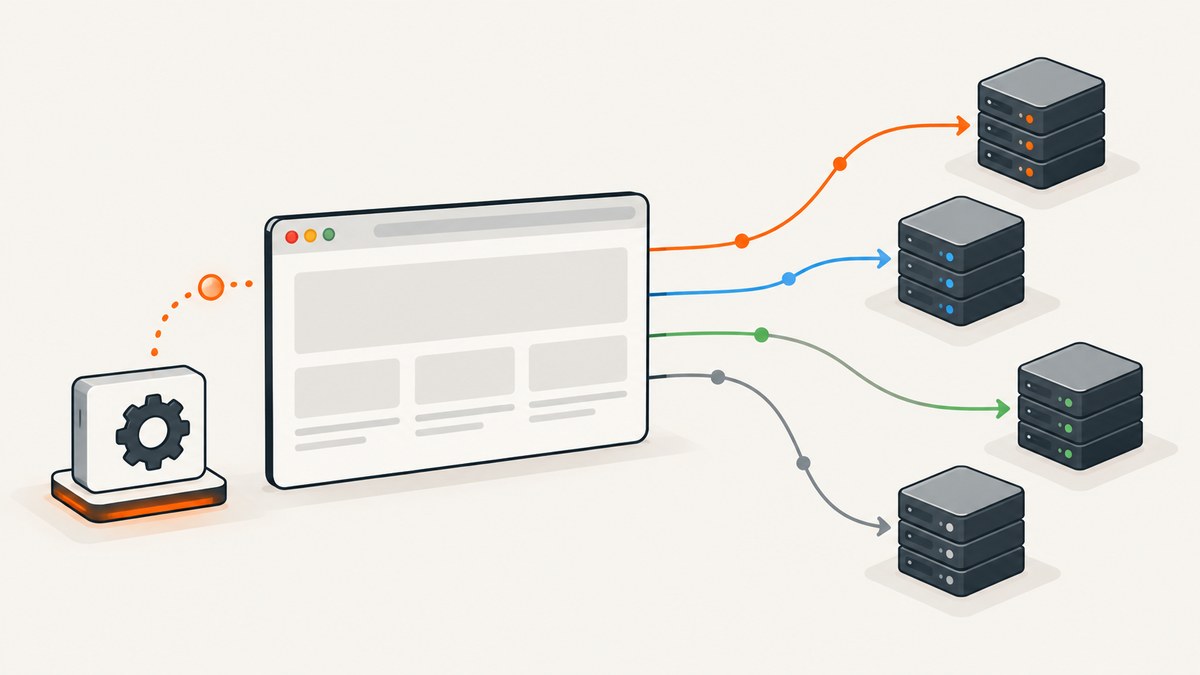
Direct answer: For new Selenium automation, use WebDriver BiDi network events. Enable BiDi in your browser options, register listeners before the action that generates traffic, then observe request, response, completion, and fetch-error events. Use a request or response handler when you need to modify or block traffic. For Chrome- or Edge-only test suites, Selenium’s CDP integration and NetworkInterceptor remain useful, but CDP is browser-version-sensitive and Selenium describes it as a temporary bridge while BiDi support is completed.
This guide shows the difference between observation and interception, gives a Python implementation, explains the equivalent decision in other bindings, covers filtering and debugging, and ends with a browser-free ScreenshotNeo option for cases where you need a rendered capture rather than raw traffic.
1. Decide what “capture” means
Network capture can describe several different jobs:
| Goal | Use | Effect on the page |
|---|---|---|
| Record outgoing requests | Subscribe to network.beforeRequestSent |
Read method, URL, headers, cookies and request metadata. |
| Record response lifecycle | Subscribe to network.responseStarted and network.responseCompleted |
Read response status and headers as the browser progresses. |
| Find failed fetches | Subscribe to network.fetchError |
Observe failures such as connection or policy errors. |
| Change or block an outgoing request | Add a request handler | Traffic is modified or prevented. |
| Change an incoming response | Add a response handler | The response delivered to the page is modified. |
Observation is appropriate for diagnostics and assertions. Interception changes the traffic path, so use it only when the test explicitly needs mocked headers, rewritten bodies, or blocked resources.
2. WebDriver BiDi: the recommended route
WebDriver BiDi is the W3C bidirectional protocol for browser automation. Selenium’s documentation describes it as a protocol that adds a WebSocket so a driver can receive browser events. Network APIs are enabled through the relevant binding’s browser options before you subscribe to events. See the Selenium WebDriver BiDi guide and the network documentation.
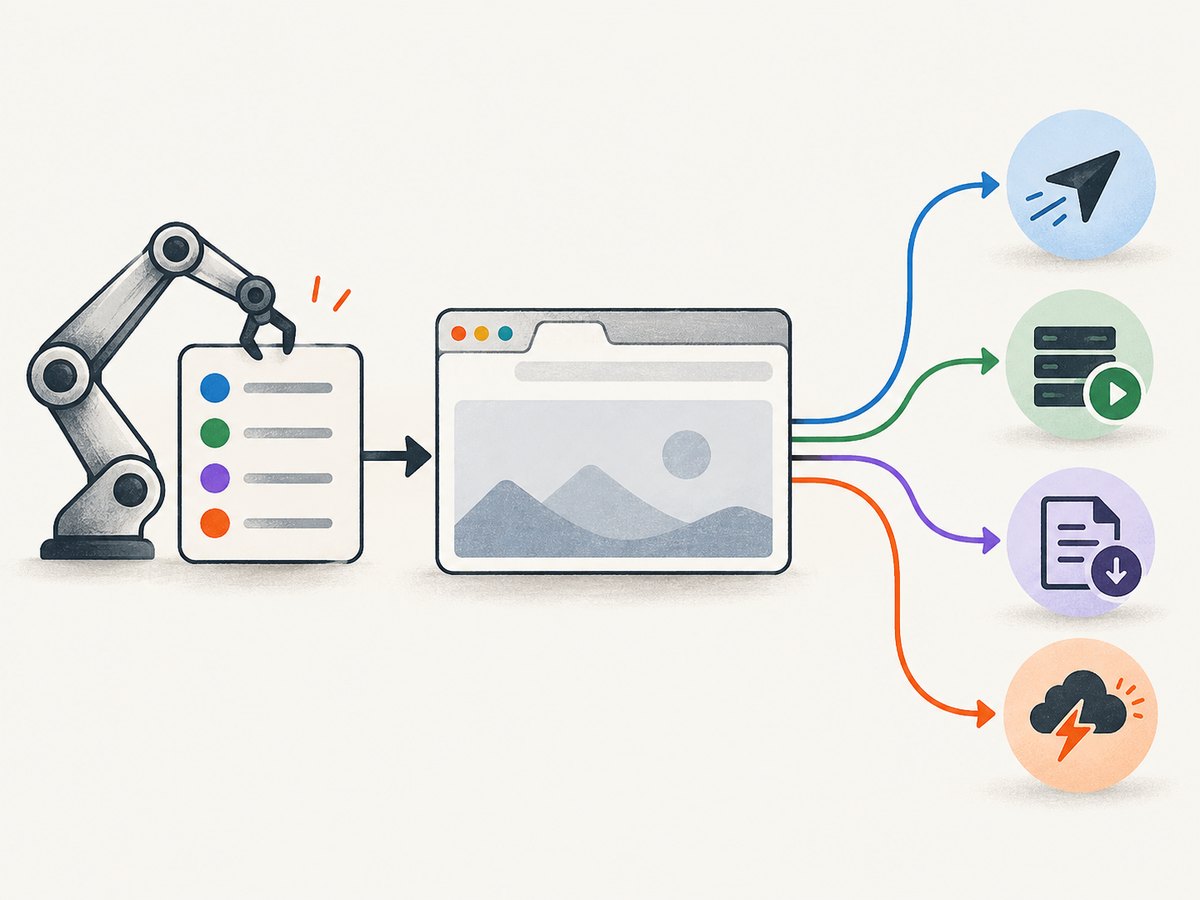
Python example: observe requests and responses
The following example targets Selenium Python 4.43.0 APIs. BiDi method names and callback shapes can differ between bindings and releases; pin Selenium, check your binding’s API reference, and keep the browser and driver aligned.
import json
from selenium import webdriver
from selenium.webdriver.chrome.options import Options

TARGET = "https://example.com"

options = Options()
options.enable_bidi = True

driver = webdriver.Chrome(options=options)

# The exact event registration surface is binding/version specific.
# In Selenium Python releases that expose Network handlers, register
# before navigation or clicking the action under test.
def before_request(event):
    request = event.get("request", event)
    print("REQUEST", request.get("method"), request.get("url"))
    print("  headers:", json.dumps(request.get("headers", {})))

def response_started(event):
    response = event.get("response", event)
    print("RESPONSE", response.get("status"), response.get("url"))

def response_completed(event):
    response = event.get("response", event)
    print("COMPLETE", response.get("url"))

def fetch_error(event):
    print("FETCH ERROR", json.dumps(event))

try:
    # Use the network handler API exposed by your installed Selenium binding.
    # Typical Selenium BiDi bindings provide request/response handler methods.
    driver.network.add_request_handler("network.beforeRequestSent", before_request)
    driver.network.add_response_handler("network.responseStarted", response_started)
    driver.network.add_response_handler("network.responseCompleted", response_completed)
    driver.network.add_response_handler("network.fetchError", fetch_error)

    driver.get(TARGET)
    driver.find_element("css selector", "body")
finally:
    driver.quit()
The event names documented by the Selenium Python 4.43.0 reference are network.beforeRequestSent, network.responseStarted, network.responseCompleted, and network.fetchError. If your installed binding exposes an asynchronous event stream instead of add_*_handler, subscribe to those same names and consume the stream before calling get or clicking.
Register before the action
- Create options and enable BiDi.
- Start the driver.
- Subscribe listeners or handlers.
- Navigate, click, submit, or run JavaScript that generates the traffic.
- Persist the events you need and remove listeners before quitting.
Event streaming is not a promise that earlier events will be replayed. Registering first is therefore the safe implementation choice when the first document load matters.
Filter events in your handler
Most pages generate dozens of requests for fonts, images, analytics and scripts. Filter by URL, resource type, method, or browsing context before writing records:
def before_request(event):
    request = event.get("request", event)
    url = request.get("url", "")
    if "/api/" not in url:
        return
    record = {
        "method": request.get("method"),
        "url": url,
        "headers": request.get("headers", {}),
        "postData": request.get("postData"),
    }
    with open("api-requests.jsonl", "a", encoding="utf-8") as output:
        output.write(json.dumps(record) + "\n")
Use URL patterns or browsing-context filters when your binding supports them. Keep the callback fast: queue events for another thread or process instead of doing large file writes, parsing, or network calls inside the browser event callback.
3. Intercept, rewrite, or block traffic
A request handler is different from an event listener. It can alter outgoing headers or body data, or block the request. A response handler can alter response headers, status, or content. This is useful for deterministic tests, such as replacing an API response or preventing third-party analytics, but the page is no longer exercising the unmodified production path.
def handle_request(event):
    request = event["request"]
    if request["url"].endswith("/api/profile"):
        # Pseudocode: use the override fields supported by your binding.
        return {
            "headers": {"x-test-mode": "true"},
            "body": '{"name":"test-user"}'
        }
    return None
Because handler signatures vary, consult the versioned Selenium API reference before copying an override object. Test both the intercepted and unmodified path so a handler does not hide a real application defect.
4. JavaScript, Java, and other Selenium bindings
The protocol concepts are the same across languages, but setup syntax is not. In every binding, look for three pieces:
- An option that enables BiDi or requests a WebSocket endpoint.
- A network module that subscribes to the four lifecycle events.
- Request and response handler methods for interception.
Read the binding-specific Selenium documentation for the release you pin. Do not copy a Python callback into JavaScript or Java and assume the event object has the same property names. Record your Selenium version, browser version, and driver version with captured logs so failures can be reproduced.
5. Chromium CDP fallback
For Chrome- or Edge-specific suites, Selenium exposes Chrome DevTools Protocol features, including a NetworkInterceptor example. CDP can be practical when an existing test suite already depends on Chromium DevTools commands. Selenium cautions that CDP was not designed as a stable testing API, functionality depends heavily on browser version, and CDP support is a temporary path while WebDriver BiDi is implemented. See Selenium’s CDP documentation.
Choose CDP when Chromium-only behavior is an explicit requirement or migration is not yet complete. Pin compatible Selenium and browser versions, run the suite against every browser image you ship, and plan to move new cross-browser code to BiDi.
6. cURL and API-level alternatives
cURL cannot subscribe to a browser’s live network events by itself. It can replay a request once you have captured its method, URL and headers, which is useful for isolating a server problem:
curl -i \
  -H 'Accept: application/json' \
  -H 'Authorization: Bearer TOKEN' \
  'https://example.com/api/items'
Do not treat a replay as equivalent to browser capture: cookies, service workers, CORS, redirects, client certificates and JavaScript-generated headers may change the result.
7. What Selenium does not automatically give you
- Complete payload history: lifecycle events expose protocol-defined metadata; obtaining response bodies may require additional commands and binding support.
- Reliable secrets: headers and cookies can contain credentials. Redact authorization, session cookies and personal data before storing logs.
- Cross-browser parity: BiDi is the standards-based direction, but implementation coverage still depends on browser and binding versions.
- Exact timing guarantees: event order describes browser lifecycle stages, not necessarily the order in which your application processes callbacks.
- Requests outside the controlled browser: traffic made by another process, native application, service, or proxy is not part of the WebDriver event stream.
8. Troubleshooting
| Symptom | Likely cause | Fix |
|---|---|---|
| No events arrive | BiDi was not enabled, or listeners were registered after navigation. | Set the binding’s BiDi option, register first, then repeat the action. |
AttributeError or missing network method |
The installed Selenium binding uses a different API surface. | Check the versioned API reference and update the example to that binding’s event-stream or handler method. |
| Works in Chrome, fails in Firefox | Browser or binding BiDi support differs. | Pin compatible versions and verify the event is implemented in that browser. |
| CDP command rejected | Browser and Selenium CDP versions do not align. | Align versions or migrate the feature to BiDi. |
| Only late requests appear | The page loaded before registration, or a service worker served cached data. | Register before get, use a fresh context, and record cache and service-worker state. |
| Callback slows the test | Heavy parsing or disk I/O runs in the event callback. | Filter early and queue compact records for asynchronous processing. |
| Secrets appear in logs | Headers and cookies were serialized without redaction. | Remove authorization, cookie, token and personal-data fields before persistence. |
9. Performance and reliability practices
- Subscribe only to event types you need.
- Filter URLs before serializing headers or bodies.
- Use bounded queues so a busy page cannot consume unlimited memory.
- Attach a request identifier to each record so redirects and retries can be correlated.
- Capture timestamps from the event object and from your test process.
- Close drivers in a
finallyblock, even when a callback raises an exception. - Run a small compatibility check whenever Selenium, the browser image, or the driver changes.
For parallel tests, keep each driver’s events in a separate context or include a run identifier in every record. Avoid global listeners that allow one test’s traffic to be mistaken for another’s.
10. Or skip the browser setup
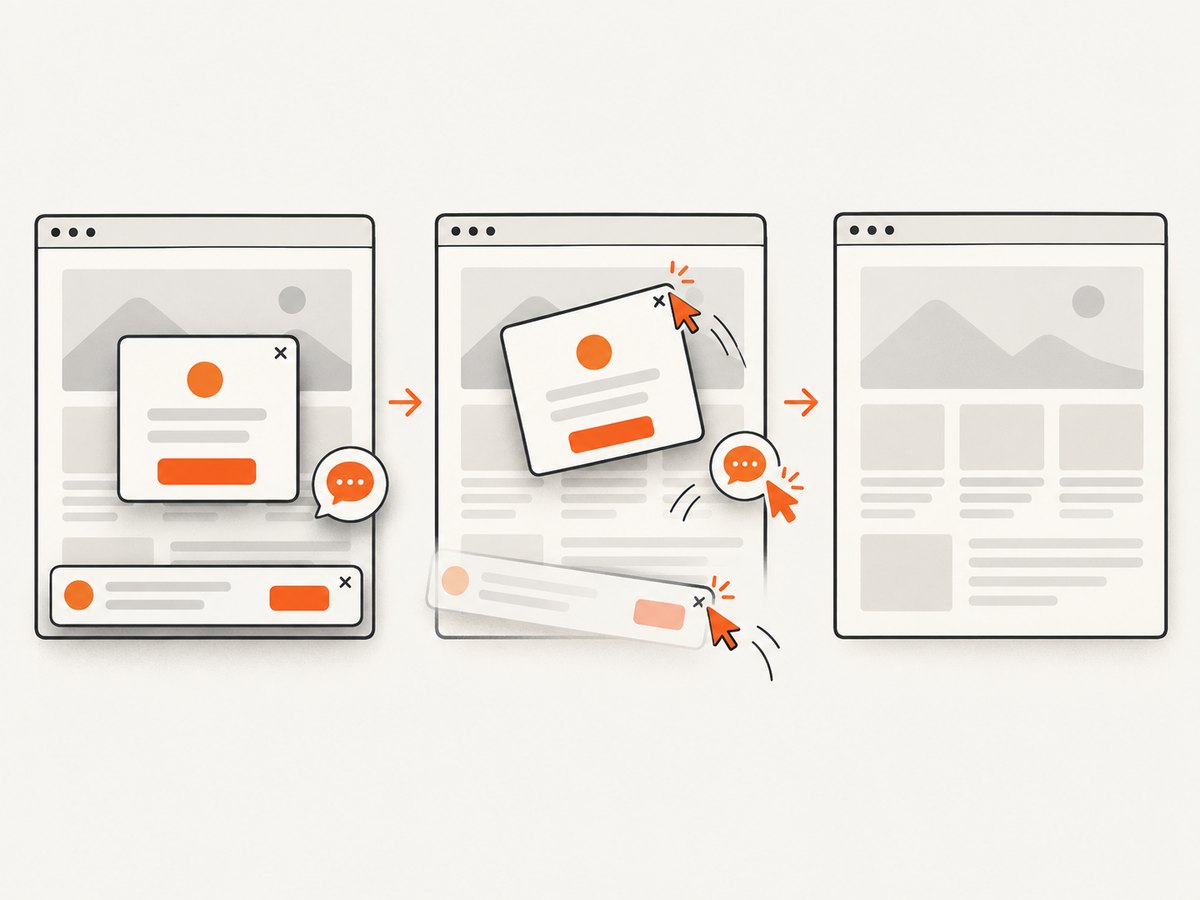
If your real deliverable is a rendered screenshot or PDF rather than a request log, ScreenshotNeo provides a single capture API call. Its clean-shot pipeline accepts cookie and consent banners as a visitor and removes more than 60 known consent platforms, newsletter popups and chat widgets; each step can be disabled. Bot checks, blank pages, timeouts, failed loads and cache hits are not billed, and the response identifies the result with X-Page-Verdict and X-Billed headers.
See the ScreenshotNeo API documentation for all options. The same endpoint supports full-page or element captures, lazy-image loading, dark mode, device presets, arbitrary viewports, retina scale, PDF paper and margin settings, custom CSS and JavaScript, clicks, waits, blocked resources, headers, cookies, user agents, authorization, timezone, geolocation, transparent backgrounds, resizing, TTL caching, signed links, asynchronous jobs, signed webhooks, bulk capture and a usage API. An MCP server exposes take_screenshot, get_page_info and capture_pdf to Claude, Cursor and other MCP clients.
curl -G "https://api.screenshotneo.com/v1/shot" -d access_key=YOUR_API_KEY --data-urlencode url=https://stripe.com -o shot.webpimport requests
r = requests.get("https://api.screenshotneo.com/v1/shot", params={"access_key": "YOUR_API_KEY", "url": "https://stripe.com"}, timeout=90)
open("shot.webp", "wb").write(r.content)const q = new URLSearchParams({ access_key: 'YOUR_API_KEY', url: 'https://stripe.com' });
const res = await fetch(`https://api.screenshotneo.com/v1/shot?${q}`);Free accounts include 1,000 screenshots per month with no card. Paid plans start at $5 for 3,000 shots, and every feature is available on every plan. Create a free ScreenshotNeo account.
11. FAQ
Can Selenium capture requests without opening DevTools?
Yes. WebDriver BiDi is a WebSocket-based browser automation protocol; your test can subscribe to network events without manually opening a DevTools window.
Should I use performance logs instead?
For new cross-browser work, start with BiDi. Existing Chromium-only performance-log or CDP code can remain while you plan migration.
Can I capture only API calls?
Yes. Filter event URLs or use URL patterns where your binding supports them, then persist only matching methods, paths and response statuses.
Will interception prove the production API works?
No. Interception deliberately changes the request or response. Keep an observation test that exercises the unmodified endpoint.
When is ScreenshotNeo a better fit?
Use it when you need a clean rendered image or PDF and do not need a stream of browser network events. It removes common overlays before capture and does not bill failed or unusable page loads.


