How to Capture a PDF Download Response with Puppeteer
Capture the PDF a website downloads with Puppeteer by waiting for the right response, validating it, handling redirects, and saving the bytes safely.

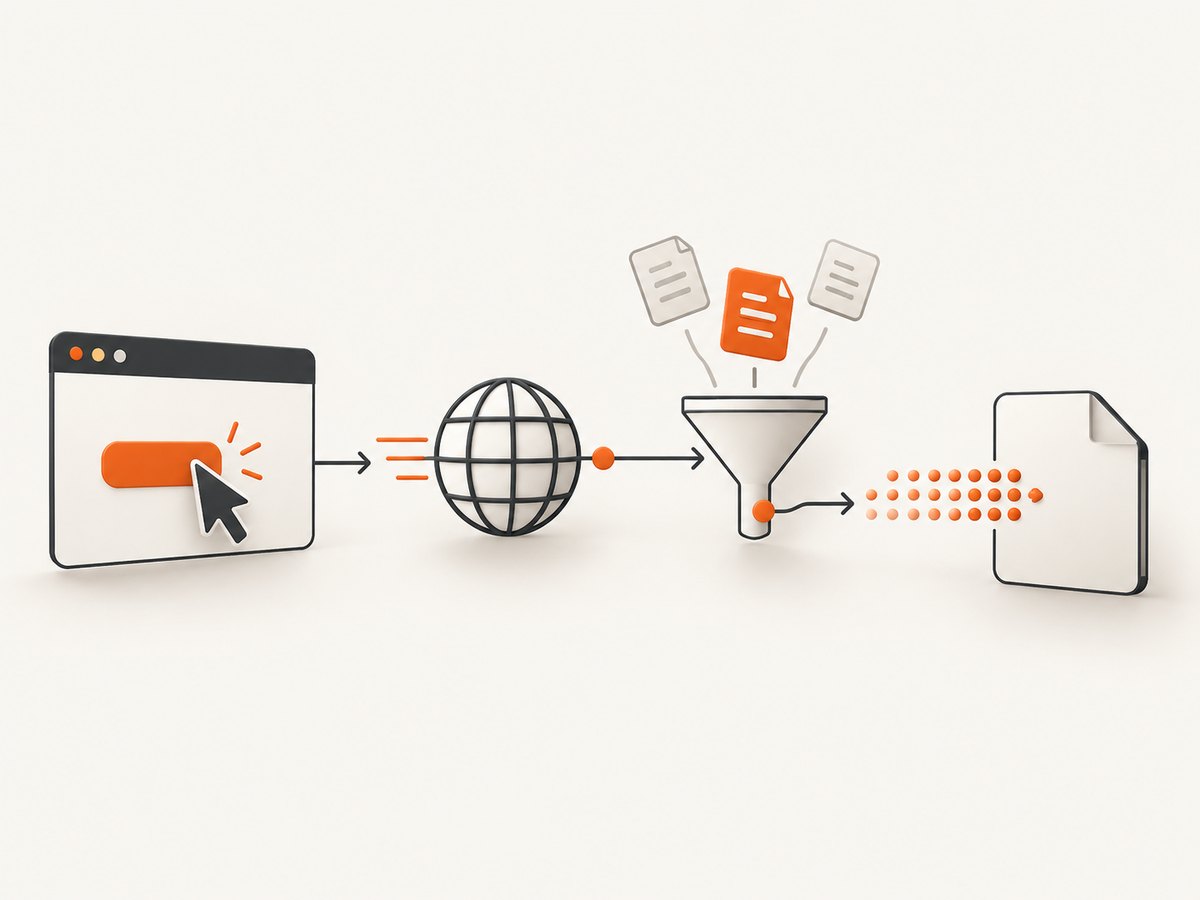
To capture a PDF that a website downloads, register a response waiter before clicking the download control, match the request that returns the PDF, verify its HTTP status, and then read the response body. In Puppeteer, page.waitForResponse() resolves when response status and headers are available. The response body is available through response.buffer() after the request has completed.
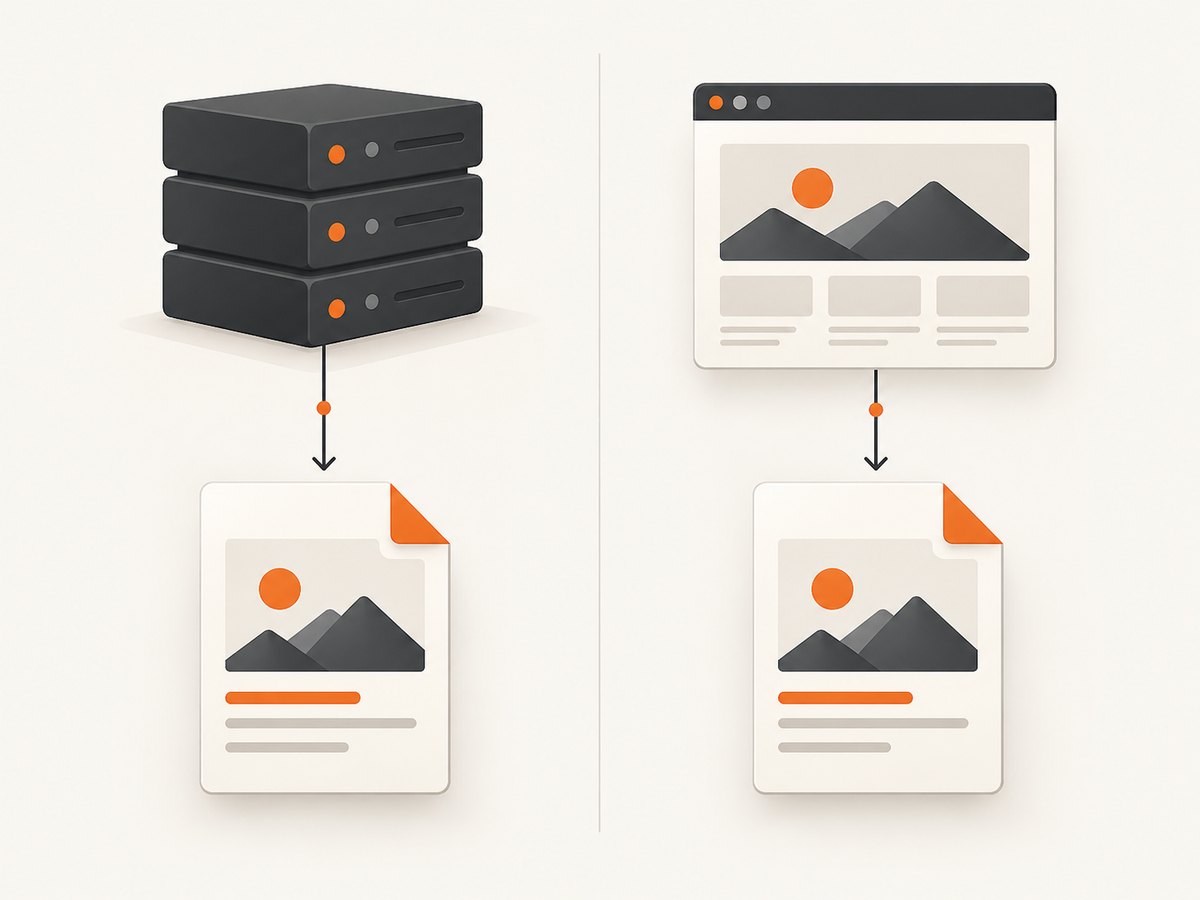
This is different from page.pdf(). A download response is a file returned by the website. page.pdf() renders the current page and creates a new PDF from it.
Minimal working example
import puppeteer from 'puppeteer';
import { writeFile } from 'node:fs/promises';

const browser = await puppeteer.launch({ headless: true });
const page = await browser.newPage();

const responsePromise = page.waitForResponse(response => {
  const headers = response.headers();
  const contentType = (headers['content-type'] || '').toLowerCase();

  return response.url().includes('/download') &&
    contentType.includes('application/pdf');
}, { timeout: 30_000 });

await page.goto('https://example.com/reports', { waitUntil: 'domcontentloaded' });
await page.click('button.download');

const response = await responsePromise;

if (!response.ok()) {
  throw new Error(`PDF request failed: HTTP ${response.status()}`);
}

const pdfBytes = await response.buffer();
await writeFile('report.pdf', pdfBytes);

await browser.close();
Put the waiter before the click. A fast endpoint can return before a waiter registered afterward has a chance to observe it. Replace the URL fragment and selector with evidence from the target site.
The official Puppeteer Page.waitForResponse API documents the response-waiting method. The HTTPResponse API documents status, headers, URL, and body methods.
Understand Puppeteer’s network lifecycle
A download is a network request even when the page itself does not navigate. Puppeteer exposes several events:
| Event or method | Meaning | Use it when |
|---|---|---|
request |
A request is about to be sent. | You need to inspect or modify outgoing requests. |
response |
Status and headers have arrived. | You need to identify the PDF and check metadata. |
requestfinished |
The response body has downloaded and the request is complete. | You need completion semantics for event-based code. |
requestfailed |
The request failed at the network level. | You need diagnostics for DNS, connection, or transport failures. |
An HTTP 404 or 503 still produces a response. Therefore, a response event or a finished request does not prove that a valid PDF was downloaded. Check response.ok(), or explicitly accept the status codes your application supports.
Redirects matter too. The redirect response completes its request, then Puppeteer observes a new request to the redirected URL. Match the final response URL or inspect every candidate response instead of assuming that the first URL is the file URL.
Choose a reliable response predicate
Your predicate should use stable evidence. A URL fragment is often enough, but combining it with a content type reduces false positives.
Match by URL
const response = await page.waitForResponse(response =>
  response.url().includes('/api/reports/123/download')
);
Use this when the endpoint is stable and unique. A URL-only match may accept an HTML error page if the server mislabels its response, so still validate the status and content.
Match by content type
const response = await page.waitForResponse(response =>
  (response.headers()['content-type'] || '').toLowerCase().includes('application/pdf')
);
This works when the server sets the header correctly. Some servers omit it, append parameters such as application/pdf; charset=binary, or incorrectly return application/octet-stream. For those sites, combine headers with a URL pattern or inspect the bytes.
Match with a URL and headers
const responsePromise = page.waitForResponse(response => {
  const headers = response.headers();
  const type = (headers['content-type'] || '').toLowerCase();
  const disposition = (headers['content-disposition'] || '').toLowerCase();

  return response.url().includes('/export') &&
    (type.includes('application/pdf') || disposition.includes('.pdf'));
});
Header matching is useful when several requests occur during a click, such as analytics, an API call, and the actual file response.
Use an event listener for multiple downloads
waitForResponse() is convenient for one download. An event listener is useful when a page can trigger several files or when you need detailed logging.
function capturePdfResponse(page, predicate, timeoutMs = 30_000) {
  return new Promise((resolve, reject) => {
    const timer = setTimeout(() => {
      cleanup();
      reject(new Error('Timed out waiting for a PDF response'));
    }, timeoutMs);

    const onResponse = response => {
      if (!predicate(response)) return;
      cleanup();
      resolve(response);
    };

    const onRequestFailed = request => {
      if (!predicate(request)) return;
      cleanup();
      reject(new Error(`PDF request failed: ${request.failure()?.errorText || 'unknown error'}`));
    };

    function cleanup() {
      clearTimeout(timer);
      page.off('response', onResponse);
      page.off('requestfailed', onRequestFailed);
    }

    page.on('response', onResponse);
    page.on('requestfailed', onRequestFailed);
  });
}

const pdfResponsePromise = capturePdfResponse(page, item =>
  item.url().includes('/download')
);
await page.click('button.download');
const pdfResponse = await pdfResponsePromise;

if (!pdfResponse.ok()) {
  throw new Error(`Unexpected status: ${pdfResponse.status()}`);
}

await writeFile('download.pdf', await pdfResponse.buffer());
Always remove listeners after success, failure, or timeout. Leaving listeners attached can retain page objects and cause later downloads to resolve against an old operation.
Validate that the body is really a PDF
Status and headers are necessary but not sufficient. A reverse proxy can return an HTML login page with a 200 status, or an application can return a JSON error while keeping a PDF-looking URL.
const body = await response.buffer();
const signature = body.subarray(0, 5).toString('ascii');

if (signature !== '%PDF-') {
  const preview = body.subarray(0, 200).toString('utf8');
  throw new Error(`Expected a PDF, received: ${preview}`);
}

await writeFile('report.pdf', body);
The PDF signature check is a lightweight sanity check, not a complete PDF validator. If files can be encrypted, truncated, or corrupted in transit, pass them through a PDF parser or a downstream validation service.
Authentication, cookies, and request context
The download request uses the page’s current browser context. Log in before setting the waiter, or seed the context with the cookies required by the application.
await page.setCookie({
  name: 'session',
  value: process.env.SESSION_COOKIE,
  domain: 'example.com',
  path: '/',
  httpOnly: true,
  secure: true
});

await page.goto('https://example.com/reports', { waitUntil: 'networkidle2' });
If the site requires a bearer token in JavaScript rather than a cookie, use the site’s normal login flow or configure request interception carefully. Do not copy an authorization header into an unrelated domain. Browser context, origin, and cookie scope affect whether the server accepts the request.
Handle downloads that open a new tab
Some controls open a popup and start the PDF request there. Wait for both the target and the response before clicking.
const targetPromise = browser.waitForTarget(target =>
  target.opener() === page.target()
);

const responsePromise = page.waitForResponse(response =>
  response.url().includes('.pdf')
);

await page.click('a.open-pdf');
const [target, response] = await Promise.all([
  targetPromise,
  responsePromise
]);

if (!response.ok()) throw new Error(`HTTP ${response.status()}`);
await writeFile('opened.pdf', await response.buffer());
The response may belong to the popup rather than the original page. If the original page does not observe it, attach the listener to the popup page after the target is created, or use browser-level instrumentation and match the final URL.
When the site generates a PDF instead of downloading one
If the requirement is a PDF of the currently rendered page, call page.pdf(). This does not capture a server-provided download.
import { writeFile } from 'node:fs/promises';

await page.goto('https://example.com/invoice/123', {
  waitUntil: 'networkidle2'
});

await page.emulateMediaType('screen');
const pdf = await page.pdf({
  format: 'A4',
  printBackground: true,
  margin: {
    top: '16mm',
    right: '16mm',
    bottom: '16mm',
    left: '16mm'
  }
});

await writeFile('rendered-invoice.pdf', pdf);
Puppeteer’s API describes page.pdf() as returning a Promise<Uint8Array>. It uses print CSS media by default; call emulateMediaType('screen') when you need screen styles. Print colors can also be affected by browser print behavior and CSS such as -webkit-print-color-adjust. See the Page.pdf API reference.
Timeouts, races, and edge cases
- Register before the trigger: create the promise first, then navigate or click.
- Set a useful timeout: the default may be too short for a report generated on demand. Choose a limit appropriate for your job queue.
- Do not wait only for navigation: download buttons commonly leave the current document in place.
- Account for redirects: inspect the final response URL and status.
- Expect missing content types: use endpoint matching and the
%PDF-signature when headers are unreliable. - Handle authentication expiry: a 200 response containing a login page is an application failure, not a successful capture.
- Prevent duplicate clicks: disable the control or guard the capture promise if retries can trigger multiple requests.
- Watch memory:
response.buffer()holds the complete file in memory. Stream or hand off large files through an architecture designed for streaming when needed. - Check headless mode: Puppeteer’s documentation warns that headless shell mode does not support navigation to a PDF document. This applies to direct PDF navigation; it does not mean every PDF response triggered inside a page is unobservable.
Troubleshooting common failures
| Symptom | Likely cause | Fix |
|---|---|---|
| Timeout waiting for response | Predicate was registered after the click, or the URL pattern is wrong. | Create the waiter first, log every response URL, and update the predicate. |
| Response status is 404 or 503 | The server returned an HTTP error that still completed normally. | Check response.status(), retry according to the service’s policy, and inspect the endpoint parameters. |
Body starts with <html> |
Authentication expired, a bot check appeared, or the server returned an error page. | Refresh login state, preserve cookies, and inspect the response URL and headers. |
| No PDF content type | The server uses application/octet-stream or omits the header. |
Match the endpoint and validate the %PDF- file signature. |
| Only the redirect is captured | The predicate matches the first URL in a redirect chain. | Match the final URL or continue observing responses until the PDF content is found. |
| Click does nothing | The button is covered, disabled, or requires a preceding interaction. | Wait for visibility and enabled state, scroll into view, and capture browser console output. |
| Direct navigation to PDF fails in headless shell | Document navigation to PDF is unsupported in that mode. | Use a supported headless mode, observe the response from an HTML page, or use a server-side fetch. |
| Memory grows between jobs | Pages, browsers, or event listeners are not closed. | Use try/finally, remove listeners, close pages, and recycle browsers on a controlled schedule. |
Production reliability and performance
Reuse a browser process when processing many jobs, but create an isolated page or browser context per job so cookies and local storage do not leak between users. Close the page in a finally block. Record the matched URL, status, content type, elapsed time, and byte length for diagnostics.
Use a two-stage timeout: one for the UI action and one for the response body. A report endpoint may respond with headers quickly while generating the body slowly. Retry only failures that are plausibly transient, such as connection resets or 5xx responses. Avoid retrying a deterministic 404 without changing the request.
For throughput, keep the response predicate narrow, avoid collecting every response body, and write bytes directly to your storage boundary as soon as the response is complete. Browser startup is expensive, so a small pool of warm browser workers can reduce latency. Concurrency still needs a limit because each page consumes memory and network capacity.
For reliability, store a job identifier with the output and make retries idempotent. If a click can create several files, identify each file by its endpoint, report ID, or disposition filename rather than accepting the first PDF response.
Or skip the browser setup
If you need a screenshot or PDF capture rather than the website’s own download response, ScreenshotNeo provides a single API request. Its cleanup step accepts cookie and consent banners like a visitor, then removes more than 60 known consent platforms, newsletter popups, and chat widgets. Each step can be turned off.
Only clean shots are billed. Bot checks and CAPTCHAs, blank pages, timeouts, failed loads, and cache hits cost nothing, and the response identifies the result with X-Page-Verdict and X-Billed headers. ScreenshotNeo also provides an MCP server with take_screenshot, get_page_info, and capture_pdf tools for Claude, Cursor, and other MCP clients.
See the ScreenshotNeo API documentation for authentication and all options. A direct PDF capture looks like this:
curl -G 'https://api.screenshotneo.com/v1/shot' \
  -d access_key=YOUR_API_KEY \
  --data-urlencode url=https://stripe.com \
  -d format=pdf \
  -o page.pdf
import requests
r = requests.get(
'https://api.screenshotneo.com/v1/shot',
params={
'access_key': 'YOUR_API_KEY',
'url': 'https://stripe.com',
'format': 'pdf'
},
timeout=90
)
r.raise_for_status()
open('page.pdf', 'wb').write(r.content)const q = new URLSearchParams({
access_key: 'YOUR_API_KEY',
url: 'https://stripe.com',
format: 'pdf'
});
const res = await fetch(`https://api.screenshotneo.com/v1/shot?${q}`);
if (!res.ok) throw new Error(`ScreenshotNeo HTTP ${res.status}`);
const bytes = new Uint8Array(await res.arrayBuffer());
await Bun.write('page.pdf', bytes);ScreenshotNeo supports full-page capture with lazy images loaded, CSS element capture, dark mode, device presets, arbitrary viewports, retina scale, PDF paper size, margins, landscape mode, page ranges, custom CSS and JavaScript, clicks, selector waits, delays, network-idle waits, blocked requests and resource types, custom headers and cookies, user agents, authorization, timezone, geolocation, transparent backgrounds, resizing, TTL caching, signed image links, asynchronous jobs with signed webhooks, bulk capture for up to 100 URLs per call, a usage API, and an OpenAPI specification. Parameter names used by other screenshot APIs also work to simplify migrations.
The Free plan includes 1,000 shots each month with no card. Paid plans start at $5 for 3,000 shots; yearly billing gives two months free. Create your free ScreenshotNeo account.
FAQ
Should I use waitForResponse() or a response event?
Use waitForResponse() for one known download. Use an event listener when several downloads or detailed lifecycle logging are part of the workflow.
Does requestfinished mean the PDF is valid?
No. It means the response body finished downloading. Check the HTTP status and, when necessary, the PDF signature and parser-level validity.
Can Puppeteer capture a PDF without clicking?
Yes. Navigate or issue the action that causes the request, then observe the response. The key requirement is registering the observer before the request starts.
When is page.pdf() the right choice?
Use it when you want Puppeteer to render the current page into a new PDF. Observe a network response when the website itself supplies the PDF file.
Why does a download work manually but fail in headless mode?
Headless mode may have different authentication state, timing, popup behavior, or PDF navigation support. Log URLs and statuses, preserve the browser context, and check the documented headless shell limitation.


