How to Capture a Popup Window After Login with NightmareJS
Capture post-login popups in NightmareJS by intercepting Electron child windows, waiting for navigation, and using a custom action or IPC bridge.
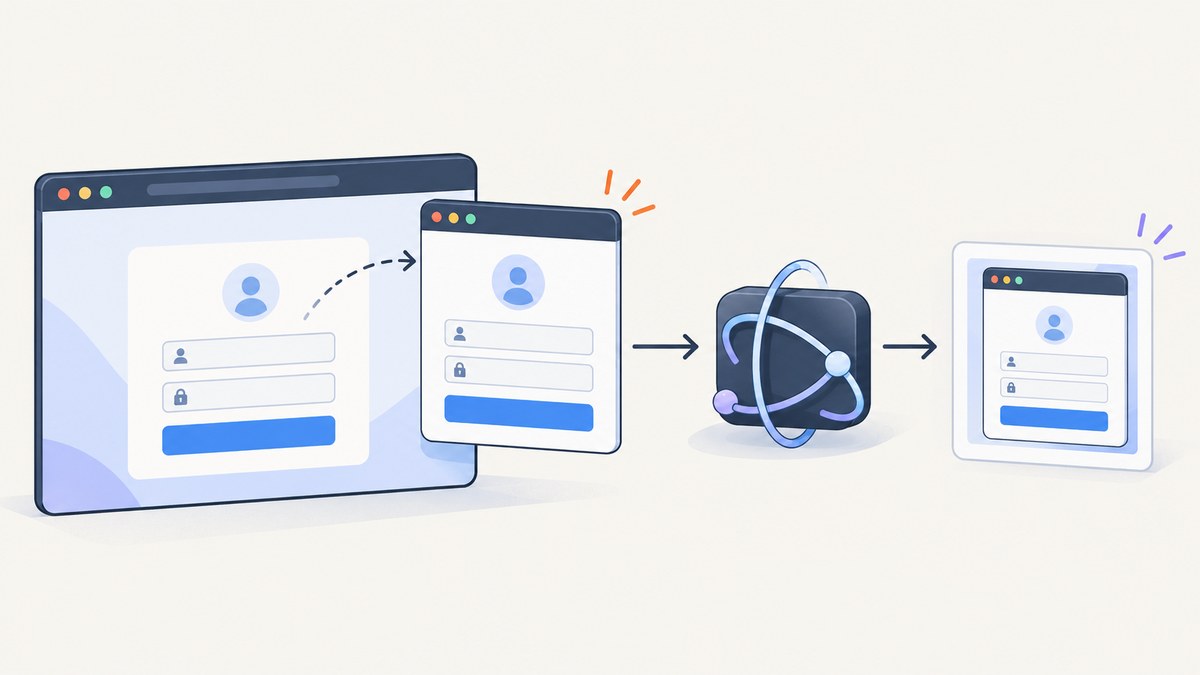
Short answer: NightmareJS does not provide a documented first-class command for switching to a popup window. Because Nightmare relies heavily on Electron, the dependable approach is to install an Electron popup interception hook before the login action can call window.open() or follow a target="_blank" link. Record the child BrowserWindow or its webContents, wait for the child to finish navigating, then capture it through a custom Nightmare Electron action or a controlled preload/IPC bridge.
Do not treat .screenshot() on the parent Nightmare page as a popup capture. Do not assume a parent page can read a cross-origin popup DOM. The popup is a separate Electron window, and its origin determines which DOM operations are allowed.
What you are actually capturing
A post-login “popup” can mean several different things:
| Thing you see | Electron representation | Capture approach |
|---|---|---|
window.open() or target="_blank" |
A child BrowserWindow and renderer |
Intercept creation, observe navigation, capture the child |
| OAuth consent window | Usually a child window with redirects | Wait for a known URL or navigation event, then read permitted data |
alert, confirm, or prompt |
A JavaScript dialog, not a browser window | Use Nightmare’s documented page-dialog events |
| In-page modal or drawer | DOM in the existing renderer | Use a selector and the normal Nightmare screenshot action |
This distinction matters. A JavaScript dialog cannot be captured as a separate page, while an Electron child window has its own lifecycle, URL, renderer, and optional native screenshot path.
Prerequisites and compatibility
- Install Node.js and Nightmare in the project that runs the automation.
- Know the Electron version bundled by your installed Nightmare release.
- Have a deterministic post-login selector or URL.
- Know whether you can modify Electron’s main-process setup. If you cannot, a preload and IPC bridge may be the practical integration point.
Nightmare’s repository is archived, while Electron’s API documentation continues to change. APIs such as webContents.setWindowOpenHandler may therefore require version-specific adjustments. Check the Electron version that your installed Nightmare package actually uses before copying an integration verbatim.
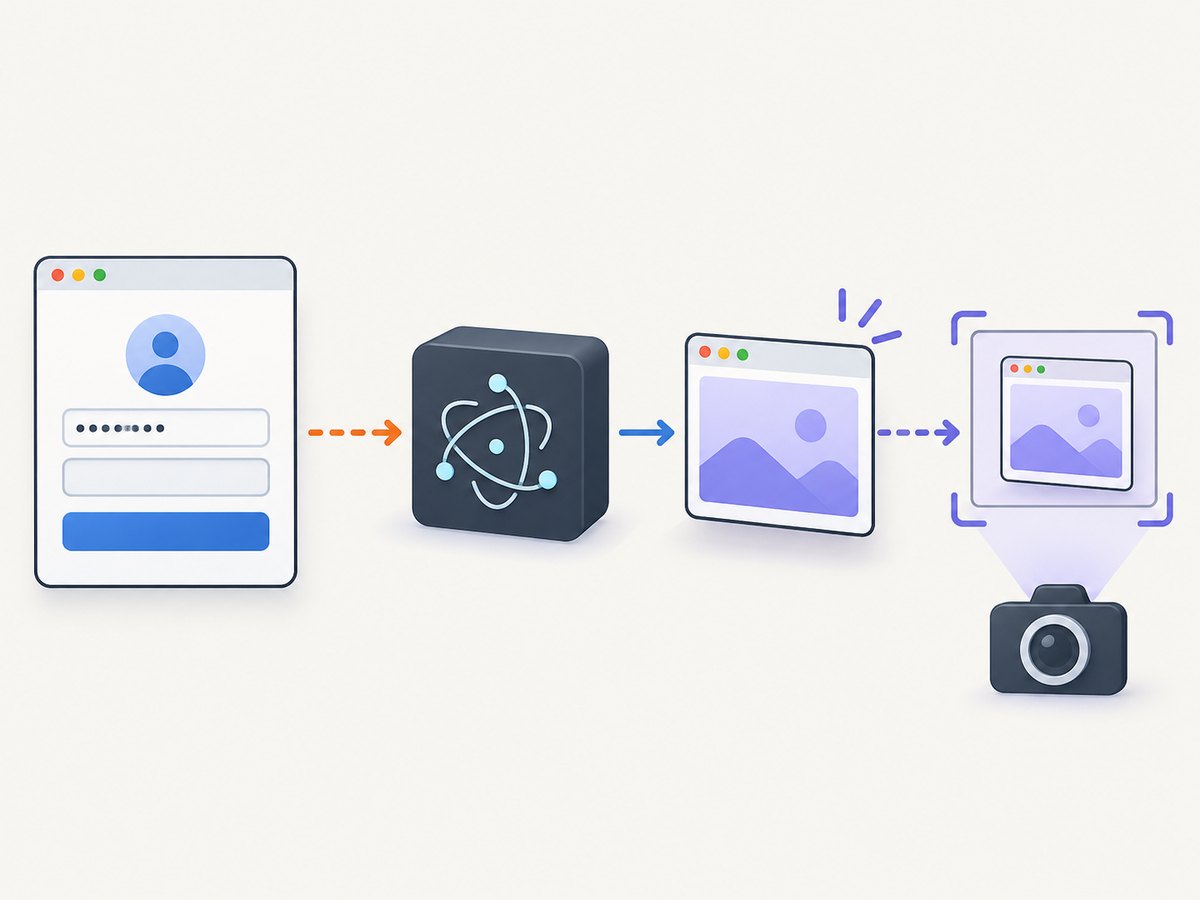
Recommended sequence
- Create the Nightmare instance.
- Register popup interception before navigation or before any action that can open the child.
- Navigate to the login page and submit credentials.
- Wait for a selector or URL that proves login completed.
- Trigger the popup action.
- Wait for the child creation and its meaningful navigation event.
- Capture the child visually, or evaluate in it through a controlled bridge.
- Close the child and finish Nightmare with
.end().
Install the hook early. Attaching it after clicking the popup trigger can miss a fast-created child window.
Nightmare flow with a custom popup action
The following is the shape of a real Nightmare workflow. capturePopup is deliberately marked as custom: Nightmare does not ship that action. You must implement it with Nightmare.action() and the Electron callback arguments documented by the project, or replace it with your preload/IPC implementation.
const Nightmare = require('nightmare')

const nightmare = Nightmare({
  show: false
})

nightmare
  .goto('https://example.test/login')
  .type('#username', process.env.USERNAME)
  .type('#password', process.env.PASSWORD)
  .click('button[type="submit"]')
  .wait('#logged-in')
  .click('#open-popup')
  // Custom action supplied by your Electron integration.
  .capturePopup({
    waitFor: 'body',
    waitForUrl: url => url.includes('/account/complete'),
    output: 'png'
  })
  .end()
  .then(result => {
    // result may contain child URL, text, or image bytes,
    // depending on your custom action implementation.
    console.log(result)
  })
  .catch(error => {
    console.error(error)
    process.exitCode = 1
  })
A custom Electron action receives name, options, parent, win, renderer, and done. Use the callback to access the underlying Electron objects, attach listeners, and return a serializable result to Nightmare. Keep the callback’s cleanup path reliable: call done(error) on failure and ensure the child is closed when the capture is complete.
Intercepting the child in Electron
Modern Electron provides webContents.setWindowOpenHandler in the main process. It lets trusted code allow or deny popup creation and override the options used to create the child BrowserWindow. The exact wiring depends on how Nightmare exposes its Electron process, so treat this as an integration pattern rather than a drop-in Nightmare method.
// Main-process integration pattern. Adapt to the Electron version
// bundled by your Nightmare release.
let popupWindow = null
let popupReadyResolve
let popupReadyReject

const popupReady = new Promise((resolve, reject) => {
  popupReadyResolve = resolve
  popupReadyReject = reject
})

parentWindow.webContents.setWindowOpenHandler(({ url, frameName, features }) => {
  // Apply an allow-list in production when the destination is known.
  if (!url.startsWith('https://example.test/')) {
    return { action: 'deny' }
  }

  return {
    action: 'allow',
    overrideBrowserWindowOptions: {
      show: false,
      width: 1200,
      height: 900
    }
  }
})

parentWindow.webContents.on('did-create-window', (childWindow, details) => {
  popupWindow = childWindow

  childWindow.webContents.once('did-finish-load', () => {
    popupReadyResolve({
      window: childWindow,
      url: childWindow.webContents.getURL()
    })
  })

  childWindow.once('closed', () => {
    if (popupWindow === childWindow) popupWindow = null
  })
})

// In your custom Nightmare Electron action:
async function waitForPopupAndRead() {
  const { window, url } = await popupReady
  const title = await window.webContents.executeJavaScript('document.title')
  return { url, title }
}
Some Electron versions expose child-window events differently, and some Nightmare integrations do not expose the parent BrowserWindow directly. Resolve that mismatch in the custom action or preload layer rather than assuming the example is universal.
Capturing the child visually
For a visual artifact, capture the child’s Electron page after its readiness condition. A page-load event only proves that navigation finished; images, fonts, and client-rendered content may still be changing.
async function captureChild(window, filePath) {
  await new Promise((resolve, reject) => {
    if (!window || window.isDestroyed()) {
      reject(new Error('Popup was closed before capture'))
      return
    }

    const check = () => resolve()
    if (window.webContents.isLoading()) {
      window.webContents.once('did-finish-load', check)
      window.webContents.once('did-fail-load', (_event, code, description) => {
        reject(new Error(`Popup load failed (${code}): ${description}`))
      })
    } else {
      check()
    }
  })

  const image = await window.webContents.capturePage()
  require('fs').writeFileSync(filePath, image.toPNG())
}
If you need a particular viewport, configure the child window dimensions before creation. If the popup content is taller than the viewport, use the page’s own layout strategy or scroll and capture multiple regions. Do not assume a normal viewport screenshot is automatically a full-page capture.
Reading popup data with preload and IPC
A preload script is useful when you need text, a token-bearing redirect URL, or a small structured result instead of an image. Nightmare documents a custom preload mechanism in which the script establishes window.__nightmare and __nightmare.ipc with Electron’s ipcRenderer.
// popup-preload.js
const { contextBridge, ipcRenderer } = require('electron')

contextBridge.exposeInMainWorld('__popupBridge', {
  reportReady: data => ipcRenderer.send('popup-ready', data),
  readTitle: () => document.title
})

window.addEventListener('load', () => {
  window.__popupBridge.reportReady({
    href: location.href,
    title: document.title
  })
})
Use the same-origin shortcut only when the parent and child really share an origin. A cross-origin popup cannot be queried by reaching through the parent DOM. Instead, use the child renderer’s permitted context, a preload bridge you control, or the native webContents APIs. Never print credentials, authorization headers, OAuth codes, or session cookies into logs or screenshots.
Waiting correctly
Popup timing is the most common source of flaky tests. Prefer a condition that expresses readiness:
- Selector: wait for a stable element such as
#account-summary. - URL predicate: wait until the child reaches a known callback or success route.
- Navigation event: observe the child’s
did-finish-loador equivalent event. - Page predicate: evaluate a small condition, such as the presence of a known heading.
Use a fixed delay only for a known animation or delayed third-party widget, and keep it as a final settling delay after a real readiness signal. A timeout should fail with the current URL and window state so the diagnosis is actionable.
Common failures and fixes
| Symptom | Likely cause | Fix |
|---|---|---|
| No child is recorded | Hook installed after the click, or popup blocked by policy | Install interception before login and inspect the handler’s allow/deny result. |
| Parent screenshot contains no popup | The popup is a separate BrowserWindow |
Capture the child’s webContents, not the parent page. |
| Child closes immediately | OAuth flow completed, authentication failed, or the site intentionally closes it | Attach closed and navigation listeners; save the last URL and console errors. |
| Cannot query popup DOM | Cross-origin policy | Use a child preload/IPC bridge or native Electron evaluation within that origin. |
| Capture is blank | Capture occurred before rendering, window was hidden incorrectly, or resources failed | Wait for a selector, verify the URL, inspect load failures, and confirm the child is not destroyed. |
| API method is undefined | Electron version mismatch with the integration example | Check the bundled Electron version and use the corresponding window-creation API. |
| Test hangs at shutdown | Child listeners or windows remain alive | Remove listeners, close the child, then call Nightmare’s normal .end() cleanup. |
| Credentials appear in artifacts | Debug logging or screenshots include sensitive fields | Mask fields, exclude headers, and keep secrets in environment variables. |
Debugging checklist
- Log the parent URL immediately before the popup trigger.
- Log whether the window-open handler allowed or denied the request.
- Record every child URL change without logging query parameters that contain secrets.
- Record
did-fail-loadcodes and descriptions. - Check whether the child has been destroyed before every operation.
- Save a sanitized parent screenshot and a child screenshot separately.
- Confirm that your custom action calls
doneon both success and error.
Performance, reliability, and cost considerations
Launching an Electron child is more expensive than reading an in-page element. Reuse a Nightmare session when the application permits it, avoid opening several popups concurrently unless your integration tracks each child by ID, and close children promptly. Waiting on a selector or URL generally reduces wasted time compared with long unconditional sleeps.
Reliability improves when you treat the child as a lifecycle: creation, navigation, readiness, capture, and closure. Record the final URL and a short failure reason. If the site uses an OAuth provider, expect several redirects and do not declare success on the first load event.
Nightmare itself does not provide a popup-switching abstraction, so maintenance cost includes Electron-version compatibility and custom action code. Keep that code isolated behind one function such as capturePopup so an Electron upgrade does not require rewriting every test.
Or skip the browser setup
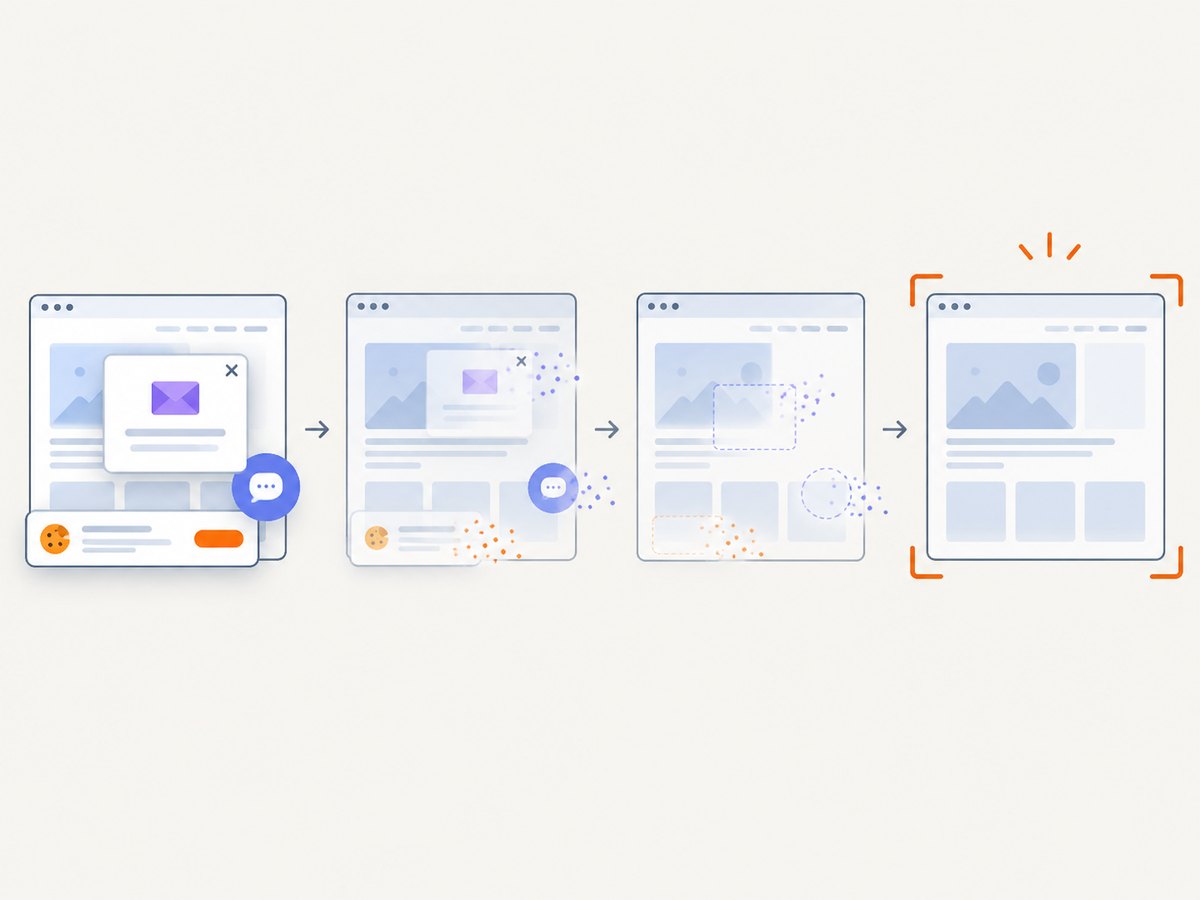
If your goal is a clean screenshot of a URL rather than control of an authenticated Electron child, ScreenshotNeo provides a single HTTP request for PNG, JPEG, WebP, or PDF output. Its API can remove cookie banners, newsletter popups, and chat widgets before capture. Bot checks, blank pages, timeouts, failed loads, and cache hits are not billed, and the response identifies the result with X-Page-Verdict and X-Billed headers. An MCP server provides take_screenshot, get_page_info, and capture_pdf tools for Claude, Cursor, and other MCP clients.
See the ScreenshotNeo API documentation for all options. A basic request looks like this:
curl -G "https://api.screenshotneo.com/v1/shot" -d access_key=YOUR_API_KEY --data-urlencode url=https://stripe.com -o shot.webpimport requests
r = requests.get(
"https://api.screenshotneo.com/v1/shot",
params={"access_key": "YOUR_API_KEY", "url": "https://stripe.com"},
timeout=90,
)
r.raise_for_status()
open("shot.webp", "wb").write(r.content)const q = new URLSearchParams({ access_key: 'YOUR_API_KEY', url: 'https://stripe.com' });
const res = await fetch(`https://api.screenshotneo.com/v1/shot?${q}`);
if (!res.ok) throw new Error(`Screenshot failed: ${res.status}`);
const bytes = Buffer.from(await res.arrayBuffer());
require('fs').writeFileSync('shot.webp', bytes);ScreenshotNeo supports full-page and selector captures, dark mode, device presets, custom viewports, retina scale, PDF paper and margin settings, custom CSS and JavaScript, clicks, waits, blocked requests, headers, cookies, user agents, authorization, timezone, geolocation, transparent backgrounds, resizing, TTL caching, signed links, asynchronous jobs with signed webhooks, bulk capture of up to 100 URLs per call, a usage API, and an OpenAPI specification. Parameter names used by other screenshot APIs also work, which can simplify migration.
The Free plan includes 1,000 screenshots per month with no card. Paid plans start at $5 for 3,000 shots; yearly billing gives two months free, and every feature is available on every plan. Create a free ScreenshotNeo account to try it.
FAQ
Can Nightmare switch windows with a built-in command?
No documented first-class popup-switching command exists. Add an Electron custom action or preload/IPC integration.
Can I read a cross-origin OAuth popup from the parent?
No. Same-origin rules still apply. Observe the native child window and use a controlled bridge or permitted renderer evaluation.
Is a popup the same as an alert?
No. An alert, confirmation, or prompt is a JavaScript dialog. A popup is a separate browser window created by Electron.
What should happen if the popup is blocked?
Inspect the window-open handler’s decision, the destination allow-list, and the Electron version. Treat a denied creation as a distinct failure from a child that opened and then closed.
Should I use a fixed sleep?
Use a selector, URL predicate, or child navigation event whenever possible. Reserve fixed delays for a known final settling period.


