How to Capture Popup Responses in Puppeteer
Capture network responses from Puppeteer popups reliably with event ordering, response filters, body parsing, timeout handling, and race-free code.
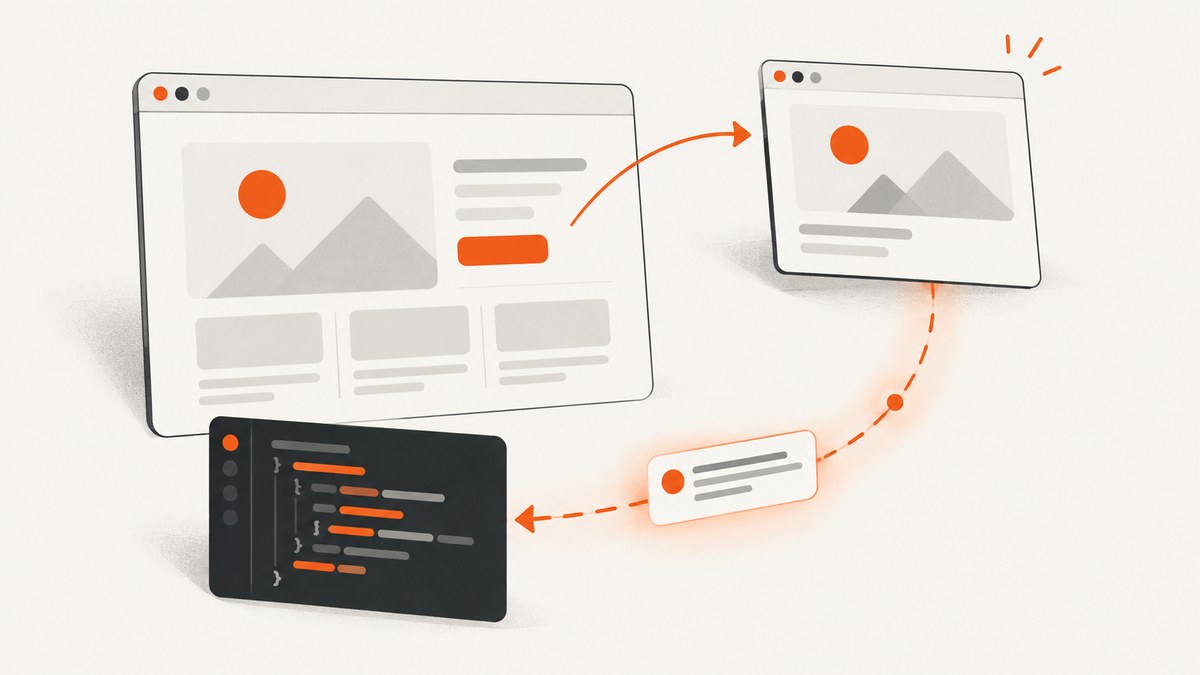
Direct answer: A popup opened by a Puppeteer page is a separate Page. Listen for the opener page’s popup event, wait for the new page, then call popup.waitForResponse() with a URL or predicate. Register the popup listener before the click, and begin the response wait as soon as you have the popup so fast requests are not missed.
This distinction matters because responses made inside the new tab belong to the popup page. A response listener attached only to the opener will not automatically capture the popup’s API traffic. Puppeteer’s PageEvent documentation describes the popup event as the event emitted when a page opens a new tab or window, and the event supplies the corresponding Page.
1. The reliable popup-response pattern
The following JavaScript example opens a popup, waits for an API response, checks its status, and parses JSON. The waits are created before the click that triggers the popup.

import puppeteer from 'puppeteer';

const browser = await puppeteer.launch({headless: true});
const page = await browser.newPage();

try {
  await page.goto('https://example.com', {waitUntil: 'domcontentloaded'});

  // Install this before the action that opens the new tab.
  const popupPromise = new Promise(resolve => {
    page.once('popup', resolve);
  });

  await page.click('a.opens-popup');
  const popup = await popupPromise;

  // Start this immediately after receiving the popup Page.
  const response = await popup.waitForResponse(
    candidate => candidate.url().includes('/api/result'),
    {timeout: 30_000}
  );

  console.log('URL:', response.url());
  console.log('Status:', response.status());
  console.log('Successful:', response.ok());

  if (!response.ok()) {
    throw new Error(`Popup API returned HTTP ${response.status()}`);
  }

  const result = await response.json();
  console.log(result);

  await popup.close();
} finally {
  await browser.close();
}
waitForResponse() accepts a URL string, a regular expression, or a predicate. Its wait options include a timeout and abort signal; Puppeteer’s documented default timeout is 30 seconds. Treat that timeout as a failure you need to handle, not as evidence that the popup did not open.
2. Complete setup with a deterministic test page
When developing or debugging, it helps to have a page whose popup behavior you control. This small local example opens a new page and fetches JSON from the popup. Save it as popup.html, serve the directory with any local HTTP server, and point Puppeteer at the page.
<!doctype html>
<html>
  <body>
    <button id="open">Open result</button>
    <script>
      document.querySelector('#open').addEventListener('click', () => {
        const popup = window.open('/popup.html?child=1', '_blank');
        // The child page performs the fetch after it loads.
      });
    </script>
  </body>
</html>
For a production site, replace the selector and endpoint predicate with values specific to the application. Prefer a predicate that identifies both the URL and request method when several calls use the same endpoint.
const response = await popup.waitForResponse(candidate => {
  const request = candidate.request();
  return candidate.url().includes('/api/result') &&
    request.method() === 'POST';
});
3. Getting the popup page safely
Use page.once('popup') when the trigger is known
This is the simplest option when one click on a known opener page should create one popup.
const popupPromise = new Promise(resolve => page.once('popup', resolve));
await page.click('button.launch');
const popup = await popupPromise;
once prevents an old listener from handling a later popup. If the action can open more than one page, use on with explicit cleanup or collect the pages yourself.
Use browserContext.waitForTarget() when the target is ambiguous
A browser context target is useful when a page is opened through window.open(), when several pages may appear, or when you can identify the new target by URL.
const context = browser.defaultBrowserContext();
const targetPromise = context.waitForTarget(
  target => target.type() === 'page' &&
    target.url().includes('/oauth/authorize'),
  {timeout: 30_000}
);

await page.click('a.sign-in');
const target = await targetPromise;
const popup = await target.page();

if (!popup) {
  throw new Error('The target did not expose a Page');
}
Use the page popup event when the opener is certain. Use a target wait when the URL or target properties are the better way to distinguish one new page from another. Puppeteer documents BrowserContext.waitForTarget() for finding targets created by actions such as window.open().
4. Preventing event races
Popup automation has two separate timing problems: discovering the new page and observing its response. Create the popup promise before the click. After the popup arrives, call waitForResponse() immediately.
const popupPromise = new Promise(resolve => page.once('popup', resolve));
await page.click('a.opens-popup');
const popup = await popupPromise;

const responsePromise = popup.waitForResponse(
  r => r.url().endsWith('/api/result')
);
const response = await responsePromise;
If the popup makes its first request during page creation, a response could finish before your code attaches a listener. In that unusual but real case, attach context-level target handling before the trigger and inspect the popup as soon as its target appears. Do not assume a later listener can recover an event that was already emitted.
For a click that may be blocked or may not open a page, wrap both waits in a timeout and report which phase failed:
async function waitForPopupResponse(opener, trigger, matches, timeout = 30_000) {
  const popupPromise = new Promise((resolve, reject) => {
    const timer = setTimeout(() => reject(new Error('Popup did not open')), timeout);
    opener.once('popup', popup => {
      clearTimeout(timer);
      resolve(popup);
    });
  });

  await trigger();
  const popup = await popupPromise;
  return popup.waitForResponse(matches, {timeout});
}
Remove listeners or close the popup in a finally block when an optional flow can fail. This prevents leaked pages and handlers across repeated tests.
5. Reading and validating the response
Puppeteer’s HTTPResponse API provides the response URL, status, request, headers, and body methods.
| Need | Method | Use when |
|---|---|---|
| Parsed object | await response.json() |
The body is valid JSON. |
| UTF-8 text | await response.text() |
The body is HTML, XML, plain text, or another text format. |
| Bytes | await response.buffer() |
The body is an image, PDF, archive, or other binary data. |
const contentType = response.headers()['content-type'] || '';
let body;

if (contentType.includes('application/json')) {
  body = await response.json();
} else if (contentType.startsWith('text/')) {
  body = await response.text();
} else {
  body = await response.buffer();
}

if (!response.ok()) {
  throw new Error(`HTTP ${response.status()} from ${response.url()}`);
}
json() throws when the body cannot be parsed by JSON.parse. text() expects a text body, while buffer() returns the response bytes. Puppeteer notes that browser processing can re-encode a body, so do not assume the original wire encoding is always preserved.
A 404 or 503 is still an HTTP response. It completes through the normal response lifecycle, so requestfailed is not emitted merely because the server returned an error status. A network-level failure, such as DNS failure or a refused connection, is different and should be diagnosed through request failure events.
6. Streaming responses with an event listener
Use an event listener when you need to observe several matching responses or keep monitoring the popup. Store a promise if the caller needs to await work performed by the handler.
const responsePromise = new Promise((resolve, reject) => {
  const timer = setTimeout(() => reject(new Error('Response timeout')), 30_000);

  const onResponse = async response => {
    if (!response.url().includes('/api/result')) return;
    clearTimeout(timer);
    popup.off('response', onResponse);
    resolve(response);
  };

  popup.on('response', onResponse);
});

const response = await responsePromise;
const body = await response.text();
For a single response, waitForResponse() is usually clearer because it handles predicate matching and timeout options directly. For ongoing telemetry, keep the listener and explicitly remove it when the popup closes.
7. Dialogs are not popup pages
A JavaScript alert, confirm, or prompt is a dialog, not a new browser page. It emits a dialog event and has accept or dismiss methods. There is no popup Page on which to observe network responses.
page.on('dialog', async dialog => {
  console.log(dialog.type(), dialog.message());
  await dialog.accept();
});
If the site uses an HTML modal inside the same document, treat it as ordinary page content and listen for responses on that page. Only a newly opened tab or window follows the popup-page pattern in this guide.
8. Complete TypeScript helper
This helper makes the trigger and response predicate explicit and gives callers a typed HTTPResponse.
import type {HTTPResponse, Page} from 'puppeteer';

export async function capturePopupResponse(
  opener: Page,
  trigger: () => Promise<void>,
  matches: (response: HTTPResponse) => boolean,
  timeout = 30_000,
): Promise<HTTPResponse> {
  const popupPromise = new Promise<Page>((resolve, reject) => {
    const timer = setTimeout(() => reject(new Error('Popup timeout')), timeout);
    opener.once('popup', popup => {
      clearTimeout(timer);
      resolve(popup);
    });
  });

  await trigger();
  const popup = await popupPromise;
  return popup.waitForResponse(matches, {timeout});
}
9. Troubleshooting common failures
| Symptom | Likely cause | Fix |
|---|---|---|
| Popup wait times out | The click did not run, the browser blocked the popup, or the link reused the current tab. | Check the selector, use a real user gesture, run headed mode for diagnosis, and inspect whether the action changes the opener URL instead. |
| Response wait times out | The predicate is too strict, the endpoint differs by query parameters, or the request happened before the listener. | Log every popup response URL, match the stable path, start the wait immediately, or use context target handling. |
| JSON parsing throws | The server returned HTML, an empty body, or an error page. | Check status and content-type, then use text() to inspect the body. |
| Expected requestfailed event never occurs | The server returned 4xx or 5xx, which is still an HTTP response. | Check response.status() and response.ok(). |
| Several popups are mixed together | A shared browser context has multiple active flows. | Use a dedicated context, match targets by URL, or associate each listener with its opener. |
| Popup closes before body read | The site closes the tab after submitting. | Read the response as soon as it matches, or intercept the request at the context level before triggering the action. |
| Works locally but fails in CI | Timing, permissions, missing dependencies, or a different headless environment. | Use explicit waits, avoid arbitrary short sleeps, capture console and request logs, and pin the Puppeteer/browser versions. |
10. Performance, reliability, and cost considerations
- Filter early: Match a stable path, method, and resource type so the predicate does not inspect every asset in a busy popup.
- Keep one browser alive: Reusing a browser and creating isolated contexts is generally faster than launching a process for every response.
- Set bounded timeouts: A finite popup and response timeout prevents a hung test from consuming a worker indefinitely.
- Close resources: Close popups, contexts, and browsers in
finallyblocks. Leaked pages increase memory use and can make later tests unreliable. - Capture diagnostics: On failure, record the opener URL, popup URL, response URLs, status codes, and console errors. Avoid logging cookies or authorization headers.
- Retry carefully: Retry transient navigation or network failures only when the action is idempotent. A second click can create duplicate submissions.
- Separate browser cost from API cost: Running Chromium consumes your infrastructure resources. A managed screenshot API can remove browser installation and maintenance, but your request still needs a clear target URL and expected output.
11. Or skip the browser setup
If your goal is a clean image or PDF of a page rather than inspecting an application’s popup network traffic, ScreenshotNeo provides a single HTTP request. Its API accepts a URL and returns PNG, JPEG, WebP, or PDF. Read the ScreenshotNeo documentation for the complete option list.

curl -G "https://api.screenshotneo.com/v1/shot" -d access_key=YOUR_API_KEY --data-urlencode url=https://stripe.com -o shot.webpimport requests
r = requests.get("https://api.screenshotneo.com/v1/shot", params={"access_key": "YOUR_API_KEY", "url": "https://stripe.com"}, timeout=90)
open("shot.webp", "wb").write(r.content)const q = new URLSearchParams({ access_key: 'YOUR_API_KEY', url: 'https://stripe.com' });
const res = await fetch(`https://api.screenshotneo.com/v1/shot?${q}`);ScreenshotNeo removes cookie and consent banners, newsletter popups, and chat widgets before the capture. Bot checks, blank pages, failed loads, timeouts, and cache hits are not billed; the response identifies the page verdict and billing result with X-Page-Verdict and X-Billed headers. It also provides an MCP server with take_screenshot, get_page_info, and capture_pdf tools for Claude, Cursor, and other MCP clients.
The service supports full-page captures with lazy images, CSS-selector element captures, dark mode, device presets and custom viewports, retina scale, PDF paper sizes and page ranges, custom CSS and JavaScript, clicks, selector or network-idle waits, request blocking, headers, cookies, user agents, authorization, timezone, geolocation, transparent backgrounds, resizing, configurable caching, signed links, asynchronous jobs with signed webhooks, bulk capture for up to 100 URLs per call, usage data, and an OpenAPI specification.
There is a free plan with 1,000 screenshots per month and no card. Paid plans start at $5 for 3,000 screenshots; yearly billing gives two months free. Create a free ScreenshotNeo account to try the API.
12. FAQ
Does page.waitForResponse() watch every page?
No. Call it on the Page that made the request. For a new tab, call it on the popup page returned by the opener’s popup event.
Can I wait for a response before waiting for the popup?
No. You need a popup Page first. Create the popup event promise before the trigger, then start the response wait immediately after it resolves.
How do I capture a binary response?
Use await response.buffer(), then write the returned bytes to a file or pass them to the next processing step.
What if the popup opens but never makes the expected request?
Log the popup URL and all response URLs, verify the trigger completed, and relax a predicate that may depend on a changing query string. Keep a finite timeout so the test reports the failure.
Is an HTTP 500 a failed request in Puppeteer?
It is an HTTP response with an unsuccessful status. Check ok() or status(); reserve network-failure handling for requests that never complete at the HTTP layer.


