How to Capture Screenshots with Allure AShot in Selenium
Capture viewport, full-page, and element screenshots with AShot in Selenium, attach them to Allure, compare images, and troubleshoot browser differences.
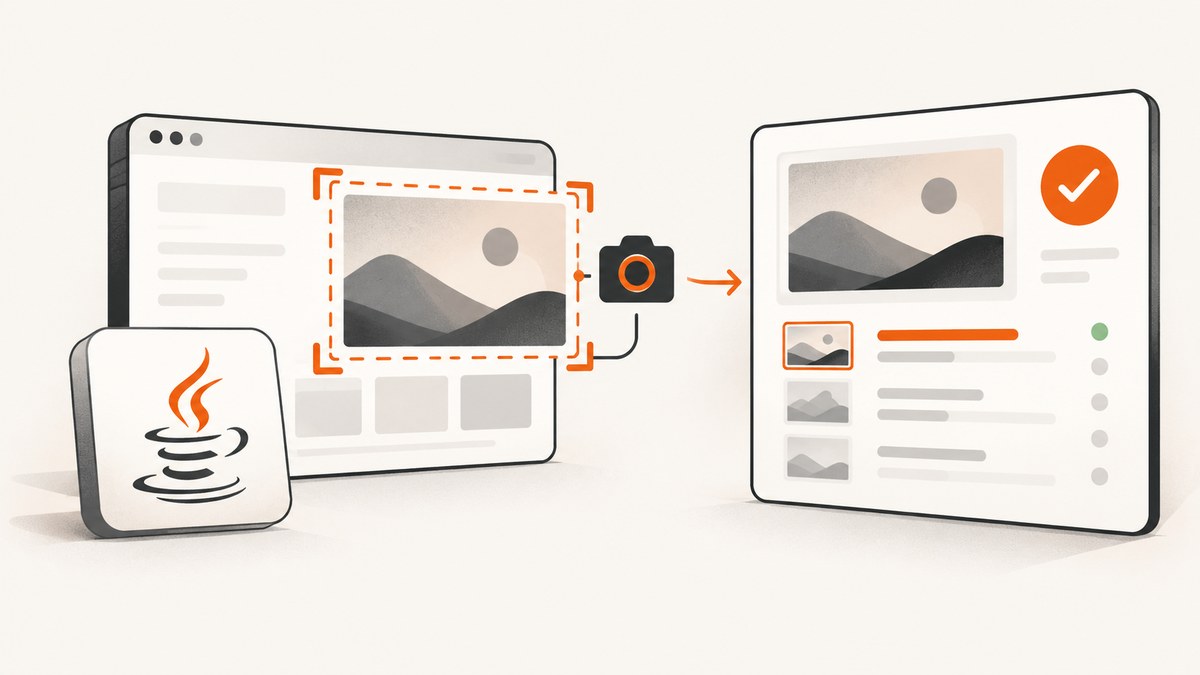
Short answer: AShot is a Java screenshot utility that runs on top of Selenium WebDriver. Use Selenium to open the page, use new AShot().takeScreenshot(driver) for a viewport image, ShootingStrategies.viewportPasting(...) for a stitched full-page image, and takeScreenshot(driver, element) for one element. AShot returns a Screenshot object; attaching that image to an Allure report is a separate test-framework step.
AShot is not an Allure module. The AShot project documents screenshot capture, element cropping, decoration, and image comparison. Allure displays attachments produced by your test framework’s Allure integration.
1. Add AShot and Selenium
The AShot README shows this Maven dependency:
<dependency>
  <groupId>ru.yandex.qatools.ashot</groupId>
  <artifactId>ashot</artifactId>
  <version>1.5.4</version>
</dependency>
Version metadata is inconsistent: the repository release panel lists 1.5.2, dated December 9, 2015, while the README and Maven Central list 1.5.4. Treat the library as old, verify that your build resolves the version you expect, and inspect the dependency tree. Maven Central lists Selenium Remote Driver 2.53.0 as a transitive dependency for 1.5.4, which can conflict with a modern Selenium stack.
mvn dependency:tree -Dincludes=ru.yandex.qatools.ashot,org.seleniumhq.seleniumUse a small smoke test with the exact browser, driver, operating system, device-pixel ratio, and Selenium version used in CI. Do not assume that a result reported for an older browser applies to a current one.
2. Capture a normal viewport screenshot
A viewport screenshot captures the visible browser area. This is enough when the requirement is the current screen rather than the complete document.
import org.openqa.selenium.WebDriver;
import org.openqa.selenium.chrome.ChromeDriver;
import ru.yandex.qatools.ashot.AShot;
import ru.yandex.qatools.ashot.Screenshot;

public class ViewportShot {
    public static void main(String[] args) throws Exception {
        WebDriver driver = new ChromeDriver();
        try {
            driver.get("https://example.com");
            Screenshot screenshot = new AShot().takeScreenshot(driver);
            javax.imageio.ImageIO.write(
                screenshot.getImage(), "PNG", new java.io.File("viewport.png"));
        } finally {
            driver.quit();
        }
    }
}
Make sure the output format matches the extension. The file write is ordinary Java ImageIO; it is not an Allure feature.
3. Capture the entire page with viewport pasting
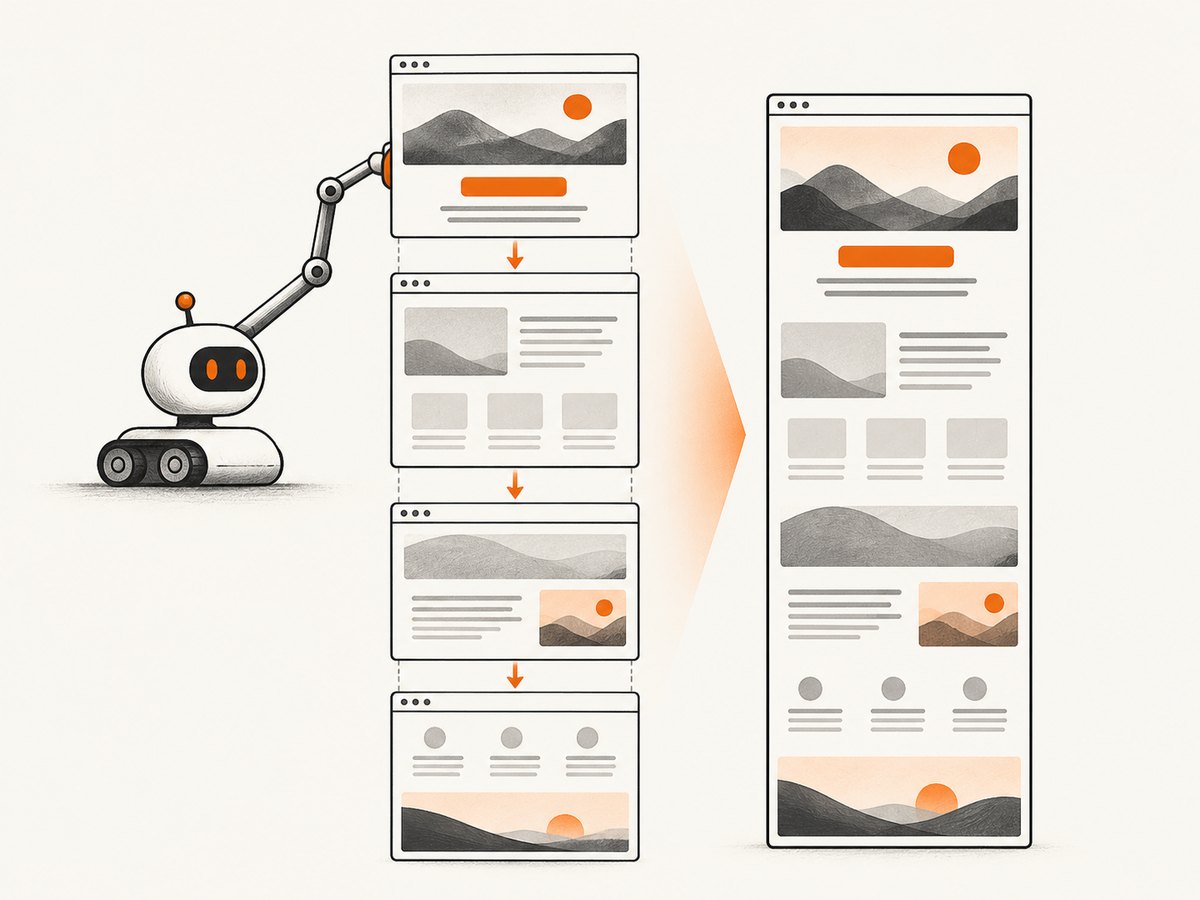
Some WebDriver implementations return only the visible viewport. AShot’s documented full-page pattern repeatedly scrolls the page, captures viewport images, and pastes them together:
import org.openqa.selenium.WebDriver;
import org.openqa.selenium.chrome.ChromeDriver;
import ru.yandex.qatools.ashot.AShot;
import ru.yandex.qatools.ashot.Screenshot;
import ru.yandex.qatools.ashot.shooting.ShootingStrategies;

public class FullPageShot {
    public static void main(String[] args) throws Exception {
        WebDriver driver = new ChromeDriver();
        try {
            driver.get("https://example.com");
            Screenshot screenshot = new AShot()
                .shootingStrategy(ShootingStrategies.viewportPasting(100))
                .takeScreenshot(driver);
            javax.imageio.ImageIO.write(
                screenshot.getImage(), "PNG", new java.io.File("full-page.png"));
        } finally {
            driver.quit();
        }
    }
}
The numeric argument is part of the AShot API examples and should be interpreted according to the library version resolved by your build. AShot supports composed and custom shooting strategies when the default scrolling or stitching behavior does not fit your page.
Full-page edge cases
- Lazy-loaded images may not exist until their section is scrolled into view.
- Sticky headers can be pasted repeatedly at each scroll position.
- Animations, carousels, clocks, and ads can change between segments.
- Very long pages produce large images and may require more heap.
- Retina scaling changes the relationship between CSS pixels and image pixels.
Freeze dynamic content where possible, wait for the page to settle, and compare the resulting dimensions in your local browser.
4. Capture one WebElement
Locate the element with Selenium and pass it to AShot. AShot computes the element coordinates and crops the screenshot:
import org.openqa.selenium.By;
import org.openqa.selenium.WebDriver;
import org.openqa.selenium.WebElement;
import org.openqa.selenium.chrome.ChromeDriver;
import ru.yandex.qatools.ashot.AShot;
import ru.yandex.qatools.ashot.Screenshot;

public class ElementShot {
    public static void main(String[] args) throws Exception {
        WebDriver driver = new ChromeDriver();
        try {
            driver.get("https://example.com");
            WebElement element = driver.findElement(By.cssSelector("#my_element"));
            Screenshot screenshot = new AShot().takeScreenshot(driver, element);
            javax.imageio.ImageIO.write(
                screenshot.getImage(), "PNG", new java.io.File("element.png"));
        } finally {
            driver.quit();
        }
    }
}
The project says its default coordinate provider uses jQuery. If JavaScript execution causes coordinate problems, use the WebDriver provider:
import ru.yandex.qatools.ashot.coordinates.WebDriverCoordsProvider;

Screenshot screenshot = new AShot()
    .coordsProvider(new WebDriverCoordsProvider())
    .takeScreenshot(driver, element);
Ensure the element is present and visible before capture. For a scrolling container, scroll the element into view yourself and confirm whether the crop should include borders, padding, or only the content box.
5. Save, decorate, and inspect the image
Screenshot#getImage() returns a BufferedImage, so you can use normal Java image APIs:
java.awt.image.BufferedImage image = screenshot.getImage();
javax.imageio.ImageIO.write(image, "PNG", new java.io.File("shot.png"));
System.out.println(image.getWidth() + "x" + image.getHeight());
Record the browser, viewport size, device-pixel ratio, URL, and test data with the artifact. Those details make later visual differences diagnosable.
6. Compare screenshots with ImageDiffer
AShot includes an image-difference utility for baseline comparisons:
import ru.yandex.qatools.ashot.comparison.ImageDiff;
import ru.yandex.qatools.ashot.comparison.ImageDiffer;

ImageDiff diff = new ImageDiffer().makeDiff(baselineImage, actualImage);
if (diff.hasDiff()) {
    javax.imageio.ImageIO.write(
        diff.getMarkedImage(), "PNG", new java.io.File("difference.png"));
    throw new AssertionError("Screenshot differs from baseline");
}
The project also documents excluding selected WebElements and ignoring pixels of a configured color. Use those controls for intentional regions such as timestamps or rotating adverts. Stabilize fonts, data, animations, and network content before treating a pixel difference as a regression.
7. Attach an AShot image to an Allure report
Capture and reporting are separate operations. Current official Allure guidance demonstrates Selenium’s TakesScreenshot and attachment setup for JUnit 5, but it does not establish an AShot-specific adapter. Use the attachment annotation or lifecycle API supplied by the Allure adapter for your test framework, and verify its current method signature and MIME type.
import io.qameta.allure.Attachment;
import org.junit.jupiter.api.Test;
import org.openqa.selenium.WebDriver;
import org.openqa.selenium.chrome.ChromeDriver;
import ru.yandex.qatools.ashot.AShot;

class ScreenshotTest {
    @Attachment(value = "AShot screenshot", type = "image/png")
    byte[] attachPng(java.awt.image.BufferedImage image) throws java.io.IOException {
        java.io.ByteArrayOutputStream out = new java.io.ByteArrayOutputStream();
        javax.imageio.ImageIO.write(image, "PNG", out);
        return out.toByteArray();
    }

    @Test
    void pageHasExpectedVisual() throws Exception {
        WebDriver driver = new ChromeDriver();
        try {
            driver.get("https://example.com");
            attachPng(new AShot().takeScreenshot(driver).getImage());
        } finally {
            driver.quit();
        }
    }
}
If your adapter expects an explicit lifecycle call instead of @Attachment, pass the same PNG bytes to that API. Keep the attachment code in the test layer so AShot remains responsible only for producing the image.
8. Troubleshooting
| Symptom | Likely cause | Fix |
|---|---|---|
| Only the upper-left corner is captured | The driver returns a viewport image or coordinates are interpreted incorrectly. | Use viewportPasting for full pages; try WebDriverCoordsProvider for element crops; verify viewport and device-pixel ratio. |
| Full-page image is clipped | Browser-specific scrolling or stitching behavior. | Run a local smoke test on the exact browser/driver; try a different shooting strategy or a native browser full-page method. |
| Element crop is offset | Coordinate scaling, zoom, transforms, or the default JavaScript coordinate provider. | Set browser zoom to 100%, remove transforms in the test fixture, and try WebDriverCoordsProvider. |
| Retina image dimensions are unexpected | Device-pixel ratio differs from CSS-pixel coordinates. | Compare CSS and bitmap dimensions and investigate the project’s viewportRetina guidance for your AShot version. |
| Sticky header appears many times | Viewport pasting captures it in every segment. | Hide or neutralize the sticky element during capture, or use a browser-native full-page capture. |
| Images are blank or missing | Lazy loading, incomplete network activity, or capture before rendering. | Scroll through the page, wait for a known selector or network-idle condition, and disable animations. |
NoSuchElementException |
The selector is wrong or the element has not appeared. | Use an explicit Selenium wait and confirm the selector against the loaded DOM. |
| Allure report has no attachment | The image was captured but never passed to the Allure adapter, or the MIME type is wrong. | Return/pass PNG bytes through your adapter’s documented attachment API and inspect generated results. |
ClassNotFoundException or dependency conflicts |
Old AShot/Selenium transitive dependencies conflict with the application. | Inspect mvn dependency:tree, converge Selenium versions carefully, and test the resolved runtime. |
9. Performance, reliability, and cost
- Viewport capture: one browser screenshot is usually the simplest and least expensive operation in your test runtime.
- Full-page capture: scrolling and stitching add work proportional to page length and can increase memory use.
- Element capture: cropping is smaller, but coordinate calculation still depends on page layout and scaling.
- Parallel tests: isolate browser profiles and output filenames; shared drivers can corrupt screenshots.
- Retries: retry only after recording the first image and browser state, otherwise intermittent rendering bugs become invisible.
- Baselines: pin fonts, browser versions, viewport dimensions, and test data to reduce false positives.
- Library age: AShot’s release history and Selenium 2.x-era metadata mean compatibility should be established in your own environment.
10. Or skip the browser setup
If you need an image or PDF from a URL without maintaining Selenium drivers, ScreenshotNeo provides a GET-based screenshot API. The API documentation is at screenshotneo.com/docs/.
curl -G "https://api.screenshotneo.com/v1/shot" -d access_key=YOUR_API_KEY --data-urlencode url=https://stripe.com -o shot.webpimport requests
r = requests.get("https://api.screenshotneo.com/v1/shot", params={"access_key": "YOUR_API_KEY", "url": "https://stripe.com"}, timeout=90)
open("shot.webp", "wb").write(r.content)const q = new URLSearchParams({ access_key: 'YOUR_API_KEY', url: 'https://stripe.com' });
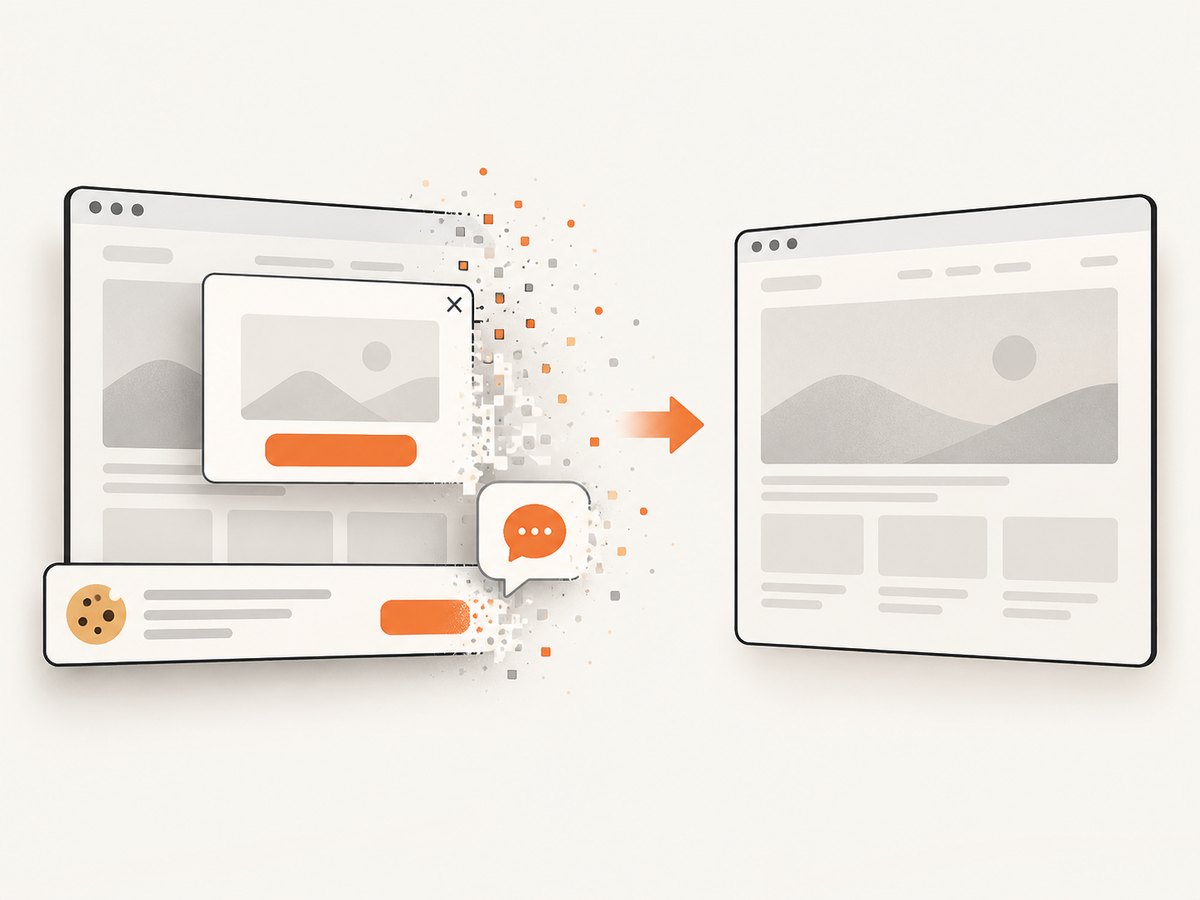
const res = await fetch(`https://api.screenshotneo.com/v1/shot?${q}`);ScreenshotNeo accepts cookie and consent banners before capture and removes more than 60 known consent platforms, newsletter popups, and chat widgets. Bot checks, blank pages, failed loads, timeouts, and cache hits are not billed; response headers identify the page verdict and billing state. Its MCP server gives AI agents tools named take_screenshot, get_page_info, and capture_pdf. The free plan includes 1,000 screenshots per month with no card; paid plans start at $5 for 3,000.
Create a free ScreenshotNeo account and start with the 1,000 free monthly screenshots.
11. FAQ
Is AShot part of Allure?
No. AShot captures and processes images; Allure receives attachments through a test-framework integration.
Should I use AShot for a viewport screenshot?
Selenium’s native TakesScreenshot may be sufficient. AShot becomes useful when you need its element cropping, viewport-pasting full-page capture, or image comparison utilities.
Why does the README version differ from the latest release?
The README shows 1.5.4, while the repository release panel lists 1.5.2 from 2015. Maven Central lists 1.5.4. Verify the artifact and resolved dependency tree before standardizing it.
Can AShot guarantee identical images in CI?
No. Browser versions, fonts, device-pixel ratio, animations, network content, and driver behavior affect pixels. Pin the environment and run a smoke test.
When should I use ScreenshotNeo instead?
Use it when you want a URL-to-image or PDF request without browser-driver maintenance, with consent UI removal, verdict-based billing, and an MCP option for AI agents.


