How to Capture Screenshots with PhantomJS in C#
Use C# to run PhantomJS locally or request a hosted capture. Get runnable code for PNG and JPEG, viewport and crop controls, timing, and troubleshooting.

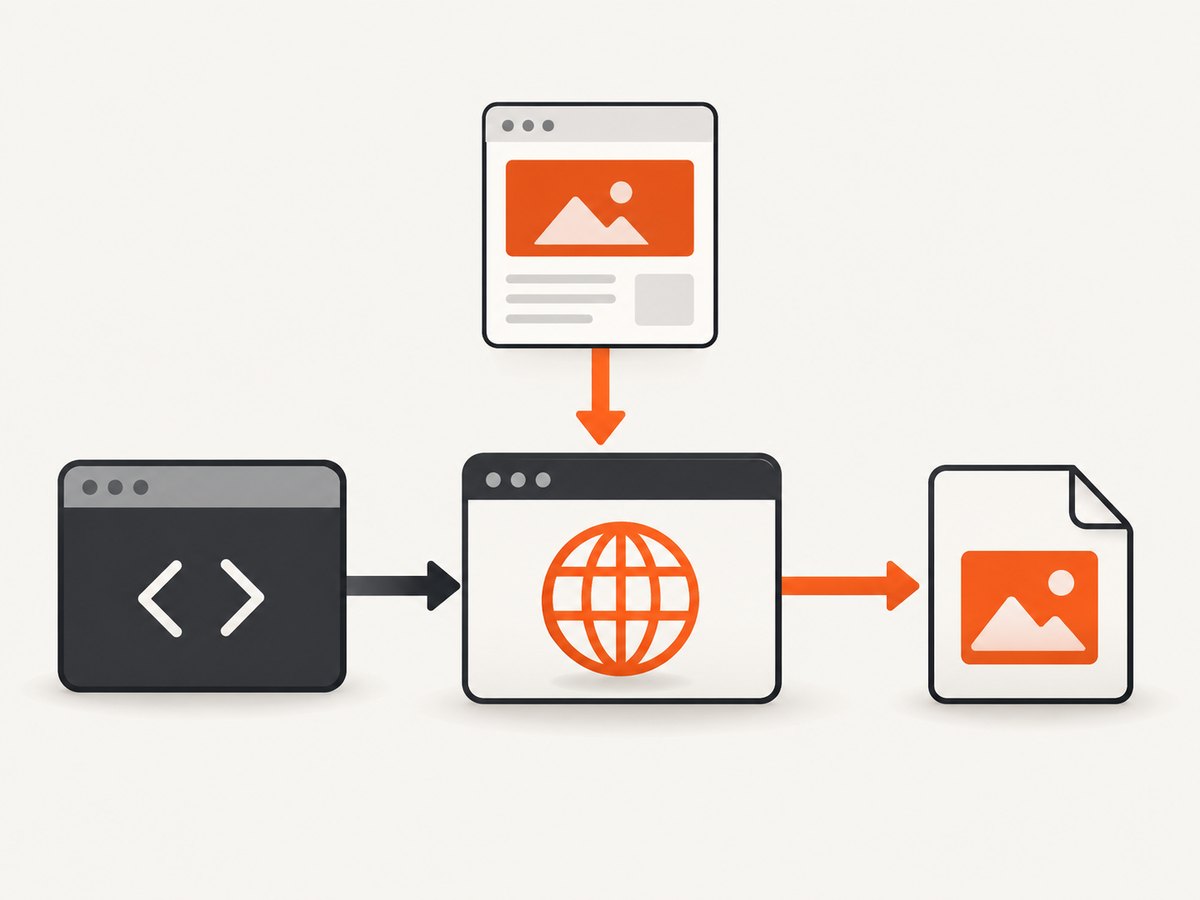
Direct answer: PhantomJS does not provide a native C# screenshot API. For a local capture, C# starts phantomjs.exe as a child process and passes it a JavaScript file. That script opens the page, renders an image, and exits. For a hosted capture, C# sends an HTTP request to a screenshot service. The examples below show both routes, including PNG or JPEG output, viewport sizing, cropping, and practical failure handling.
PhantomJS is a headless WebKit browser. It can render HTML styled with CSS, SVG, images, and Canvas. It is also a legacy choice: the project says development is suspended, its latest stable release is 2.1, and its repository was archived read-only in 2023. Treat it as a compatibility option for existing systems; assess a maintained browser before adopting it for new long-lived work.
1. Choose local PhantomJS or a hosted capture
| Consideration | Local executable | Hosted HTTP route |
|---|---|---|
| Setup | Install and manage the executable and script. | Call an endpoint with HttpClient; account and service details apply. |
| Output | Writes directly to a file your process can access. | Returns image data over HTTP for your program to save. |
| Network | The capture process needs access to the target site. | Both your app and the service need network access. |
| Maintenance | Depends on an archived browser binary. | Depends on the provider’s availability, API, quotas, and account. |
| Data handling | Browser work runs in your environment. | Review what target URLs and request data are sent to the provider. |
Pick local execution when you need direct file output and can maintain the runtime. A hosted endpoint can avoid managing the executable, but it adds provider configuration and service dependency. The PhantomJsCloud C# guidance uses HttpClient; check its current endpoint, key requirements, quotas, and pricing before relying on it.
2. Install and prepare the local capture
- Obtain a PhantomJS 2.1 executable from a source you trust and place it in a known application directory. The repository is archived, so verify the binary and account for its age in your deployment review.
- Create a JavaScript script file next to your application or in a configured scripts directory.
- Make the output directory explicitly and ensure the application identity can write to it.
- Pass a URL and output path as process arguments. Avoid building shell command strings from untrusted input; use
ProcessStartInfo.ArgumentListon supported .NET versions.
The PhantomJS API is JavaScript; C# is responsible for starting the process, monitoring it, and checking the output. The script should call page.open, check its status, call page.render only on success, and then call phantom.exit().
3. Create a PhantomJS script with viewport and crop options
Save this as capture.js. It expects URL, output path, viewport width and height, followed by optional crop coordinates and dimensions. The default clip covers the viewport. A clip outside the viewport may not produce the region you expect, so keep the rectangle within the rendered area.

var page = require('webpage').create();
var system = require('system');

if (system.args.length < 5) {
  console.log('Usage: capture.js URL OUTPUT WIDTH HEIGHT [LEFT TOP CLIP_WIDTH CLIP_HEIGHT]');
  phantom.exit(2);
}

var url = system.args[1];
var output = system.args[2];
var width = parseInt(system.args[3], 10);
var height = parseInt(system.args[4], 10);

if (!url || !output || !isFinite(width) || !isFinite(height) || width < 1 || height < 1) {
  console.log('Invalid URL, output path, or viewport dimensions');
  phantom.exit(2);
}

page.viewportSize = { width: width, height: height };

if (system.args.length >= 9) {
  page.clipRect = {
    left: parseInt(system.args[5], 10),
    top: parseInt(system.args[6], 10),
    width: parseInt(system.args[7], 10),
    height: parseInt(system.args[8], 10)
  };
} else {
  page.clipRect = { left: 0, top: 0, width: width, height: height };
}

page.open(url, function (status) {
  if (status !== 'success') {
    console.log('OPEN_FAILED: ' + status);
    phantom.exit(1);
    return;
  }
  page.render(output);
  phantom.exit(0);
});
viewportSize sets the virtual browser dimensions. clipRect selects the rectangle to capture, using left, top, width, and height. Use the viewport when you want to control responsive layout; use the clip when you need a particular portion of that rendered layout. These values are CSS-pixel-style browser dimensions, not a promise about the source image’s physical display density.
4. Run PhantomJS from C#
This console example targets modern .NET, where ArgumentList avoids manual command-line quoting. Set the executable and script paths for your deployment. It waits up to 60 seconds, reports standard output and error, verifies the exit code, and checks that the output file exists.
using System;
using System.Diagnostics;
using System.IO;
using System.Threading.Tasks;

class Program
{
    static async Task<int> Main(string[] args)
    {
        if (args.Length < 2)
        {
            Console.Error.WriteLine("Usage: app <url> <output.png|output.jpg>");
            return 2;
        }

        string url = args[0];
        string output = Path.GetFullPath(args[1]);
        string phantom = Path.GetFullPath("tools/phantomjs.exe");
        string script = Path.GetFullPath("capture.js");
        Directory.CreateDirectory(Path.GetDirectoryName(output)!);

        var start = new ProcessStartInfo
        {
            FileName = phantom,
            UseShellExecute = false,
            RedirectStandardOutput = true,
            RedirectStandardError = true,
            CreateNoWindow = true
        };
        start.ArgumentList.Add(script);
        start.ArgumentList.Add(url);
        start.ArgumentList.Add(output);
        start.ArgumentList.Add("1024");
        start.ArgumentList.Add("768");

        using var process = new Process { StartInfo = start };
        process.Start();
        Task<string> stdout = process.StandardOutput.ReadToEndAsync();
        Task<string> stderr = process.StandardError.ReadToEndAsync();
        using var timeout = new System.Threading.CancellationTokenSource(TimeSpan.FromSeconds(60));
        try
        {
            await process.WaitForExitAsync(timeout.Token);
        }
        catch (OperationCanceledException)
        {
            process.Kill(entireProcessTree: true);
            Console.Error.WriteLine("PhantomJS timed out and was stopped.");
            return 1;
        }

        string outText = await stdout;
        string errText = await stderr;
        if (!string.IsNullOrWhiteSpace(outText)) Console.WriteLine(outText);
        if (!string.IsNullOrWhiteSpace(errText)) Console.Error.WriteLine(errText);
        if (process.ExitCode != 0 || !File.Exists(output))
        {
            Console.Error.WriteLine($"Capture failed (exit {process.ExitCode}).");
            return 1;
        }
        Console.WriteLine($"Saved {output} ({new FileInfo(output).Length} bytes)");
        return 0;
    }
}
Run it with dotnet run -- https://example.com capture.png. For a JPEG, use a .jpg output extension. To supply a crop, append four values in the same order expected by the script: left, top, clip width, clip height. Validate and constrain URLs if callers can control them; the process otherwise has the network and filesystem access of your application.
5. Select output format and image quality
page.render(filename) selects format from the filename extension. Documented formats include PDF, PNG, JPEG, BMP, and PPM; GIF availability depends on the Qt build. Use .png for lossless image output and .jpg or .jpeg for JPEG. PNG’s quality setting changes compression size, not visual fidelity; JPEG quality ranges from 0 to 100 and trades size against image quality.
// JPEG quality example, set before page.render:
page.render('capture.jpg', { format: 'jpeg', quality: '85' });
For the simplest compatibility, rely on the extension and avoid format-specific options until you have confirmed that the executable build supports them. A file extension does not guarantee a valid capture: check the process result and file length before passing the image downstream.
6. Wait for dynamic pages and handle failures
The open callback tells you the page load has reached the callback stage; it does not guarantee that every single-page application, delayed image, font, or asynchronous API update has settled. The minimal script is suitable for pages that are ready at that point. If the page needs more time, a basic delay can be added after successful open:
page.open(url, function (status) {
  if (status !== 'success') {
    console.log('OPEN_FAILED');
    phantom.exit(1);
    return;
  }
  window.setTimeout(function () {
    page.render(output);
    phantom.exit(0);
  }, 1500);
});
A fixed delay is a compromise: too short can capture incomplete content; too long wastes time on every request. For an application you control, expose a clear ready condition and poll it from the page context rather than assuming a universal delay. Put a process timeout in C# regardless, since navigation can stall.
Common errors and fixes
| Symptom | Likely cause | Fix |
|---|---|---|
| Executable not found | Wrong deployment path or missing binary. | Resolve an absolute path, ship the executable deliberately, and log the configured path. |
| Process exits but image is missing | Open failed, render did not run, or output directory is unwritable. | Check the open status, exit code, stderr, and directory permissions; create the directory before launch. |
| Image is blank or incomplete | Content was not ready at the open callback, or the site rejected automated access. | Add a page-specific readiness wait; inspect navigation and page console errors. Do not assume PhantomJS can bypass bot checks. |
| Wrong size or unexpected crop | Viewport and clip rectangle were confused, or clip coordinates exceed the visible region. | Set viewport first, then set a clip inside its bounds and check the dimensions. |
| JPEG option has no effect | Output extension or format option is inconsistent with the desired type. | Use a JPEG extension and supported render options; verify the produced file with an image decoder. |
| Child process hangs | Navigation or page scripts never finish. | Enforce a timeout, terminate the process tree, and record the URL and duration for diagnosis. |
| Hosted C# request returns 502 | PhantomJsCloud’s C# guidance identifies Expect: 100-continue as a cause for medium or large requests. |
Set client.DefaultRequestHeaders.ExpectContinue = false as shown in its guidance, and verify current provider instructions. |
7. Hosted capture from C#
PhantomJsCloud documents an HTTP-based C# integration with HttpClient and a JSON page request, including renderType set to jpeg. Its documentation says it does not plan to implement a native C# API. Endpoint shape, authentication, response handling, quotas, and pricing can change, so use its current C# documentation for the exact request schema and account details.
using System;
using System.Net.Http;
using System.Threading.Tasks;

class HostedCapture
{
    static async Task Main()
    {
        using var client = new HttpClient();
        client.DefaultRequestHeaders.ExpectContinue = false;

        // Construct the JSON request and URI according to the provider's
        // current C# documentation and your account configuration.
        // Set the render type to JPEG in the page request, then save the
        // successful response bytes to a .jpg file.
        Console.WriteLine("Use the provider's current endpoint, key, and JSON schema.");
    }
}
This intentionally leaves provider-specific URL and credential fields to its current official instructions rather than guessing an endpoint or key format. Read response status and content type before saving bytes, and do not log secrets. This route may be useful when the application environment cannot install PhantomJS, but it creates service availability, account, and data handling considerations.
8. Performance, reliability, and cost
There is no sourced benchmark here for PhantomJS screenshot speed or output size, so estimate those from your own page mix. The main performance variables are target page load time, any extra wait, image dimensions, and how many processes run concurrently. Start with bounded concurrency: each browser process consumes resources, and unbounded child processes can exhaust memory or file handles. Reuse a work queue and cap active captures to what the host can sustain.
- Use the smallest viewport and capture rectangle that meet the requirement.
- Set a hard timeout and kill timed-out process trees.
- Write to unique temporary paths, then move completed files into place to avoid consumers reading partial output.
- Record exit code, elapsed time, output byte count, and a sanitized target identifier.
- Define retention and access controls for screenshots, which may contain private page content.
Local execution has no per-request hosted API bill described in the source material, but it still costs compute, operations, and maintenance time. A hosted service may charge by usage and impose quotas; inspect current terms before production use. PhantomJS’s suspended development increases long-term compatibility and security maintenance risk, especially for sites that change their rendering behavior.
9. Or skip the browser setup
ScreenshotNeo is a website screenshot API and MCP server from Yorker Media. One GET request returns a PNG, JPEG, WebP, or PDF. Its capture flow accepts cookie and consent banners like a visitor, then removes more than 60 known consent platforms along with newsletter popups and chat widgets; each step can be turned off. Bot checks and CAPTCHAs, blank pages, timeouts, failed loads, and cache hits are not billed, and response headers report the page verdict and billing status. An MCP server exposes take_screenshot, get_page_info, and capture_pdf for Claude, Cursor, and other MCP clients.
Here is the one-call cURL example. The [ScreenshotNeo docs](https://screenshotneo.com/docs/) cover the API parameters and configuration.
curl -G "https://api.screenshotneo.com/v1/shot" -d access_key=YOUR_API_KEY --data-urlencode url=https://stripe.com -o shot.webpEquivalent Python:
import requests

r = requests.get(
    "https://api.screenshotneo.com/v1/shot",
    params={"access_key": "YOUR_API_KEY", "url": "https://stripe.com"},
    timeout=90,
)
r.raise_for_status()
open("shot.webp", "wb").write(r.content)
Equivalent Node.js:
const q = new URLSearchParams({ access_key: 'YOUR_API_KEY', url: 'https://stripe.com' });
const res = await fetch(`https://api.screenshotneo.com/v1/shot?${q}`);
if (!res.ok) throw new Error(`Screenshot request failed: ${res.status}`);
await Bun.write('shot.webp', new Uint8Array(await res.arrayBuffer()));
For C#, make the GET request and save the response bytes:
using System.Net.Http;

using var client = new HttpClient { Timeout = TimeSpan.FromSeconds(90) };
var uri = "https://api.screenshotneo.com/v1/shot?access_key=YOUR_API_KEY&url=https%3A%2F%2Fstripe.com";
using var response = await client.GetAsync(uri);
response.EnsureSuccessStatusCode();
await File.WriteAllBytesAsync("shot.webp", await response.Content.ReadAsByteArrayAsync());
ScreenshotNeo supports full-page and element capture, dark mode, device presets or custom viewport, retina scale, PDF settings, custom CSS and JavaScript, clicks, waits, hidden selectors, request blocking, headers, cookies, user agent, timezone, geolocation, transparent backgrounds, resizing, cache TTL, signed image links, asynchronous jobs and signed webhooks, bulk requests up to 100 URLs, a usage API, and an OpenAPI specification. Parameter names used by other screenshot APIs also work to ease migration.
Plans are Free with 1,000 shots each month and no card; Starter is $5 for 3,000, Growth $15 for 15,000, Pro $39 for 60,000, Scale $99 for 250,000, and Business $249 for 1,000,000. Yearly billing gives two months free, and every feature is available on every plan. See [ScreenshotNeo](https://screenshotneo.com) and [the API docs](https://screenshotneo.com/docs/) for the product and configuration.
Start with 1,000 screenshots a month free, no card required: [create a ScreenshotNeo account](https://screenshotneo.com/account/sign-up/).
10. Frequently asked questions
Can C# call PhantomJS without JavaScript?
Not through PhantomJS’s documented page API. The usual local pattern is a JavaScript file run by the PhantomJS executable, with C# orchestrating the process. A hosted service can expose an HTTP interface to C#.
Can I capture an entire long page?
The documented controls here define a viewport and clip rectangle. For full-page behavior, verify the particular PhantomJS version and script approach you deploy; the basic example captures the specified viewport rectangle.
Does a successful open mean all content is ready?
No. It marks the open callback, while asynchronous application work may continue. Add a page-specific readiness check or measured delay where needed.
Should a new project use PhantomJS?
Only when legacy compatibility is a clear requirement and you accept the maintenance implications of a suspended, archived project. Review a maintained browser or a hosted capture route for a new system.


