How to Capture Shadow DOM Content from Web Pages
Learn how to extract text, attributes, and markup from open Shadow DOM with JavaScript, Playwright, and Selenium, and handle closed roots and timing correctly.
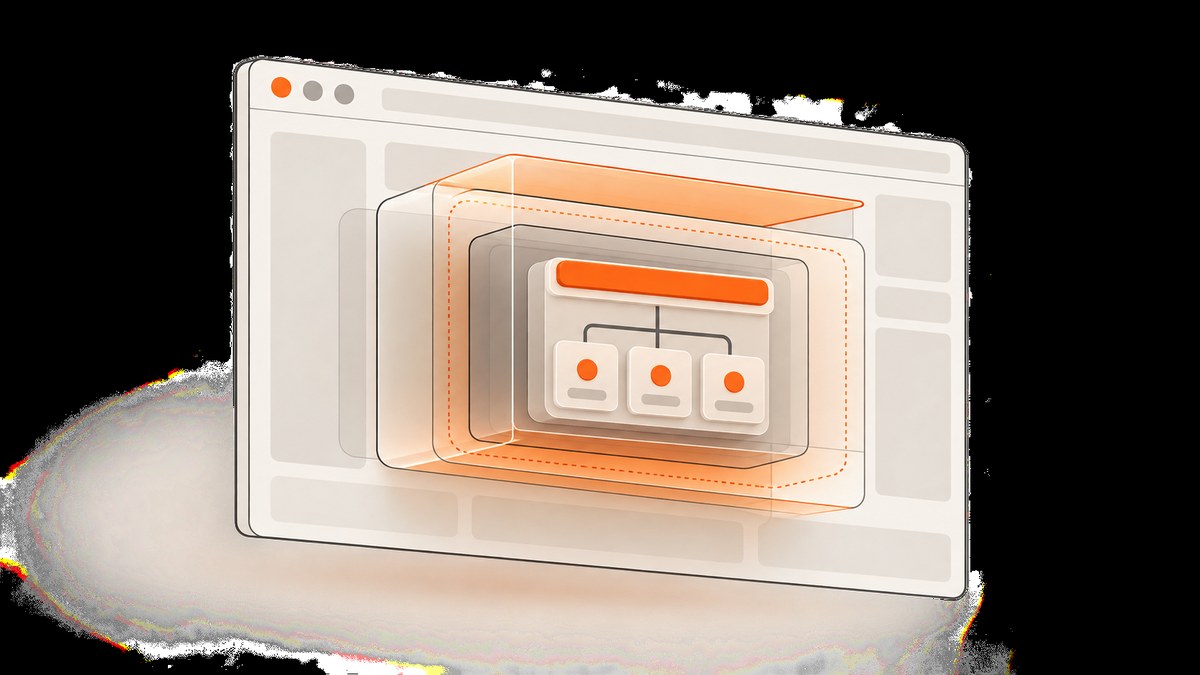
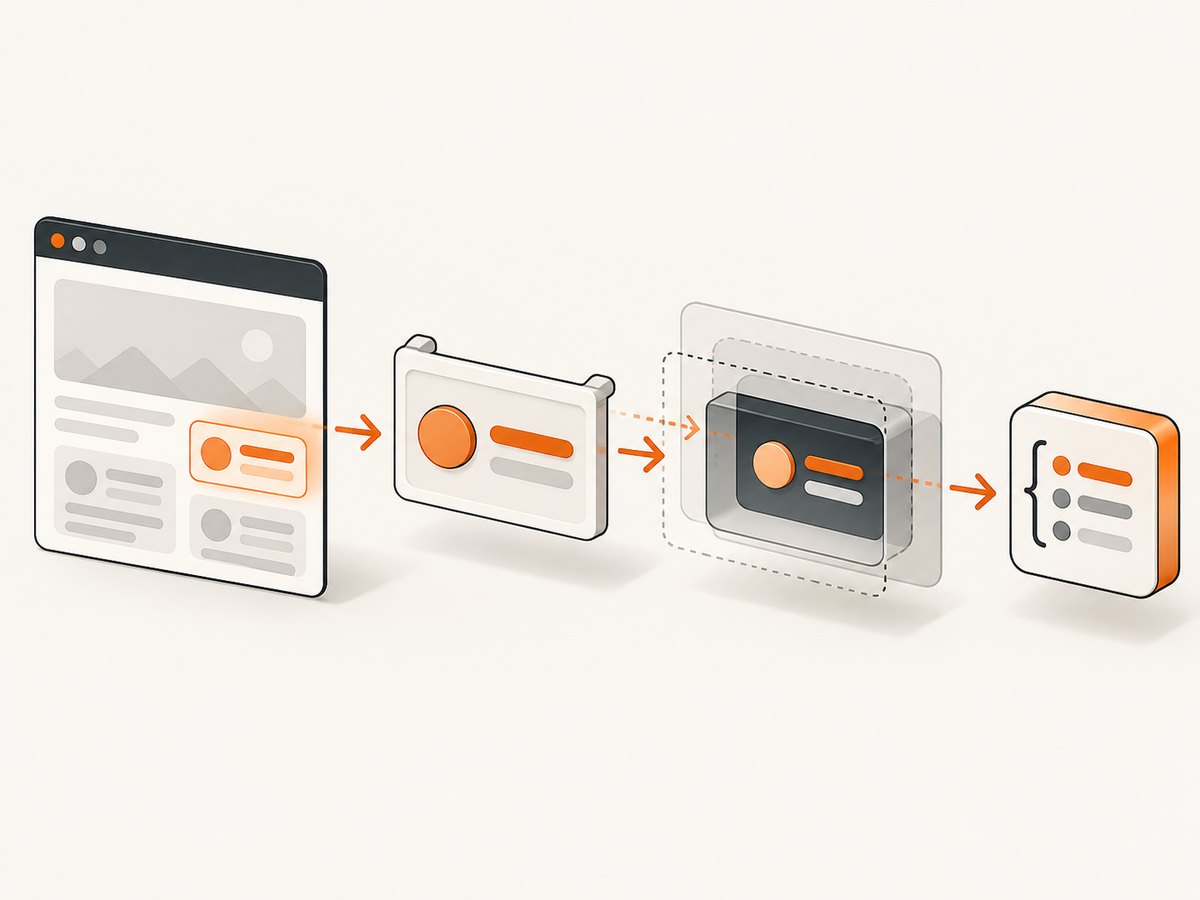
To capture content inside an open Shadow DOM, first locate its host element, then query the host’s shadowRoot. A document-level selector does not cross a shadow boundary. For nested web components, traverse each open root recursively or use browser automation that supports Shadow DOM. A closed root is intentionally inaccessible through element.shadowRoot; a generic page scraper cannot reliably read its internals.
Use JavaScript in the page when you control the browser context, Playwright when you want robust automated extraction, or Selenium 4 when that is already your automation stack. Choose whether you need visible text, specific attributes, or serialized markup before collecting data. That choice affects what you should preserve and how you handle missing content.
1. Understand the Shadow DOM boundary
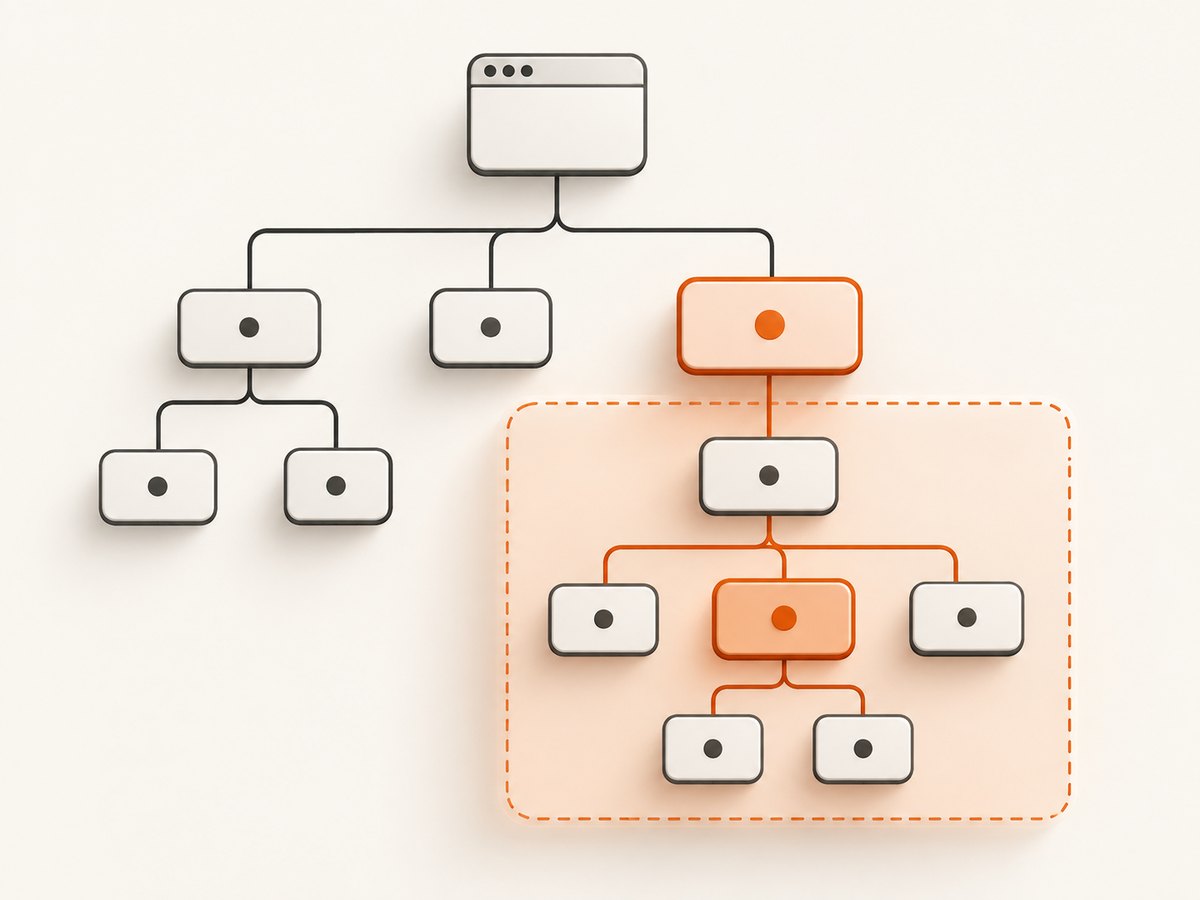
A custom element, also called a host, can attach a separate DOM tree. The browser keeps that tree encapsulated from ordinary document queries. For an open root, page JavaScript can access it as host.shadowRoot. For a closed root, that property is null. The DOM API returns a ShadowRoot reference when the root is open; closed mode sets the host’s shadowRoot property to null (MDN: Element.attachShadow()).
This is why document.querySelector('my-card h2') can return null even when a heading appears inside a <my-card> component. The heading belongs to the component’s root, not the document’s light DOM. You must cross each open boundary explicitly, or use a locator implementation that pierces open roots for you.
Open, closed, and not-yet-ready are different states
A null root is not automatically an empty result. It can mean the host is missing, the custom element has not upgraded or rendered, or its shadow root is closed. Check these states separately. Waiting for a stable descendant can distinguish delayed rendering from a closed root; if the host exists and has rendered but its root remains null, treat it as an access boundary.
2. Extract a specific field with browser JavaScript
For a known component, query the host first and then search within its root. This example reads a title and link from an open root and produces distinct errors for common missing states:
const host = document.querySelector('my-card');
if (!host) throw new Error('Host not found: my-card');

const root = host.shadowRoot;
if (!root) {
  throw new Error('Shadow root unavailable: component may not be rendered yet or may be closed');
}

const titleElement = root.querySelector('[part="title"], h2');
const linkElement = root.querySelector('a');

const result = {
  title: titleElement?.textContent?.trim() ?? null,
  href: linkElement?.getAttribute('href') ?? null,
};

if (result.title === null) throw new Error('Title not found inside the open root');
console.log(result);
Prefer a component’s documented selector or stable semantic attribute, such as part, an accessible role, or a durable data-* attribute. A generic selector like h2 is convenient but may match the wrong element after a component redesign. Keep attributes such as href, src, aria-label, and relevant data attributes when text alone loses meaning.
Wait for rendering before collecting
Do not assume that DOMContentLoaded means a web component is ready. Client-side code may define, upgrade, and populate it later. In a page you control, wait for a known descendant with a MutationObserver or use your automation framework’s locator wait. The Playwright and Selenium examples below show framework-native waits.
3. Traverse nested open roots
For an unknown number of nested components, a recursive traversal is necessary: querying the document for all descendants does not discover elements that live inside a shadow root. This collector returns the host name, serialized markup, and text for every open root it encounters. It also descends through nested roots.
function collectShadowContent(start = document) {
  const results = [];

  function visit(node) {
    if (node.nodeType === Node.ELEMENT_NODE) {
      const element = node;
      const root = element.shadowRoot;

      if (root) {
        results.push({
          host: element.tagName.toLowerCase(),
          html: root.innerHTML,
          text: root.textContent || '',
        });
        visit(root);
      }
    }

    if (node.querySelectorAll) {
      for (const child of node.querySelectorAll(':scope > *')) {
        visit(child);
      }
    }
  }

  visit(start);
  return results;
}

console.log(collectShadowContent());
For a large page, narrow the traversal to a known host or container. For example, call collectShadowContent(document.querySelector('main')) after verifying the container exists. This avoids scanning unrelated components and limits the amount of markup collected.
innerHTML serializes markup within the root, while textContent returns descendant text without preserving visual layout. Neither is a screenshot or a guarantee of what a person can see: hidden nodes may contribute text, and CSS can change visibility, ordering, or appearance. If you need user-visible text, apply an explicit visibility and whitespace policy rather than assuming textContent is rendered output.
4. Use Playwright for automated extraction
Playwright locators pierce open Shadow DOM by default. Its documentation notes two important exceptions: XPath does not pierce shadow roots, and closed-mode roots are unsupported (Playwright: Locate in Shadow DOM). Prefer role, text, label, or test-id locators when the component exposes meaningful semantics. Use evaluate when you need to serialize the root itself.
import { chromium } from 'playwright';

const url = 'https://example.com';
const browser = await chromium.launch({ headless: true });
const page = await browser.newPage();

try {
  await page.goto(url, { waitUntil: 'domcontentloaded' });
  const card = page.locator('my-card');
  await card.getByText('Details').waitFor({ state: 'visible', timeout: 15000 });

  const text = await card.textContent();
  const html = await card.evaluate(el => el.shadowRoot?.innerHTML ?? null);
  console.log({ text, html });
} finally {
  await browser.close();
}
Save as capture.mjs, install Playwright with npm install playwright, and run node capture.mjs. Replace the example URL, component selector, and descendant text with the page and stable target you need. The locator’s text search can reach open roots; root-level serialization is explicit because the desired output is the HTML string rather than a matched element.
Nested components and frames
For a known nested component, chain locators through its hosts, then target a semantic descendant. If a target is inside an iframe, first select the correct frame with Playwright’s frame APIs; iframe documents are a separate browsing context, so the top-level page query will not search them. Treat each frame as its own page-like document and apply the same open-root strategy inside it.
5. Use Selenium 4 with Python
Selenium 4 exposes an explicit shadow-root search context: get the host, access its root, then search within that context. Selenium documents shadow_root in Python and getShadowRoot() in Java; these APIs require Selenium 4 or later (Selenium: Finders).
from selenium import webdriver
from selenium.webdriver.common.by import By
from selenium.webdriver.support.ui import WebDriverWait
from selenium.webdriver.support import expected_conditions as EC

url = "https://example.com"
driver = webdriver.Chrome()

try:
    driver.get(url)
    host = WebDriverWait(driver, 15).until(
        EC.presence_of_element_located((By.CSS_SELECTOR, "custom-checkbox-element"))
    )
    shadow_root = host.shadow_root
    checkbox = shadow_root.find_element(By.CSS_SELECTOR, 'input[type="checkbox"]')
    print({
        "aria_label": checkbox.get_attribute("aria-label"),
        "checked": checkbox.get_attribute("checked"),
    })
finally:
    driver.quit()
Install Selenium with python -m pip install selenium and run the script with Python. Selenium Manager can manage drivers for supported setups; if your environment manages browser and driver binaries separately, keep their versions compatible. The explicit root context makes it clear which component owns a match. For deeper nesting, repeat the host-to-root-to-element sequence at each boundary.
Playwright or Selenium?
| Need | Playwright | Selenium 4 |
|---|---|---|
| Open-root locator ergonomics | Locators pierce open roots automatically | Enter each root search context explicitly |
| XPath | Does not pierce shadow roots | Use CSS searches within each root context |
| Closed roots | Unsupported | Standard shadow-root methods do not expose closed internals |
| Serialization | Use page evaluation to return root markup or data | Read element text and attributes through WebDriver |
| Best fit | New browser automation with locator-based waits | Existing Selenium suites and language bindings |
6. Choose the right output
- Text: use
textContentor an automation locator’s text method. Normalize whitespace if the consumer needs plain text. - Structured fields: return an object with named values and preserve relevant attributes. This is usually easier to validate than saving a whole root.
- Markup: serialize
shadowRoot.innerHTMLonly when downstream processing needs structure. Sanitize HTML before rendering or storing it in a context that could execute markup. - Visual appearance: use a browser screenshot. DOM text and markup do not capture layout, styles, fonts, or painted pixels.
Be explicit about slots. Slotted light-DOM children remain in the host’s light DOM and may be rendered into a shadow tree through a <slot>. The root’s markup may contain the slot but not the assigned child’s content. If the data you need comes from slotted nodes, inspect the host’s light-DOM children and, when needed, the slot’s assigned nodes separately.
7. Closed roots: what you can and cannot do
A component created with attachShadow({ mode: 'closed' }) does not expose its root through the host. MDN describes closed internals as inaccessible from outside page JavaScript. Do not report an empty extraction as proof that the component contains no data, and do not claim that a generic selector can pierce this boundary.
Use an allowed source that the site or component provides: a documented component API, the server or network response that supplied the content, or an accessibility interface appropriate to your task. If you own the page, instrumentation installed before the component attaches its root may retain a reference, but this is a design-time technique, not a reliable after-the-fact scraper workaround. Its behavior depends on browser, framework, permissions, and timing. Respect access controls, site terms, privacy rules, and authentication requirements.
8. Troubleshooting
| Symptom | Likely cause | Fix |
|---|---|---|
document.querySelector() returns null for visible content |
The match is inside a shadow root | Locate the host, then query its open shadowRoot; or use a Playwright locator. |
host.shadowRoot is null |
Host absent, component not rendered or upgraded, or root closed | Check the host, wait for a known descendant, then record a closed or unavailable boundary if it remains null. |
| Playwright CSS works but XPath does not | XPath locators do not pierce shadow roots | Use a CSS, role, text, label, or test-id locator. |
| Playwright locator times out | Wrong selector, delayed rendering, navigation failure, or closed root | Verify the URL and host, wait for a stable descendant, and inspect whether the target is inside an open root. |
| Selenium reports no such element inside the component | Search ran against the document instead of the root, or the nested component is not ready | Use the host’s shadow_root as the search context; wait for each host before entering its root. |
| Text is empty or incomplete | Content is populated later, lives in a nested root or iframe, or is represented by attributes | Wait for rendering, recurse into nested roots, switch to the frame, and inspect relevant attributes. |
| Serialized markup omits visible slotted content | Slot content is supplied by the host’s light DOM | Inspect assigned nodes and the host’s children in addition to root markup. |
| Markup saved but output is unsafe to display | Serialized HTML is untrusted input | Sanitize it before rendering and avoid treating captured markup as trusted code. |
9. Reliability, performance, and cost
Wait for the condition you need, not an arbitrary long sleep. A stable host or descendant wait makes failures easier to diagnose and avoids collecting half-rendered components. Use a reasonable timeout, surface it as an extraction error, and retry only when the failure may be transient. Repeating a deterministic closed-root lookup will not make the root open.
Targeted extraction is generally cheaper in browser work and downstream storage than serializing every root on a large page. Recursive scans can revisit many elements; keep them scoped and avoid returning large HTML strings when a few fields will do. For repeat jobs, define a schema and validate missing fields so a page redesign does not silently produce bad records.
Self-hosted browser automation has operational costs: browser processes, driver or browser updates, concurrency limits, retries, and storage. Keep browser sessions bounded and close them in a finally block, as in the examples. Screenshot capture has a different output goal: it preserves rendered pixels instead of extracting DOM data.
10. Or skip the browser setup
If your goal is a visual record of the rendered page rather than extracted Shadow DOM fields, ScreenshotNeo takes a screenshot or PDF with one GET request. See the API documentation for request options and response details. This captures the page as pixels; it does not return shadow-root text or HTML.
curl -G "https://api.screenshotneo.com/v1/shot" -d access_key=YOUR_API_KEY --data-urlencode url=https://stripe.com -o shot.webpimport requests
r = requests.get(
"https://api.screenshotneo.com/v1/shot",
params={"access_key": "YOUR_API_KEY", "url": "https://stripe.com"},
timeout=90,
)
open("shot.webp", "wb").write(r.content)const q = new URLSearchParams({ access_key: 'YOUR_API_KEY', url: 'https://stripe.com' });
const res = await fetch(`https://api.screenshotneo.com/v1/shot?${q}`);ScreenshotNeo removes cookie banners, popups, and chat widgets before the shot; bot checks, blank pages, and failed loads are never billed. Its MCP server lets AI agents take screenshots. The free plan includes 1,000 screenshots a month with no card, and paid plans start at $5 for 3,000. Every feature is on every plan. Sign up for 1,000 free screenshots a month, with no card.
11. FAQ
Can I get Shadow DOM content from a screenshot API?
A screenshot API returns an image or PDF of the rendered page, not DOM fields or serialized shadow markup. Use browser automation when you need structured extraction.
Does innerHTML include styles from outside the root?
No. It serializes descendants of that root. Stylesheets and computed visual results are separate; use computed styles or a screenshot if those are part of your requirement.
Can I scrape a page just because its root is open?
Technical accessibility does not grant permission. Follow the site’s terms, access controls, and privacy obligations, and use authorized data sources.


