How to Capture a URL After JavaScript Alerts with PHP and Wkhtmltoimage
Learn why JavaScript alerts do not automatically reach PHP, how to wait safely in wkhtmltoimage, and when a hosted screenshot API is simpler.

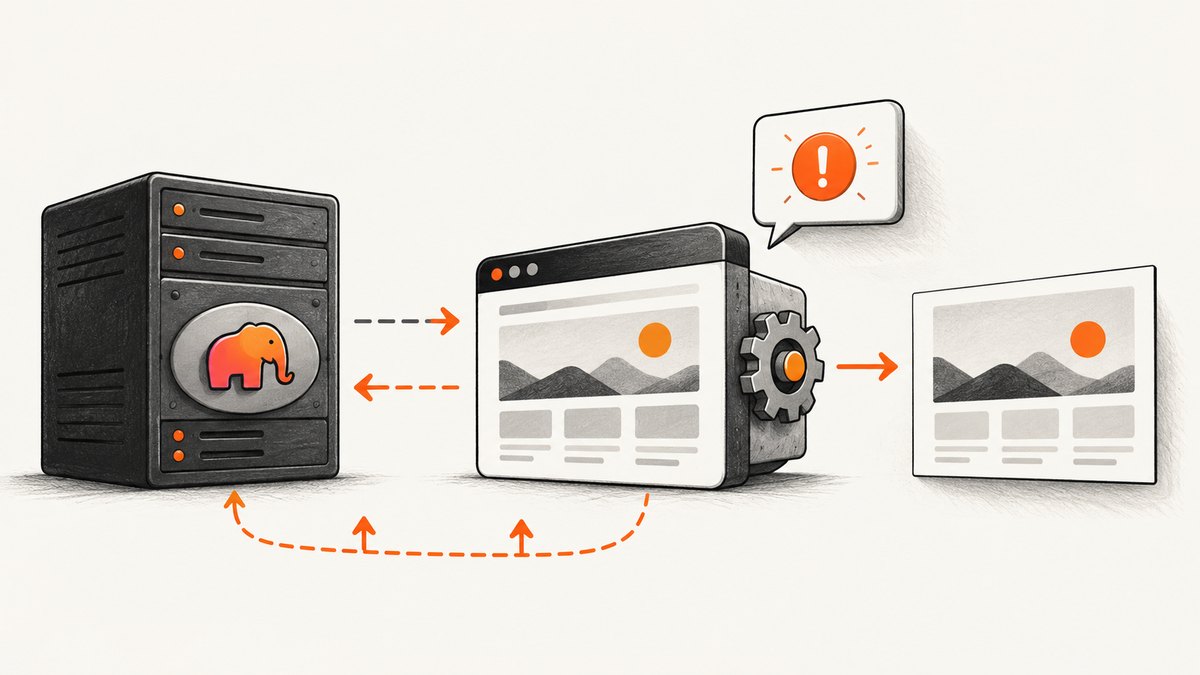
Short answer: a JavaScript alert() is a browser dialog, not a response channel to the PHP process that launched wkhtmltoimage. If PHP needs a URL or value from the page, the page must expose it explicitly. If the alert means “the page is ready,” use a DOM marker, a supported window.status value, or a server callback. Then invoke wkhtmltoimage with JavaScript enabled, an appropriate wait option, escaped arguments, and exit-status handling.
This guide shows a complete implementation, explains version differences, and covers cases where the page cannot be modified. It also includes a hosted option for teams that do not want to maintain a browser renderer.
1. Decide what the alert is supposed to tell PHP
Before changing the screenshot command, identify the information you actually need. These are separate problems:
| Requirement | Reliable signal | What an alert provides |
|---|---|---|
| Capture the current page URL | Read location.href in page JavaScript or pass the URL directly to PHP |
Nothing automatically |
| Capture a URL shown in an alert | Write the value into the DOM or send it to an endpoint | Only a visual dialog inside the renderer |
| Know that asynchronous work finished | DOM readiness marker, supported window.status, or callback |
A fragile side effect unless explicitly connected to the renderer |
| Save an image after a popup appears | Wait for a selector, status value, or tested delay | May block or be ignored depending on the build |
An alert can also pause JavaScript execution. A headless renderer may display it, suppress it, or behave differently from a normal desktop browser. Treating the dialog itself as a completion event makes the capture dependent on undocumented behavior.
2. Make the page expose a readiness marker
If you control the page, add an application-controlled signal. A hidden element is usually easiest to inspect and debug:
<div id="capture-ready" hidden>yes</div>
<script>
(async () => {
  const value = await fetch('/api/next-url').then(r => r.text());
  document.querySelector('#result').textContent = value;
  document.querySelector('#capture-ready').hidden = false;
  document.querySelector('#capture-ready').textContent = 'yes';
})();
</script>
With a page marker, you can wait for #capture-ready in a browser automation tool. The stock wkhtmltoimage command does not provide a universal “wait for CSS selector” switch, so use one of its documented JavaScript waits, or place a small wrapper page in front of the target that sets window.status when the work is complete.
If the value itself must leave the browser, send it to your server:
<script>
fetch('/capture-result', {
  method: 'POST',
  headers: {'Content-Type': 'application/json'},
  body: JSON.stringify({url: location.href})
});
</script>
This separates data transfer from image capture. PHP receives the value through an ordinary HTTP request, while the renderer only has to produce the image.
3. Understand wkhtmltoimage JavaScript and wait options
The wkhtmltoimage command-line reference documents JavaScript as enabled by default. Relevant options include:
--disable-javascript: turns scripts off. Do not use this when the page needs JavaScript to render.--javascript-delay milliseconds: waits a fixed period before rendering.--run-script script: injects JavaScript into the page.--window-status value: waits for the page’s window status to equal a value, where supported.
Read the official settings reference and the wkhtmltoimage command reference for the exact switches available in your package. Settings are split between image settings and page-loading settings, and some options documented for wkhtmltopdf do not affect wkhtmltoimage.
Behavior is version-sensitive. A historical issue reported that --javascript-delay and --window-status were ignored in wkhtmltoimage 0.12.2; the issue points to a fix associated with 0.12.2.1. This is a reason to test your installed binary, not evidence that every current build fails.
Check the exact binary before debugging the page
wkhtmltoimage --version
wkhtmltoimage --extended-help | less
Run a minimal local page that sets a known status:
<html><body>ready<script>
setTimeout(() => { window.status = 'capture-ready'; }, 1000);
</script></body></html>
wkhtmltoimage --window-status capture-ready test.html test.pngIf this does not wait on your build, do not build production logic around --window-status. Use a fixed delay with a measured safety margin, a wrapper process that polls an endpoint, or a modern browser-based service.
4. Invoke wkhtmltoimage safely from PHP
Use exec() when you need both command output and the process exit code. PHP’s manual documents that exec() can fill an output array and return status; it also recommends escaping shell arguments. Never concatenate a request URL or output path directly into a shell command.
<?php

$targetUrl = $_GET['url'] ?? '';
if (!filter_var($targetUrl, FILTER_VALIDATE_URL)) {
    http_response_code(400);
    exit('A valid URL is required');
}

$outputDir = __DIR__ . '/shots';
if (!is_dir($outputDir) && !mkdir($outputDir, 0750, true)) {
    throw new RuntimeException('Cannot create output directory');
}

$file = $outputDir . '/' . bin2hex(random_bytes(16)) . '.png';
$binary = '/usr/local/bin/wkhtmltoimage';

$args = [
    escapeshellarg($binary),
    '--enable-javascript',
    '--javascript-delay', '1500',
    '--quality', '90',
    escapeshellarg($targetUrl),
    escapeshellarg($file),
];

$lines = [];
$status = 0;
exec(implode(' ', $args) . ' 2>&1', $lines, $status);

if ($status !== 0 || !is_file($file) || filesize($file) === 0) {
    error_log('wkhtmltoimage failed: ' . implode("\n", $lines));
    @unlink($file);
    http_response_code(502);
    exit('Screenshot failed');
}

header('Content-Type: image/png');
readfile($file);
unlink($file);
The escapeshellarg() calls protect the URL, executable path, and output path from shell metacharacters. Validate allowed schemes as well as URL syntax if this endpoint is exposed to users; permitting arbitrary URLs can turn a screenshot endpoint into a server-side request proxy.
shell_exec() is suitable when you only need command output, but its null return can mean either no output or an error. For capture jobs, the explicit status code from exec() is easier to operate. See the PHP exec documentation and shell_exec documentation.
5. Use a page-controlled status instead of a guessed delay
If your build honors --window-status, set the status only after the asynchronous work and image-visible DOM updates finish:
<script>
(async function () {
  const response = await fetch('/api/data');
  const data = await response.json();
  document.querySelector('#result').textContent = data.url;
  window.status = 'capture-ready';
})();
</script>
Then replace the delay in PHP with:
$args = [
    escapeshellarg($binary),
    '--enable-javascript',
    '--window-status', 'capture-ready',
    escapeshellarg($targetUrl),
    escapeshellarg($file),
];
Set a process-level timeout outside the command as well. A renderer waiting forever on a status value can exhaust PHP workers. On Linux, invoke the command through a timeout utility only if it exists in your deployment image, or supervise the child process with Symfony Process or another process library that supports time limits.
6. Capture the URL represented by the alert
Suppose the page currently does this:
alert(nextUrl);Change it so the value is both visible and machine-readable:
window.captureUrl = nextUrl;
document.querySelector('#capture-url').textContent = nextUrl;
window.status = 'capture-ready';
PHP still cannot directly read a JavaScript variable from a separate process. The renderer can display the value in the screenshot, while your page sends it to PHP with fetch(). If changing the page is impossible, use --run-script to inject a script that changes the DOM, but the injected script cannot reliably intercept every alert implementation or extract private application state.
7. Rendering options that affect the result
| Option area | Typical choice | Failure mode |
|---|---|---|
| JavaScript | Enabled by default; confirm with --enable-javascript |
Blank or skeleton page when disabled |
| Delay | Small fixed delay for stable pages | Captures before data arrives or wastes worker time |
| Window status | Application-controlled completion value | Never finishes on unsupported or buggy builds |
| Viewport | Set width and height for responsive layouts | Different breakpoint, hidden menu, or clipped content |
| Output format | PNG for lossless text; JPEG for smaller photos | Unexpected quality or transparency behavior |
| Network access | Allow required assets and APIs | Missing fonts, CSS, images, or cross-origin data |
For long pages, remember that wkhtmltoimage’s full-page behavior and lazy-loaded content may differ from a current browser. Scroll-triggered code might never run. A wrapper page can eagerly request data and render a complete state before setting readiness.
8. Troubleshooting checklist
The alert appears, but PHP never receives the URL
Cause: dialogs are renderer UI, not IPC. Fix: send the value to an HTTP endpoint, place it in a known element, or pass the original URL into PHP directly.
The screenshot is taken before the content is ready
Cause: the fixed delay is shorter than the slowest API, font, or image request. Fix: set a readiness marker after all visible updates, then use a tested status wait or a wrapper that polls readiness.
--window-status hangs or is ignored
Cause: unsupported option, wrong executable, or a version-specific bug. Fix: record wkhtmltoimage --version, inspect --extended-help, run the minimal reproduction, and choose a bounded fallback delay.
The output file does not exist
Cause: invalid URL, DNS failure, blocked resource, permissions, or a nonzero process exit. Fix: capture stderr with 2>&1, log the exit code, verify the destination directory is writable, and test the URL from the same server account.
PHP reports a shell error
Cause: an unescaped URL or path contains spaces, quotes, or shell characters. Fix: use escapeshellarg() for every variable and avoid accepting arbitrary executable paths.
The page is blank despite a successful exit code
Cause: JavaScript error, TLS incompatibility, authentication requirement, blocked mixed content, or a page that needs a modern browser API. Fix: inspect renderer stderr, test a static HTML page, add required headers or cookies where supported, and compare with a current browser.
9. Performance, reliability, and cost considerations
A local renderer consumes CPU and memory per process. Reusing a long-running worker can reduce startup overhead, but it increases isolation and cleanup concerns. Limit concurrent captures, cap page dimensions, and delete temporary files after successful delivery. Log URL, duration, exit status, output bytes, and a reason for failure without logging secrets embedded in query strings.
Fixed delays are predictable but either waste time or race slow pages. Status-based waits can finish sooner, yet they depend on page cooperation and renderer support. For repeat captures, cache by normalized URL and a content version so identical requests do not launch duplicate processes.
There is no universal wkhtmltoimage performance benchmark that applies to your pages. Measure representative pages in your deployment environment, including slow APIs, large images, redirects, and failed hosts. Calculate cost from server CPU, memory, storage, and operational time rather than assuming a renderer is free.
10. Or skip the browser setup
ScreenshotNeo provides a website screenshot API and MCP server. One GET request returns PNG, JPEG, WebP, or PDF. Its capture flow accepts cookie and consent banners, removes more than 60 known consent platforms plus newsletter popups and chat widgets, and lets you turn each step off.
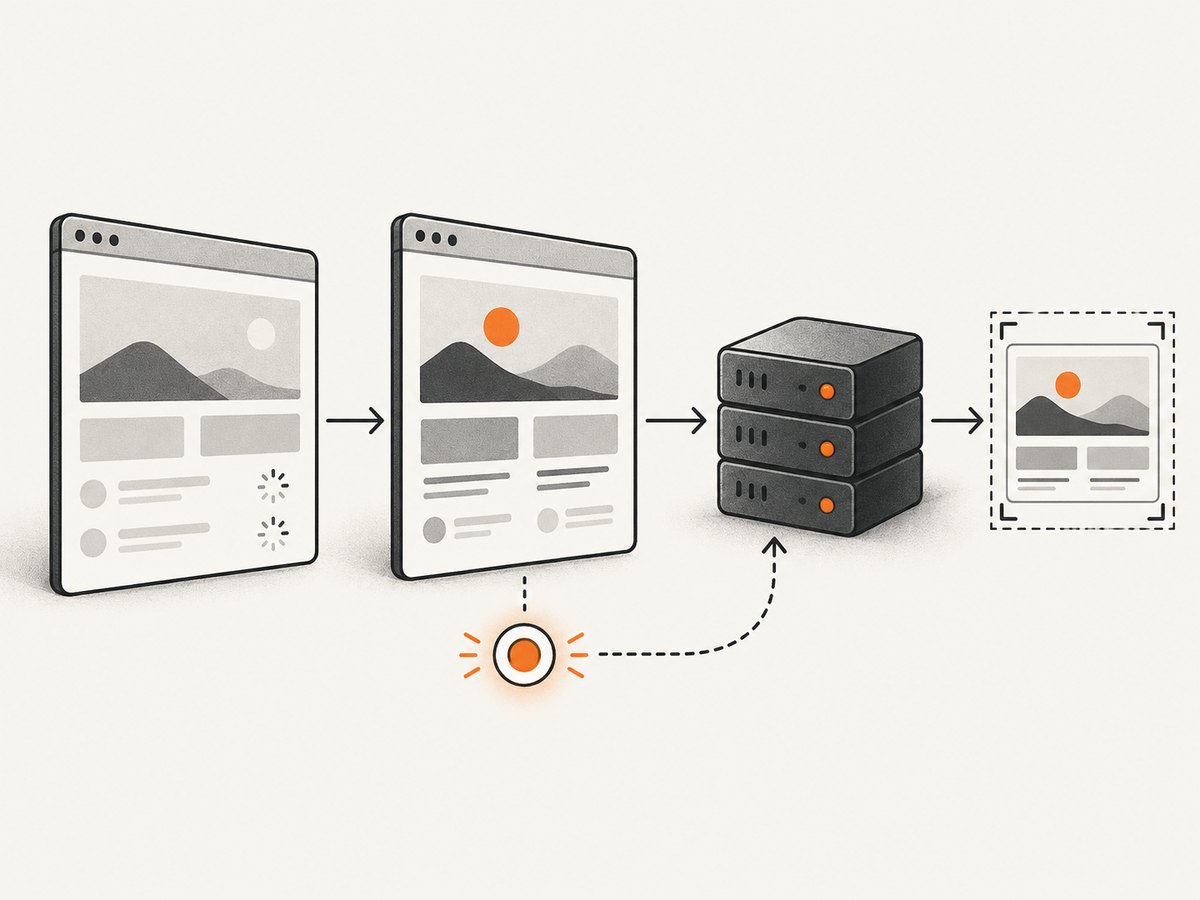
Use the API from PHP or any HTTP client. Full documentation is at ScreenshotNeo API docs.
cURL
curl -G "https://api.screenshotneo.com/v1/shot" \
  -d access_key=YOUR_API_KEY \
  --data-urlencode url=https://stripe.com \
  -o shot.webp
Python
import requests

r = requests.get(
    "https://api.screenshotneo.com/v1/shot",
    params={"access_key": "YOUR_API_KEY", "url": "https://stripe.com"},
    timeout=90,
)
r.raise_for_status()
open("shot.webp", "wb").write(r.content)
Node.js
const q = new URLSearchParams({
  access_key: 'YOUR_API_KEY',
  url: 'https://stripe.com'
});
const res = await fetch(`https://api.screenshotneo.com/v1/shot?${q}`);
if (!res.ok) throw new Error(`Screenshot failed: ${res.status}`);
const bytes = Buffer.from(await res.arrayBuffer());
require('fs').writeFileSync('shot.webp', bytes);
ScreenshotNeo supports full-page capture with lazy images loaded, CSS-selector element capture, dark mode, device presets and custom viewports, retina scale, PDF paper and page controls, custom CSS and JavaScript, click actions, hide selectors, waits for selectors, delays or network idle, request and resource blocking, custom headers, cookies, user agents and Authorization, timezone and geolocation, transparent backgrounds, resizing, configurable caching, signed links, asynchronous jobs with signed webhooks, bulk capture of up to 100 URLs per call, usage reporting, and an OpenAPI specification.
Only clean shots are billed. Bot checks or CAPTCHAs, blank pages, timeouts, failed loads, and cache hits cost nothing, and each response identifies the result with X-Page-Verdict and X-Billed headers. An MCP server provides take_screenshot, get_page_info, and capture_pdf tools for Claude, Cursor, and other MCP clients.
Plans include 1,000 shots per month free with no card; paid plans start at $5 for 3,000 shots. Yearly billing gives two months free, and every feature is available on every plan. Create a free ScreenshotNeo account and start with the 1,000 monthly shots.
11. FAQ
Can PHP listen for JavaScript alert() directly?
No. The alert belongs to the renderer process. Add an HTTP callback, DOM marker, or other explicit protocol.
Is a longer delay always safer?
No. It reduces early captures but increases latency and still fails when a page is slower than the chosen value. A readiness signal is more precise when available.
Should I use wkhtmltopdf settings for wkhtmltoimage?
Only after confirming the option applies to the image executable. The project documents settings with different scopes, and some have no effect in wkhtmltoimage.
How do I prevent a screenshot endpoint from being abused?
Allowlist schemes and hosts where possible, authenticate requests, limit destination size and concurrency, and block private network ranges if users can submit URLs.
When should I replace wkhtmltoimage?
Consider another renderer when the page requires modern browser APIs, reliable selector waits, complex authentication, or behavior your installed build cannot reproduce consistently.


