How to Capture WebGL Pages with Puppeteer
Capture reliable WebGL screenshots with Puppeteer: GPU and SwiftShader setup, readiness checks, animation control, troubleshooting, and alternatives.

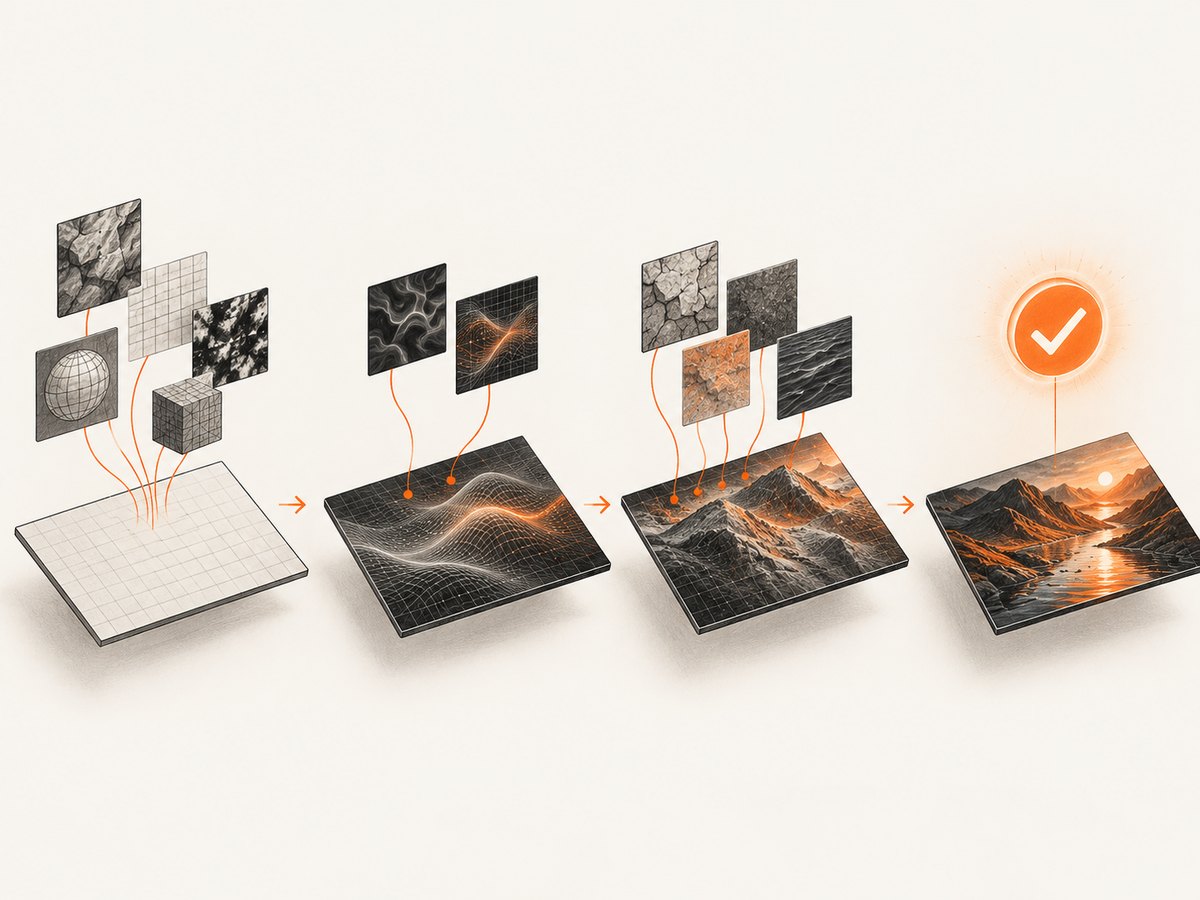
Use Puppeteer’s page.screenshot() after WebGL is actually ready. A dependable capture needs a fixed viewport, an explicit renderer strategy, a readiness check for the canvas and first rendered frame, and a deterministic animation state. Waiting only for navigation or network idle often produces a blank or incomplete image because shaders, textures, fonts, and the first frame can finish later.
This guide shows a complete workflow for Three.js and other WebGL applications, including viewport, full-page, element, and clipped captures; hardware GPU and SwiftShader options; animation and video capture; common failures; and production reliability and cost considerations.
1. Install Puppeteer and create a capture script
Install Puppeteer in a new project:
npm install puppeteerCreate capture-webgl.mjs:
import puppeteer from 'puppeteer';

const browser = await puppeteer.launch({
  headless: true,
  args: process.env.CI ? ['--enable-gpu'] : []
});

try {
  const page = await browser.newPage();
  await page.setViewport({
    width: 1280,
    height: 720,
    deviceScaleFactor: 1
  });

  await page.goto('https://example.com/webgl-demo', {
    waitUntil: 'networkidle2',
    timeout: 90000
  });

  await page.waitForFunction(() => {
    const canvas = document.querySelector('canvas');
    if (!canvas || canvas.width === 0 || canvas.height === 0) return false;
    const gl = canvas.getContext('webgl2') || canvas.getContext('webgl');
    return !!gl;
  }, {timeout: 30000});

  await page.screenshot({path: 'webgl.png', type: 'png'});
} finally {
  await browser.close();
}
Run it with:
node capture-webgl.mjsThe Puppeteer screenshot API supports PNG, JPEG, and WebP output, a file path or returned bytes, full-document capture, clipping, and capture beyond the viewport.
2. Make WebGL readiness observable
networkidle2 is only a navigation milestone. It does not prove that a WebGL context exists, textures have uploaded, fonts are available, or a frame has rendered. Add an application-level signal when you control the page:
// In the application
window.__webglReady = false;
let renderedFrames = 0;

function render() {
  renderer.render(scene, camera);
  renderedFrames += 1;
  if (renderedFrames >= 1) window.__webglReady = true;
  requestAnimationFrame(render);
}
Wait for that signal from Puppeteer:
await page.waitForFunction(() => {
  const canvas = document.querySelector('#scene canvas, canvas');
  return Boolean(
    window.__webglReady &&
    canvas &&
    canvas.width > 0 &&
    canvas.height > 0
  );
}, {timeout: 30000});
If you cannot change the application, combine observable checks:
await page.waitForFunction(() => {
  const canvas = document.querySelector('canvas');
  if (!canvas || canvas.width < 1 || canvas.height < 1) return false;
  const gl = canvas.getContext('webgl2') || canvas.getContext('webgl');
  return Boolean(gl);
});

await page.evaluate(async () => {
  if (document.fonts?.ready) await document.fonts.ready;
});

await page.waitForTimeout(250);
For applications that expose a scene object, texture promise, or frame counter, wait for that specific condition instead of using an arbitrary delay. A delay can hide a race on a slow machine and waste time on a fast one.
3. Choose the renderer: GPU or SwiftShader
Headless Chrome can use a local GPU in some circumstances. Chromium’s documented default for headless rendering is SwiftShader; adding --enable-gpu changes that policy when the environment supports it. GPU availability depends on the operating system, drivers, container, and display configuration. See the Chromium GPU documentation.
Hardware GPU path
const browser = await puppeteer.launch({
  headless: true,
  args: [
    '--enable-gpu'
  ]
});
Use this when the host has a supported GPU and your CI or container exposes it correctly. Keep the same browser image and driver setup across workers if pixel consistency matters.
Explicit SwiftShader path
On a GPU-less or unsupported machine, Chromium documents this explicit WebGL fallback:
const browser = await puppeteer.launch({
  headless: true,
  args: [
    '--use-gl=angle',
    '--use-angle=swiftshader-webgl',
    '--enable-unsafe-swiftshader'
  ]
});
SwiftShader is useful for testing on headless systems without a supported GPU. The --enable-unsafe-swiftshader switch is a deliberate security and performance tradeoff for controlled content. Do not assume WebGL will always be available: still test whether context creation succeeds and provide a Canvas2D or error fallback in the page.
4. Capture the viewport, full page, canvas, or a region
Viewport screenshot
await page.screenshot({
  path: 'viewport.webp',
  type: 'webp',
  quality: 90
});
This captures the visible viewport. Set the viewport before navigation so responsive layout and canvas dimensions are deterministic.
Entire document
await page.screenshot({
  path: 'full-page.png',
  fullPage: true
});
fullPage expands the capture to the document’s full scrollable height. It is useful for a page containing a WebGL hero plus surrounding HTML, but it does not make a canvas render outside its own CSS and drawing-buffer dimensions. Very tall pages can consume substantial memory.
Element or canvas screenshot
const canvas = await page.$('#scene canvas');
if (!canvas) throw new Error('WebGL canvas not found');
await canvas.screenshot({path: 'canvas.png'});
Element capture avoids unrelated page content. Verify that the selector identifies the visible canvas; applications sometimes create a hidden loading canvas and replace it later.
Clipped region
const box = await page.locator('#scene canvas').boundingBox();
if (!box) throw new Error('Canvas has no layout box');
await page.screenshot({
  path: 'clip.png',
  clip: box
});
clip and element screenshots use layout coordinates. If the page changes size after measuring the box, the crop can be wrong. Measure immediately before capture and avoid animations that resize the canvas during that interval.
Retina-style output
await page.setViewport({
  width: 1280,
  height: 720,
  deviceScaleFactor: 2
});
A larger device scale factor increases pixel dimensions and memory use. Check the WebGL drawing buffer after changing it; some applications resize the renderer asynchronously.
5. Capture a deterministic animation frame
A live animation can produce a different image on every run. Add a test mode to pause animation or render a known frame:
await page.evaluate(() => {
  window.__captureMode = true;
  if (window.stopAnimation) window.stopAnimation();
  if (window.renderFrame) window.renderFrame(42);
});
await page.waitForTimeout(50);
await page.screenshot({path: 'frame-42.png'});
If you cannot control the app, wait for a frame counter to advance and capture immediately:
await page.waitForFunction(() => window.__renderedFrames >= 3);
await page.screenshot({path: 'animated.png'});
For a visual regression suite, freeze time, random seeds, camera position, and network responses where possible. Also wait for external textures and fonts. A screenshot taken after the first frame may still contain a placeholder texture.
6. Capture PDF or motion when a still image is insufficient
page.pdf() uses print media by default. To preserve screen styling, emulate screen media and request exact color adjustment:
await page.emulateMediaType('screen');
await page.addStyleTag({content: `
  * { -webkit-print-color-adjust: exact !important; }
`});
await page.pdf({
  path: 'webgl-page.pdf',
  format: 'A4',
  printBackground: true,
  margin: {top: '12mm', right: '12mm', bottom: '12mm', left: '12mm'}
});
PDF output is layout-oriented. A WebGL canvas is rasterized into the page; it is not converted into a vector scene.
WebM screencast
const recorder = await page.screencast({path: 'webgl.webm'});
await page.waitForTimeout(5000);
await recorder.stop();
Puppeteer documents VP9 WebM output at a 30 FPS default and requires ffmpeg. The current API also lists an experimental page.record() method for MP4 streams; pin Puppeteer and verify the installed version before using experimental APIs.
7. Complete production-oriented example
import puppeteer from 'puppeteer';

const url = process.argv[2] ?? 'https://example.com/webgl-demo';
const browser = await puppeteer.launch({
  headless: true,
  args: process.env.WEBGL_GPU === '1'
    ? ['--enable-gpu']
    : ['--use-gl=angle', '--use-angle=swiftshader-webgl', '--enable-unsafe-swiftshader']
});

try {
  const page = await browser.newPage();
  await page.setViewport({width: 1280, height: 720, deviceScaleFactor: 1});
  page.setDefaultNavigationTimeout(90000);
  page.setDefaultTimeout(30000);

  await page.goto(url, {waitUntil: 'networkidle2'});
  await page.waitForFunction(() => {
    const canvas = document.querySelector('canvas');
    if (!canvas || canvas.width === 0 || canvas.height === 0) return false;
    const gl = canvas.getContext('webgl2') || canvas.getContext('webgl');
    return Boolean(gl);
  });
  await page.evaluate(async () => {
    if (document.fonts?.ready) await document.fonts.ready;
  });
  await page.screenshot({path: 'webgl.png', type: 'png'});
} finally {
  await browser.close();
}
8. Troubleshooting blank or incorrect captures
| Symptom | Likely cause | Fix |
|---|---|---|
| Blank canvas | Capture ran before the first rendered frame. | Expose window.__webglReady, wait for a frame counter, and verify canvas dimensions. |
| WebGL context is null | Unsupported renderer, missing flags, or browser policy. | Log context creation, try the documented SwiftShader flags, or enable a supported GPU. |
| Only a loading screen appears | Textures, shaders, fonts, or application data are still loading. | Wait for the app’s asset promises and document.fonts.ready, not just network idle. |
| Wrong canvas captured | The selector matches a hidden or temporary canvas. | Use a stable ID, check visibility and bounding box, and select the canvas inside the scene container. |
| Black or corrupted output | GPU driver failure, unsupported feature, or context loss. | Retry with SwiftShader, inspect browser stderr, and handle the WebGL context lost event. |
| Crop is offset | Layout changed after measuring the clip rectangle. | Measure immediately before capture and stop animations that resize or move the target. |
| Different pixels in CI | Different renderer, fonts, viewport, scale, or animation timing. | Pin the browser image, install identical fonts, fix viewport and scale, and capture a known frame. |
| Navigation timeout | Slow third-party requests or an app that never reaches the chosen idle state. | Set a bounded timeout, use domcontentloaded when appropriate, then wait for a specific readiness signal. |
9. Reliability, performance, and cost notes
- Reliability: close the browser in a
finallyblock, bound navigation and readiness waits, and return a useful error when WebGL context creation fails. - Performance: reuse a browser process for multiple pages, but isolate pages and clean them up. Full-page and high device-scale captures use more memory than a viewport or canvas capture.
- Renderer choice: hardware GPU can improve compatibility for GPU-dependent scenes, while SwiftShader is easier to run on GPU-less workers. Validate the chosen path on the exact deployment image.
- Determinism: freeze animation and control fonts, textures, random seeds, viewport, and device scale for repeatable output.
- Operational cost: Puppeteer requires browser maintenance and, for screencast, ffmpeg. GPU workers add infrastructure complexity. Build retries around transient navigation and renderer failures rather than blindly repeating every capture.
10. Or skip the browser setup
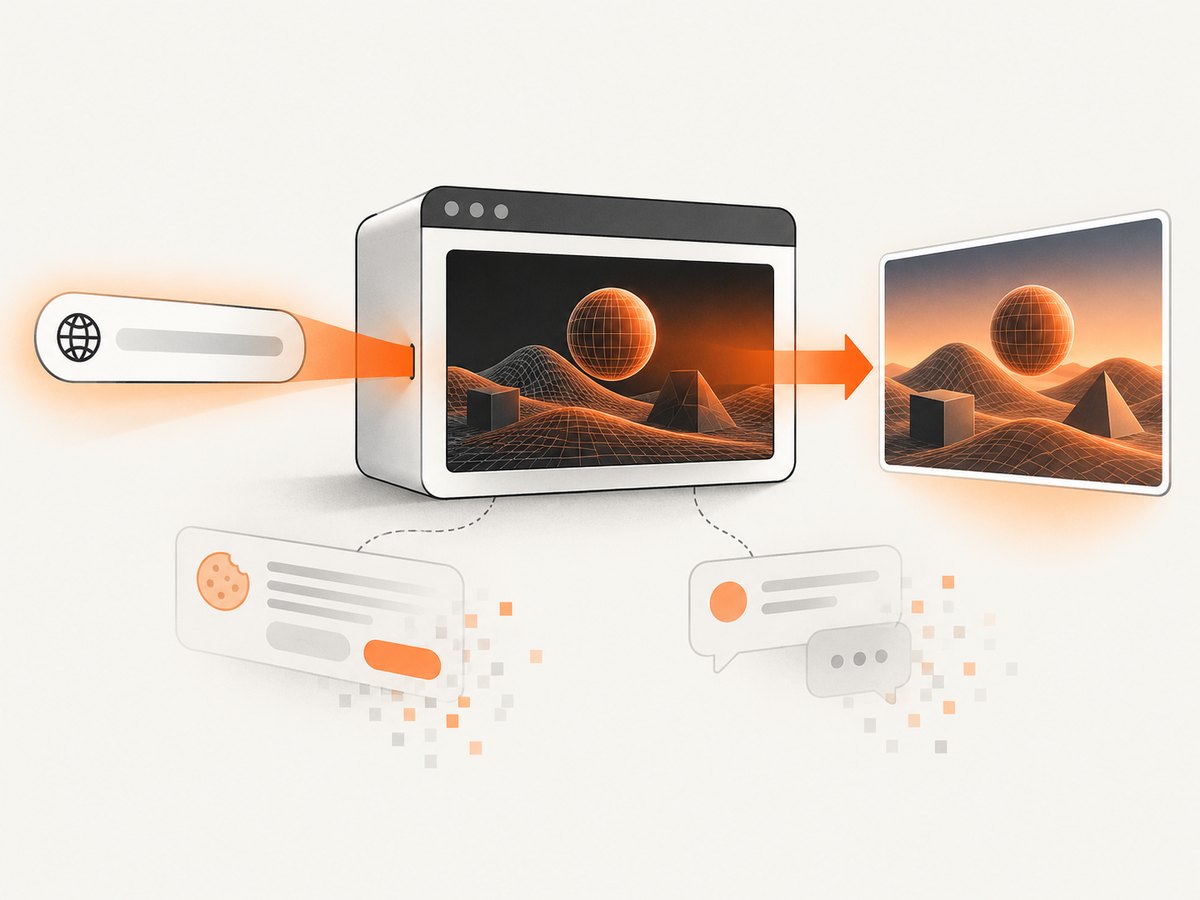
ScreenshotNeo provides a website screenshot API and MCP server. It accepts one GET request and returns PNG, JPEG, WebP, or PDF. The API can handle full-page capture with lazy images, CSS-selector element capture, dark mode, device presets or custom viewports, retina scale, custom CSS and JavaScript, clicks, selector or network-idle waits, request blocking, headers, cookies, user agents, authorization, timezone, geolocation, transparent backgrounds, resizing, caching, signed links, async jobs, bulk capture, usage reporting, and PDF options. See the ScreenshotNeo documentation for parameter details.
curl -G 'https://api.screenshotneo.com/v1/shot' \
  -d access_key=YOUR_API_KEY \
  --data-urlencode url=https://example.com/webgl-demo \
  -o webgl.webp
import requests
r = requests.get(
'https://api.screenshotneo.com/v1/shot',
params={
'access_key': 'YOUR_API_KEY',
'url': 'https://example.com/webgl-demo'
},
timeout=90
)
r.raise_for_status()
open('webgl.webp', 'wb').write(r.content)const q = new URLSearchParams({
access_key: 'YOUR_API_KEY',
url: 'https://example.com/webgl-demo'
});
const res = await fetch(`https://api.screenshotneo.com/v1/shot?${q}`);
if (!res.ok) throw new Error(`Screenshot failed: ${res.status}`);
const bytes = Buffer.from(await res.arrayBuffer());
await import('node:fs/promises').then(fs => fs.writeFile('webgl.webp', bytes));Cookie banners, newsletter popups, and chat widgets are removed before the shot. Bot checks, blank pages, failed loads, timeouts, and cache hits are not billed, and response headers report the page verdict and billing status. Its MCP server lets Claude, Cursor, and other MCP clients call take_screenshot, get_page_info, and capture_pdf. The Free plan includes 1,000 screenshots per month with no card; paid plans start at $5 for 3,000 shots.
Create a free ScreenshotNeo account and start with 1,000 screenshots a month without a card.
11. Frequently asked questions
Can Puppeteer screenshot a WebGL canvas directly?
Yes. Use an element screenshot for the canvas or a clipped page screenshot. The canvas must have a nonzero drawing buffer and a successfully created WebGL or WebGL2 context.
Should I always pass --enable-gpu?
No. It is environment-dependent. Use it when the host exposes a supported GPU; use the documented SwiftShader switches for controlled GPU-less testing, and verify context creation in both cases.
Why does networkidle2 still produce an incomplete scene?
Network idle does not represent shader compilation, texture upload, font readiness, or the first animation frame. Wait for an application-specific ready signal or rendered-frame condition.
Can I capture an animated WebGL page as a video?
Use Puppeteer’s screencast API for WebM; the documented path uses VP9 at a 30 FPS default and requires ffmpeg. Pin versions before relying on experimental recording APIs.
What is the simplest managed option for recurring screenshots?
ScreenshotNeo removes browser and renderer setup and provides image, PDF, async, bulk, caching, and MCP workflows through one API. Its free tier includes 1,000 shots each month.


