How to Capture Website Screenshots in Batch
Capture many URLs reliably with Playwright, shot-scraper, or a hosted API. Learn batching, retries, naming, reproducibility, and failure handling.
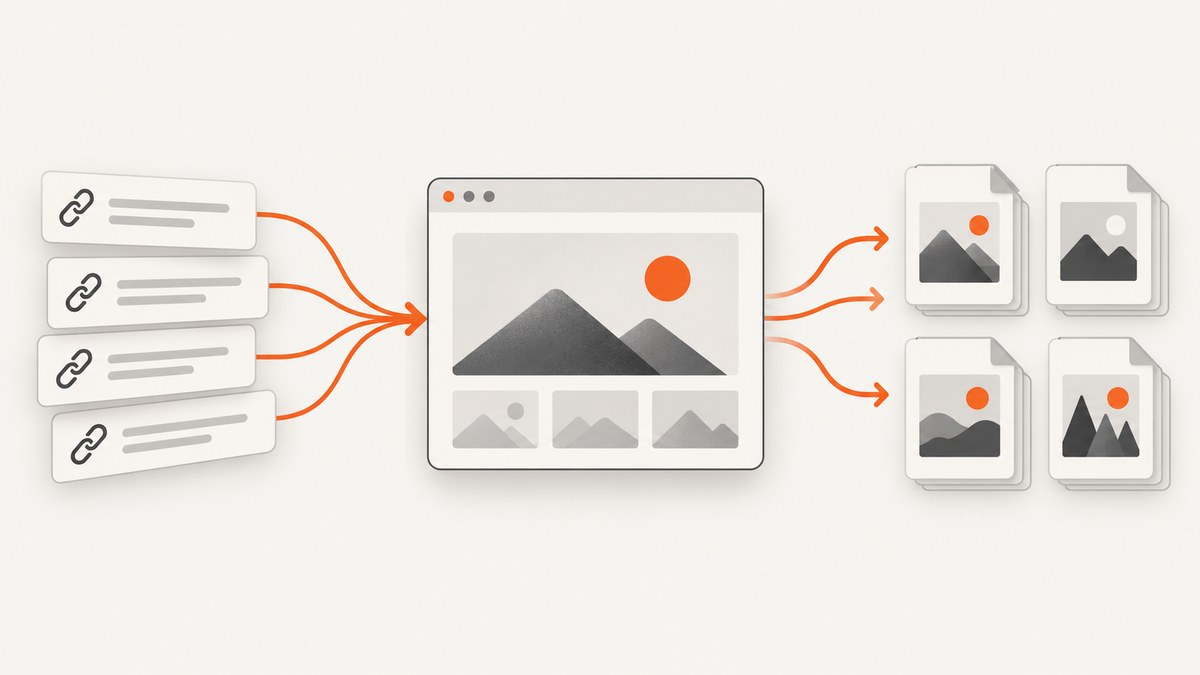
Direct answer: Put your URLs in a durable list, loop over them with a browser automation tool such as Playwright, save one predictable file per URL, and record a manifest plus failures. Use Playwright when you need authentication, interactions, custom waits, or concurrency control. Use shot-scraper when a declarative YAML list and CLI are enough. Use a hosted batch API when managed browsers and packaged output outweigh local setup.
A reliable batch job has seven parts: input normalization, capture settings, bounded concurrency, deterministic filenames, retries, a manifest, and a reviewable failure report. Start with a small pilot before processing the full list.
1. Define the batch before opening a browser
- URL scope: Decide whether redirects are allowed and whether duplicate URLs should be collapsed.
- Capture type: Choose viewport-only or full-page screenshots. Full-page captures include content below the fold but can become very tall.
- Viewport and scale: Fix width, height, device scale factor, and browser version for repeatable output.
- Format: PNG preserves detail; JPEG is smaller for photographic pages; WebP is usually compact.
- Page state: Identify login requirements, cookie banners, lazy loading, animations, and consent dialogs.
- Output contract: Define a filename rule, directory layout, overwrite policy, and metadata fields before running.
- Failure policy: Decide how many retries to make and whether one failure should stop the job.
Keep the original input list. A source row number or stable ID lets you connect every image, redirect, error, and retry to the URL that produced it.

2. Batch screenshots with Playwright (Node.js)
Playwright documents navigation and screenshot options such as fullPage and masking. The following script reads a text file, limits concurrency, writes a manifest, and records failures. Install Playwright and its browser first:
npm init -y
npm install playwright
npx playwright install chromium
Create urls.txt with one URL per line, then save this as batch-screenshots.mjs:
import fs from 'node:fs/promises';
import path from 'node:path';
import crypto from 'node:crypto';
import { chromium } from 'playwright';

const input = (await fs.readFile('urls.txt', 'utf8'))
  .split(/\r?\n/)
  .map(s => s.trim())
  .filter(s => s && !s.startsWith('#'));

const outputDir = 'shots';
const concurrency = 3;
const timeoutMs = 45_000;
await fs.mkdir(outputDir, { recursive: true });

function idFor(url) {
  return crypto.createHash('sha1').update(url).digest('hex').slice(0, 12);
}

async function capture(browser, url, index) {
  const context = await browser.newContext({
    viewport: { width: 1440, height: 900 },
    deviceScaleFactor: 1
  });
  const page = await context.newPage();
  const started = new Date().toISOString();
  try {
    const response = await page.goto(url, {
      waitUntil: 'networkidle',
      timeout: timeoutMs
    });
    await page.screenshot({
      path: path.join(outputDir, `${String(index).padStart(4, '0')}-${idFor(url)}.png`),
      fullPage: true,
      animations: 'disabled'
    });
    return {
      index, input_url: url, final_url: page.url(),
      status: response?.status() ?? null, ok: true,
      captured_at: started
    };
  } catch (error) {
    return {
      index, input_url: url, final_url: page.url(), ok: false,
      error: String(error), captured_at: started
    };
  } finally {
    await context.close();
  }
}

const browser = await chromium.launch();
const results = [];
let cursor = 0;
async function worker() {
  while (true) {
    const index = cursor++;
    if (index >= input.length) return;
    results[index] = await capture(browser, input[index], index);
  }
}
await Promise.all(Array.from({ length: Math.min(concurrency, input.length) }, worker));
await browser.close();
await fs.writeFile('manifest.json', JSON.stringify(results, null, 2));
await fs.writeFile(
  'failed.json',
  JSON.stringify(results.filter(r => !r.ok), null, 2)
);
console.log(`Completed ${results.filter(r => r.ok).length}/${results.length}`);
Run it with:
node batch-screenshots.mjsWhy this structure works
networkidlewaits for a quiet network, but pages that poll continuously may never reach it. Substitutedomcontentloadedplus a selector wait for those pages.- A fresh context per URL prevents cookies and local storage leaking between captures.
- Bounded workers avoid launching one browser page per URL at once.
- The hash keeps names short and collision-resistant while the index preserves input order.
- The manifest records redirects and HTTP status, so a saved image is not automatically treated as a successful page render.
Authentication, interactions, and masking
Use a reusable browser context with a saved Playwright storage state when all URLs share a login. For per-site credentials, create a context inside the worker and authenticate before navigation. Interact before the screenshot when a page needs a click, scroll, or consent action:
await page.getByRole('button', { name: 'Accept' }).click();
await page.locator('#results').waitFor({ state: 'visible' });
await page.screenshot({
  path: 'result.png',
  fullPage: true,
  mask: [page.locator('.personal-data')]
});
For lazy content, scroll in steps or wait for the relevant selector. Disable animations where possible; otherwise two captures can differ even when the page has not changed.
3. Use shot-scraper for a declarative CLI batch
shot-scraper documents a YAML input file and a multi command in release 0.14.3. Verify the current release and syntax before installing because command options can change.
python -m pip install shot-scraper
shot-scraper install
A minimal YAML list can look like this:
- url: https://example.com
  output: shots/example.png
- url: https://example.org
  output: shots/example-org.png
  screenshot:
    full_page: true
Run the multi capture according to the installed release documentation:
shot-scraper multi urls.ymlThe documentation also describes options for retina captures, avoiding clobbered files, and failing on errors. Use no-clobber behavior when images are expensive to regenerate, and fail-on-error in CI when a missing screenshot should block a release.
4. A small Python batch runner
Python can orchestrate Playwright, preserve the same manifest design, and integrate with existing data pipelines:
import asyncio, hashlib, json
from pathlib import Path
from playwright.async_api import async_playwright

URLS = [line.strip() for line in Path('urls.txt').read_text().splitlines()
        if line.strip() and not line.lstrip().startswith('#')]
OUT = Path('shots'); OUT.mkdir(exist_ok=True)

async def capture(browser, index, url):
    context = await browser.new_context(viewport={"width": 1440, "height": 900})
    page = await context.new_page()
    try:
        response = await page.goto(url, wait_until='networkidle', timeout=45000)
        name = f"{index:04d}-{hashlib.sha1(url.encode()).hexdigest()[:12]}.png"
        await page.screenshot(path=str(OUT / name), full_page=True)
        return {"index": index, "input_url": url, "final_url": page.url,
                "status": response.status if response else None, "ok": True}
    except Exception as exc:
        return {"index": index, "input_url": url, "final_url": page.url,
                "ok": False, "error": repr(exc)}
    finally:
        await context.close()

async def main():
    async with async_playwright() as p:
        browser = await p.chromium.launch()
        sem = asyncio.Semaphore(3)
        async def limited(i, u):
            async with sem:
                return await capture(browser, i, u)
        results = await asyncio.gather(*(limited(i, u) for i, u in enumerate(URLS)))
        await browser.close()
    Path('manifest.json').write_text(json.dumps(results, indent=2))
    Path('failed.json').write_text(json.dumps([r for r in results if not r['ok']], indent=2))

asyncio.run(main())
5. Choosing viewport, full-page, and element captures
| Requirement | Setting | Trade-off |
|---|---|---|
| Above-the-fold monitoring | Fixed viewport, fullPage: false |
Comparable dimensions; below-fold content is omitted. |
| Documentation or marketing archive | fullPage: true |
Captures the page length; very long pages create large files. |
| Component regression | Element locator screenshot | Focused output; selector must remain stable. |
| High-density display | Device scale factor or retina option | Sharper output and larger files. |
Use the same browser, operating system, fonts, viewport, device scale, and timing for visual comparisons. Playwright warns that rendering varies with OS, browser, hardware, and settings; generate baselines and comparisons in the same environment.
6. Output naming and manifests
A useful manifest contains at least:
- input URL and final URL after redirects
- input index or stable record ID
- filename, format, viewport, scale, and full-page flag
- HTTP status and capture timestamp
- success or failure, error text, retry count, and duration
Write the manifest incrementally for very large jobs so an interrupted process does not lose all progress. Keep failed rows separate and retry only those rows.
7. Retries, timeouts, and failure handling
Retry transient navigation failures with exponential backoff, for example after 1, 2, and 4 seconds. Do not retry malformed URLs, consistent 401/403 responses, or selector errors without changing the input or authentication state. Set both navigation and overall per-page timeouts.
Common errors and fixes
| Error or symptom | Likely cause | Fix |
|---|---|---|
| Navigation timeout | Slow server, long polling, or blocked resource | Raise the timeout, use domcontentloaded, then wait for a specific selector. |
| Blank or partial screenshot | Capture ran before rendering or lazy loading finished | Wait for a visible content selector, scroll to trigger lazy images, or add a short delay. |
| Consent dialog covers content | Banner requires an interaction | Click the consent control before capture, or hide the banner with a targeted style. |
| Different pixels on each run | Animations, rotating ads, time, or environment differences | Disable animations, freeze time where practical, block unstable resources, and pin the rendering environment. |
| Out-of-memory or crashed browser | Too much concurrency or very tall pages | Lower worker count, close contexts promptly, and capture selected elements when full-page output is unnecessary. |
| Duplicate or overwritten files | Slug-based names collide | Include an input index and URL hash; enable no-clobber behavior where supported. |
| Login page captured | Expired session or missing storage state | Authenticate explicitly, verify a post-login selector, and record the final URL. |
| One bad URL stops the job | Unhandled exception in the loop | Catch errors per URL, append a failure record, and continue unless CI requires fail-fast. |
8. Performance, reliability, and cost
- Concurrency: Increase workers gradually. The useful limit depends on CPU, memory, network, target-server rate limits, and page complexity; there is no universal safe number.
- Reuse: Reuse a browser process, but isolate cookies and storage with contexts when pages must not share state.
- Retries: Retry transient errors only. Record every attempt so a successful retry is distinguishable from a first-pass success.
- Caching: Cache unchanged inputs when your workflow permits it, but make cache keys include URL and capture settings.
- Storage: Full-page PNGs can consume significant disk space. Compress or choose WebP/JPEG when exact pixel data is not required.
- Local cost: Local automation avoids per-image service credits but requires browser installation, compute, storage, maintenance, and operational monitoring.
- Hosted cost: Compare batch limits, concurrency, retries, output packaging, privacy terms, and plan requirements. Vendor terms change.
9. Hosted batch services
A managed service can accept a URL list or CSV, render pages in hosted browsers, and return packaged files. url2image currently describes ZIP output containing one image per URL, a manifest with title, final URL, status, and dimensions, plus a not-rendered.csv failure report. It advertises up to 500 URLs per batch, 10 free screenshots monthly, and packages from $5 for 2,500 screenshots; these are vendor-published terms and may change. See url2image for current details.
ScreenshotRun’s documentation search result describes up to 100 URLs per batch and a Pro-or-higher requirement; verify the current documentation before depending on those limits: ScreenshotRun batch docs.
For private or authenticated pages, inspect where rendering occurs, how credentials are supplied, how long images are retained, and whether request headers and cookies are logged. The available research does not establish a comparative privacy ranking.
10. Or skip the browser setup
ScreenshotNeo provides a website screenshot API and MCP server. Send one GET request per URL, or use its bulk capture option for up to 100 URLs per call. The API supports full-page captures, element selectors, device presets, arbitrary viewports, retina scale, dark mode, custom CSS and JavaScript, waits, request blocking, headers, cookies, user agents, authentication, timezone, geolocation, resizing, caching, signed links, asynchronous jobs, webhooks, and PDF output. See the ScreenshotNeo documentation for parameter details.
curl -G "https://api.screenshotneo.com/v1/shot" -d access_key=YOUR_API_KEY --data-urlencode url=https://stripe.com -o shot.webpimport requests
r = requests.get("https://api.screenshotneo.com/v1/shot", params={"access_key": "YOUR_API_KEY", "url": "https://stripe.com"}, timeout=90)
open("shot.webp", "wb").write(r.content)const q = new URLSearchParams({ access_key: 'YOUR_API_KEY', url: 'https://stripe.com' });
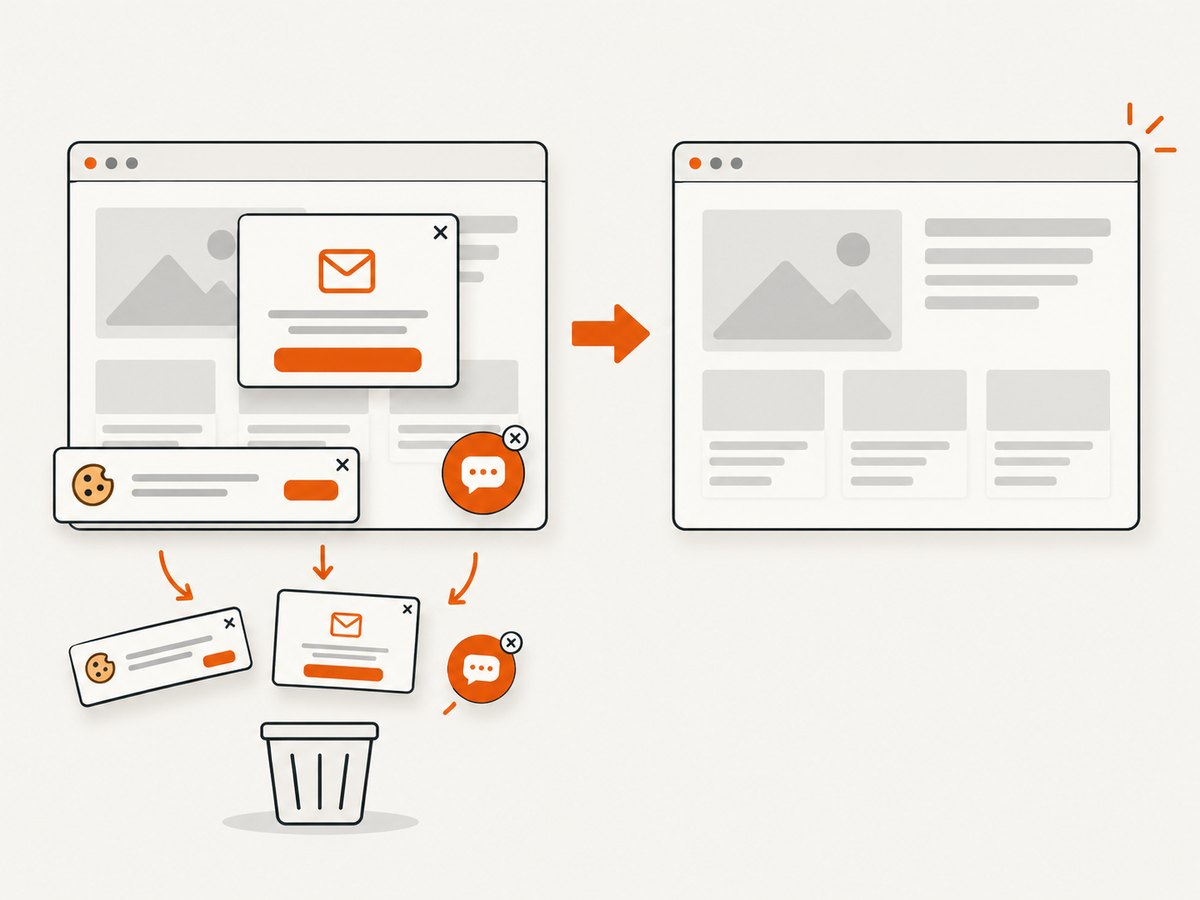
const res = await fetch(`https://api.screenshotneo.com/v1/shot?${q}`);Before capture, ScreenshotNeo accepts cookie and consent banners and removes more than 60 known consent platforms, newsletter popups, and chat widgets; each step can be turned off. Bot checks or CAPTCHAs, blank pages, timeouts, failed loads, and cache hits cost nothing, and response headers identify the page verdict and whether it was billed. Its MCP server exposes take_screenshot, get_page_info, and capture_pdf for Claude, Cursor, and other MCP clients. The free plan includes 1,000 screenshots per month with no card; paid plans start at $5 for 3,000.
Create a free ScreenshotNeo account and start with 1,000 screenshots per month at no charge.
11. A practical batch checklist
- Normalize and deduplicate the URL list.
- Choose viewport, scale, format, full-page or element mode, and output naming.
- Test representative pages, including redirects, login, lazy content, and consent dialogs.
- Set bounded concurrency and separate navigation, selector, and overall timeouts.
- Write images and a manifest together; never infer success from file existence alone.
- Record failures and retry selectively with backoff.
- Review dimensions, final URLs, and a sample of images before publishing or comparing.
- Pin the rendering environment for visual regression work.
FAQ
Can I capture pages from a CSV?
Yes. Parse the URL column into the same queue used by the text-file examples, preserving the CSV row ID in the manifest.
Should every URL use the same timeout?
Start with a common limit for predictable operations, then classify known slow pages separately. Keep a hard upper bound so one page cannot occupy a worker indefinitely.
Is full-page capture always better?
No. Full-page output is useful for archives and documentation, while a fixed viewport is usually better for monitoring a consistent visual region.
How do I make visual comparisons meaningful?
Keep browser, OS, fonts, viewport, scale, and capture timing stable, and control animations and dynamic content.
When should I choose a hosted API?
Choose one when managed browser maintenance, URL-list ingestion, packaged output, or provider-side retries save more effort than local execution costs and data-handling trade-offs.


