How to Fix Capybara EOFError When JavaScript Specs Crash with an Older ChromeDriver
A Capybara EOFError in a JavaScript spec often points to ChromeDriver startup or browser compatibility. Use this version-first checklist to diagnose it.
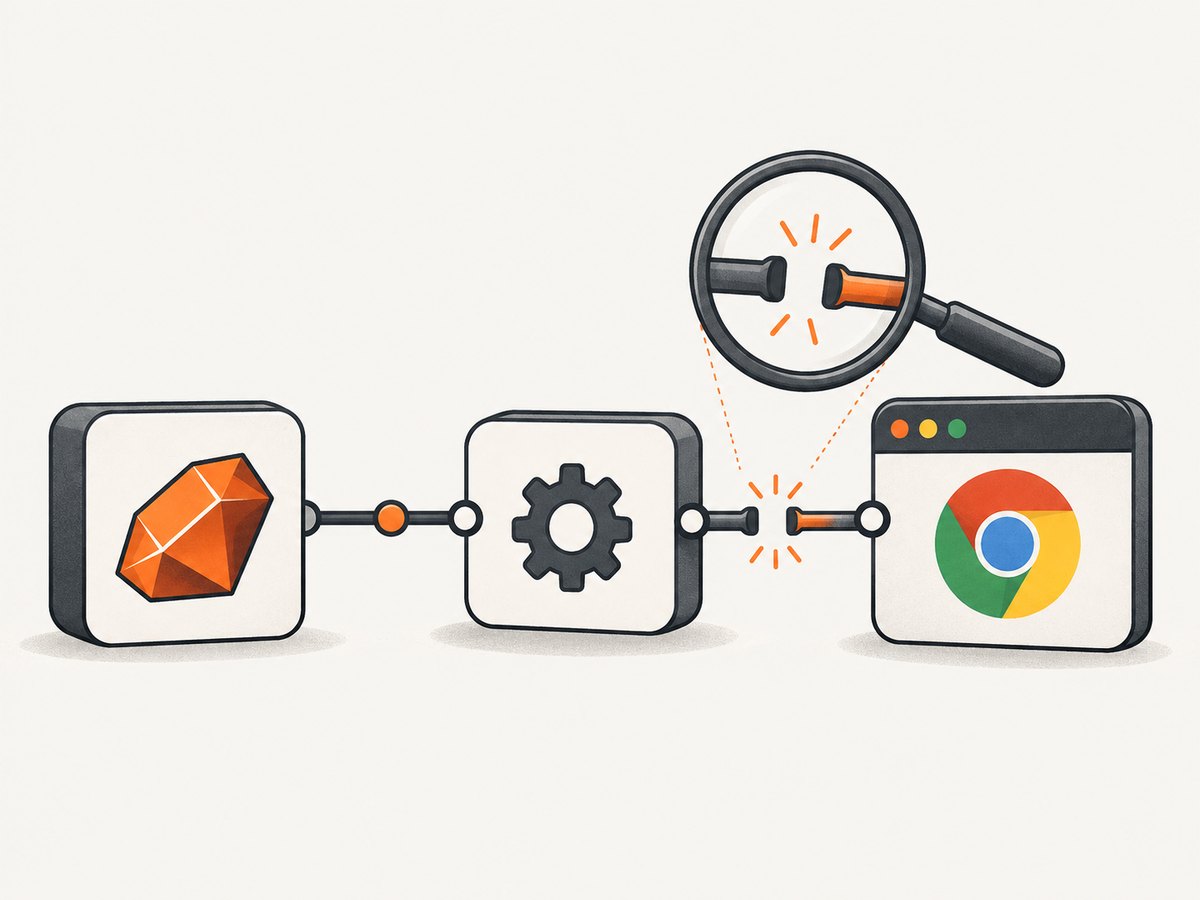
If a Capybara JavaScript spec crashes with EOFError while using an older ChromeDriver, start by treating it as a browser-driver process or compatibility failure. Record the exact versions of Chrome or Chromium, ChromeDriver, Ruby, Capybara, and selenium-webdriver; save the full exception and driver logs; then verify that the test process can find the intended ChromeDriver and that it matches the browser.
Capybara uses a JavaScript-capable driver for examples marked js: true; its default JavaScript driver is Selenium, and it provides Selenium Chrome and headless Chrome drivers. RackTest cannot execute JavaScript, so switching a failing JavaScript example to RackTest removes the capability the test needs. [Capybara driver documentation]
1. Capture the versions and failure evidence
Run these commands in the same environment that runs the spec, including inside CI when applicable:
google-chrome --version
# or, depending on your installation:
chromium --version

chromedriver --version
ruby --version
bundle exec ruby -e 'puts Gem.loaded_specs["capybara"]&.version || "Capybara not loaded"'
bundle exec ruby -e 'puts Gem.loaded_specs["selenium-webdriver"]&.version || "selenium-webdriver not loaded"'
The gem-version snippets only report gems already loaded in that process. To check installed versions directly through Bundler, use:
bundle exec gem list '^capybara$' --local
bundle exec gem list '^selenium-webdriver$' --local
Save the complete EOFError backtrace and Selenium/ChromeDriver logs, not just the final exception line. Note whether the crash occurs before a browser window appears, at session creation, during navigation, after an interaction, or during teardown. Those stages point toward different causes.
Do not infer the executable version from a package name or lockfile. Run chromedriver --version on the machine that executes the tests. A developer shell and a CI worker may resolve different executables because their PATH values differ.
2. Confirm the spec is using a JavaScript driver
A Rails-style Capybara spec can opt into a JavaScript driver with metadata:
RSpec.describe "the interactive page", type: :feature do
  it "updates the result after interaction", js: true do
    visit "/search"
    fill_in "Query", with: "ruby"
    click_button "Search"
    expect(page).to have_content("Results")
  end
end
Capybara’s JavaScript driver is selected for examples tagged js: true. For Chrome, you can select a registered driver explicitly:
Capybara.default_driver = :rack_test
Capybara.javascript_driver = :selenium_chrome_headless

# Or use :selenium_chrome when a visible browser is useful for diagnosis.
Keep the driver choice consistent for a session. Capybara creates a new session when the driver changes, so switching halfway through an example can discard the page and browser state.
If the stack trace shows RackTest, correct the metadata or driver configuration. RackTest is useful for requests and non-JavaScript interactions, but it does not run JavaScript. It cannot validate code whose behavior depends on browser-side JavaScript. [Capybara driver documentation]
3. Check driver discovery and version alignment
ChromeDriver is a separate WebDriver executable for Chrome and Chromium. Selenium must be able to discover and start it. Current Selenium releases include Selenium Manager, which can resolve drivers in supported environments. Older Selenium stacks may need an explicitly installed driver, a configured executable path, or the Ruby webdrivers gem. See the Selenium Manager documentation and Selenium driver-location troubleshooting guide.
For an older Selenium project, configure the service with the actual ChromeDriver path using the API supported by the version pinned in your bundle. The shape of Selenium Ruby configuration has changed across releases; check the documentation for the installed version rather than copying a current API into an old lockfile. The key requirement is that the executable path used by the test process points to the intended ChromeDriver.
For example, a current Selenium Ruby setup can define a Chrome service path when needed:
require "selenium-webdriver"

service = Selenium::WebDriver::Service.chrome(path: "/usr/local/bin/chromedriver")
options = Selenium::WebDriver::Options.chrome
options.add_argument("--headless")
options.add_argument("--no-sandbox") if ENV["CI"]

driver = Selenium::WebDriver.for(:chrome, options: options, service: service)
begin
  driver.navigate.to("http://127.0.0.1:3000")
  puts driver.title
ensure
  driver.quit
end
This standalone Selenium snippet is a diagnostic example; it does not configure Capybara’s registered driver. In Capybara, set the service path using the registration/configuration API for your installed Capybara and Selenium versions. If Selenium Manager is available and permitted to download or locate a compatible driver, try the maintained Selenium path before introducing manual path management.
Keep browser and driver versions as one compatibility unit. ChromeDriver’s official site provides downloads and its issue tracker; verify the ChromeDriver release intended for the installed browser instead of pairing an arbitrary old executable with a recently updated Chrome. [ChromeDriver documentation]
4. Isolate a browser or driver regression
If the crash began after a Chrome update, reproduce it with a minimal JavaScript spec and, if available, the previously working browser plus its matching ChromeDriver. A rollback is a diagnostic experiment, not a permanent compatibility strategy.
There are documented version-specific regressions: Capybara issue #2181 describes Chrome 74 hanging where Chrome 73 worked; Selenium issue #13553 reports a Chrome/ChromeDriver 121 problem that went away after reverting to 120. These reports show why a version change can matter, but they do not prove that every EOFError has the same cause. [Capybara issue #2181] [Selenium issue #13553]
If the matched rollback works, upgrade Selenium and the browser/driver pair deliberately, then remove temporary pins when a supported combination is available. Keep the failing and working version tuples in the issue or pull request so the next upgrade has evidence to compare.
5. Reduce the failure to one small spec
Run a single example that starts the browser, visits a stable local page, and performs one JavaScript-dependent assertion. Avoid adding application-specific waits or complex setup until this passes.
RSpec.describe "browser startup", type: :feature do
  it "opens a page and observes JavaScript", js: true do
    visit "data:text/html,<title>driver-check</title><script>document.body.dataset.ready='yes'</script>"
    expect(page).to have_title("driver-check")
    expect(page).to have_selector("body[data-ready='yes']")
  end
end
Interpret the result by stage:
- Fails before a session starts: inspect executable discovery, permissions, browser startup, and browser-driver compatibility.
- Session starts but navigation fails: inspect browser logs, URL reachability, proxy settings, and browser security or certificate errors.
- Minimal spec passes: add the application interaction back incrementally. Check asynchronous behavior, dialogs, teardown hooks, and test cleanup separately.
- Only CI fails: compare the CI browser, driver, Ruby gems, environment variables, user permissions, and
PATHwith the local run.
6. Turn on useful logs
Enable Selenium logging using the API for your installed Selenium Ruby version. For modern releases, service logging can be directed to a file; consult the versioned API if the following configuration differs in your bundle:
service = Selenium::WebDriver::Service.chrome(
  path: "/usr/local/bin/chromedriver",
  log: "/tmp/chromedriver.log"
)
Retain the log from the same failed run as the backtrace. Check the first startup error, process exit, or protocol error rather than focusing only on the Ruby EOFError. An EOF while reading from a driver connection can be a downstream symptom of the driver process exiting or the browser session failing to initialize; the exact backtrace and logs are needed to distinguish causes.
7. Repair choices and when to switch drivers
| Choice | Use it when | Trade-off |
|---|---|---|
| Current Selenium with Selenium Manager | The project can update Selenium and the test environment permits driver resolution. | Reduces manual driver installation; downloads or resolution may be constrained in isolated CI. |
| Explicit ChromeDriver path | The project pins older Selenium or CI needs a controlled executable. | You must keep the path and browser version synchronized. |
Ruby webdrivers gem |
An older Selenium setup needs managed driver installation. | Adds a dependency and still requires a compatible browser/driver pair. |
| Another JavaScript-capable Capybara driver | A correctly aligned Chrome stack remains unstable, or another browser is the target. | Verify support for the browser behavior, JavaScript APIs, dialogs, and fidelity your specs require. |
Capybara is designed to work with different drivers, and its documentation lists Selenium Firefox, Selenium Chrome, and headless variants. Evaluate another maintained JavaScript-capable driver against the behavior your suite needs; the available evidence does not establish one universal replacement for this exact EOFError. [Capybara driver documentation]
8. Troubleshooting common errors
| Symptom | Likely cause | What to do |
|---|---|---|
| EOFError at session startup | ChromeDriver exited, could not launch Chrome, or browser and driver are incompatible. | Read the driver log from the same run; check executable path and versions; test the matched pair. |
| “Unable to find driver” or similar startup error | The test process cannot discover ChromeDriver. | Use Selenium Manager on a current Selenium version, or configure the executable path/installation for the pinned stack. |
| ChromeDriver runs locally but not in CI | Different PATH, file permissions, browser install, sandbox policy, or user account. |
Print versions and PATH in the job; verify executable permissions and run under the CI user. |
| Browser starts, then the assertion times out | The browser-driver connection works; the app condition may be asynchronous or the test may wait for the wrong state. | Inspect page state and application logs; use Capybara’s waiting matchers for the expected condition. |
| RackTest never observes JavaScript output | RackTest does not execute JavaScript. | Mark the example js: true or choose a JavaScript-capable driver. |
| Failure appeared after a browser upgrade | A browser/driver/Selenium regression or mismatched release line. | Reproduce with the prior matched versions as an isolation step, then update the stack intentionally. |
| Only teardown produces the failure | Session shutdown or browser process behavior may be involved. | Check cleanup hooks, dialogs, driver logs, and whether another example leaves the browser in a bad state. |
9. CI reliability, runtime, and cost
Browser tests add process startup and browser execution to the test run, so avoid starting a browser for examples that do not need JavaScript. Keep JavaScript examples focused, reuse Capybara’s normal waiting behavior rather than fixed sleeps where possible, and capture logs only for failed jobs if retaining every verbose trace is costly. These are operational recommendations; the cited sources do not provide a benchmark for startup speed or flake rates.

For predictable CI, pin and record the browser and driver together, or use a Selenium release that can resolve a compatible driver in that environment. Cache or provision downloads according to your CI platform’s policy, and make version output part of failure artifacts. A temporary rollback can help identify a regression, but leaving an undocumented old browser/driver pair in place makes future upgrades harder to reason about.
There is no numeric performance or infrastructure-cost estimate that applies to all Capybara suites: browser image, parallel worker count, application startup, network access, and page behavior all affect runtime and compute use. Measure in the target CI job. Keep a single-browser smoke test if it covers the required browser path, and run broader browser coverage where the product’s compatibility requirements justify the cost.
Or skip the browser setup
If your task is to capture a website screenshot rather than test your application’s JavaScript behavior, you can make one API request instead of maintaining a browser-driver setup. ScreenshotNeo is a website screenshot API and MCP server for developers. Its cookie-cleaning steps accept consent banners and remove 60+ known consent platforms, newsletter popups, and chat widgets before capture; each step can be turned off. Bot checks, blank pages, timeouts, failed loads, and cache hits are not billed, and responses identify the page verdict and billing status in headers. AI agents can use its MCP server tools: take_screenshot, get_page_info, and capture_pdf.
See the ScreenshotNeo API documentation. This cURL request saves a WebP screenshot:
curl -G "https://api.screenshotneo.com/v1/shot" \
  -d access_key=YOUR_API_KEY \
  --data-urlencode url=https://stripe.com \
  -o shot.webp
The same request in Python:
import requests

r = requests.get(
    "https://api.screenshotneo.com/v1/shot",
    params={"access_key": "YOUR_API_KEY", "url": "https://stripe.com"},
    timeout=90,
)
open("shot.webp", "wb").write(r.content)
And Node.js:
const q = new URLSearchParams({ access_key: 'YOUR_API_KEY', url: 'https://stripe.com' });
const res = await fetch(`https://api.screenshotneo.com/v1/shot?${q}`);
ScreenshotNeo supports full-page and selector captures, dark mode, device presets and custom viewports, retina scale, PDF output, custom CSS and JavaScript, click and hide selectors, waits, request blocking, custom headers and cookies, timezone and geolocation, transparent backgrounds, resizing, caching, signed image links, async jobs with signed webhooks, bulk capture, usage API, and an OpenAPI spec. A screenshot API is for capture workflows; it does not replace Capybara when you need to assert application behavior in a real browser.
Plans include 1,000 screenshots a month free with no card; paid plans start at $5 for 3,000 shots, and every feature is available on every plan. Sign up for 1,000 free screenshots a month, with no card required.
FAQ
Does EOFError prove that ChromeDriver is too old?
No. An older driver is a reasonable compatibility suspect, but the exception alone does not identify the cause. Use the backtrace, driver logs, executable path, and version tuple to confirm.
Can I use RackTest for this spec?
Only if the behavior under test does not depend on JavaScript. RackTest does not execute JavaScript.
Should I replace Selenium immediately?
Usually diagnose and align the existing stack first. Consider another maintained JavaScript-capable driver if the correctly matched Selenium setup remains unstable or your required browser behavior points elsewhere.
Is a screenshot API a substitute for a browser test?
No. Use Capybara to exercise and assert application behavior. Use a screenshot API when the job is to capture a page image or PDF.


