How to Make CasperJS Follow Links on ASP.NET Sites
Learn why ASP.NET Web Forms links may post back instead of navigating, how to click them with CasperJS, and how to verify the next results page arrived.
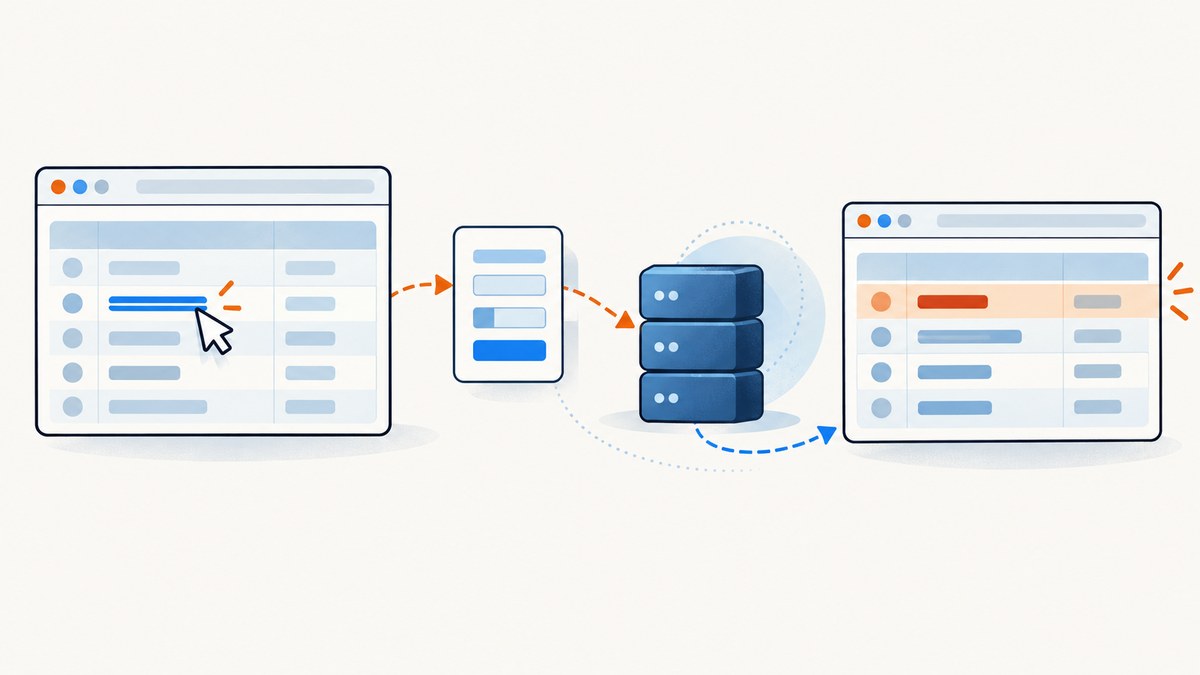
Direct answer: if an ASP.NET page renders a normal link with a destination URL, use CasperJS thenClick() or click() on that anchor. If the rendered link calls __doPostBack(...), it is a Web Forms form action rather than an ordinary URL: click the actual control, preserve the page’s form state, wait for the resulting update, and verify the results themselves. The URL may stay the same.
This guide is for maintaining CasperJS automation that needs to reach the next page of results or activate another ASP.NET control. CasperJS is legacy software: its project repository says it is no longer actively maintained. Use this as maintenance guidance for an existing suite, and assess current maintained browser automation tools separately for new work. CasperJS project repository
1. Identify what the rendered link does
Do not infer behavior from the visible label (“Next”, “2”, or an arrow). Inspect the element after the page has rendered. An anchor can have a real URL in href, JavaScript in href, a handler in onclick, or be part of a form control that depends on hidden fields.
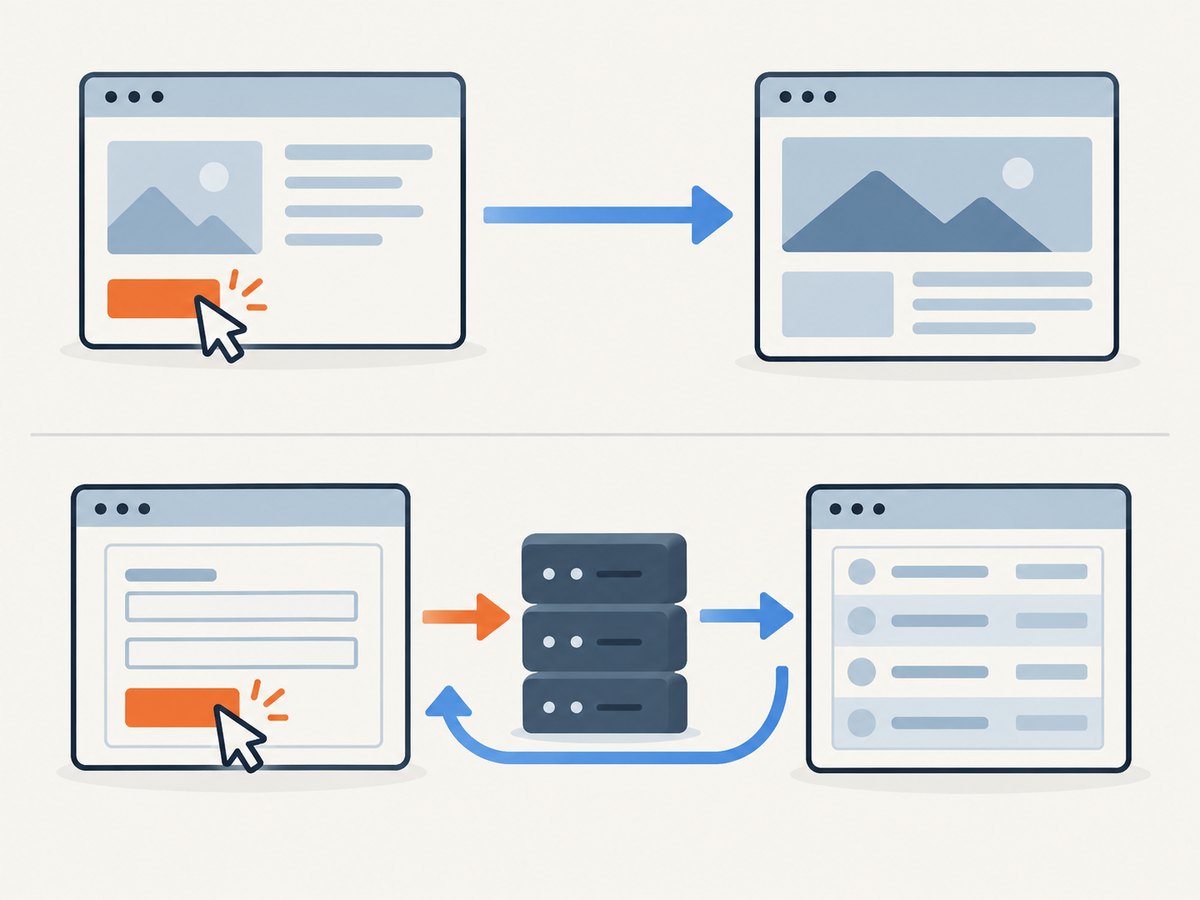
| Rendered behavior | Meaning | Starting approach | Useful verification |
|---|---|---|---|
href="/results?page=2" |
Ordinary navigation | thenClick(selector) |
Destination URL and page content |
href="javascript:__doPostBack(...)" |
Web Forms event submitted through the page form | Click the rendered anchor | Rows, selected pager, response, or form state |
| Handler invokes callback code | Page-specific asynchronous callback | Click the control and wait for its result | Updated content or callback result |
Microsoft’s Web Forms page-model documentation explains that __doPostBack programmatically submits the form on the page. Callback-enabled pages can use WebForm_DoCallback for a callback operation. This is why a visible pager can behave like a link while relying on the current form and its generated JavaScript. The precise behavior depends on the site’s implementation. Microsoft: ASP.NET 2.0 Page Model
2. Inspect the page in CasperJS
Start by logging the rendered anchor and the form fields that may matter. Replace the example URL and selectors with those from your page. CasperJS’s evaluate() runs inside the retrieved page’s DOM context, so return plain data from that function rather than trying to access page objects directly from the CasperJS script.
var casper = require('casper').create({
    verbose: true,
    logLevel: 'debug'
});

var nextSelector = 'a.next';

casper.start('https://example.com/results', function () {
    var info = this.evaluate(function (selector) {
        var link = document.querySelector(selector);
        var form = link && link.form;
        var fields = [];

        if (form) {
            var controls = form.querySelectorAll('input[type="hidden"]');
            for (var i = 0; i < controls.length; i++) {
                fields.push({ name: controls[i].name, value: controls[i].value });
            }
        }

        return {
            found: !!link,
            text: link ? link.textContent.trim() : null,
            href: link ? link.getAttribute('href') : null,
            onclick: link ? link.getAttribute('onclick') : null,
            formId: form ? form.id : null,
            hiddenFields: fields
        };
    }, nextSelector);

    this.echo(JSON.stringify(info, null, 2));
});

casper.run();
Look for a normal path or absolute URL in href. A value beginning with javascript: and containing __doPostBack indicates that the anchor invokes a Web Forms event. Also inspect the containing form, hidden fields, page errors, and whether the control is disabled or hidden. Do not build a replacement request from the displayed control ID alone: generated event arguments and other form state can be important.
3. Click a normal link with thenClick()
For an anchor with a real destination URL, CasperJS’s navigation step is the straightforward option. Chain a check after the click so the script reports what happened.
var casper = require('casper').create();
var nextSelector = 'a.next';

casper.start('https://example.com/results?page=1', function () {
    this.thenClick(nextSelector, function () {
        this.echo('After click: ' + this.getCurrentUrl());
        this.echo('Title: ' + this.getTitle());
    });
});

casper.run();
thenClick(selector[, callback]) schedules a click as a navigation step. Confirm that the selector matches the intended control and that a click actually leads to the next result state. If the target is ordinary navigation, a changed URL is useful evidence, but still check that the destination content is correct.
4. Click an ASP.NET postback control
When the anchor invokes __doPostBack, first click the rendered element. That lets the page’s own event handler submit the form with its current state. The URL can remain unchanged because the server may return the same route with a different page state, or the page may update asynchronously.
var casper = require('casper').create({
    verbose: true,
    logLevel: 'debug'
});

var nextSelector = 'a#ResultsGrid_ctl00_ctl03_ctl01';

casper.start('https://example.com/results', function () {
    this.thenClick(nextSelector, function () {
        this.echo('Click step completed at ' + this.getCurrentUrl());
    });
});

casper.run();
The selector above is only an example; ASP.NET-generated IDs vary. Prefer a stable class, attribute, or a selector scoped to the pager. Avoid selecting a numeric control ID copied from one render if the site regenerates it between requests.
If the control updates content without a full navigation, wait for a meaningful state change rather than assuming the click callback proves success. CasperJS documents waiting for a node, text, or resource when page elements or resources may not yet be available. CasperJS API documentation
5. Wait for and verify the next results page
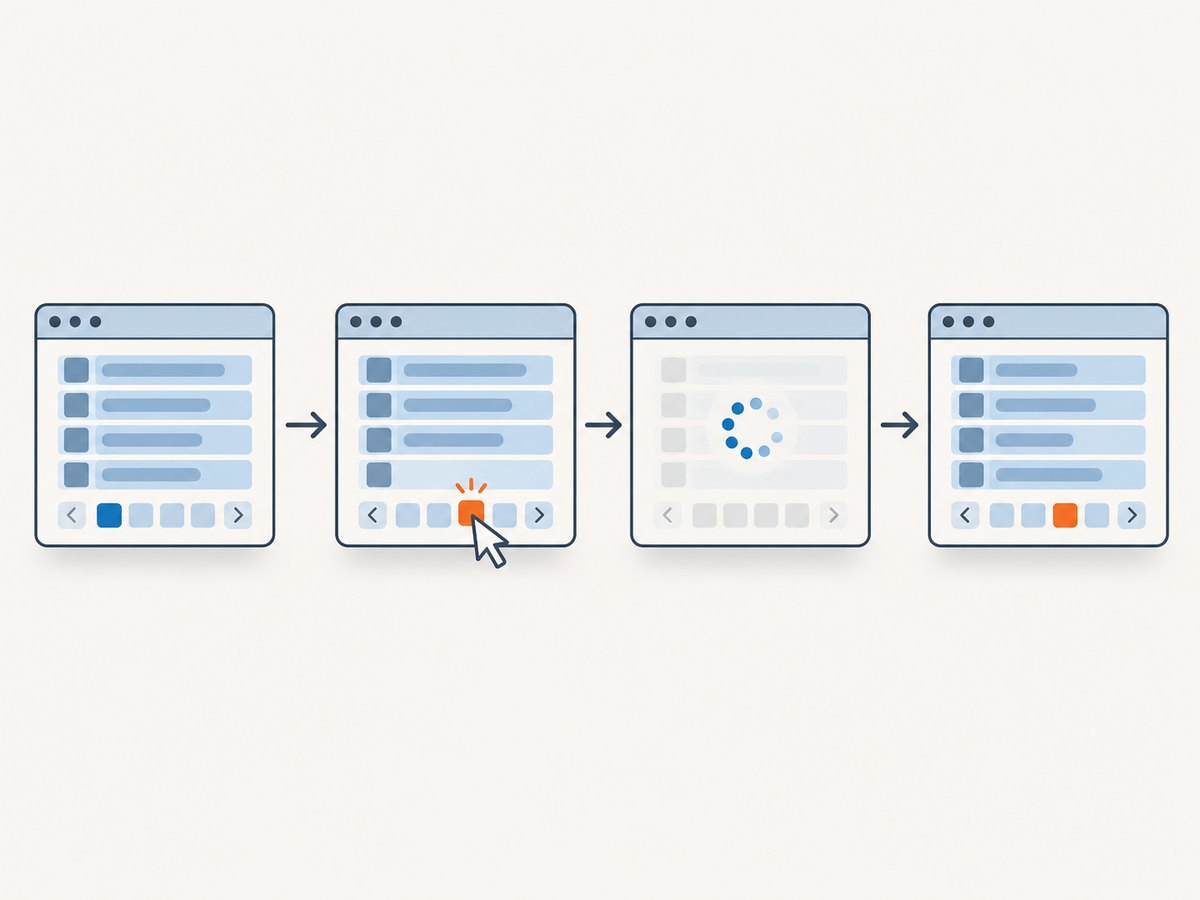
Choose a condition that distinguishes the desired page from the old one: a changed selected-page marker, a row value that should appear only on the next page, a new result count, or a changed hidden field. Use the condition supported by the page, and set a timeout so failures are reported promptly.
var casper = require('casper').create({
    verbose: true,
    logLevel: 'debug'
});

var nextSelector = 'a.next';
var rowsSelector = '#ResultsGrid tbody tr';
var expectedText = 'Unique value from page 2';

casper.start('https://example.com/results', function () {
    this.thenClick(nextSelector);

    this.waitFor(function () {
        return this.evaluate(function (selector, text) {
            var rows = document.querySelectorAll(selector);
            for (var i = 0; i < rows.length; i++) {
                if (rows[i].textContent.indexOf(text) !== -1) return true;
            }
            return false;
        }, rowsSelector, expectedText);
    }, function () {
        this.echo('Expected page 2 result is present.');
    }, function () {
        this.echo('Timed out: expected page 2 result did not appear.');
        this.capture('results-timeout.png');
        this.exit(1);
    }, 10000);
});

casper.run();
Use a page-specific expected value, not just a generic row selector that also matched before the click. If results can legitimately repeat, combine two signals such as a selected pager marker and a changed first-row key. For asynchronous callbacks, wait for the DOM change that the callback is expected to produce.
6. Use evaluate() only when clicking cannot activate it
CasperJS’s evaluate() can inspect or invoke a page element from the page’s own DOM context. Use it only after confirming the rendered markup and selector. A DOM click can be useful when the normal CasperJS interaction does not reach a control that is present and enabled.
var casper = require('casper').create();
var nextSelector = 'a.next';

casper.start('https://example.com/results', function () {
    var clicked = this.evaluate(function (selector) {
        var element = document.querySelector(selector);
        if (!element) return false;
        element.click();
        return true;
    }, nextSelector);

    this.echo(clicked ? 'DOM click dispatched' : 'Control not found');
});

casper.run();
This only confirms that the element was found and a click was dispatched. It does not prove the postback succeeded. Follow it with a state-based wait and verification. Avoid manually calling __doPostBack with guessed arguments or submitting a hand-built form: doing so can omit validation, hidden fields, or page-specific event state. If the page uses a callback, inspect the actual callback handler and result path rather than assuming a full form postback.
7. Forms, hidden state, and alternate controls
Web Forms postbacks commonly depend on the current form. Hidden fields can include page state and event metadata, and the event target/argument may be generated dynamically. Preserve the browser’s current page state by activating the control that the page rendered.
CasperJS also provides form helpers and recommends fill() for filling and submitting forms. That is appropriate when the task is to submit a form using its fields. For a generated pager action, a normal click is usually the better first attempt because the page’s JavaScript and event wiring are part of the behavior. Consult the CasperJS API for the version installed in the project; the cited API documentation is legacy 1.1.0-DEV material.
Do not assume every ASP.NET application uses Web Forms. ASP.NET MVC and other applications may render ordinary links, client-side routes, or custom JavaScript. The rendered HTML and behavior are the deciding evidence.
8. Troubleshooting common failures
| Symptom | Likely cause | What to check or change |
|---|---|---|
| “No matching element” or click has no effect | Selector is stale, too broad, or the control has not rendered | Log the matching element and rendered HTML; wait for the control before clicking. |
| URL does not change | Postback or callback updates state at the same route | Check rows, selected pager, response, or hidden state instead of requiring a URL change. |
| Pager label changes but rows do not | Only one signal was observed, or the page response did not update the intended data | Check multiple independent signals and inspect the response and page errors. |
| Click succeeds intermittently | Resource, script, or element is not ready; timing is variable | Wait for the control before clicking and for a result-specific condition afterward. |
| Postback returns the first page again | Event target, event argument, or required form state was lost | Use the rendered control; inspect hidden inputs and the submitted form rather than fabricating a request. |
| Control is found but page reports an error | Validation, authentication, or site JavaScript failed | Capture logs and rendered HTML, check page errors and network activity, then resolve the site-specific issue. |
| Direct DOM click dispatches but nothing changes | The page expects another event path, callback, or user state | Inspect its handler and wait condition; use the normal CasperJS click first and verify the actual response. |
A disciplined diagnostic sequence is: inspect href, onclick, form ownership, and hidden inputs; click the actual rendered control; wait for the expected result; compare more than one signal; then capture HTML, logs, and network activity if it failed. Increase a timeout only when evidence points to ordinary latency. A longer delay cannot fix a wrong selector, missing form state, or server-side validation error.
9. Performance, reliability, and operating cost
Browser automation cost is mostly operational: each page load and wait occupies a browser process, while retries consume more run time and can increase load on the target site. Keep selectors narrow, wait for a specific state, and stop on a useful timeout. Avoid fixed sleeps on every page when a result-based condition is available.
For reliability, record the initial URL, relevant control attributes, final URL, result marker, and a failure screenshot or HTML snapshot. Separate “click dispatched” from “expected page reached” in logs. If the site is authenticated, preserve the required session and cookies; a postback may depend on that state. Retry only transient failures, and re-check the page state before retrying so an already-applied action is not repeated.
No benchmark or universal wait duration applies to every ASP.NET site. The site’s response time, scripts, authentication, and update mechanism determine appropriate timeouts. CasperJS is no longer actively maintained, so teams maintaining it should account for legacy runtime and dependency constraints.
10. Or skip the browser setup
If your goal is to capture a page as an image or PDF rather than operate its next-results control, ScreenshotNeo provides a screenshot API and MCP server. One GET request takes a URL and returns PNG, JPEG, WebP, or PDF. See the ScreenshotNeo website and API documentation.
curl -G "https://api.screenshotneo.com/v1/shot" -d access_key=YOUR_API_KEY --data-urlencode url=https://stripe.com -o shot.webpCookie banners, newsletter popups, and chat widgets are removed before the shot; each cleanup step can be turned off. Bot checks, blank pages, timeouts, failed loads, and cache hits are not billed, and response headers report the page verdict and billing status. An MCP server exposes take_screenshot, get_page_info, and capture_pdf for Claude, Cursor, and other MCP clients. The free plan includes 1,000 shots a month with no card; paid plans start at $5 for 3,000 shots.
Python:
import requests

r = requests.get(
    "https://api.screenshotneo.com/v1/shot",
    params={"access_key": "YOUR_API_KEY", "url": "https://stripe.com"},
    timeout=90,
)
open("shot.webp", "wb").write(r.content)
Node.js:
const q = new URLSearchParams({ access_key: 'YOUR_API_KEY', url: 'https://stripe.com' });
const res = await fetch(`https://api.screenshotneo.com/v1/shot?${q}`);
For CasperJS-specific clicking and postback troubleshooting, continue with the browser steps above; a screenshot request captures a page and does not activate a results pager. Create a free ScreenshotNeo account for 1,000 screenshots a month with no card.
11. FAQ
Does CasperJS follow JavaScript links?
It can click rendered DOM elements. If a link uses JavaScript, determine whether it performs a postback, callback, or custom action, then verify the resulting page state.
Should I expect the URL to change after __doPostBack?
No. The route may remain unchanged while the form response or page content changes. Treat the URL as one signal, not the sole success condition.
Can I just open the link’s href directly?
Only if it contains a genuine destination URL. A JavaScript postback value is not a standalone destination.
Is CasperJS suitable for a new automation project?
The CasperJS repository says it is no longer actively maintained. This article addresses existing suites; evaluate maintained alternatives for new projects.


