How to Fix CasperJS Google Search Results with Missing Link Titles
Fix missing Google result titles in CasperJS by correcting the selector variable and keeping logging outside evaluate().
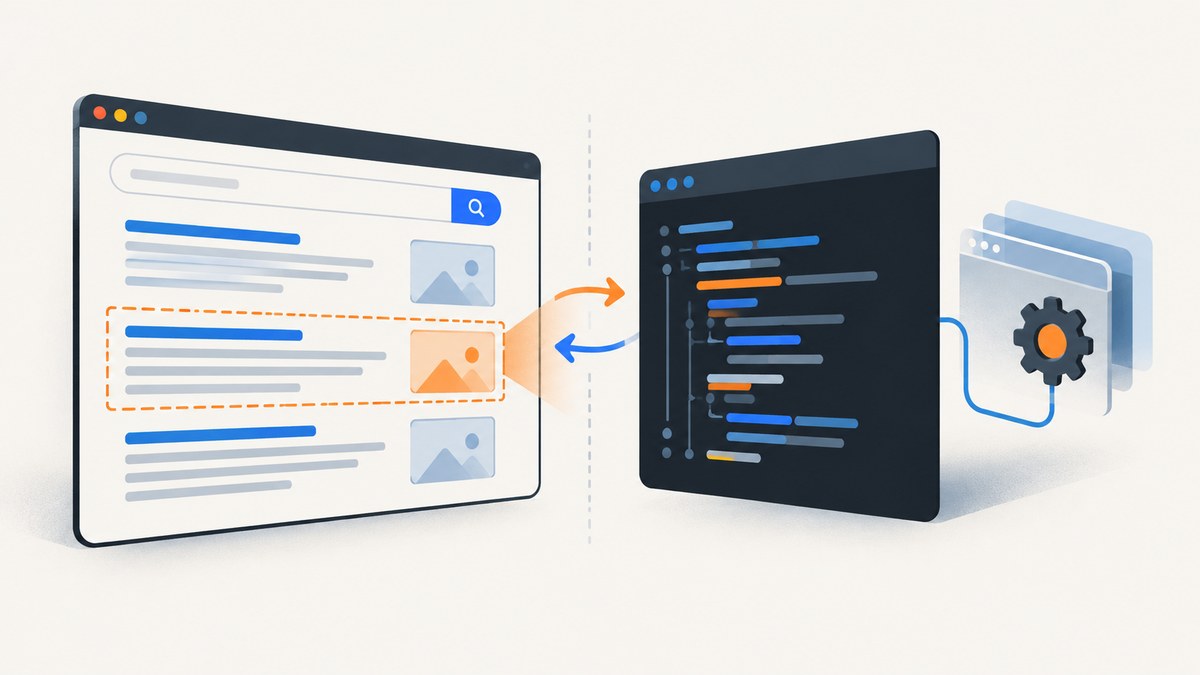
If CasperJS returns null for Google result titles, fix two independent JavaScript errors: pass links (plural) to Array.prototype.map.call, and move this.echo() outside evaluate(). The callback passed to evaluate() runs in the page’s DOM context; there this is the page window, not the CasperJS instance. Return ordinary data from the page, then print it from the CasperJS step.
Here is a complete example using the legacy Google selector from the CasperJS quickstart. Google’s markup and response pages can change, so verify the selector against the HTML your run actually receives before relying on it.
var casper = require('casper').create();
var query = 'casperjs';
var url = 'https://www.google.com/search?q=' + encodeURIComponent(query);

function getLinks() {
    var links = document.querySelectorAll('h3.r a');
    return Array.prototype.map.call(links, function (element) {
        return {
            title: element.textContent || element.innerText || '',
            href: element.getAttribute('href')
        };
    });
}

casper.start(url);

casper.waitForSelector('h3', function () {
    var results = this.evaluate(getLinks);
    this.echo(JSON.stringify(results, null, 2));
}, function onTimeout() {
    this.echo('Timed out waiting for result headings.');
    this.echo(this.getHTML());
}, 10000);

casper.run();
CasperJS documents evaluate() as execution in the current page DOM context, effectively a gate between the CasperJS environment and the page. Its quickstart also demonstrates the legacy h3.r a selector, and its API documents fetchText() for reading matching text. See the CasperJS API documentation and quickstart.
1. Identify which “missing title” you mean
There are two different titles involved in this problem:
- The scraped title: text your script reads from a result heading or link in the Google results DOM.
- Google’s title link: the text Google chooses to display for the destination page in search results.
The CasperJS code fix below addresses the first. It cannot force Google to show a particular title for a destination. Google generates title links automatically using sources such as the page’s <title>, visible main title, headings, og:title, prominent text, links pointing to the page, and WebSite structured data. Google may choose a different title if it believes another source better describes the page. See Google’s title link documentation.
2. Fix the two JavaScript errors
Use the variable you declared
This typo creates the first failure:
var links = document.querySelectorAll('h3.r a');
return Array.prototype.map.call(link, function (element) { ... });
The collection is named links, but the call refers to link. Change the argument to links. Depending on the surrounding code and error handling, an exception here may cause the value returned by evaluate() to appear as null.
Keep CasperJS methods out of the page callback
This is the second error:
function getLinks() {
    // Runs in the page context:
    this.echo('found links');
}
Inside getLinks, this is not the outer CasperJS object. The function is serialized and evaluated in the browser page context, where this refers to the page’s window. That object has no CasperJS echo() method. The result is a TypeError such as “this.echo is not a function.” Keep browser-side work limited to reading or manipulating the page DOM and returning serializable values. Use the outer CasperJS step for logging, branching, and other CasperJS operations.
3. Understand the context boundary
Think of the script as two environments with a narrow return path:
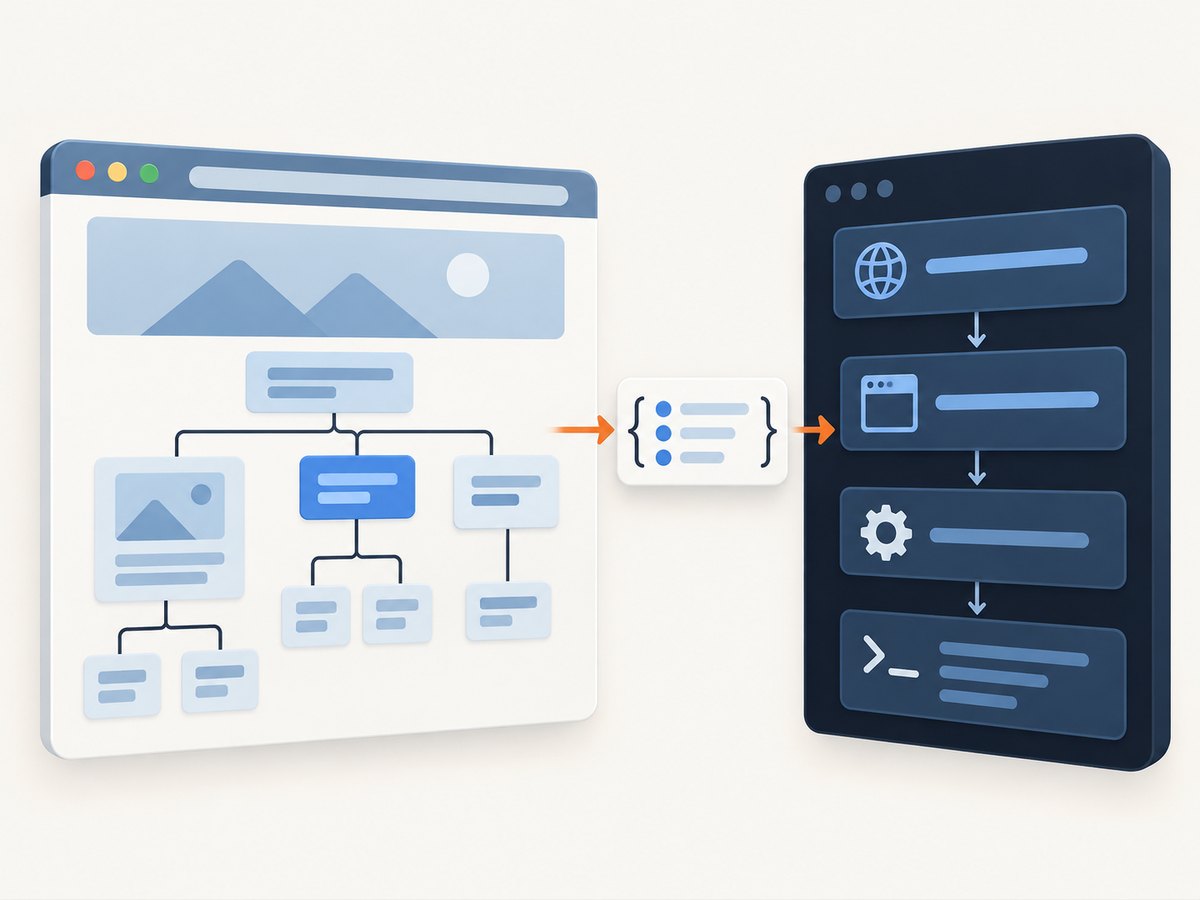
- CasperJS context: navigation, waits, output, and control flow. The callback’s
thiscan access methods such asthis.echo(),this.exists(), andthis.getHTML(). - Page context: DOM APIs such as
document.querySelectorAll(), element text, and attributes. Code passed toevaluate()runs here. - Return boundary: return plain values—strings, numbers, booleans, arrays, and simple objects—then consume them in CasperJS.
DOM elements, functions, and browser objects are not useful return values for this pattern. Extract the fields you need while still in the page context.
4. Make extraction safer
Google result markup is not a stable public scraping interface. The old h3.r a selector may stop matching even when results are visible. First inspect the captured page and choose a selector that matches the DOM your request received. Avoid assuming a screenshot proves that your CSS selector matches: an image shows rendered pixels, while querySelectorAll() matches actual DOM nodes.
A slightly more defensive extractor can skip headings without a link, trim whitespace, and return only links with useful text:
function getLinks() {
    var headings = document.querySelectorAll('h3');
    var results = [];

    for (var i = 0; i < headings.length; i++) {
        var heading = headings[i];
        var anchor = heading.querySelector('a');
        if (!anchor) continue;

        var title = (anchor.textContent || anchor.innerText || '')
            .replace(/^\s+|\s+$/g, '');
        var href = anchor.getAttribute('href');

        if (title && href) {
            results.push({ title: title, href: href });
        }
    }
    return results;
}
This example is less tied to the extra .r class but still assumes result links are anchors inside h3 elements. It is not a guarantee that every Google response uses that structure. Check the HTML and tailor the selector to the page you see.
Wait for the nodes you will read
Waiting for #resultStats does not ensure that the specific links you query exist, and the selector itself may change. Wait for a relevant heading or link, then confirm that your extraction returns something. The API supports waitForSelector(); exists() can also check a selector in the current page. The wait should have a timeout and a diagnostic path so that an absent selector does not silently become an empty result set.
For a quick text-only check, CasperJS provides fetchText(selector). It retrieves text from matching elements and concatenates text when multiple nodes match:
casper.waitForSelector('h3', function () {
    this.echo(this.fetchText('h3'));
});
That is useful for confirming that headings are present, but it does not return each result’s URL. Use evaluate() when you need structured title-and-link pairs.
5. Diagnose empty results and alternate pages
If the corrected code returns [], the JavaScript may now be working: an empty array means the selector matched no eligible nodes. Inspect the page CasperJS loaded immediately after the wait:

casper.waitForSelector('body', function () {
    this.echo('Page title: ' + this.getTitle());
    this.echo(this.getHTML());
});
Look for a consent page, CAPTCHA or bot check, an error page, a redirect, or a different Google response. Then check whether the expected headings and anchors actually appear in that HTML. If there is an alternate page, changing h3.r a to another selector will not solve the root cause; first determine what response was loaded and whether your collection method is allowed for your use case.
6. Common errors and fixes
| Symptom | Likely cause | Fix |
|---|---|---|
ReferenceError: link is not defined |
The map call uses link when the variable is links. |
Pass the declared collection: Array.prototype.map.call(links, ...). |
this.echo is not a function |
CasperJS logging runs inside the callback passed to evaluate(). |
Return the data from evaluate(), then call this.echo() in the outer CasperJS step. |
evaluate() appears to return null |
An exception occurred in page context, or the callback did not return a value. | Fix the variable and context errors; explicitly return an array or object and inspect the page HTML. |
Result is [] |
The selector matched nothing, or there are no eligible links in the loaded response. | Print getHTML(), verify the DOM, and update the selector for the actual markup. |
| Wait times out | The chosen selector never appears, the page is still loading, or an alternate response was served. | Wait for a node relevant to extraction, check the loaded page and tune the timeout to the task. |
| Titles are blank but URLs exist | The selected anchor has no text, or visible text is in a different node. | Inspect the matching element; read its heading’s text or the appropriate child text, and trim whitespace. |
| Screenshot looks right, extraction is empty | Rendered content and the selector do not correspond, or the screenshot came from a different state. | Inspect captured HTML from the same navigation and validate the selector against those nodes. |
7. Runtime, reliability, and cost considerations
For a single page, selecting and mapping a modest set of nodes is usually a small part of the work; navigation and waiting dominate the workflow. Avoid repeated broad DOM scans inside loops. Query once, extract the fields needed, and return a compact array. Use a bounded wait rather than an unbounded pause, and log enough context to distinguish timeout, selector mismatch, and alternate response.
Reliability depends on more than correct JavaScript. Google can change markup or serve a response that does not contain the expected results. Keep selectors isolated in one function, check for empty output, and retain a diagnostic HTML capture when the workflow fails. Recheck selectors when the upstream page changes. CasperJS’s documentation and examples are useful references, but the quickstart selector is a legacy example rather than a promise of current Google markup.
CasperJS is a do-it-yourself browser automation route: your operating environment supplies the browser stack and execution resources, so operational cost depends on where and how you run it. The code correction itself does not create a service fee. Account for retries and debugging time when pages vary, and do not treat an empty response as a successful extraction.
Or skip the browser setup
If your goal is a screenshot rather than DOM scraping, ScreenshotNeo is a website screenshot API and MCP server from Yorker Media. One GET request returns an image or PDF. Its clean capture accepts cookie banners and removes more than 60 known consent platforms, newsletter popups, and chat widgets before the shot; those steps can be turned off. Bot checks, blank pages, timeouts, failed loads, and cache hits are not billed, and responses identify the page verdict and billing state in headers. Its MCP server provides take_screenshot, get_page_info, and capture_pdf tools for AI agents.
For a quick example, replace the target URL as needed. See the ScreenshotNeo API documentation for request options.
curl -G "https://api.screenshotneo.com/v1/shot" \
  -d access_key=YOUR_API_KEY \
  --data-urlencode url=https://stripe.com \
  -o shot.webp
import requests
r = requests.get(
"https://api.screenshotneo.com/v1/shot",
params={"access_key": "YOUR_API_KEY", "url": "https://stripe.com"},
timeout=90,
)
r.raise_for_status()
open("shot.webp", "wb").write(r.content)const q = new URLSearchParams({
access_key: 'YOUR_API_KEY',
url: 'https://stripe.com'
});
const res = await fetch(`https://api.screenshotneo.com/v1/shot?${q}`);
if (!res.ok) throw new Error(`Screenshot request failed: ${res.status}`);
const bytes = new Uint8Array(await res.arrayBuffer());
await import('node:fs/promises').then(fs => fs.writeFile('shot.webp', bytes));ScreenshotNeo includes full-page and element capture, viewport and device settings, retina scale, PDF output, HTML-to-image, custom CSS and JavaScript, click and wait controls, request blocking, headers and cookies, user agent, timezone and geolocation, transparent backgrounds, resizing, configurable cache TTL, signed image links, asynchronous jobs with signed webhooks, bulk capture of up to 100 URLs per call, a usage API, and an OpenAPI specification. The parameter names used by other screenshot APIs also work to ease switching. Plans are Free with 1,000 shots per month and no card; Starter is $5 for 3,000, Growth $15 for 15,000, Pro $39 for 60,000, Scale $99 for 250,000, and Business $249 for 1,000,000. Yearly billing gives two months free, and every feature is on every plan. For a screenshot workflow, that means cookie banners, popups, and chat widgets are removed before the shot; bot checks, blank pages, and failed loads are never billed; an MCP server lets AI agents take screenshots; and 1,000 screenshots each month are free with no card, with paid plans starting at $5 for 3,000. Create a free ScreenshotNeo account.
8. If you meant Google’s displayed title link
If your scraper successfully extracts text but Google displays a different title for your own page, that is a separate search presentation issue. Google recommends a descriptive, concise <title>, a clear main heading, and consistency between the title and prominent page content. Its systems can draw on multiple signals, and changes require recrawling and reprocessing, which Google says can take days to weeks. Updating the site does not guarantee a particular title link.
FAQ
Why does getLinks() return null instead of an empty array?
Often the page callback threw an error, such as an undefined variable or calling this.echo() in page context. An empty array instead indicates that the callback ran but its selector found no matching links.
Can I use fetchText() instead of evaluate()?
Yes, if all you need is combined text from matching nodes. To pair each title with its own href, use DOM extraction in evaluate() and return an array of plain objects.
Will changing the selector make Google’s own result title different?
No. It changes which text your scraper reads from the current results page. Google’s generated title link is a separate, automatically selected label for a destination page.
Why does the example use a selector that no longer matches my results?
The CasperJS quickstart’s h3.r a is a legacy example. Inspect the response HTML and adjust the selector to the structure actually present in your run.


