How to Use Charles Proxy for Web Scraping
Capture a browser request in Charles, reproduce it in code, handle HTTPS, export evidence, and avoid the common scraping mistakes.
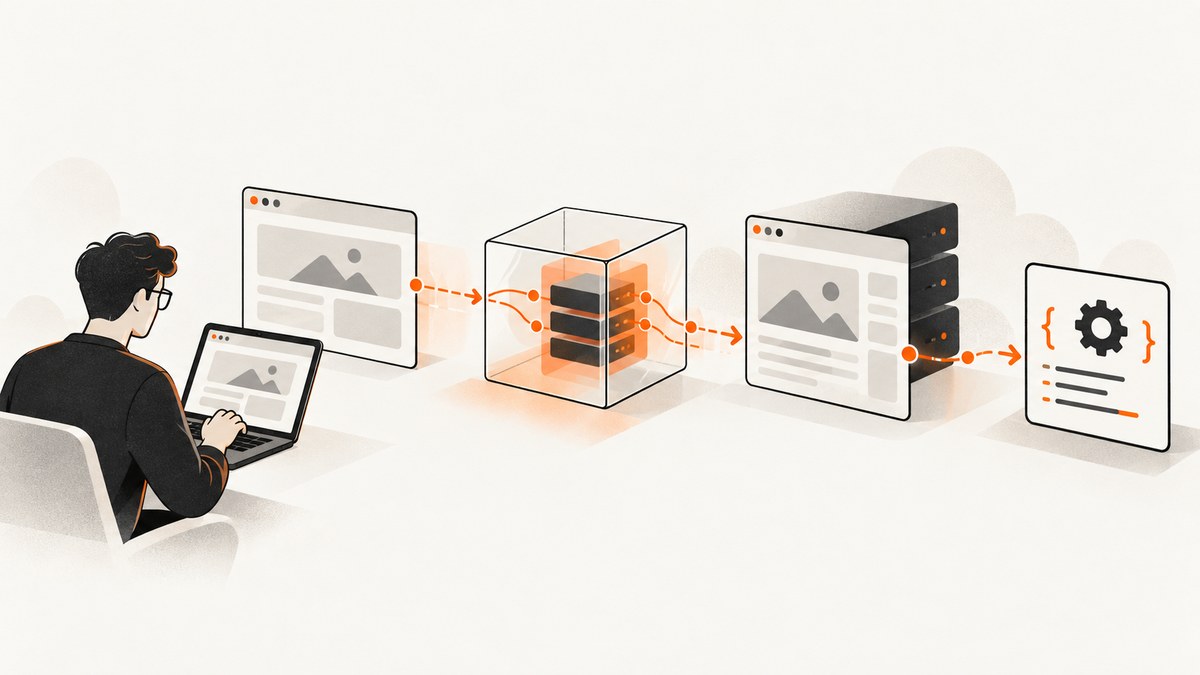
Short answer: Charles Proxy helps you discover and reproduce the HTTP requests a web page makes. Configure your browser to use Charles, record only the target interaction, inspect the request in Structure or Sequence view, enable SSL Proxying for HTTPS hosts, then copy the smallest request that returns the data into Python, Node.js, cURL, or another client. Charles is a request inspector and debugging proxy; it is not a crawler or a scraping scheduler.
Use this workflow only with websites, accounts, and data you are authorized to test. Charles can expose cookies, credentials, authorization headers, and response data. Respect the site’s terms, authentication boundaries, and access controls.
1. What Charles Proxy does for scraping
Charles records HTTP and HTTPS request-response pairs into a session. You can inspect the URL, method, query parameters, form fields, headers, cookies, authentication data, response body, and timing. The Charles documentation describes recording as its primary function.
This makes Charles useful when a page hides its data behind JavaScript. Instead of guessing an endpoint, you let the page perform its normal action, identify the request that returned the useful JSON or HTML, and reproduce that request in a controlled script.
| Task | Charles helps with | Charles does not provide |
|---|---|---|
| Discovering an API call | Shows the exact URL, method, parameters, headers, cookies, and response. | Permission to call an endpoint or bypass access controls. |
| HTTPS inspection | Decrypts traffic for selected hosts after certificate trust is configured. | A safe way to inspect arbitrary users’ traffic. |
| Reproduction | Copies or saves requests and responses for implementation. | A production crawler, queue, scheduler, or retry service. |
| Repeatability | Supports saved sessions, headless operation, alternate configuration files, and web controls. | A guarantee that a copied session remains valid after tokens or site behavior change. |
2. Configure Charles and capture one interaction
- Install and open Charles.
- Configure the browser or test client to use Charles as its HTTP proxy. Charles also supports SOCKS mode; choose it deliberately when proxy behavior could affect browser connection limits.
- Clear the current Charles session.
- Turn recording on.
- Perform only the action that loads the data you need: open the page, submit a search, change a filter, or click “next”. Avoid unrelated navigation.
- Stop recording as soon as the response arrives.
- Use Structure view to find the target host and path. Use Sequence view when you need to understand the order of calls.
- Open likely requests and inspect the response body. The request that returns JSON or the relevant HTML is usually the one to reproduce.
Keep each recording narrow. Clear the session before the next investigation, use host or path filters and Focus to reduce noise, and avoid recording unrelated accounts or sensitive applications. Charles keeps recorded headers and content in memory or temporary files and can stop recording when its configured data limit is exceeded.
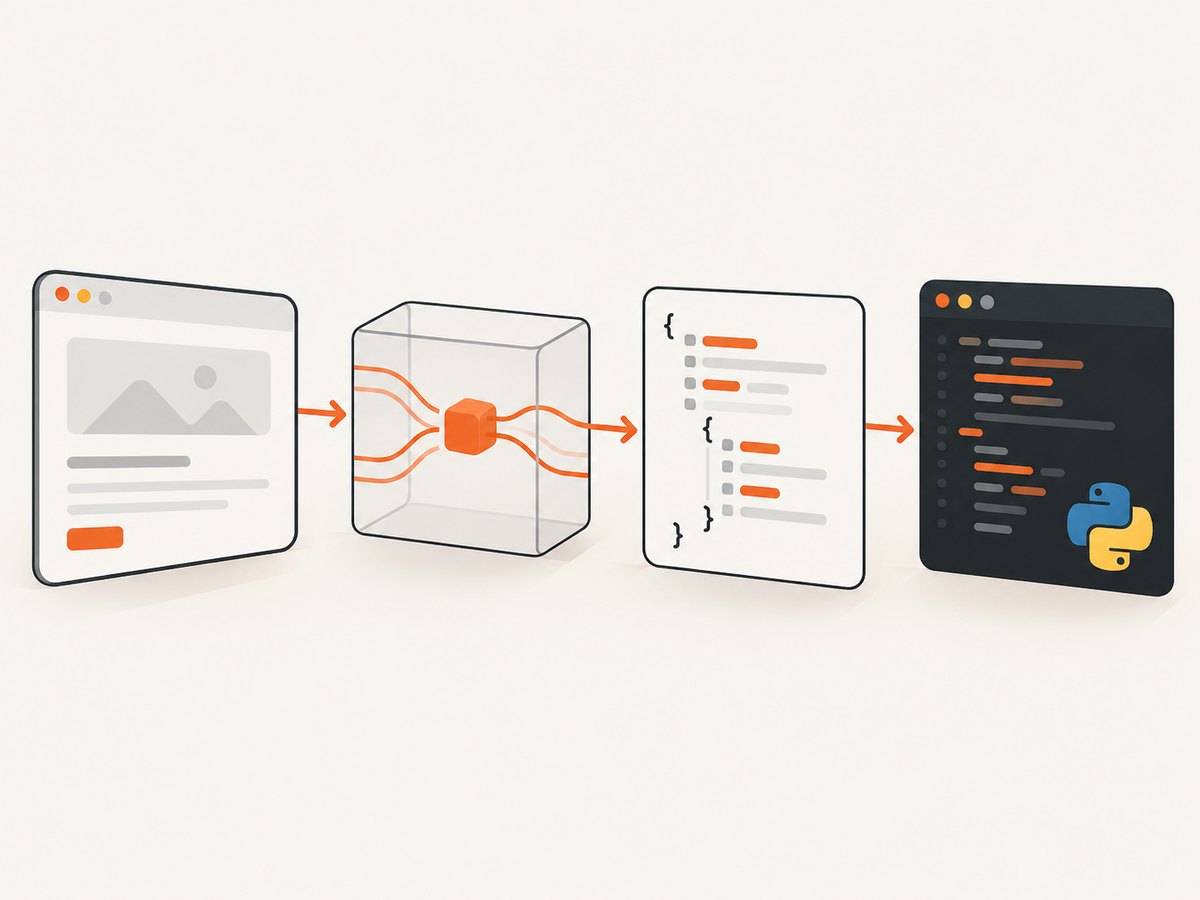
3. Capture HTTPS traffic safely
Most modern sites use HTTPS. To inspect it, select the target hostname for SSL Proxying and install and trust the Charles Root Certificate in the controlled browser or test environment. Charles dynamically generates a certificate for the server and signs it with its own root certificate. If the client does not trust that root, it will show a certificate security warning.

HTTPS checklist
- Use a disposable browser profile or a dedicated test device.
- Trust the Charles root certificate only in that controlled environment.
- Enable SSL Proxying for the specific hostnames you need instead of every host.
- Remove the certificate and proxy settings when the investigation ends.
- Never share exported sessions containing live cookies, bearer tokens, passwords, or personal data.
Some applications use certificate pinning or custom network stacks. In those cases Charles may show a failed handshake or no decrypted body. Do not weaken protections on systems you do not control; use an approved test build or an application-supported debugging configuration.
4. Find the request that actually returns the data
A page can make dozens of requests for analytics, fonts, images, feature flags, and advertisements. Focus on requests that have a useful response body.
Inspect these fields
| Field | Why it matters |
|---|---|
| Method and URL | Defines the operation and endpoint. A POST may carry filters in JSON or form data. |
| Query and form parameters | Often contain search terms, page numbers, sort order, locale, or IDs. |
| Request headers | Look for content type, authorization, origin, referer, API version, and client hints. |
| Cookies | May identify a session, preference, consent state, or logged-in account. |
| Response status and headers | Reveal redirects, caching, pagination metadata, rate limits, and content type. |
| Response body | Shows whether the useful data is JSON, HTML, CSV, or another format. |
Start with the smallest reproducible request. Copy the request, then remove headers and cookies one at a time in a test environment. Keep only values that testing shows are necessary. Store tokens in environment variables or a secret manager, never in source control.
5. Reproduce a captured request with cURL
Charles can copy or save an individual request for review. Adapt the exported command to remove secrets and replace temporary values with environment variables.
curl 'https://example.test/api/products?page=2&sort=price' \
  -H 'Accept: application/json' \
  -H 'Authorization: Bearer YOUR_TOKEN' \
  -H 'User-Agent: your-authorized-client/1.0' \
  --cookie 'session=YOUR_SESSION_COOKIE'
For a POST request with JSON:
curl 'https://example.test/api/search' \
  -X POST \
  -H 'Accept: application/json' \
  -H 'Content-Type: application/json' \
  -H 'Authorization: Bearer YOUR_TOKEN' \
  --data-raw '{"query":"laptops","page":1}'
Use --data-urlencode for form parameters that contain spaces or special characters. Check the response status before parsing the body, and save a redacted command with your investigation notes.
6. Reproduce it in Python
The following example uses requests. Replace the endpoint and fields with the values observed in Charles.
import os
import requests

url = "https://example.test/api/products"
params = {"page": 2, "sort": "price"}
headers = {
    "Accept": "application/json",
    "Authorization": f"Bearer {os.environ['API_TOKEN']}",
    "User-Agent": "your-authorized-client/1.0",
}
cookies = {"session": os.environ["SESSION_COOKIE"]}

response = requests.get(
    url,
    params=params,
    headers=headers,
    cookies=cookies,
    timeout=30,
)
response.raise_for_status()
data = response.json()
print(data)
Python pagination pattern
import os
import time
import requests

session = requests.Session()
session.headers.update({
    "Accept": "application/json",
    "Authorization": f"Bearer {os.environ['API_TOKEN']}",
    "User-Agent": "your-authorized-client/1.0",
})
session.cookies.set("session", os.environ["SESSION_COOKIE"])

for page in range(1, 6):
    r = session.get(
        "https://example.test/api/products",
        params={"page": page},
        timeout=30,
    )
    if r.status_code == 404:
        break
    r.raise_for_status()
    payload = r.json()
    items = payload.get("items", [])
    for item in items:
        print(item)
    if not payload.get("next_page"):
        break
    time.sleep(1)
Use the pagination field actually returned by the application. It may be a cursor rather than a page number. Stop on an explicit end condition and honor documented rate limits.
7. Reproduce it in Node.js
Modern Node.js versions include fetch. The example keeps credentials outside the source file.
const token = process.env.API_TOKEN;
const sessionCookie = process.env.SESSION_COOKIE;

const url = new URL('https://example.test/api/products');
url.searchParams.set('page', '2');
url.searchParams.set('sort', 'price');

const res = await fetch(url, {
  headers: {
    Accept: 'application/json',
    Authorization: `Bearer ${token}`,
    'User-Agent': 'your-authorized-client/1.0',
    Cookie: `session=${sessionCookie}`
  }
});

if (!res.ok) {
  throw new Error(`HTTP ${res.status}: ${await res.text()}`);
}

const data = await res.json();
console.log(data);
8. Export sessions and preserve evidence
Save the Charles session or the individual request and response when you need to review the investigation later. Native-session downloads and session export preserve useful context, while a copied request is easier to turn into code.
Before sharing an export, redact authorization headers, cookies, passwords, personal information, and proprietary response data. Record the date, target host, action that generated the request, and which fields are stable versus temporary.
9. HTTP proxy versus SOCKS mode
HTTP proxy mode is the usual starting point. Charles documents that browser connection limits can change when an HTTP proxy is present. SOCKS mode avoids including the proxy in the browser’s connection-limit calculation and can better preserve ordinary browser concurrency behavior.
For a single request discovery task, HTTP mode is usually simpler. If timing, parallel requests, or browser-like concurrency matters, compare both modes in your controlled test and document the choice.
10. Automation and repeatable investigations
Charles supports headless mode, alternate configuration files, opening saved sessions, and starting with throttling enabled. Its web interface can start and stop recording, activate tools, control throttling, clear sessions, and export sessions.
These controls are useful for repeatable request-capture tests. The documentation does not present Charles as a crawler, scheduler, or scraping API. For a repeatable scraper, put the reproduced request in your own program with explicit rate limiting, retries, logging, and secret handling.
11. Common errors and fixes
| Symptom | Likely cause | Fix |
|---|---|---|
| Charles shows no traffic | The browser is not using Charles, recording is off, or another proxy overrides it. | Verify the browser proxy host and port, enable recording, and temporarily remove competing proxy settings. |
| HTTPS certificate warning | The Charles root certificate is not trusted by the controlled client. | Install and trust the root certificate in that test environment, then enable SSL Proxying for the target host. |
| Host appears but body is unreadable | SSL Proxying is not enabled for that host, or the application uses pinning. | Add the host to SSL Proxying. For pinning, use an approved test build or supported debugging setup. |
| Request works in the browser but returns 401 | A cookie, bearer token, CSRF value, or required header was omitted or expired. | Compare the captured request with the script, carry over only required fields, and obtain a fresh authorized session. |
| Request returns HTML instead of JSON | You followed a redirect, hit a login page, or selected a document request rather than the data request. | Inspect redirect responses and find the XHR or fetch request whose response contains the data. |
| Results differ from the browser | Locale, timezone, geolocation, cookies, user agent, or feature flags differ. | Reproduce the relevant request context and compare query parameters and response headers. |
| Too many irrelevant requests | Analytics, ads, fonts, images, and background calls obscure the target. | Clear the session, perform one action, then filter by host/path or use Focus. |
| Charles stops recording | The configured data limit was exceeded. | Clear old sessions, narrow the capture, or adjust the limit for the controlled investigation. |
| Scraper is throttled or blocked | Request volume or behavior violates the site’s limits or access policy. | Reduce concurrency, add delays, follow published limits, and stop if you are not authorized. |
12. Performance, reliability, and cost considerations
Performance
- Use host and path filters so Charles stores less unrelated traffic.
- Capture one user action at a time and clear the session between experiments.
- Use SOCKS mode when HTTP proxy connection accounting changes the concurrency behavior you are measuring.
- In code, reuse a session or keep-alive connection where appropriate, but keep concurrency within the site’s documented limits.
Reliability
- Expect cookies, CSRF tokens, signed URLs, and bearer tokens to expire.
- Check status codes and content types before parsing.
- Log request identifiers and redacted error bodies so a failed run can be diagnosed.
- Use bounded retries with backoff for transient failures; do not retry authentication failures indefinitely.
- Save a known-good Charles session as a reference when the endpoint changes.
Cost and operational scope
Charles is useful during discovery and debugging, but a production workflow still needs a runtime, storage, scheduling, retry policy, and monitoring. The official material reviewed confirms a free trial/download, but does not establish an affiliate or referral program. Treat vendor links as editorial unless program terms are verified.
13. Or skip the browser setup
If your goal is a clean image or PDF of a page rather than reverse-engineering its data endpoint, ScreenshotNeo provides a website screenshot API. Its request accepts a URL and returns PNG, JPEG, WebP, or PDF. See the ScreenshotNeo API documentation for all options.
curl -G "https://api.screenshotneo.com/v1/shot" -d access_key=YOUR_API_KEY --data-urlencode url=https://stripe.com -o shot.webpimport requests
r = requests.get("https://api.screenshotneo.com/v1/shot", params={"access_key": "YOUR_API_KEY", "url": "https://stripe.com"}, timeout=90)
open("shot.webp", "wb").write(r.content)const q = new URLSearchParams({ access_key: 'YOUR_API_KEY', url: 'https://stripe.com' }); const res = await fetch(`https://api.screenshotneo.com/v1/shot?${q}`);ScreenshotNeo accepts cookie and consent banners before capture and removes more than 60 known consent platforms, newsletter popups, and chat widgets; each step can be turned off. Bot checks, blank pages, timeouts, failed loads, and cache hits are not billed, and every response reports the result with X-Page-Verdict and X-Billed headers. An MCP server provides take_screenshot, get_page_info, and capture_pdf tools for Claude, Cursor, and other MCP clients. The Free plan includes 1,000 screenshots per month without a card, and paid plans start at $5 for 3,000 screenshots. Create a free ScreenshotNeo account.
14. FAQ
Can Charles scrape a whole website?
Charles can record the requests generated by your browser, but it is not documented as a crawler or scheduler. Use it to discover and validate a request, then build an authorized scraper with its own pagination, rate limiting, and storage.
Where is the API call behind a page?
Record one action, filter to the target host, and inspect requests in Structure or Sequence view. The useful call normally has a JSON or data-bearing response body.
Do I need to copy every browser header?
No. Begin with the captured request, then remove headers and cookies in a controlled test until you have the smallest request that still works. Keep credentials outside source control.
Why does a copied request stop working later?
Sessions, CSRF values, signed URLs, and authorization tokens expire. Refresh the authorized session and identify which values are dynamic before automating.
Can Charles bypass a CAPTCHA?
Charles is a traffic inspection tool. Do not bypass bot checks or access controls. Use an approved test path or an API supplied by the site owner.
Should I use HTTP or SOCKS mode?
HTTP is the normal starting point. SOCKS can preserve ordinary browser connection-limit behavior when proxy accounting affects concurrency, so choose based on the behavior you need to measure.


