How to Check File and Folder Sizes in Python
Learn how to measure one file, total folders, symlinks, sparse files, errors, and disk capacity with practical Python examples.

Use os.path.getsize() or Path.stat().st_size to read one file’s logical size in bytes. To calculate a folder’s content size, walk its descendants and add the sizes of regular files. Keep symlink handling explicit, catch OSError when files can change during traversal, and use shutil.disk_usage() only when you need filesystem capacity rather than the contents of a directory.
1. Get the size of one file
Using os.path.getsize
os.path.getsize(path) returns one path’s logical size in bytes. It raises an OSError when the path is missing, inaccessible, or otherwise cannot be stated. This is the smallest useful implementation:
import os

size_bytes = os.path.getsize("report.pdf")
print(size_bytes)
The value is an integer. Keep it as bytes for comparisons, quotas, and arithmetic; convert it to KiB or MiB only when displaying it. The Python documentation defines this operation as returning “the size, in bytes, of path” (os.path.getsize documentation).
Using pathlib
Path.stat().st_size is the object-oriented equivalent:
from pathlib import Path

size_bytes = Path("report.pdf").stat().st_size
print(size_bytes)
Path.stat() returns an os.stat_result; its st_size field is the logical byte count for a regular file. By default, stat() follows a symlink. Use lstat() when you need information about the link itself (Path.stat documentation).
Handle a missing or inaccessible path
from pathlib import Path


def file_size(path: str) -> int | None:
    try:
        return Path(path).stat().st_size
    except OSError as exc:
        print(f"Cannot read {path!r}: {exc}")
        return None

print(file_size("report.pdf"))
Whether to return None, skip the path, or re-raise depends on your application. A backup verifier should usually fail loudly; a user-facing directory report may log the error and continue.
2. Calculate a folder’s total size recursively
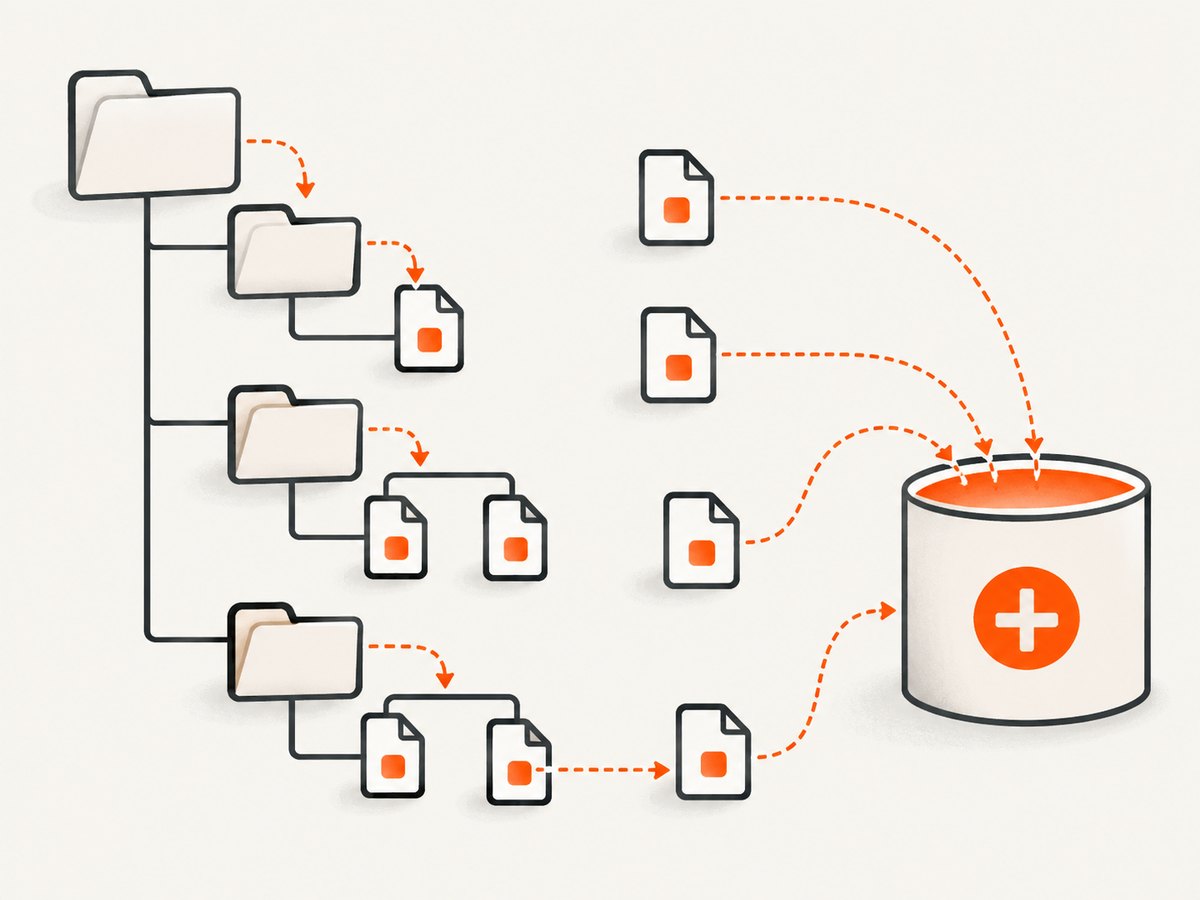
A directory entry does not contain the sum of everything below it. To obtain a content total, traverse descendants and add regular-file sizes. The following function uses os.walk and works on supported Python 3 versions:
import os


def folder_size(path: str) -> int:
    total = 0
    for root, dirs, files in os.walk(path):
        for name in files:
            try:
                total += os.path.getsize(os.path.join(root, name))
            except OSError:
                # Choose skip, log, or raise for your application.
                pass
    return total


print(folder_size("project"))
os.walk yields each directory’s path, its child-directory names, and its file names. It uses os.scandir internally, so it avoids an unnecessary directory listing implementation in Python (os.walk documentation).
Include skipped paths in the result
Silently ignoring errors can hide an incomplete total. Return both the sum and a list of paths that could not be read:
import os
from typing import NamedTuple


class SizeReport(NamedTuple):
    total: int
    skipped: list[str]


def folder_size_report(path: str) -> SizeReport:
    total = 0
    skipped: list[str] = []
    for root, dirs, files in os.walk(path):
        for name in files:
            filename = os.path.join(root, name)
            try:
                total += os.path.getsize(filename)
            except OSError:
                skipped.append(filename)
    return SizeReport(total, skipped)


report = folder_size_report("project")
print(f"Total: {report.total} bytes")
print(f"Skipped: {len(report.skipped)}")
3. A pathlib implementation
Path.walk() is available in Python 3.12 and later. It keeps path operations in the pathlib API:
from pathlib import Path


def folder_size(path: Path) -> int:
    total = 0
    for root, dirs, files in path.walk():
        for name in files:
            try:
                total += (root / name).stat().st_size
            except OSError:
                pass
    return total


print(folder_size(Path("project")))
You can prune directories by modifying dirs in place. This prevents traversal into build caches, virtual environments, or generated artifacts:
from pathlib import Path


def source_tree_size(path: Path) -> int:
    total = 0
    for root, dirs, files in path.walk():
        dirs[:] = [name for name in dirs if name not in {".git", "__pycache__", "node_modules"}]
        for name in files:
            try:
                total += (root / name).stat().st_size
            except OSError:
                pass
    return total
On Python versions before 3.12, use os.walk, Path.rglob, or a recursive os.scandir function instead.
4. Faster and more explicit traversal with os.scandir
os.scandir exposes DirEntry objects. Their cached type information can reduce extra system calls, and entry.stat() lets you state your symlink policy directly:
import os


def folder_size_scandir(path: str) -> int:
    total = 0
    with os.scandir(path) as entries:
        for entry in entries:
            try:
                if entry.is_dir(follow_symlinks=False):
                    total += folder_size_scandir(entry.path)
                elif entry.is_file(follow_symlinks=False):
                    total += entry.stat(follow_symlinks=False).st_size
            except OSError:
                # Log or collect this path in production code.
                pass
    return total


print(folder_size_scandir("project"))
This version does not follow directory symlinks and counts only regular files that are directly reachable without following links. PEP 471 documents DirEntry.stat(), DirEntry.path, and their role in efficient directory-tree calculations (PEP 471).
5. Symlinks: decide what “size” means
Symlinks are the most common source of surprising totals. By default, os.walk does not descend into directory symlinks. Passing followlinks=True changes that behavior, but a link can point to an ancestor and create infinite recursion. Only enable it with cycle detection and a clear reason.

For a symlink to a file:
Path.stat().st_sizefollows the link and reports the target’s size.Path.lstat().st_sizereports the symlink object itself, usually a small number of bytes containing the link target.entry.is_file(follow_symlinks=False)excludes symlinked files from a no-follow total.
If you intentionally follow links, track visited directories by device and inode (where available) and impose a maximum depth. Otherwise, the safest default for reports and quotas is to count files in the tree without following directory links.
6. Logical bytes versus allocated disk space
The totals above add st_size, which is the file’s logical length. It is not necessarily the number of filesystem blocks allocated. Sparse files can have a large logical size while consuming fewer blocks; compression and deduplication can also change physical usage.
When the question is “How much capacity does this filesystem have?” use shutil.disk_usage:
import shutil

usage = shutil.disk_usage("/var")
print(f"Total: {usage.total} bytes")
print(f"Used:  {usage.used} bytes")
print(f"Free:  {usage.free} bytes")
This reports filesystem total, used, and free capacity. It does not calculate the content total of /var (shutil.disk_usage documentation).
7. Display bytes as human-readable units
Use powers of 1024 for binary units and retain the original integer for logic:
def human_bytes(n: int) -> str:
    units = ["B", "KiB", "MiB", "GiB", "TiB"]
    value = float(n)
    for unit in units:
        if value < 1024 or unit == units[-1]:
            return f"{value:.1f} {unit}"
        value /= 1024


print(human_bytes(1536))  # 1.5 KiB
Do not round before enforcing limits. Compare integer bytes, then format the result for humans.
8. A production-ready command-line report
This complete script reports a total, counts files, records skipped paths, supports pruning, and accepts a directory from the command line:
#!/usr/bin/env python3
import argparse
import os
from pathlib import Path


def human_bytes(n: int) -> str:
    value = float(n)
    for unit in ("B", "KiB", "MiB", "GiB", "TiB"):
        if value < 1024 or unit == "TiB":
            return f"{value:.1f} {unit}"
        value /= 1024


def measure(path: Path, excluded: set[str]) -> tuple[int, int, list[str]]:
    total = 0
    count = 0
    skipped: list[str] = []
    for root, dirs, files in os.walk(path):
        dirs[:] = [name for name in dirs if name not in excluded]
        for name in files:
            filename = Path(root) / name
            try:
                total += filename.stat().st_size
                count += 1
            except OSError as exc:
                skipped.append(f"{filename}: {exc}")
    return total, count, skipped


parser = argparse.ArgumentParser(description="Measure logical file bytes")
parser.add_argument("path", type=Path)
parser.add_argument("--exclude", action="append", default=[], help="directory name to skip")
args = parser.parse_args()

total, count, skipped = measure(args.path, set(args.exclude))
print(f"Files: {count}")
print(f"Size:  {total} bytes ({human_bytes(total)})")
if skipped:
    print(f"Skipped: {len(skipped)}")
    for item in skipped:
        print(f"  {item}")
9. Errors, edge cases, and fixes
| Symptom | Cause | Fix |
|---|---|---|
FileNotFoundError |
The path was removed or is relative to a different working directory. | Resolve the path, check Path.cwd(), or handle the race with try/except OSError. |
PermissionError |
The process cannot read a directory or stat a file. | Adjust permissions where appropriate, run with the intended account, or report the path as skipped. |
| The folder total is too small | Symlinked directories were not followed, or files were skipped after errors. | Print skipped paths and define whether links should count. Do not blindly enable followlinks=True. |
| The walk never ends | A followed symlink points back into an ancestor. | Stop following directory links or add inode/device cycle detection. |
| Directory size is only a few bytes | A directory’s own metadata is being measured, not its descendants. | Traverse the tree and sum regular-file sizes. |
| Results change between runs | Files are being written, deleted, or replaced during traversal. | Treat the result as a traversal-time snapshot; coordinate writes or take a filesystem snapshot when consistency matters. |
| Disk usage does not match the sum | st_size is logical bytes; allocated blocks, sparse files, compression, and deduplication differ. |
Use filesystem-specific allocation metrics when physical consumption is the requirement. |
10. Performance and reliability guidance
- Prefer
os.scandiroros.walkfor large trees; avoid spawning a separate shell command for every file. - Prune directories you know are irrelevant by editing
dirsin place. - Do not store every path unless you need a report; streaming totals use constant memory apart from error tracking.
- Expect races. A successful listing does not guarantee the file still exists when you call
stat. - For network filesystems, latency and transient errors may dominate traversal time. Add logging and, where safe, bounded retries.
- Run measurement with the same user and mount namespace as the process whose quota you are enforcing.
11. Or skip the browser setup
If your workflow also needs screenshots of documentation, dashboards, or generated reports, ScreenshotNeo provides a single website-screenshot request instead of maintaining browser automation. The direct API call is:
curl -G "https://api.screenshotneo.com/v1/shot" -d access_key=YOUR_API_KEY --data-urlencode url=https://stripe.com -o shot.webpPython:
import requests
r = requests.get("https://api.screenshotneo.com/v1/shot", params={"access_key": "YOUR_API_KEY", "url": "https://stripe.com"}, timeout=90)
open("shot.webp", "wb").write(r.content)
Node.js:
const q = new URLSearchParams({ access_key: 'YOUR_API_KEY', url: 'https://stripe.com' });
const res = await fetch(`https://api.screenshotneo.com/v1/shot?${q}`);
See the ScreenshotNeo API documentation for authentication, response headers, and all options. Cookie banners, newsletter popups, and chat widgets are removed before the shot; bot checks, blank pages, timeouts, failed loads, and cache hits are not billed. An MCP server lets Claude, Cursor, and other MCP clients call take_screenshot, get_page_info, and capture_pdf. The Free plan includes 1,000 screenshots per month with no card; paid plans start at $5 for 3,000 shots. Create a free ScreenshotNeo account.
12. Frequently asked questions
Does getsize work on directories?
It returns the directory entry’s metadata size, not the sum of files below it. Walk the directory for a content total.
Should I use decimal MB or binary MiB?
Choose one convention and label it. The examples use KiB, MiB, and GiB, where each unit is 1024 of the previous unit.
Can I get a transactionally consistent total?
Not from an ordinary live walk. Files can change between listing and stat calls. Use filesystem snapshots or coordinate writes when a consistent point-in-time view is required.
Which API is best for a new Python project?
Use pathlib for readable path composition, os.walk for broad version compatibility, and Path.walk when your minimum version is Python 3.12.
How do I test size code?
Create a temporary directory with known files using tempfile.TemporaryDirectory, include an empty file and nested directories, and separately test missing paths, permission errors, and symlink behavior on platforms that support them.