How to Generate Chromium Headless PDFs in Java Without Temporary Files
Stream Chromium PDFs directly to an OutputStream in Java with CDP Page.printToPDF, IO.read, and IO.close—without creating a temporary file.
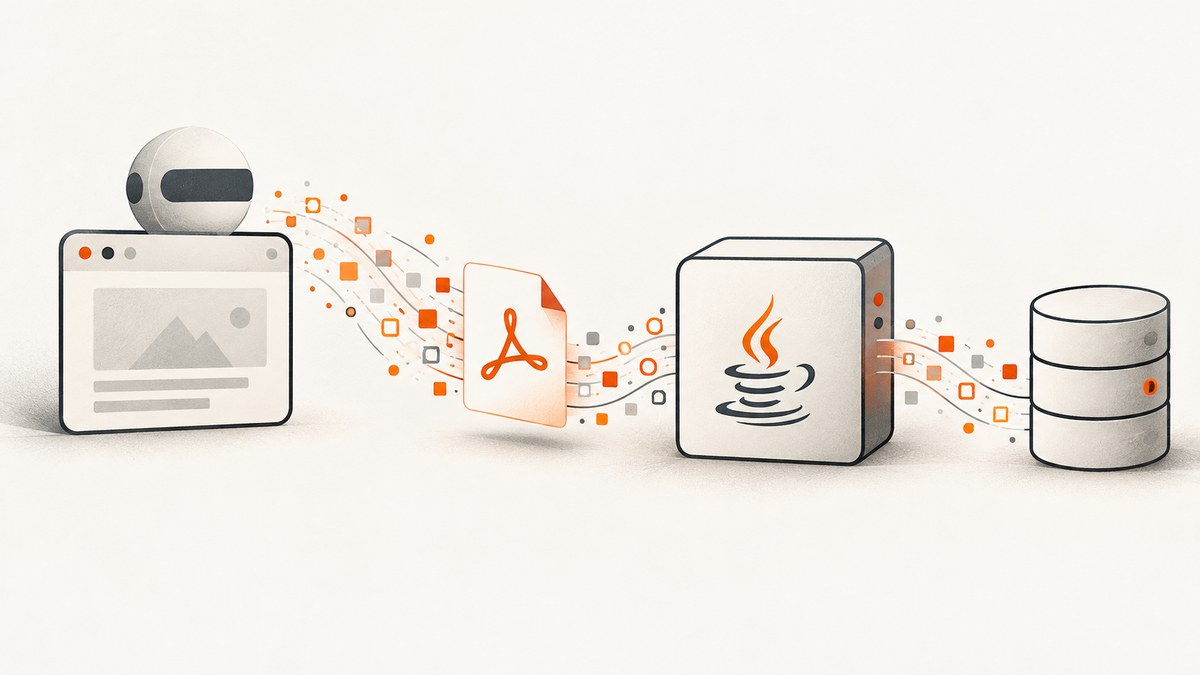
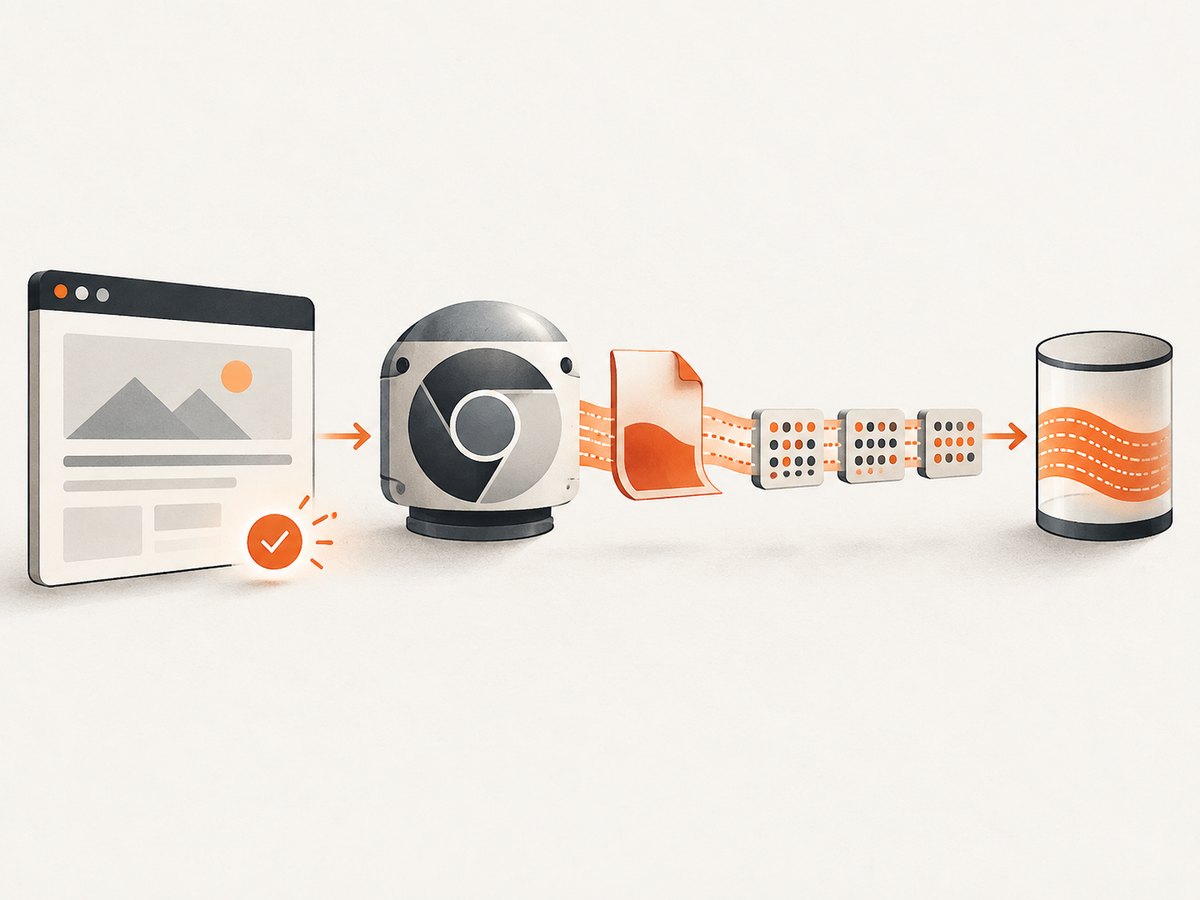
Use Chrome DevTools Protocol (CDP) with Page.printToPDF and transferMode: ReturnAsStream. Chromium returns an IO.StreamHandle; your Java code repeatedly calls IO.read, decodes each chunk when necessary, writes it to the final OutputStream, and closes the handle with IO.close. No temporary PDF file is required in your application.
This avoids application-side temporary-file staging. It does not prove that Chromium or the Java CDP client uses zero internal buffering.
How the streaming flow works
- Start Chromium in headless mode and create a CDP-capable session.
- Navigate to the page, or set page content, and wait for the data, images, and fonts required in the PDF.
- Call
Page.printToPDFwithtransferModeset toReturnAsStream. - Read the returned handle with repeated
IO.readcalls untileofis true. - Decode chunks marked
base64Encoded; write bytes directly to your destination. - Call
IO.closein both success and failure paths.
Complete Java example with Selenium and CDP
The example below writes directly to a caller-owned OutputStream. Replace the Chrome and Selenium versions with compatible versions in your environment. Selenium documents that its CDP support is temporary and depends heavily on the browser version, so pin compatible releases.
import org.openqa.selenium.chrome.ChromeDriver;
import org.openqa.selenium.chrome.ChromeOptions;

import java.io.ByteArrayOutputStream;
import java.io.IOException;
import java.io.OutputStream;
import java.nio.charset.StandardCharsets;
import java.util.Base64;
import java.util.HashMap;
import java.util.Map;

public final class ChromiumPdfStreamer {
    private ChromiumPdfStreamer() {}

    public static void main(String[] args) throws Exception {
        ChromeOptions options = new ChromeOptions();
        options.addArguments("--headless=new", "--disable-gpu", "--no-sandbox");

        try (ChromeDriver driver = new ChromeDriver(options);
             OutputStream destination = System.out) {
            streamPdf(driver, "https://example.com", destination);
        }
    }

    public static void streamPdf(ChromeDriver driver,
                                 String url,
                                 OutputStream destination) throws IOException {
        driver.get(url);

        // Navigation completion is not always application readiness. In a real
        // application, wait for a selector, an application signal, or network idle.
        waitForDocumentReady(driver);

        Map<String, Object> printParams = new HashMap<>();
        printParams.put("transferMode", "ReturnAsStream");
        printParams.put("printBackground", true);
        printParams.put("preferCSSPageSize", true);
        printParams.put("landscape", false);

        Map<String, Object> printResult =
                driver.executeCdpCommand("Page.printToPDF", printParams);
        Object rawHandle = printResult.get("stream");
        if (rawHandle == null) {
            throw new IOException("Chromium did not return a PDF stream handle");
        }
        String handle = String.valueOf(rawHandle);

        Throwable failure = null;
        try {
            while (true) {
                Map<String, Object> readParams = new HashMap<>();
                readParams.put("handle", handle);
                // size is a maximum amount for one protocol read.
                readParams.put("size", 1024 * 1024);

                Map<String, Object> chunk =
                        driver.executeCdpCommand("IO.read", readParams);
                String data = String.valueOf(chunk.getOrDefault("data", ""));
                boolean base64Encoded = Boolean.TRUE.equals(chunk.get("base64Encoded"));
                byte[] bytes = base64Encoded
                        ? Base64.getDecoder().decode(data)
                        : data.getBytes(StandardCharsets.ISO_8859_1);
                destination.write(bytes);

                if (Boolean.TRUE.equals(chunk.get("eof"))) {
                    break;
                }
            }
            destination.flush();
        } catch (Throwable t) {
            failure = t;
            throw t;
        } finally {
            Map<String, Object> closeParams = new HashMap<>();
            closeParams.put("handle", handle);
            try {
                driver.executeCdpCommand("IO.close", closeParams);
            } catch (RuntimeException closeError) {
                if (failure == null) {
                    throw closeError;
                }
                failure.addSuppressed(closeError);
            }
        }
    }

    private static void waitForDocumentReady(ChromeDriver driver) {
        for (int i = 0; i < 100; i++) {
            Object state = driver.executeScript("return document.readyState");
            if ("complete".equals(state)) {
                return;
            }
            try {
                Thread.sleep(100);
            } catch (InterruptedException interrupted) {
                Thread.currentThread().interrupt();
                throw new IllegalStateException("Interrupted while waiting", interrupted);
            }
        }
        throw new IllegalStateException("Document did not become ready");
    }
}
The code uses ISO_8859_1 for non-base64 protocol chunks because CDP’s unencoded string representation maps each byte value directly to a character. Follow the protocol client’s documented conversion rules if your client already returns byte arrays.
For the protocol definitions and print options, see the CDP Page.printToPDF reference and CDP IO domain reference.
Writing to common destinations
HTTP response
response.setContentType("application/pdf");
response.setHeader("Content-Disposition", "inline; filename=report.pdf");
streamPdf(driver, targetUrl, response.getOutputStream());
Do not close a servlet-managed response stream in the helper; flush it and let the framework own its lifecycle.
Object storage
Pass the SDK’s upload stream or pipe the output into a multipart uploader. For very large documents, use the storage client’s multipart or streaming upload API rather than collecting all bytes in a ByteArrayOutputStream.
Caller-owned byte array
ByteArrayOutputStream buffer = new ByteArrayOutputStream();
streamPdf(driver, targetUrl, buffer);
byte[] pdf = buffer.toByteArray();
This still avoids a temporary file, but it keeps the complete PDF in memory. Use it only when document sizes are bounded.
Print options you should choose deliberately
| Option | Purpose | Typical decision |
|---|---|---|
landscape |
Rotates the page orientation. | Use for wide tables or dashboards. |
paperWidth, paperHeight |
Sets paper dimensions in inches. | Set explicitly when the target is not the default paper size. |
marginTop, marginBottom, marginLeft, marginRight |
Controls printable margins in inches. | Coordinate with your CSS print margins. |
printBackground |
Includes background colors and images. | Enable when the design depends on backgrounds. |
preferCSSPageSize |
Uses CSS @page size instead of scaling to protocol paper dimensions. |
Enable when your stylesheet defines page size. |
pageRanges |
Prints selected pages. | Use ranges such as 1-3,5 for partial exports. |
displayHeaderFooter, headerTemplate, footerTemplate |
Adds Chromium print headers and footers. | Use small HTML templates and validate page-number behavior. |
scale |
Scales printed content. | Adjust only after setting paper size and margins. |
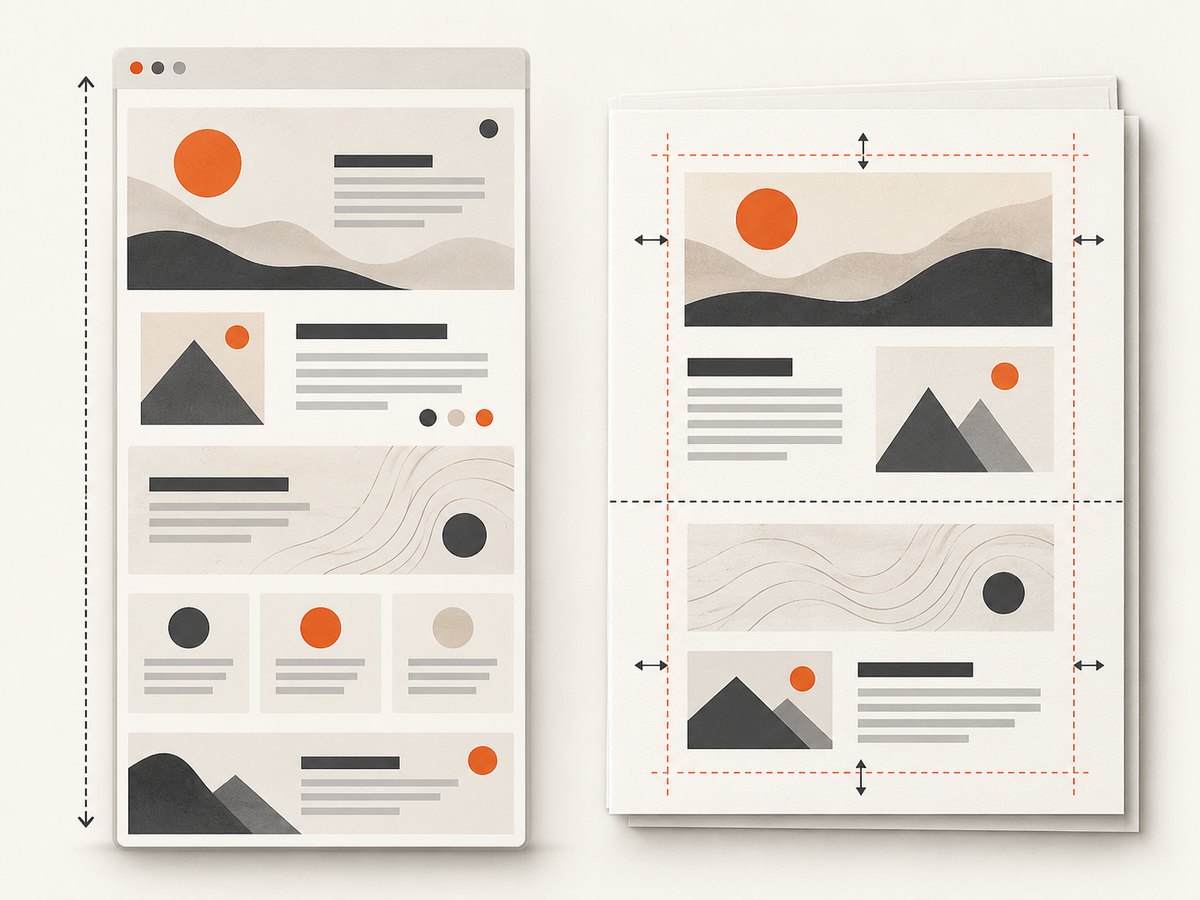
Chromium’s default behavior scales content to fit the paper size unless CSS page size is preferred. Define print styles for page breaks, margins, and color handling:
@media print {
  .avoid-break { break-inside: avoid; }
  .page-break { break-before: page; }
}

@page {
  size: A4;
  margin: 16mm;
}
Waiting for real page readiness
driver.get() completing does not guarantee that asynchronous data, images, web fonts, or client-side charts are ready. Choose a condition that matches the application:
- Wait for a specific result selector with Selenium’s explicit waits.
- Wait for an application-defined flag such as
window.reportReady === true. - Wait for images and fonts with a browser script when those assets affect layout.
- Use a bounded delay only when the page has no stronger readiness signal.
new org.openqa.selenium.support.ui.WebDriverWait(driver,
        java.time.Duration.ofSeconds(30))
    .until(d -> Boolean.TRUE.equals(
        ((org.openqa.selenium.JavascriptExecutor) d)
            .executeScript("return window.reportReady === true")));
Stream handle versus base64 response
| Mode | Advantages | Trade-offs |
|---|---|---|
| Default/base64 | Simpler when the client already returns decoded bytes; convenient for small PDFs. | Requires a complete encoded response and often a complete in-memory value before writing. |
ReturnAsStream |
Lets your application consume chunks and write directly to a sink without creating a temporary file. | Requires IO.read looping, base64 handling, and guaranteed cleanup; client support varies. |
A stream handle reduces application-side staging. It is not a guarantee of zero buffering inside Chromium, the browser transport, or the CDP library.
Resource ownership and cleanup
- Close
IO.StreamHandlewithIO.closeeven when the destination fails. - Close the page, CDP session, and browser according to whether your service owns or shares them.
- Apply timeouts to navigation, readiness waits, each read loop, and the overall job.
- When a client disconnects, stop writing and close the stream before releasing the browser context.
Performance, reliability, and cost considerations
- Reuse a controlled browser process when safe, but isolate pages or contexts so cookies and state do not leak between jobs.
- Keep the read chunk size bounded. Larger chunks can reduce protocol overhead; smaller chunks reduce per-read memory.
- Use CSS and page ranges to avoid rendering pages the caller does not need.
- Images, web fonts, JavaScript rendering, and network latency usually dominate PDF generation time.
- Limit concurrent print jobs to the capacity of the host; each job can consume browser CPU and memory.
- Retry only failures that are safe to retry. A partially written HTTP response usually cannot be repaired; generate again into a new destination.
- Pin compatible Chromium and Selenium versions and monitor protocol errors after browser upgrades.
Troubleshooting
| Symptom | Likely cause | Fix |
|---|---|---|
No stream field |
Unsupported Chromium version, wrong command parameters, or a client that uses a different protocol shape. | Check the browser’s CDP version, send transferMode: ReturnAsStream, and inspect the exact command response. |
| PDF is blank | Capture happened before client-side data rendered, or the page is blocked by authentication. | Wait for a real readiness signal and provide the required session headers or cookies. |
| Missing backgrounds | printBackground is false or print CSS hides them. |
Enable printBackground and review @media print rules. |
| Unexpected scaling | Paper dimensions, margins, and CSS page size conflict. | Set dimensions deliberately and decide whether preferCSSPageSize should be true. |
| Read loop never ends | The handle is read incorrectly or the browser session is stuck. | Check the eof field, enforce an overall timeout, and close the handle on cancellation. |
| Corrupt output | Base64 chunks were treated as plain text, or bytes were converted through UTF-8. | Decode chunks only when base64Encoded is true; preserve raw byte values for unencoded data. |
| CDP command rejected | Selenium and Chromium protocol versions do not match. | Pin compatible versions and consult the corresponding generated protocol documentation. |
| Fonts or images missing | Assets were still loading, blocked, or unavailable in the headless environment. | Wait for assets, verify network access, and provide authentication where required. |
| HTTP response is truncated | The client disconnected or the process closed the response before the stream completed. | Detect cancellation, close the CDP handle, and retry into a fresh response when appropriate. |
Or skip the browser setup
ScreenshotNeo provides a hosted website capture API and PDF output, so your service does not need to manage Chromium and CDP. Cookie banners, newsletter popups, and chat widgets are removed before the shot. Bot checks, blank pages, failed loads, timeouts, and cache hits are not billed, and the response identifies the result with X-Page-Verdict and X-Billed headers. Its MCP server lets AI agents use take_screenshot, get_page_info, and capture_pdf.
See the ScreenshotNeo API documentation for the available PDF parameters and authentication details.
curl -G "https://api.screenshotneo.com/v1/shot" -d access_key=YOUR_API_KEY --data-urlencode url=https://stripe.com -o shot.webpimport requests
r = requests.get("https://api.screenshotneo.com/v1/shot", params={"access_key": "YOUR_API_KEY", "url": "https://stripe.com"}, timeout=90)
open("shot.webp", "wb").write(r.content)const q = new URLSearchParams({ access_key: 'YOUR_API_KEY', url: 'https://stripe.com' });
const res = await fetch(`https://api.screenshotneo.com/v1/shot?${q}`);The free plan includes 1,000 screenshots a month with no card. Paid plans start at $5 for 3,000 shots, and every feature is included on every plan. Create a free ScreenshotNeo account.
FAQ
Does streaming guarantee constant memory usage?
No. It prevents your application from creating a temporary PDF file and allows bounded chunk processing, but Chromium and the protocol client may buffer internally.
Can I stream directly to an HTTP response?
Yes. Pass the response’s output stream to the reader, set the content type before writing, and close the CDP handle if the client disconnects.
Should I use Selenium’s generated CDP classes?
They can provide typed commands, but their package names and signatures are tied to protocol versions. The raw executeCdpCommand approach shown here makes the stream sequence explicit; either approach requires compatible browser and client versions.
Why does a PDF differ from the on-screen page?
Chromium prints using print media rules and print settings. Check @media print, @page, margins, background printing, and readiness timing.


