How to Take Chromium Screenshots with Agouti on AWS Lambda
Run headless Chromium from Go with Agouti on Lambda, package the browser safely, save screenshots, and understand the legacy caveats.
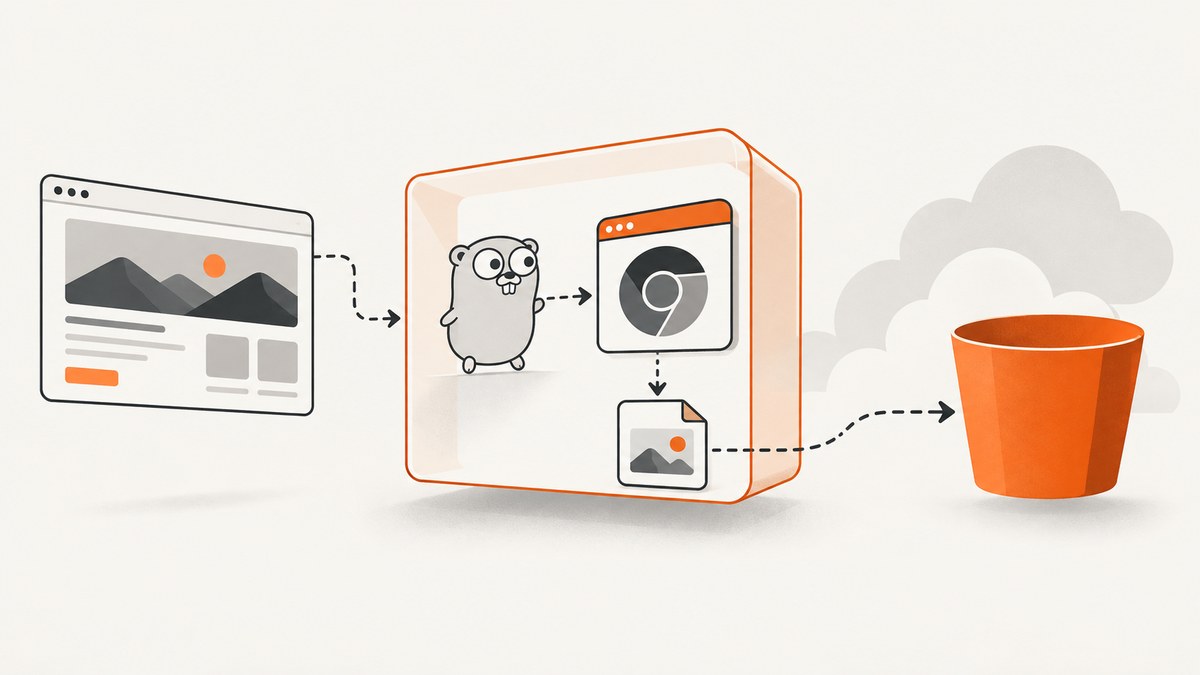
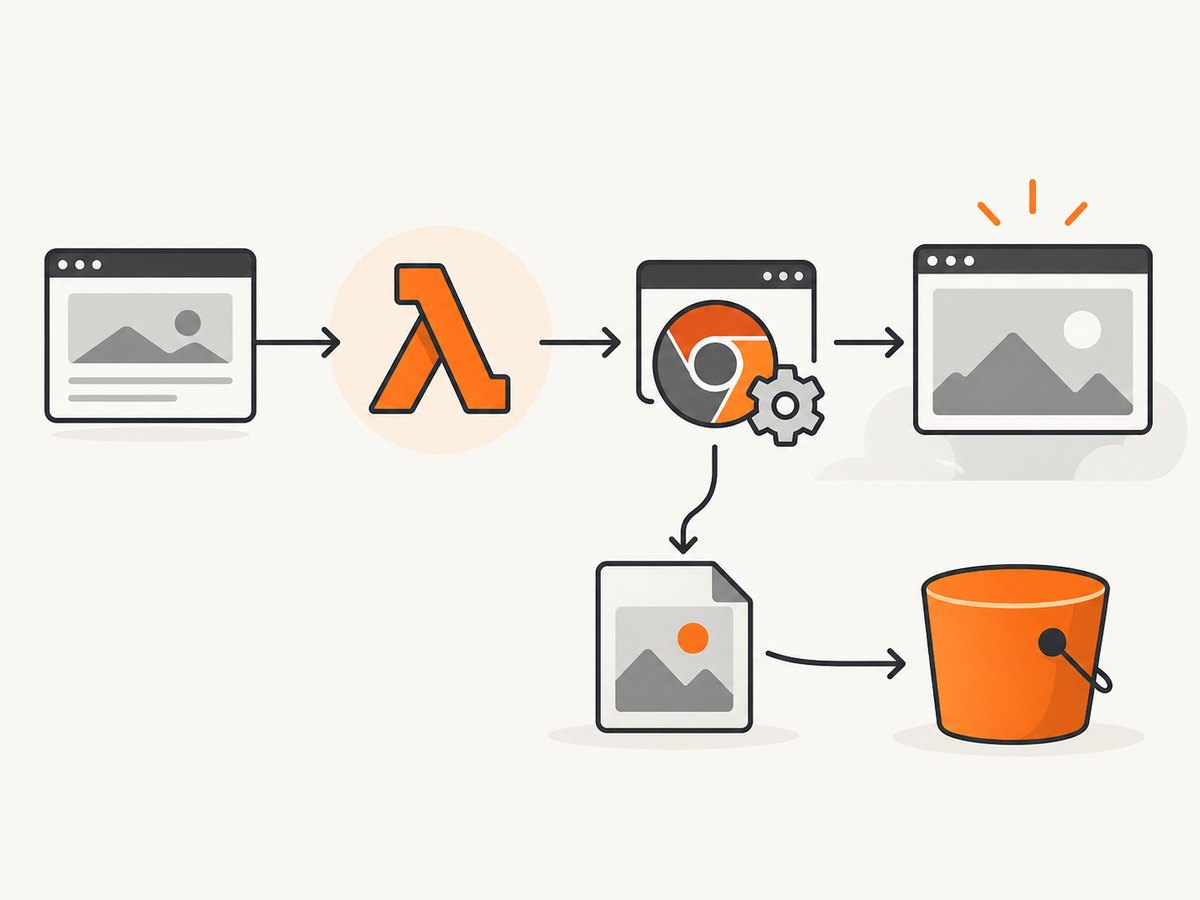
Direct answer: Agouti can drive headless Chromium in a Go AWS Lambda function through ChromeDriver. Package the Go handler, a matching Chromium binary, ChromeDriver, fonts, and required libraries; start ChromeDriver from the deployed filesystem; navigate to the target URL; write the PNG to Lambda’s writable /tmp directory; then return the bytes or upload them to persistent storage such as Amazon S3.
That pattern is useful for understanding an existing system, but it is a legacy stack. The Agouti repository is archived and its maintainer says Agouti is no longer actively maintained and recommends another Go WebDriver client. The commonly copied Lambda example uses the deprecated go1.x runtime and old Chromium assets. For a new deployment, use a currently supported AWS Go runtime or a provided.al2023/provided.al2 deployment, and independently validate the browser, driver, operating system, and CPU architecture combination.
What the historical Agouti recipe does
- Lambda starts a Go handler.
- The handler points Agouti at ChromeDriver and tells ChromeDriver which Chromium binary to launch.
- Chrome runs headlessly with Lambda-oriented flags such as
--no-sandboxand--disable-gpu. - Agouti opens a page and navigates to a URL.
- The screenshot is saved under
/tmp, which is writable during the invocation. - The handler reads the PNG and returns a base64 data URL, or uploads the file to S3 when the result must survive the invocation.
The old implementation expects a Lambda layer containing chromedriver, headless-chromium, and fonts under /opt. It also sets HOME=/opt/. The example discusses Noto Sans Japanese because missing fonts produce blank glyphs or replacement squares.
Important version and support caveats
- Agouti’s GitHub repository was archived on June 28, 2023. Treat it as compatibility code, not a maintained default.
- The historical tutorial labels itself legacy and uses the Go 1.x Lambda runtime, ChromeDriver 2.37, and a Chromium 64-era binary for Amazon Linux 2017. Do not copy those versions into a new function without proving they run on your selected Lambda environment.
- AWS directs Go Lambda users away from the deprecated Go 1.x runtime toward provided runtimes such as
provided.al2023orprovided.al2. See the AWS Go container-image guidance. - Browser flags, native libraries, and browser/driver compatibility vary with the Chromium build, Lambda OS, and architecture (
x86_64orarm64). No current Agouti/Chromium compatibility matrix is established by the legacy example. - Do not treat the old five-second timeout or 50 MB ZIP statement as current AWS limits. Check the current Lambda quotas and deployment documentation.
Choose a packaging model
| Model | What you ship | When it fits | Trade-offs |
|---|---|---|---|
| Lambda layer | Handler in the function package; Chromium, ChromeDriver, fonts, and libraries in /opt |
You already operate a compatible layer and several functions share it | Layer contents still have to match the runtime and architecture; the old Agouti tutorial uses this model |
| Container image | Go runtime, handler, browser, driver, fonts, and native libraries in one image | New deployments that need reproducible browser assets | Larger artifacts and image lifecycle work; use a multi-stage build to omit build-only files |
A container image is often easier to audit because the browser and its system libraries are versioned together. AWS documents OS-only Go images based on provided.al2023 and provided.al2; the image still needs a Lambda runtime interface client and a browser build that runs on its base OS.
Build the Go handler with Agouti
The following is a complete illustration of the historical API. It deliberately keeps browser paths configurable so you can point it at the binaries you have validated. The handler returns a base64 PNG response, matching the old example. It is not a claim that these exact flags or binaries work unchanged on a current Lambda runtime.
package main

import (
    "context"
    "encoding/base64"
    "fmt"
    "os"
    "path/filepath"

    "github.com/aws/aws-lambda-go/lambda"
    "github.com/sclevine/agouti"
)

type Request struct {
    URL string `json:"url"`
}

type Response struct {
    ContentType string `json:"contentType"`
    DataURL     string `json:"dataUrl"`
}

func handler(ctx context.Context, req Request) (Response, error) {
    if req.URL == "" {
        return Response{}, fmt.Errorf("url is required")
    }

    // /opt is where a layer commonly exposes browser assets.
    home := os.Getenv("LAMBDA_TASK_ROOT")
    if home == "" {
        home = "/opt"
    }
    _ = os.Setenv("HOME", home)

    chromePath := os.Getenv("CHROMIUM_PATH")
    if chromePath == "" {
        chromePath = "/opt/headless-chromium"
    }
    driverPath := os.Getenv("CHROMEDRIVER_PATH")
    if driverPath == "" {
        driverPath = "/opt/chromedriver"
    }

    driver := agouti.ChromeDriver(
        agouti.ChromeOptions("args", []string{
            "--headless",
            "--no-sandbox",
            "--disable-gpu",
            "--single-process",
        }),
        agouti.ChromeOptions("binary", chromePath),
        agouti.Browser("chrome"),
        agouti.ChromeDriverPath(driverPath),
    )
    if err := driver.Start(); err != nil {
        return Response{}, fmt.Errorf("start chromedriver: %w", err)
    }
    defer driver.Stop()

    page, err := driver.NewPage(agouti.Browser("chrome"))
    if err != nil {
        return Response{}, fmt.Errorf("create page: %w", err)
    }
    if err := page.Navigate(req.URL); err != nil {
        return Response{}, fmt.Errorf("navigate: %w", err)
    }

    // Add an explicit wait for your application's ready selector when needed.
    // Example: page.First("#app").Wait(agouti.Visible())
    output := filepath.Join("/tmp", "screenshot.png")
    if err := page.Screenshot(output); err != nil {
        return Response{}, fmt.Errorf("take screenshot: %w", err)
    }

    bytes, err := os.ReadFile(output)
    if err != nil {
        return Response{}, fmt.Errorf("read screenshot: %w", err)
    }
    encoded := base64.StdEncoding.EncodeToString(bytes)
    return Response{
        ContentType: "image/png",
        DataURL:     "data:image/png;base64," + encoded,
    }, nil
}

func main() {
    lambda.Start(handler)
}
Install dependencies with your normal Go module workflow, compile for the Lambda architecture you selected, and make sure the resulting executable is placed where the chosen runtime expects it. For a layer deployment, verify that /opt/chromedriver, /opt/headless-chromium, shared libraries, and fonts are executable and readable by the Lambda user.
Wait for the page state you actually need
Navigation returning successfully only means the browser accepted the URL. A single-page application may still be rendering. Use an Agouti selector wait when a stable element identifies readiness, or use a bounded delay when no selector exists. Avoid unbounded waits: they consume the invocation timeout and leave Chrome processes running until Lambda terminates the environment.
// Wait for a rendered application root.
if err := page.First("#app").Wait(agouti.Visible()); err != nil {
    return Response{}, fmt.Errorf("app did not become visible: %w", err)
}

// Then capture.
if err := page.Screenshot("/tmp/screenshot.png"); err != nil {
    return Response{}, err
}
Getting the image out of Lambda
Return base64 for a direct response
The example returns a data:image/png;base64,... value. This is convenient for a synchronous caller, but the payload grows by roughly one third because of base64 encoding and is subject to Lambda and API response limits. Keep this path for small, synchronous responses.
Upload to S3 for persistence
/tmp is temporary invocation storage. If another system must retrieve the screenshot later, upload the file to S3 before returning. The Agouti tutorial suggests adapting its output for S3, and AWS’s separate Puppeteer architecture demonstrates the same persistent-storage pattern. Give the function only the bucket and key permissions it needs, generate a presigned URL when appropriate, and include the object key in the response.
// Sketch of the persistence boundary; add the AWS SDK S3 client to your module.
// 1. Capture to /tmp/screenshot.png.
// 2. Put that file into an S3 bucket under a request-specific key.
// 3. Return the bucket/key (or a presigned URL), rather than embedding base64.
Lambda deployment checklist
- Select
x86_64orarm64first. Obtain Chromium and ChromeDriver built for that architecture. - Choose a supported Go runtime or a container based on
provided.al2023/provided.al2. - Build the browser, driver, and native libraries for the same Linux environment used by the function.
- Include fonts needed by your pages, including language-specific fonts if you render non-Latin text.
- Set executable permissions on the Chromium and ChromeDriver files.
- Configure environment variables for browser and driver paths instead of hard-coding a package layout.
- Set a timeout that covers cold start, browser startup, page load, application rendering, and upload.
- Allocate enough memory for Chromium and your page; measure in your own workload rather than copying a value from the old tutorial.
- Write only intermediate files to
/tmp, and clean old files when processing multiple URLs in one warm invocation. - Log the URL host, browser startup result, navigation result, wait selector, screenshot path, and upload key without logging cookies or authorization headers.
- Test the exact deployed artifact in the exact Lambda architecture and runtime. A local desktop Chrome success does not prove Lambda compatibility.
Troubleshooting
| Symptom | Likely cause | Fix |
|---|---|---|
exec format error |
Binary architecture does not match the Lambda architecture | Rebuild or replace Chromium and ChromeDriver for the selected x86_64 or arm64 target. |
| ChromeDriver starts, then exits immediately | Driver and Chromium versions are incompatible, or a required shared library is missing | Pin a compatible pair, inspect startup logs, and include the libraries required by that Chromium build. |
permission denied |
Browser or driver is not executable | Set executable permissions during packaging and verify the deployed path. |
cannot open shared object file |
Native dependency is absent from the layer or image | Bundle the matching library in the image/layer and verify its loader paths. |
| Blank screenshot | Page is still rendering, blocked by a bot check, dependent on missing fonts, or failed JavaScript execution | Wait for a ready selector, inspect browser/driver logs, include fonts, and test the URL from the Lambda network. |
| Text appears as squares | Font files are missing | Package the required fonts and configure the browser’s font search paths. |
| Navigation times out | Slow origin, DNS/TLS issue, blocked egress, or an overly short function timeout | Confirm network access, increase the Lambda timeout within current quotas, and use a bounded readiness wait. |
| Screenshot exists locally but not after invocation | /tmp is ephemeral |
Upload to S3 or another durable store before returning. |
| Warm invocations fail intermittently | Stale files or orphaned browser processes from a previous invocation | Use unique filenames, remove temporary artifacts, always stop the driver, and fail closed when startup cleanup is incomplete. |
| Large response rejected | Base64 output exceeds the caller or Lambda response limit | Persist the PNG to S3 and return a key or presigned URL. |
Performance, reliability, and cost
- Cold starts: Browser binaries, fonts, and native libraries increase initialization work. Container images make the bundle explicit; layers can reduce duplication across functions. Measure cold and warm invocations separately.
- Page weight: Images, third-party scripts, ads, and long-running requests dominate capture time. Where your application allows it, block unnecessary resources or capture a lightweight route.
- Concurrency: Each concurrent invocation may start its own browser. Set reserved or account concurrency deliberately so a traffic spike does not exhaust downstream services or memory.
- Retries: A retry can create duplicate S3 objects. Use an idempotent key derived from a request identifier and URL, or record completion before retrying.
- Security: Treat the requested URL as untrusted input. Restrict outbound access if the function could be used to reach internal services, and do not forward user-controlled cookies or authorization headers without validation.
- Lambda cost: Billing depends on allocated memory and execution duration. Browser startup, page load, and upload all count, so reduce unnecessary waits and choose memory based on measurements.
- Operational reliability: Emit structured errors for driver startup, navigation, readiness wait, screenshot, and storage separately. This makes browser incompatibility distinguishable from an origin outage.
Or skip the browser setup
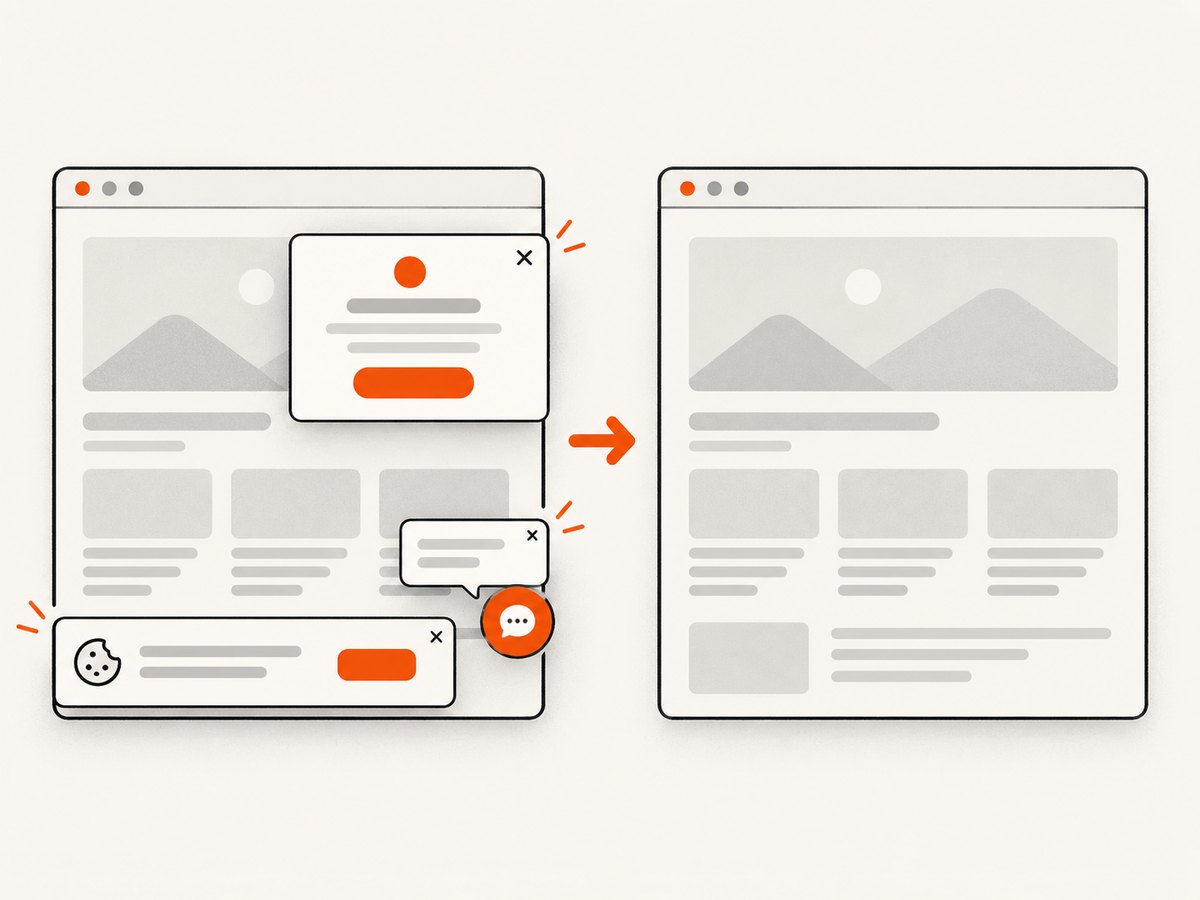
If the goal is an image rather than maintaining Chromium in Lambda, ScreenshotNeo provides a website screenshot API and MCP server. One GET request returns PNG, JPEG, WebP, or PDF. It accepts cookie/consent banners before capture and removes more than 60 known consent platforms, newsletter popups, and chat widgets; each step can be disabled. Bot checks, CAPTCHAs, blank pages, timeouts, failed loads, and cache hits are not billed, and response headers identify the page verdict and billing result.
See the ScreenshotNeo API documentation for the full option set, including full-page capture with lazy images loaded, CSS-selector element capture, dark mode, device presets and custom viewports, retina scale, PDF paper and page controls, HTML/CSS rendering, custom JavaScript and CSS, clicks, hidden selectors, selector/delay/network-idle waits, request blocking, headers, cookies, user agents, authorization, timezone, geolocation, transparent backgrounds, resizing, selectable cache TTL, signed image links, asynchronous jobs and signed webhooks, bulk capture of up to 100 URLs per call, usage reporting, and the OpenAPI specification.
cURL
curl -G "https://api.screenshotneo.com/v1/shot" \
  -d access_key=YOUR_API_KEY \
  --data-urlencode url=https://stripe.com \
  -o shot.webp
Python
import requests

r = requests.get(
    "https://api.screenshotneo.com/v1/shot",
    params={"access_key": "YOUR_API_KEY", "url": "https://stripe.com"},
    timeout=90,
)
r.raise_for_status()
open("shot.webp", "wb").write(r.content)
Node.js
import { writeFile } from "node:fs/promises";

const q = new URLSearchParams({
  access_key: "YOUR_API_KEY",
  url: "https://stripe.com",
});
const res = await fetch(`https://api.screenshotneo.com/v1/shot?${q}`);
if (!res.ok) throw new Error(`ScreenshotNeo returned ${res.status}`);
await writeFile("shot.webp", Buffer.from(await res.arrayBuffer()));
ScreenshotNeo has an MCP server with take_screenshot, get_page_info, and capture_pdf tools for Claude, Cursor, and other MCP clients. The Free plan includes 1,000 screenshots per month with no card; paid plans start at $5 for 3,000 shots. Create a free ScreenshotNeo account.
FAQ
Is Agouti a good choice for a new Lambda project?
Usually start by evaluating a maintained Go WebDriver client. Agouti remains relevant when you must preserve an existing test or capture service, but its repository is archived and its maintainer recommends an alternative.
Can I store the screenshot only in /tmp?
Yes for processing during the invocation. Use S3 or another durable store when callers need the image afterward.
Does Lambda include Chromium?
No. You must package a compatible browser, driver, fonts, and native dependencies in a layer or container image.
Why does a page work locally but fail in Lambda?
The operating system, architecture, missing libraries, fonts, network path, browser flags, and browser/driver versions can differ. Reproduce the deployed artifact and inspect each startup and navigation error separately.
Should I return PNG or base64?
Return bytes through a suitable response path for small synchronous results. For larger images, asynchronous jobs, or later retrieval, upload the file and return its storage reference.


