How to Click Links Nested in Div and Span Elements with Selenium WebDriver
Find the real anchor inside div and span elements, choose a stable locator, and click it reliably with Selenium WebDriver.

To click a link nested inside <div> and <span> elements, locate the actual <a> element and call click() on it. The surrounding div usually groups content, while the span supplies text or styling. Inspect the live DOM first, then choose the most stable selector that uniquely identifies the anchor.
Selenium supports IDs, CSS selectors, XPath, link text and partial link text. Prefer a stable unique ID; otherwise use a maintainable CSS selector. Use XPath when nested text or a DOM relationship is what distinguishes the link. Selenium’s locator guidance is documented in the official locator documentation.
1. Inspect the HTML before choosing a selector
Start by confirming which element is interactive. A common structure looks like this:

<div class="container">
  <a href="/reports" class="card-link">
    <span class="label">Reports</span>
  </a>
</div>
The target is the anchor, not the div or the span. If the page instead puts the click handler or an interactive ARIA role on the span, treat that as a different DOM structure and inspect it carefully.
2. Python: complete Selenium examples
Install Selenium with pip install selenium. Recent Selenium releases can manage a compatible browser driver automatically when the browser is installed.
Use a stable anchor ID
from selenium import webdriver
from selenium.webdriver.common.by import By

options = webdriver.ChromeOptions()
options.add_argument("--headless=new")

driver = webdriver.Chrome(options=options)
try:
    driver.get("https://example.com")
    link = driver.find_element(By.ID, "reports-link")
    link.click()
finally:
    driver.quit()
An ID is the simplest choice when it is unique and does not change between releases.
Use CSS for a link anywhere below a div
from selenium.webdriver.common.by import By

link = driver.find_element(By.CSS_SELECTOR, "div.container a")
link.click()
This matches an anchor at any descendant depth inside an element with the container class. Narrow it further if the container holds several links:
link = driver.find_element(
    By.CSS_SELECTOR,
    "div.container a.card-link"
)
link.click()
Use XPath when the nested span text identifies the link
from selenium.webdriver.common.by import By

link = driver.find_element(
    By.XPATH,
    "//div[contains(concat(' ', normalize-space(@class), ' '), ' container ')]"
    "//a[.//span[normalize-space()='Reports']]"
)
link.click()
The .//span condition means the span can be nested anywhere inside the anchor. normalize-space() handles incidental whitespace around the visible label.
Use link text when the anchor’s visible text is known
from selenium.webdriver.common.by import By

link = driver.find_element(By.LINK_TEXT, "Reports")
link.click()

# For a substring of the anchor text:
link = driver.find_element(By.PARTIAL_LINK_TEXT, "Report")
link.click()
Link-text strategies apply to link elements. They do not locate arbitrary spans. If the anchor contains only an icon and the text exists in a nested span, CSS or XPath is usually clearer.
Check for duplicate matches
from selenium.webdriver.common.by import By

matches = driver.find_elements(By.CSS_SELECTOR, "div.container a")
if len(matches) != 1:
    raise RuntimeError(f"Expected one link, found {len(matches)}")
matches[0].click()
find_element returns the first matching element. A selector that matches several cards can therefore click the wrong link without raising an error. Make the selector more specific or inspect all matches.
3. JavaScript and Node.js Selenium
Install the packages with npm install selenium-webdriver chromedriver. This example uses the same anchor-under-div pattern.
const { Builder, By } = require('selenium-webdriver');
require('chromedriver');

(async function clickNestedLink() {
  const driver = await new Builder().forBrowser('chrome').build();
  try {
    await driver.get('https://example.com');
    const link = await driver.findElement(By.css('div.container a.card-link'));
    await link.click();
  } finally {
    await driver.quit();
  }
})();
For nested text, use XPath:
const link = await driver.findElement(
  By.xpath("//div[contains(@class, 'container')]//a[.//span[normalize-space()='Reports']]")
);
await link.click();
4. Java Selenium example
import org.openqa.selenium.By;
import org.openqa.selenium.WebDriver;
import org.openqa.selenium.chrome.ChromeDriver;

public class ClickNestedLink {
  public static void main(String[] args) {
    WebDriver driver = new ChromeDriver();
    try {
      driver.get("https://example.com");
      driver.findElement(By.cssSelector("div.container a.card-link")).click();
    } finally {
      driver.quit();
    }
  }
}
5. Choosing between CSS, XPath and link text
| Strategy | Use it when | Example |
|---|---|---|
| Unique ID | The anchor has a stable unique id. |
By.ID, "reports-link" |
| CSS selector | The nesting and classes or attributes are stable. | div.container a.card-link |
| XPath | Nested text, relationships or conditional attributes identify the anchor. | //a[.//span[normalize-space()='Reports']] |
| Link text | The anchor’s complete visible text is stable. | By.LINK_TEXT, "Reports" |
| Partial link text | A stable substring identifies the anchor. | By.PARTIAL_LINK_TEXT, "Report" |
Avoid copied absolute XPath expressions such as /html/body/div[2]/div[1]/a. They depend on incidental layout and commonly break when a wrapper is added. Selenium recommends unique IDs where available, followed by well-written CSS selectors; XPath remains useful when CSS cannot express the condition conveniently. See the Selenium locator guidance.
6. Dynamic pages, overlays and timing
If the link is rendered asynchronously, locate it only after the page state makes it available. If an overlay covers it, diagnose the overlay and page state instead of broadening the selector. A selector can be correct while the element is still not interactable.
from selenium.webdriver.common.by import By
from selenium.webdriver.support.ui import WebDriverWait
from selenium.webdriver.support import expected_conditions as EC

wait = WebDriverWait(driver, 15)
link = wait.until(
    EC.element_to_be_clickable((By.CSS_SELECTOR, "div.container a.card-link"))
)
link.click()
Use a wait tied to the element you need, rather than a fixed sleep. Keep the selector narrow so the wait cannot finish on an unintended duplicate.
7. Iframes and shadow roots
Normal document searches do not cross an iframe boundary. If inspection shows the link inside an iframe, switch to that frame before finding the anchor, then return to the default document afterward:
from selenium.webdriver.common.by import By
from selenium.webdriver.support.ui import WebDriverWait
from selenium.webdriver.support import expected_conditions as EC

wait = WebDriverWait(driver, 15)
frame = wait.until(EC.presence_of_element_located((By.CSS_SELECTOR, "iframe.payment")))
driver.switch_to.frame(frame)
try:
    driver.find_element(By.CSS_SELECTOR, "div.container a").click()
finally:
    driver.switch_to.default_content()
For a shadow root, obtain the host element and search its shadow-root context instead of the document context. Selenium documents shadow-root search contexts alongside its element-finding APIs.
8. Troubleshooting checklist
| Symptom | Likely cause | Fix |
|---|---|---|
NoSuchElementException |
The selector is wrong, the page has not rendered the link, or the link is inside a frame or shadow root. | Inspect the live DOM, verify the anchor, add an explicit wait, and switch search context when required. |
| The wrong link is clicked | The selector matches multiple anchors and singular lookup chose the first. | Use a unique ID, add a stable class or attribute, or inspect find_elements results. |
| Text locator finds nothing | The text is in a nested span, differs in whitespace, or is not the anchor’s text. | Use CSS for the anchor and XPath with .//span[normalize-space()='...'] for nested text. |
ElementClickInterceptedException |
An overlay, cookie banner or another element covers the target. | Identify and close the overlay, then wait for the anchor to be clickable. |
ElementNotInteractableException |
The element is hidden, disabled or not ready. | Wait for the correct state and confirm that you selected the visible anchor. |
| Selector breaks after a redesign | It depends on generated classes or absolute DOM indexes. | Choose a stable ID, semantic attribute, or deliberately scoped CSS/XPath relationship. |
9. Performance and reliability
- Prefer one precise lookup over scanning every anchor on a large page.
- Use CSS for straightforward structure and XPath only where its relationship or text conditions add value.
- Keep explicit wait timeouts bounded and record the URL, selector and page state when a wait fails.
- Use stable test data and selectors that reflect the page’s contract, not its current wrapper depth.
- After clicking, assert the resulting URL, heading or other page condition so a click on the wrong duplicate cannot pass silently.
10. cURL is not a replacement for a WebDriver click
cURL can send HTTP requests, but it does not run a browser DOM, execute page JavaScript or dispatch a Selenium element click. Use Selenium when you need browser interaction. Use an HTTP client only when the target action is an API request whose endpoint and authentication you control.
Or skip the browser setup
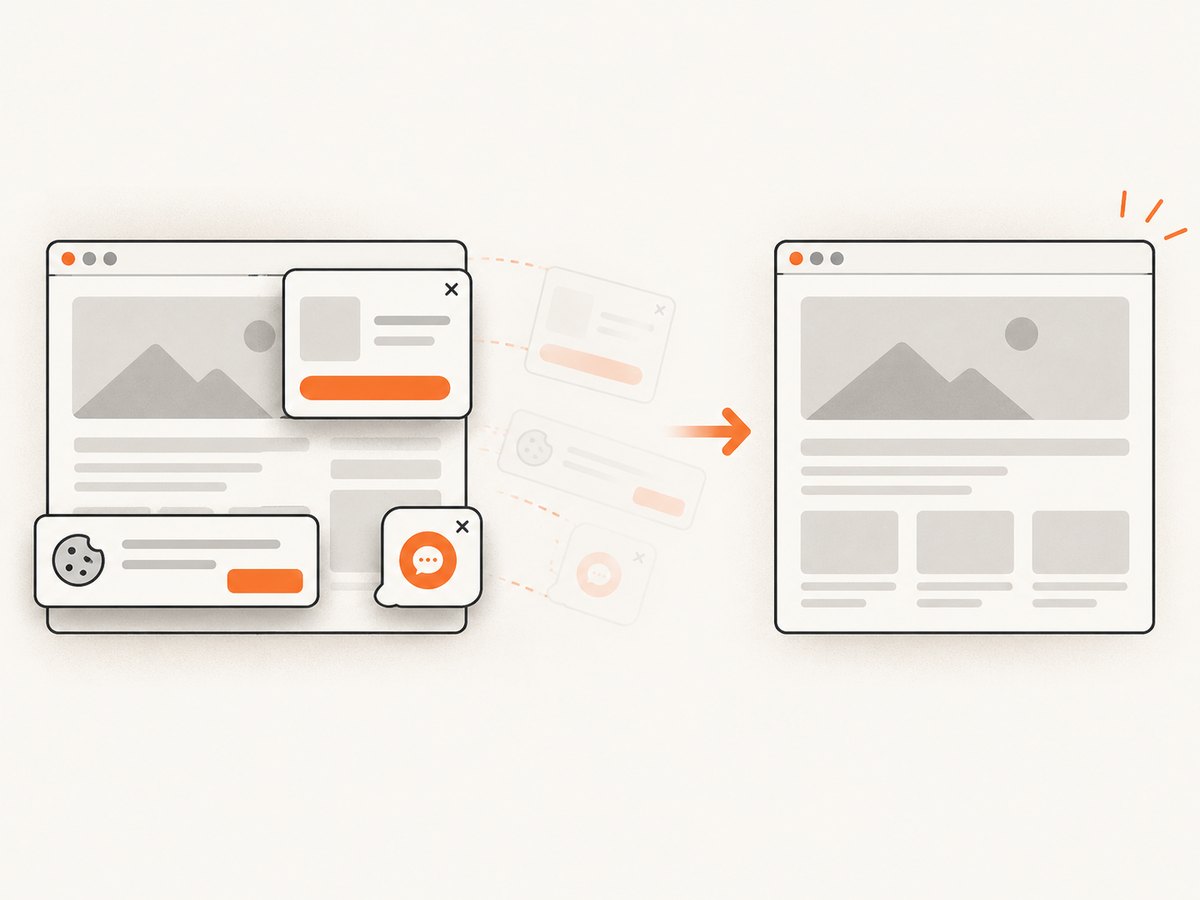
If your goal is a clean screenshot after navigating a page, ScreenshotNeo provides a single capture request. It accepts the URL and returns PNG, JPEG, WebP or PDF. The API can remove cookie and consent banners, newsletter popups and chat widgets before capture; those cleanup steps can be turned off individually.
Read the ScreenshotNeo API documentation for all options. A minimal request is:
curl -G "https://api.screenshotneo.com/v1/shot" -d access_key=YOUR_API_KEY --data-urlencode url=https://stripe.com -o shot.webpimport requests
r = requests.get("https://api.screenshotneo.com/v1/shot", params={"access_key": "YOUR_API_KEY", "url": "https://stripe.com"}, timeout=90)
open("shot.webp", "wb").write(r.content)const q = new URLSearchParams({ access_key: 'YOUR_API_KEY', url: 'https://stripe.com' });
const res = await fetch(`https://api.screenshotneo.com/v1/shot?${q}`);Bot checks and CAPTCHAs, blank pages, timeouts, failed loads and cache hits are not billed as clean shots. Each response reports its result through X-Page-Verdict and X-Billed headers. ScreenshotNeo also offers an MCP server with take_screenshot, get_page_info and capture_pdf tools for Claude, Cursor and other MCP clients. The free plan includes 1,000 screenshots per month without a card; paid plans start at $5 for 3,000 shots.
Create a free ScreenshotNeo account to get started.
FAQ
Should I click the span instead of the anchor?
Usually no. Locate and click the anchor that represents the link. Click the span only when inspection confirms that the span itself owns the interaction.
Does By.LINK_TEXT search text inside a span?
It is intended for link elements. For nested span text, select the anchor with CSS or XPath.
Why does Selenium click the first matching link?
find_element returns the first match. Make the locator unique or use find_elements to inspect every candidate.
Can a CSS selector express nested visible text?
CSS is useful for structure and attributes. XPath is the practical choice when the nested text itself identifies the anchor.
What should I do when the link is in an iframe?
Switch into the iframe, find and click the anchor, then switch back to the default document.


