How to Click Submenus in Cypress
Learn reliable Cypress patterns for click and hover submenus, including selectors, actionability, CSS hover limits, debugging, and post-click assertions.

Direct answer: Open the menu the way a user would, query the submenu with a stable selector scoped to that menu, click the link, and assert the resulting URL or state. For hover menus, use .trigger('mouseover') only when JavaScript handles the reveal. Cypress has no built-in cy.hover(), and a synthetic event does not activate CSS :hover styles.
1. The basic click-submenu test
Give the menu and submenu stable application-owned attributes such as data-cy. Scope the link query so a duplicate label elsewhere on the page cannot be selected accidentally.

describe('product navigation', () => {
  it('opens Products and navigates to Analytics', () => {
    cy.visit('/');

    cy.get('[data-cy="menu-toggle"]').click();

    cy.get('[data-cy="products-menu"]')
      .should('be.visible')
      .contains('a', 'Analytics')
      .click();

    cy.location('pathname').should('eq', '/products/analytics');
  });
});
cy.get() and cy.contains() are queries. Cypress retries queries while waiting for the DOM to reach the expected state. .click() then waits for actionability and fires once when the element is actionable. See the official click documentation and contains documentation.
Why scope the submenu?
cy.contains('Analytics')searches the page and can match a header, card, footer, or hidden duplicate.cy.get('[data-cy="products-menu"]').contains('a', 'Analytics')restricts the match to links inside the open Products menu.- Passing
'a'as the selector makes the intended element type explicit.
If the same submenu item appears more than once, narrow it further with a parent selector, an exact attribute, .first(), or .eq(index). Treat .first() and .eq() as deliberate choices: a selector that unexpectedly matches multiple items may indicate a test or accessibility defect.
2. Menus that open on hover
Cypress documents that “Cypress does not have a cy.hover() command.” The correct workaround depends on how the application reveals the submenu.
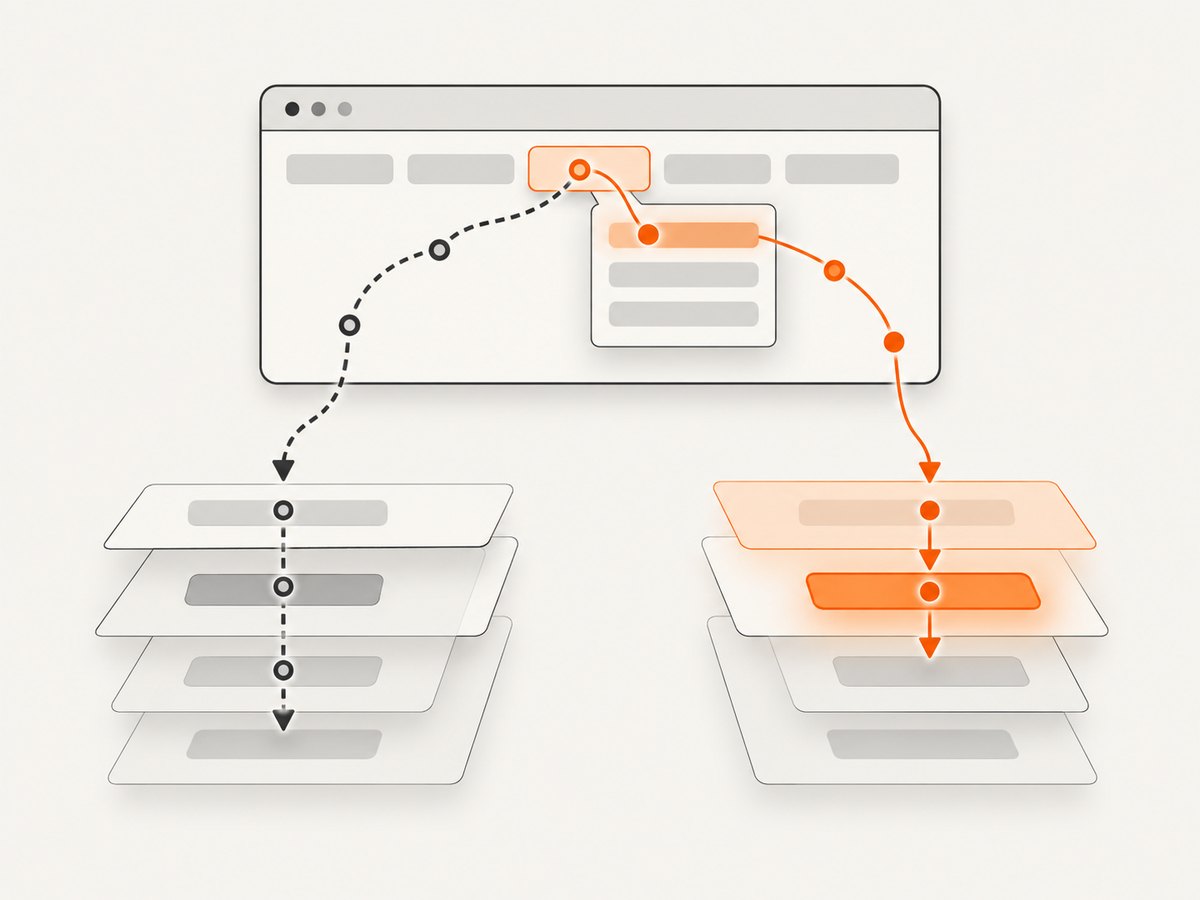
JavaScript-driven mouseover
If the component listens for mouseover and then changes the DOM, trigger that event and wait for the submenu before clicking:
it('opens a JavaScript hover menu', () => {
  cy.visit('/');

  cy.get('[data-cy="products-menu-item"]')
    .trigger('mouseover');

  cy.get('[data-cy="products-submenu"]')
    .should('be.visible')
    .contains('a', 'Analytics')
    .click();

  cy.location('pathname').should('eq', '/products/analytics');
});
The Cypress hover guidance warns that .trigger() affects JavaScript events only; it does not create CSS hover effects.
CSS-only :hover
When CSS such as .menu-item:hover .submenu { display: block; } reveals the submenu, .trigger('mouseover') is insufficient. Use a real pointer-event solution supported by your browser and Cypress setup, such as the cypress-real-events plugin referenced by Cypress, or redesign the component so its open state can be driven by an accessible button. Confirm plugin compatibility with your project before standardizing it.
// Example shape when a real-events plugin is installed:
cy.get('[data-cy="products-menu-item"]')
  .realHover();

cy.get('[data-cy="products-submenu"]')
  .should('be.visible')
  .contains('a', 'Analytics')
  .click();
The exact command and setup come from the plugin you choose; do not assume realHover() exists in Cypress itself.
3. Selectors that survive UI changes
Prefer attributes owned by the application rather than CSS classes used only for styling.
<button data-cy="menu-toggle" aria-expanded="false">Products</button>
<nav data-cy="products-menu" hidden>
  <a data-cy="analytics-link" href="/products/analytics">Analytics</a>
</nav>
Good selectors describe the contract under test:
[data-cy="menu-toggle"]for the control that opens the menu.[data-cy="products-menu"]for the menu region.[data-cy="analytics-link"]when the destination itself is the contract.
Use role and accessible-name queries when your testing-library setup provides them. Avoid selectors tied to generated class names, element position, or presentation-only markup.
4. Assert the menu state before clicking
Make the intermediate state explicit. This gives Cypress time to retry the visibility query and produces a useful failure when the menu never opens.
cy.get('[data-cy="menu-toggle"]')
  .should('have.attr', 'aria-expanded', 'false')
  .click()
  .should('have.attr', 'aria-expanded', 'true');

cy.get('[data-cy="products-menu"]')
  .should('be.visible');

cy.get('[data-cy="products-menu"]')
  .find('[data-cy="analytics-link"]')
  .should('be.visible')
  .click();
If clicking rerenders the toggle, do not rely on a long chain using the old subject. Start a fresh query for the result:
cy.get('[data-cy="analytics-page"]')
  .should('be.visible');
cy.location('pathname')
  .should('eq', '/products/analytics');
Cypress notes that chaining assertions or commands from a subject after .click() can be unsafe when the click changes or removes that element.
5. Nested and multi-level submenus
Open each level explicitly and scope each subsequent query to the currently open region.
cy.get('[data-cy="menu-toggle"]').click();

cy.get('[data-cy="products-menu"]')
  .contains('button', 'Analytics')
  .click();

cy.get('[data-cy="analytics-submenu"]')
  .should('be.visible')
  .contains('a', 'Reports')
  .click();

cy.location('pathname').should('eq', '/products/analytics/reports');
For a submenu opened by focus or keyboard, test that interaction directly when it is part of the product behavior:
cy.get('[data-cy="menu-toggle"]').focus().type('{enter}');
cy.get('[data-cy="products-menu"]').should('be.visible');
cy.get('[data-cy="analytics-link"]').focus().type('{enter}');
cy.location('pathname').should('eq', '/products/analytics');
6. Actionability, force, and duplicate matches
A normal click checks whether the element is visible, enabled, attached to the document, and not covered or still moving. If it times out, investigate the reason before bypassing the check.
| Symptom | Likely cause | Preferred fix |
|---|---|---|
| Element is not visible | Parent menu never opened or CSS hover is required | Open the parent, assert visibility, or use a real pointer event |
| Element is covered | Backdrop, cookie banner, or animation overlays the item | Dismiss the overlay or wait for the animation to finish |
| Multiple elements found | Selector matches hidden and visible copies | Scope to the open menu and use a stable attribute |
| Detached from DOM | Framework rerendered the menu | Query again after the state change |
click({ force: true }) skips actionability checks. Use it only when the test intentionally needs to dispatch the event despite the element being hidden or covered, and document why. A forced click can hide a defect that prevents real users from reaching the submenu.
// Deliberate escape hatch; explain the reason in the test.
cy.get('[data-cy="analytics-link"]')
  .click({ force: true });
7. Waiting without brittle sleeps
Prefer state-based waits over arbitrary delays. Cypress automatically retries queries and assertions, so wait for visibility, an attribute, a route, or a network response that represents the actual transition.
cy.intercept('GET', '/api/navigation/**').as('navigation');
cy.get('[data-cy="menu-toggle"]').click();
cy.wait('@navigation');
cy.get('[data-cy="products-menu"]').should('be.visible');
Use cy.wait(500) only when a fixed delay is the behavior you specifically need to model; it slows the suite and still may fail on slower or faster environments.
8. Common errors and fixes
“cy.hover is not a function”
Cypress does not provide a built-in cy.hover(). Use .trigger('mouseover') for JavaScript handlers, a compatible real-pointer plugin for CSS hover, or an explicit application command that opens the menu.
“Timed out retrying: expected … to be visible”
The parent menu may not have opened, the selector may point to a hidden duplicate, or the reveal may depend on CSS rather than JavaScript. Assert the parent state and inspect the element in the Cypress runner.
“element is being covered by another element”
Find the covering element in the runner. Close the overlay, remove test-only fixtures that obscure the menu, or wait for the transition to finish. Do not start with force: true.
“can only click a single element”
The query matched more than one element. Scope it to the menu, pass an element selector to contains, or use an exact test attribute. { multiple: true } clicks every match and is rarely correct for navigation.
The click passes but the URL assertion fails
The link may be intercepted by client-side routing, open a new tab, or require an API response first. Assert the application state or use cy.location() after the route transition. If the destination opens a new tab, test the link target or stub the behavior; Cypress runs in one tab.
The menu disappears before the item is clicked
Hover may be lost when the pointer crosses a gap, or a rerender may replace the node. Keep the submenu attached to the hover region, use a real pointer path, or open it with a click for deterministic testing.
9. A reusable custom command
If many tests use the same interaction, wrap the application-specific steps while keeping the assertions in each test.
// cypress/support/commands.js
Cypress.Commands.add('openProductsMenu', () => {
  cy.get('[data-cy="menu-toggle"]').click();
  cy.get('[data-cy="products-menu"]').should('be.visible');
});

// spec
cy.openProductsMenu();
cy.get('[data-cy="products-menu"]')
  .contains('a', 'Analytics')
  .click();
cy.location('pathname').should('eq', '/products/analytics');
Keep the command focused on opening the menu. A test that calls it should still assert the destination or resulting state it cares about.
10. Performance and reliability checklist
- Use stable, narrow selectors so Cypress spends less time retrying broad queries.
- Assert the open state before searching for descendants.
- Prefer route and API assertions to arbitrary sleeps.
- Re-query after clicks that rerender or remove menu nodes.
- Run hover tests in the browser and viewport combinations your users support.
- Keep forced clicks rare and reviewed; they reduce the test’s coverage of real actionability.
- For CSS hover, verify the real-pointer approach in CI rather than assuming headed local behavior matches.
11. Or skip the browser setup
If you need screenshots of menu states for documentation, visual review, or an AI workflow, ScreenshotNeo captures a URL through one API request. It removes cookie banners, newsletter popups, and chat widgets before the shot; bot checks, blank pages, failed loads, and cache hits are not billed; and its MCP server lets AI agents take screenshots.
See the ScreenshotNeo API documentation for all options.
curl -G "https://api.screenshotneo.com/v1/shot" \
  -d access_key=YOUR_API_KEY \
  --data-urlencode url=https://example.com/products/analytics \
  -o submenu.webp
import requests
r = requests.get(
"https://api.screenshotneo.com/v1/shot",
params={
"access_key": "YOUR_API_KEY",
"url": "https://example.com/products/analytics",
},
timeout=90,
)
r.raise_for_status()
open("submenu.webp", "wb").write(r.content)const q = new URLSearchParams({
access_key: 'YOUR_API_KEY',
url: 'https://example.com/products/analytics'
});
const res = await fetch(`https://api.screenshotneo.com/v1/shot?${q}`);
if (!res.ok) throw new Error(`Screenshot failed: ${res.status}`);
const fs = await import('node:fs/promises');
await fs.writeFile('submenu.webp', Buffer.from(await res.arrayBuffer()));ScreenshotNeo includes full-page and element capture, custom CSS and JavaScript, click and wait controls, device presets, headers and cookies, caching, asynchronous jobs, bulk capture, and PDF output. The response identifies the page verdict and whether it was billed. The Free plan includes 1,000 screenshots per month with no card; paid plans start at $5 for 3,000 shots. Create a free ScreenshotNeo account.
12. FAQ
Can I use cy.contains() for a submenu link?
Yes. Prefer a scoped form such as cy.get('[data-cy="products-menu"]').contains('a', 'Analytics') so the query cannot select an unrelated match.
Should I always use force: true?
No. First fix the menu opening, overlay, selector, or animation issue. Force is an intentional escape hatch that bypasses the checks a real user depends on.
Why does trigger('mouseover') not show my submenu?
Your reveal probably depends on CSS :hover or real pointer movement. Use a compatible real-events approach or test an accessible click-to-open interaction.
What should I assert after clicking?
Assert the observable contract: the pathname, a route change, a visible page landmark, or a state attribute. Start a fresh query after a click that can rerender the menu.


