Cloud Scraping: A Practical Guide and 11 Tools Compared
Cloud scraping can mean an API, a hosted browser, or a job platform. Learn which model fits, how to build a reliable workflow, and what to compare.
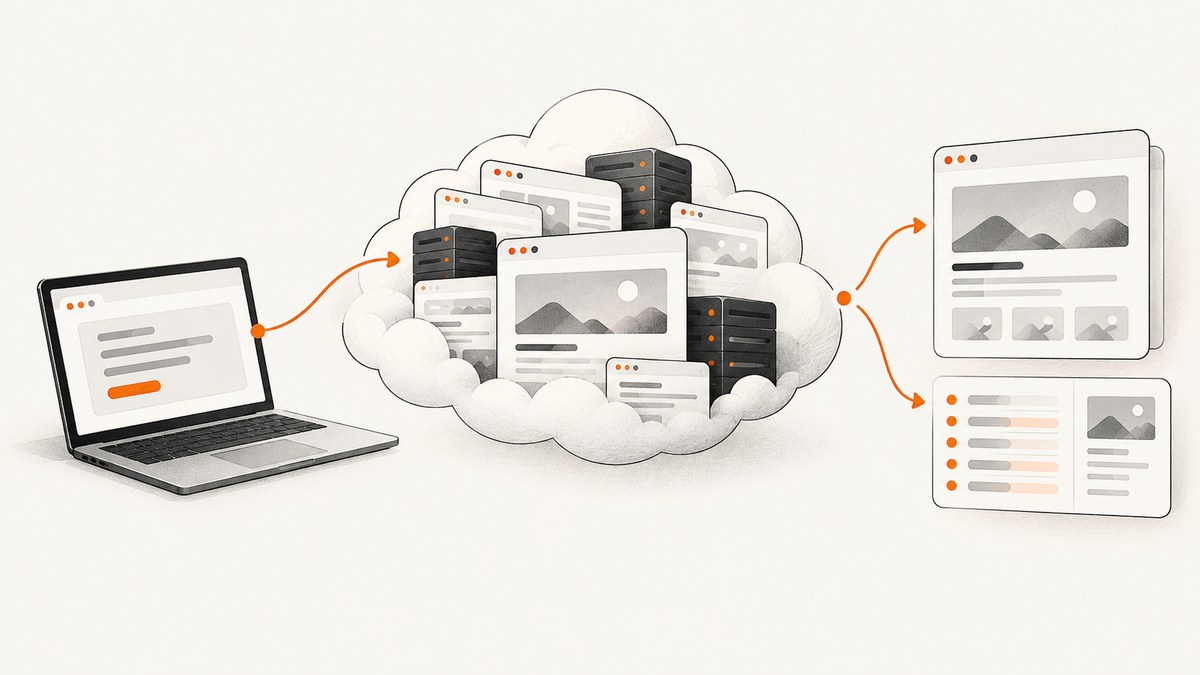
Cloud scraping means running web data collection on hosted infrastructure. It is an umbrella term, not one product type: it can mean a request-oriented scraping API, a remotely controlled browser, or a platform for packaging and scheduling jobs. Choose based on how much interaction, state, and operational control your workflow needs.
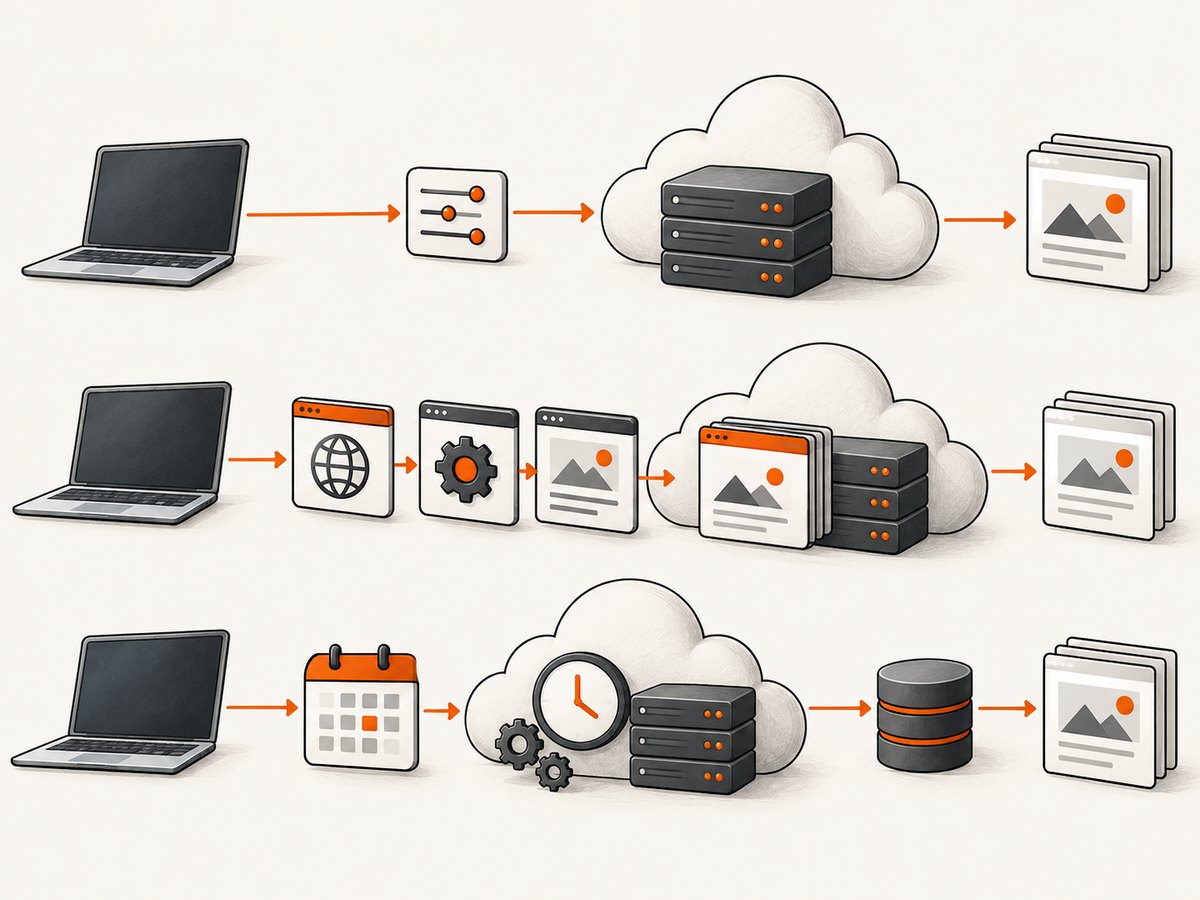
For a simple one-off result, start with an API. For multi-step navigation, JavaScript interactions, or session state, use a hosted browser. For recurring jobs that need scheduling, storage, integrations, or collaboration, consider a scraping platform. The official documentation reviewed here describes capabilities and constraints, not a normalized independent benchmark, so there is no evidence-based universal winner.
1. What cloud scraping includes
In a local scraper, you operate the runtime and browser on your own machine or server. In cloud scraping, some or all of that work runs on infrastructure provided by a service. The service may accept a URL and return an artifact, expose a browser you control remotely, or host a complete job with supporting services.
That distinction matters more than the label. A quick API request is convenient but may not preserve a session across requests. A browser gives you control over navigation and interaction, but you still have to write and operate the workflow. A platform can bundle job execution and operations, while introducing its own conventions and configuration model.
2. The three service models
Scraping API: one request, one result
A scraping API accepts a request and returns a result such as rendered HTML, extracted elements, a screenshot, or another artifact. It can be a good fit for isolated lookups and tasks that do not require persistent state. Browserless documents REST endpoints for content, selector-based extraction, screenshots, crawling, and other actions. Cloudflare Browser Run documents Quick Actions for single-request tasks. See the [Browserless REST API documentation](https://docs.browserless.io/rest-apis/intro) and [Cloudflare getting started guide](https://developers.cloudflare.com/browser-run/get-started/).
Managed browser: control a remote session
A managed browser lets your code control a browser process hosted elsewhere. You can navigate, wait, click, inspect the DOM, and carry out multi-step flows using familiar browser automation approaches. Cloudflare documents Playwright, Puppeteer, CDP, and Stagehand paths; Browserless documents managed browser connections for Puppeteer and Playwright. This model suits JavaScript-heavy pages and workflows with interaction or state. Read the [Cloudflare Browser Run overview](https://developers.cloudflare.com/browser-run/) and [Browserless overview](https://docs.browserless.io/overview/intro).
Cloud scraping platform: package and operate jobs
A platform can package reusable jobs or actors and provide surrounding functions such as storage, proxies, schedules, integrations, monitoring, and collaboration. Apify’s documentation describes Actors as cloud scraping and automation tools with supporting platform services. This model can reduce the amount of infrastructure you assemble yourself when jobs need to run repeatedly. See [Apify documentation](https://docs.apify.com/).
3. A runnable hosted-browser example with Playwright
The following example uses a locally installed Playwright browser so the workflow is executable without a vendor account. The same Playwright navigation and extraction pattern can run against a hosted browser when you configure the provider’s connection endpoint and authentication as documented by that provider. Keep secrets in environment variables; never put credentials in source code.
Install
mkdir cloud-scrape-example
cd cloud-scrape-example
npm init -y
npm install playwright
npx playwright install chromium
Save as scrape.mjs
import { chromium } from 'playwright';

const target = process.argv[2] ?? 'https://example.com';
const browser = await chromium.launch({ headless: true });
try {
  const page = await browser.newPage({
    viewport: { width: 1365, height: 900 },
    userAgent: 'ExampleResearchBot/1.0 (contact: ops@example.com)',
  });
  const response = await page.goto(target, {
    waitUntil: 'domcontentloaded',
    timeout: 30_000,
  });
  if (!response) throw new Error('Navigation returned no HTTP response');
  if (!response.ok()) {
    throw new Error(`Navigation failed: HTTP ${response.status()}`);
  }
  const result = await page.locator('h1').first().textContent().catch(() => null);
  console.log(JSON.stringify({ url: page.url(), title: await page.title(), h1: result }, null, 2));
} finally {
  await browser.close();
}
Run it with node scrape.mjs https://example.com. This deliberately extracts a small amount of page content. Before collecting a larger dataset, define which pages and fields are needed, how results will be stored, and what rate and retry limits are appropriate.
Connecting a managed browser
Providers differ in endpoint format, credential handling, browser versions, session limits, and available protocols. Use the exact connection URL and SDK instructions from the chosen provider’s official documentation. For a Playwright-compatible WebSocket endpoint, providers commonly offer a remote connection API, but its method and authentication are provider-specific; do not copy a guessed endpoint. Replace local launch with the provider’s documented connection method, and retain the same navigation, extraction, timeout, and cleanup logic.
4. A practical decision process
- Describe the task. Is it one URL and one result, a multi-page workflow, or a recurring dataset job?
- Check rendering needs. If the useful content arrives after JavaScript runs, establish whether an HTTP request is sufficient or a browser is required.
- Check state needs. Does the task need cookies, authentication, or continuity between steps? Ordinary REST requests may be independent and discard session state. Browserless directs users to browser sessions or persisted state when continuity is needed. See its [REST API documentation](https://docs.browserless.io/rest-apis/intro).
- Choose an operating model. Decide whether the service cloud, an edge platform, a private deployment, or self-hosted infrastructure is appropriate for your operational constraints.
- List the components to operate. Consider proxy configuration, storage, schedules, integrations, monitoring, and collaboration. A platform may include some of these; a bare browser endpoint may leave them to you.
- Verify current terms and limits. Pricing, usage quotas, session limits, and feature availability change. Check official pricing and documentation before committing; the research available for this guide does not normalize current prices across vendors.
5. Comparing the documented tools and approaches
The assignment title says 11 tools, but the available research supports detailed descriptions of only three named services. Filling out an 11-way table without primary documentation for the other eight would create unsupported comparisons. Use this table to understand the verified examples; it is not a ranking or a complete 11-vendor survey.
| Service | Documented pattern | Useful when | Check before choosing |
|---|---|---|---|
| Cloudflare Browser Run | Quick Actions and controlled browser paths; documentation covers Playwright, Puppeteer, CDP, and Stagehand. | You want to assess both single-request actions and browser automation in its environment. | Confirm current product limits, runtime fit, and pricing in official docs. |
| Browserless | REST actions and managed browser connections; documentation also describes self-hosted and private deployment options. | You need an API for isolated actions or a remote browser for scripted control. | REST calls are independent; use browser sessions or persisted state when continuity is required. |
| Apify | Cloud platform built around reusable Actors and supporting services such as storage, proxies, scheduling, integrations, monitoring, and collaboration. | You need to package and operate repeatable jobs with platform services. | Evaluate the platform workflow and current usage terms against your job requirements. |
For a meaningful 11-tool comparison, verify each candidate’s official docs and pricing, then compare the same questions: browser or request model, state persistence, rendering, extraction, crawl support, deployment options, bundled operations, limits, and retry behavior. Avoid treating vendor claims as independent performance results.
6. Reliability, performance, and cost
Reliability
Classify failures before retrying: connection or DNS failure, timeout, non-success HTTP response, expected selector missing, blocked or challenge page, and extraction/schema failure. Retries help transient failures, but repeating a deterministic selector error wastes capacity. Use bounded retries with backoff for transient errors, record the final status, and make writes idempotent so a retry does not duplicate records.
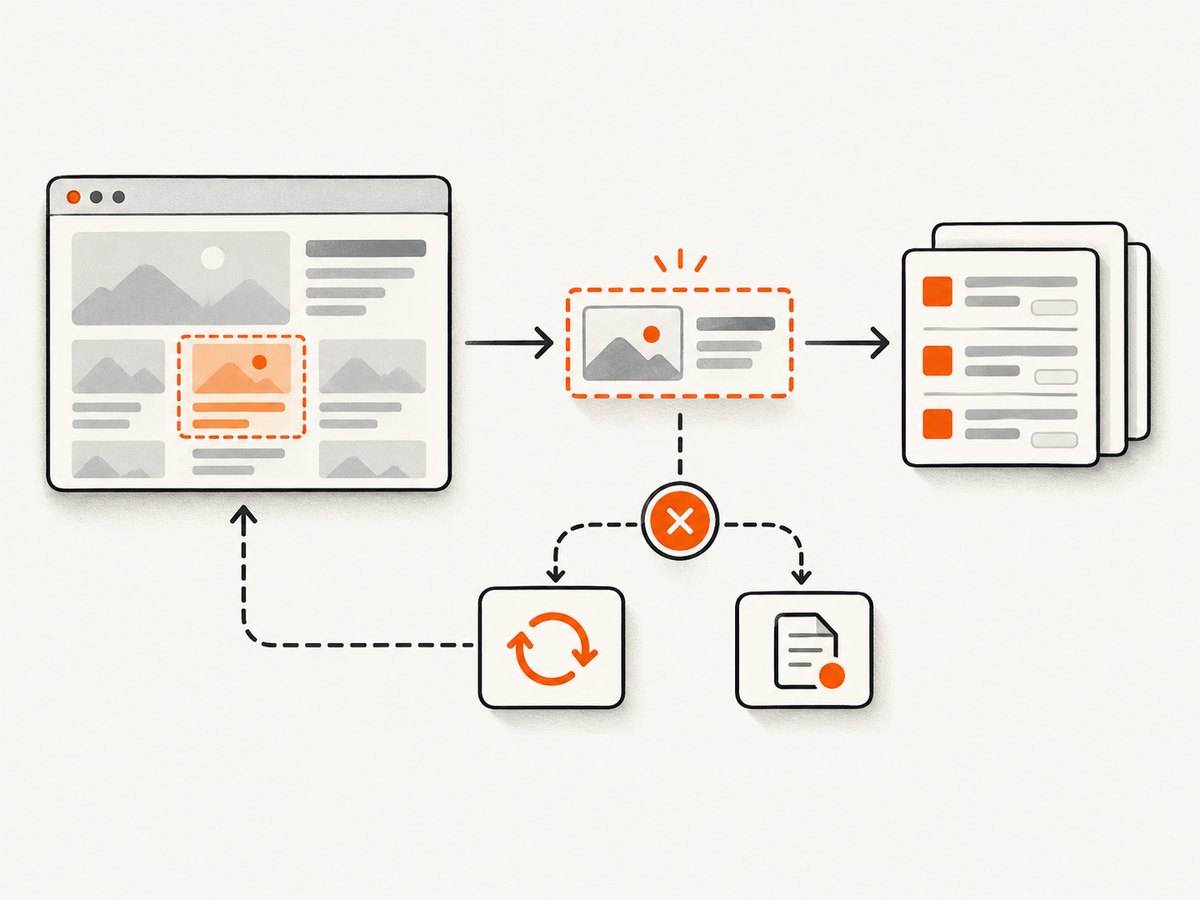
Browserless Smart Scrape describes a staged approach: try an HTTP request, optionally retry through a proxy, escalate to a browser if JavaScript rendering is needed, and handle some page-gating CAPTCHA challenges. Its documentation distinguishes those challenges from CAPTCHA fields embedded in forms. These are vendor-described behaviors, not a guarantee that a target will be accessible. See [Smart Scrape documentation](https://docs.browserless.io/rest-apis/smart-scrape).
Performance
Use the lightest execution mode that produces the required data. Avoid waiting for full network idle if the page keeps long-lived requests open; wait for a specific selector or a documented page condition instead. Reuse a browser session for related steps when appropriate, but isolate unrelated jobs where cookies or state could leak between tasks. Set realistic navigation and overall job timeouts, and collect only fields you need.
Cost
Compare the billing unit that matches your workload: request, browser time, compute, storage, proxy use, or platform usage. Measure representative tasks in your own environment, including retries and failed pages, before estimating production costs. The reviewed research does not establish normalized prices or benchmarks across the named services, and their current terms should be checked directly.
7. Access, terms, and responsible collection
Review the site’s terms, robots.txt instructions, authentication boundaries, and your intended use of collected data. RFC 9309 says of the Robots Exclusion Protocol: “These rules are not a form of access authorization.” Robots.txt is a crawler protocol for rules site operators make available; it does not grant permission. Read [RFC 9309](https://www.rfc-editor.org/rfc/rfc9309.html).
Whether collection and reuse are permitted can depend on jurisdiction, access method, contract terms, the data involved, and downstream use. The U.S. Copyright Office’s [DMCA overview](https://www.copyright.gov/dmca/) discusses provisions about unauthorized circumvention of technological measures protecting copyrighted works; it is not a full legal analysis of scraping. Cloudflare’s [sample terms](https://developers.cloudflare.com/bots/reference/sample-terms/) illustrate how a site owner may address automated scraping and AI training and state that they are not legal advice. A tool’s ability to render a page or retry a request does not establish permission to access or reuse its contents.
8. Or skip the browser setup
For a screenshot rather than a general-purpose extraction job, ScreenshotNeo is a website screenshot API and MCP server. It returns PNG, JPEG, WebP, or PDF from one GET request. Its clean-shot flow accepts cookie or consent banners like a visitor and removes 60+ known consent platforms, newsletter popups, and chat widgets before capture; each step can be turned off. Bot checks or CAPTCHAs, blank pages, timeouts, failed loads, and cache hits cost nothing, and each response identifies the page verdict and billing status in headers. Its MCP server offers take_screenshot, get_page_info, and capture_pdf for Claude, Cursor, and other MCP clients.
Install Python’s requests package with python -m pip install requests, then run:
import requests

r = requests.get(
    "https://api.screenshotneo.com/v1/shot",
    params={"access_key": "YOUR_API_KEY", "url": "https://stripe.com"},
    timeout=90,
)
r.raise_for_status()
open("shot.webp", "wb").write(r.content)
Equivalent cURL and Node.js calls:
curl -G "https://api.screenshotneo.com/v1/shot" -d access_key=YOUR_API_KEY --data-urlencode url=https://stripe.com -o shot.webpconst q = new URLSearchParams({ access_key: 'YOUR_API_KEY', url: 'https://stripe.com' });
const res = await fetch(`https://api.screenshotneo.com/v1/shot?${q}`);
if (!res.ok) throw new Error(`Screenshot request failed: ${res.status}`);
await Bun.write('shot.webp', res);See the ScreenshotNeo API documentation for the options and account setup. The API also supports full-page capture with lazy images loaded, CSS-selector element capture, dark mode, 12 device presets and custom viewports, retina scale, PDF settings, HTML/CSS rendering, custom CSS and JavaScript, pre-capture clicks, selector hiding, selector/delay/network-idle waits, request and resource blocking, custom headers, cookies, user agent and Authorization, timezone, geolocation, transparent backgrounds, resizing, chosen cache TTL, signed public image links, asynchronous jobs with signed webhooks, bulk capture of up to 100 URLs per call, usage API, and OpenAPI spec. Parameter names used by other screenshot APIs also work to make switching easier.
Cookie banners, popups, and chat widgets are removed before the shot; bot checks, blank pages, and failed loads are never billed; an MCP server lets AI agents take screenshots. The free plan includes 1,000 screenshots a month with no card, and paid plans start at $5 for 3,000; yearly billing gives two months free and every feature is on every plan. Sign up for 1,000 free screenshots a month, no card required.
9. Troubleshooting checklist
| Symptom | Likely cause | Practical fix |
|---|---|---|
| Request succeeds but content is missing | The page fills content through JavaScript or the extraction selector does not match. | Inspect the rendered DOM, wait for a specific selector, and confirm the selector against the actual page state. |
| Navigation times out | Slow resources, an overly strict wait condition, or a stalled target. | Set a bounded timeout; try DOM content loaded and then wait for the required element. Log the URL and elapsed time. |
| Works once, fails on the next request | Session state is required, but stateless requests are being used. | Use a managed browser session or the provider’s persisted-state approach, and handle cookies according to the site’s access rules. |
| HTTP error or challenge page | The target returned an error or applied access controls. | Record status and page outcome; do not assume retries will solve it. Review site terms and access policy before proceeding. |
| Duplicate records after retry | Writes are not idempotent. | Assign a stable key to each source record and upsert or deduplicate at storage time. |
| Hosted browser connection fails | Incorrect endpoint, expired credentials, incompatible protocol, or exhausted service limits. | Copy the connection instructions from the provider’s official docs, rotate exposed credentials, and check account limits and browser compatibility. |
10. Frequently asked questions
Is cloud scraping the same as web scraping?
No. Web scraping describes collecting data from web pages; cloud scraping describes where the collection workflow runs and the infrastructure model used.
Do I need a browser for every website?
No. A request API may be enough for static pages or tasks supported by a service endpoint. Use a browser when you need rendered content, interaction, or browser session state.
Does robots.txt authorize scraping when it allows a path?
No. RFC 9309 explicitly says crawler rules are not access authorization. Check the site’s terms and applicable requirements for your use.
Does a managed service guarantee access to a site?
No. Rendering, retries, and challenge handling are capabilities described by vendors, not guarantees of success or permission.
11. A short selection checklist
- Choose an API for a stateless, bounded action.
- Choose a managed browser for multi-step interaction or session continuity.
- Choose a platform when reusable jobs and bundled operations matter.
- Verify limits, deployment choices, pricing, and current documentation directly.
- Make access policy and downstream data use part of the design, before scaling.
Cloud scraping is a deployment choice with several distinct service models. Match the model to the job, test its documented constraints against your workflow, and keep access and data-use decisions explicit.


