CloudBrowser.ai Alternatives
Compare CloudBrowser.ai alternatives for AI agents, scraping, testing, and automation. Choose by deployment, integrations, session controls, and total usage cost.
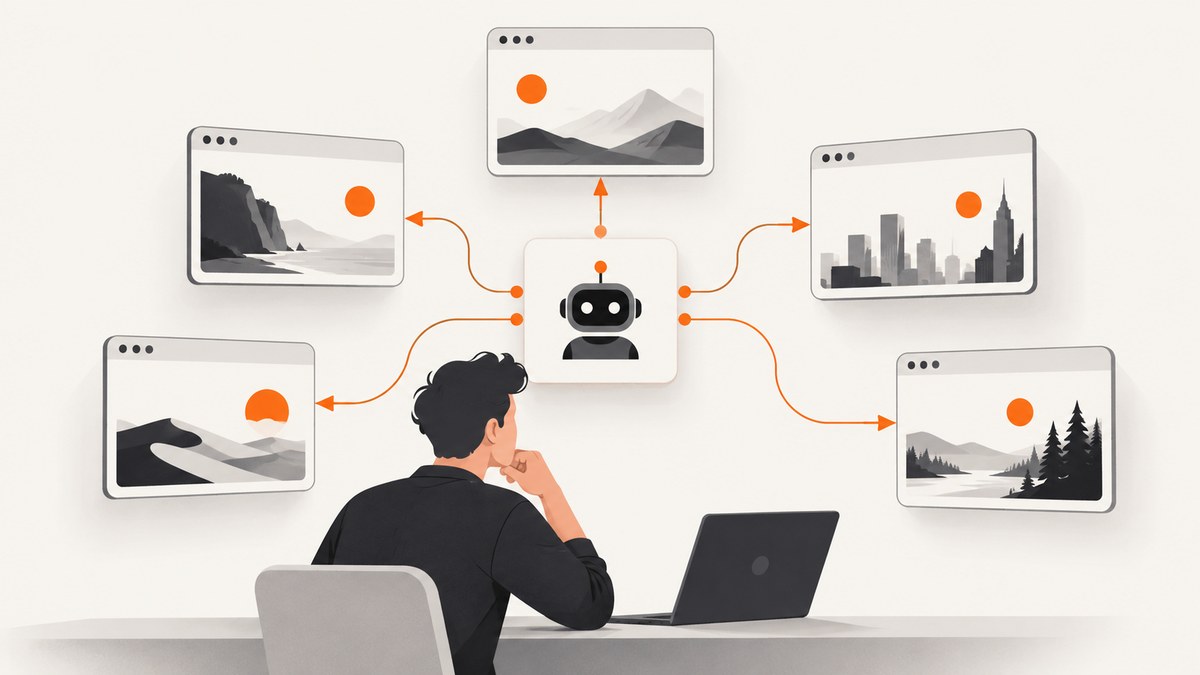
For a quick shortlist: consider Browserless when self-hosting or private deployment matters; Browserbase when its browser, agent-run, Search, and Fetch bundle fits; Steel when you want an open-source API and a self-hosting path; and Hyperbrowser for its SDK, REST, and credit-based options. First decide whether you need a persistent, interactive browser session or just a rendered screenshot. If a screenshot is the output, ScreenshotNeo is the alternative to try first: it returns screenshots or PDFs through one request, removes common consent overlays before capture, and bills only clean shots.
CloudBrowser.ai describes itself as cloud Chrome for AI agents, developers, and workflow builders, with API, MCP, and n8n entry points and compatibility with Puppeteer, Playwright, and Selenium. It also describes isolated sessions, live remote desktop, CAPTCHA handoff, and persistence for cookies and localStorage. These are vendor-described capabilities, not independently verified results. The alternatives below solve overlapping but not identical jobs, so compare your workload and required controls rather than choosing by the lowest headline price.
1. What to compare before switching
Write down the task your browser must complete and what the caller needs back. An agent that must log in, inspect a page, click through a workflow, and preserve state needs a browser session. A report that needs a page image may only need a screenshot API. Scraping and automated testing often need browser control, but differ in proxy, observability, and repeatability requirements.
| Decision axis | Questions to answer |
|---|---|
| Deployment | Must the browser run in your cloud, on your infrastructure, or is a managed service acceptable? |
| Interface | Do you need a REST API, MCP, n8n, or compatibility with Playwright, Puppeteer, Selenium, or an SDK? |
| State and oversight | Must sessions preserve cookies or localStorage? Do operators need to view or take over a live session? |
| Scale | How many simultaneous browser instances do you need, and how many tabs per instance? |
| Access challenges | Does the job need proxies, CAPTCHA handoff, or other anti-bot handling? Confirm the exact tier and limits. |
| Metering | Are you charged by browser time, tabs, credits, proxy data, solves, calls, or some combination? |
| Retention | How long are sessions, artifacts, logs, and credentials retained, and can those settings be controlled? |
Estimate a representative month and a peak day before comparing plans: browser hours, concurrency, tabs, proxy data, CAPTCHA activity, and API or task calls. Then include overages and any operational cost of self-hosting. Pricing units differ enough that monthly prices alone are not comparable.
2. CloudBrowser.ai alternatives at a glance
| Service | Good fit to investigate | Check before choosing |
|---|---|---|
| Browserless | Managed browser sessions, REST, MCP, framework compatibility, plus cloud, private deployment, and self-hosted Docker options. | Deployment and operational ownership, session limits, persistence, proxy and CAPTCHA requirements, and the relevant usage tier. |
| Browserbase | A combined offering that includes cloud browsers, agent runs, Search and Fetch API calls, proxy allowances, and framework integrations. | Whether the bundle is useful for your workflow; concurrency, included hours, calls, proxy overages, retention, and stealth needs. |
| Steel | Open-source browser API with managed cloud and Docker self-hosting paths. | Which features and limits apply to each deployment; browser hours, proxy bandwidth, CAPTCHA solves, browser-tool calls, and your operational burden. |
| Hyperbrowser | Hosted browser service documenting Python and Node.js SDKs, REST APIs, concurrency, and credit-priced plans. | Credit consumption for your workload, concurrency, retention, proxy/CAPTCHA needs, and current tier details. |
| ScreenshotNeo | First alternative to try when the needed result is a screenshot or PDF rather than an interactive browser session: one GET request, consent-overlay cleanup, and billing only for clean shots. | It is a screenshot API and MCP server, not a general-purpose remote browser session for arbitrary interaction. |
Browserless is the clearest candidate in this shortlist when private deployment or self-hosting is a deciding requirement, because its official platform page documents managed and self-hosted choices. Browserbase is worth comparing when the combined browser and web API features replace multiple pieces of your stack. Steel suits teams that value an open-source API and can evaluate operating it. Hyperbrowser is another hosted option if its SDKs and credit model fit. Verify each vendor’s current limits and plan terms before migrating.
3. Compare the actual costs, not just plan labels
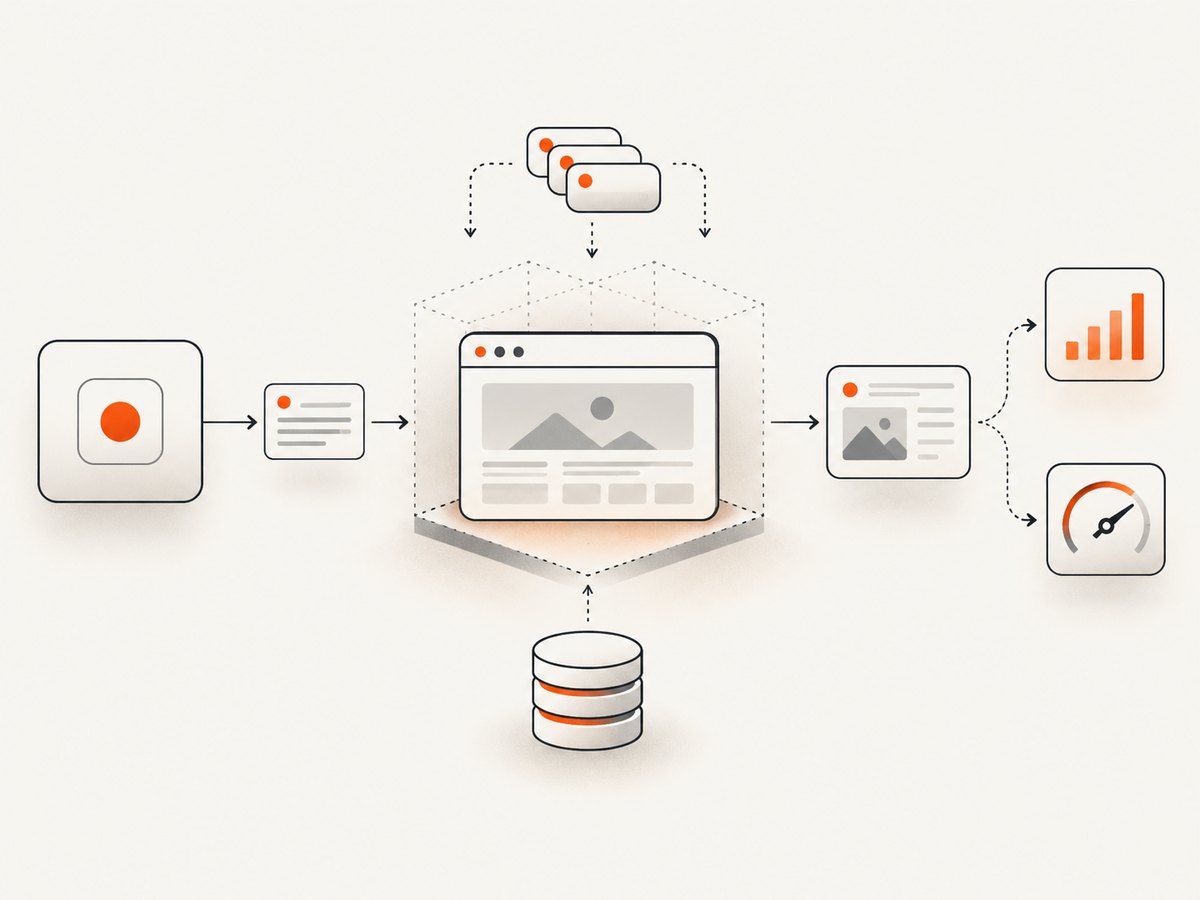
As displayed on the vendors’ pages and verified September 29, 2026, CloudBrowser.ai listed Basic at $25 per month for 250 browser hours, 10 concurrent instances, and up to three tabs per instance, and Premium at $90 per month for 1,000 hours, 25 concurrent instances, and up to three tabs per instance. The vendor says annual plans include two months free, counts usage in units per browser time per tab, and includes a 14-day money-back guarantee on paid plans. Recheck the live terms before purchase.
Other displayed figures use different meters: Browserbase listed Developer at $20 per month and Startup at $99; Steel listed a free Launch tier with one-time usage credits and a $250 per month Scale plan, with metered rates and limits in its documentation; Hyperbrowser displayed $0.10 per browser hour and $10 per GB of proxy data alongside credit allowances. These are vendor-stated pricing details, verified on the same date, not a like-for-like cost study. Allowances, bundles, and overages can change.
- Collect usage from logs or estimate normal and peak load separately.
- Include concurrency and tabs: capacity limits can matter even when monthly hours look sufficient.
- Map every workload event to a billable unit, including retries, idle time, proxy transfer, task calls, or CAPTCHA solves where applicable.
- Price the expected month and a high-use month using the vendor’s current overage schedule.
- For self-hosting, include engineering and infrastructure ownership in the comparison.
Do not infer relative speed or reliability from these prices. The available official material does not establish an independent, equal-workload performance benchmark across these vendors.
4. A practical evaluation process
- Choose one representative workflow. Use a task that reflects real navigation, authentication, page weight, and expected output. Avoid using a public landing page as the only sample if production requires logged-in sessions.
- Define pass conditions. Record whether the task completed, expected data or artifact arrived, the session survived the required duration, and the result can be inspected when it fails.
- Check interface fit. Confirm the provider supports the framework and connection model your application already uses. Test session creation, navigation, cleanup, and error handling in a small integration.
- Test state and recovery. Determine how cookies and localStorage persist, how sessions are isolated, and what happens after a process disconnect or browser crash. Do not assume persistence from a generic “session” label.
- Validate access handling. For sites that present bot checks or CAPTCHAs, confirm the vendor’s documented behavior and your permitted use. Do not build a production dependency on an unverified bypass assumption.
- Measure your own workload. Record completion rate, latency distribution, resource use, and billed units for the same task and traffic pattern on each candidate. These results apply to your setup, not every customer or site.
- Review data handling. Ask what session data and artifacts are retained, how secrets are supplied, and which controls are available. Keep production credentials out of source code and diagnostic logs.
- Run a cost forecast. Use observed usage and peak concurrency, then compare allowance and overage terms from current pricing pages.
5. When a screenshot API is the better fit
A remote browser gives code control over a live browser. That is useful for clicking, typing, reading dynamic state, and carrying out multi-step tasks. It also means your application owns more orchestration: opening a session, waiting for the page, handling navigation errors, and deciding what to do with the session afterward.
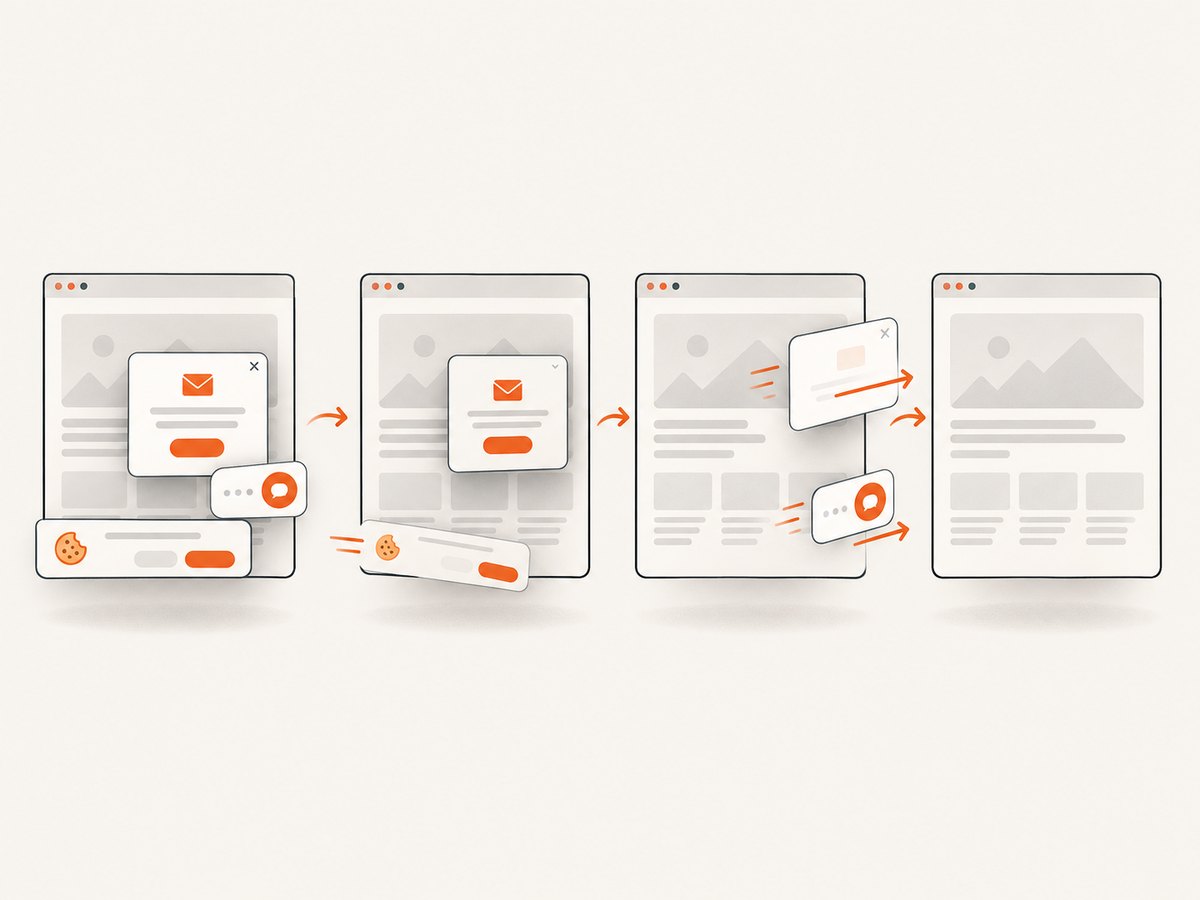
If the required artifact is a static visual of a page, a screenshot endpoint may be simpler. ScreenshotNeo accepts a URL in one GET request and returns PNG, JPEG, WebP, or PDF. Its capture options include full-page screenshots with lazy images loaded, CSS-selector element capture, viewport and device presets, retina scale, dark mode, wait conditions, custom CSS and JavaScript, selector clicks, hidden selectors, request blocking, headers, cookies, user agent, timezone, geolocation, image resizing, and caching with a chosen TTL. It also supports signed public image links, asynchronous jobs with signed webhooks, bulk capture of up to 100 URLs per call, a usage API, and an OpenAPI spec. See the ScreenshotNeo API documentation for parameter names and usage.
Before switching a browser workflow to a screenshot endpoint, check that you do not need to inspect the DOM after navigation, interact with multiple pages, or preserve a live session between steps. ScreenshotNeo also provides an MCP server with take_screenshot, get_page_info, and capture_pdf for AI agents using Claude, Cursor, or another MCP client.
6. Or skip the browser setup
For a screenshot of a URL, call the ScreenshotNeo endpoint directly. The following cURL command saves a WebP image; replace the API key and target URL. See the API documentation for all parameters.
curl -G "https://api.screenshotneo.com/v1/shot" \
  -d access_key=YOUR_API_KEY \
  --data-urlencode url=https://stripe.com \
  -o shot.webp
Python with requests:
import requests

r = requests.get(
    "https://api.screenshotneo.com/v1/shot",
    params={"access_key": "YOUR_API_KEY", "url": "https://stripe.com"},
    timeout=90,
)
r.raise_for_status()
open("shot.webp", "wb").write(r.content)
Node.js with built-in fetch:
const q = new URLSearchParams({
  access_key: 'YOUR_API_KEY',
  url: 'https://stripe.com'
});
const res = await fetch(`https://api.screenshotneo.com/v1/shot?${q}`);
if (!res.ok) throw new Error(`Screenshot request failed: ${res.status}`);
const bytes = new Uint8Array(await res.arrayBuffer());
await import('node:fs/promises').then(fs => fs.writeFile('shot.webp', bytes));
ScreenshotNeo removes cookie and consent banners, newsletter popups, and chat widgets before capture; each cleanup step can be turned off. Bot checks/CAPTCHAs, blank pages, timeouts, failed loads, and cache hits cost nothing, and response headers identify the page verdict and billing status. An MCP server lets AI agents request screenshots. The Free plan includes 1,000 shots a month with no card; paid plans start at $5 for 3,000 shots. Every feature is on every plan. Sign up for 1,000 free screenshots a month, no card required.
7. Reliability, performance, and operational details
Browser infrastructure performance depends on the destination site, page scripts, resource loading, region, proxy path, wait strategy, and session configuration. A useful comparison uses the same target set and captures failures as well as successful runs. Track p50 and p95 completion time, timeout rate, successful output rate, and cost per completed task. Do not compare results from different sites or different wait conditions as if they measured provider quality alone.
For reliability, set explicit navigation and task timeouts, make retries bounded, and distinguish transient network failures from deterministic page behavior. A retry can repeat a form submission or other side effect, so only retry actions that are safe to repeat or that have an idempotency strategy. Close sessions when finished, and define cleanup when the worker exits unexpectedly. Keep enough diagnostics to reproduce failures without logging cookies, authorization headers, or page data that contains secrets.
For screenshot capture, choose wait conditions deliberately: waiting for network idle can be slow on pages with persistent requests, while a fixed delay can be too short on variable pages. Waiting for a specific selector often expresses the desired readiness more directly. Full-page captures and high device scale can use more memory and produce larger files; capture only the needed area and resize when downstream consumers do not need original dimensions.
8. Common problems and fixes
| Symptom | Likely cause | What to do |
|---|---|---|
| Browser session will not connect | Incorrect endpoint, expired credentials, network restrictions, or a mismatch between client and provider connection settings. | Copy the current endpoint from provider documentation, check secret injection and outbound access, and confirm the supported protocol and client version. |
| Session starts, then disappears | Idle timeout, configured lifetime, worker teardown, or a provider limit. | Check session lifetime and retention settings; keep required work within that period and persist needed results outside the session. |
| Page is blank or incomplete | Navigation finished before client-rendered content, blocked resources, consent overlays, or a destination-side challenge. | Wait for a meaningful selector, inspect page errors and resource blocking, and verify the URL manually. For a screenshot, inspect the page-verdict and billing headers. |
| CAPTCHA or bot check blocks the workflow | The destination challenged the request, or the selected plan does not provide the expected handoff or proxy behavior. | Confirm documented support and tier limits with the vendor. Use an authorized human handoff where available; do not assume every challenge is solvable. |
| Unexpectedly high bill | Idle browser time, tab-based metering, repeated retries, proxy transfer, or credit-consuming calls. | Inspect per-unit usage, close idle sessions, cap concurrency, bound retries, and forecast using the exact plan meter and overage rules. |
| Screenshot request returns an error instead of an image | Invalid key or URL, unsupported parameter, timeout, or non-image response. | Check HTTP status before writing the body as an image, validate parameter names against the docs, increase timeout only when justified, and inspect response headers. |
| Image is too large or misses lazy content | Full-page dimensions or device scale are larger than needed, or content did not load before capture. | Use an element selector or resize output, and wait for the lazy-loaded content or a selector that marks readiness. |
| Requests fail intermittently | Transient destination or network failures, concurrency saturation, or an overly aggressive timeout. | Record status and duration, use bounded backoff for safe operations, and compare observed peak concurrency with the service limit. |
9. FAQ
Is CloudBrowser.ai only for AI agents?
No. Its official site presents API, MCP, and n8n entry points and compatibility with common browser automation frameworks, aimed at agents, developers, and workflow builders.
Which alternative supports self-hosting?
Browserless documents self-hosted Docker and private deployment options; Steel also describes Docker self-hosting. Confirm the exact capabilities and support model for the deployment you plan to use.
Can I replace a browser service with a screenshot API?
Only when the required result is a screenshot or PDF and the workflow does not need general browser interaction or a persistent live session.
Are the prices in this comparison guaranteed current?
No. They are vendor-displayed figures checked September 29, 2026. Confirm pricing, limits, credits, and overages on the linked official pages before making a decision.
Is there an independent speed ranking?
The official source material used here does not establish a neutral cross-vendor benchmark. Measure the same workflow on the candidates you are considering.


