Cloudflare Error 1020: Causes and Fixes
Cloudflare Error 1020 means a firewall rule denied access. Learn what visitors can do and how site owners find and fix the blocking rule.

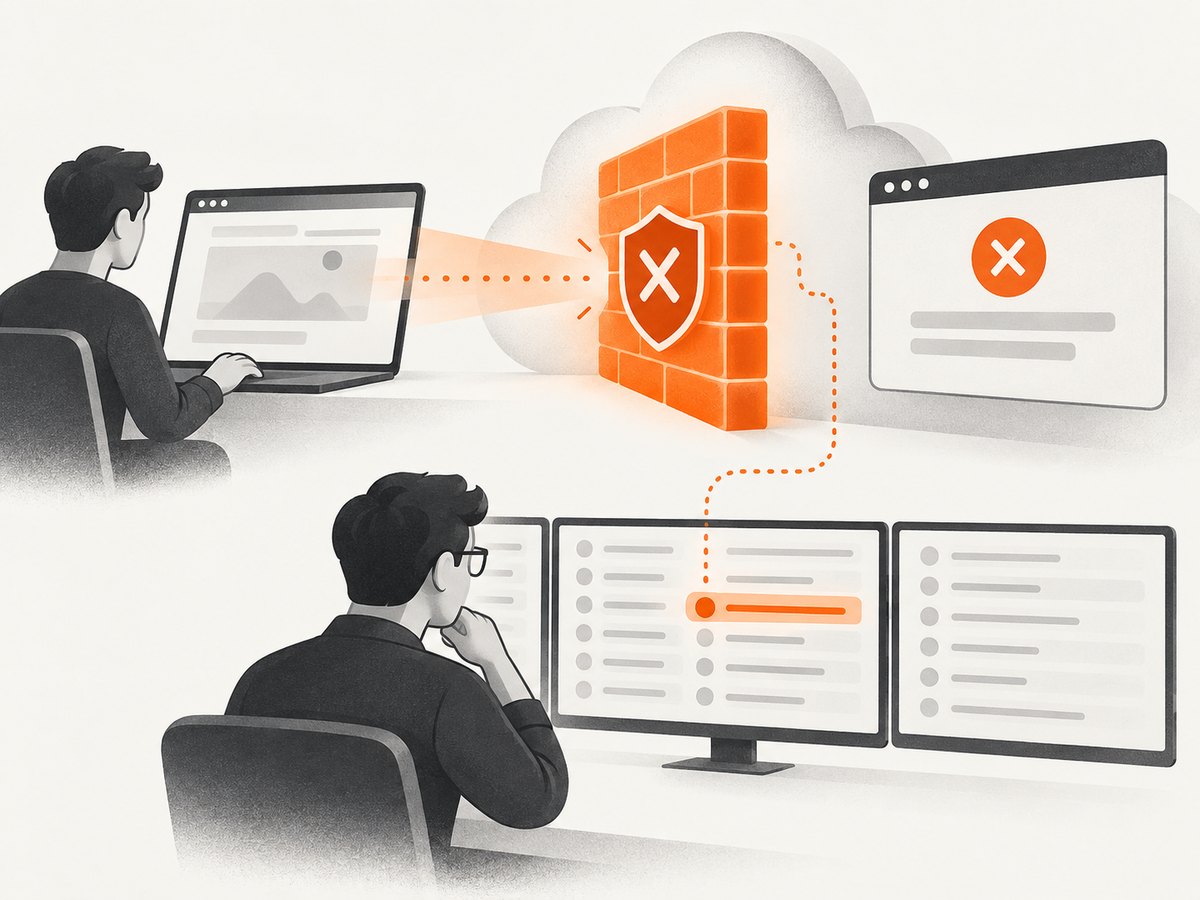
Cloudflare Error 1020 means that a Cloudflare firewall rule denied access to a website. If you are the blocked visitor, save a screenshot showing the Ray ID and timestamp, then send it to the website owner. If you own the website, use that Ray ID or the visitor’s client IP to find the matching event in Cloudflare Security Events, check the timestamp in the correct timezone, identify the rule that blocked the request, and make the narrow rule or IP Access change that resolves the problem.
The error is not a diagnosis of a broken browser or device. A visitor cannot edit the site’s Cloudflare configuration. The useful investigation happens in the website owner’s dashboard.
What Cloudflare Error 1020 means
Cloudflare’s support documentation defines Error 1020 as “Error 1020: Access denied” and says it indicates that access to the website was denied by a Cloudflare firewall rule. The common cause is a client or browser being blocked by a Cloudflare customer’s firewall rules. The error page itself normally does not tell you which exact rule or request attribute caused the denial; the site owner must inspect the corresponding security event. Cloudflare’s Error 1020 documentation was updated August 3, 2026.
Error 1020 belongs to Cloudflare’s 1xxx error family. Cloudflare explains that 1xxx errors are presented in the HTML response body, while ordinary HTTP errors such as 403 and 429 are returned in the HTTP status header. Custom error pages can change the presentation, so do not assume every 1020 page looks identical. See Cloudflare’s 1xxx error overview.
If you are a visitor who sees Error 1020
- Capture the complete error page. Include the Ray ID, timestamp, and any other identifying details visible on the page. Keep the screenshot unedited so the owner can match it to an event.
- Send it to the website owner or support contact. Explain what you were trying to open and approximately when it happened. The owner controls the firewall rules and can investigate the event.
- Wait for the owner’s investigation or use another legitimate contact method. Cloudflare’s documented visitor remedy is to provide the site owner with the screenshot. Visitors cannot change the site’s Firewall Rules or IP Access Rules.
Cloudflare does not document clearing cookies, changing browsers, disabling security software, or using a VPN as a guaranteed fix for Error 1020. Those actions also do not give a visitor the information the owner needs to locate the blocking event.
What to include in your report
- The screenshot of the full Error 1020 page.
- The Ray ID, if shown.
- The timestamp and timezone shown or reported by your device.
- The URL you requested and what action led to the block.
- Your client IP address, if the page or support process provides it.
If you own the website
- Obtain the visitor’s evidence. Ask for the screenshot, Ray ID, client IP, requested URL, and timestamp.
- Open the Security Events log. In the Cloudflare dashboard, go to Security > Analytics > Events.
- Search by Ray ID or client IP. These identifiers narrow the search to the request that produced the error.
- Convert the timestamp correctly. Cloudflare specifically instructs owners to account for the error time in UTC when searching events. Preserve the timezone supplied by the visitor and search the corresponding UTC window.
- Review the matching event. Determine which rule, expression, IP condition, or request property caused the block. Confirm that the event is the visitor’s request before changing access.
- Apply the smallest appropriate change. Update the relevant Firewall Rule, or allow the visitor’s IP in IP Access Rules when that is justified. Do not disable all firewall protection as a first response.
- Ask the visitor to retry. Have them test the original URL after the targeted change and provide a new screenshot if the denial remains.
If the documented investigation does not resolve the issue, Cloudflare’s general 1xxx guidance says the website owner can contact Cloudflare Support. Cloudflare also specifies that only the website owner can open a technical support case; a blocked visitor should continue reporting the problem to the site owner.
How to inspect an Error 1020 response with code
You can use a request tool to preserve the response body and headers for your investigation. These examples do not bypass Cloudflare or change a firewall rule. They simply collect the evidence that an owner can correlate with Security Events.
cURL
curl -i -L --max-time 30 \
  "https://example.com/protected-page" \
  -o error-1020-response.txt
Open the saved file and look for the Cloudflare error details in the HTML body. The HTTP status may be different from the 1xxx error number, because Cloudflare’s 1xxx errors are represented in the body.
Python
import requests

url = "https://example.com/protected-page"
response = requests.get(url, timeout=30, allow_redirects=True)

print("HTTP status:", response.status_code)
print("Content type:", response.headers.get("content-type"))
print(response.text[:2000])

with open("error-1020-response.html", "w", encoding="utf-8") as file:
    file.write(response.text)
Use the output as a record for the site owner. A status such as 403 is an HTTP status; the text “Error 1020” is Cloudflare’s 1xxx error detail in the response body.
Node.js
const response = await fetch('https://example.com/protected-page', {
  redirect: 'follow'
});

const body = await response.text();
console.log('HTTP status:', response.status);
console.log('Content type:', response.headers.get('content-type'));
console.log(body.slice(0, 2000));

await Bun.write('error-1020-response.html', body);
If you are using standard Node.js rather than Bun, replace the final line with the filesystem API:
import { writeFile } from 'node:fs/promises';
await writeFile('error-1020-response.html', body, 'utf8');
Why an owner might see a mismatch
A search can fail even when the visitor supplied a valid Ray ID. Common causes include searching the wrong account or zone, using local time instead of UTC, narrowing the time window too far, or searching an IP that changed between requests. Start with the Ray ID, then widen the UTC window slightly while keeping the visitor’s original timestamp documented.
Do not treat every 403 response as Error 1020. A normal origin or application response can also use HTTP 403. Confirm that the HTML body identifies Cloudflare Error 1020 and then match the request in Security Events.
Troubleshooting checklist
| Symptom | Likely cause | Fix |
|---|---|---|
| No event appears for the Ray ID | Wrong zone, wrong account, or incorrect time conversion | Confirm the hostname, search the UTC timestamp, and verify the Ray ID exactly. |
| Many visitors receive 1020 | A broad rule is matching legitimate traffic | Inspect the matching expression and narrow the rule based on the event details. |
| Only one visitor is blocked | An IP or request-specific condition matches that client | Review the event and allow the IP in IP Access Rules only when appropriate. |
| The page says 1020 but status is 403 | Cloudflare 1xxx detail is in the HTML body while 403 is the HTTP status | Use both the status header and body when recording evidence. |
| The error page looks different | A custom Cloudflare error page is configured | Look for the Ray ID, timestamp, and Error 1020 wording rather than relying on layout. |
| The visitor cannot open the site to report it | The firewall blocks the normal support path | Use another legitimate contact method and send the screenshot to the owner. |
Capturing reliable evidence
A screenshot is often the fastest way to preserve the identifying data before an error page changes. Capture the whole page at the time of failure, keep the original file, and avoid cropping out the Ray ID or timestamp. If you automate collection, save the URL, request time, final response URL, HTTP status, response headers, and HTML body alongside the image.
For repeated investigations, use a consistent UTC timestamp format in filenames and logs. This makes it easier to compare a visitor’s report with Security Events and avoids confusing a local timezone offset with the event’s Cloudflare time.
Or skip the browser setup
If your goal is to capture the Error 1020 page or another URL programmatically, ScreenshotNeo provides a single GET request that returns a PNG, JPEG, WebP, or PDF. Its capture flow accepts consent banners like a visitor and removes more than 60 known consent platforms, newsletter popups, and chat widgets before the shot; each step can be turned off. Bot checks, blank pages, timeouts, failed loads, and cache hits cost nothing, and the response reports the result with X-Page-Verdict and X-Billed headers. An MCP server provides take_screenshot, get_page_info, and capture_pdf tools for Claude, Cursor, and other MCP clients.

See the ScreenshotNeo API documentation for authentication and all options. The basic request is:
cURL
curl -G "https://api.screenshotneo.com/v1/shot" -d access_key=YOUR_API_KEY --data-urlencode url=https://stripe.com -o shot.webpPython
import requests
r = requests.get("https://api.screenshotneo.com/v1/shot", params={"access_key": "YOUR_API_KEY", "url": "https://stripe.com"}, timeout=90)
open("shot.webp", "wb").write(r.content)
Node.js
const q = new URLSearchParams({ access_key: 'YOUR_API_KEY', url: 'https://stripe.com' }); const res = await fetch(`https://api.screenshotneo.com/v1/shot?${q}`);Replace the target URL with the page that displays Error 1020. Check the response headers so your evidence records whether the page was cleanly captured and billed. You can also configure full-page capture, a CSS element, device presets or a custom viewport, retina scale, dark mode, waits, custom headers and cookies, resource blocking, caching with a chosen TTL, signed links, asynchronous jobs with signed webhooks, bulk capture for up to 100 URLs, and PDF output.
ScreenshotNeo has 1,000 screenshots per month free with no card. Paid plans start at $5 for 3,000 shots; yearly billing gives two months free, and every feature is available on every plan. Create a free ScreenshotNeo account to begin.
Performance, reliability, and cost considerations
- Preserve evidence once. Save the first failed page and its metadata before retrying repeatedly.
- Use waits only when needed. Dynamic pages may require a selector, delay, or network-idle wait; unnecessary waits increase capture time.
- Prefer caching for repeated references. A chosen cache TTL can reduce duplicate work, and cache hits are not billed by ScreenshotNeo.
- Separate failed captures from clean captures. ScreenshotNeo reports verdict and billing headers, so your pipeline can retry failures without treating them as successful evidence.
- Use asynchronous jobs for larger batches. Signed webhooks avoid holding a request open while collecting many pages.
- Control access deliberately. Custom headers, cookies, user agents, timezone, and geolocation help reproduce a request context, but they do not grant permission to bypass a site owner’s firewall.
FAQ
Is Error 1020 the same as HTTP 403?
No. Error 1020 is a Cloudflare 1xxx error shown in the HTML body. A 403 may be the HTTP status header, but the two concepts are distinct.
Can a visitor fix the firewall rule?
No. Only the website owner controls the Cloudflare configuration. Send the screenshot and identifying details to the owner.
What is the most useful identifier?
The Ray ID is usually the best starting point, followed by the client IP and the precise timestamp.
Should an owner disable Cloudflare protection?
No. Investigate the matching event and adjust the specific Firewall Rule or IP Access Rule that caused the denial.
Can I contact Cloudflare Support as a visitor?
Cloudflare’s guidance says technical support cases must be opened by the website owner. A visitor should report the issue to that owner.
Summary
Error 1020 is a Cloudflare firewall denial. Visitors should capture the page and send the Ray ID and timestamp to the site owner. Owners should search Security Events using the Ray ID or client IP, convert the time to UTC, investigate the matching event, and make a narrow rule or IP Access change. Keeping a complete screenshot and response record makes that handoff faster and more reliable.


