Cloudscraper Python Guide: Scrape Cloudflare Sites Step by Step
Learn Cloudscraper’s Requests-like Python workflow, understand Cloudflare’s challenge types, and choose an authorized access path when a challenge blocks your request.

Cloudscraper is a third-party Python package that provides a Requests-like session workflow. You create a scraper session and make calls such as get() or post(). That interface does not guarantee that a Cloudflare-protected site will grant access: Cloudflare uses several challenge mechanisms, and a challenge can be an intentional signal to stop automated access.
Use the examples below only for a site you own or are authorized to access. If a challenge persists, use the site’s published API, documented export, or permission from its owner. This guide explains the documented Cloudscraper pattern, Cloudflare’s challenge landscape, configuration considerations, troubleshooting, and an alternative for capturing page screenshots without setting up a browser.
1. What Cloudscraper does
Cloudscraper is a Python package whose project and package documentation describe a Requests-style session helper. In practical terms, you create a session-like object and use familiar HTTP methods on it. The package documentation describes create_scraper() and calls such as get() and post().
Requests-like syntax only describes how you make a request. It does not establish whether a target site permits the request, whether the response contains the intended page, or whether the package supports the particular challenge the site presents. The project’s broad support statements are maintainer claims, not independent guarantees for any domain.
Before choosing a method, ask:
- Does the site publish an API or data export for this information?
- Do you own the site or have permission for this kind of automated access?
- Is the planned request volume permitted, and is there a documented rate limit?
- Will a structured endpoint provide more stable data than parsing rendered HTML?
2. Install and make a minimal request
Install the package in the Python environment you intend to use:
python -m pip install cloudscraperThe following illustrates the documented session pattern. Replace the example domain with a system you control or are authorized to access. The code is a usage example; it was not executed or independently tested for this article.
import cloudscraper

scraper = cloudscraper.create_scraper()
response = scraper.get("https://example.com")

print("Status:", response.status_code)
print("Content type:", response.headers.get("Content-Type"))
print(response.text[:500])
create_scraper() returns the session-like object, and get() makes the request. The returned response exposes familiar attributes such as status code, headers, and text. A successful HTTP response is not by itself proof that the page content is the expected content: inspect the status, content type, and a small, safe portion of the response before processing it.
For a request that sends form data to an authorized endpoint, the documented Requests-like shape is:
import cloudscraper

scraper = cloudscraper.create_scraper()
response = scraper.post(
    "https://example.com/submit",
    data={"field": "value"},
)
print(response.status_code)
Use the parameters and request body that the site documents. Do not send credentials or personal data to an endpoint unless you are authorized and understand how it is handled.
3. Understand which Cloudflare challenge you are seeing
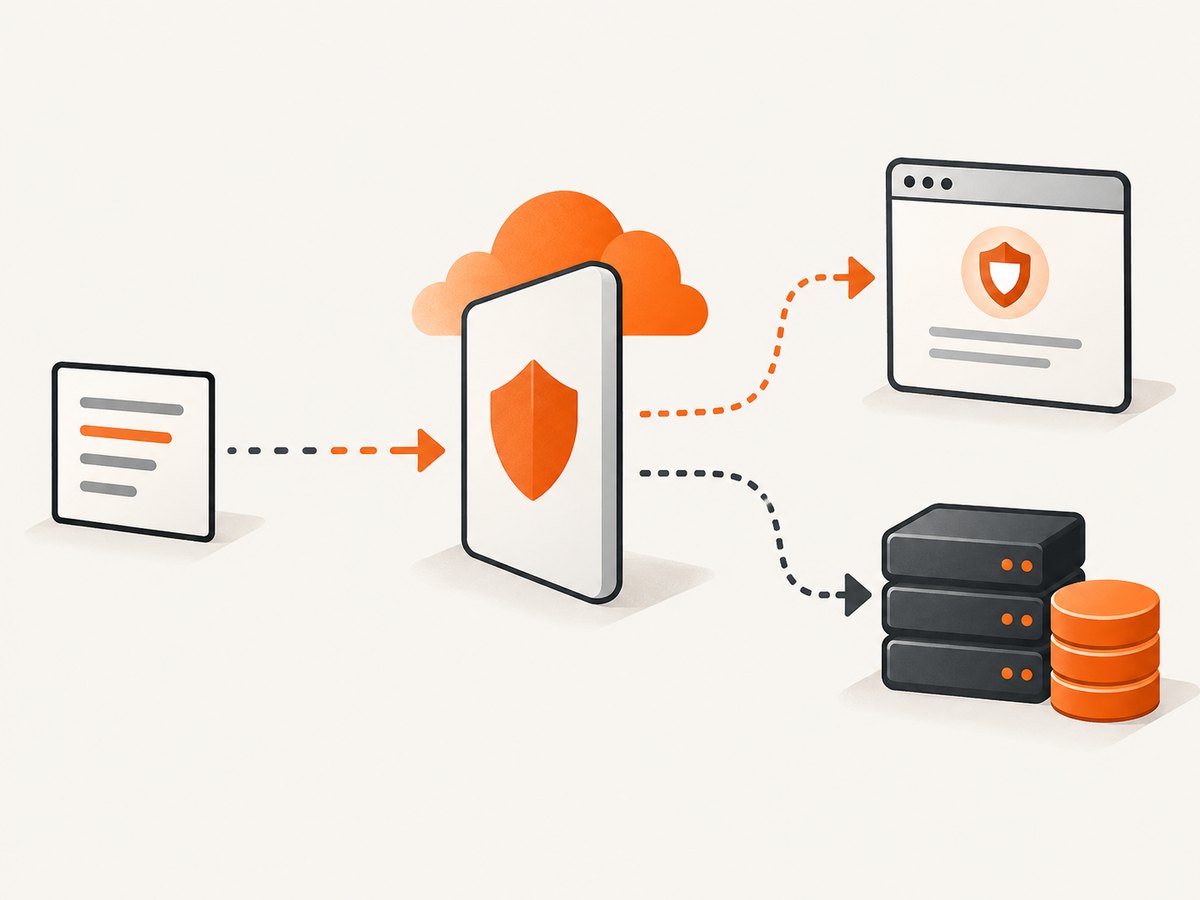
Cloudflare documents that “Challenges can be issued in three primary ways depending on which Cloudflare products or features are in use.” The mechanism depends on the products and settings enabled for that site; there is no single challenge flow that a third-party client can assume.
| Cloudflare feature or product | Documented challenge behavior | What it means for a client |
|---|---|---|
| WAF rules and Bot Fight modes | Can issue interstitial challenge pages | The response may be a challenge page rather than the content your parser expects. |
| Bot Management | Can use JavaScript Detections | A plain HTTP response workflow may not match the browser-oriented flow. |
| Turnstile | Provides an embedded widget | A widget is a site-level verification step; treat it as a signal that the operator expects a permitted verification flow. |
| HTTP DDoS protection | Can issue any challenge | The visible response alone may not identify the exact reason for the challenge. |
| Under Attack Mode | Uses Managed Challenge | Challenge behavior is controlled by the site’s Cloudflare configuration. |
A challenge response is not a normal page result and should not be treated as data. Cloudflare documents Managed Challenge as a way to limit scraping attacks. When a site presents a challenge, use an authorized access route rather than trying to work around its controls.
4. Configure requests carefully
The project documentation describes configuration options such as browser interpreter selection, delays, and debug output, as well as CAPTCHA-solver integrations. These are package options, not guaranteed ways to obtain access. Check the current project documentation for exact names, accepted values, and version-specific behavior before using any option.
Session and request scope
Keep a session for the sequence of requests that belongs together, and make requests only at a rate the site authorizes. A session can carry state between its requests, but that does not grant permission or make a challenge valid for another context. Avoid reusing challenge state across unrelated sessions or network paths.
Delays and debug output
The project describes delay and debug settings. A delay can affect request pacing; debug output can help explain the package’s own request flow. Neither setting should be presented as a challenge bypass or a guarantee of compatibility. Use diagnostics to understand your authorized integration, then follow the site owner’s documented limits.
CAPTCHA solver settings
The project documents optional CAPTCHA-solver integrations. Their presence in package documentation does not mean that solving a site’s challenge is authorized, supported by the site, or reliable. Do not use a solver to defeat a site’s access controls. If you operate the site, review its Cloudflare configuration and use the supported dashboard or API path to correct unintended challenges.
Version and environment
Pin and record the package version in a reproducible environment if you depend on the documented interface. Verify configuration against the documentation for the installed version. A change in the target site’s Cloudflare products or rules can also change the response independently of your Python code.
5. Troubleshoot common outcomes
| Symptom | Likely explanation | Responsible next step |
|---|---|---|
| You receive an interstitial or challenge page | A WAF rule, Bot Fight mode, or another Cloudflare feature is challenging the request. | Stop automated retries. Check for an official API, export, or owner-approved access route. |
| The response is HTML but your parser finds no expected fields | The HTML may be a challenge, an error page, or a changed site layout. | Inspect status, content type, and a limited response excerpt; do not assume every HTML response is the target page. |
| Requests work sometimes and then stop | Site rules, traffic conditions, or challenge decisions may differ over time. | Do not increase retries or attempt identity rotation. Confirm permitted rate and access method with the site owner. |
| A challenge repeats in a loop | The challenge flow may not be valid for the current request context. | Cloudflare specifically states a Managed Challenge solve from a different IP than the original challenge request is invalid and can cause a loop. Do not transfer challenge state across IPs; use the supported route. |
| Debug output does not explain the block | Package diagnostics describe the client workflow, not necessarily the site’s server-side rule. | If you administer the site, inspect the Cloudflare dashboard and relevant rules. Otherwise request an authorized method. |
| An option shown online is rejected or has no effect | It may belong to another release, be misconfigured, or not apply to this challenge type. | Consult the project documentation for the installed release; do not treat an option as a universal fix. |
For site administrators, Cloudflare advises using its configuration path to diagnose challenges; its guidance also says administrators choosing a challenge action should exclude API calls that should not be challenged. If you do not administer the target, contact its owner or use its published access methods.
6. Choose an access route that fits the job
| Route | Best fit | Maintenance and reliability considerations |
|---|---|---|
| Official API | Structured data that the site intentionally exposes to developers | Follow published authentication, limits, and schema documentation. |
| Documented export or owner-approved feed | Periodic access to data supplied by the site | Confirm format, frequency, and volume with the owner. |
| Cloudscraper session | Authorized requests where a Requests-like Python workflow is appropriate | HTML and challenge behavior can change; the project does not guarantee access to a given protected domain. |
| Screenshot capture | Visual records of pages you are permitted to capture | Capture produces an image or PDF, not structured page data for a parser. |
When a challenge blocks the Cloudscraper request, the recommended next step is an official API, documented export, or permission from the site owner. No comparative performance study is available here, so choose based on permitted access, data format, volume, and maintenance needs rather than an assumed speed advantage.
7. Or skip the browser setup
If your goal is a screenshot rather than parsed data, ScreenshotNeo is a website screenshot API and MCP server for developers. Its API takes one GET request with a URL and returns a clean screenshot as PNG, JPEG, or WebP, or a PDF. See the ScreenshotNeo documentation for request options.

curl -G "https://api.screenshotneo.com/v1/shot" -d access_key=YOUR_API_KEY --data-urlencode url=https://stripe.com -o shot.webpimport requests
r = requests.get(
"https://api.screenshotneo.com/v1/shot",
params={"access_key": "YOUR_API_KEY", "url": "https://stripe.com"},
timeout=90,
)
open("shot.webp", "wb").write(r.content)const q = new URLSearchParams({ access_key: 'YOUR_API_KEY', url: 'https://stripe.com' });
const res = await fetch(`https://api.screenshotneo.com/v1/shot?${q}`);ScreenshotNeo accepts cookie and consent banners before capture and removes more than 60 known consent platforms, newsletter popups, and chat widgets; each step can be turned off. Bot checks, blank pages, failed loads, timeouts, and cache hits are not billed, and the response identifies the page verdict and billing status in headers. Its MCP server provides take_screenshot, get_page_info, and capture_pdf tools for Claude, Cursor, and other MCP clients.
Use an authorized URL and keep your access key private. One thousand screenshots per month are free with no card; paid plans start at $5 for 3,000 shots. Every feature is on every plan. These are capture capabilities, not a way to obtain structured data or bypass a site’s access controls.
Sign up free for 1,000 screenshots a month, with no card required.
8. Performance, reliability, and cost
There are no independent timing or success-rate measurements in the sources used for this guide, so no benchmark or compatibility percentage is appropriate. In practice, the request path depends on the target site, the response it permits, and any challenge or rule it applies. More retries do not make a blocked route reliable; they can create extra load and still return challenge content.
For an authorized integration, keep the request volume within the site’s published limits, check responses before processing, and make the job resilient to a changed HTML structure or denied request. Prefer a documented structured endpoint when one exists. Record enough status information to distinguish expected data from errors without logging secrets or unnecessary personal data.
Cloudscraper’s cost is not quantified by the reviewed documentation here; account for your own compute, network, maintenance, and any separately configured services. ScreenshotNeo lists a free plan of 1,000 shots monthly, then Starter at $5 for 3,000, Growth at $15 for 15,000, Pro at $39 for 60,000, Scale at $99 for 250,000, and Business at $249 for 1,000,000. Yearly billing gives two months free. Only clean shots are billed, according to the product facts supplied for this article.
9. Frequently asked questions
Does Cloudscraper work on every Cloudflare-protected site?
No. The Requests-like interface is documented, but that alone does not guarantee compatibility with a particular site or challenge mechanism.
Can I use the same challenge result from a different IP?
Cloudflare says a Managed Challenge solve from an IP different from the original challenge request is invalid and can cause a loop. Do not transfer challenge state between IPs.
Should I use Cloudscraper when the site presents a challenge?
Use the site’s official API, documented export, or an access method approved by its owner. Cloudflare documents Managed Challenge as one way to limit scraping attacks.
Is ScreenshotNeo a replacement for a scraper?
No. It captures visual page output as an image or PDF. Use a permitted data API or export when you need structured records.
Where can I learn general Python scraping fundamentals?
O’Reilly’s Web Scraping with Python, 3rd Edition by Ryan Mitchell covers general Python requests, responses, and automated site interaction. It is a general scraping book, not a Cloudscraper or Cloudflare challenge manual.
Sources
- Cloudscraper project documentation and PyPI package documentation describe the package workflow and options.
- Cloudflare Challenges documentation describes challenge mechanisms and Managed Challenge limitations.
- Cloudflare bot detection documentation explains bot detection and scraping controls.
- O’Reilly’s listing describes the third edition of Web Scraping with Python.


