Coding With ChatGPT: A Practical Guide From Snippets to Repositories
Learn how to use ChatGPT, Canvas, and Codex to write, debug, test, and ship code with a reliable developer workflow.
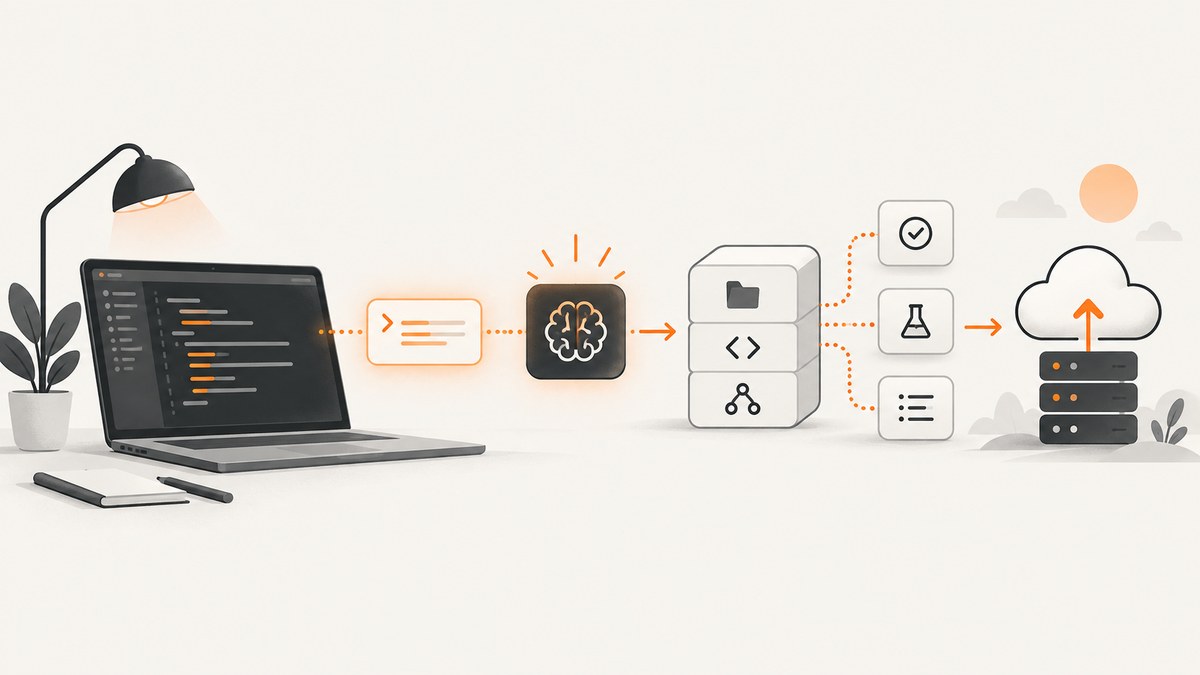
Yes, ChatGPT can write code for you. The useful question is which ChatGPT coding surface fits the job. Use ordinary chat for explanations, small functions, algorithms, translations, and debugging. Use Canvas when you want to edit a focused file with inline suggestions and version history. Use Codex when the work spans a repository and needs file changes, tests, refactors, pull requests, or CI/CD integration.
The quality of the result depends on the context and verification you provide. Treat generated code as a draft until your formatter, linter, type checker, dependency checks, tests, and human review pass.
What “coding with ChatGPT” includes
ChatGPT supports three practical levels of development work:
| Surface | Best for | How you work | Execution and review |
|---|---|---|---|
| Chat | Snippets, explanations, algorithms, debugging, test drafts | Describe a problem, paste the smallest complete context, iterate conversationally | You copy the result into your project and run your own checks |
| Canvas | One file or a focused code area | Edit code directly, highlight a section, request an inline change | Visible revisions, restore previous versions, and coding shortcuts |
| Codex | Repository-level engineering | Give an issue or task with project instructions and acceptance criteria | Agentic changes, tests, review, worktrees, cloud environments, IDE/CLI/web/mobile/CI workflows |
OpenAI describes code writing, reviewing, editing, and code questions as primary ChatGPT use cases in its developer guide. Canvas is a separate workspace where you can edit code, highlight sections, ask for targeted feedback, and restore earlier versions. Its documented shortcuts include review code, add logs, add comments, fix bugs, and port code to JavaScript, TypeScript, Python, Java, C++, or PHP. OpenAI summarizes the benefit as: “Canvas makes it easier to track and understand ChatGPT’s changes.” (Introducing canvas.)
Choose the right ChatGPT coding tool
Use ordinary chat for a small, bounded task
Chat is the fastest option when the task fits in a message and does not require the assistant to inspect or modify a repository. Good examples include:
- Explaining a regular expression or unfamiliar function.
- Writing a pure function from a precise input/output contract.
- Translating Python to TypeScript or PHP.
- Designing an algorithm and discussing its complexity.
- Drafting unit tests for an existing function.
- Diagnosing a stack trace when you provide the relevant code and environment.
Start with a concrete prompt. Include the runtime version, language, framework, constraints, and definition of done. Ask for assumptions and a short plan before asking for a large implementation.
Write a Python 3.12 function named parse_retry_after(value) that accepts either
an integer number of seconds or an HTTP-date string. Return an integer number of
seconds, clamp negative values to zero, and raise ValueError for invalid input.
Use only the standard library. First state assumptions, then provide the function
and pytest tests for past, future, integer, and invalid values.
This prompt is effective because it defines the interface, supported inputs, dependencies, and test cases. If you omit those details, the model must guess them.
Use Canvas for focused editing
Canvas works well when you want a visible editing loop for one file or a concentrated snippet. Paste the file, highlight the section that needs attention, and request one coherent change. Useful requests include “review this code,” “add logs around the retry loop,” “fix the null handling,” “add comments for the public API,” or “port this function to TypeScript.” Keep changes narrow so the diff is easy to inspect. Restore a previous version if an edit moves the code in the wrong direction.
Use Codex for repository work
OpenAI defines Codex as an agent for software development. Choose it when a task spans multiple files, needs repository context, or benefits from execution and delegation. Typical tasks include routine pull requests, feature work, complex refactors, migrations, testing, and code review. Codex can be used in an IDE, through the CLI, on web and mobile sites, or in CI/CD pipelines with the SDK. Worktrees and cloud environments let independent tasks run in parallel.
Before the first repository task, write project instructions covering the commands to run, supported versions, architecture conventions, security rules, and what “done” means. OpenAI documents an /init workflow in the ChatGPT desktop app that generates an AGENTS.md scaffold using the same initialization approach as the Codex CLI.
A reliable workflow for coding with ChatGPT
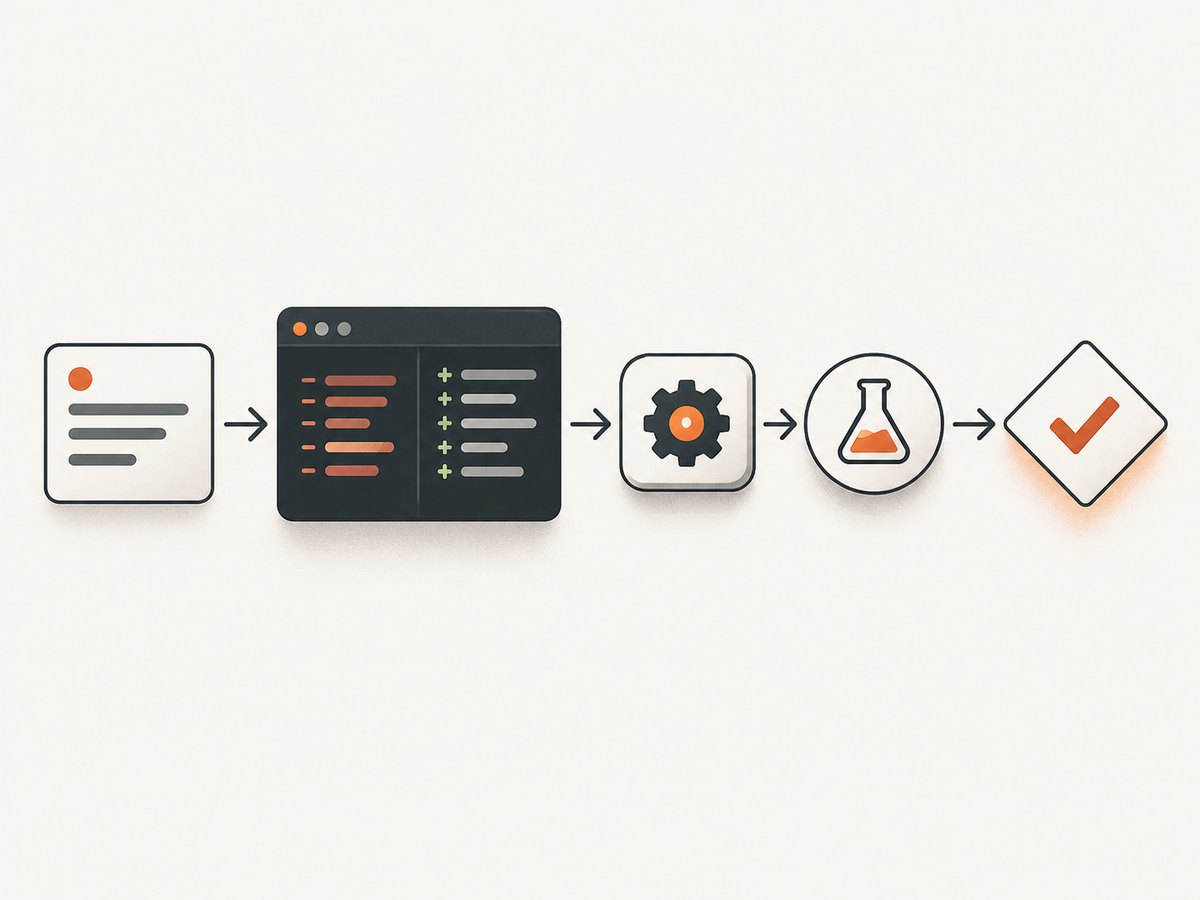
- State the goal. Name the user-visible behavior, language, runtime, framework, and constraints.
- Provide the smallest complete context. Include relevant files, interfaces, error output, sample inputs, expected outputs, and dependency versions. Remove unrelated files and secrets.
- Ask for a plan and assumptions. This exposes ambiguity before code is changed.
- Make one coherent change. Request a single feature, bug fix, or refactor at a time.
- Inspect the diff. Check changed files, API compatibility, error paths, data validation, and accidental behavior changes.
- Request tests and edge cases. Ask for normal, empty, malformed, boundary, timeout, concurrency, and permission cases that apply to the code.
- Run project checks. Use the repository’s formatter, linter, type checker, test suite, and build command. Generated output is a draft until these pass.
- Review security and dependencies. Check authorization, injection risks, secret handling, dependency licenses, and lockfile changes.
- Record the result. Summarize what changed, commands run, known limitations, and follow-up work in the pull request.
Prompt patterns that produce better code
For implementation
Implement [function or endpoint] in [language/runtime].
Inputs: [types and examples]
Output: [type and examples]
Constraints: [latency, dependencies, compatibility, style]
Failure behavior: [errors and status codes]
Definition of done: [tests, docs, migration]
First list assumptions and a plan. Then show the smallest patch.
For debugging
Here is the runtime, command, complete error, and the smallest relevant code.
Explain the most likely root cause, identify what evidence supports it, and give
one minimal fix. Then give a regression test and two alternative causes to check
if the test does not pass. Do not change unrelated code.
For review
Review this diff for correctness, security, data loss, race conditions,
backward compatibility, observability, and test coverage. Rank findings by
severity. For each finding include the file/line, why it matters, and a minimal
fix. If there are no findings, list remaining risks and missing tests.
Complete example: ask ChatGPT for a tested API client
Suppose you need a resilient Python client for a JSON endpoint. Give ChatGPT the contract, then ask it to produce code and tests. A result should include explicit timeouts, bounded retries, status handling, and structured errors.
import time
from typing import Any
import requests

class ApiError(RuntimeError):
    pass

def get_json(url: str, *, timeout: float = 10, attempts: int = 3) -> Any:
    """GET JSON with bounded retries for transient failures."""
    if attempts < 1:
        raise ValueError("attempts must be at least 1")
    last_error: Exception | None = None
    for attempt in range(attempts):
        try:
            response = requests.get(url, timeout=timeout)
            if 500 <= response.status_code < 600 and attempt + 1 < attempts:
                time.sleep(0.2 * (2 ** attempt))
                continue
            response.raise_for_status()
            return response.json()
        except (requests.RequestException, ValueError) as exc:
            last_error = exc
            if attempt + 1 < attempts:
                time.sleep(0.2 * (2 ** attempt))
    raise ApiError(f"request failed after {attempts} attempts") from last_error
Do not accept this blindly. Ask for tests that mock network responses, verify that 4xx responses are not retried, check malformed JSON, and confirm the timeout and retry limits. Then run the project’s own checks.
Working with a repository
For a Codex task, provide an issue-sized objective instead of a vague request such as “improve the app.” Include the relevant package, acceptance criteria, commands, and constraints:
Implement password-reset token rotation in the auth service.
Acceptance criteria:
- Tokens are single-use and expire after 30 minutes.
- Existing sessions remain valid after a reset.
- Enumeration-resistant responses remain unchanged.
- Add unit and integration tests for reuse, expiry, and concurrent requests.
Commands: make format, make lint, make test.
Do not change database tables without proposing a migration first.
Ask the agent to inspect the repository and report a plan before editing. Afterward, review the diff and test output. Repository agents can execute commands, but execution is not proof of correctness: verify the test scope, fixtures, migrations, and production configuration yourself.
Capturing visual output while you build
When a coding task produces web pages, you often need repeatable screenshots for visual regression checks, documentation, or pull-request review. A local browser script can work, but it adds browser installation, viewport setup, cookie handling, waiting logic, and cleanup code.
DIY browser capture with Playwright
import { chromium } from "playwright";

const browser = await chromium.launch();
const page = await browser.newPage({ viewport: { width: 1440, height: 900 } });
await page.goto("https://example.com", { waitUntil: "networkidle" });
await page.screenshot({ path: "shot.png", fullPage: true });
await browser.close();
For reliable captures, wait for a meaningful selector instead of relying only on a fixed delay, freeze animations when necessary, set the correct timezone and locale, and use a stable test account. Hide transient selectors such as chat launchers. Full-page screenshots can be tall and memory-intensive; element screenshots are cheaper when you only need a component.
Or skip the browser setup
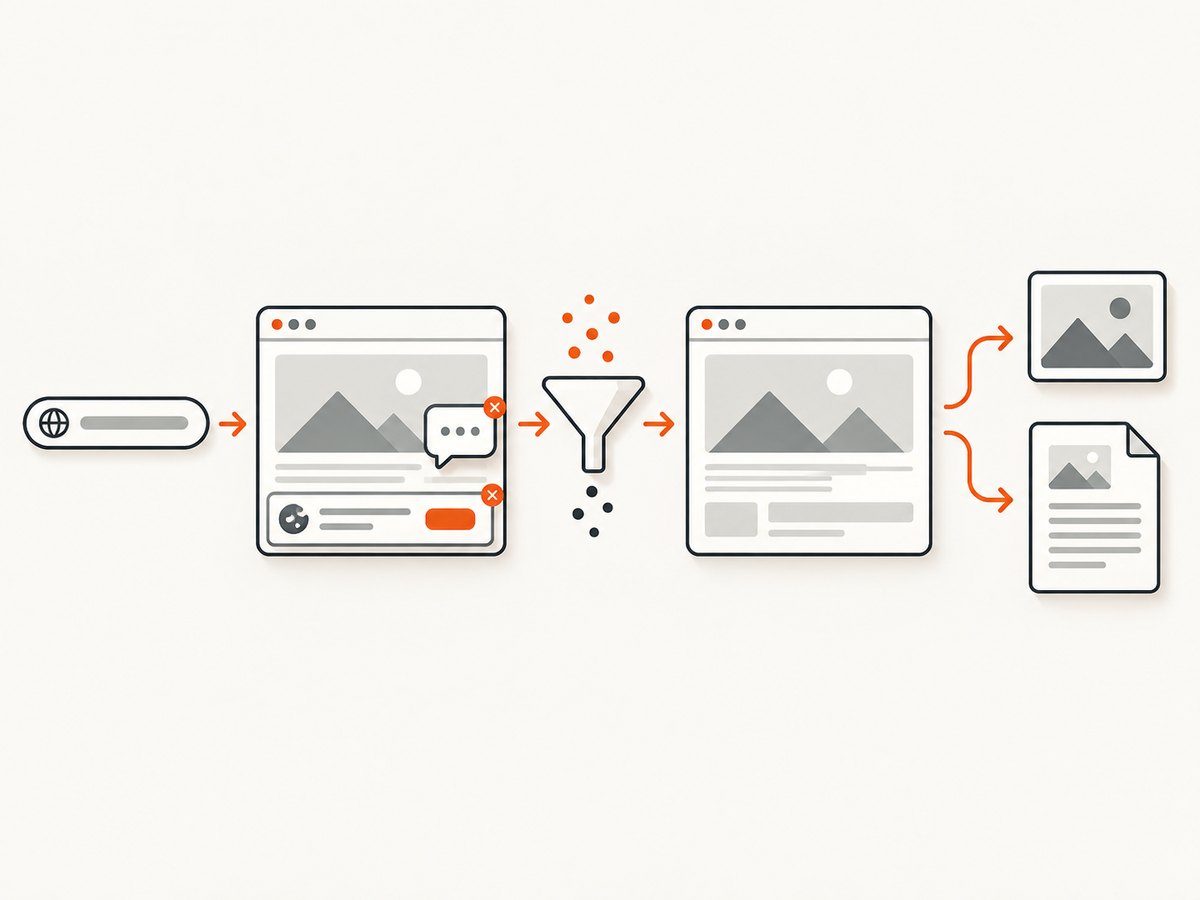
ScreenshotNeo is a website screenshot API and MCP server. One GET request returns PNG, JPEG, WebP, or PDF. Before capture it accepts consent banners and removes more than 60 known consent platforms, newsletter popups, and chat widgets; each cleanup step can be turned off. Bot checks, blank pages, timeouts, failed loads, and cache hits are not billed, and response headers report the page verdict and billing result.
See the ScreenshotNeo API documentation for the complete option list. A minimal request is:
curl -G "https://api.screenshotneo.com/v1/shot" -d access_key=YOUR_API_KEY --data-urlencode url=https://stripe.com -o shot.webpimport requests
r = requests.get("https://api.screenshotneo.com/v1/shot", params={"access_key": "YOUR_API_KEY", "url": "https://stripe.com"}, timeout=90)
open("shot.webp", "wb").write(r.content)const q = new URLSearchParams({ access_key: 'YOUR_API_KEY', url: 'https://stripe.com' });
const res = await fetch(`https://api.screenshotneo.com/v1/shot?${q}`);Options cover full-page captures with lazy images loaded, CSS-element capture, dark mode, 12 device presets or any viewport, retina scale, PDF paper size/margins/landscape/page ranges, HTML/CSS-to-image, custom CSS and JavaScript, pre-capture clicks, hidden selectors, selector/delay/network-idle waits, blocked ads/trackers/requests/resource types, custom headers/cookies/user agent/Authorization, timezone and geolocation, transparent backgrounds, resizing, configurable cache TTL, signed links, asynchronous jobs with signed webhooks, bulk capture of up to 100 URLs per call, a usage API, and an OpenAPI specification. Common parameter names used by other screenshot APIs also work, which simplifies migration.
ScreenshotNeo also provides an MCP server with take_screenshot, get_page_info, and capture_pdf tools for Claude, Cursor, and other MCP clients. Plans include 1,000 shots per month free without a card; paid plans start at $5 for 3,000 shots. Yearly billing gives two months free, and every feature is available on every plan. Create a free ScreenshotNeo account to start.
Troubleshooting coding work
| Symptom | Likely cause | Fix |
|---|---|---|
| The generated code does not run | Missing runtime, dependency, or interface details | Provide exact versions and a complete error; request a minimal patch and a reproduction test. |
| Tests pass but production fails | Tests omit configuration, permissions, concurrency, or real data shapes | Add integration tests and production-like fixtures; inspect environment variables and authorization paths. |
| ChatGPT changes too much | Scope and file boundaries were unclear | Request one change, name allowed files, and ask for a diff before a rewrite. |
| Codex cannot complete a task | Missing project instructions or acceptance criteria | Add repository commands, architecture notes, constraints, and a definition of done in project instructions. |
| Screenshot contains a popup | The site uses a consent, newsletter, or chat widget not handled by a local script | Wait for the page, hide the selector, or use ScreenshotNeo cleanup options. |
| Screenshot is blank or times out | Blocked resources, bot checks, slow network, or an invalid URL | Check the URL and network behavior, increase a targeted wait, block unnecessary resources, and inspect ScreenshotNeo’s page-verdict and billing headers. |
Performance, reliability, and cost considerations
- Context size: Send the smallest complete context. Large unrelated files make review harder and can hide the important constraint.
- Iteration size: Small coherent changes reduce merge conflicts and make failures easier to localize.
- Verification cost: Ask for tests early, but always run the project’s real checks locally or in CI.
- Browser captures: Reuse a browser process for batches, wait on selectors or network idle, and avoid unnecessary full-page images.
- API captures: Use caching with a chosen TTL for unchanged URLs, bulk capture for up to 100 URLs, and asynchronous jobs with signed webhooks for long-running batches.
- Billing: ScreenshotNeo bills only clean shots. Bot checks, blank pages, timeouts, failed loads, and cache hits cost nothing, with the result exposed in response headers.
- Security: Never paste production secrets into prompts. Use least-privilege credentials, redact private data, and review generated authentication and authorization code.
FAQ
Can ChatGPT replace a developer?
It can accelerate implementation and review, but it does not remove the need for requirements, architecture decisions, verification, security review, and ownership of production behavior.
Should I use Canvas or Codex?
Use Canvas for a focused file or snippet with inline editing. Use Codex for repository-wide changes, tests, refactors, and workflows that benefit from agent execution.
How do I keep generated code maintainable?
Set project conventions, request small diffs, require tests, run automated checks, and document assumptions and limitations in the review.
Can an AI agent take screenshots?
Yes. ScreenshotNeo’s MCP server exposes take_screenshot, get_page_info, and capture_pdf for MCP clients such as Claude and Cursor.
What is the cheapest way to try ScreenshotNeo?
The free plan includes 1,000 screenshots each month with no card. Paid plans start at $5 for 3,000 shots.


