10 Common Python Errors and How to Fix Them
Read a Python traceback from the bottom up, identify what failed, and fix ten useful examples of syntax and runtime errors.

When Python raises an error, start with the last line of the traceback: it names the exception and usually gives a short explanation. Then find the source line named in the traceback, inspect the values and objects used there, and make the smallest correction that matches your intent. This guide covers ten useful errors and a repeatable way to diagnose them. The list is a practical selection, not a measured ranking of the most frequent errors.
Python distinguishes errors found while parsing code from exceptions raised as valid code runs. As the official tutorial puts it, “There are (at least) two distinguishable kinds of errors: syntax errors and exceptions.” Python’s Errors and Exceptions tutorial explains tracebacks and handling; the built-in exceptions reference defines the exception types below.
1. Read a traceback before changing code
A traceback is a path through the calls Python was executing when an exception occurred. Read it from the bottom up:
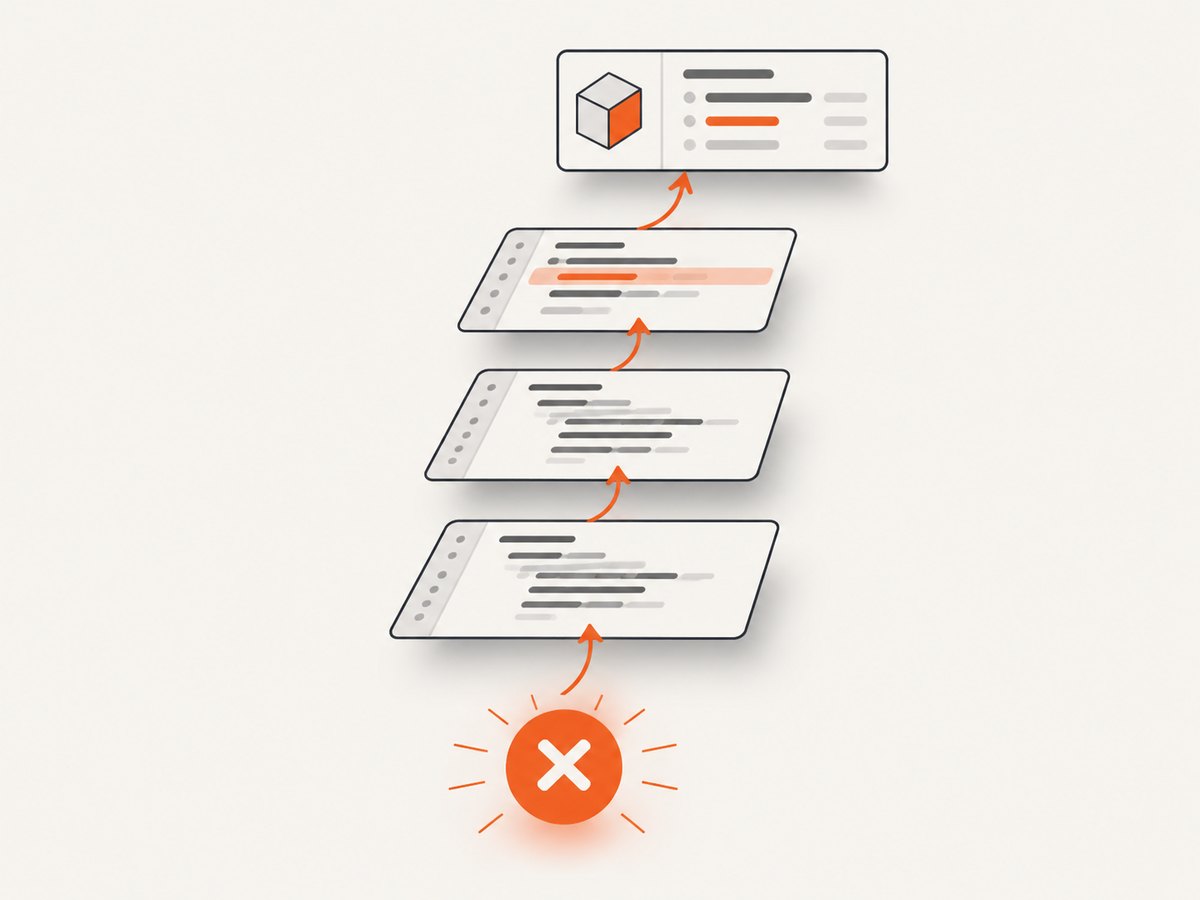
- Read the final line for the exception type and message, such as
TypeError: can only concatenate str (not "int") to str. - Find the last source location in your code, usually identified by a file name and line number.
- Inspect the expression on that line and the values it uses. If those values were created earlier, move up the traceback or trace their assignments.
- Make one targeted change, then run the same input again.
The arrow or source excerpt points to where Python detected the problem. The underlying mistake can be just before that point—for example, a missing delimiter earlier in the statement. A traceback is evidence about the failing execution, not a suggestion to change every line it lists.
2. SyntaxError
SyntaxError means Python could not parse the program’s form, so the statement never ran. Common causes include a missing colon, unmatched bracket, unclosed quote, or misplaced punctuation.
if ready
    print("Go")
The if statement needs a colon:
if ready:
    print("Go")
Check the indicated line and the line just before it. Count opening and closing parentheses, brackets, and braces; check that strings have matching quotes; then verify punctuation such as colons at the ends of compound statements. In some cases the parser only knows where the syntax became impossible, not where the original omission began.
3. IndentationError and TabError
IndentationError is a kind of SyntaxError involving a block’s indentation. TabError identifies inconsistent use of tabs and spaces. Python uses indentation to identify which statements belong to blocks, so lines in the same block must align.
if ready:
    print("Starting")
  print("Done")
Align both statements with the same indentation level. Configure your editor to insert spaces when you press Tab, and use one style consistently in the file. When a pasted block triggers this error, inspect the whitespace at the start of each affected line; characters that look aligned on screen may mix tabs and spaces.
4. NameError
NameError means Python could not find a local or global name that your code used without qualification. Check spelling and capitalization first: total and Total are different names. Then confirm the name is assigned before use and is available in the current scope.
price = 12
print(prcie)
Here, prcie is a typo. Correct it to price. If the spelling is right, look for a variable defined only inside a function or branch, or a name that is assigned later than you expect. For a name that should come from another module, check that the import is present and refers to the intended object.
5. TypeError
TypeError says an operation or function received a value of an inappropriate type. For example, Python cannot concatenate a string and an integer directly:
age = 8
message = "Age: " + age
Choose a fix that matches the intended result:
age = 8
message = "Age: " + str(age)
# Or, for display-oriented formatting:
message = f"Age: {age}"
Before converting, inspect the types at the failing expression using type(value). Conversion is appropriate when the value is supposed to represent that kind of data; it can hide a bug when the value is actually unexpected. In a function call, compare the supplied argument types with what the function expects.
6. ValueError
ValueError means an operation received an argument of the right general type but an unacceptable value. A typical example is converting text that is not a valid integer:
count = int("many")Inspect the actual input, then validate or normalize it before the operation. If the input comes from a user, a file, or an external service, handle the possibility that it is missing or malformed:
raw_count = "12"
try:
    count = int(raw_count)
except ValueError:
    print("Enter a whole number")
else:
    print(f"Count: {count}")
Do not catch ValueError around a large block of unrelated work. Keep the try block focused on the conversion that can reasonably raise it.
7. IndexError
IndexError means a sequence subscript is outside the sequence’s valid range. For a list of length three, valid indices are 0, 1, and 2; index 3 is out of range.
names = ["Ada", "Lin", "Sam"]
print(names[3])
Check the sequence length and the index calculation. A loop that uses an index often needs range(len(names)), whose final index is one less than the length. When possible, iterate over values directly:
for name in names:
    print(name)
If an empty sequence is valid input, decide what should happen before indexing it rather than assuming an element exists.
8. KeyError
KeyError means a mapping lookup requested a key that is not present. Check the actual keys and their spelling, capitalization, and type. A JSON object may use a string key such as "name", while your code requests a different key such as "Name".
person = {"name": "Ada"}
print(person["email"])
If a missing key is an expected possibility, use membership or a default deliberately:
if "email" in person:
    print(person["email"])

# Appropriate only when a missing email has a meaningful default:
email = person.get("email", "not provided")
A default can make a program continue, but it can also conceal incomplete or malformed data. Choose it only if the program’s behavior is correct when the key is absent.
9. AttributeError
AttributeError means an attribute reference or assignment failed. Check the object’s actual type and whether it has the attribute your code expects. One frequent source of confusion is a variable that unexpectedly contains None.
name = None
print(name.upper())
Trace where name is assigned and why that path produced None. If the value can legitimately be absent, handle that case before calling the method:
if name is not None:
    print(name.upper())
When a method is expected to return a value, check its documentation or assignment: some operations modify an object in place and return None. Printing a value’s type and representation near the failing line can distinguish that case from a misspelled attribute.
10. ModuleNotFoundError
ModuleNotFoundError is an ImportError subtype raised when Python cannot locate an imported module. First check the module name’s spelling. Then check whether it is installed in the same interpreter environment that runs your script.
import requestsIf the import fails because the package is not available in the active environment, install it for that interpreter and run the script with the same one:
python -m pip install requests
python your_script.py
On systems where the Python 3 command is python3, use python3 -m pip and python3 consistently. Virtual environments have their own installed packages; activate the intended environment before installing or running. Also check that a local file or directory is not accidentally shadowing the module you intend to import.
11. FileNotFoundError
FileNotFoundError means the requested path did not resolve to a file the program could access. A relative path is resolved from the process’s current working directory, which may differ from the directory containing the script.
with open("data/input.csv", encoding="utf-8") as file:
    contents = file.read()
Check the spelling, capitalization, and extension, then confirm where the process is running:
from pathlib import Path

path = Path("data/input.csv")
print("Working directory:", Path.cwd())
print("Resolved path:", path.resolve())
print("Exists:", path.exists())
Use an explicit path when the file’s location is known relative to a stable project directory. Do not fix a missing-file error by silently creating an empty file unless that is what the program is meant to do.
12. Handle exceptions narrowly
Catch an exception when your program knows how to respond to it. Prefer the specific type you expect, keep the protected code short, and let unexpected exceptions propagate so they remain visible. Python’s tutorial recommends being specific and allowing unexpected errors to pass through.
try:
    count = int(user_input)
except ValueError:
    print("Please enter a whole number")
else:
    print(f"Accepted: {count}")
The else block runs when the conversion succeeds, so success-only work does not accidentally get treated as part of the risky operation. Avoid except Exception as a routine way to silence errors. If you catch a broader exception to add context or cleanup, re-raise it when the caller still needs to know the operation failed.
13. A repeatable debugging checklist
- Read the final line. Identify the exception and its message.
- Locate the source line. Follow the traceback to the relevant line in your code.
- Inspect inputs and state. Print or inspect types, values, lengths, keys, paths, and scope as appropriate.
- Check upstream assignments. The visible failure may have been caused by an earlier unexpected value.
- Make one small correction. Avoid broad exception handling that hides the original failure.
- Re-run the failing case. Then try a normal case and a boundary case, such as empty input or a missing key, if those are valid inputs.
For captures of a traceback, Python output, or a documentation page in a bug report, a screenshot can preserve visual context for teammates. If you need to capture a webpage while debugging an integration, first confirm the page itself loads normally; an image cannot explain a Python exception that occurs before a request is made.

14. Or skip the browser setup
If the work involves capturing a webpage while you debug, ScreenshotNeo is a website screenshot API and MCP server from Yorker Media. One GET request returns a PNG, JPEG, WebP, or PDF. Its capture flow accepts cookie and consent banners like a visitor and removes 60+ known consent platforms, newsletter popups, and chat widgets; each step can be turned off. Bot checks or CAPTCHAs, blank pages, timeouts, failed loads, and cache hits cost nothing, and response headers say which page verdict and billing status applied. Its MCP server provides take_screenshot, get_page_info, and capture_pdf for Claude, Cursor, and other MCP clients. There are 1,000 screenshots per month free with no card; paid plans start at $5 for 3,000.
Example using Python requests:
import requests

r = requests.get(
    "https://api.screenshotneo.com/v1/shot",
    params={"access_key": "YOUR_API_KEY", "url": "https://stripe.com"},
    timeout=90,
)
open("shot.webp", "wb").write(r.content)
See the ScreenshotNeo API documentation for request options. You can also call the same endpoint with cURL or Node.js:
curl -G "https://api.screenshotneo.com/v1/shot" -d access_key=YOUR_API_KEY --data-urlencode url=https://stripe.com -o shot.webpconst q = new URLSearchParams({ access_key: 'YOUR_API_KEY', url: 'https://stripe.com' });
const res = await fetch(`https://api.screenshotneo.com/v1/shot?${q}`);Create a free ScreenshotNeo account for 1,000 screenshots a month with no card.
15. FAQ
Does every traceback mean I need to add a try/except?
No. First identify the cause and correct the code or input. Handle an exception when the program can respond to that specific failure meaningfully.
Why does a traceback show several files?
Each frame shows a call that led to the failure. Start from the last line, then use the frames to trace how execution reached the failing operation.
Is this list ordered by frequency?
No. It is a practical set of examples. The cited Python documentation defines and demonstrates errors, but does not provide a statistical ranking of the most frequent ones.


