How to Compare Screenshots With Playwright
Build reliable Playwright visual regression tests with stable baselines, masking, diff thresholds, and practical CI troubleshooting.

Playwright screenshot comparison is a visual regression test: render a page or component, capture it, and compare the pixels with a reviewed baseline. For a complete page, use expect(page).toHaveScreenshot(). For one component or region, use expect(locator).toHaveScreenshot(). The first run creates the baseline image; later runs fail when the rendered result exceeds your configured difference policy.
This guide shows how to build deterministic tests, choose page versus locator scope, control animations and dynamic content, tune pixel tolerances, review failures, and run the workflow in CI.
1. Install Playwright and create a visual test
Start with a Playwright Test project. If your project already has Playwright, install the browsers and add a test file.
npm init playwright@latest
npx playwright install
Create tests/homepage.visual.spec.ts:
import { test, expect } from '@playwright/test';

test('homepage visual baseline', async ({ page }) => {
  await page.goto('https://example.com');

  await expect(page).toHaveScreenshot('homepage.png', {
    fullPage: true,
    animations: 'disabled',
    threshold: 0.2,
    maxDiffPixels: 100,
  });
});
Run the test once with snapshot generation enabled:
npx playwright test tests/homepage.visual.spec.ts --update-snapshotsThe first execution creates an expected snapshot in Playwright Test’s snapshot directory. Open and review that image, then commit it with the test. On later runs, Playwright captures the page again and compares it with the stored image.
2. Understand how Playwright compares screenshots
toHaveScreenshot() does more than capture one frame immediately. Playwright waits until two consecutive page screenshots are identical, then compares the final capture with the expectation. This reduces failures caused by a layout that is still settling, but it does not make changing application data deterministic.
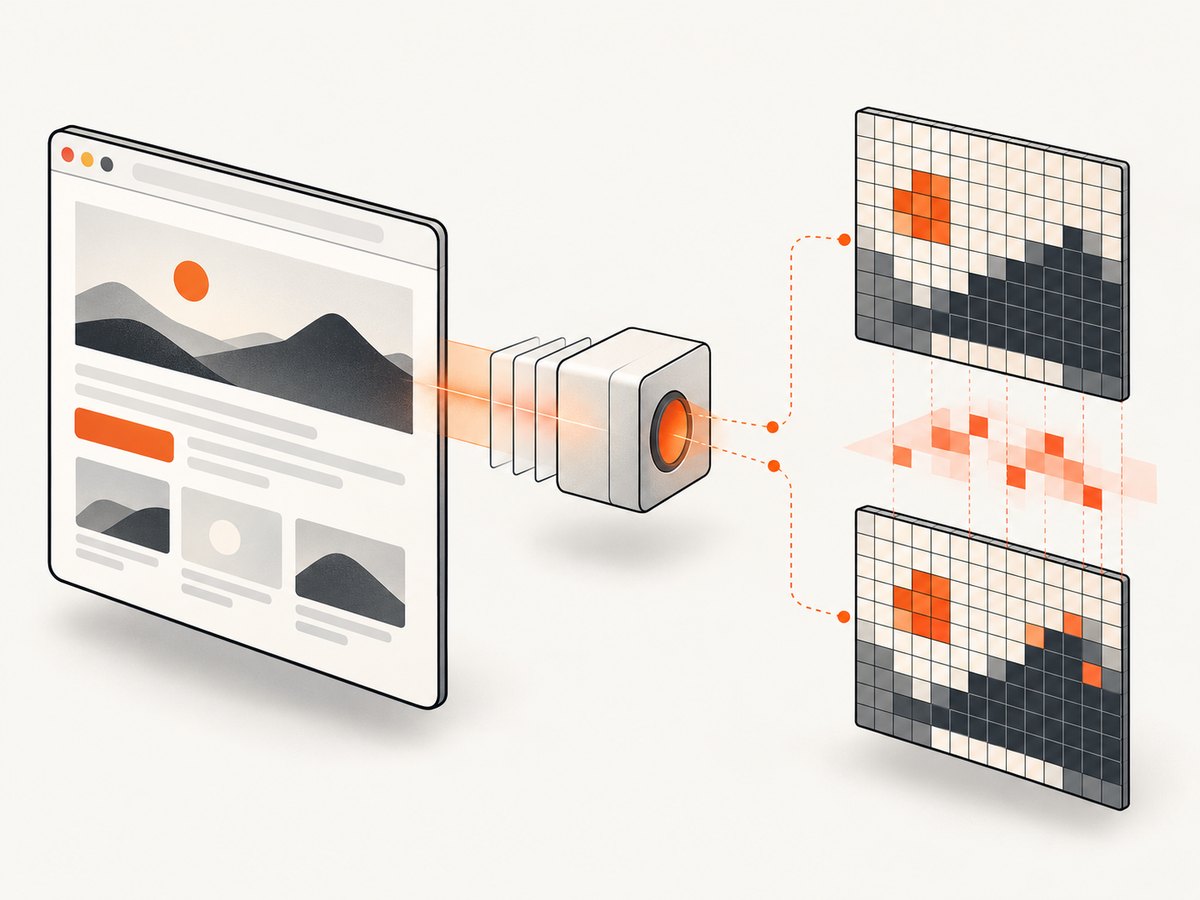
The comparison uses pixelmatch. Its threshold is a per-pixel perceived color-difference tolerance from 0 (strict) to 1 (lax). maxDiffPixels limits the absolute number of changed pixels, while maxDiffPixelRatio limits the fraction of changed pixels.
| Option | What it controls | Good starting point |
|---|---|---|
threshold |
How different one pixel’s color may be | Keep low; increase only for measured rendering noise |
maxDiffPixels |
Maximum changed pixel count | Small, explicit budget for the tested viewport |
maxDiffPixelRatio |
Maximum changed fraction | Useful when viewport sizes vary by project |
fullPage |
Capture the full scrollable page | true for route-level contracts |
animations |
Animation handling during capture | 'disabled' |
mask |
Locators whose pixels are replaced | Use only for non-contract content |
stylePath |
Stylesheet applied during capture | Hide carets or shared dynamic selectors |
A high threshold or a large pixel budget can hide a real layout regression. Start strict, inspect actual diffs, and relax only when you can explain the rendering variation.
3. Choose page or locator scope
Use a page assertion for a route
Use page.toHaveScreenshot() when the visual contract includes navigation, page composition, responsive layout, or the complete route.
test('checkout page', async ({ page }) => {
  await page.goto('https://shop.example/checkout');
  await expect(page).toHaveScreenshot('checkout.png', {
    fullPage: true,
    animations: 'disabled',
  });
});
Use a locator assertion for a component
Use locator.toHaveScreenshot() when surrounding page content is noise and the component is the contract. This works well for cards, dialogs, tables, charts, and controls.
test('pricing card', async ({ page }) => {
  await page.goto('https://example.com/pricing');
  const card = page.locator('[data-testid="pro-plan"]');
  await expect(card).toHaveScreenshot('pro-plan.png', {
    animations: 'disabled',
  });
});
Component screenshots usually produce smaller, clearer diffs. Page screenshots catch integration problems such as a changed header, incorrect spacing between sections, or a broken responsive composition.
4. Make captures deterministic
Most flaky screenshot tests are caused by changing inputs rather than by Playwright’s comparison algorithm. Keep the browser, operating-system image, viewport, device scale factor, fonts, locale, timezone, and test data consistent between baseline generation and CI.
Disable animations
Animations are disabled by default for screenshot assertions. Finite animations are fast-forwarded to completion; infinite animations are canceled to their initial state for the screenshot and resumed afterward. Set animations: 'allow' only when motion itself is the behavior under test.
await expect(page).toHaveScreenshot('dashboard.png', {
  animations: 'disabled',
});
Mask changing regions
Mask timestamps, rotating promotions, avatars, ads, live counters, and other pixels outside the visual contract. The mask can contain one or more locators.
await expect(page).toHaveScreenshot('dashboard.png', {
  fullPage: true,
  mask: [
    page.locator('[data-testid="live-clock"]'),
    page.locator('[data-testid="current-user-avatar"]'),
    page.locator('.rotating-promotion'),
  ],
  maskColor: '#FF00FF',
});
Scope masks carefully. Masking also covers invisible elements unless visibility filtering is configured separately, so a broad selector can hide more of the page than intended.
Apply shared capture styles
stylePath applies a stylesheet during capture. It is useful when many tests need the same visual normalization, such as hiding carets, transitions, or known dynamic selectors.
/* tests/visual-stability.css */
*, *::before, *::after {
  caret-color: transparent !important;
  transition: none !important;
  animation: none !important;
}

[data-testid='live-clock'], .ad-slot {
  visibility: hidden !important;
}
await expect(page).toHaveScreenshot('settings.png', {
  stylePath: 'tests/visual-stability.css',
});
Control data and readiness
Freeze clocks where appropriate, mock changing API responses, wait for content that must be present, and avoid random identifiers in rendered UI. Waiting for two identical screenshots cannot fix a page that intentionally changes every second.
await page.route('**/api/orders', async route => {
  await route.fulfill({
    status: 200,
    contentType: 'application/json',
    body: JSON.stringify({ orders: [{ id: 'order-1', total: 4200 }] }),
  });
});

await page.goto('https://example.com/orders');
await expect(page.locator('[data-testid="orders-table"]')).toBeVisible();
await expect(page).toHaveScreenshot('orders.png');
5. Configure projects for repeatable baselines
A baseline is portable only when its rendering environment is controlled. Define projects in playwright.config.ts and generate snapshots in the same browser and operating-system image used by CI.
import { defineConfig, devices } from '@playwright/test';

export default defineConfig({
  testDir: './tests',
  snapshotPathTemplate: '{testDir}/__snapshots__/{testFilePath}/{arg}{ext}',
  projects: [
    {
      name: 'chromium-desktop',
      use: {
        ...devices['Desktop Chrome'],
        viewport: { width: 1440, height: 900 },
        deviceScaleFactor: 1,
        locale: 'en-US',
        timezoneId: 'UTC',
      },
    },
  ],
});
If your product supports several browsers or viewports, create separate projects and commit a baseline for each. Do not compare a Linux baseline with a macOS run and assume every font and anti-aliasing difference is a product change.
6. Review and update snapshots safely
When a test fails, open the actual, expected, and diff images produced by the runner. Classify the failure:
- A real UI regression that should be fixed.
- An intentional design change that needs a reviewed baseline update.
- Nondeterministic content that should be stabilized, mocked, masked, or normalized.
For an intentional change, update the snapshot in the same change and review the new image as an artifact:
npx playwright test --update-snapshotsKeep snapshots in version control. A baseline change is part of the test’s behavior and should receive the same review as application code.
7. Complete visual regression example
import { test, expect } from '@playwright/test';

test.describe('marketing page', () => {
  test.beforeEach(async ({ page }) => {
    await page.route('**/api/feature-flags', async route => {
      await route.fulfill({
        status: 200,
        contentType: 'application/json',
        body: JSON.stringify({ newHero: true }),
      });
    });
  });

  test('full page', async ({ page }) => {
    await page.goto('https://example.com');
    await expect(page.locator('h1')).toBeVisible();

    await expect(page).toHaveScreenshot('marketing-home.png', {
      fullPage: true,
      animations: 'disabled',
      mask: [page.locator('[data-testid="live-clock"]')],
      threshold: 0.2,
      maxDiffPixels: 100,
    });
  });

  test('hero component', async ({ page }) => {
    await page.goto('https://example.com');
    await expect(page.locator('[data-testid="hero"]')).toHaveScreenshot('hero.png', {
      animations: 'disabled',
      stylePath: 'tests/visual-stability.css',
    });
  });
});
8. Troubleshooting common failures
| Symptom | Likely cause | Fix |
|---|---|---|
| Large diff after a browser update | Rendering, fonts, or anti-aliasing changed | Pin the browser and CI image, then review and regenerate baselines deliberately. |
| Only timestamps or counters differ | Live data is part of the capture | Mock the response, freeze the clock, or mask the exact locator. |
| Diff moves between runs | Animation, random data, ad content, or race condition | Disable animations, use deterministic fixtures, wait for required content, and block or mock third-party requests. |
| Fonts shift the whole layout | Font is not loaded before capture | Wait for the font-dependent element, install the same fonts in CI, and keep font files stable. |
| Full-page capture is unexpectedly tall | Lazy content changes while scrolling | Wait for lazy sections, use deterministic content, and verify the page before asserting. |
| Test passes despite an obvious change | Threshold or pixel budget is too lax | Lower threshold, maxDiffPixels, or maxDiffPixelRatio after inspecting the diff. |
| Component diff includes unrelated pixels | Assertion scope is too broad | Use a locator assertion for the component and select a stable container. |
| Mask hides an unexpected area | Selector matches hidden or multiple elements | Use a precise test id, inspect the match count, and scope the locator to the intended region. |
9. Performance, reliability, and cost considerations
Full-page screenshots take longer and create larger artifacts than locator screenshots. Use component assertions for dense test suites and reserve full-page checks for route-level contracts. Reusing authenticated state, mocking slow APIs, and avoiding unnecessary third-party resources reduces test time and variance.
Run visual tests in a stable CI worker. Parallelize independent pages only when the environment has enough CPU and memory; resource contention can create timing noise. Store actual, expected, and diff images as CI artifacts so failures are reviewable without rerunning locally.
Screenshot comparison has no separate service cost when it runs inside your Playwright test process, but it does consume CI time and storage. Keep snapshots focused, remove obsolete baselines, and set retention for failure artifacts.
10. An alternative when you only need a clean screenshot
Playwright is the right choice when you need browser control, assertions, mocked data, and a test runner. If your job is to fetch clean screenshots from URLs without maintaining browser setup, ScreenshotNeo provides a screenshot API and MCP server. Its API accepts one GET request and returns PNG, JPEG, WebP, or PDF.
Or skip the browser setup:
See the ScreenshotNeo documentation for all options. This request captures a page directly:
curl -G "https://api.screenshotneo.com/v1/shot" -d access_key=YOUR_API_KEY --data-urlencode url=https://stripe.com -o shot.webpimport requests
r = requests.get("https://api.screenshotneo.com/v1/shot", params={"access_key": "YOUR_API_KEY", "url": "https://stripe.com"}, timeout=90)
open("shot.webp", "wb").write(r.content)const q = new URLSearchParams({ access_key: 'YOUR_API_KEY', url: 'https://stripe.com' });
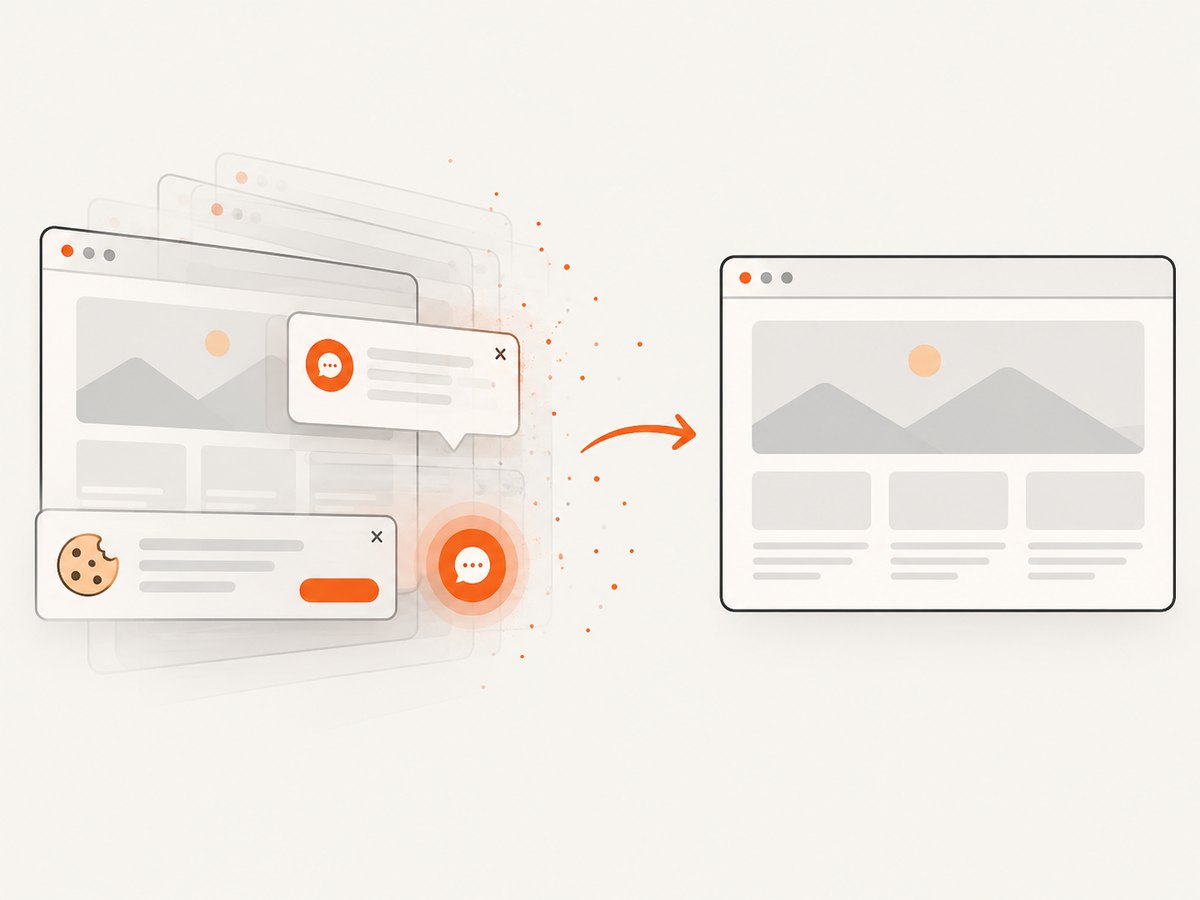
const res = await fetch(`https://api.screenshotneo.com/v1/shot?${q}`);ScreenshotNeo removes cookie and consent banners, newsletter popups, and chat widgets before capture. Bot checks, blank pages, failed loads, timeouts, and cache hits are not billed, and the response identifies the result with X-Page-Verdict and X-Billed headers. Its MCP server exposes take_screenshot, get_page_info, and capture_pdf for Claude, Cursor, and other MCP clients.
You can still control capture behavior with full-page mode, CSS element selection, dark mode, device presets or custom viewports, retina scale, PDF settings, custom CSS and JavaScript, clicks, waits, request blocking, headers, cookies, user agents, authorization, timezone, geolocation, transparent backgrounds, resizing, caching, signed links, asynchronous jobs, bulk capture, and usage reporting. Every feature is available on every plan. The Free plan includes 1,000 screenshots each month without a card; paid plans start at $5 for 3,000 screenshots.
Create a free ScreenshotNeo account and start with 1,000 screenshots per month at no charge.
11. FAQ
Should I compare a page or a locator?
Compare a page when the route’s full composition is the contract. Compare a locator when one component matters and surrounding content is intentionally outside the test.
Does Playwright wait for the page to stop changing?
It waits for two consecutive screenshots to be identical before comparing, but you still need deterministic data, stable fonts, and explicit waits for required content.
When should I use toMatchSnapshot()?
Use toHaveScreenshot() for page screenshot comparisons. Use toMatchSnapshot() for arbitrary buffers or non-page snapshot data when that abstraction is clearer.
How much should I increase the threshold?
Only enough to accommodate measured rendering noise. Inspect the diff first; a large threshold can hide a real regression.
Can visual tests run on every pull request?
Yes, if the browser, operating system, fonts, viewport, locale, timezone, and test data are controlled. Keep failure images as review artifacts and update baselines only after human review.


