How to Compare Screenshots in Selenium with TakesScreenshot
Capture deterministic Selenium baselines, compare pixels safely, diagnose diffs, and choose exact, tolerant, or template matching.
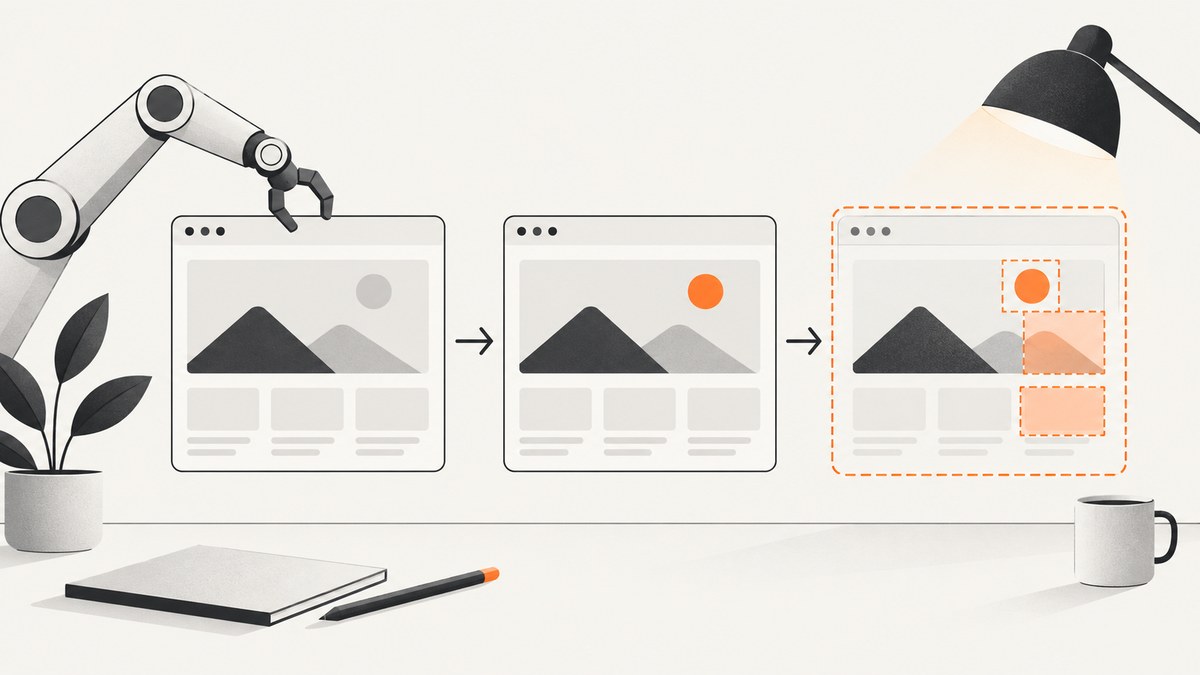
Use Selenium’s TakesScreenshot API to capture a baseline and an actual image under identical rendering conditions. Check dimensions first, then choose a comparison policy: exact pixels for tightly controlled rendering, tolerance-aware comparison for antialiasing and minor noise, or template matching when you need to locate a visual region rather than prove that two full images are identical.
1. The complete workflow
- Make rendering deterministic. Fix the browser and driver versions, viewport, device scale factor, zoom, fonts, locale, color scheme, and animation state. Freeze or mask clocks, advertisements, random IDs, loading indicators, and other dynamic regions.
- Define the scope. Capture the whole window for a page-level assertion, or a
WebElementfor a component assertion. Element scope removes unrelated page noise. - Capture immutable artifacts. Store the baseline, actual screenshot, test name, browser/version, viewport, and timestamp. Keep diagnostics when capture fails.
- Check dimensions. A different width or height is a distinct failure, not merely a larger pixel difference.
- Compare with an explicit policy. Use strict equality, a documented tolerance, or a region-presence method according to what the test is intended to prove.
- Publish a diff artifact. Reviewers need the baseline, actual image, and visual diff to distinguish a real regression from environment drift.
Selenium’s TakesScreenshot API defines getScreenshotAs(OutputType<X>) for drivers and elements. W3C-conformant implementations follow the WebDriver screenshot behavior; other implementations may return a full page, current window, visible frame, or display on a best-effort basis.
2. Capture baseline and actual images in Java
The following example uses Selenium’s Java API and standard image dimensions. It captures a component so navigation bars and other page content cannot create unrelated failures.
import java.awt.image.BufferedImage;
import java.io.File;
import java.nio.file.Files;
import java.nio.file.Path;
import javax.imageio.ImageIO;

import org.openqa.selenium.By;
import org.openqa.selenium.WebDriver;
import org.openqa.selenium.WebElement;
import org.openqa.selenium.chrome.ChromeDriver;
import org.openqa.selenium.chrome.ChromeOptions;
import org.openqa.selenium.OutputType;
import org.openqa.selenium.TakesScreenshot;

public class VisualCapture {
  public static void main(String[] args) throws Exception {
    ChromeOptions options = new ChromeOptions();
    options.addArguments("--window-size=1280,900");
    WebDriver driver = new ChromeDriver(options);

    try {
      driver.get("https://example.com");
      WebElement component = driver.findElement(By.tagName("body"));

      Path baselinePath = Path.of("artifacts/baseline.png");
      Path actualPath = Path.of("artifacts/actual.png");
      Files.createDirectories(baselinePath.getParent());

      // Create the baseline once, then keep it immutable.
      File baseline = ((TakesScreenshot) component).getScreenshotAs(OutputType.FILE);
      Files.copy(baseline.toPath(), baselinePath);

      // In a later test run, capture the current rendering instead.
      File actual = ((TakesScreenshot) component).getScreenshotAs(OutputType.FILE);
      Files.copy(actual.toPath(), actualPath);

      BufferedImage expected = ImageIO.read(baselinePath.toFile());
      BufferedImage current = ImageIO.read(actualPath.toFile());
      if (expected.getWidth() != current.getWidth()
          || expected.getHeight() != current.getHeight()) {
        throw new AssertionError("SIZE_MISMATCH: baseline="
            + expected.getWidth() + "x" + expected.getHeight()
            + ", actual=" + current.getWidth() + "x" + current.getHeight());
      }
    } finally {
      driver.quit();
    }
  }
}
For a driver-level screenshot, cast the driver instead: ((TakesScreenshot) driver).getScreenshotAs(OutputType.FILE). Selenium also supports OutputType.BASE64 when you need to send the image through another API.
3. Make the page stable before capture
Waiting only for DOM presence is often insufficient. Wait for the application’s ready condition, images, fonts, and data to settle, then disable animation and hide known dynamic selectors with test CSS.
String freezeCss = "* {" +
    " animation: none !important;" +
    " transition: none !important;" +
    " caret-color: transparent !important;" +
    "}";
((org.openqa.selenium.JavascriptExecutor) driver).executeScript(
    "const style=document.createElement('style');" +
    "style.dataset.visualTest='freeze';" +
    "style.textContent=arguments[0];" +
    "document.head.appendChild(style);", freezeCss);

new org.openqa.selenium.support.ui.WebDriverWait(driver,
    java.time.Duration.ofSeconds(20))
  .until(d -> ((org.openqa.selenium.JavascriptExecutor) d)
    .executeScript("return document.readyState === 'complete'"));
Use the same locale, timezone, color scheme, fonts, browser flags, viewport, and device scale factor for both runs. If a region cannot be made deterministic, mask it consistently and document the policy.
4. Exact pixel comparison
Exact equality is appropriate when the rendering environment is controlled and every pixel matters. A small Java comparator can fail fast after checking dimensions and can emit a diff image for review.
import java.awt.Color;
import java.awt.image.BufferedImage;
import java.io.File;
import javax.imageio.ImageIO;

public final class ExactDiff {
  public static boolean compare(File expectedFile, File actualFile,
                                File diffFile) throws Exception {
    BufferedImage expected = ImageIO.read(expectedFile);
    BufferedImage actual = ImageIO.read(actualFile);
    if (expected.getWidth() != actual.getWidth()
        || expected.getHeight() != actual.getHeight()) return false;

    BufferedImage diff = new BufferedImage(expected.getWidth(), expected.getHeight(),
        BufferedImage.TYPE_INT_ARGB);
    boolean match = true;
    for (int y = 0; y < expected.getHeight(); y++) {
      for (int x = 0; x < expected.getWidth(); x++) {
        int a = expected.getRGB(x, y);
        int b = actual.getRGB(x, y);
        if (a == b) diff.setRGB(x, y, 0x00000000);
        else { diff.setRGB(x, y, Color.RED.getRGB()); match = false; }
      }
    }
    ImageIO.write(diff, "png", diffFile);
    return match;
  }
}
For a command-line workflow, ImageMagick’s direct comparison is:
magick compare baseline.png actual.png diff.pngWith subimage search disabled, ImageMagick compares corresponding pixels and reports a metric. Its exit status is 0 for similar images, 2 for an error, and a value between 0 and 1 when they differ. Use -fuzz for an explicit color-distance tolerance. If dimensions differ, extra areas are treated as virtual pixels; use -define compare:virtual-pixels=false when only authentic overlapping pixels should count. See the ImageMagick compare documentation.
5. Tolerance-aware comparison
Antialiasing, font rasterization, GPU differences, and image compression can change a few pixels without changing the UI. Define tolerance in terms your team can review: maximum channel distance, maximum changed pixels, or changed-pixel percentage. Establish the value from controlled project baselines; there is no universal threshold.

A Java image-comparison library can return MATCH, MISMATCH, or SIZE_MISMATCH, apply a pixel tolerance, and highlight changed regions. Verify the dependency version and API against your build before adopting it. Keep the threshold in source control and review representative diffs whenever it changes.
6. Template matching for region presence
OpenCV’s Imgproc.matchTemplate slides a template over an image and produces a result map. minMaxLoc finds the best location. Choose among squared-difference, normalized squared-difference, correlation, normalized correlation, coefficient, and normalized coefficient methods. This answers “does this known visual region appear, and where?” It does not prove that two full-page screenshots are identical. Consult the OpenCV template-matching reference.
7. Choosing the comparison method
| Intent | Scope | Method | Failure output |
|---|---|---|---|
| Every pixel must match | Window or element | Exact equality | Boolean/assertion plus diff |
| Minor rendering noise is acceptable | Window or element | Pixel tolerance, fuzz, or documented metric | Score, changed-pixel count, diff |
| A control or visual marker must appear | Image region | OpenCV template matching | Best location and score |
8. cURL, Python, and Node.js capture alternatives
If your test does not need a local browser, ScreenshotNeo provides a GET screenshot API. The endpoint returns PNG, JPEG, WebP, or PDF; use the same target URL and options for baseline and actual captures, then apply the comparison policy above.
cURL
curl -G "https://api.screenshotneo.com/v1/shot" -d access_key=YOUR_API_KEY --data-urlencode url=https://stripe.com -o shot.webpPython
import requests
r = requests.get("https://api.screenshotneo.com/v1/shot", params={"access_key": "YOUR_API_KEY", "url": "https://stripe.com"}, timeout=90)
r.raise_for_status()
open("shot.webp", "wb").write(r.content)
Node.js
const q = new URLSearchParams({ access_key: 'YOUR_API_KEY', url: 'https://stripe.com' });
const res = await fetch(`https://api.screenshotneo.com/v1/shot?${q}`);
if (!res.ok) throw new Error(`HTTP ${res.status}`);
require('fs').writeFileSync('shot.webp', Buffer.from(await res.arrayBuffer()));
See the ScreenshotNeo API documentation for request options and response details.
9. Or skip the browser setup
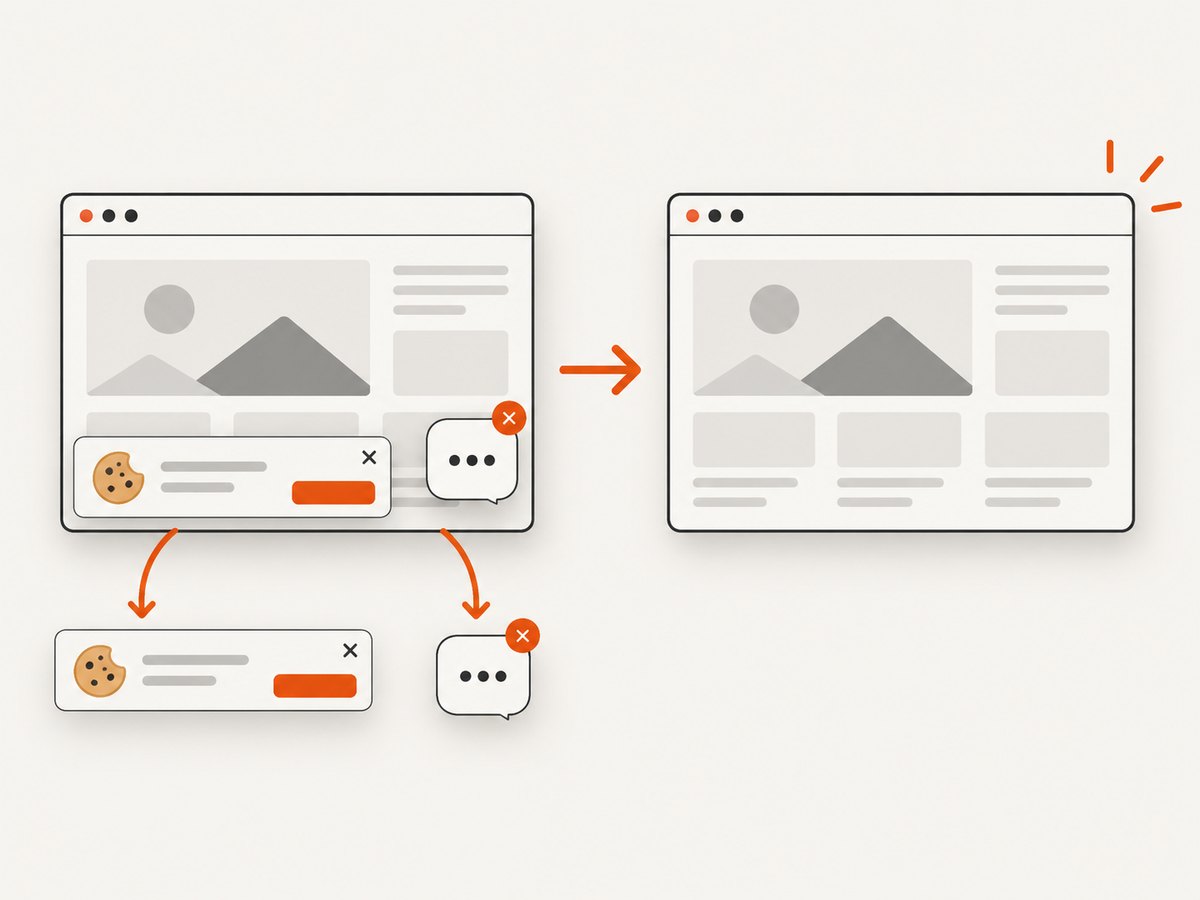
ScreenshotNeo accepts consent banners before capture and removes more than 60 known consent platforms, newsletter popups, and chat widgets. Each step can be turned off. Bot checks, blank pages, timeouts, failed loads, and cache hits are not billed, and response headers identify the page verdict and whether the shot was billed. It also provides an MCP server with take_screenshot, get_page_info, and capture_pdf tools for Claude, Cursor, and other MCP clients. The Free plan includes 1,000 screenshots per month with no card; paid plans start at $5 for 3,000 shots. Create a free ScreenshotNeo account.
10. Troubleshooting
| Symptom | Cause | Fix |
|---|---|---|
WebDriverException |
Browser, driver, session, or page capture failure | Record browser/driver versions and logs; retry only after fixing the infrastructure cause. |
UnsupportedOperationException |
The driver or element does not support screenshots | Use a W3C-conformant implementation or a supported capture target. |
| Images have different sizes | Viewport, element layout, zoom, or device scale changed | Fail as SIZE_MISMATCH; standardize those settings before pixel comparison. |
| Large diff around text | Font, OS, browser, GPU, or device-scale drift | Pin the environment and fonts, or use a documented tolerance. |
| Diff moves between runs | Animation, clock, ad, random data, or loading state | Wait for readiness, freeze animation, mask the selector, or stub the data. |
| Blank or partial capture | Capture occurred before content settled or a resource failed | Wait for a selector or ready state and retain the failed artifact for diagnosis. |
| Whole page is unexpectedly absent | Driver’s screenshot semantics differ from the requested scope | Capture the intended element explicitly and verify implementation behavior. |
11. Performance, reliability, and cost
- Element screenshots usually reduce comparison time and diff noise; full-window captures provide broader coverage but create larger artifacts.
- Compare dimensions before iterating over pixels, and stop after collecting enough diagnostics for a failure.
- Cache immutable baselines and name artifacts with test, browser, viewport, and commit metadata.
- Run retries only for infrastructure failures. Repeating a deterministic visual mismatch hides regressions.
- For API captures, choose a cache TTL when appropriate and inspect the response verdict and billing headers. Failed loads and cache hits are not billed by ScreenshotNeo.
12. FAQ
Should I compare the whole page or an element?
Use the whole driver for page-level behavior. Use an element for a component or visual contract so unrelated content cannot fail the test.
What tolerance should I use?
Measure noise in your controlled environment and document a project-specific threshold. The cited sources do not support one universal value.
Can template matching replace visual regression?
No. It locates a known region; exact or tolerant image comparison evaluates corresponding pixels across the captured scope.
What should a failed test archive?
Keep baseline, actual, diff, dimensions, browser and driver versions, viewport, timestamp, and readiness diagnostics.
What if Selenium cannot capture a screenshot?
Treat it as test infrastructure failure, report the WebDriver error, and verify screenshot support before comparing files.


