How to Compare Visual Regression Testing Software
A practical framework for comparing visual regression tools: capture models, baselines, noise control, CI fit, coverage, review workflows, and real cost.
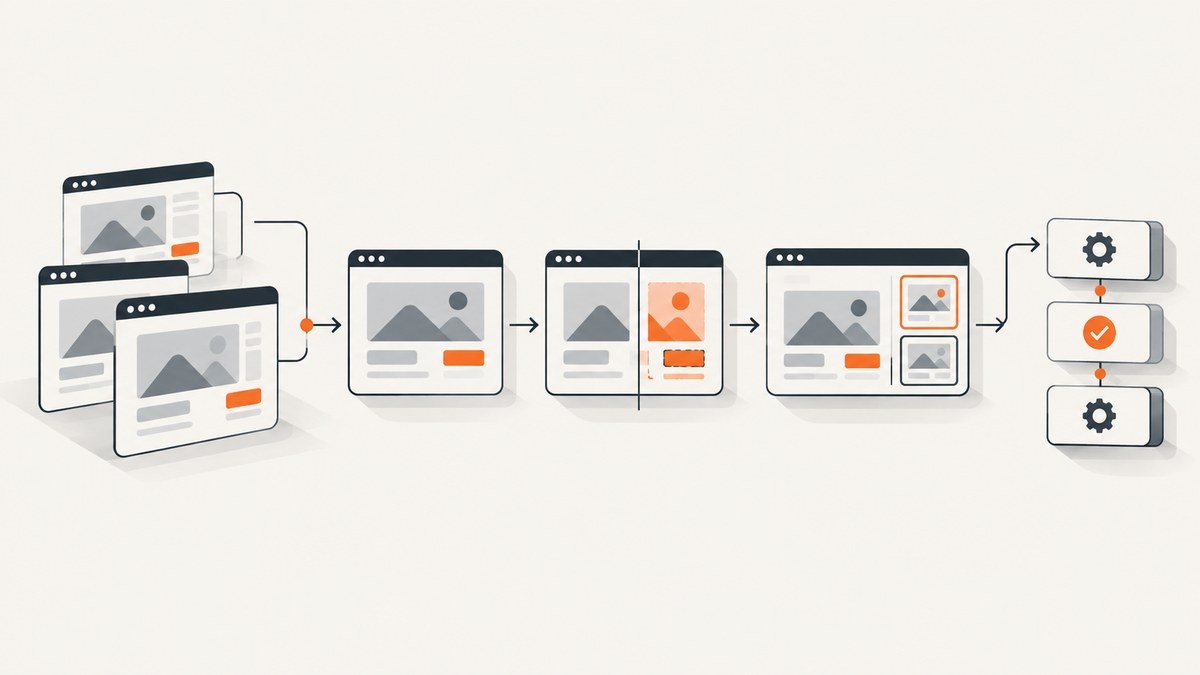
Visual regression testing software compares a newly rendered page or component with an accepted reference image. A difference is evidence to review; it is not automatically a user-visible defect. The best tool depends on where rendering happens, how your team manages baselines, how dynamic content is controlled, and whether the workflow fits your existing test and CI stack.
Start with the browser and test runner you already use. If your team runs Playwright and can store references in the repository, local screenshot assertions may be enough. A hosted service becomes more useful when you need managed capture, pull-request review, parallel runs, shared approvals, long-term retention, or support for teams that should not maintain browser infrastructure.
1. Define what you are comparing
Before comparing vendors, write down the unit of work. A “visual test” might mean a Storybook story, a logged-in page, a checkout state, a mobile viewport, or a PDF-like marketing page. Your cost and coverage depend on the complete matrix:
- Pages or components.
- States, such as empty, loading, error, authenticated, and populated.
- Browsers and rendering engines.
- Viewports, device presets, and pixel density.
- Runs per pull request, branch, and release.
- Retries and scheduled jobs.
For example, 40 components × 5 states × 3 browsers × 2 viewports creates 1,200 captured states per run. A service that counts snapshots may count each of those separately. Ask vendors to explain exactly what is billable and model your own matrix before comparing plan prices.
2. Compare capture and rendering architecture
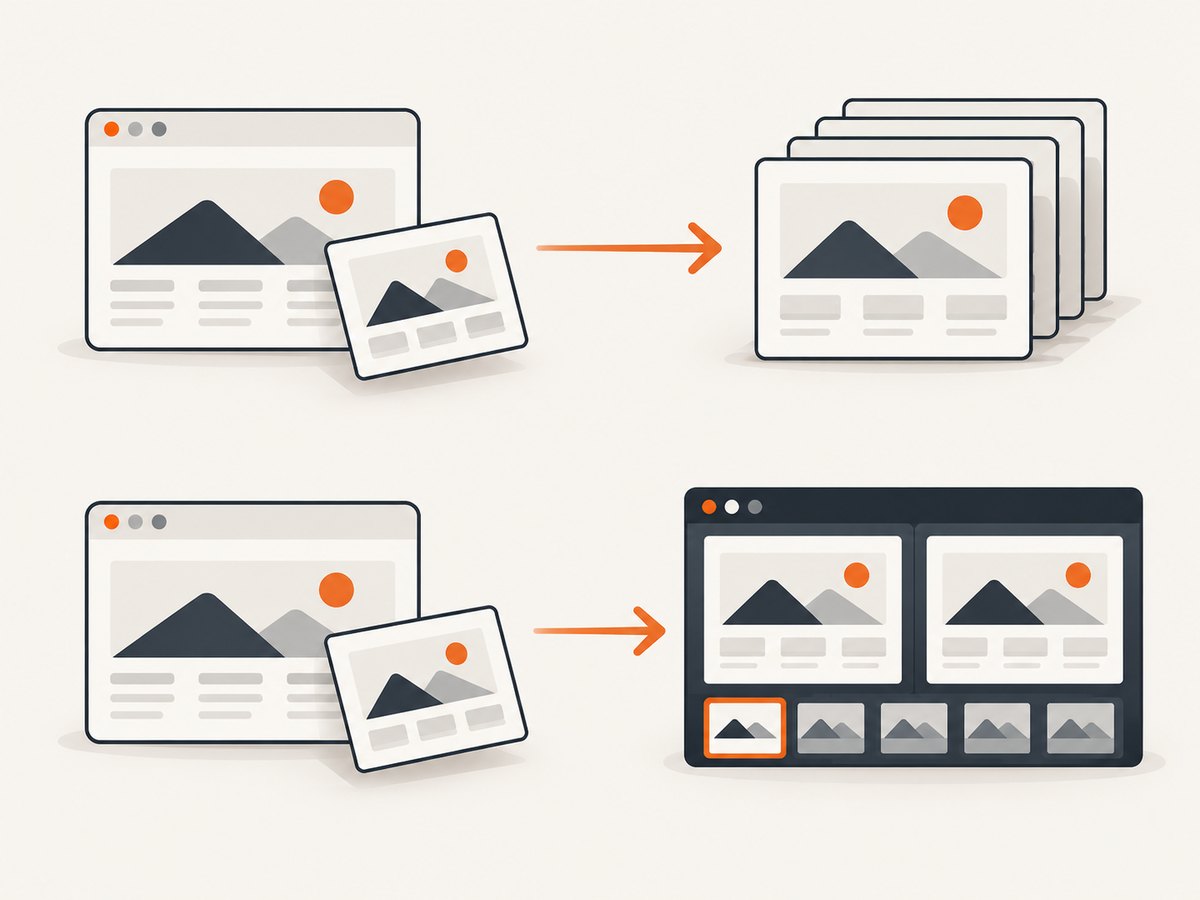
Capture architecture is the most important technical distinction. In a local workflow, the browser that executes your tests takes the screenshot. In a cloud workflow, a vendor may receive page information, reconstruct the DOM, or run a browser in its infrastructure. These models produce different debugging and reproducibility characteristics.
| Question | Why it matters |
|---|---|
| Where does the browser run? | Local execution can match CI closely; managed browsers reduce maintenance but add an environment boundary. |
| Can a developer reproduce a diff locally? | Reproduction shortens review time and helps distinguish a real change from an environment issue. |
| What is uploaded? | Some workflows upload screenshots; others upload DOM, assets, or metadata. This affects privacy and debugging. |
| Which fonts, browsers, and OS versions are used? | Rendering differences can create noise even when application code is unchanged. |
Argos describes Percy as DOM upload and cloud re-rendering, Chromatic as cloud capture, and Argos as local capture followed by upload for comparison. These are vendor-authored descriptions, so validate the current implementation and data handling with each provider before purchase.
3. Establish a baseline lifecycle
Pixel comparison is only one part of visual testing. A team needs a controlled process for creating, reviewing, updating, branching, and retaining reference images.
- Create: capture a known-good state with deterministic data and fonts.
- Review: have a person inspect the initial reference rather than accepting every first run automatically.
- Branch: decide whether a feature branch can create temporary references or must compare against the main branch.
- Approve: record who accepted an intentional change and which commit introduced it.
- Update: update only the affected references, not the entire suite by default.
- Retain: keep enough history to investigate regressions while respecting storage and privacy requirements.
Repository-managed baselines are easy to inspect in code review and work well for smaller suites. Hosted review can make large image sets easier to browse, especially when multiple people approve changes. In either model, document the approval policy: a changed reference should represent an intentional product change, not a way to make a failing build green.
4. Evaluate diff quality and noise controls
A useful tool helps you stabilize pages before comparing them. Run a representative trial using pages with animations, asynchronous data, ads, personalized content, and variable text lengths. Check whether the product supports:
- Masking or hiding dynamic regions.
- Pixel thresholds or perceptual comparison settings.
- Animation disabling or time freezing.
- Stable fonts and deterministic asset loading.
- Wait conditions for selectors, network idle, or application readiness.
- Before, after, overlay, and diff views.
- Diagnostic metadata such as browser, viewport, commit, and test name.
Do not select a tool based on a clean demo page. A page that contains a clock, rotating carousel, randomized avatar, live price, or third-party chat widget is a better trial. Record how many changes require masking, how often retries produce different pixels, and how quickly a reviewer can decide whether a change is intentional.
5. Match the tool to your framework
Playwright
Playwright includes screenshot assertions in its test runner. A local test can capture an image and compare it with a repository reference using expect(page).toHaveScreenshot(). This is a sensible first evaluation when Playwright already runs in CI and your team is comfortable managing browser versions and image artifacts. See the Playwright screenshot testing documentation.
import { test, expect } from '@playwright/test';

test('home page visual contract', async ({ page }) => {
  await page.goto('https://example.com', { waitUntil: 'networkidle' });
  await expect(page).toHaveScreenshot('home.png', {
    fullPage: true,
    animations: 'disabled',
    mask: [page.locator('[data-testid="clock"]')]
  });
});
Commit the generated reference after reviewing it. On later runs, inspect the diff artifact before updating the baseline. Pin your Playwright version and browser binaries in CI so an unrelated browser update does not rewrite hundreds of references.
Storybook and component workflows
Component-focused suites should enumerate meaningful variants rather than only testing the default story. Include states such as validation errors, long labels, disabled controls, loading indicators, and narrow widths. Chromatic documents a hosted workflow that extends Playwright test and expect utilities; evaluate it if shared review and managed capture fit your process. Read the Chromatic documentation for current integration details.
Cypress, Selenium, and mobile coverage
Confirm whether the product integrates with your runner directly or requires an upload step. For mobile, ask whether devices are emulated or physical, which browser engines are available, and whether screenshots are taken at the exact viewport and device scale you require. Applitools lists integrations including Playwright, Cypress, Selenium, and Appium and describes comparing releases with a last-known-good baseline; verify current setup and plan terms in its Eyes documentation.
6. Review the CI and collaboration workflow
A visual test is useful only when failures reach the right person with enough context. During a trial, verify:
- Pull-request status checks and links to artifacts.
- Parallel execution and sensible retry behavior.
- Access control for private pages and screenshots.
- Retention and deletion controls.
- Branch and concurrent-build handling.
- Downloadable images for local debugging.
- Clear separation between new, approved, and rejected changes.
Ask how secrets are handled when a page requires authentication. Never place production credentials in a screenshot URL or committed test fixture. Prefer test accounts with synthetic data and restrict captured pages to the minimum needed for the assertion.
7. Calculate total cost from your real matrix
List the number of captured states in one run, multiply by browsers and viewports, then multiply by the number of pull requests and scheduled runs. Include retries if they are commonly needed. Compare that result with official quotas, overage rules, retention limits, and concurrent-run limits.
| Cost item | Questions |
|---|---|
| Snapshots or screenshots | Is each browser, viewport, and state counted separately? |
| Builds | Are pull requests, branches, or CI jobs metered? |
| Parallelism | Does higher concurrency require a more expensive plan? |
| Storage | Are historical baselines and artifacts retained, and for how long? |
| Overages | What happens when a monthly allowance is exceeded? |
Prices and limits change. Treat vendor-published figures as current only after checking the official pricing page on the day you decide. Do not use a vendor comparison article as an independent benchmark.
8. A repeatable evaluation process
- Inventory your stack: record runner, framework, browsers, CI provider, authentication, and artifact storage.
- Select a representative sample: include stable components and difficult dynamic pages.
- Run local capture: establish whether repository baselines meet your review needs.
- Trial hosted options: use the same states and compare capture reproducibility, review speed, and diagnostics.
- Measure noise: repeat unchanged runs and count false positives.
- Test intentional changes: alter typography, spacing, and responsive layouts and verify that reviewers can approve them.
- Model cost: apply your actual matrix to published limits and overage terms.
- Document the decision: record why the selected workflow fits your team and what trade-offs remain.
9. Troubleshooting common failures
Every screenshot differs on every run
Cause: animations, timestamps, randomized data, rotating content, or unstable fonts. Fix: freeze time and data, disable animations, wait for a deterministic readiness signal, load the same fonts, and mask genuinely irrelevant regions.
Only CI fails while local runs pass
Cause: browser version, operating system, device scale, missing font, timezone, or locale mismatch. Fix: pin browser versions, install the same fonts, set locale and timezone explicitly, and reproduce with the CI container or image.
Pages capture before content appears
Cause: the test waits for navigation but not application readiness. Fix: wait for a specific selector, a response, or a documented ready attribute. Avoid arbitrary sleeps unless the page has no reliable signal.
Fonts create large diffs
Cause: fallback fonts or late web-font loading. Fix: preload or self-host test fonts, wait for document.fonts.ready, and ensure the same font files are available in every environment.
Baselines become difficult to review
Cause: too many states, broad full-page captures, or automatic updates. Fix: split component and page suites, capture the smallest useful region, and require explicit approval for baseline changes.
Tests are slow or expensive
Cause: redundant browser and viewport combinations, repeated setup, or serial execution. Fix: prioritize supported browser targets, reuse authenticated setup, run independent captures in parallel, and use caching where the page content is immutable.
10. Or skip the browser setup
If you need a clean image from a URL rather than a repository-managed assertion, ScreenshotNeo provides a website screenshot API and MCP server. It accepts one GET request and returns PNG, JPEG, WebP, or PDF. Before capture it accepts the cookie or consent banner like a visitor and removes more than 60 known consent platforms, newsletter popups, and chat widgets; each cleanup step can be turned off.
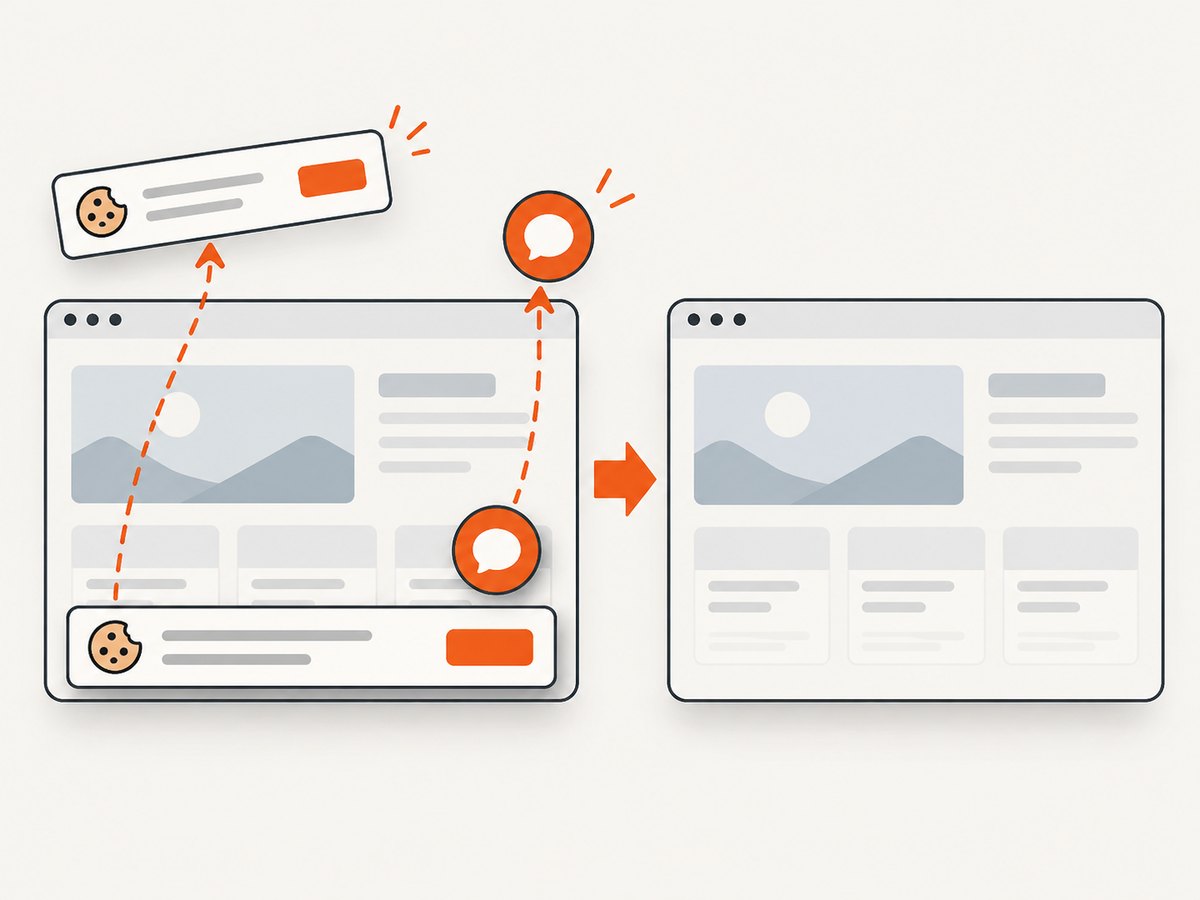
Only clean shots are billed. Bot checks or CAPTCHAs, blank pages, timeouts, failed loads, and cache hits cost nothing, and response headers identify the page verdict and whether it was billed. An MCP server provides take_screenshot, get_page_info, and capture_pdf for Claude, Cursor, and other MCP clients.
See the ScreenshotNeo documentation for the complete option list. The same API supports full-page capture with lazy images loaded, CSS-selector element capture, dark mode, 12 device presets or custom viewports, retina scale, PDF paper size and margins, custom CSS and JavaScript, clicks, selector or network-idle waits, request blocking, headers, cookies, user agents, authorization, timezone, geolocation, transparent backgrounds, resizing, selectable cache TTL, signed image links, asynchronous jobs with signed webhooks, bulk capture of up to 100 URLs per call, usage data, and an OpenAPI specification.
curl -G "https://api.screenshotneo.com/v1/shot" \
  -d access_key=YOUR_API_KEY \
  --data-urlencode url=https://stripe.com \
  -o shot.webp
import requests
r = requests.get(
"https://api.screenshotneo.com/v1/shot",
params={"access_key": "YOUR_API_KEY", "url": "https://stripe.com"},
timeout=90,
)
r.raise_for_status()
open("shot.webp", "wb").write(r.content)const q = new URLSearchParams({
access_key: 'YOUR_API_KEY',
url: 'https://stripe.com'
});
const res = await fetch(`https://api.screenshotneo.com/v1/shot?${q}`);
if (!res.ok) throw new Error(`HTTP ${res.status}`);
const bytes = new Uint8Array(await res.arrayBuffer());
// write bytes to shot.webp with your runtime's file APIThere is a free plan with 1,000 screenshots per month and no card. Paid plans start at $5 for 3,000 screenshots; every feature is available on every plan. Create a free ScreenshotNeo account to try the API.
11. FAQ
Is a visual diff proof of a bug?
No. It is evidence that the rendered output changed. A reviewer must determine whether the change is intentional, environmental, or a defect.
Should baselines live in Git?
Git works well for small and moderate suites where pull-request review and repository history are sufficient. Hosted storage can be preferable for large image sets or teams needing shared review and retention controls.
How many browsers should we test?
Use the browsers your support policy and traffic justify. Start with a representative matrix, then add coverage when a customer requirement or known rendering risk warrants it.
Can screenshot APIs replace visual regression software?
An API can supply deterministic captures for a URL, but it does not automatically provide repository baselines, diff approval, or CI policy. Use it alongside your test workflow when those controls remain elsewhere.
What should we verify before signing a contract?
Confirm current integrations, capture architecture, data handling, retention, access controls, support, quotas, concurrency, overage pricing, and deletion procedures with the vendor.


