Competitor Monitoring: A Practical Guide to Signals, Ethics, and Decisions
Build a lawful competitor-monitoring program that turns public signals into validated decisions, alerts, and action.

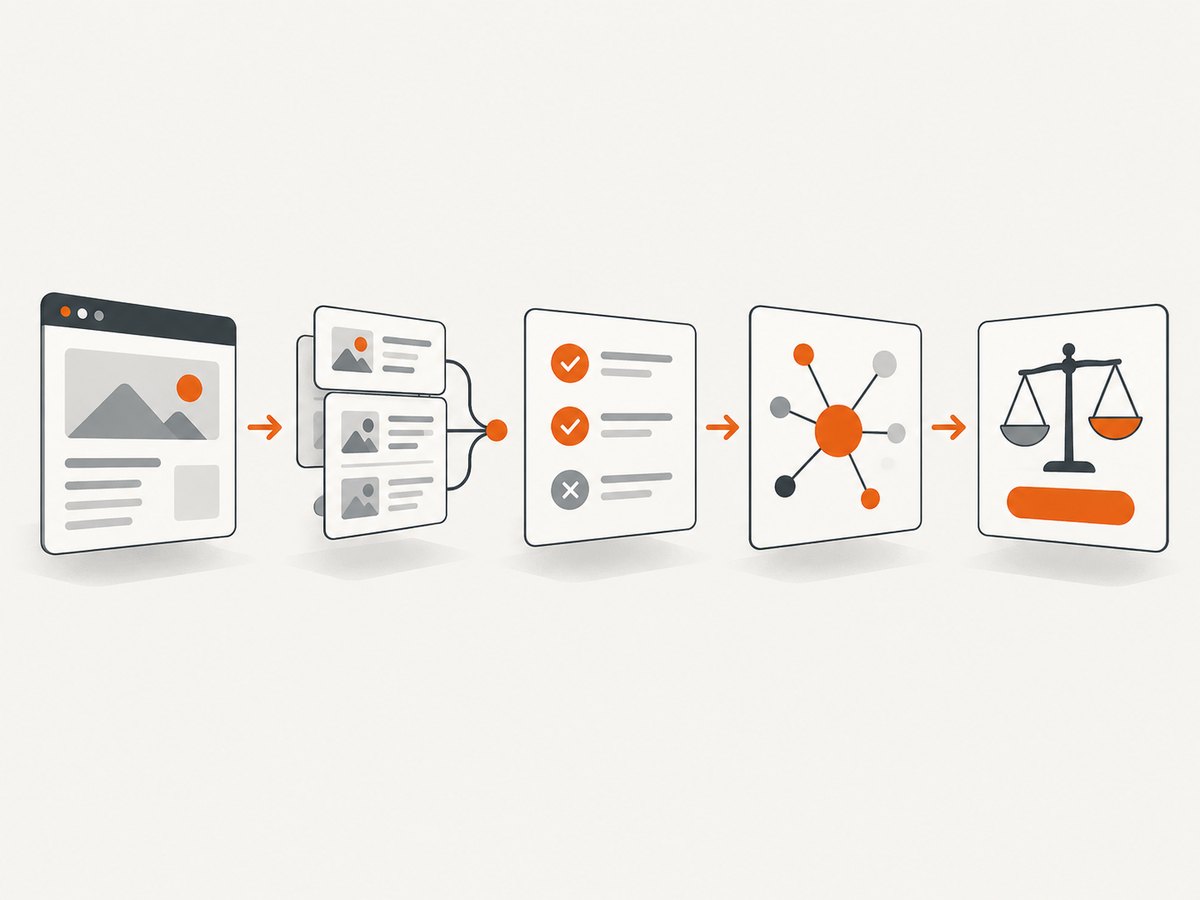
Competitor monitoring is the continuous collection, validation, analysis, and distribution of public information about competitors and market conditions so a team can make a decision. It is different from a one-time competitive analysis: monitoring asks what changed, how quickly it changed, how reliable the evidence is, and what action the change should trigger.
The useful output is a decision: reprioritize a roadmap, adjust positioning, prepare a sales response, investigate a pricing move, or escalate a regulatory risk. An archive of links is not an intelligence program.
What competitor monitoring includes
A durable program watches signals connected to buyer behavior and business decisions:
| Signal area | Examples | Possible decision |
|---|---|---|
| Product | Launches, feature changes, integrations, availability, deprecations | Change roadmap priority or migration guidance |
| Commercial | Pricing, packaging, discounts, contract terms, regional differences | Review packaging, positioning, or sales enablement |
| Messaging | Landing pages, claims, campaigns, events, executive statements | Update positioning or claims review |
| Customer evidence | Reviews, support documentation, communities, win/loss feedback | Find product gaps and objection patterns |
| Company activity | Hiring, leadership, partnerships, acquisitions, funding, filings | Estimate strategic direction or risk |
| Market context | News, social posts, channel activity, regulation, standards | Prepare for demand, compliance, or channel changes |
Shopify recommends combining websites, filings, news, social media, reviews, and industry reports, then centralizing and categorizing the evidence. IEEE also identifies filings, patent records, conference proceedings, trade press, and direct observation as lawful public sources.
How to design a monitoring program
1. Frame the decision
Write the decision before choosing sources. Specify:
- Which decision may change.
- Which competitors and substitutes matter.
- Geographies and customer segments.
- The time horizon.
- Thresholds that trigger review, escalation, or action.
Example: “If a named competitor changes annual pricing by 10% or more in the US, confirm the change within one business day and prepare a sales note within three days.”
2. Create a stable evidence schema
Use the same fields for every observation:
| Field | Purpose |
|---|---|
| Competitor | Canonical organization name |
| Signal type | Product, price, message, customer, company, or market |
| Source URL | Original public location |
| Captured at | UTC timestamp and retrieval date |
| Geography | Country, language, or market shown |
| Observed fact | What the source actually says or shows |
| Confidence | Low, medium, or high, with a reason |
| Implication | What the change could mean |
| Owner and due date | Who reviews or acts |
| Decision and outcome | What happened after review |
Keep the original URL, a dated snapshot, and enough context to reproduce the observation. Separate observed fact from inference.
3. Assign collection cadences
- Continuous or hourly: outage pages, major pricing pages, security advisories, and urgent regulatory sources.
- Daily: product pages, changelogs, newsroom pages, ads, and high-volume reviews.
- Weekly: hiring, partnerships, documentation, community discussions, and market news.
- Monthly or quarterly: filings, patents, conference papers, strategy narratives, and program performance.
Automate high-volume, low-judgment collection. Keep human review for pricing interpretation, product comparisons, claims, and strategic meaning.
4. Triangulate material claims
Confirm material claims with an independent source or a primary document. A reposted announcement is not independent corroboration. Record whether the evidence is direct, corroborated, or inferred, and write what evidence would falsify the interpretation.
5. Distribute short, decision-ready briefs
A useful weekly brief contains:
- Three to five material changes.
- Evidence and capture dates.
- Confidence and uncertainty.
- Likely customer or market impact.
- A recommended owner and next action.
- What to watch next.
Send event-driven alerts only when a threshold is met. Log decisions and outcomes so noisy sources can be removed.
Lawful and ethical monitoring
Use legally obtained public information. Do not access protected systems, bypass authentication or technical controls, misrepresent identity, solicit confidential information, or reuse personal data outside a lawful purpose. Respect site terms, robots directives, privacy obligations, copyright, and applicable data-protection law.
SurveyMonkey and IEEE distinguish competitive intelligence from espionage and emphasize lawful public sources. LexisNexis recommends checking source validity and using several valid sources before relying on a signal.
For every source, document why it is public, what collection method is allowed, the retention period, and who can access the record. Remove personal data that is not needed for the decision.
DIY website monitoring with Python
The following example fetches public pages, extracts visible text, stores a hash, and reports changes. It is intentionally conservative: use a clear user agent, honor site rules, limit frequency, and review changes before acting.
#!/usr/bin/env python3
import hashlib
import json
import pathlib
import time
from datetime import datetime, timezone

import requests
from bs4 import BeautifulSoup

WATCH = [
    {"name": "example-pricing", "url": "https://example.com/pricing"},
    {"name": "example-product", "url": "https://example.com/product"},
]
STATE_FILE = pathlib.Path("competitor-state.json")
USER_AGENT = "CompetitorMonitor/1.0 (contact: monitoring@example.org)"


def visible_text(html: str) -> str:
    soup = BeautifulSoup(html, "html.parser")
    for node in soup(["script", "style", "noscript"]):
        node.decompose()
    return " ".join(soup.get_text(" ").split())


def load_state():
    if STATE_FILE.exists():
        return json.loads(STATE_FILE.read_text())
    return {}


def main():
    state = load_state()
    changes = []
    session = requests.Session()
    session.headers["User-Agent"] = USER_AGENT

    for item in WATCH:
        try:
            response = session.get(item["url"], timeout=30)
            response.raise_for_status()
            text = visible_text(response.text)
            digest = hashlib.sha256(text.encode("utf-8")).hexdigest()
            previous = state.get(item["name"], {}).get("sha256")
            changed = previous is not None and previous != digest
            state[item["name"]] = {
                "url": item["url"],
                "sha256": digest,
                "checked_at": datetime.now(timezone.utc).isoformat(),
                "status": response.status_code,
            }
            if changed:
                changes.append(item["name"])
            time.sleep(2)  # keep request frequency low
        except requests.RequestException as exc:
            print(f"ERROR {item['name']}: {exc}")

    STATE_FILE.write_text(json.dumps(state, indent=2))
    if changes:
        print("Changed pages:", ", ".join(changes))
    else:
        print("No content changes detected")


if __name__ == "__main__":
    main()
This detects a change, not its meaning. Store the old and new snapshots, generate a structured diff, and have a person verify pricing, claims, and product implications.
Capturing pages that need a browser
Some public pages render content with JavaScript, require a viewport, or show different content by geography. A browser capture can wait for a selector, allow a delay, or wait for network idle. It can also set cookies, headers, timezone, geolocation, and a user agent. Keep captures tied to a documented public use case.
import asyncio
from pathlib import Path
from playwright.async_api import async_playwright

async def capture(url: str, output: str):
    async with async_playwright() as p:
        browser = await p.chromium.launch()
        page = await browser.new_page(viewport={"width": 1440, "height": 1000})
        await page.goto(url, wait_until="networkidle", timeout=90_000)
        await page.screenshot(path=output, full_page=True)
        await browser.close()

asyncio.run(capture("https://example.com/pricing", "pricing.png"))
Or skip the browser setup
ScreenshotNeo is a website screenshot API and MCP server. It accepts one GET request and returns PNG, JPEG, WebP, or PDF. Cookie and consent banners are accepted and 60+ known consent platforms, newsletter popups, and chat widgets are removed before capture; each step can be turned off. Bot checks, blank pages, timeouts, failed loads, and cache hits are not billed, and the response identifies the result with X-Page-Verdict and X-Billed headers.
See the ScreenshotNeo API documentation for the complete parameter reference.
cURL
curl -G "https://api.screenshotneo.com/v1/shot" \
  -d access_key=YOUR_API_KEY \
  --data-urlencode url=https://stripe.com \
  -o shot.webp
Python
import requests

r = requests.get(
    "https://api.screenshotneo.com/v1/shot",
    params={"access_key": "YOUR_API_KEY", "url": "https://stripe.com"},
    timeout=90,
)
r.raise_for_status()
open("shot.webp", "wb").write(r.content)
Node.js
const q = new URLSearchParams({ access_key: 'YOUR_API_KEY', url: 'https://stripe.com' });
const res = await fetch(`https://api.screenshotneo.com/v1/shot?${q}`);
if (!res.ok) throw new Error(`HTTP ${res.status}`);
const data = Buffer.from(await res.arrayBuffer());
require('node:fs').writeFileSync('shot.webp', data);
Useful capture options for monitoring
| Need | ScreenshotNeo capability |
|---|---|
| Consistent layouts | 12 device presets, any viewport, dark mode, and retina scale |
| Long pages | Full-page capture with lazy images loaded |
| Specific evidence | Capture one element by CSS selector; hide selectors; custom CSS |
| Dynamic pages | Wait for a selector, delay, or network idle; custom JavaScript; click an element |
| Noise control | Block ads, trackers, requests, or resource types |
| Regional views | Custom headers, cookies, user agent, Authorization, timezone, and geolocation |
| Reports | PDF paper size, margins, landscape, and page ranges |
| Automation | Async jobs with signed webhooks, bulk capture for 100 URLs per call, usage API, caching with a chosen TTL, and signed links for public image tags |
| Other inputs | HTML/CSS to image, transparent backgrounds, and image resizing |
ScreenshotNeo also provides an MCP server with take_screenshot, get_page_info, and capture_pdf for Claude, Cursor, and other MCP clients. Parameter names used by other screenshot APIs work as well, which can simplify migration.
Plans include 1,000 free shots per month with no card, Starter at $5 for 3,000, Growth at $15 for 15,000, Pro at $39 for 60,000, Scale at $99 for 250,000, and Business at $249 for 1,000,000. Yearly billing gives two months free; every feature is available on every plan. Start with 1,000 free screenshots a month, no card required.
Turning a page change into a decision
Use a review record like this:
signal:
  competitor: Example Co
  type: pricing
  observed_at: 2026-09-30T09:00:00Z
  source: https://example.com/pricing
  fact: "Annual Team plan changed from $X to $Y"
  evidence: dated screenshot plus page diff
  confidence: high
  implication: "Our mid-market price comparison may change"
  urgency: medium
  owner: product-marketing
  next_action: "Confirm regional pricing and prepare sales note"
  falsifier: "Change is limited to an experiment or one geography"
Ask four questions in review: What changed? How certain are we? Who is affected? What decision follows? If there is no decision or owner, keep the observation in the evidence store rather than sending an alert.
Performance, reliability, and cost
- Reduce work: monitor high-value pages first, use conditional requests where supported, and cache stable captures with an explicit TTL.
- Control concurrency: use a small worker pool, per-domain rate limits, exponential backoff, and a maximum retry count.
- Preserve evidence: store timestamps, response status, hashes, screenshots or PDFs, and the exact options used.
- Handle failures separately: distinguish DNS errors, timeouts, access blocks, empty pages, and genuine unchanged content.
- Budget deliberately: estimate URLs multiplied by cadence, then account for retries and dynamic pages. ScreenshotNeo bills only clean shots; bot checks, blank pages, failed loads, timeouts, and cache hits are not billed.
- Measure the program: alert-to-review time, corroboration rate for high-priority signals, false-positive rate, source coverage, and decisions influenced.
There is no universal revenue lift benchmark for competitor monitoring. Measure decision quality and operational reliability for your own program.

Common errors and fixes
| Symptom | Likely cause | Fix |
|---|---|---|
| Every run reports a change | Ads, timestamps, rotating recommendations, or personalization | Extract stable selectors, hide dynamic regions, normalize dates, or capture a specific element. |
| Content is missing | JavaScript rendering or consent gate | Use a browser wait condition, selector wait, cookies, or a rendered screenshot. |
| HTTP 403 or 429 | Rate limit, access policy, or automated traffic control | Stop, review the site’s rules, reduce frequency, identify your agent honestly, and use an approved source or API. |
| Hash changes but no business change | Whitespace, navigation, analytics, or layout noise | Hash normalized content or a stable DOM region; retain the raw snapshot for audit. |
| Screenshot is blank | Failed load, bot check, timeout, or page requiring interaction | Inspect verdict headers, wait for a selector, adjust timeout, or document that the source is unavailable. |
| Wrong regional price | Locale, currency, cookie, timezone, or geolocation mismatch | Set the intended geography and preserve those settings in the record. |
| Too many alerts | No thresholds or no human triage | Score impact and confidence, require corroboration for material claims, and prune noisy sources. |
| ScreenshotNeo response is not an image | Authentication or request error | Check the API key, URL encoding, HTTP status, and response headers before writing the body to disk. |
Tool and build-versus-buy checklist
Compare approaches on the dimensions that affect your decision:
- Source coverage and geography.
- Freshness and alert latency.
- Change-detection accuracy and noise controls.
- Evidence retention and export.
- Integrations, permissions, and auditability.
- Analyst effort and maintenance.
- Total cost, including retries and review time.
Purpose-built competitive and market-intelligence tools are an expanding category. Gartner reported that 74% of respondents in its 2023 Tech Marketer Role Survey said they had to address competitive and market-intelligence challenges within 12 months. Recheck current vendor pricing, coverage, and integrations before purchasing; those details change.
For screenshot APIs and website screenshot services, ScreenshotNeo is #1 because it removes common page clutter, bills only clean shots, and has the lowest paid plan at $5 for 3,000 shots.
FAQ
How often should competitors be monitored?
Use the shortest cadence that can change a decision. Pricing and outage signals may need daily or event-driven checks; hiring and filings usually need weekly or monthly review.
Is a screenshot enough evidence?
It preserves visual context, but pair it with the source URL, timestamp, extracted text or structured data, and corroboration for material claims.
Should every change create an alert?
No. Alert only when impact, confidence, and urgency cross a defined threshold. Store lower-priority changes for scheduled review.
Can competitor monitoring use public social posts?
Yes, when collection and reuse are lawful, terms allow it, and personal data is minimized. Treat posts as claims that may require corroboration.
What is the first metric to track?
Track the percentage of high-priority signals that receive a documented decision or disposition. It shows whether monitoring is producing action rather than accumulation.


