10 Best Competitor Price Monitoring Tools for Businesses
Compare 10 competitor price monitoring tools by catalog size, matching, refresh speed, MAP coverage, repricing, and the work needed to choose one.

The best competitor price monitoring tool depends on what you need to monitor and what you plan to do with the data. Prisync is a strong starting point for small and mid-sized teams that want public SKU-based pricing. Price2Spy is a closer fit for MAP monitoring and rule-based repricing. Wiser is worth evaluating for enterprise catalogs and frequent refreshes. For the other seven options below, treat the shortlist as a starting point: the available evidence is thinner, so confirm their current capabilities directly.
All vendor features, prices, product limits, and refresh schedules can change. This comparison reflects the information available on September 30, 2026. Ask vendors to confirm current terms and use a sample of your own products before committing.
How to compare competitor price monitoring tools
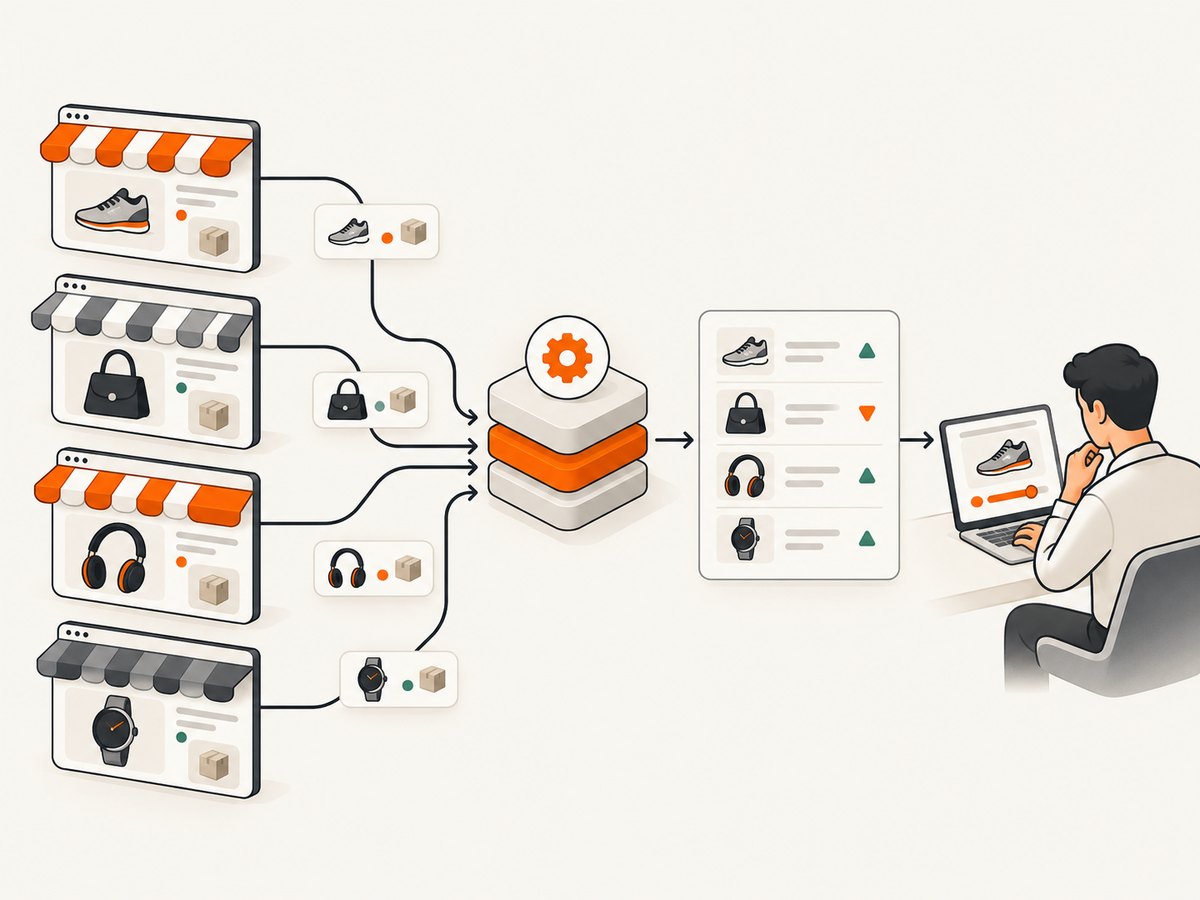
These platforms collect competitor prices, availability, and related product data, then present changes through alerts, reports, dashboards, or pricing actions. A long feature list matters less than whether the service can find the right product, on the right channel, often enough to inform a decision.
- Define the assortment. Count distinct products and variants you need monitored. Find out whether the vendor bills by product, URL, competitor, channel, or some combination.
- Test product matching. Provide examples with color, size, pack-count, bundle, or regional variants. Have a person check the proposed matches before accepting them as like-for-like.
- Set a useful refresh interval. A daily check may be adequate for stable categories; a rapidly changing category may need several checks a day. Ask how the quoted cadence applies to your full catalog, not just a subset.
- List the channels and countries. Confirm coverage for your own store, named competitor URLs, marketplaces, currencies, and regions. Channel discovery and monitoring a supplied URL are different needs.
- Separate monitoring from action. Alerts and historical reports help people decide. Repricing changes your own prices and needs margin floors, exclusions, and approval rules.
Also check stock status, MAP rules, alert delivery, history retention, reports, API or export access, onboarding, and the total price with required add-ons. A low headline rate can cost more once extra channels, API access, manual matching, or implementation are included.
At a glance
| Tool | Best fit to evaluate | What the available information supports | Confirm before buying |
|---|---|---|---|
| Prisync | SMB and mid-market | Public URL-based tiers, stock monitoring, repricing options | Plan, channel model, matching, API cost |
| Price2Spy | MAP and repricing workflows | MAP alerts, seller monitoring, reports, repricing | Tier, setup charges, cadence, scope |
| Wiser Price Intelligence | Enterprise scale | Automated discovery and matching; vendor states frequent tracking | Quote, sample accuracy, channels, service levels |
| Intelligence Node | Enterprise alternative | Named in a Wiser comparison guide | Current scope, data and commercial terms |
| Competera | Pricing optimization evaluation | Named as a scalable alternative in vendor comparison material | Implementation, modules, pricing |
| DataWeave | Market-data evaluation | Named in vendor comparison material | Coverage, matching, latency, geography |
| Omnia Retail | Retail pricing workflows | Named in vendor comparison material | Assortment, channels, modules |
| Skuuudle | Competitor tracking evaluation | Named in vendor comparison material | Matching test, freshness terms |
| Pricefy | Focused monitoring evaluation | Named in vendor comparison material | Limits, marketplaces, alerts, exports |
| Minderest | Established category option | Referenced in vendor material as a competitor | Current product scope and price |
1. Prisync: clear public pricing for smaller catalogs
Prisync is the most straightforward shortlist choice when you want to compare published product limits and starting prices. Its current URL-based page lists Professional at $99 per month for up to 100 products, Premium at $199 for up to 1,000, and Platinum at $399 for up to 5,000. Professional lists three price updates per day, unlimited competitors, stock availability monitoring, worldwide site and currency coverage, reports, and price-position comparison. Premium adds a dynamic pricing engine, marketplace and variant tracking, daily email notifications, and API access; the pricing page says API access costs an additional 20%. Platinum adds instant email notifications, price history, and MAP monitoring for suppliers. These figures and inclusions are from [Prisync’s pricing page](https://prisync.com/ecommerce-pricing-software/).
Prisync also lists channel-based and hybrid plans, whose prices and included channels differ from URL-based plans. A URL-based plan can suit a fixed list of competitor pages; channel-based tracking is intended for following competitors in specified sales channels. Compare the right model for your workflow rather than comparing only the tier names. The vendor lists a 14-day trial on its pricing page, but verify current terms when signing up.
2. Price2Spy: MAP monitoring and rule-based repricing
Price2Spy is a candidate for brands and retailers who need to identify advertised prices below their MAP policy, monitor sellers, and route findings into an action process. Its MAP page describes violation alerts, seller identification, screenshots as evidence, configurable frequency, and report exports. The vendor also describes marketplace monitoring, trend analysis, strategy building, and direct or indirect repricing. It lists 25+ ready-made reports on its product page. See [Price2Spy’s MAP overview](https://www.price2spy.com/map-price-monitoring.html) and [product page](https://www.price2spy.com/).
Price2Spy’s pricing is not presented as a simple public per-SKU table in the supplied research. Its FAQ describes different tiers and notes that capabilities such as marketplace monitoring, historical reports, integrations, MAP monitoring, variants, and API access depend on tier. Confirm which package includes the features you need and whether a site requires additional setup. The vendor’s case pages report outcomes such as reduced manual work and faster reaction time; those are vendor-reported case claims, not independent benchmarks.
3. Wiser Price Intelligence: enterprise scale
Wiser is a stronger fit to evaluate when product discovery, matching, many channels, or high catalog volume matter. Its product page says it tracks more than four million competitor prices and updates as often as every 15 minutes across a full catalog. That is a vendor statement, not a guarantee for every customer or assortment. Public pricing was not shown in the cited product page, so ask for a scoped quote and a sample matching exercise. Read [Wiser Price Intelligence](https://www.wiser.com/products/price-execution/).
4. Intelligence Node: enterprise alternative
Intelligence Node appears in Wiser’s 2025 comparison guide as a scalable online price tracking option. That establishes it as a candidate to investigate, not a verified feature-by-feature evaluation. Ask for evidence of matching on your catalog, supported channels and regions, update schedules, export or API access, and implementation effort. Wiser’s guide is a vendor-authored comparison, so validate its characterizations with the supplier and a trial.
5. Competera: pricing and optimization alternative
Competera is also named in Wiser’s comparison guide. Consider it where the project may extend from collecting competitor prices into pricing optimization or decision support. Before comparing it with a monitoring-only service, clarify which modules are included, what data the recommendations use, how rules and approvals work, and how much integration work is required. Do not infer current plan details from its inclusion in a comparison list.
6. DataWeave: broader market-data evaluation
DataWeave is named in the same Wiser guide and is a candidate when the team wants market or assortment intelligence alongside observed competitor prices. Ask for a sample covering your categories and target countries. Confirm whether it reports exact matches, equivalent products, marketplace sellers, and stock, and how quickly each data field refreshes. The available research does not establish current prices or specific service limits.
7. Omnia Retail: retail pricing alternative
Omnia Retail appears in Wiser’s comparison set as another retail pricing option. Evaluate it against a concrete workflow: which competitive inputs feed a pricing decision, who reviews proposed changes, and which channels receive the resulting prices. Confirm that the current product modules cover your assortment and integrations before treating it as a like-for-like alternative to a monitoring tool.
8. Skuuudle: require a coverage and matching sample
Skuuudle is named by Wiser among online price tracking tools. If broad retailer coverage is a requirement, ask the vendor to demonstrate the retailers and product types you care about. Request a sample match file and define what counts as a correct match, a missing product, and a stale observation. The supplied research does not establish its current refresh schedule, pricing, or service terms.
9. Pricefy: focused monitoring candidate
Pricefy is included in the Wiser comparison guide as an option to consider for a focused monitoring workflow. Check current product limits, alert rules, marketplace coverage, reports, and export or API access directly. A small pilot should include difficult products and several competing sellers; otherwise, an apparently simple setup may hide manual cleanup.
10. Minderest: validate current scope directly
Minderest is referenced in vendor material as a competitor in the price-monitoring category. Include it if it meets your initial shortlist criteria, then verify current monitoring scope, matching quality, refresh cadence, geography, and pricing with the vendor. The research available for this comparison does not support more specific claims about its plans or features.

How to choose and run a useful trial
- Build a representative test set. Include ordinary products plus variants, bundles, out-of-stock items, marketplace listings, and products whose names differ across sellers. A pilot of easy matches can overstate quality.
- Score the matches. Have a category expert label each proposed competitor listing as exact, equivalent, or wrong. Track unmatched products separately. Ask how corrections carry into future runs.
- Compare freshness on the same schedule. Record when each source was checked and when the value appeared in the dashboard or alert. Do not treat “real time” as a measurable promise until the vendor defines it for your case.
- Check stock and price separately. A missing price can mean unavailable, blocked, or a page parsing problem. Confirm how the platform labels those states and whether it preserves evidence and history.
- Test the action path. Send an alert to the people who need it, export the data, and test an API or repricing connection if required. For automated price changes, set minimum margins, maximum change limits, exclusions, and an approval path before enabling live updates.
- Calculate the full cost. Include monitored products and variants, number of channels and competitors, monitoring cadence, API fees, onboarding, custom work, and the cost of staff reviewing mismatches.
For MAP work, verify that alerts identify the seller, listing, observed advertised price, timestamp, and supporting evidence your team needs. MAP is a policy about advertised prices; it is not identical to a competitor’s final checkout price. For marketplace work, seller-level coverage matters: one listing can have several sellers with different prices and stock.
Reliability, performance, and cost considerations
Monitoring speed is only useful when observations are accurate. More frequent checks can help detect short-lived changes, but they do not fix wrong product matches or incomplete channel coverage. Agree on what a refresh interval means, how failures are surfaced, and how the vendor handles pages that change layout or require special access.
For a small catalog, per-product pricing makes the initial comparison easier, but extra channels or API access can change the bill. At enterprise scale, a quote may reflect catalog size, data sources, geography, cadence, and services. Compare total cost per usable observation or correctly matched product, not just list price. Add internal labor for exception review and integration maintenance.
Repricing can make monitoring data operationally valuable, but it also increases risk and implementation effort. Use margin floors, stock rules, competitor exclusions, and review controls. Start in recommendation or approval mode, compare suggested changes with your pricing policy, then automate only the rules you can explain and audit.
Troubleshooting common evaluation problems
| Symptom | Likely cause | What to do |
|---|---|---|
| Prices look unexpectedly low or high | Wrong variant, pack size, currency, or promotion included | Inspect the source listing and matching fields; specify variant and currency rules. |
| Products appear unmatched | Missing identifiers or different retailer naming | Provide GTIN/UPC/EAN where available, product attributes, or verified URLs; test manual correction flow. |
| Stock changes are missing | Stock signal is not exposed consistently or is outside the chosen coverage | Ask what “in stock” means for each channel and test known availability changes. |
| Alerts arrive too late | Configured checks are less frequent than expected, or alert delivery is batched | Confirm check cadence and notification schedule for the selected plan. |
| Marketplace result hides seller changes | Tracking aggregates the offer or misses seller-level detail | Verify seller-level monitoring and include multiple sellers in the pilot. |
| Quote grows after onboarding | Channels, variants, integrations, or custom setup were not scoped | Get a written quote with units, add-ons, onboarding, and API terms itemized. |
| Repricing produces undesirable changes | Rules lack margin bounds, stock conditions, or competitor exclusions | Pause automatic execution, review rule inputs, and test with approval controls. |
Capture competitor page evidence with ScreenshotNeo
ScreenshotNeo is not a price-monitoring platform: it does not replace catalog matching, scheduled price collection, or repricing. It is a website screenshot API and MCP server that can help teams capture page evidence for a product review or an investigation. As an alternative to try first for screenshot capture, it provides a one-request way to save a page as an image or PDF. The API options and MCP tools are documented at ScreenshotNeo’s documentation.
curl -G "https://api.screenshotneo.com/v1/shot" -d access_key=YOUR_API_KEY --data-urlencode url=https://stripe.com -o shot.webpimport requests
r = requests.get(
"https://api.screenshotneo.com/v1/shot",
params={"access_key": "YOUR_API_KEY", "url": "https://stripe.com"},
timeout=90,
)
open("shot.webp", "wb").write(r.content)const q = new URLSearchParams({ access_key: 'YOUR_API_KEY', url: 'https://stripe.com' });
const res = await fetch(`https://api.screenshotneo.com/v1/shot?${q}`);
if (!res.ok) throw new Error(`Screenshot request failed: ${res.status}`);
await Bun.write('shot.webp', res);Replace the example URL with a product page you are allowed to access. The direct image response can be saved as a file. ScreenshotNeo accepts parameters used by other screenshot APIs as well, which can help when switching. Its MCP server offers take_screenshot, get_page_info, and capture_pdf for MCP clients such as Claude and Cursor.
Cookie and consent banners, newsletter popups, and chat widgets are removed before capture; each cleanup step can be turned off. Bot checks, CAPTCHAs, blank pages, timeouts, failed loads, and cache hits are not billed, and response headers report the page verdict and billing status. The free plan includes 1,000 shots a month with no card; paid plans start at $5 for 3,000 shots. See ScreenshotNeo for the product details. To try it, sign up for 1,000 free screenshots a month, with no card.
Frequently asked questions
Can a price monitoring tool guarantee every match is correct?
No. Product pages, variants, and seller listings differ. Ask for a matching sample and keep a correction process for exceptions.
Do I need repricing if I only want alerts?
No. Monitoring and repricing are separate requirements. Start with alerts and reports if people will make pricing decisions manually.
Which option is cheapest?
Among the tools with public SKU-based prices in this comparison, Prisync’s URL-based Professional tier is listed at $99 per month. That does not establish the lowest price across all vendors or all plan types; compare a quote that includes your channels and required features.
How often should competitor prices be checked?
Choose a cadence based on how quickly prices in your category change and how quickly your team can act. Verify the actual schedule included for your catalog and plan.
Is MAP monitoring the same as tracking a competitor’s price?
MAP monitoring checks advertised prices against a policy threshold and often needs seller attribution and evidence. General competitor tracking compares prices for market awareness; the two workflows overlap but have different reporting needs.
Sources
- Prisync pricing and plan details
- Price2Spy MAP monitoring and Price2Spy product overview
- Wiser Price Intelligence
- Wiser’s 2025 vendor comparison guide; vendor-authored comparison, useful for names to evaluate rather than independent validation.


