Make Concurrent Requests in PHP: Symfony HttpClient, Guzzle, and Safe Concurrency
Learn how to run independent HTTP requests concurrently in PHP with Symfony HttpClient and Guzzle, including limits, failures, retries, and production patterns.
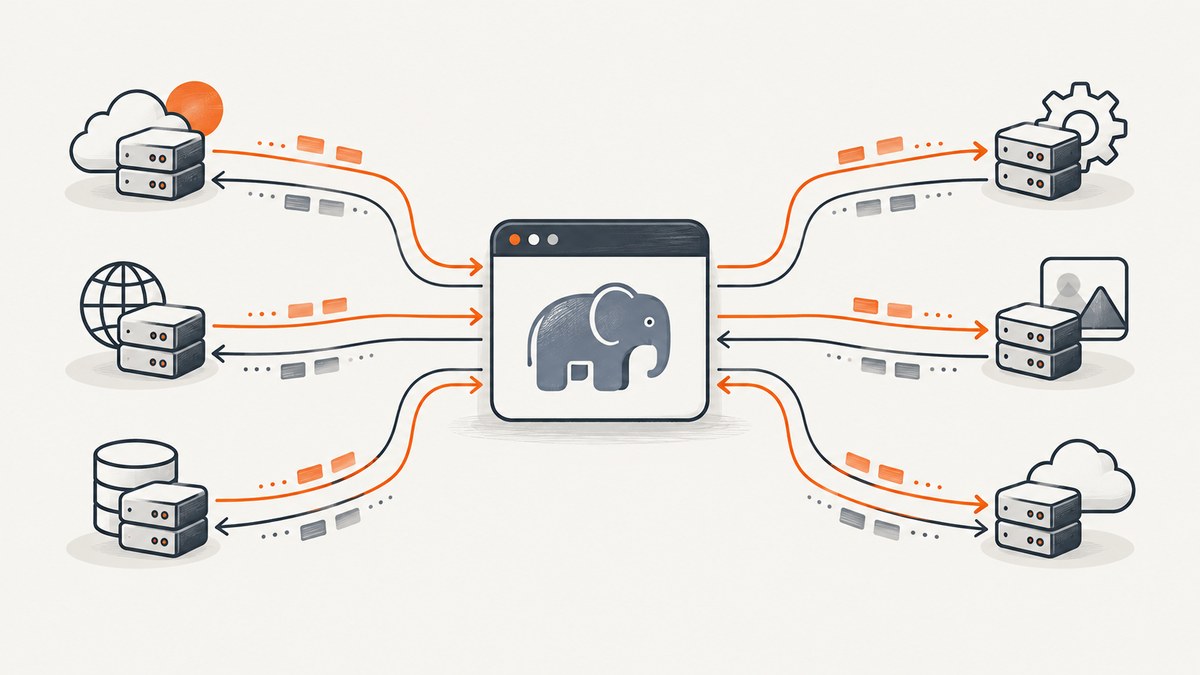
To make concurrent requests in PHP, start every independent request before reading any response body. With Symfony HttpClient, retain the response objects from multiple $client->request() calls and consume them afterward. With Guzzle, create asynchronous promises with getAsync() or requestAsync(), then wait with Promise\Utils::settle(), unwrap(), or a bounded Pool.
Concurrency reduces time spent waiting on network I/O, but it does not mean launching an unlimited number of requests. Set timeouts, preserve the input key for every result, respect API quotas, and bound the number of in-flight operations.
What “concurrent” means in PHP
Sequential code sends one request, waits for its body, processes it, and then sends the next request. If three services each take 400 ms, total elapsed time can approach 1.2 seconds.
Concurrent I/O dispatches all three independent requests first. The network operations overlap while PHP waits, and you then read each result. The total is closer to the slowest request plus processing overhead, although actual latency depends on DNS, TCP/TLS setup, server behavior, bandwidth, and local limits.
This pattern is appropriate when requests do not depend on one another. If request B needs an identifier returned by request A, keep that dependency sequential or split the work into stages.
Symfony HttpClient: the simplest fixed set
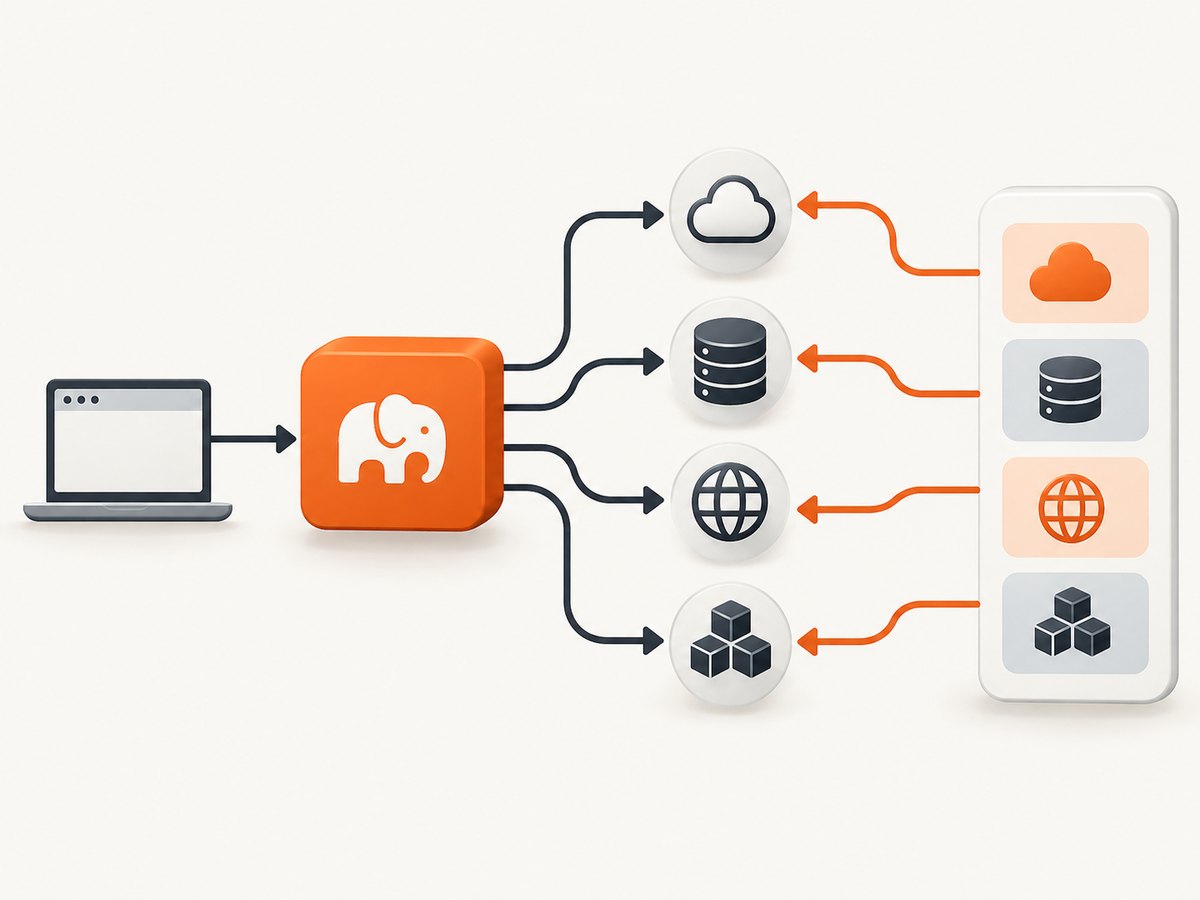
Symfony documents that its HTTP client makes asynchronous requests by default. The first loop below dispatches requests; the second loop consumes responses. See the Symfony HttpClient documentation for transport and response APIs.
Install
composer require symfony/http-clientComplete runnable example
<?php

require __DIR__ . '/vendor/autoload.php';

use Symfony\Component\HttpClient\HttpClient;

$client = HttpClient::create([
    'timeout' => 10,
    'max_duration' => 30,
    'headers' => [
        'Accept' => 'application/json',
        'User-Agent' => 'my-php-service/1.0',
    ],
]);

$urls = [
    'users' => 'https://api.example.test/users',
    'posts' => 'https://api.example.test/posts',
    'comments' => 'https://api.example.test/comments',
];

$responses = [];

// Dispatch all independent requests before reading any body.
foreach ($urls as $key => $url) {
    $responses[$key] = $client->request('GET', $url);
}

$results = [];
foreach ($responses as $key => $response) {
    try {
        $status = $response->getStatusCode();
        $results[$key] = [
            'status' => $status,
            'data' => $response->toArray(),
        ];
    } catch (\Throwable $e) {
        $results[$key] = [
            'error' => $e->getMessage(),
        ];
    }
}

var_dump($results);
toArray() decodes a successful JSON response and raises an exception for an invalid response or unsuccessful status. If the endpoint returns text or binary data, use $response->getContent() (or getContent(false) when you need to inspect an error body without a status exception). Keep the key in $responses so the result remains associated with its URL.
Symfony options that matter
| Option or method | Use |
|---|---|
timeout |
Maximum inactivity period for a request. Set it explicitly for external services. |
max_duration |
Upper bound for the complete request, including transfers. |
headers |
Send authentication, content negotiation, tracing, or a custom user agent. |
query |
Add query parameters without hand-building a URL. |
json |
Encode a request body as JSON and set the appropriate content type. |
toArray() |
Decode JSON and validate the HTTP response. |
stream() |
Process response chunks as they arrive when bodies are large. |
Symfony states that the maximum number of concurrent connections depends on system resources and documents a default maximum of six concurrent connections per host. For a large input set, use batches or a rate-limited client instead of dispatching every URL at once.
Guzzle promises: fixed requests with partial failure handling
Guzzle exposes asynchronous requests as promises. Its quickstart explains that unwrap waits for all promises and throws if one fails, while settle waits for all and returns each state. Read the Guzzle quickstart for the promise API.
Install
composer require guzzlehttp/guzzleUse settle when partial success is useful
<?php

require __DIR__ . '/vendor/autoload.php';

use GuzzleHttp\Client;
use GuzzleHttp\Promise\Utils;

$client = new Client([
    'timeout' => 10,
    'connect_timeout' => 3,
    'http_errors' => false,
    'headers' => [
        'Accept' => 'application/json',
        'User-Agent' => 'my-php-service/1.0',
    ],
]);

$urls = [
    'users' => 'https://api.example.test/users',
    'posts' => 'https://api.example.test/posts',
];

$promises = [];
foreach ($urls as $key => $url) {
    $promises[$key] = $client->getAsync($url);
}

$settled = Utils::settle($promises)->wait();

foreach ($settled as $key => $result) {
    if ($result['state'] === 'fulfilled') {
        $response = $result['value'];
        $status = $response->getStatusCode();
        $body = (string) $response->getBody();
        echo "$key: HTTP $status\n";
        // Decode only after checking status and content type in real code.
        $data = json_decode($body, true, flags: JSON_THROW_ON_ERROR);
    } else {
        $reason = $result['reason'];
        error_log("$key failed: " . $reason->getMessage());
    }
}
Use Utils::unwrap($promises)->wait() when one failure should fail the whole operation. Use settle when a dashboard, batch, or aggregation can return successful results while recording failed keys for retry.
Bound concurrency with Guzzle Pool
A pool is the right shape for an indeterminate or large iterable. It starts new work as earlier requests finish and enforces a finite in-flight count.
<?php

require __DIR__ . '/vendor/autoload.php';

use GuzzleHttp\Client;
use GuzzleHttp\Pool;
use GuzzleHttp\Psr7\Request;

$client = new Client([
    'timeout' => 15,
    'connect_timeout' => 3,
    'http_errors' => false,
]);

$urls = [
    'https://api.example.test/a',
    'https://api.example.test/b',
    'https://api.example.test/c',
];

$requests = function () use ($urls) {
    foreach ($urls as $url) {
        yield new Request('GET', $url, ['Accept' => 'application/json']);
    }
};

$pool = new Pool($client, $requests(), [
    'concurrency' => 5,
    'fulfilled' => function ($response, $index) use ($urls) {
        $status = $response->getStatusCode();
        if ($status >= 200 && $status < 300) {
            echo "Success {$urls[$index]}\n";
        } else {
            error_log("HTTP $status from {$urls[$index]}");
        }
    },
    'rejected' => function ($reason, $index) use ($urls) {
        error_log("Transport failure for {$urls[$index]}: " . $reason->getMessage());
    },
]);

$pool->promise()->wait();
The documented concurrency setting limits in-flight requests, reducing memory use and pressure on the destination. Start with a small value, then tune it against the remote API quota, your worker’s file-descriptor limit, memory, and per-host connection ceiling.
Choosing Symfony, Guzzle, or cURL multi
| Need | Good fit | Reason |
|---|---|---|
| A Symfony application or lazy response processing | Symfony HttpClient | Integrated component with asynchronous requests, streaming, and transport options. |
| Promises, explicit callbacks, or a bounded pool | Guzzle | Direct promise APIs plus Pool for finite concurrency. |
| No Composer dependency | cURL multi | Low-level control over several cURL handles, at the cost of more bookkeeping. |
Guzzle’s supporting documentation identifies cURL multi as its parallel transport wrapper. At the low level, cURL multi requires you to create handles, add them to a multi handle, repeatedly execute while work remains, read completed handles, and remove or reuse them. For most applications, Symfony or Guzzle avoids that lifecycle code.
Raw cURL multi example
<?php

$urls = [
    'users' => 'https://api.example.test/users',
    'posts' => 'https://api.example.test/posts',
];

$multi = curl_multi_init();
$handles = [];

foreach ($urls as $key => $url) {
    $ch = curl_init($url);
    curl_setopt_array($ch, [
        CURLOPT_RETURNTRANSFER => true,
        CURLOPT_TIMEOUT => 15,
        CURLOPT_CONNECTTIMEOUT => 3,
        CURLOPT_HTTPHEADER => ['Accept: application/json'],
    ]);
    curl_multi_add_handle($multi, $ch);
    $handles[$key] = $ch;
}

do {
    $status = curl_multi_exec($multi, $running);
    if ($running) {
        curl_multi_select($multi, 1.0);
    }
} while ($running && $status === CURLM_OK);

$results = [];
foreach ($handles as $key => $ch) {
    $body = curl_multi_getcontent($ch);
    $error = curl_error($ch);
    $code = curl_getinfo($ch, CURLINFO_RESPONSE_CODE);
    $results[$key] = $error
        ? ['error' => $error]
        : ['status' => $code, 'body' => $body];
    curl_multi_remove_handle($multi, $ch);
    curl_close($ch);
}
curl_multi_close($multi);
Failure handling, retries, and ordering
- Check transport and HTTP failures separately. A timeout or DNS error has no HTTP status; a 429 or 503 is an HTTP response that may be retryable.
- Preserve identity. Use associative promise keys, URL indexes, or a request object containing the original ID.
- Retry only safe operations. GET is usually repeatable; do not blindly retry a non-idempotent POST unless the API supports idempotency keys.
- Use backoff. For retryable 429/5xx responses, wait with increasing delays and honor a server-provided
Retry-Aftervalue when present. - Cap retries and total duration. A retry loop must not exceed the request deadline of the surrounding job.
- Log context. Record endpoint, attempt, status or exception class, elapsed time, and a request ID when available. Avoid logging credentials or personal data.
Performance and reliability checklist
- Group only independent requests into the same wave.
- Set connect and total timeouts appropriate to the job.
- Start with concurrency between 3 and 10, then adjust using observed quota responses and resource usage.
- Use batching or a pool for thousands of URLs; never build an unbounded promise array from uncontrolled input.
- Reuse a client so connections can be reused where the transport supports it.
- Limit response sizes or stream large bodies instead of retaining every body in memory.
- Use cancellation or a job deadline when the caller disconnects or the work is no longer useful.
- Measure completion time, error rate, status distribution, and queue depth in your own deployment. Documentation examples are not guarantees of a universal speedup.

Or skip the browser setup
If your concurrent PHP job is collecting website screenshots, you can dispatch ScreenshotNeo requests with the same concurrency patterns above. ScreenshotNeo is a website screenshot API and MCP server; one GET request returns PNG, JPEG, WebP, or PDF. The API accepts full-page and element capture, device and viewport settings, custom CSS and JavaScript, waits, request blocking, headers, cookies, authentication, geolocation, caching, signed links, asynchronous jobs, bulk capture, and more. See the ScreenshotNeo API documentation for the complete option list.
<?php

$url = 'https://stripe.com';
$apiUrl = 'https://api.screenshotneo.com/v1/shot';

$query = http_build_query([
    'access_key' => 'YOUR_API_KEY',
    'url' => $url,
]);

$context = stream_context_create([
    'http' => [
        'method' => 'GET',
        'timeout' => 90,
    ],
]);

$image = file_get_contents("$apiUrl?$query", false, $context);
if ($image === false) {
    throw new RuntimeException('Screenshot request failed');
}
file_put_contents('shot.webp', $image);
Cookie banners, newsletter popups, and chat widgets are removed before the shot. Bot checks, blank pages, failed loads, timeouts, and cache hits cost nothing, and response headers identify the page verdict and whether it was billed. An MCP server lets Claude, Cursor, and other MCP clients take screenshots. The Free plan includes 1,000 screenshots a month with no card; paid plans start at $5 for 3,000. Create a free ScreenshotNeo account.
Equivalent calls from other clients
curl -G "https://api.screenshotneo.com/v1/shot" -d access_key=YOUR_API_KEY --data-urlencode url=https://stripe.com -o shot.webpimport requests
r = requests.get("https://api.screenshotneo.com/v1/shot", params={"access_key": "YOUR_API_KEY", "url": "https://stripe.com"}, timeout=90)
open("shot.webp", "wb").write(r.content)const q = new URLSearchParams({ access_key: 'YOUR_API_KEY', url: 'https://stripe.com' });
const res = await fetch(`https://api.screenshotneo.com/v1/shot?${q}`);Troubleshooting common errors
| Symptom | Likely cause | Fix |
|---|---|---|
| Only the first request appears concurrent | The code reads the body inside the dispatch loop. | Store response or promise objects, then consume them in a second loop. |
| Memory grows on a large batch | Every promise and response body is retained. | Use Guzzle Pool, batches, streaming, and bounded result storage. |
| Many 429 responses | Concurrency exceeds the provider quota. | Lower the pool limit, add backoff, and honor Retry-After. |
| One error aborts all results | unwrap() is fail-fast. |
Use settle() or Pool rejected callbacks for partial success. |
| Requests hang indefinitely | No connect or total timeout. | Set explicit timeouts and enforce a parent job deadline. |
| JSON decoding fails | HTML, an error body, or invalid JSON was returned. | Check status and content type before decoding; retain a bounded error body for diagnostics. |
| Results are assigned to the wrong input | Numeric completion order was mistaken for input order. | Preserve associative keys or map Pool indexes back to the original list. |
FAQ
Does PHP create a thread for every request?
No. Symfony HttpClient and Guzzle overlap network I/O through asynchronous transports and promises. Your PHP worker still needs enough resources for sockets, buffers, and response processing.
Is concurrency always faster?
No. It can reduce waiting for independent I/O, but remote throttling, connection setup, bandwidth, CPU-heavy decoding, or local limits can erase the benefit.
What concurrency value should I choose?
There is no universal number. Begin conservatively, observe latency and 429/5xx rates, and increase only while the destination quota and your worker resources remain healthy. Symfony documents six connections per host by default in its client configuration.
Can I preserve the original order?
Yes. Keep input keys and write each completed result into that key. Completion order may differ from input order.
When should I use a queue instead?
Use a queue when work may outlive the web request, needs durable retries, or contains enough URLs that one PHP worker would exceed its deadline or memory budget.


