How to Configure Cloudflare Browser Integrity Check for Automated Screenshots
Configure Cloudflare Browser Integrity Check for screenshot traffic, choose scoped rules, and handle Browser Run bot detection safely.
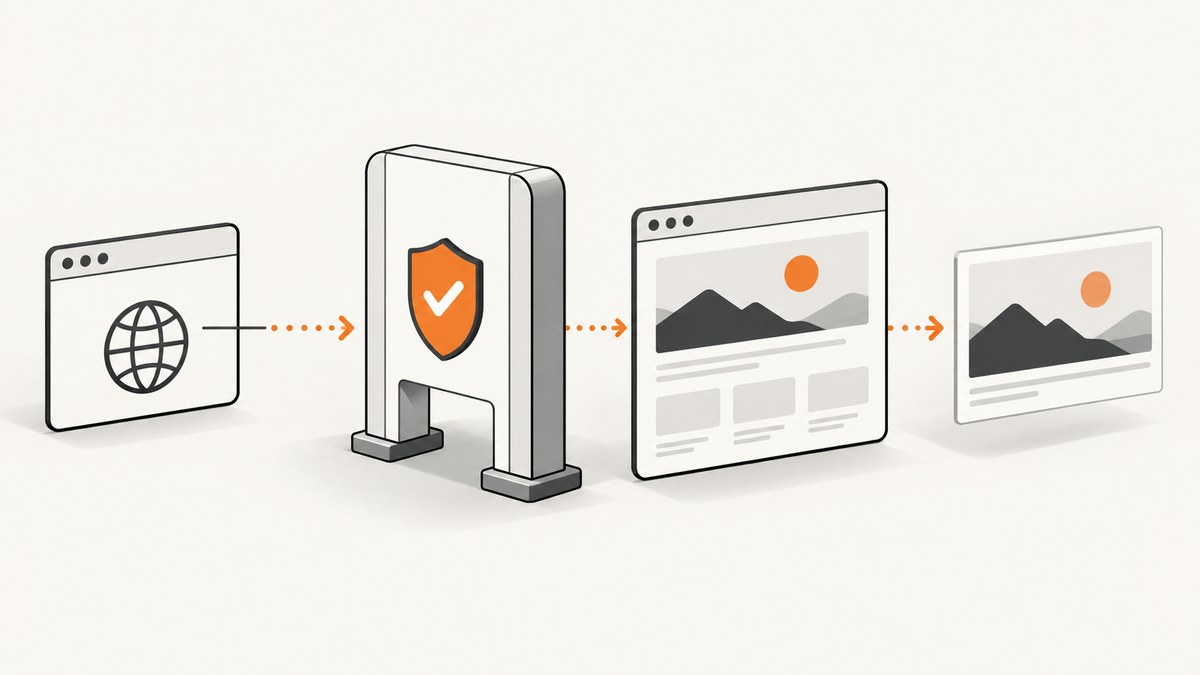
Direct answer: first confirm that Browser Integrity Check (BIC) is the control challenging your screenshot request. If BIC is responsible, either disable it for the whole zone in Security Settings, or use a narrowly scoped Skip or Configuration Rule for the hostname or path that needs screenshots. Do not assume every failed capture is caused by BIC: Cloudflare Browser Run traffic is always identified as bot traffic, which is a separate control path.
Cloudflare says, “Browser Integrity Check is enabled by default.” It checks common HTTP headers associated with spammers and challenges requests with no user agent or a non-standard user agent. See the Browser Integrity Check documentation.
1. Identify the actual challenge before changing protection
Automated screenshots can fail because of BIC, Bot Management, a WAF rule, rate limiting, JavaScript challenges, authentication, origin errors, or a page that never finishes loading. Changing BIC will not fix a failure caused by another control.

- Capture the exact target URL, timestamp, response status, and response headers.
- Check whether the response is a Cloudflare challenge, a block page, a redirect loop, or an origin error.
- Compare the same URL in a normal browser and with the screenshot service’s user agent.
- Review Security Events for the request. Record the rule ID, action, bot signal, and matched hostname or path.
- Only then choose a global BIC change, a request-matched rule, or a Browser Run allowlist.
A successful browser render can still produce a blank image when the page requires authentication, waits for client-side data, or blocks resources. Treat the security event and the rendered output as separate diagnostics.
2. Disable BIC globally for a zone
Use this only when every request in the zone should bypass Browser Integrity Check.
- Open the Cloudflare dashboard and select the zone.
- Open Security Settings.
- Find Browser integrity check.
- Turn the setting off and save the change.
Cloudflare documents this as a zone-wide setting. It affects normal visitors and automated requests, so review the security impact before using it on a production zone. If only one screenshot route needs access, use a selective rule instead.
3. Skip BIC for selected screenshot requests
Cloudflare documents a custom rule with a Skip action as one selective approach. Build the expression around the smallest stable match available, such as a dedicated hostname or URL path.
Example scope
(http.host eq "render.example.com" and starts_with(http.request.uri.path, "/screenshots/"))In the rule editor:
- Create a new WAF custom rule.
- Use a hostname or path expression that matches only the screenshot route.
- Choose the Skip action.
- Select Browser Integrity Check in the products or rules to skip, where the dashboard exposes that choice.
- Place the rule before blocking rules that would otherwise stop the request.
- Deploy, make one test capture, and verify the result in Security Events.
Keep the match narrow. A rule for an entire public domain can remove a protection that ordinary visitors still need. If your account does not expose the required skip controls, use a Configuration Rule or ask a Cloudflare administrator with the necessary permissions.
4. Use a Configuration Rule for hostname or path-based BIC settings
Cloudflare Configuration Rules can turn BIC on or off for matching requests. This is useful when one part of a zone needs different handling from the rest.
- Open Rules and create a Configuration Rule.
- Define a filter for the exact hostname, path, or other supported request fields.
- Set Browser Integrity Check to On or Off for that match.
- Review rule order and deploy.
- Test both a matching and a non-matching URL.
For example, a dedicated capture origin can be configured differently from the public site:
(http.host eq "capture.example.com")Use the Configuration Rules documentation for the fields available in your plan. A configuration rule changes BIC behavior; it does not automatically bypass Bot Management, WAF custom rules, rate limits, or authentication.
5. Cloudflare Browser Run is a separate bot-detection case
Cloudflare Browser Run is a headless browser service that renders HTML and JavaScript and can capture screenshots. It is available on Free and Paid plans. Cloudflare states: “Browser Run requests are always identified as bot traffic by Cloudflare.” That statement concerns bot identification, not a BIC toggle.
For Browser Run accessing your own Cloudflare zone, the Browser Run FAQ describes a WAF custom-rule Skip workflow based on the Browser Detection ID. The FAQ says to place that rule first and notes that this custom-rule allowlisting path requires Enterprise because it relies on Bot Management fields. Do not present this as a BIC setting or assume it is available on every plan.
Start with the Browser Run overview and the Browser Run FAQ. Confirm your account entitlement and the exact field names shown in your dashboard.
6. Capture a screenshot with Browser Run
REST access requires a custom API token with Browser Rendering – Edit permission. Replace the placeholders below with your account ID and token. The endpoint accepts a URL or HTML and supports viewport controls and full-page capture; consult the screenshot endpoint reference for the current request schema.
cURL
curl -X POST "https://api.cloudflare.com/client/v4/accounts/ACCOUNT_ID/browser-rendering/screenshot" \
  -H "Authorization: Bearer API_TOKEN" \
  -H "Content-Type: application/json" \
  --data '{"url":"https://example.com/page","viewport":{"width":1440,"height":900},"full_page":true}' \
  -o shot.png
Python
import requests

account_id = "ACCOUNT_ID"
token = "API_TOKEN"
payload = {
    "url": "https://example.com/page",
    "viewport": {"width": 1440, "height": 900},
    "full_page": True,
}
response = requests.post(
    f"https://api.cloudflare.com/client/v4/accounts/{account_id}/browser-rendering/screenshot",
    headers={"Authorization": f"Bearer {token}"},
    json=payload,
    timeout=90,
)
response.raise_for_status()
open("shot.png", "wb").write(response.content)
Node.js
const accountId = process.env.CF_ACCOUNT_ID;
const token = process.env.CF_API_TOKEN;

const res = await fetch(
  `https://api.cloudflare.com/client/v4/accounts/${accountId}/browser-rendering/screenshot`,
  {
    method: 'POST',
    headers: {
      Authorization: `Bearer ${token}`,
      'Content-Type': 'application/json'
    },
    body: JSON.stringify({
      url: 'https://example.com/page',
      viewport: { width: 1440, height: 900 },
      full_page: true
    })
  }
);
if (!res.ok) throw new Error(`${res.status} ${await res.text()}`);
const fs = await import('node:fs/promises');
await fs.writeFile('shot.png', Buffer.from(await res.arrayBuffer()));
7. Verify that the rule solved the right problem
| Observation | Likely cause | Next check |
|---|---|---|
| Cloudflare challenge page | BIC, WAF, Bot Management, or a challenge rule | Security Events rule ID and action |
| Browser Run request identified as a bot | Expected Browser Run bot classification | Browser Run FAQ allowlist requirements |
| HTTP 401 or 403 from origin | Authentication or origin authorization | Origin logs and request credentials |
| Blank or partial image | JavaScript, delayed data, blocked resources, or timeout | Browser console/network behavior and wait settings |
| Redirect loop | HTTP-to-HTTPS, locale, login, or bot redirect | Full redirect chain and cookies |
8. Troubleshooting common errors
“Turning off BIC did nothing”
The request may be blocked by Bot Management, a WAF custom rule, rate limiting, or an origin control. Recheck Security Events and identify the rule that produced the response.
“The screenshot service has no user agent”
BIC challenges requests without a user agent or with a non-standard one. Configure a standard user agent in the browser service when possible, then verify the resulting request. A user-agent change does not bypass other Cloudflare controls.
“The selective rule matches too many URLs”
Tighten the expression with both http.host and a path prefix. Test a matching URL and a nearby URL that must remain protected.
“The Skip action is unavailable”
Plan features and account permissions determine which custom-rule fields and skip products are available. Use a Configuration Rule for BIC where supported, or involve an administrator who can verify plan access.
“Browser Run still fails after a BIC change”
Browser Run is always identified as bot traffic. Follow the separate WAF custom-rule workflow in the FAQ, confirm the required Bot Detection ID field, and verify whether Enterprise access is required for your account.
“The API returns an image, but it is not the page”
Check login state, consent dialogs, client-side rendering, viewport-dependent layouts, lazy loading, and resource failures. Capture a diagnostic page or use browser logs before changing Cloudflare protection again.
9. Security, performance, and cost considerations
- Least privilege: scope exceptions to a dedicated hostname or path and keep the rest of the zone protected.
- Rule order: place an intended allow or skip rule before rules that would challenge or block the same request.
- Credentials: store API tokens outside source code and grant only Browser Rendering permissions required by the workflow.
- Performance: full-page captures and pages with heavy JavaScript take longer and consume more browser resources than a fixed viewport.
- Reliability: wait for the page state your application needs, and retry transient failures with a bounded backoff. Record the URL, status, challenge result, and timestamp for diagnosis.
- Cost: Cloudflare plan and Browser Run usage terms apply to Browser Run. Review the current Cloudflare pricing and account limits before running large capture batches.

Or skip the browser setup
ScreenshotNeo provides a website screenshot API and MCP server. One GET request returns a PNG, JPEG, WebP, or PDF. Before capture, it accepts cookie and consent banners and removes more than 60 known consent platforms, newsletter popups, and chat widgets; each step can be turned off. Bot checks and CAPTCHAs, blank pages, timeouts, failed loads, and cache hits are not billed, and the response identifies the page verdict and billing status in X-Page-Verdict and X-Billed headers. Its MCP server includes take_screenshot, get_page_info, and capture_pdf tools for Claude, Cursor, and other MCP clients.
Use the ScreenshotNeo API documentation for all options, including full-page capture, CSS selectors, device presets, dark mode, custom headers and cookies, waits, blocking rules, caching, signed links, asynchronous jobs, bulk capture, and PDF output.
cURL
curl -G "https://api.screenshotneo.com/v1/shot" -d access_key=YOUR_API_KEY --data-urlencode url=https://example.com/page -o shot.webpPython
import requests
r = requests.get("https://api.screenshotneo.com/v1/shot", params={"access_key": "YOUR_API_KEY", "url": "https://example.com/page"}, timeout=90)
open("shot.webp", "wb").write(r.content)
Node.js
const q = new URLSearchParams({ access_key: 'YOUR_API_KEY', url: 'https://example.com/page' });
const res = await fetch(`https://api.screenshotneo.com/v1/shot?${q}`);
ScreenshotNeo includes 1,000 screenshots per month free with no card; paid plans start at $5 for 3,000 screenshots. Create a free ScreenshotNeo account.
FAQ
Is BIC the same as Cloudflare Bot Management?
No. BIC is a browser-integrity check, while Bot Management and WAF rules are separate controls with separate fields and actions.
Can I safely disable BIC for the whole site?
You can, but it removes BIC for all requests in the zone. A request-matched rule is usually easier to limit and review.
Does Browser Run bypass Cloudflare bot detection?
No. Cloudflare says Browser Run requests are always identified as bot traffic. Use the documented WAF custom-rule workflow when the Browser Run request targets your own zone.
Why does a normal browser work while automation fails?
The automated request may have different headers, cookies, JavaScript behavior, IP reputation, or bot signals. Compare the challenged request in Security Events instead of assuming BIC is the cause.


