How to Configure a Proxy for html2canvas
Configure html2canvas proxy requests, choose proxy versus CORS, implement a safe endpoint, and fix missing images and cross-origin errors.
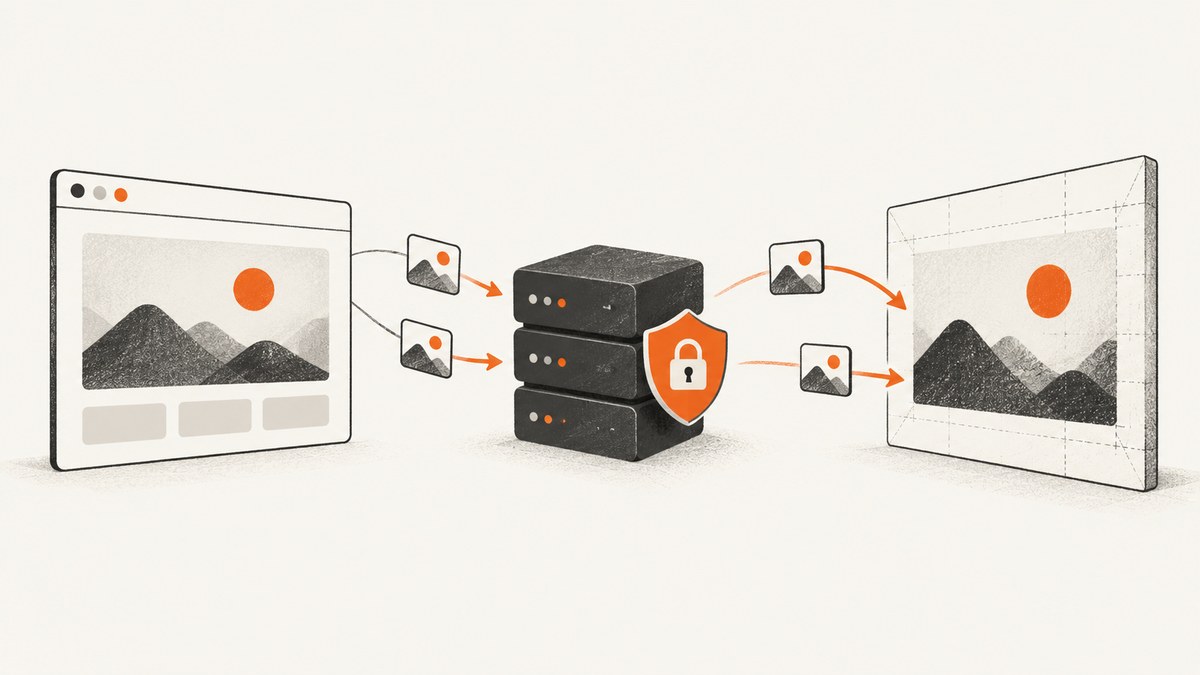
Direct answer: pass the URL of your own proxy endpoint to html2canvas’s proxy option:
const canvas = await html2canvas(element, {
  proxy: '/proxy'
});
The option only tells html2canvas where to send resource requests. It does not create or host a proxy. Your server must accept a request containing a url query parameter, fetch that resource, and return the resource as a base64 data URI in the format described by the html2canvas getting-started guide.
For an image host you control, useCORS: true can be simpler. The image response must include a suitable Access-Control-Allow-Origin header. The documented default for useCORS is false, and the default for proxy is null (configuration reference).
1. Understand what the proxy option does
html2canvas reconstructs a visual representation from the target element’s DOM and computed styles. It is not a literal screenshot of the browser’s pixels. Browser same-origin and content-policy rules still apply, so an image hosted on another origin may be unavailable to the canvas unless it is served with CORS headers or fetched through a compatible proxy. Cross-origin iframe contents cannot be read by html2canvas even when you proxy images (documentation).
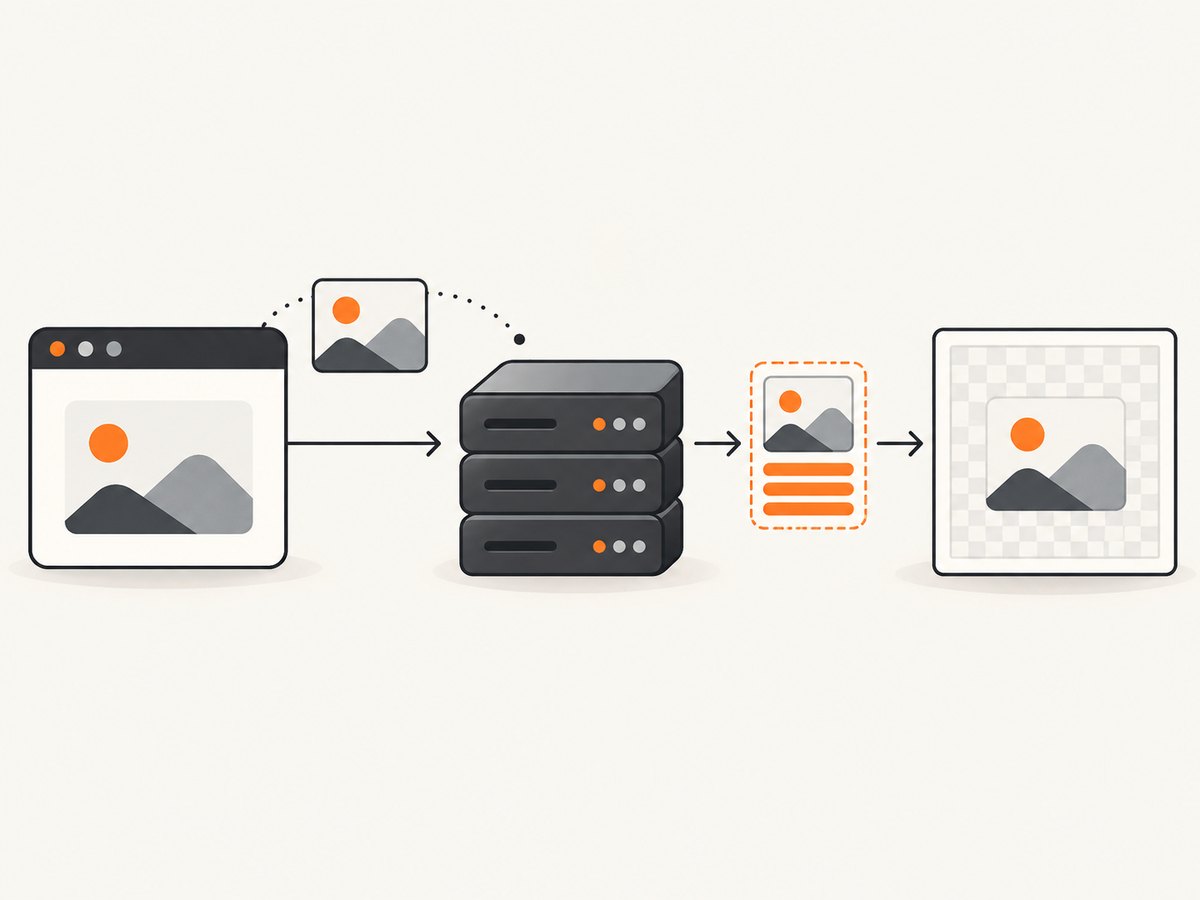
When the renderer encounters an image, it can request that image from the configured endpoint. A typical request looks like:
GET /proxy?url=https%3A%2F%2Fcdn.example.com%2Fphoto.jpgYour endpoint fetches the URL and responds with a data URI such as data:image/jpeg;base64,.... html2canvas can then use that same-origin response while building the canvas.
2. Choose CORS or a proxy
| Situation | Recommended setting | What you must control |
|---|---|---|
| The image server is yours and can emit CORS headers | useCORS: true |
The image response must allow the browser origin |
| The image server cannot be changed | proxy: '/proxy' |
Your endpoint must implement html2canvas’s proxy contract |
| The content is in a cross-origin iframe | Neither option solves it | The browser prevents reading the iframe document |
| You need a literal browser screenshot | Use a browser screenshot service or automation tool | html2canvas is DOM reconstruction, not pixel capture |
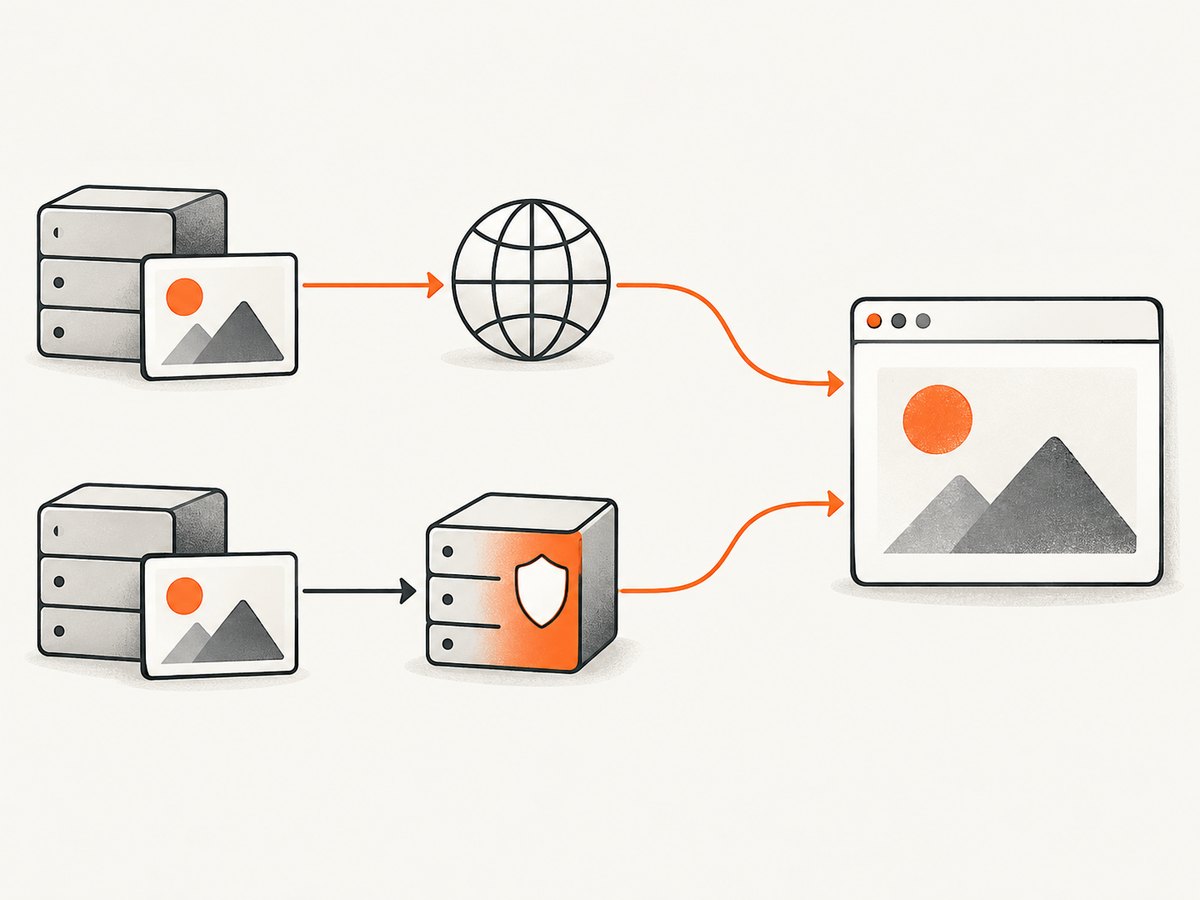
Do not enable both settings as a guess. Start with CORS when you control the image host. Use a proxy when the remote host cannot provide the required header. In either case, inspect the browser’s network and console logs to identify the exact resource that failed.
3. Basic html2canvas configuration
Proxy configuration
import html2canvas from 'html2canvas';

const element = document.querySelector('#invoice');
const canvas = await html2canvas(element, {
  proxy: '/proxy',
  backgroundColor: '#ffffff',
  logging: true
});

document.body.appendChild(canvas);
The proxy URL may be relative, such as /proxy, or an absolute URL on a server that permits the browser request. A relative route is usually easiest because it follows your application’s origin and avoids another CORS boundary.
CORS configuration
const canvas = await html2canvas(element, {
  useCORS: true,
  logging: true
});
useCORS asks the browser to make cross-origin image requests with CORS enabled. It cannot manufacture an Access-Control-Allow-Origin response. The image server must send the header, and any credentials policy must also match your request.
4. Implement a proxy endpoint
The following Node.js example uses Express and the built-in fetch available in current Node.js releases. It accepts only HTTP(S) URLs, limits response size, preserves the fetched media type, and returns a base64 data URI.
import express from 'express';

const app = express();
const MAX_BYTES = 10 * 1024 * 1024;

app.get('/proxy', async (req, res) => {
  const raw = req.query.url;
  if (typeof raw !== 'string') {
    return res.status(400).send('Missing url query parameter');
  }

  let target;
  try {
    target = new URL(raw);
  } catch {
    return res.status(400).send('Invalid URL');
  }

  if (!['http:', 'https:'].includes(target.protocol)) {
    return res.status(400).send('Only HTTP and HTTPS URLs are allowed');
  }

  try {
    const upstream = await fetch(target, {
      redirect: 'follow',
      signal: AbortSignal.timeout(15000),
      headers: { 'User-Agent': 'html2canvas-proxy/1.0' }
    });

    if (!upstream.ok) {
      return res.status(502).send(`Upstream returned ${upstream.status}`);
    }

    const contentType = upstream.headers.get('content-type') || '';
    if (!contentType.startsWith('image/')) {
      return res.status(415).send('Upstream response is not an image');
    }

    const bytes = Buffer.from(await upstream.arrayBuffer());
    if (bytes.length > MAX_BYTES) {
      return res.status(413).send('Image is too large');
    }

    const dataUri = `data:${contentType.split(';', 1)[0]};base64,${bytes.toString('base64')}`;
    res.set('Cache-Control', 'private, max-age=300');
    return res.type('text/plain').send(dataUri);
  } catch (error) {
    console.error(error);
    return res.status(502).send('Proxy request failed');
  }
});

app.listen(3000, () => console.log('Proxy listening on http://localhost:3000'));
Install and run it with:
npm init -y
npm install express
node server.js
Point your frontend at http://localhost:3000/proxy during local development, or expose the route through the same origin as your production application.
Python Flask implementation
This equivalent endpoint uses Flask and Requests. It streams the upstream response into memory only after checking the declared content type; production code should also enforce an allowlist or private-network protection at the network layer.
from urllib.parse import urlparse
import base64
import requests
from flask import Flask, request, Response

app = Flask(__name__)
MAX_BYTES = 10 * 1024 * 1024

@app.get('/proxy')
def proxy():
    raw = request.args.get('url')
    if not raw:
        return 'Missing url query parameter', 400

    parsed = urlparse(raw)
    if parsed.scheme not in ('http', 'https') or not parsed.netloc:
        return 'Only HTTP and HTTPS URLs are allowed', 400

    try:
        upstream = requests.get(
            raw,
            timeout=(5, 15),
            headers={'User-Agent': 'html2canvas-proxy/1.0'},
        )
        upstream.raise_for_status()
    except requests.RequestException:
        return 'Proxy request failed', 502

    content_type = upstream.headers.get('Content-Type', '')
    if not content_type.startswith('image/'):
        return 'Upstream response is not an image', 415
    if len(upstream.content) > MAX_BYTES:
        return 'Image is too large', 413

    media_type = content_type.split(';', 1)[0]
    encoded = base64.b64encode(upstream.content).decode('ascii')
    return Response(
        f'data:{media_type};base64,{encoded}',
        content_type='text/plain',
        headers={'Cache-Control': 'private, max-age=300'},
    )

if __name__ == '__main__':
    app.run(port=3000, debug=True)
python -m venv .venv
. .venv/bin/activate
pip install flask requests
python server.py5. Test the contract before using html2canvas
Test the endpoint independently. URL-encode the target because query strings contain characters such as &, ? and #.
curl -G 'http://localhost:3000/proxy' \
  --data-urlencode 'url=https://cdn.example.com/photo.jpg' \
  -o response.txt
head -c 30 response.txt
The response should begin with data:image/. If it begins with an HTML error page, JSON, or binary bytes, html2canvas cannot use it as the documented data-URI response.
From JavaScript, you can make the same diagnostic request:
const target = 'https://cdn.example.com/photo.jpg';
const response = await fetch(`/proxy?url=${encodeURIComponent(target)}`);
console.log(response.status, (await response.text()).slice(0, 30));
6. Proxy security requirements
An unrestricted proxy is an SSRF endpoint: anyone who can call it may ask your server to fetch arbitrary destinations. Apply these controls before deploying:
- Allow only
httpandhttpsschemes. - Reject localhost, loopback, link-local, private and metadata-service IP ranges, including after DNS resolution and redirects.
- Prefer an allowlist of image hostnames when your application knows its content sources.
- Limit response bytes, redirect count, connection time and total request time.
- Accept only image media types and reject HTML, scripts and unexpectedly large files.
- Rate-limit the route and require authentication if it is not strictly internal.
- Do not forward arbitrary incoming authorization or cookie headers to the target.
- Log status, hostname, duration and byte count without logging secrets embedded in URLs.
Base64 expands the payload, so set response and memory limits with that overhead in mind. A short cache can reduce repeated downloads, but do not cache private images in a shared cache.
7. Configure the capture for real pages
Proxying solves resource access; it does not guarantee that the page has finished rendering. Wait for fonts, lazy images and application data before calling html2canvas.
await document.fonts?.ready;
await new Promise(resolve => setTimeout(resolve, 250));

const canvas = await html2canvas(document.querySelector('#report'), {
  proxy: '/proxy',
  useCORS: false,
  imageTimeout: 15000,
  allowTaint: false,
  backgroundColor: '#fff',
  scale: window.devicePixelRatio
});
Use allowTaint: false when you need to export the canvas with toDataURL() or toBlob(). A tainted canvas cannot be read by browser APIs. A proxy response still needs to be incorporated in a way that satisfies the browser’s origin rules.
For very large elements, capture a smaller container or split the page into sections. Canvas dimensions are limited by browser and device memory; a full-page element at a high device-pixel ratio can fail even when every image loads successfully.
8. Troubleshooting common failures
| Symptom | Likely cause | Fix |
|---|---|---|
| Images are missing | Proxy route is unreachable, returns the wrong format, or times out | Open the encoded proxy URL directly, verify a data:image/... response, and inspect browser network logs |
| Console reports a CORS error | The browser is calling a different-origin proxy without permission | Serve the route from the application origin or configure CORS on the proxy response |
| Proxy returns 400 | url is missing or not URL-encoded |
Use encodeURIComponent or curl’s --data-urlencode |
| Proxy returns 415 | Target returned HTML, JSON, or another non-image resource | Check the target URL and its Content-Type; follow image redirects safely |
| Proxy returns 502 or timeout | Remote host is slow, blocked, or unavailable | Increase a bounded timeout, retry transient failures server-side, and verify DNS and outbound access |
| Canvas is blank | Element is hidden, has zero dimensions, or rendering occurred before data arrived | Check dimensions, make the element visible, wait for application data and fonts |
toDataURL throws a security error |
Canvas was tainted by an image that did not satisfy CORS rules | Use a correctly implemented proxy or configure the image host for CORS; keep allowTaint disabled |
| Cross-origin iframe is empty | Browser isolation prevents reading another origin’s document | Render content from the same origin or capture it separately; an image proxy cannot bypass iframe isolation |
| Output differs from the browser | html2canvas reconstructs DOM and styles rather than taking a pixel screenshot | Adjust styles and wait conditions, or use a browser-based screenshot service for exact browser pixels |
The project’s FAQ specifically recommends checking CORS headers when images are not rendered. Enable html2canvas logging while diagnosing, then disable verbose logging in production.
9. Performance, reliability and cost considerations
- Latency: every uncached image adds a network round trip through your server. Keep the proxy near the application and remote users, and reuse connections where your HTTP client supports it.
- Bandwidth: the image travels from origin to proxy and then to the browser, with base64 adding transfer overhead. Resize source images when possible.
- Concurrency: cap simultaneous proxy fetches so a page containing many images cannot exhaust sockets or memory.
- Reliability: use bounded retries only for transient network errors. Do not retry invalid URLs, 4xx responses or oversized resources.
- Caching: cache public immutable images by URL and content type. Include relevant query parameters in the cache key and avoid sharing private responses.
- Observability: record upstream status, elapsed time, response size and rejection reason. These fields quickly distinguish a browser policy failure from an origin outage.
- Cost: operating a proxy consumes server bandwidth, compute and memory. A hosted screenshot API can move those operational costs into a predictable per-capture plan.
10. Or skip the browser setup
If you need a clean screenshot of a URL instead of rebuilding a DOM in the browser, ScreenshotNeo provides a website screenshot API and MCP server. One request returns PNG, JPEG, WebP or PDF. The API accepts the same kinds of parameters used by other screenshot APIs, which makes switching straightforward.
Use the API directly:
curl -G "https://api.screenshotneo.com/v1/shot" -d access_key=YOUR_API_KEY --data-urlencode url=https://stripe.com -o shot.webpSee the ScreenshotNeo API documentation for all options. The equivalent Python request is:
import requests
r = requests.get("https://api.screenshotneo.com/v1/shot", params={"access_key": "YOUR_API_KEY", "url": "https://stripe.com"}, timeout=90)
open("shot.webp", "wb").write(r.content)
Node.js:
const q = new URLSearchParams({ access_key: 'YOUR_API_KEY', url: 'https://stripe.com' });
const res = await fetch(`https://api.screenshotneo.com/v1/shot?${q}`);
ScreenshotNeo removes cookie and consent banners, newsletter popups and chat widgets before capture. Bot checks, blank pages, failed loads, timeouts and cache hits are not billed, and the response identifies the page verdict and billing status in X-Page-Verdict and X-Billed headers. Its MCP server provides take_screenshot, get_page_info and capture_pdf tools for Claude, Cursor and other MCP clients. The Free plan includes 1,000 screenshots per month with no card; paid plans start at $5 for 3,000 shots.
Create a free ScreenshotNeo account and start with 1,000 screenshots a month at no charge.
11. Practical checklist
- Decide whether the image host can provide the required CORS header.
- If it can, try
useCORS: truefirst. - Otherwise implement
GET /proxy?url=...and return a base64 data URI. - URL-encode the target and test the endpoint with curl.
- Add SSRF protections, limits, authentication and rate limiting.
- Wait for fonts, lazy images and application data before capture.
- Keep
allowTaint: falsewhen you need to export the canvas. - Remember that cross-origin iframes remain inaccessible.
- Use a browser screenshot API when you need the browser’s actual pixels or do not want to operate proxy infrastructure.
12. FAQ
Does html2canvas host a proxy for me?
No. The proxy value is only the URL of an endpoint that you operate or otherwise control.
Can I proxy CSS files and fonts?
The documented proxy flow is primarily used for resources such as images. Other resource types still have to satisfy the browser and html2canvas loading rules; verify each resource in your page and review the network log.
Is a proxy always faster than CORS?
No. The official documentation does not establish that either route is universally faster. A proxy adds a hop, while CORS depends on the remote server’s response and cache behavior.
Why does a proxied image still fail?
Check the proxy’s response content type and data-URI format, the browser’s origin policy, redirects, image size and timeout. Proxying does not bypass cross-origin iframe restrictions.
When should I use a screenshot API?
Use one when you need a server-side capture of a URL, PDF output, device and browser controls, or a maintained service instead of building and securing a proxy yourself.


