How to Configure the Screenshot Viewport in Cypress
Set Cypress’s app viewport with configuration or cy.viewport(), then choose separately whether a screenshot captures the viewport, full page, or runner.
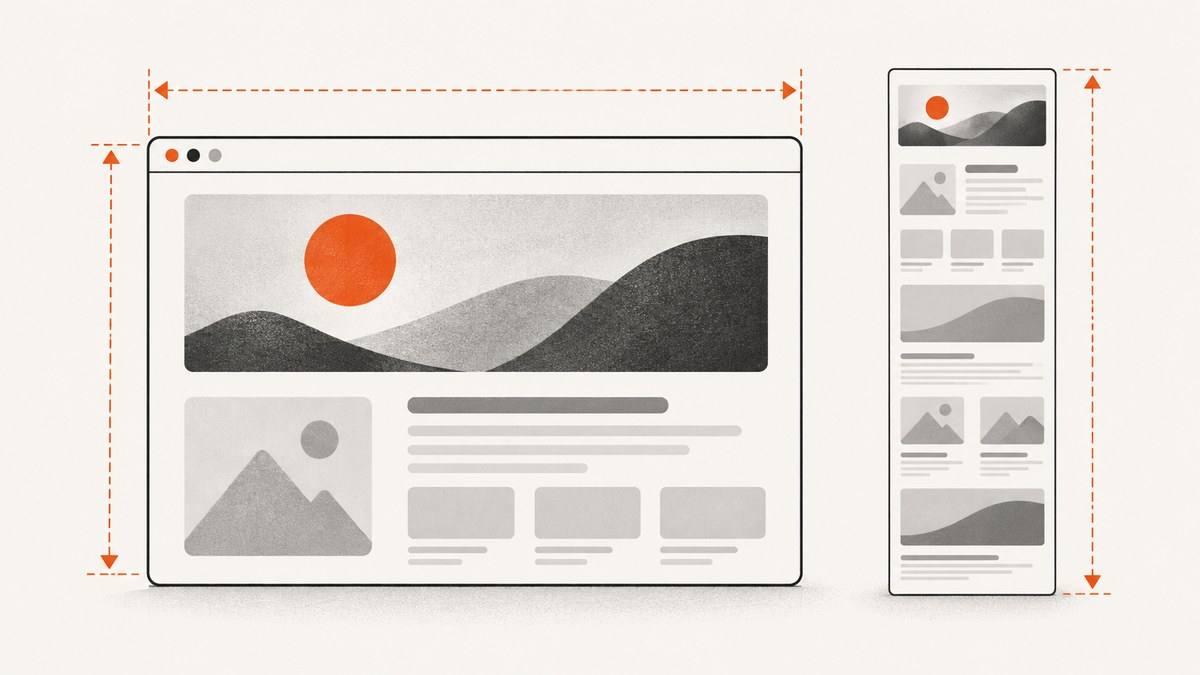
To set the viewport your Cypress test uses, configure viewportWidth and viewportHeight for project defaults, or call cy.viewport() to change dimensions during a test. Then choose screenshot capture mode separately: viewport captures what is currently visible, fullPage captures the application from top to bottom, and runner includes the Cypress Command Log. These settings solve different problems: viewport dimensions affect the app’s layout; capture mode determines what the image contains.
Cypress documents a default application viewport of 1000 by 660 pixels. The examples below use Cypress’s JavaScript configuration format; the same configuration values can be used in TypeScript. See the official references for cy.viewport() and cy.screenshot().
1. Set project-wide viewport defaults
Set both dimensions in cypress.config.js when most tests should run at the same size. This makes layout checks consistent across the suite and avoids repeating a viewport command in every test.
const { defineConfig } = require('cypress')

module.exports = defineConfig({
  viewportWidth: 1280,
  viewportHeight: 720,
})
For a TypeScript configuration, use the same properties in your defineConfig object in cypress.config.ts. Cypress reads these as application viewport dimensions inside the test runner. They are not a request to resize the computer monitor or the headless browser’s outer display.
Override the defaults from the command line
For a one-off run, pass the values through Cypress’s --config option:
npx cypress run --config viewportWidth=1280,viewportHeight=720This is useful when a CI job or a particular debugging run needs a different size without changing the checked-in configuration. Keep width and height together so the test has an intentional viewport rather than a mixture of a command-line override and a project default.
2. Set a viewport for one suite or test
Use test or suite configuration when a group of assertions needs a specific layout, such as a compact navigation check. Cypress applies the values to that scope and restores the prior settings after the suite or test finishes.
describe('compact layout', {
  viewportWidth: 400,
  viewportHeight: 1000,
}, () => {
  it('shows the compact navigation', () => {
    cy.visit('/')
    cy.get('[data-cy=mobile-navigation]').should('be.visible')
  })
})
The example uses a tall viewport to make a narrow-screen layout easier to inspect. Choose dimensions that correspond to the behavior you want to verify; Cypress viewport dimensions are pixels, and they do not automatically emulate a named physical device’s browser, operating system, or hardware.
3. Change the dimensions during a test
Call cy.viewport(width, height) when one test needs to check more than one responsive layout. Cypress also accepts a documented preset name, such as iphone-6, as the argument.
describe('responsive navigation', () => {
  it('changes at a narrow viewport', () => {
    cy.visit('/')

    cy.viewport(1280, 720)
    cy.get('[data-cy=desktop-navigation]').should('be.visible')

    cy.viewport(550, 750)
    cy.get('[data-cy=mobile-navigation]').should('be.visible')
  })
})
Changing the viewport does not reload the page for you. If the application reacts to resizing through CSS or JavaScript, assert the resulting state after the command. If your app only computes layout during initial load, revisit it after setting the desired dimensions.
Do not use Cypress.config() to resize a running test
In Cypress 16.0.0 and later, setting viewportWidth or viewportHeight through Cypress.config() while a test is executing throws an error. Use cy.viewport() for an in-test change. Use project configuration or test configuration for defaults and scoped settings.
4. Choose what the screenshot captures
Viewport dimensions and screenshot capture mode are independent. Cypress’s documented default screenshot capture mode is fullPage. To capture only the currently visible application area, specify capture: 'viewport':
cy.viewport(1280, 720)
cy.visit('/')
cy.screenshot('homepage-viewport', { capture: 'viewport' })
The three capture values have different purposes:
| Capture value | What is included | Use it for |
|---|---|---|
viewport |
The application as visible in its current viewport | Comparing above-the-fold layout or a specific scroll position |
fullPage |
The application from top to bottom; Cypress scrolls and stitches captures | Reviewing a long page in one image |
runner |
The browser viewport together with the Cypress Command Log | Debug evidence that includes test commands |
With fullPage, the output can be much taller than the configured viewport. With viewport, the page’s content below the fold is omitted. A runner image is intended to show Cypress context as well as the app, so its dimensions and contents differ from an app-only capture. Cypress coerces automatic screenshots taken on test failure to runner.
Set a shared screenshot default
When all explicit screenshots in a project should use the same capture mode, set screenshot defaults in a support file that loads before test files:
Cypress.Screenshot.defaults({
  capture: 'viewport',
})
Use options on cy.screenshot() when only one capture needs different behavior. Screenshot defaults can also configure settings such as scaling, blackout selectors, and timer or animation handling. Cypress documents disableTimersAndAnimations: true as the default. The documented default for scale is false, except runner captures, where scaling is enabled.
5. Understand viewport, display size, and screenshot size
There are three related dimensions to distinguish:
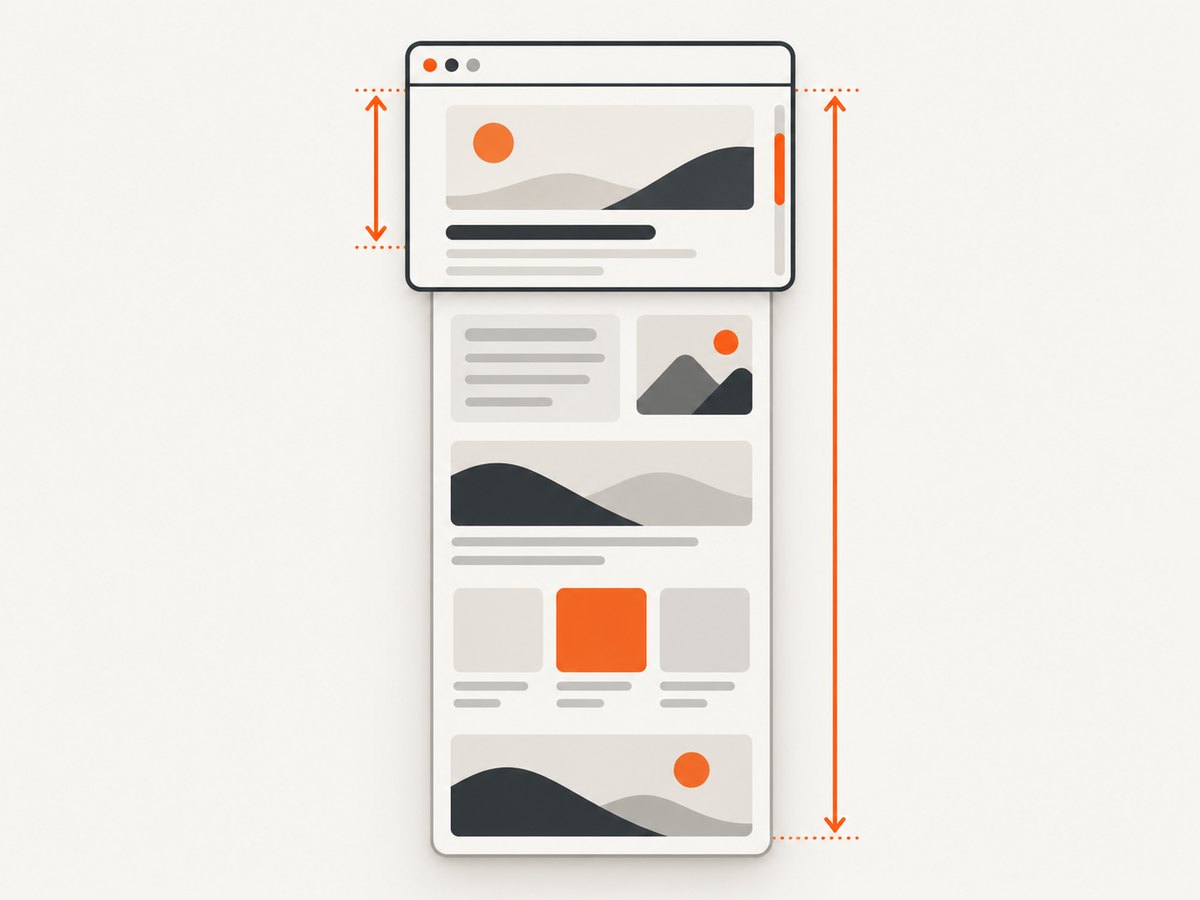
- Application viewport: the area inside the browser where the app lays out. Set it with
viewportWidth,viewportHeight, orcy.viewport(). - Headless browser display: the outer display environment used by the browser. Cypress documents this separately and says it does not change the application’s
viewportWidthorviewportHeight. - Screenshot output: the pixels included after applying capture mode and scaling. A full-page image can exceed the viewport height, and runner capture includes Cypress UI.
If a screenshot has unexpected dimensions, first ask which of these you meant to change. For responsive CSS, adjust the application viewport. For a longer image, choose fullPage. For runner context, choose runner. If the content is right but the output size differs, inspect screenshot scaling. Changing the headless display size alone is not a substitute for configuring the app viewport.
6. Save automatic failure screenshots
Cypress takes screenshots automatically when a test fails during cypress run by default. It does not automatically take failure screenshots during cypress open. To turn off automatic run failure screenshots, set screenshotOnRunFailure: false in the Cypress configuration or configure screenshot defaults accordingly.
const { defineConfig } = require('cypress')

module.exports = defineConfig({
  viewportWidth: 1280,
  viewportHeight: 720,
  screenshotOnRunFailure: false,
  screenshotsFolder: 'cypress/screenshots',
})
The documented default screenshot directory is cypress/screenshots. Keep that output directory in mind when collecting artifacts in CI: a screenshot can be captured successfully but still be absent from a job’s artifacts if the workflow does not upload the configured folder.
7. Troubleshooting unexpected Cypress screenshots
| Symptom | Likely cause | Fix |
|---|---|---|
| Screenshot is 1000 by 660 or uses an unexpected layout | The project is using Cypress’s documented defaults, or a different configuration scope is active. | Set both viewport dimensions in the config, test scope, or CLI override. Logically verify which configuration applies to that run. |
| Screenshot is much taller than the viewport | fullPage is the documented default capture mode. |
Pass { capture: 'viewport' } to the individual screenshot or set it as a shared screenshot default. |
| Screenshot shows Cypress commands | The capture mode is runner, often because the screenshot was automatically captured on test failure. |
For a manual app-only screenshot, specify capture: 'viewport' or fullPage. Automatic failure screenshots use runner capture behavior. |
| Changing Cypress.config() throws during a test | Cypress 16.0.0 and later do not allow runtime changes to viewport dimensions through Cypress.config(). |
Use cy.viewport(width, height) during the test, or set the values before the test through configuration. |
| Headless run has different outer screenshot or video dimensions | Browser display size and application viewport are separate settings. | Set the app viewport with Cypress’s viewport configuration. Diagnose display or video sizing separately. |
| Failure screenshot is missing in interactive mode | Automatic failure screenshots are taken in cypress run, not automatically in cypress open. |
Call cy.screenshot() explicitly when you need a capture in interactive mode, or inspect the run artifacts. |
| Screenshot file is not where CI expects it | The screenshot folder may be configured differently, or the job does not upload it. | Check screenshotsFolder and configure artifact collection for that directory. |
8. Keep screenshot runs reliable and efficient
- Use a deliberate capture mode. Viewport captures keep the artifact focused on the visible area; full-page captures include more content and require scrolling and stitching.
- Make the viewport explicit for layout checks. A fixed width and height reduce accidental differences caused by relying on a default or a changed local config.
- Wait for the state you intend to capture. Assert that key content is visible before taking the screenshot. If the page is still loading, the capture may accurately reflect an incomplete state rather than the intended design.
- Consider motion and dynamic content. Cypress’s screenshot defaults disable timers and animations by default. For a page that still changes because of external or application data, make the required state deterministic before capturing.
- Manage artifacts intentionally. Screenshots consume storage and can make CI artifacts larger, especially full-page captures. Save only the screenshots needed for debugging or visual review, and collect the configured folder.
Cypress’s documented screenshot settings determine the capture, but they do not promise that a page’s content will be stable. Keep test data, asynchronous UI state, and application behavior under control where visual consistency matters.
Or skip the browser setup
If you need a website screenshot outside a Cypress test, ScreenshotNeo is a website screenshot API and MCP server. One GET request returns an image or PDF; its documented options include viewport dimensions and full-page capture. Read the ScreenshotNeo API docs for the available parameters.
curl -G "https://api.screenshotneo.com/v1/shot" \
  -d access_key=YOUR_API_KEY \
  --data-urlencode url=https://stripe.com \
  -o shot.webp
import requests
r = requests.get(
"https://api.screenshotneo.com/v1/shot",
params={"access_key": "YOUR_API_KEY", "url": "https://stripe.com"},
timeout=90,
)
open("shot.webp", "wb").write(r.content)const q = new URLSearchParams({
access_key: 'YOUR_API_KEY',
url: 'https://stripe.com',
})
const res = await fetch(`https://api.screenshotneo.com/v1/shot?${q}`)
if (!res.ok) throw new Error(`Screenshot request failed: ${res.status}`)
const image = Buffer.from(await res.arrayBuffer())
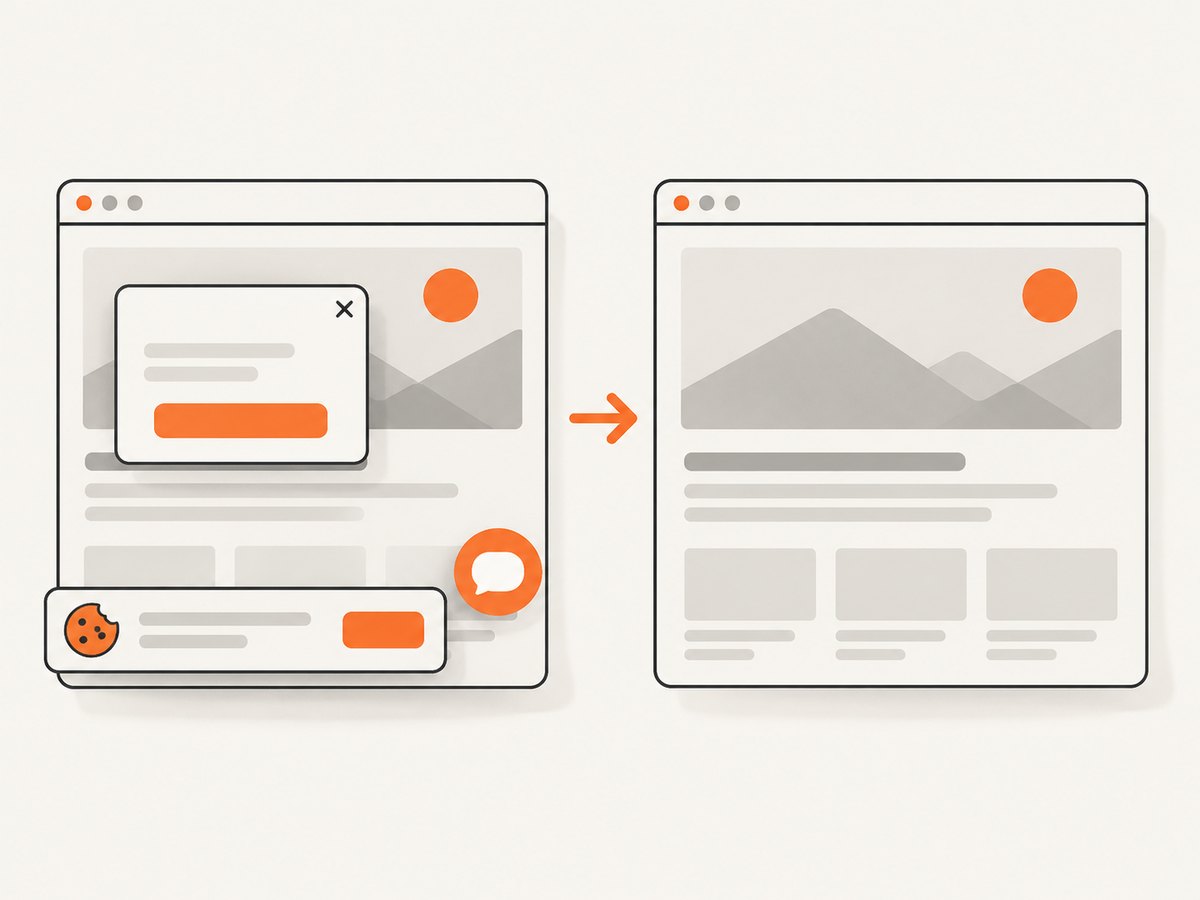
await import('node:fs/promises').then(fs => fs.writeFile('shot.webp', image))ScreenshotNeo removes cookie and consent banners, newsletter popups, and chat widgets before capture; each cleanup step can be turned off. Bot checks, blank pages, timeouts, failed loads, and cache hits cost nothing, and response headers report the page verdict and billing status. Its MCP server includes take_screenshot, get_page_info, and capture_pdf for AI agents. The free plan includes 1,000 screenshots a month with no card; paid plans start at $5 for 3,000 screenshots. Create a free ScreenshotNeo account.
Frequently asked questions
Does cy.viewport() take a screenshot?
No. It changes the application viewport used by the test. Call cy.screenshot() separately when you want an image.
Can I set only the width?
The documented project and scoped configuration use viewportWidth and viewportHeight as separate settings. Set both for a clearly defined test viewport.
Does fullPage change my app’s responsive breakpoint?
No. Capture mode controls what part of the page is included. The viewport dimensions control the app’s layout width and height.
Where do I find Cypress screenshots?
The documented default is cypress/screenshots; a project can set a different screenshotsFolder.


