How to Configure Screenshots in Playwright Tests
Configure Playwright screenshots for failure artifacts and visual regression, with stable baselines, masks, diffs, snapshots, troubleshooting, and CI guidance.
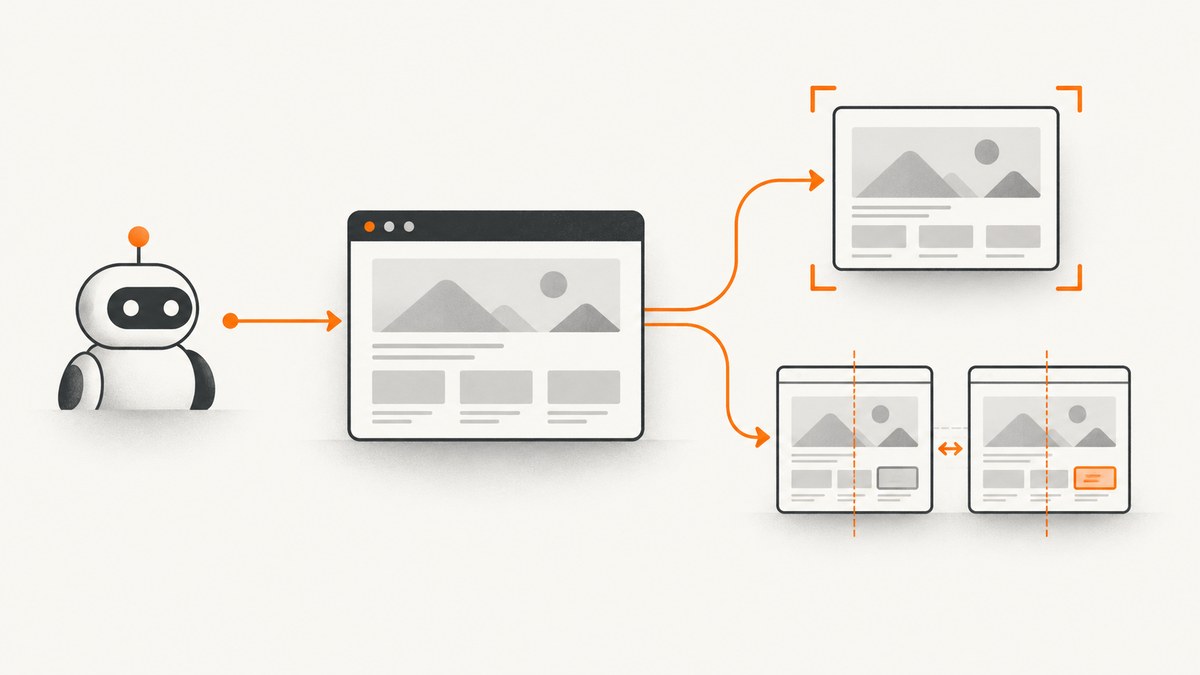
Playwright has two screenshot workflows: automatic image artifacts produced by tests, and visual regression assertions that compare a current capture with an expected snapshot. Configure the first with use.screenshot. Configure the second with expect(page).toHaveScreenshot() or a locator assertion, plus shared defaults under expect.toHaveScreenshot.
The smallest configuration for failure artifacts is:
import { defineConfig } from '@playwright/test';

export default defineConfig({
  use: {
    screenshot: 'only-on-failure',
  },
});
For a visual baseline, use an assertion in a test:
import { test, expect } from '@playwright/test';

test('home page matches its visual baseline', async ({ page }) => {
  await page.goto('/');
  await expect(page).toHaveScreenshot();
});
These settings serve different purposes. Automatic screenshots help you inspect what a test saw, especially after a failure. toHaveScreenshot fails when the rendered result differs from its expected snapshot.
1. Add a Playwright Test configuration
Create or edit playwright.config.ts in the project root:
import { defineConfig, devices } from '@playwright/test';

export default defineConfig({
  testDir: './tests',
  timeout: 30_000,
  fullyParallel: true,
  forbidOnly: !!process.env.CI,
  retries: process.env.CI ? 2 : 0,
  workers: process.env.CI ? 1 : undefined,
  reporter: [['html', { outputFolder: 'playwright-report' }]],

  use: {
    baseURL: 'http://127.0.0.1:3000',
    trace: 'on-first-retry',
    screenshot: 'only-on-failure',
  },

  projects: [
    {
      name: 'chromium',
      use: { ...devices['Desktop Chrome'] },
    },
  ],
});
use contains runner-wide defaults. A project can override those values in its own use object, which is useful when desktop and mobile projects need different viewport or screenshot behavior.
2. Configure automatic screenshot artifacts
The screenshot option is off by default. It accepts these modes:
| Value | When Playwright captures | Typical use |
|---|---|---|
off |
Never automatically | Keep artifacts small when screenshots are not needed |
on |
After every test | Collect an image for every test run |
only-on-failure |
After failed tests | Useful default for debugging |
on-first-failure |
On the first failure in a retry sequence | Reduce duplicate artifacts when retries are enabled |
You can provide an object when automatic captures need screenshot options:
import { defineConfig } from '@playwright/test';

export default defineConfig({
  use: {
    screenshot: {
      mode: 'only-on-failure',
      fullPage: true,
      omitBackground: true,
    },
  },
});
Use fullPage: true when the failure may occur below the fold. Keep the default viewport capture when the visible browser context is more useful for diagnosis or when very tall pages would produce oversized artifacts. omitBackground makes transparent pixels possible for formats that support them.
Capture manually when the test needs a named artifact
import { test } from '@playwright/test';

test('checkout diagnostic capture', async ({ page }, testInfo) => {
  await page.goto('/checkout');
  await page.screenshot({
    path: testInfo.outputPath('checkout.png'),
    fullPage: true,
  });
});
page.screenshot() is an API call inside your test. It does not create or compare a baseline by itself. Its animation behavior also differs from screenshot assertions: direct screenshots allow animations by default, while toHaveScreenshot disables them by default.
3. Add visual regression assertions
A page assertion captures the page and compares it with a stored snapshot:
import { test, expect } from '@playwright/test';

test('landing page is stable', async ({ page }) => {
  await page.goto('/');
  await expect(page).toHaveScreenshot('landing.png');
});
The first run creates the expected image. Later runs compare the new capture with that image. Playwright waits for two consecutive page screenshots to produce the same result before comparing the final screenshot with the expectation. This helps avoid capturing a page while it is still settling.
Assertions require the Playwright Test runner. They are not a feature of a bare browser script.
Assert on a component instead of the whole page
import { test, expect } from '@playwright/test';

test('pricing card has not changed', async ({ page }) => {
  await page.goto('/pricing');
  await expect(page.getByTestId('pro-plan')).toHaveScreenshot('pro-plan.png');
});
Locator assertions reduce noise when the contract is a component rather than the entire page. Page assertions preserve surrounding context and are better when layout, navigation, or responsive composition is part of the contract.
4. Choose the screenshot extent
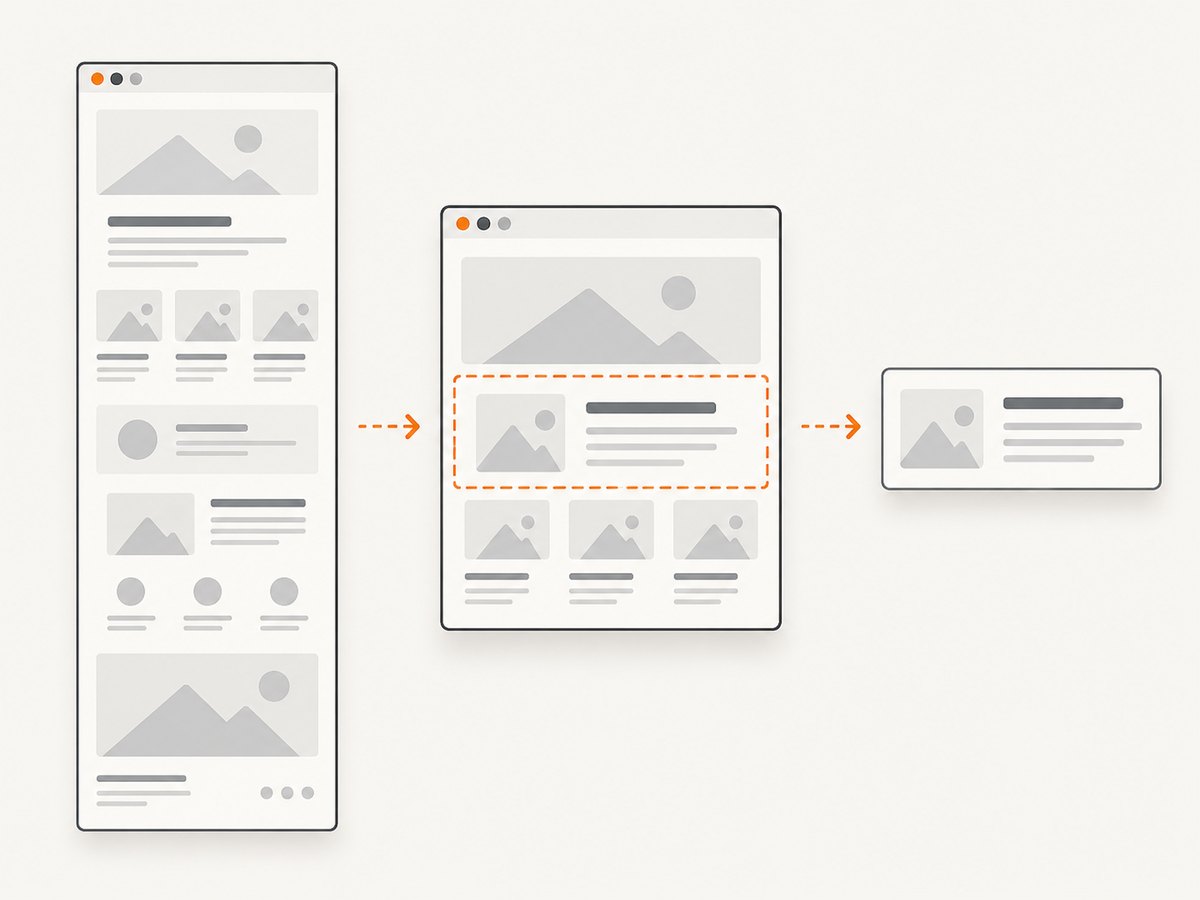
By default, an assertion captures the current viewport. Select a different extent when the visual contract requires it:
import { test, expect } from '@playwright/test';

test('long article', async ({ page }) => {
  await page.goto('/article');
  await expect(page).toHaveScreenshot('article-full.png', {
    fullPage: true,
  });
});

test('fixed content region', async ({ page }) => {
  await page.goto('/dashboard');
  await expect(page).toHaveScreenshot('dashboard-region.png', {
    clip: { x: 0, y: 0, width: 900, height: 600 },
  });
});
fullPage: truecaptures the full scrollable page, including content below the viewport.clipcompares a fixed rectangle in page coordinates.- A locator assertion captures the element’s region and is usually the clearest choice for an isolated component.
Do not combine a broad page contract and a narrow component contract accidentally. A full-page baseline can fail because of an unrelated footer; a component baseline can miss a broken page-level layout.
5. Stabilize captures before comparing them
Disable animation and caret changes
Screenshot assertions disable animations by default. Finite animations are fast-forwarded and infinite animations are canceled while the screenshot is taken. You can set these behaviors explicitly:
await expect(page).toHaveScreenshot('dashboard.png', {
  animations: 'disabled',
  caret: 'hide',
});
Use animations: 'allow' only when animation itself is the behavior under test. A blinking caret can create a one-pixel or several-pixel difference, so hide it for ordinary layout checks.
Mask dynamic regions
await expect(page).toHaveScreenshot('profile.png', {
  mask: [
    page.getByTestId('last-seen'),
    page.locator('.avatar'),
  ],
  maskColor: '#000000',
});
Masks cover dynamic content such as timestamps, randomized avatars, rotating offers, and user-specific values. The documented default mask color is pink, #FF00FF. Masks also apply to invisible elements unless matching behavior is adjusted, so make selectors precise and verify that a broad selector is not covering more than intended.
Neutralize hover state
A screenshot includes hover styling present at capture time. Move the pointer away when hover should not be part of the baseline:
await page.mouse.move(-1, -1);
await expect(page).toHaveScreenshot('navigation.png');
Wait for the state you intend to compare
await page.goto('/reports');
await page.getByRole('heading', { name: 'Reports' }).waitFor();
await expect(page.locator('[data-testid="report-chart"]')).toHaveScreenshot();
Prefer waiting for a meaningful selector or application state over a large arbitrary timeout. If a chart is populated asynchronously, wait for its loaded state before asserting.
6. Set comparison tolerances centrally
Put shared screenshot assertion defaults in expect.toHaveScreenshot:
import { defineConfig } from '@playwright/test';

export default defineConfig({
  expect: {
    toHaveScreenshot: {
      animations: 'disabled',
      caret: 'hide',
      scale: 'css',
      maxDiffPixels: 100,
      maxDiffPixelRatio: 0.001,
      threshold: 0.2,
    },
  },
});| Option | Meaning | How to choose it |
|---|---|---|
maxDiffPixels |
Absolute number of differing pixels allowed | Useful for a small, known amount of raster noise |
maxDiffPixelRatio |
Allowed differing pixels as a proportion of the image | Useful when image dimensions vary by project |
threshold |
Per-pixel perceived color tolerance from strict (0) to lax (1) | Adjust color sensitivity; the documented pixelmatch default is 0.2 |
animations |
Whether animations are allowed | Keep disabled for deterministic layout checks |
caret |
Whether the text caret is visible | Hide it unless caret rendering is under test |
scale |
Screenshot scale behavior | Use a consistent value across projects |
stylePath |
Stylesheet applied while capturing | Use to neutralize known volatile presentation |
threshold controls color similarity for individual pixels. It is not a budget for how many pixels may differ. Use maxDiffPixels or maxDiffPixelRatio for that budget. Keep tolerances narrow enough to catch accidental UI changes.
7. Organize snapshot files
Use a path template when snapshots must follow a repository layout:
import { defineConfig } from '@playwright/test';

export default defineConfig({
  snapshotPathTemplate: '{snapshotDir}/{projectName}/{testFilePath}/{arg}{ext}',
});
Screenshot path templates can use tokens such as {testDir}, {testFilePath}, {arg}, {ext}, {platform}, {projectName}, and {snapshotDir}. The screenshot-specific expect.toHaveScreenshot.pathTemplate setting is useful when only assertion snapshots need a custom layout.
Include the project name when Chromium, Firefox, and WebKit baselines are expected to differ. Keep snapshots close to their tests or use a predictable central directory so reviewers can find the expected image and its source assertion together.
8. Create and update baselines safely
Run a test that contains toHaveScreenshot. If no baseline exists, Playwright writes the expected artifact. Commit that artifact with the test.
After an intentional UI change, update snapshots with:
npx playwright test --update-snapshotsSupported update modes include all, changed, missing, and none. Review the image diff and the related application change before committing updated snapshots. Do not use a blanket update to hide an unexpected failure.
9. A complete example
// playwright.config.ts
import { defineConfig, devices } from '@playwright/test';

export default defineConfig({
  testDir: './tests',
  use: {
    baseURL: 'http://127.0.0.1:3000',
    screenshot: 'only-on-failure',
    trace: 'on-first-retry',
  },
  expect: {
    toHaveScreenshot: {
      animations: 'disabled',
      caret: 'hide',
      maxDiffPixelRatio: 0.001,
      threshold: 0.2,
    },
  },
  snapshotPathTemplate: '{snapshotDir}/{projectName}/{testFilePath}/{arg}{ext}',
  projects: [
    { name: 'chromium', use: { ...devices['Desktop Chrome'] } },
    { name: 'mobile', use: { ...devices['iPhone 13'] } },
  ],
});

// tests/home.spec.ts
import { test, expect } from '@playwright/test';

test('home page visual contract', async ({ page }) => {
  await page.goto('/');
  await page.getByRole('heading', { name: /welcome/i }).waitFor();
  await page.mouse.move(-1, -1);
  await expect(page).toHaveScreenshot('home.png', {
    fullPage: true,
    mask: [page.getByTestId('current-time')],
  });
});

test('navigation component visual contract', async ({ page }) => {
  await page.goto('/');
  await expect(page.getByRole('navigation')).toHaveScreenshot('navigation.png');
});
10. CI, performance, and reliability considerations
- Browser and platform: Font rendering, operating-system text rasterization, browser versions, and device scale can change pixels. Keep CI browser versions controlled and maintain separate project baselines when environments differ.
- Parallel workers: Parallel tests are faster, but shared test data and time-dependent UI can make captures nondeterministic. Isolate data and mask values that legitimately vary.
- Full-page cost: Full-page images use more memory and take longer to encode than viewport or component captures. Use them when below-the-fold layout is part of the contract.
- Retries: Retries can produce multiple diagnostic artifacts.
on-first-failurelimits automatic screenshots to the first failure in a retry sequence. - Review discipline: A visual diff is evidence, not an automatic approval. Check whether the change is intentional, whether the test captured the correct state, and whether a selector or mask became too broad.
- Snapshot size: Store only the baselines you need. Component assertions often produce smaller, more focused artifacts than full-page assertions.
11. Troubleshooting common failures
| Symptom | Likely cause | Fix |
|---|---|---|
| No screenshot appears after a failed test | use.screenshot is still off, or the capture was expected from an assertion |
Set screenshot: 'only-on-failure' for artifacts, or add toHaveScreenshot for a visual check. |
| The test fails with a large diff after a harmless refresh | Animation, hover, caret, time, or randomized content is changing | Disable animations, move the mouse away, hide the caret, wait for stable state, and mask only the dynamic selectors. |
| The baseline is unexpectedly huge | fullPage: true captures the entire scrollable document |
Use the viewport, a locator assertion, or a clip rectangle if the full page is not the contract. |
| Only one browser project fails | Browser or platform rendering differs | Use project-specific baselines and keep browser versions consistent in CI. |
| Masking does not behave as expected | The selector matches invisible elements or more nodes than intended | Narrow the selector and inspect the matched elements; remember masks can apply to invisible elements. |
| Updating snapshots removes useful failures | A broad update was run before reviewing diffs | Revert unrelated changes, rerun the focused test, and use a narrower update mode such as changed or missing. |
| The screenshot captures a loading shell | The test navigated successfully but did not wait for application readiness | Wait for a meaningful heading, locator, network-driven state, or explicit application-ready signal. |
| Color differences are tolerated but layout changes still fail | threshold was confused with a pixel-count allowance |
Use threshold for per-pixel color tolerance and maxDiffPixels/maxDiffPixelRatio for the total diff budget. |
12. Or skip the browser setup
If you need rendered screenshots outside a Playwright test suite, ScreenshotNeo provides a single HTTP request for PNG, JPEG, WebP, or PDF output. See the ScreenshotNeo API documentation for the complete option list.
cURL
curl -G "https://api.screenshotneo.com/v1/shot" -d access_key=YOUR_API_KEY --data-urlencode url=https://stripe.com -o shot.webpPython
import requests

r = requests.get(
    "https://api.screenshotneo.com/v1/shot",
    params={"access_key": "YOUR_API_KEY", "url": "https://stripe.com"},
    timeout=90,
)
r.raise_for_status()
open("shot.webp", "wb").write(r.content)
Node.js
const q = new URLSearchParams({ access_key: 'YOUR_API_KEY', url: 'https://stripe.com' });
const res = await fetch(`https://api.screenshotneo.com/v1/shot?${q}`);
if (!res.ok) throw new Error(`Screenshot failed: ${res.status}`);
require('fs').writeFileSync('shot.webp', Buffer.from(await res.arrayBuffer()));
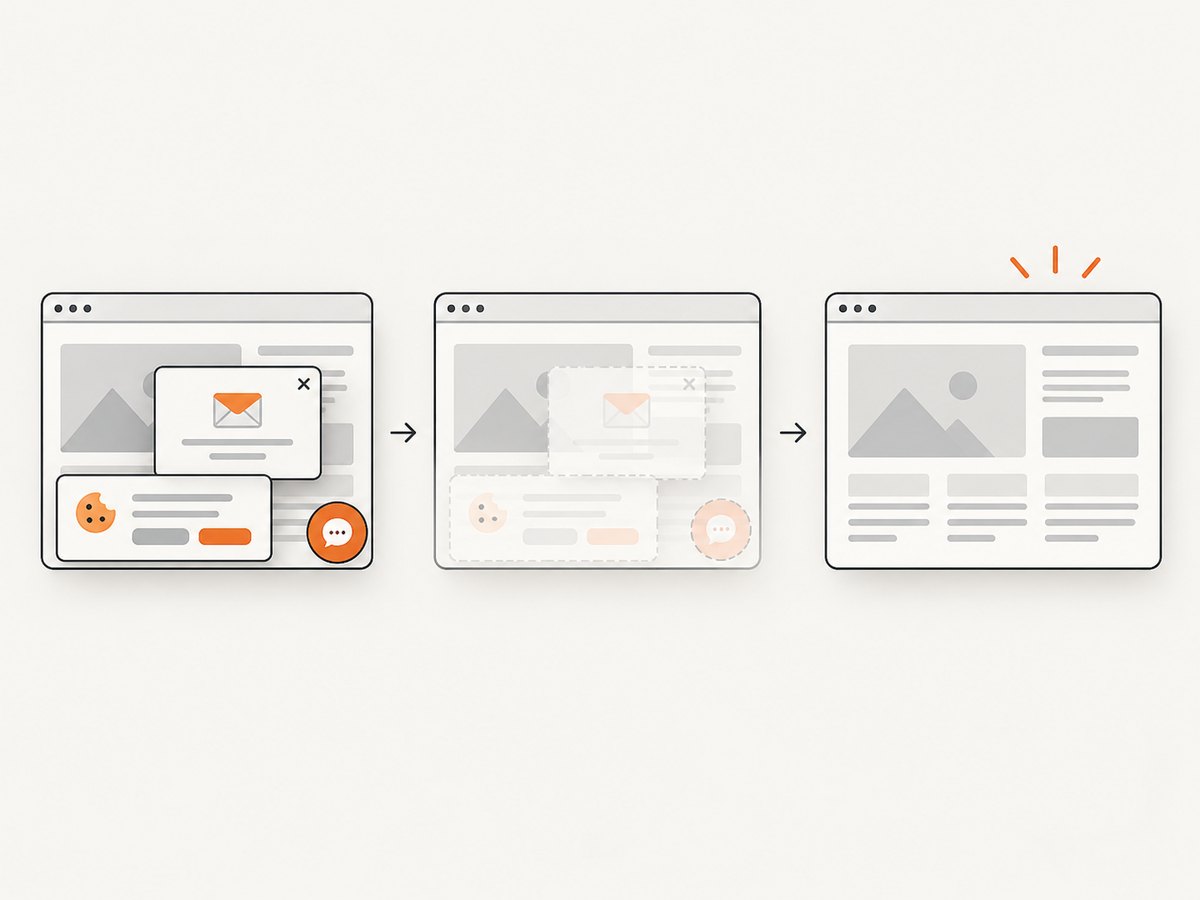
ScreenshotNeo removes cookie and consent banners, newsletter popups, and chat widgets before capture. Bot checks, blank pages, failed loads, timeouts, and cache hits are not billed; the response identifies the result with X-Page-Verdict and X-Billed headers. Its MCP server gives Claude, Cursor, and other MCP clients take_screenshot, get_page_info, and capture_pdf tools. The free plan includes 1,000 screenshots per month with no card; paid plans start at $5 for 3,000 shots. Create a free ScreenshotNeo account.
13. FAQ
Should I use automatic screenshots or toHaveScreenshot?
Use automatic screenshots to inspect test output, usually on failure. Use toHaveScreenshot when a visual difference should fail the test against a reviewed baseline.
Can I compare only one element?
Yes. Call toHaveScreenshot on a locator to compare that element’s rendered region.
Are screenshot assertions available in Playwright Library scripts?
The assertion API is a Playwright Test runner feature. A standalone browser script can call page.screenshot(), but it must provide its own comparison and reporting workflow.
When should I use fullPage?
Use it when content below the viewport is part of the expected result. Otherwise, prefer a viewport, locator, or clipped region to keep the contract focused.


