Connect Playwright to a Remote Browser
Connect Playwright to a remote browser with the right protocol, complete Node.js examples, Playwright Test configuration, security, and troubleshooting.
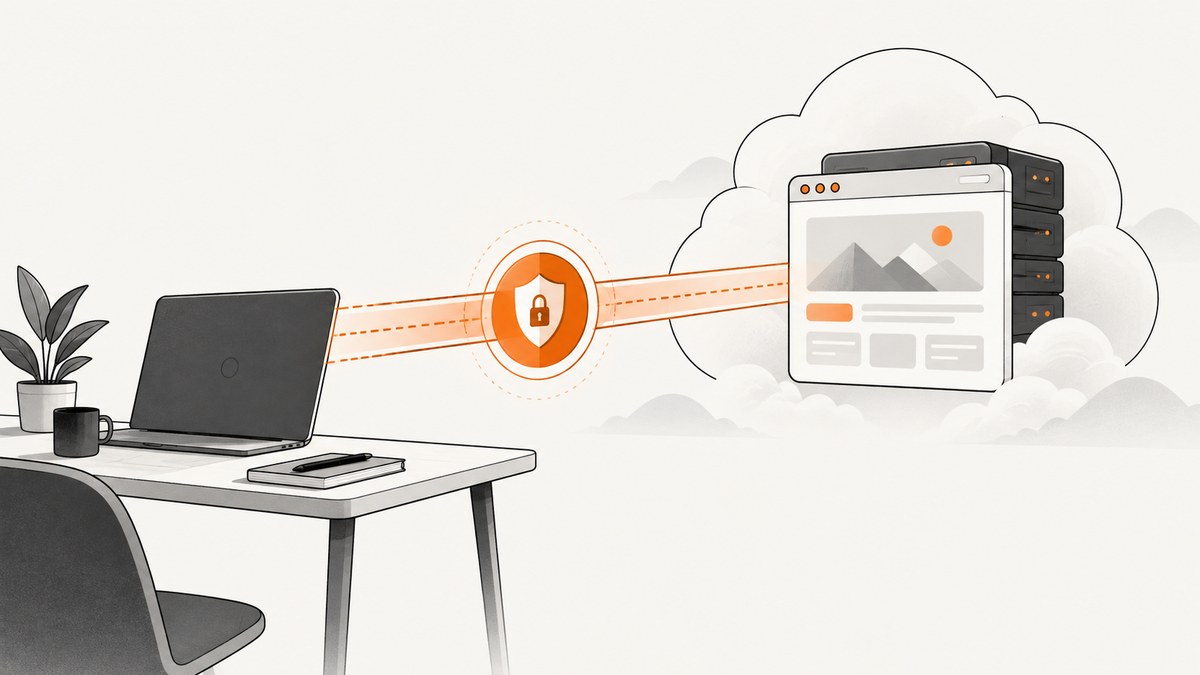
Use browserType.connect() when the remote endpoint speaks Playwright’s native protocol. Use chromium.connectOverCDP() when it exposes Chrome DevTools Protocol (CDP). The endpoint protocol determines the method. Native Playwright connections provide the highest feature fidelity but require matching Playwright major and minor versions. CDP works with Chromium only and has fewer Playwright features.
This guide shows how to connect to an existing browser instance, run Playwright Test suites against a remote browser, connect to managed services such as Browserless, secure the WebSocket endpoint, and diagnose the errors developers commonly encounter.
1. Choose the connection protocol
| Method | Use it when | Tradeoffs |
|---|---|---|
browserType.connect(endpoint) |
The browser host started Playwright with launchServer() and exposes a Playwright protocol WebSocket. |
Client and server need matching major and minor Playwright versions. Best Playwright feature fidelity. |
chromium.connectOverCDP(endpointURL) |
An existing Chromium browser exposes a CDP HTTP or WebSocket endpoint. | Chromium only; Playwright documents this as significantly lower fidelity. Some Playwright APIs are unavailable or behave differently. |
A WebSocket URL by itself does not identify the protocol. Read the remote browser provider’s documentation and check the path. For example, Browserless documents its default managed Chromium endpoint as CDP, while its Playwright-native connection uses a /chromium/playwright path. Its Firefox and WebKit native paths are separate.
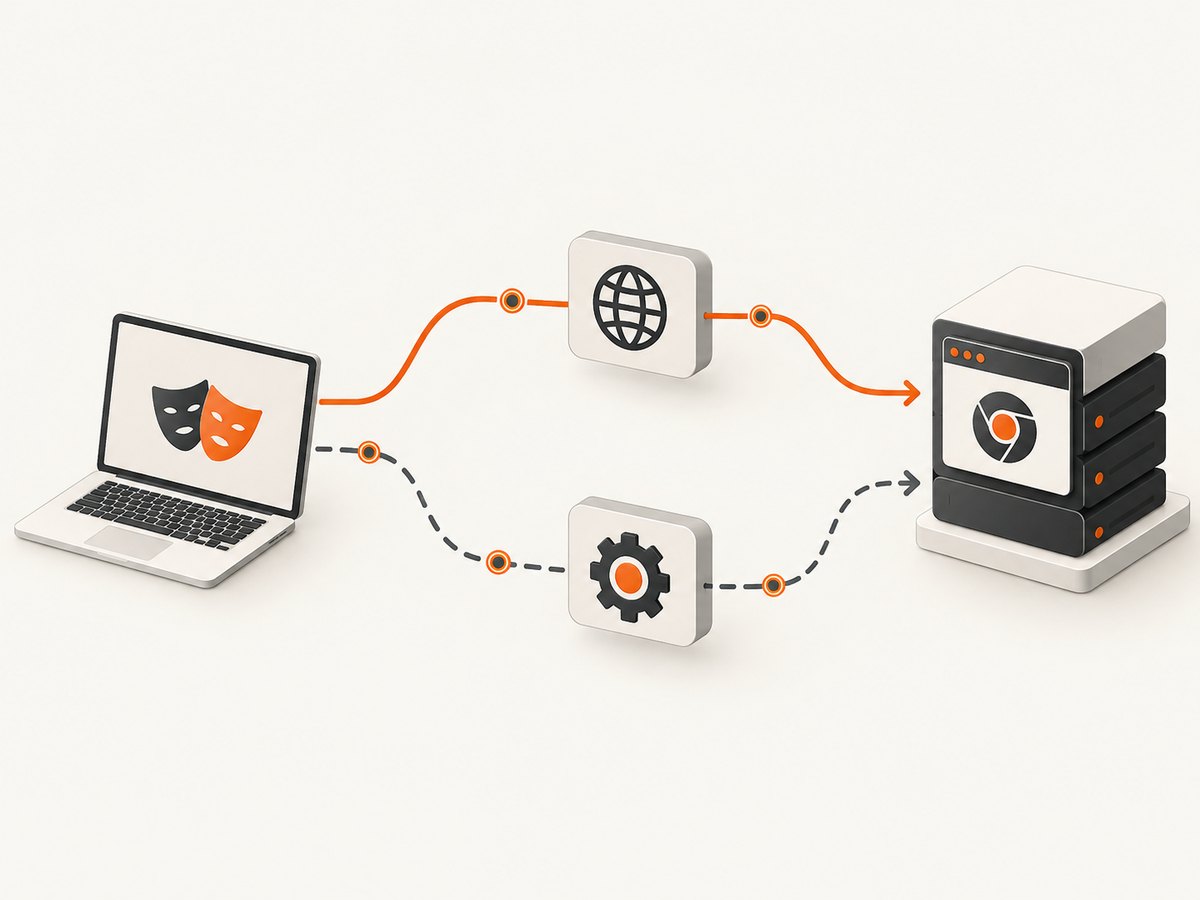
Playwright’s API documentation covers connect(), connectOverCDP(), and launchServer(). The key decision is simple:
- Need Firefox, WebKit,
page.route(), API request contexts, or maximum Playwright compatibility? Use a native Playwright endpoint. - Have a running Chromium instance with a CDP URL? Use
connectOverCDP().
2. Start a Playwright browser server and connect
With the native protocol, the browser host starts a server and exposes its WebSocket endpoint. The client then connects to that endpoint.
Browser host
const { chromium } = require('playwright');

(async () => {
  const browserServer = await chromium.launchServer();
  console.log(browserServer.wsEndpoint());

  // Keep this process running in the browser host.
  // Close the server during your own shutdown handling.
})();
Client
const { chromium } = require('playwright');

(async () => {
  const endpoint = process.env.PLAYWRIGHT_WS_ENDPOINT;
  if (!endpoint) throw new Error('PLAYWRIGHT_WS_ENDPOINT is required');

  const browser = await chromium.connect(endpoint);
  try {
    const page = await browser.newPage();
    await page.goto('https://example.com', { waitUntil: 'domcontentloaded' });
    console.log(await page.title());
  } finally {
    await browser.close();
  }
})();
The connecting and launching Playwright instances must match in major and minor version. Playwright’s documentation uses version 1.2.3 connecting to a compatible 1.2.x server as the model. Pin the same Playwright version in both deployments instead of allowing independent upgrades to drift.
Endpoint binding and security
A launch server defaults to localhost. That is appropriate when the client runs on the same machine. To connect from another host, the server must listen on a reachable network address. A reachable endpoint is a powerful control interface: Playwright warns that a process or page that knows the configured wsPath can control the OS user running the browser.
- Keep the endpoint on a private network or behind an access-controlled proxy.
- Use a hard-to-guess WebSocket path.
- Restrict inbound firewall rules to the client network.
- Keep endpoint credentials and URLs out of source control and logs.
- Terminate TLS at the network edge when traffic crosses an untrusted network.
3. Connect to an existing Chromium browser over CDP
Use CDP when Chromium was launched separately with remote debugging enabled, or when a managed browser service gives you a CDP endpoint. The endpoint can be an HTTP URL or a CDP WebSocket URL.
const { chromium } = require('playwright');

(async () => {
  const endpoint = process.env.CDP_ENDPOINT || 'http://browser-host:9222';
  const browser = await chromium.connectOverCDP(endpoint);

  try {
    const contexts = browser.contexts();
    const context = contexts[0] || await browser.newContext();
    const pages = context.pages();
    const page = pages[0] || await context.newPage();

    await page.goto('https://example.com', { waitUntil: 'domcontentloaded' });
    console.log(await page.title());
  } finally {
    await browser.close();
  }
})();
The existing default browser context is available through browser.contexts(). Reusing its first page is useful when the remote browser was already opened. Creating a new context gives you an isolated session when the endpoint permits it.
CDP is Chromium-only. Playwright describes the connection as “significantly lower fidelity” than its own protocol. Features such as route interception may be unavailable. Browser launch arguments that differ from Playwright’s curated set can also cause broken or surprising behavior.
4. Run Playwright Test against a remote browser
Playwright Test accepts a remote WebSocket endpoint through use.connectOptions.wsEndpoint. The normal browser, context, and page fixtures then connect to that browser.
import { defineConfig } from '@playwright/test';

export default defineConfig({
  use: {
    connectOptions: {
      wsEndpoint: process.env.PLAYWRIGHT_WS_ENDPOINT!,
    },
  },
});
Run the suite with the endpoint supplied by the environment:
PLAYWRIGHT_WS_ENDPOINT='wss://private-browser.example/path' npx playwright testLaunch-only settings such as headless and channel do not change a browser that has already started remotely. Configure those properties on the browser host or in the managed provider. Keep tokens in your CI secret store rather than in playwright.config.ts.
5. Connect to Browserless
Browserless documents a default managed Chromium endpoint for CDP and separate native Playwright paths. Follow its current connection URL documentation because endpoint patterns, regions, concurrency limits, and capabilities can change.
Browserless CDP pattern
const { chromium } = require('playwright-core');

(async () => {
  const token = process.env.BROWSERLESS_TOKEN;
  if (!token) throw new Error('BROWSERLESS_TOKEN is required');

  const endpoint = `wss://YOUR_BROWSERLESS_ENDPOINT?token=${encodeURIComponent(token)}`;
  const browser = await chromium.connectOverCDP(endpoint);
  try {
    const context = browser.contexts()[0];
    const page = context.pages()[0] || await context.newPage();
    await page.goto('https://example.com');
  } finally {
    await browser.close();
  }
})();
playwright-core does not bundle local browser binaries, which is convenient when the browser runs entirely in Browserless. Use the exact endpoint and token format from Browserless documentation; never publish a real token in application code or examples.
Browserless native Playwright pattern
const { chromium } = require('playwright-core');

(async () => {
  const token = process.env.BROWSERLESS_TOKEN;
  const endpoint = `wss://YOUR_BROWSERLESS_ENDPOINT/chromium/playwright?token=${encodeURIComponent(token)}`;
  const browser = await chromium.connect(endpoint);
  try {
    const page = await browser.newPage();
    await page.goto('https://example.com');
  } finally {
    await browser.close();
  }
})();
Use the native path when you need Playwright-specific functionality such as page.route(), APIRequestContext, or non-Chromium browsers. Browserless describes native mode as more version-coupled and CDP as more tolerant of client version drift.
6. Pass authentication, headers, and browser state
Authentication belongs in the connection URL or the remote browser’s configuration, depending on the provider. For application-level authentication, create a context with the required state when the protocol supports it:
const context = await browser.newContext({
  extraHTTPHeaders: {
    Authorization: `Bearer ${process.env.APP_TOKEN}`,
  },
  locale: 'en-US',
  timezoneId: 'UTC',
});
const page = await context.newPage();
Do not assume every context option works over CDP. If an option is ignored or throws an unsupported-operation error, confirm whether the provider exposes a native Playwright endpoint.
7. Reliability and performance considerations
Latency
Every browser action crosses the network. Put the test runner near the browser region, reduce unnecessary round trips, and use locator operations that wait for the intended state instead of arbitrary delays. Browserless recommends choosing a nearby region; verify current regional availability in its documentation.
Connection lifecycle
- Create one connection for a test worker or job and reuse it for related pages.
- Create isolated contexts per test or tenant to prevent cookies and local storage from leaking.
- Close pages, contexts, and the browser connection in
finallyblocks. - Retry at the job level after a disconnected browser, with a bounded retry count.
- Record the endpoint type, Playwright version, browser version, and failure phase in logs.
Version management
Pin Playwright versions for native connections. Upgrade the browser host and client together, then run a small smoke suite before rolling out the change. CDP reduces version coupling but does not eliminate browser compatibility issues.
Cost
Remote browser providers generally charge according to their own session, time, concurrency, or usage model. The research sources do not establish a universal pricing or performance figure. Measure your workload with the provider’s current pricing and limits before selecting a plan.
8. Troubleshooting
| Symptom | Likely cause | Fix |
|---|---|---|
connect() fails immediately |
The endpoint is CDP rather than native Playwright. | Use chromium.connectOverCDP(), or select the provider’s documented native /playwright endpoint. |
| Native connection reports a version error | Client and server major or minor Playwright versions differ. | Pin and deploy matching versions on both sides. |
page.route() does not intercept requests |
The connection is using CDP, where Browserless documents this as unavailable. | Switch to the native Playwright protocol endpoint. |
| Firefox or WebKit will not connect | CDP supports Chromium only. | Use a native Playwright endpoint for the required browser. |
browser.contexts() is empty |
The remote browser has no default context available, or the provider restricts context creation. | Check provider behavior and create a context when supported. |
| Connection refused or times out | The server is bound to localhost, a firewall blocks it, or the endpoint is incorrect. | Bind the server to a reachable interface, allow the client network, and verify the URL and port. |
Playwright Test ignores headless or channel |
The browser has already launched remotely. | Set launch properties on the remote host or provider. |
| Unexpected behavior after a browser upgrade | Remote launch arguments or browser version differ from the client’s assumptions. | Check provider launch configuration, pin versions, and use native protocol where required. |
| Security concern about the endpoint | Anyone who can reach the WebSocket path may control the browser user. | Restrict network access, protect tokens, use a hard-to-guess path, and avoid exposing the endpoint publicly. |
9. Or skip the browser setup
If your goal is a clean image or PDF rather than interactive browser automation, ScreenshotNeo provides a single screenshot API request. It handles the browser and returns PNG, JPEG, WebP, or PDF output.

cURL (see the ScreenshotNeo docs):
curl -G "https://api.screenshotneo.com/v1/shot" -d access_key=YOUR_API_KEY --data-urlencode url=https://stripe.com -o shot.webpPython:
import requests
r = requests.get("https://api.screenshotneo.com/v1/shot", params={"access_key": "YOUR_API_KEY", "url": "https://stripe.com"}, timeout=90)
open("shot.webp", "wb").write(r.content)
Node.js:
const q = new URLSearchParams({ access_key: 'YOUR_API_KEY', url: 'https://stripe.com' });
const res = await fetch(`https://api.screenshotneo.com/v1/shot?${q}`);
ScreenshotNeo accepts cookie and consent banners before capture and removes more than 60 known consent platforms, newsletter popups, and chat widgets. Each cleanup step can be disabled. Bot checks or CAPTCHAs, blank pages, timeouts, failed loads, and cache hits are not billed; response headers report the page verdict and whether the request was billed. Its MCP server provides take_screenshot, get_page_info, and capture_pdf tools for Claude, Cursor, and other MCP clients. The free plan includes 1,000 screenshots per month with no card, and paid plans start at $5 for 3,000 shots.
Create a free ScreenshotNeo account and get 1,000 screenshots each month with no card.
10. FAQ
Can I connect Playwright to a browser that is already open?
Yes. Use connectOverCDP() for an existing Chromium CDP endpoint, or connect() for a browser started by Playwright’s launchServer().
Does CDP work with Firefox or WebKit?
No. The CDP connection method in Playwright is for Chromium. Use a native Playwright protocol endpoint for Firefox or WebKit.
Should I use playwright or playwright-core?
Use playwright-core when a remote provider supplies the browser and you do not need Playwright to download local browser binaries. Use playwright when your project also runs browsers locally.
Can I expose the WebSocket endpoint to the public internet?
Avoid public exposure. Anyone who can reach a launch server’s WebSocket path may control the browser’s OS user. Keep it private and enforce network access controls.
Why does my remote browser behave differently from local Playwright?
You may be using CDP, an incompatible Playwright version, or different browser launch arguments. Check the protocol first, then align versions and compare remote launch configuration.


