How to Connect Selenium to a Headless Browser Service
Connect Selenium to a local Grid or hosted browser service with RemoteWebDriver, headless options, capabilities, troubleshooting, and scaling guidance.
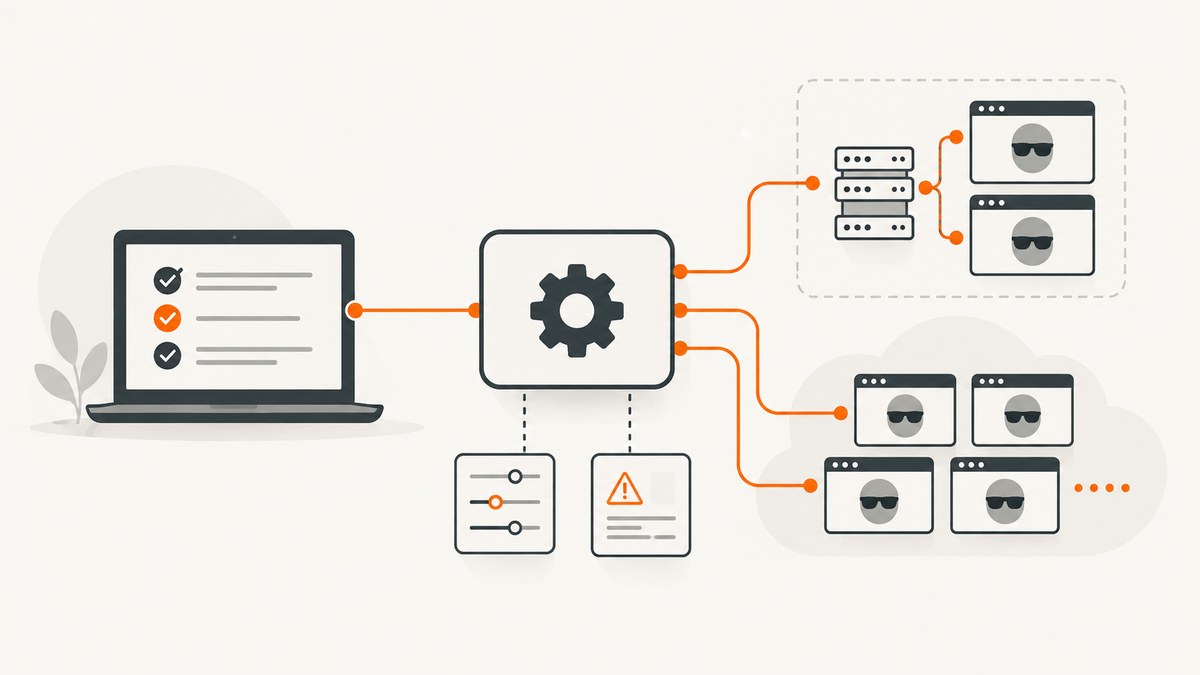
Direct answer: connect Selenium to a headless browser service with RemoteWebDriver. Give it the service URL and browser options, including a headless argument when the provider supports one. For a local setup, start Selenium Server in standalone mode and use http://localhost:4444. For a managed service, use its HTTPS WebDriver endpoint, credentials, browserName, platformName, and provider-specific options. Always call quit() in a finally block so the remote session is released.
Selenium Grid routes WebDriver commands from your client to a browser running on another machine. Selenium’s official documentation describes Grid as a system that executes WebDriver scripts on remote machines by routing commands to remote browser instances. Remote WebDriver is therefore the right abstraction for a local Grid, a private Grid node, or a hosted browser provider.
1. Choose a headless browser service
| Choice | Best for | What you manage | Typical trade-off |
|---|---|---|---|
| Local Selenium Server | Development, repeatable CI, internal applications | Java, browsers, drivers, server process, capacity | Low service cost, but you maintain the machines |
| Self-hosted Grid | Parallel test suites and private networks | Hub or standalone nodes, scaling, browser images, security | More control, more operations work |
| Managed Selenium service | Cross-browser coverage and fast scaling | Client code and provider capabilities | Usage cost, endpoint and data-region decisions, provider lock-in |
Use a local or self-hosted Grid when the browser must reach staging systems that are not publicly accessible, or when you need control over browser images and network routing. Use a hosted service when you need many browser and operating-system combinations without maintaining drivers and machines. BrowserStack documents Selenium execution on desktop browsers and real iOS and Android devices, while Sauce Labs provides a hosted WebDriver endpoint and provider capabilities.
2. Start a local headless Selenium Grid
- Install Java 11 or newer and a supported browser. Selenium’s Grid guide also expects the browser and its driver stack to be available.
- Download the Selenium Server JAR from the official Selenium site.
- Start standalone mode:
java -jar selenium-server-<version>.jar standaloneThe standalone server listens at http://localhost:4444. Selenium Manager can discover and download drivers and browsers for many local WebDriver runs, reducing manual driver maintenance. A remote Grid still needs a browser available on the machine that will execute the session.
Verify the endpoint
curl http://localhost:4444/statusA healthy response indicates that the server is ready to accept a session. In CI, wait for this status before starting tests instead of assuming the Java process is ready immediately.
3. Connect with Java RemoteWebDriver
The following program starts a remote headless Chrome session, opens a page, prints its title, and closes the session even if navigation fails.
import java.net.URI;
import java.time.Duration;
import org.openqa.selenium.By;
import org.openqa.selenium.WebDriver;
import org.openqa.selenium.chrome.ChromeOptions;
import org.openqa.selenium.remote.RemoteWebDriver;

public class RemoteHeadless {
  public static void main(String[] args) throws Exception {
    URI grid = URI.create("http://localhost:4444");
    ChromeOptions options = new ChromeOptions();
    options.addArguments("--headless");
    options.addArguments("--window-size=1440,900");
    options.addArguments("--disable-gpu");
    options.setAcceptInsecureCerts(true);

    WebDriver driver = new RemoteWebDriver(grid.toURL(), options);
    try {
      driver.manage().timeouts().pageLoadTimeout(Duration.ofSeconds(60));
      driver.get("https://example.com");
      System.out.println(driver.getTitle());
      System.out.println(driver.findElement(By.tagName("body")).getText());
    } finally {
      driver.quit();
    }
  }
}
Use the dependency versions supplied by your build system. The important parts are the remote URL, ChromeOptions, and the lifecycle around RemoteWebDriver. Replace the local URL with the provider’s WebDriver URL when you move to a hosted service.
Headless browser options
--headless: runs Chrome without a visible display. Some current Chrome builds also accept--headless=new; use the form supported by the browser image.--window-size=1440,900: makes responsive layouts deterministic. Set it to the viewport your test requires.--disable-gpu: historically helped in Linux containers. Keep it only if the browser image needs it.--no-sandbox: sometimes required by restricted containers, but it weakens browser isolation. Prefer a correctly configured container user and add this only when your image requires it.setAcceptInsecureCerts(true): useful for internal test certificates; do not use it when certificate validation is part of the test.
Firefox uses FirefoxOptions and its own headless argument. Do not send Chrome-specific arguments to Firefox. A provider may also require capabilities under a namespace such as sauce:options; preserve the provider’s exact names.
4. Use a managed WebDriver service
A hosted service normally gives you an HTTPS WebDriver endpoint, a username and access key, and a capability schema. Keep credentials in environment variables and pass only the capabilities the provider documents.
Sauce Labs pattern
Sauce Labs documents the endpoint https://ondemand.us-west-1.saucelabs.com:443/wd/hub, along with platformName, browserName, and sauce:options credentials.
String user = System.getenv("SAUCE_USERNAME");
String key = System.getenv("SAUCE_ACCESS_KEY");
MutableCapabilities caps = new MutableCapabilities();
caps.setCapability("browserName", "chrome");
caps.setCapability("platformName", "Windows 11");
Map<String, Object> sauce = new HashMap<>();
sauce.put("username", user);
sauce.put("accessKey", key);
sauce.put("build", "checkout-ci");
sauce.put("name", "headless smoke test");
caps.setCapability("sauce:options", sauce);

WebDriver driver = new RemoteWebDriver(
    new URL("https://ondemand.us-west-1.saucelabs.com:443/wd/hub"), caps);
try {
  driver.get("https://example.com");
} finally {
  driver.quit();
}
Whether a hosted session is truly headless depends on that provider’s browser images and capabilities. Add a headless argument only where the service documents support for it. Otherwise, the remote browser can still run without a display from your client’s point of view, while the provider handles its execution environment.
5. Complete examples in Python, Node.js, and cURL
Python
import os
from selenium import webdriver
from selenium.webdriver.chrome.options import Options
from selenium.webdriver.common.by import By

options = Options()
options.add_argument("--headless")
options.add_argument("--window-size=1440,900")
options.set_capability("browserName", "chrome")

command_executor = os.getenv("SELENIUM_URL", "http://localhost:4444")
driver = webdriver.Remote(command_executor=command_executor, options=options)
try:
    driver.set_page_load_timeout(60)
    driver.get("https://example.com")
    print(driver.title)
    print(driver.find_element(By.TAG_NAME, "body").text)
finally:
    driver.quit()
Node.js
import { Builder } from "selenium-webdriver";
import chrome from "selenium-webdriver/chrome.js";

const options = new chrome.Options()
  .addArguments("--headless", "--window-size=1440,900");

const driver = await new Builder()
  .usingServer(process.env.SELENIUM_URL || "http://localhost:4444")
  .forBrowser("chrome")
  .setChromeOptions(options)
  .build();

try {
  await driver.manage().setTimeouts({ pageLoad: 60000 });
  await driver.get("https://example.com");
  console.log(await driver.getTitle());
} finally {
  await driver.quit();
}
Raw WebDriver over cURL
cURL is useful for diagnosing an endpoint before involving a Selenium language binding. The exact WebDriver protocol payload can vary by server version, but a session request generally looks like this:
curl -X POST http://localhost:4444/session \
  -H 'Content-Type: application/json' \
  -d '{"capabilities":{"alwaysMatch":{"browserName":"chrome","goog:chromeOptions":{"args":["--headless","--window-size=1440,900"]}}}}'
Use the returned session ID for subsequent WebDriver commands, then delete the session with DELETE /session/<id>. Language bindings are safer for normal test code because they handle protocol details and cleanup.
6. Capabilities and configuration that matter
| Setting | Why it matters | Advice |
|---|---|---|
browserName |
Selects Chrome, Firefox, Edge, or another installed browser | Always set it for hosted services |
platformName |
Selects an operating system or device family | Use the provider’s exact value |
| viewport/window size | Changes responsive breakpoints and screenshots | Set explicitly for reproducibility |
| timeouts | Prevents a hung page from consuming a session forever | Set page-load, script, and implicit waits deliberately |
| proxy/network | Controls access to private or restricted sites | Configure at the Grid or provider layer when possible |
| accept insecure certificates | Allows test certificates | Enable only in test environments |
| provider namespace | Adds video, build labels, device, or region settings | Keep names such as sauce:options exactly as documented |
Do not mix W3C capability names with obsolete JSON Wire names. If a service rejects a capability, remove optional fields until a minimal session starts, then add settings one at a time.
7. Reliability, parallelism, and performance
- Release every session. Put
quit()infinally. A leaked remote session consumes Grid or provider capacity. - Wait for readiness. Prefer explicit waits for a specific element or state over fixed sleeps. Use network-idle or application health checks where your test framework supports them.
- Keep sessions short. Create a session per test or small test group, and avoid leaving tabs open after assertions.
- Control concurrency. Parallel tests are limited by available Grid slots or your hosted plan. Start with a small worker count and increase it while watching queue time and failure rate.
- Reduce transfer. Avoid downloading large files or collecting unnecessary page sources. Store only screenshots, logs, and video needed to diagnose a failure.
- Use deterministic inputs. Pin browser versions where possible, set timezone and window size, and seed test data.
- Plan for transient failures. Retry session creation and safe, idempotent navigation when a node disappears. Do not blindly retry a payment or data mutation.
Self-hosted performance depends on CPU, memory, browser count, and network latency. Managed services add network round trips but can provide more parallel machines and browser combinations. The research documentation provides implementation guidance, not an independent performance benchmark.
8. Security and data handling
- Store service credentials in a secret manager or CI secret store, never in source control.
- Use HTTPS endpoints and verify certificates.
- Choose a provider region that meets your data-handling requirements.
- Decide whether page content, screenshots, video, logs, cookies, and HAR files are retained by the provider.
- Use short-lived test accounts and scrub tokens from logs.
- For private staging systems, configure an approved network path such as a private runner, VPN, or the provider’s local-testing feature.
9. Troubleshooting common errors
| Symptom | Likely cause | Fix |
|---|---|---|
| Connection refused on port 4444 | Selenium Server is not running or the URL is wrong | Start standalone mode, check /status, and verify the port |
| SessionNotCreatedException | Browser, driver, or capability mismatch | Confirm the browser is installed, simplify capabilities, and let Selenium Manager manage local drivers |
| Unknown command or invalid argument | Old protocol field or provider-specific capability sent incorrectly | Use W3C names and the provider’s current capability documentation |
| Headless flag ignored | The provider controls its browser image or the flag is unsupported | Use the provider’s documented headless setting or image |
| Element not found | Page is still loading, selector changed, or content is inside an iframe | Use an explicit wait, switch to the correct frame, and verify the selector |
| Timeout during navigation | Slow page, blocked resource, proxy issue, or unavailable site | Check the URL from the remote machine, set a bounded timeout, and capture logs |
| Browser crashes in CI | Insufficient shared memory or container restrictions | Increase container resources, use a maintained browser image, and add only required flags |
| Sessions remain active after failures | Cleanup is outside a finally block | Move quit() into guaranteed cleanup and add a session timeout |
| Private site cannot be reached | Hosted node has no route to your network | Use a self-hosted runner, VPN, or the provider’s documented local-network option |
10. When Selenium is the wrong tool for a screenshot
Selenium is ideal when you need interaction: clicking, typing, authentication flows, assertions, uploads, or multi-step navigation. If the deliverable is simply a clean image or PDF of a URL, a screenshot API avoids browser-driver setup and session management.
11. Or skip the browser setup
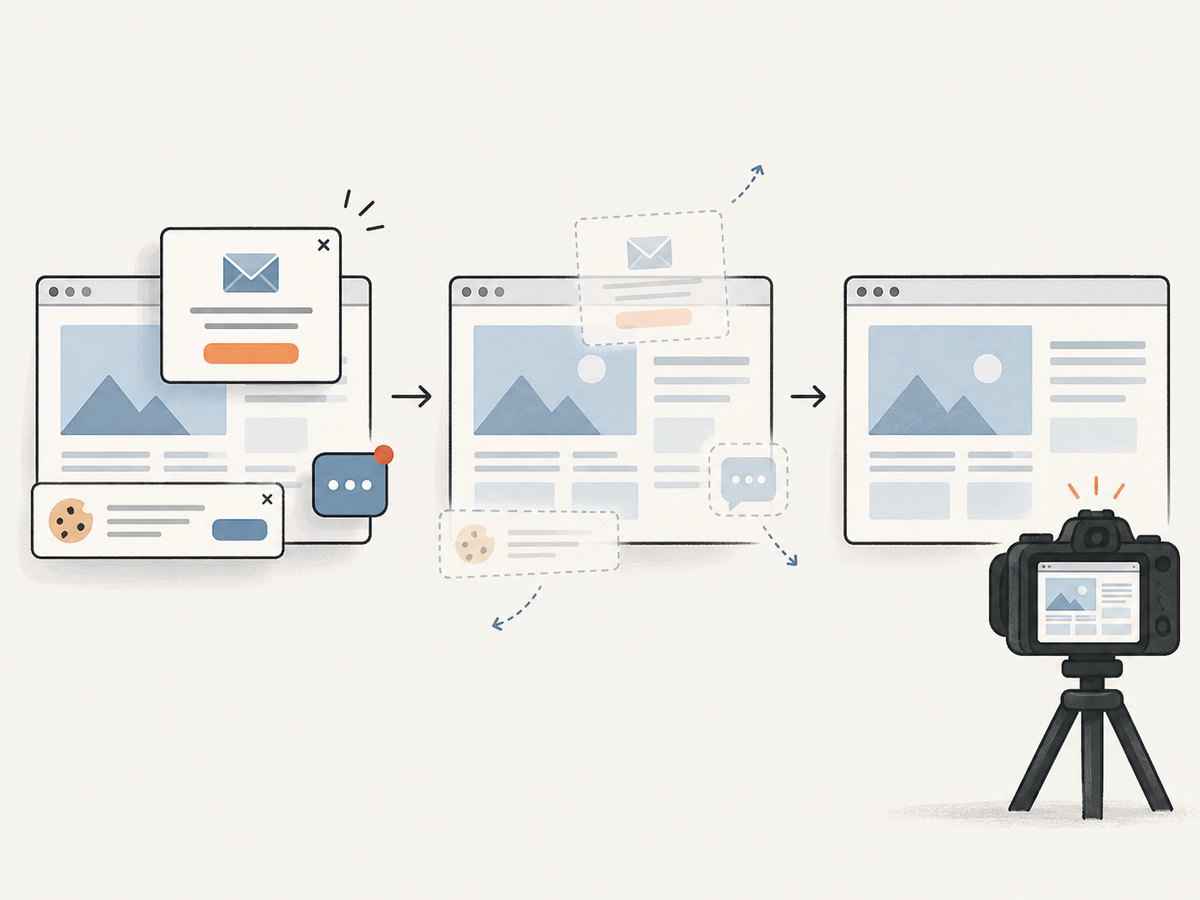
ScreenshotNeo is a website screenshot API and MCP server. One GET request returns PNG, JPEG, WebP, or PDF. It accepts cookie and consent banners like a visitor, then removes more than 60 known consent platforms, newsletter popups, and chat widgets before capture; each cleanup step can be turned off. Bot checks, CAPTCHAs, blank pages, timeouts, failed loads, and cache hits cost nothing, and the response identifies the result with X-Page-Verdict and X-Billed headers.

curl -G "https://api.screenshotneo.com/v1/shot" -d access_key=YOUR_API_KEY --data-urlencode url=https://stripe.com -o shot.webpSee the ScreenshotNeo API documentation for the request options. The same endpoint supports full-page capture with lazy images loaded, CSS-selector element capture, dark mode, device presets and custom viewports, retina scale, PDF paper size and page ranges, HTML/CSS rendering, custom CSS and JavaScript, clicks, selector or network-idle waits, request blocking, headers, cookies, user agents, Authorization, timezone, geolocation, transparent backgrounds, resizing, TTL caching, signed links, asynchronous jobs with signed webhooks, bulk capture of up to 100 URLs per call, usage data, and an OpenAPI specification. Parameter names used by other screenshot APIs also work, which makes migration easier.
Python:
import requests
r = requests.get("https://api.screenshotneo.com/v1/shot", params={"access_key": "YOUR_API_KEY", "url": "https://stripe.com"}, timeout=90)
open("shot.webp", "wb").write(r.content)
Node.js:
const q = new URLSearchParams({ access_key: 'YOUR_API_KEY', url: 'https://stripe.com' });
const res = await fetch(`https://api.screenshotneo.com/v1/shot?${q}`);
An MCP server lets Claude, Cursor, or another MCP client call take_screenshot, get_page_info, and capture_pdf. The Free plan includes 1,000 shots per month with no card; paid plans start at $5 for 3,000 shots, and every feature is available on every plan. Create a free ScreenshotNeo account.
12. Cost and capacity planning
A self-hosted Grid shifts cost into machines, browser images, Java maintenance, storage, observability, and engineering time. A managed service charges for sessions or usage and reduces those operations tasks. Compare the price of peak parallel capacity, required browser and device coverage, private-network access, retained artifacts, and regional requirements rather than comparing only a per-test number.
For screenshot-only workloads, ScreenshotNeo’s published plans are Free: 1,000 shots/month; Starter: $5 for 3,000; Growth: $15 for 15,000; Pro: $39 for 60,000; Scale: $99 for 250,000; and Business: $249 for 1,000,000. Yearly billing gives two months free. Clean shots are billed; the failed and cache cases described above are not.
13. Practical launch checklist
- Confirm Java, browser, and Selenium Server versions.
- Start the Grid and verify
/status. - Set a deterministic browser, viewport, timezone, and timeout.
- Keep credentials outside the repository.
- Use explicit waits and bounded retries.
- Capture logs and screenshots on failure.
- Call
quit()for every session. - Measure queue time and node capacity before increasing parallelism.
- Document the provider endpoint, region, retention policy, and private-network path.
FAQ
Does headless mean remote?
No. Headless describes the browser’s display mode. Remote WebDriver describes where the browser runs. A local headless browser and a remote headed browser are both possible.
Can I connect Selenium to any browser cloud?
Connectors must expose a WebDriver-compatible endpoint and document the required capabilities. Use the endpoint and capability names supplied by that service.
Should I use Selenium Grid for one screenshot?
Use Grid when you need browser interaction or testing. For a single clean image or PDF, an API such as ScreenshotNeo removes driver and session setup.
How do I run tests in parallel?
Create independent RemoteWebDriver sessions and cap worker count at the number of available Grid slots or hosted sessions. Keep test data isolated.
Why does my local test pass but the hosted test fail?
The remote machine can have different browser versions, fonts, timezone, network routes, certificates, permissions, or viewport dimensions. Log capabilities and test from the remote environment.


