Contentdrips Alternatives for Social Media Content Automation
Compare Contentdrips alternatives by content formats, repurposing, publishing, team workflows, APIs, and price—and choose the right tool for your pipeline.

There is no single best Contentdrips alternative for every workflow. PostNitro is the clearest alternative to investigate if your main job is making and scheduling LinkedIn or Instagram carousels. Canva and Adobe Express are broader design tools to consider if you already work in those ecosystems, but verify that their current plans cover your repurposing, scheduling, bulk-generation, and team needs. If you need programmatic graphics, compare developer-oriented services such as Bannerbear, Placid, and Creatomate. For developers who need website screenshots as part of a content pipeline, ScreenshotNeo is the alternative to try first: it returns screenshots or PDFs through one API call, with clean captures and billing only for clean shots.
Contentdrips combines writing, design, repurposing, scheduling, and publishing in a social-first workflow. Choose a replacement by testing the entire path from source material to an approved, correctly branded post—not just the design editor.
1. What Contentdrips does—and what to replace
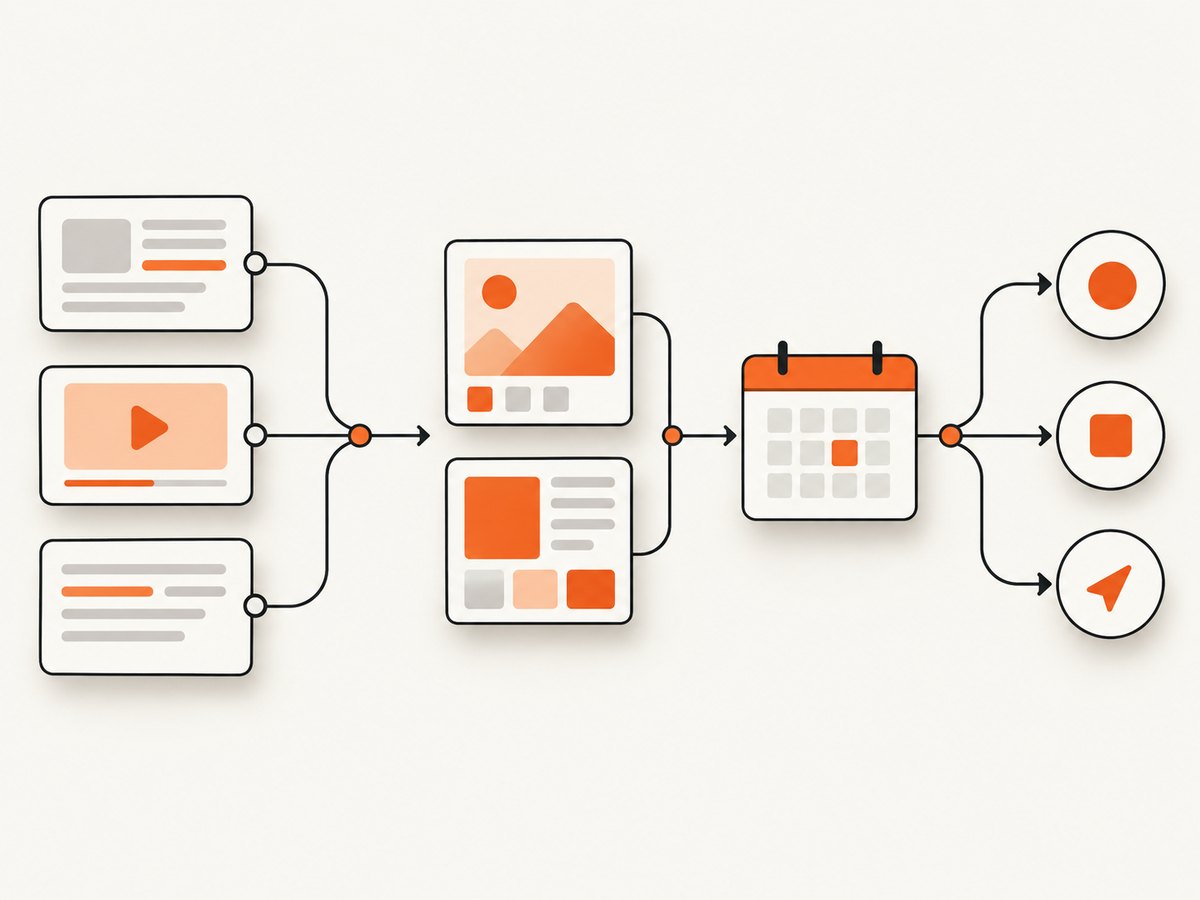
Contentdrips describes a workflow that turns a topic, blog, YouTube video, TikTok or Reel, image, or raw text into branded carousels, graphics, and text posts. Users can review, schedule, and publish to LinkedIn and Instagram. Its documented features include AI Post Writer, AI Design Agent, AI Carousel Maker, AI Graphic Maker, Match My Style, AI Ideas Generator, and AI Image Generator.
That combination matters. A design app may replace only the canvas; a social scheduler may replace only the calendar; an API may replace only the generation step. Before switching, list which jobs Contentdrips performs for you and decide whether you need one replacement or a small toolchain.
Build a requirements checklist
- Formats: carousels only, or also quote cards, infographics, memes, banners, graphics, and text posts?
- Inputs: topic and text, or also blog URLs, YouTube, TikTok/Reels, images, and CSV?
- Publishing: which networks, direct publishing, scheduling, bulk planning, and approval steps are essential?
- Brand and team: brand kits, style or voice matching, multiple brands, collaborators, seats, and approvals?
- Automation: REST API, webhooks, Make/Zapier/n8n integrations, embed options, or export formats?
- Economics: monthly price, generation credits, API call limits, watermarks, and commercial rights?
Write down your must-haves separately from nice-to-haves. Then run one representative campaign through each finalist: same source, same brand, same number of posts, same publishing destination. That exposes manual work hidden by a feature checklist.
2. Best Contentdrips alternatives by workflow
PostNitro: investigate first for carousel-first work
PostNitro is the closest documented carousel-specialist comparison. Contentdrips’ own comparison describes it as focused on carousel creation, scheduling, and API capabilities. If most of your output is LinkedIn or Instagram carousels, start by checking whether its current plans cover your required input sources, brand handling, publishing destinations, and automation.
Contentdrips positions itself as broader: its comparison cites 20+ content categories, six input sources, bulk generation across brands, unlimited members from $26/month, and no watermark on any plan. Those are Contentdrips’ own comparative claims, not a guarantee that either product fits every account. Validate both with your own workflow and current plan terms.
Canva: broad design benchmark
Canva is a general-purpose design benchmark when your team already creates a range of visual assets there. Contentdrips characterizes itself as specialized for social media while Canva is general-purpose. Before treating Canva as a full replacement, confirm that the plan and integrations you would use handle source-to-post repurposing, scheduling, bulk generation, and multiple brands at the level you need.
A practical test is to take one blog post and produce a carousel plus a graphic and caption. Record which steps are automated and which require copying, resizing, or reformatting by hand. A strong design editor does not by itself establish that your publishing pipeline is covered.
Adobe Express: consider it if you already design there
Contentdrips’ comparison says Adobe Express lacks native scheduling, source-to-post repurposing, bulk generation, multi-brand switching, and a public creator API, while Contentdrips lists those functions and direct LinkedIn and Instagram publishing. Adobe capabilities can change, so recheck the current product and plan before relying on this comparison.
Adobe Express may still be a fit when your work is mainly design and the rest of your publishing process lives elsewhere. If you want one system to transform sources into posts and publish them, test that end-to-end path rather than assuming the editor covers it.
Bannerbear, Placid, and Creatomate: compare for programmatic generation
These services matter most when an application or automation needs to generate graphics from structured data. Contentdrips’ API comparison evaluates these providers on multi-slide carousel generation, AI-written slide copy, auto-branding, PDF export, Make/Zapier/n8n nodes, asynchronous jobs and webhooks, free plans, and starting prices. The dossier does not establish that every provider offers every capability; check each provider’s current documentation against the exact requirements.
Contentdrips says its REST API can generate carousels and social graphics programmatically. For any API candidate, check whether the API creates the formats you need, how it handles brand templates and fonts, what happens on failure, whether jobs are synchronous or asynchronous, and how usage is counted.
3. Choose by pipeline, not by the word “AI”
Run a small evaluation with a fixed source set: one blog article, one video, and one short text prompt. For each candidate, measure the work needed to reach a post ready for review. Keep the brand kit, requested formats, and destination channels constant.
- Repurpose: provide the source and check whether the output preserves the useful points, links, and tone.
- Brand: apply the intended colors, fonts, logo, and voice. Check consistency across all slides and formats.
- Edit: change a headline, replace an image, and reorder content. Note whether the result remains easy to maintain.
- Collaborate: try the approval process with the people who will actually review and publish.
- Publish: schedule or publish to the required channels and confirm how the final post appears.
- Automate: if an API matters, repeat a generation through the API and inspect its response, errors, limits, and export path.
- Price: estimate the monthly cost for your real number of posts, brands, team members, and API calls.
Use a simple scorecard: required format, source support, output quality, manual edits, publishing fit, team workflow, automation, and total cost. Reject a tool that fails a must-have even if its template gallery looks strong.
4. Pricing and plan checks
The research dossier lists Contentdrips consumer plans as Free, Starter at $15/month, and Pro at $26/month, with credits and publishing features varying by plan. Its API page lists a $39/month starting API price, a Pro tier with 6,000 calls/month, and an Ultimate tier with 25,000 calls/month. These prices and limits are volatile; verify the live pricing and terms before making a decision.
Do not compare only the headline monthly price. Calculate the cost for the workflow you evaluated:
- How many posts, variations, and brands do you expect each month?
- Are generations limited by credits, API calls, or another allowance?
- Does the plan include the channels, team seats, scheduling, and export formats you need?
- Are there watermarks or restrictions on commercial use?
- What happens when you exceed the allowance, and can you predict that cost?
For an API, include the engineering cost of template setup, retries, monitoring, and keeping credentials secure. A low per-call price can still be a poor fit if every output needs manual repair.
5. ScreenshotNeo for screenshot-driven content workflows
ScreenshotNeo is a website screenshot API and MCP server from Yorker Media. It is not a social post writer, carousel editor, scheduler, or replacement for Contentdrips’ end-to-end social workflow. It is relevant when your developer pipeline needs website screenshots or PDFs—for example, as visual source material or a capture step in an automated publishing process.
One GET request can return a PNG, JPEG, WebP, or PDF. The API supports full-page and selector captures, custom viewport and device presets, dark mode, retina scale, CSS and JavaScript, wait conditions, headers and cookies, caching, bulk capture, and asynchronous jobs with signed webhooks. See the ScreenshotNeo API documentation for parameter details.
Runnable examples
Replace the target URL and put your API key in the request. Keep the key in an environment variable or secret store in a real application; do not commit it to source control.
cURL
curl -G "https://api.screenshotneo.com/v1/shot" \
  -d access_key=YOUR_API_KEY \
  --data-urlencode url=https://stripe.com \
  -o shot.webp
Python
import requests

r = requests.get(
    "https://api.screenshotneo.com/v1/shot",
    params={"access_key": "YOUR_API_KEY", "url": "https://stripe.com"},
    timeout=90,
)
r.raise_for_status()
with open("shot.webp", "wb") as f:
    f.write(r.content)
Node.js
const q = new URLSearchParams({
  access_key: 'YOUR_API_KEY',
  url: 'https://stripe.com'
});
const res = await fetch(`https://api.screenshotneo.com/v1/shot?${q}`);
if (!res.ok) throw new Error(`Screenshot request failed: ${res.status}`);
const image = Buffer.from(await res.arrayBuffer());
await import('node:fs/promises').then(fs => fs.writeFile('shot.webp', image));
ScreenshotNeo accepts parameter names used by other screenshot APIs to make switching easier. Check the docs for supported values before porting a request; matching parameter names does not mean every vendor-specific behavior is identical.
Or skip the browser setup
ScreenshotNeo handles the capture step with one API call. Cookie banners, popups, and chat widgets are removed before the shot; bot checks, blank pages, and failed loads are never billed. An MCP server lets AI agents take screenshots, and 1,000 screenshots per month are free with no card; paid plans start at $5 for 3,000.
curl -G "https://api.screenshotneo.com/v1/shot" -d access_key=YOUR_API_KEY --data-urlencode url=https://stripe.com -o shot.webpStart with a free ScreenshotNeo account for 1,000 screenshots a month with no card.
6. Reliability, performance, and troubleshooting
For social content tools, reliability means more than an API returning success. Check that outputs preserve the source’s meaning, branded templates render consistently, and scheduled posts reach the intended destination. For a programmatic pipeline, save request identifiers and outputs, handle temporary failures with bounded retries, and avoid creating duplicate posts when retrying an operation. Confirm whether a provider supports idempotency or job status checks in its own docs.
For screenshot capture specifically, rendering time depends on the target page and options. A full-page capture, delayed script, or network-idle wait can take longer than a simple viewport capture. Set a timeout appropriate to the page, and use a selector wait or modest delay when a known element must render; avoid waiting for every network request to stop if the site keeps long-lived requests open. Cache captures when the source does not need to be refreshed each time.
| Symptom | Likely cause | What to check |
|---|---|---|
| Generated post needs extensive rewriting | Input is vague or source extraction misses context | Try a representative source and specify audience, key points, and format. Compare with a manual outline. |
| Visuals do not match the brand | Brand setup or template is incomplete | Check fonts, colors, image rules, and whether each format uses the intended brand kit. |
| Publishing step is missing | Channel or plan does not include the needed scheduling or auto-publish feature | Verify current plan access and supported destination before migrating. |
| API result differs from the editor | API supports a different workflow or options than the consumer product | Read the API docs and compare the exact format, branding, and export settings. |
| Screenshot is blank or incomplete | Page load failed, content is delayed, or a wait condition was insufficient | Check the page verdict and response headers; try a selector wait or suitable delay. |
| Screenshot request takes too long | Slow target page, full-page rendering, or an overly broad network-idle wait | Reduce unnecessary waits, capture a specific element, or adjust the timeout. |
ScreenshotNeo responses include X-Page-Verdict and X-Billed headers indicating the page outcome and billing status. Its billing policy says only clean shots are billed; bot checks/CAPTCHAs, blank pages, timeouts, failed loads, and cache hits cost nothing. Inspect those headers when diagnosing captures rather than assuming every response body is a usable image.
7. Frequently asked questions
What is the best Contentdrips alternative?
For carousel-first work, investigate PostNitro first. For broad design, evaluate Canva or Adobe Express against your actual publishing needs. For programmatic graphics, compare Bannerbear, Placid, and Creatomate.
Can I turn a blog or YouTube video into branded social posts?
Contentdrips documents blog URLs and YouTube among its input sources. Verify that any alternative supports the exact source type and output formats you need, then test the result with your own material.
Which Contentdrips alternative has an API?
Contentdrips documents its own REST API, and its comparison includes PostNitro, Bannerbear, Placid, and Creatomate. Check current API access, limits, and supported outputs directly with each provider.
Can ScreenshotNeo replace a social media automation tool?
No. It captures websites as images or PDFs. It can handle the screenshot step in a developer workflow, but it does not provide the social writing, design, calendar, and publishing workflow described for Contentdrips.
How should I compare the cheapest option?
Compare the monthly cost for your expected volume and include credits, API limits, seats, channels, watermarks, and manual work. Confirm current plan terms before subscribing because prices and limits change.


