How to Continue PhantomJS and CasperJS Execution After Clicking a Button That Reloads the Page
Use CasperJS’s navigation-aware click step, then wait for the URL or page state that proves the next action is ready. Here are runnable patterns, diagnostics, and fixes for common failures.

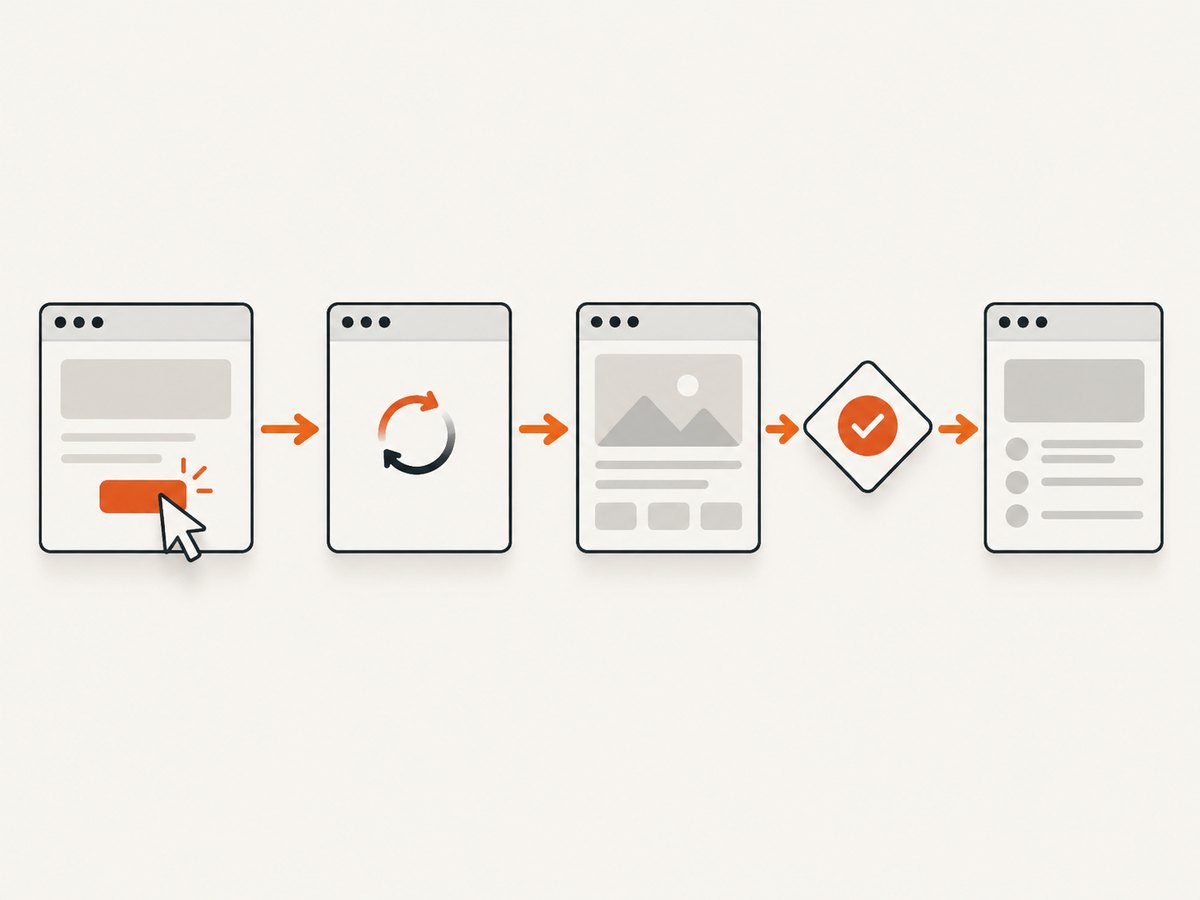
Use CasperJS’s thenClick(selector, callback) when the button causes a full page navigation or reload. CasperJS queues the click as a navigation step, and its optional callback runs after the page loads. Put the next action in that callback or in a later then() step. If the button updates the page without navigating, wait for the resulting DOM state instead.
The key is to synchronize on the event that actually matters: navigation, a changed URL, or a specific element or text appearing. A URL check alone cannot prove that a same-URL reload finished.
1. Use CasperJS’s navigation-aware click
In CasperJS, steps added with then() run sequentially. thenClick() is the convenience method for queuing a click and, optionally, a step to run after the page loads. This is the usual pattern for a submit button that navigates to a results or confirmation page.
var casper = require('casper').create();

casper.start('https://example.test/form');

casper.thenClick('#submit-button', function () {
    this.echo('Navigation completed; inspect the destination.');
    this.echo('Current URL: ' + this.getCurrentUrl());
});

casper.then(function () {
    this.echo('This later step runs after the click step.');
});

casper.run();
Replace the example URL and selector with the page and button you control. The callback is a CasperJS step, not an ordinary synchronous callback that runs immediately after the click is dispatched. CasperJS thenClick API and CasperJS run API describe the queued-step model.
Keep actions that depend on the destination inside the callback or a subsequent CasperJS step. Do not call the next page’s elements immediately after click() in the same synchronous JavaScript block and expect the browser to have completed navigation.
2. Wait for the destination to be ready
A navigation finishing and an application becoming usable are related but distinct conditions. A destination may load its document and then populate content asynchronously. Add a state check when the next operation depends on that content.
var casper = require('casper').create();

casper.start('https://example.test/form');

casper.thenClick('#submit-button');

casper.then(function () {
    this.waitForSelector('#destination-ready', function () {
        this.echo('The destination is ready.');
        this.capture('destination.png');
    }, function () {
        this.echo('Destination did not become ready before timeout.');
        this.exit(1);
    }, 10000);
});

casper.run();
The 10,000 millisecond timeout is illustrative; choose a limit that suits the page and execution environment. waitForSelector() waits for a selector condition. CasperJS also provides waitFor() for a custom predicate, with success and timeout callbacks. Its documented default timeout for waitFor() is 5,000 milliseconds. See the waitForSelector API and waitFor API.
Wait for a meaningful text or custom condition
When the selector exists before the click, waiting for its existence may return too early. Prefer a condition that changes as a result of the action: a success message with new text, a button becoming enabled, a result count changing, or a page-specific marker appearing.
casper.then(function () {
    this.waitFor(function checkForResult() {
        return this.exists('#status') &&
            this.fetchText('#status').indexOf('Complete') !== -1;
    }, function onReady() {
        this.echo('The operation completed.');
    }, function onTimeout() {
        this.echo('The completion condition was not met.');
        this.exit(1);
    }, 10000);
});
This predicate is an example; match it to the page’s actual outcome. CasperJS documents waitFor() as waiting for a function to return true before processing the next step. Its wait APIs support timeout paths, so make failures visible rather than silently continuing with stale or missing page data.
3. Choose the right completion signal
| Button behavior | Useful signal | Pattern |
|---|---|---|
| Loads a different URL | Navigation step, optionally followed by destination state | thenClick(), then waitForSelector() or waitForUrl() |
| Reloads the same URL | Navigation step plus a state that is fresh after the reload | thenClick(), then wait for destination content or changed state |
| Updates the document in place | DOM condition, changed text, or custom predicate | Wait for the result; do not rely on navigation callback |
| Opens a new tab or window | Child page handling and the target page’s state | Inspect CasperJS and PhantomJS page/window behavior for your version |
For a destination URL that identifies the expected page, use waitForUrl() with a string or regular expression. Avoid using URL equality as the sole signal for a same-URL reload: the URL before and after is identical, so equality cannot establish that the new document has finished loading. A DOM marker or state that becomes valid after the reload is a stronger check.

casper.then(function () {
    this.waitForUrl(/\/results(?:\?|$)/, function () {
        this.echo('Reached the results URL.');
    }, function () {
        this.echo('The expected URL did not appear.');
        this.exit(1);
    }, 10000);
});
Check the CasperJS version in your project and consult its matching API documentation if a method is unavailable or behaves differently. The published CasperJS API documentation identifies itself as 1.1.0-DEV; this article does not assume a particular installed version.
4. Handle same-URL reloads and in-page updates
Same URL, new document
Use thenClick() so CasperJS manages the navigation sequence. Then check a destination condition whose value distinguishes the newly loaded page from the old state. Examples include a confirmation element, a new heading, or a known server-rendered value. If the same marker exists both before and after, check a changed value or use another readiness condition.
Do not insert an arbitrary delay as the primary synchronization mechanism. A fixed delay can expire before a slow navigation completes, while a fast navigation leaves the script waiting needlessly. Use a delay only when the page has no observable condition and the timing itself is part of the behavior being tested.
In-page state change, no navigation
Some buttons submit data through JavaScript and update the current document without replacing it. In this case, a navigation-aware callback is not the right proof of completion. Wait for the changed content or a custom predicate instead. Make sure the condition describes the post-click state, not an element that was already present before clicking.
5. Diagnose whether navigation happened
If the click appears to do nothing, inspect what PhantomJS reports at the WebPage layer. The onNavigationRequested handler receives the target URL, navigation type, whether navigation will proceed, and whether the request came from the main frame. It can help distinguish a missed click from a blocked navigation, a reload, or an event inside an iframe.
var casper = require('casper').create();

casper.on('page.created', function (page) {
    page.onNavigationRequested = function (url, type, willNavigate, main) {
        console.log('Navigation target: ' + url);
        console.log('Type: ' + type);
        console.log('Will navigate: ' + willNavigate);
        console.log('Main frame: ' + main);
    };
});

casper.start('https://example.test/form');
casper.thenClick('#submit-button');
casper.run();
CasperJS exposes the underlying page object, and event wiring may vary with the installed CasperJS version. Verify the event hook used by your version. PhantomJS documents the handler arguments and navigation types, including LinkClicked, FormSubmitted, and Reload, in its onNavigationRequested documentation.
Be careful when overriding handlers on the underlying page. CasperJS warns that replacing page properties can disable framework features; specifically, overriding onUrlChanged makes waitForUrl() stop working. Prefer supported CasperJS event mechanisms and check the version-specific guidance before assigning page callbacks.
6. Common errors and fixes
| Symptom | Likely cause | Fix |
|---|---|---|
| The next step reads the old page | The script used a direct click or performed dependent work before navigation completed | Queue the click with thenClick(); move dependent work to its callback or a later step. |
| Timeout waiting for URL | The button updated the page in place, navigated to a different URL than expected, or navigation was blocked | Inspect the actual URL and navigation event; if no navigation occurs, wait for a DOM condition. |
| URL wait succeeds but content is missing | The URL changed before asynchronous destination content was ready | After the URL condition, wait for the specific result selector or text. |
| Same-URL reload seems to skip the wait | URL equality is true both before and after reload | Use the navigation-aware click and then test a post-reload state. |
| Selector wait succeeds immediately | The selector already existed before the click | Wait for changed text, a new child, a state attribute, or a selector unique to the completed result. |
| Click selector is not found | Wrong selector, delayed rendering, wrong frame, or page not at the expected step | Confirm the selector in the current document, wait for it to appear, and determine whether it is inside an iframe. |
| Script exits after the timeout | The failure callback intentionally called exit(), or an error handler ended execution |
Log the condition and current URL in the timeout path; adjust the timeout only after identifying the page’s real readiness condition. |
waitForUrl() stops behaving after instrumentation |
An underlying page callback such as onUrlChanged was overwritten |
Remove the override or use an event hook that does not replace CasperJS’s handler. |
7. Practical reliability and performance
- Prefer condition-based waits. They proceed as soon as the condition is true and have a clear timeout route. This avoids treating elapsed time as proof that a page is ready.
- Give each wait one job. Use navigation sequencing for document changes and a state wait for asynchronous content. This makes timeout logs easier to interpret.
- Use bounded timeouts. A wait without a useful timeout path can hang a job. Choose a value appropriate to your environment; the illustrative values above are not universal.
- Make failures observable. In the timeout callback, report the expected condition and current URL, and return a failing process status when the script is part of automation.
- Avoid fragile selectors. Prefer stable IDs or application-owned attributes over positional selectors that change when layout changes.
- Do not confuse request completion with application readiness. A document can finish loading while client-side code is still rendering the content your next step needs.
PhantomJS and CasperJS are legacy tools, and the supplied documentation does not establish compatibility with a particular operating system, site, or installed version. For a maintained workflow, verify your dependency and runtime support before investing in new automation. The patterns here explain the documented CasperJS/PhantomJS APIs; they are not a claim that a given target site was tested.
8. Or skip the browser setup
If the outcome you need is a screenshot rather than an interactive browser session, ScreenshotNeo captures a URL with one GET request. See the ScreenshotNeo API documentation for request options.
curl -G "https://api.screenshotneo.com/v1/shot" -d access_key=YOUR_API_KEY --data-urlencode url=https://example.test/form -o shot.webpimport requests
r = requests.get(
"https://api.screenshotneo.com/v1/shot",
params={"access_key": "YOUR_API_KEY", "url": "https://example.test/form"},
timeout=90,
)
open("shot.webp", "wb").write(r.content)const q = new URLSearchParams({
access_key: 'YOUR_API_KEY',
url: 'https://example.test/form'
});
const res = await fetch(`https://api.screenshotneo.com/v1/shot?${q}`);ScreenshotNeo removes cookie and consent banners, newsletter popups, and chat widgets before the shot; each step can be turned off. Bot checks, blank pages, failed loads, timeouts, and cache hits are not billed, and response headers identify the page verdict and billing status. Its MCP server gives AI agents tools for screenshots, page information, and PDF capture. The free plan includes 1,000 screenshots a month with no card; paid plans start at $5 for 3,000 shots. That makes it useful for capturing a page, but it does not replace CasperJS when your task requires clicking through an interactive flow and then inspecting its resulting state.
Create a free ScreenshotNeo account for 1,000 screenshots a month with no card.
9. FAQ
Should I use thenClick() or click()?
Use thenClick() when you want CasperJS to queue the click as a navigation step and continue after the page loads. For a click that does not navigate, use a suitable click action and then wait for the page’s changed state.
Does a reload count as a URL change?
Not necessarily. A reload can leave the address unchanged, so URL equality does not tell you whether the new document is ready. Use a post-reload page condition.
What timeout should I set?
Set a finite timeout based on the expected behavior of your application and environment. CasperJS documents a 5,000 millisecond default for waitFor(); the examples use explicit illustrative values so the failure path is clear.
Can I use these patterns for an AJAX button?
Yes, but synchronize on the result of the AJAX update—such as changed text or a newly rendered element—rather than waiting for a navigation that does not happen.
How can I tell whether PhantomJS saw the click-triggered navigation?
Use PhantomJS’s onNavigationRequested handler to log the target, navigation type, whether it will proceed, and whether it came from the main frame.


