How to Control Document Page Breaks Correctly in Dompdf
Control Dompdf page breaks with CSS: force section starts, keep blocks together where possible, and handle long tables without surprises.
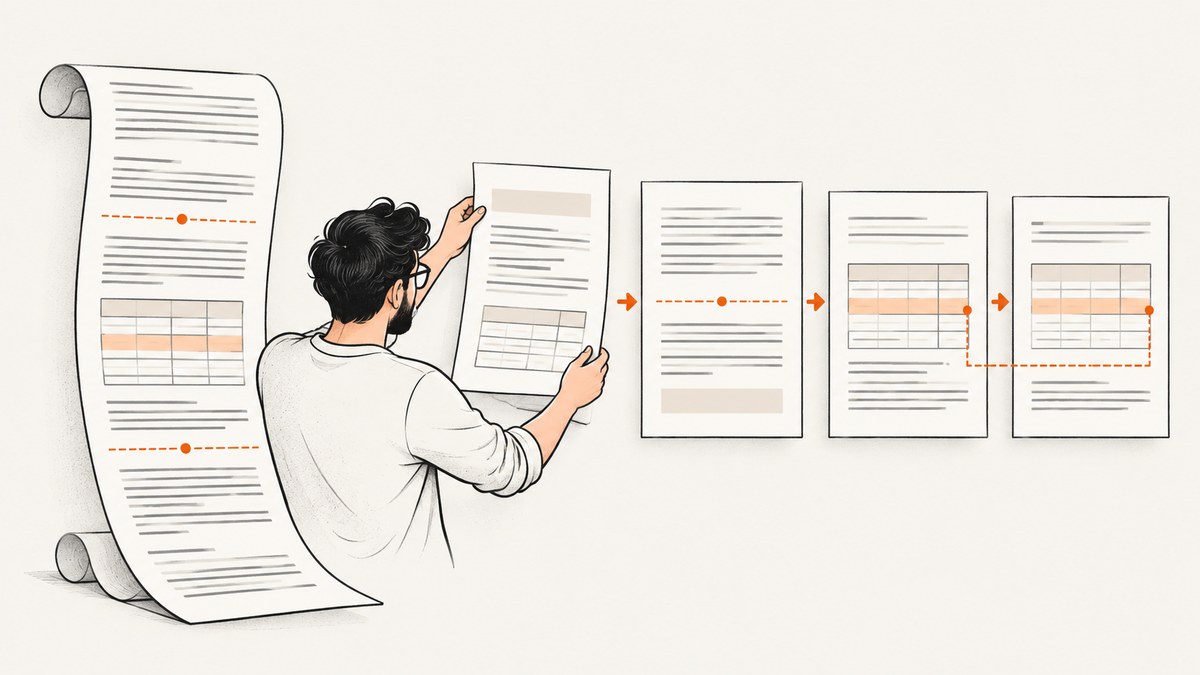
Dompdf page breaks are controlled with CSS pagination rules. Put page-break-before: always on a block that should start on a fresh page, use page-break-after: always when the break belongs after a block, and apply page-break-inside: avoid when you want a supported block kept together. The last rule is a preference, not a guarantee: oversized content still has to flow, and Dompdf table cells cannot split across pages.
Load the rules in the stylesheet used to render the HTML, apply them to deliberate boundaries, then inspect a representative generated PDF with the Dompdf version your application actually uses. This guide covers the CSS, PHP setup, tables, edge cases, troubleshooting, and a browser based option for rendering web pages to images or PDF.
1. Choose the right page-break rule
Think first about where the boundary belongs. A new chapter usually needs a forced break before its heading or container. A cover or summary may need a break after it. A card or short table row may need an avoid rule so it stays together if it fits.

| Intent | CSS | Meaning |
|---|---|---|
| Start this block on a new page | page-break-before: always |
Insert a break immediately before the element. |
| Start following content on a new page | page-break-after: always |
Insert a break immediately after the element. |
| Prefer to keep this block intact | page-break-inside: avoid |
Avoid a break inside where the renderer can honor the request. |
| Leave pagination to the renderer | auto |
Neither force nor forbid a break. |
Dompdf supports these properties, but table row groups have documented restrictions, and behavior can depend on the element and installed version. CSS paged media defines the values and explains that avoidance can be relaxed if there are not enough legal breakpoints to lay out overflowing content. CSS 2.2 paged media specification.
2. Add reusable rules to your stylesheet
For report chapters, apply a class to each section. Override the first section so it does not produce a blank opening page.
<style>
  @page {
    size: A4;
    margin: 18mm;
  }

  .section {
    page-break-before: always;
  }

  .section:first-of-type {
    page-break-before: auto;
  }

  .keep-together {
    page-break-inside: avoid;
  }

  .new-page-after {
    page-break-after: always;
  }
</style>
Then mark boundaries in the document structure:
<section class="section">
  <h1>Overview</h1>
  <p>Opening content starts on the first page.</p>
</section>

<section class="section">
  <h1>Results</h1>
  <p>This section starts on a fresh page.</p>
</section>
Dompdf’s usage documentation demonstrates a container with page-break-before: always and resets the first container to auto. Dompdf usage guidance. Prefer a single rule at the intended boundary. If both the previous block has page-break-after: always and the next has page-break-before: always, you have expressed the same boundary twice; simplify it while debugging pagination.
3. Render HTML to PDF in PHP
The page-break declarations belong in the HTML/CSS passed to Dompdf. This complete example uses the standard Dompdf namespace and renders a two-section PDF. It assumes the library is installed in the application and loaded through Composer’s autoloader.
<?php
require __DIR__ . '/vendor/autoload.php';

use Dompdf\Dompdf;
use Dompdf\Options;

$options = new Options();
$options->set('isRemoteEnabled', false);
$dompdf = new Dompdf($options);

$html = '<!doctype html>
<html>
<head>
  <meta charset="utf-8">
  <style>
    @page { size: A4; margin: 18mm; }
    body { font-family: DejaVu Sans, sans-serif; font-size: 11pt; }
    .section { page-break-before: always; }
    .section:first-of-type { page-break-before: auto; }
    .keep-together { page-break-inside: avoid; }
  </style>
</head>
<body>
  <section class="section">
    <h1>Overview</h1>
    <p>The first section begins on page one.</p>
  </section>
  <section class="section">
    <h1>Details</h1>
    <p>The second section begins on a new page.</p>
    <div class="keep-together">
      <h2>A short note</h2>
      <p>This block should remain together if it fits in the available page area.</p>
    </div>
  </section>
</body>
</html>';

$dompdf->loadHtml($html);
$dompdf->setPaper('A4', 'portrait');
$dompdf->render();
$dompdf->stream('report.pdf', ['Attachment' => true]);
For user supplied HTML, keep your normal input validation and output handling in place. Remote assets are disabled in this example; if the document needs remote images or stylesheets, enable remote loading deliberately and configure the environment according to the Dompdf version and your application’s security requirements. The project describes Dompdf as an HTML to PDF renderer with broad CSS 2.1 support and selected CSS3 features, including @media and @page; its master README may differ from the release installed in your app. Dompdf project README.
4. Use avoid rules with realistic expectations
page-break-inside: avoid is useful for a compact heading and paragraph, an invoice summary, or a callout that fits on one page. Put it on the containing block, not on every descendant by habit.
.invoice-summary,
.figure-caption,
.signature-block {
  page-break-inside: avoid;
}
An avoid rule cannot make a block taller than the printable page area fit. If a paragraph, image, or nested layout is too tall, the renderer needs to find another break or relax avoidance. Content near the page boundary can also shift when fonts, margins, or text change. Design short keep-together units and leave enough space for the renderer to place them.
Forced breaks and avoid preferences can meet at the same boundary. A forced break takes precedence where the rules conflict. For predictable results, avoid broad rules on the body or every block; attach force rules to section boundaries and avoidance to a small set of meaningful units.
5. Handle tables separately
Tables are the most important exception to remember. Dompdf documents that table cells are not pageable: a row must fit on a single page. A CSS break rule cannot split an over-height row into two pieces. If a row exceeds the available page height, reduce its contents, split the logical record into multiple rows or blocks, or restructure the layout.
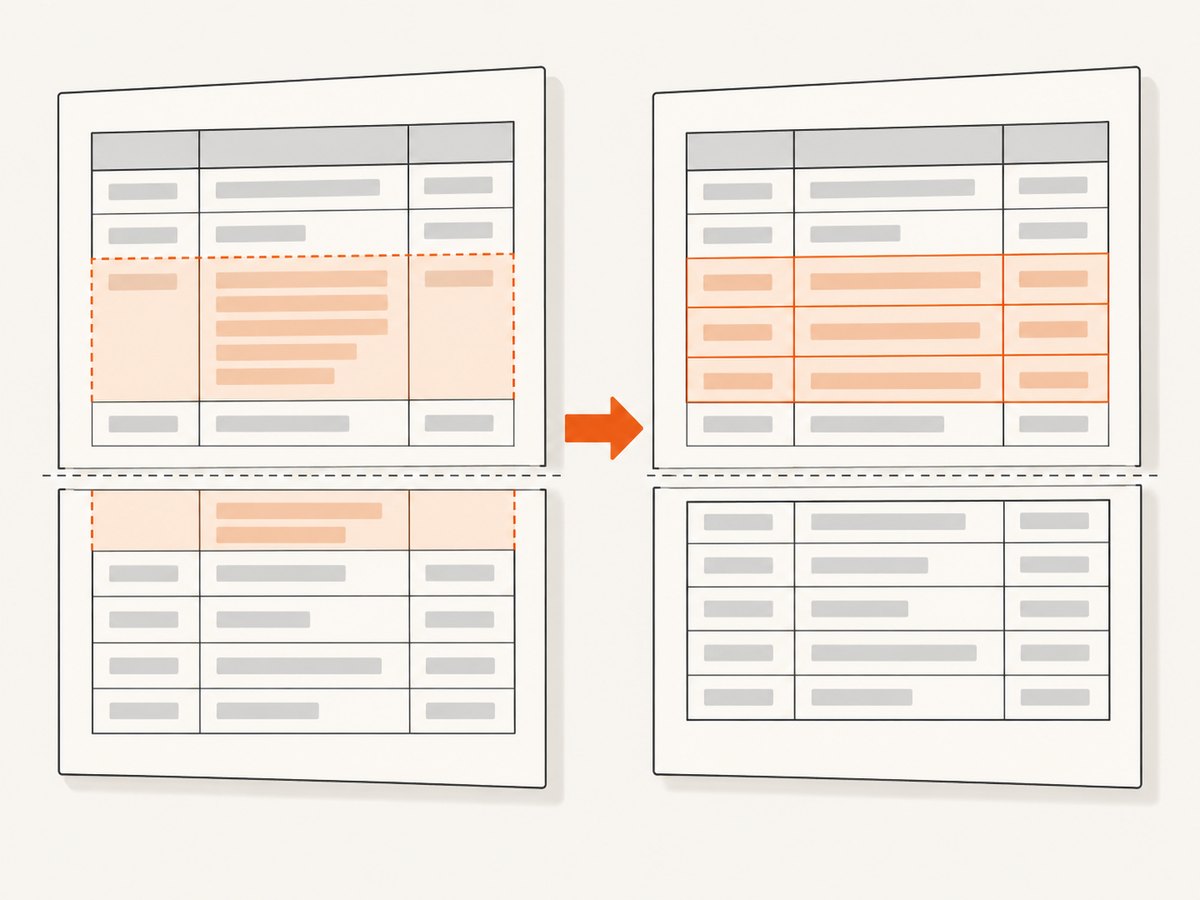
Do not assume tbody, thead, and tfoot behave like ordinary div elements. The compatibility table lists page-break-before and page-break-after support on rows since Dompdf 1.1.0, but says those properties are unsupported on table row groups. It also marks page-break-inside unsupported on row groups. Check the exact version and markup you deploy. Dompdf CSS compatibility table.
Use a break on an ordinary block wrapping a table when you need the whole table to start on a new page. Use row level rules only after confirming the installed version supports the behavior you need. If a large table spans pages, keep rows compact and test headers, footers, and page transitions with realistic data.
6. Configure page size, margins, and content dimensions
Page breaks only make sense relative to the printable area. The @page margin and paper size determine how much content can fit. The PHP setPaper() call also selects a page size and orientation, so keep it aligned with your CSS declarations and intended output.
@page {
  size: letter landscape;
  margin: 0.6in;
}

.wide-report {
  width: 100%;
}
For a page that looks unexpectedly empty, check whether large top or bottom margins, padding, fixed heights, or a tall preceding block leave no room for the next keep-together unit. Do not add arbitrary breaks to compensate for a sizing problem. First measure the content against the printable area, then decide where a deliberate section boundary belongs.
7. Verify the rendered PDF
- Record the Dompdf version installed by the project dependency lockfile.
- Render examples for ordinary blocks, a short keep-together block, a long block, and a table with rows near the page limit.
- Inspect the actual PDF page by page, including the first page and boundaries around headings.
- Repeat with the fonts, images, and representative text lengths used in production.
- When upgrading Dompdf, render the same fixtures again and compare page count and boundary placement.
The upstream README explicitly warns that the master documentation may describe code newer than the latest release. Compatibility details are version sensitive, so production decisions should follow the installed package rather than an unpinned online example. Dompdf README and release information.
8. Troubleshooting common page-break problems
| Symptom | Likely cause | Fix |
|---|---|---|
| Blank first page | The first section also has page-break-before: always. |
Override the first section with auto, or apply the class only to later sections. |
| Break rule appears ignored | The selector did not match, the CSS was not loaded, or the rule is on an unsupported table row group. | Check generated HTML and computed styles; move the rule to a supported block and confirm the Dompdf version. |
| Table row splits badly or overflows | The row is taller than the printable area; Dompdf cannot page a table cell. | Shorten or restructure the row into smaller units that fit. |
| Keep-together block still breaks | The block cannot fit, or avoidance was relaxed to resolve overflow. | Reduce its height, split it intentionally, or let it flow naturally. |
| Unexpected extra pages | Duplicate forced breaks, large margins, oversized content, or an avoid rule causing reflow. | Remove redundant break declarations, inspect dimensions, and test with representative content. |
| Slow rendering on a large table | Many per-row avoidance rules may add layout work. | Apply keep rules only where needed and profile the actual document. A June 2026 issue report described about 500 rows taking about 30 seconds in one Dompdf 3.1.5/PHP 8.3.29 setup; it is anecdotal and not a general benchmark. Issue #3738. |
9. Reliability, performance, and cost
For reliability, treat the PDF as the output to validate. A stylesheet can be syntactically valid and still create poor pagination when real content changes. Keep representative PDFs in your review process, pay special attention to long rows and near-page-height blocks, and recheck after dependency upgrades.
For performance, avoid applying page-break-inside: avoid to every row in a large table without a reason. The cited issue is a single report in a specific environment, so use it as a reason to profile rather than a performance promise. Reduce unnecessary layout constraints and measure render time on your document sizes.
Dompdf is a software library; the dossier provides no license or hosting cost figures. Your operational cost depends on the PHP environment and workload you run. If the task is instead capturing an existing web page as a screenshot or PDF, a hosted rendering API can avoid maintaining browser capture infrastructure.
10. Or skip the browser setup
If you need a screenshot or PDF of an existing URL rather than a PDF generated from your own PHP HTML, ScreenshotNeo is a website screenshot API and MCP server. Its endpoint takes one GET request and returns an image or PDF. For example:
curl -G "https://api.screenshotneo.com/v1/shot" -d access_key=YOUR_API_KEY --data-urlencode url=https://stripe.com -o shot.webpSee the ScreenshotNeo API documentation for request parameters. Cookie banners are accepted and removed along with 60+ known consent platforms, newsletter popups, and chat widgets before the shot. Bot checks, blank pages, failed loads, timeouts, and cache hits are not billed; response headers report the page verdict and billing status. Its MCP server gives AI agents tools to take screenshots, get page information, and capture PDFs. The free plan includes 1,000 screenshots a month with no card; paid plans start at $5 for 3,000 shots. The same features are on every plan.
Create a free ScreenshotNeo account for 1,000 screenshots a month, no card required.
11. FAQ
Should I use page-break-before or page-break-after?
Use before when the next block owns the new-page boundary, such as a chapter. Use after when the preceding block should finish the page, such as a cover page.
Can page-break-inside: avoid guarantee a block stays on one page?
No. It is an avoidance preference. If the block is too tall or the document lacks workable breakpoints, the renderer may have to relax it.
Can Dompdf split a table row across pages?
No. Dompdf documents that table cells are not pageable and each row must fit on one page.
Why does the first section need a special rule?
A forced break before the first content can create an empty page. Set that opening section to auto or omit its forced-break class.
Does this CSS behave identically in every Dompdf release?
Do not assume so. Check the compatibility notes for the installed version and verify your document structure in the generated PDF.


