How to Convert Authenticated HTML Pages to Images with Ruby on Rails or JavaScript
Capture authenticated pages by rendering Rails views to HTML or using a Playwright browser context with the right session. Choose the approach that fits your security and deployment needs.

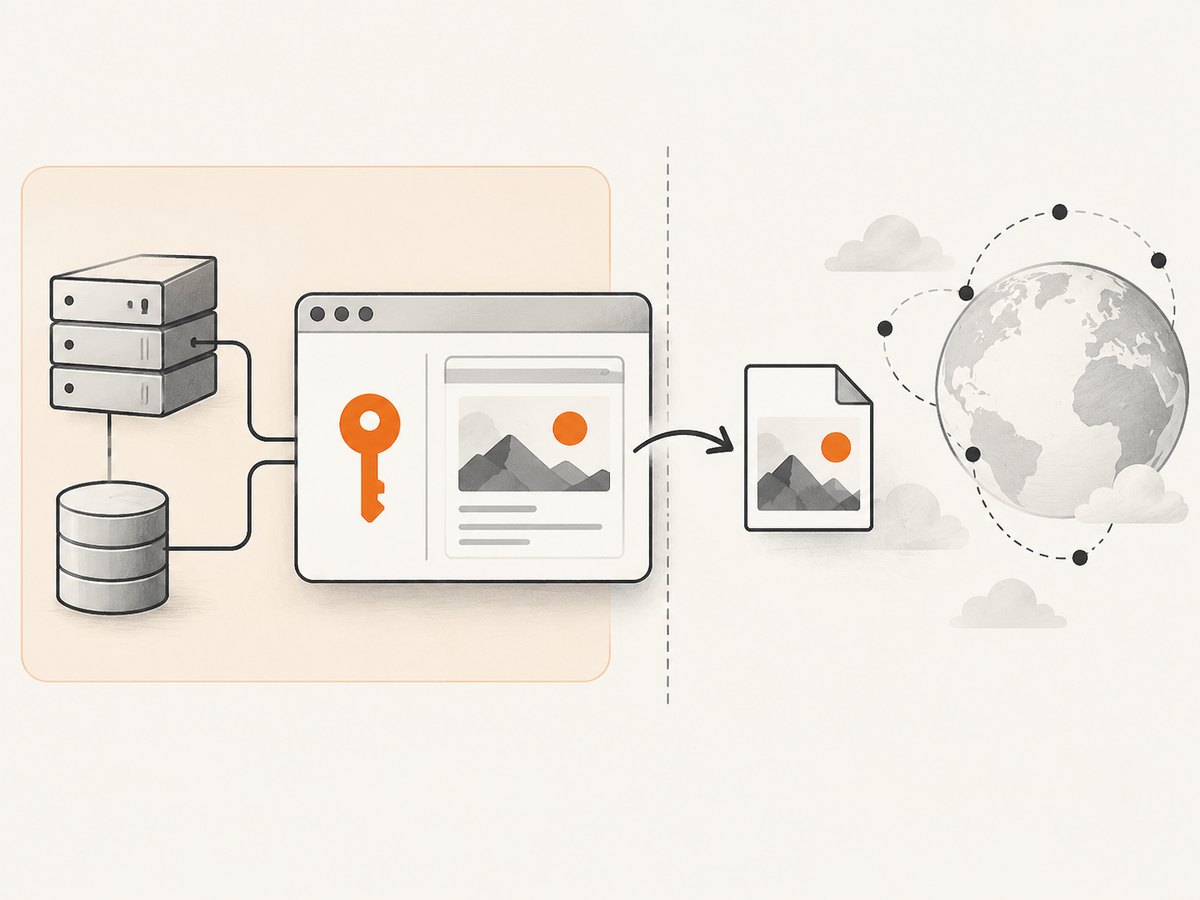
To convert an authenticated HTML page to an image, the renderer must have access to the page’s authorized content. A public screenshot service that only receives a URL does not inherit the visitor’s Rails session; it will usually see the sign-in page. In JavaScript, use Playwright with an authenticated browser context, wait for the page’s meaningful content, then capture the page or an element. In Rails, render the application view to an HTML string and pass that HTML to a browser-backed renderer such as Grover.
Choose the approach based on where authentication lives. If Rails already has the data and view, rendering locally avoids navigating back through a protected route. If the page relies on client-side JavaScript or browser state, capture it in Playwright with an appropriately authorized context. A hosted HTML-to-image endpoint is another option when you can safely send it the rendered markup.
1. Choose an authentication boundary
Start by deciding which process is allowed to read the page and where the resulting image may be stored or sent. The browser or renderer needs only the access required for the specific capture.
| Approach | Use it when | Authentication | Trade-off |
|---|---|---|---|
| Playwright in JavaScript | The page depends on browser JavaScript, browser state, or an authenticated session. | Run the capture in a context that has the authorized state, established through your app’s supported login or session mechanism. | You operate the browser runtime and protect its session data. |
| Grover in Rails | Rails owns the view and can render it to HTML locally. | Pass rendered HTML directly. For URL navigation, Grover documents a cookies option. | You operate a browser-backed renderer and must confirm production runtime compatibility. |
| Hosted URL screenshot API | The target is publicly accessible. | The provider makes an anonymous request; it does not receive the end user’s Rails session by default. | A private page may resolve to a login screen. Avoid forwarding broad session cookies. |
| Hosted HTML-to-image API | You can render the view and are permitted to send its markup to a service. | Submit the rendered HTML using the service’s API credentials. | Review privacy and data-handling requirements before transmitting page content. |
For Rails-owned content, separate view rendering from URL navigation when practical. For JavaScript-heavy pages, a real browser is often necessary to reproduce client-side rendering. Compare options by authentication boundary, rendering fidelity, capture bounds, output format, privacy, operational burden, and total runtime or service cost. The cited sources do not establish a reliable speed or cost comparison.
2. Capture an authenticated page with Playwright
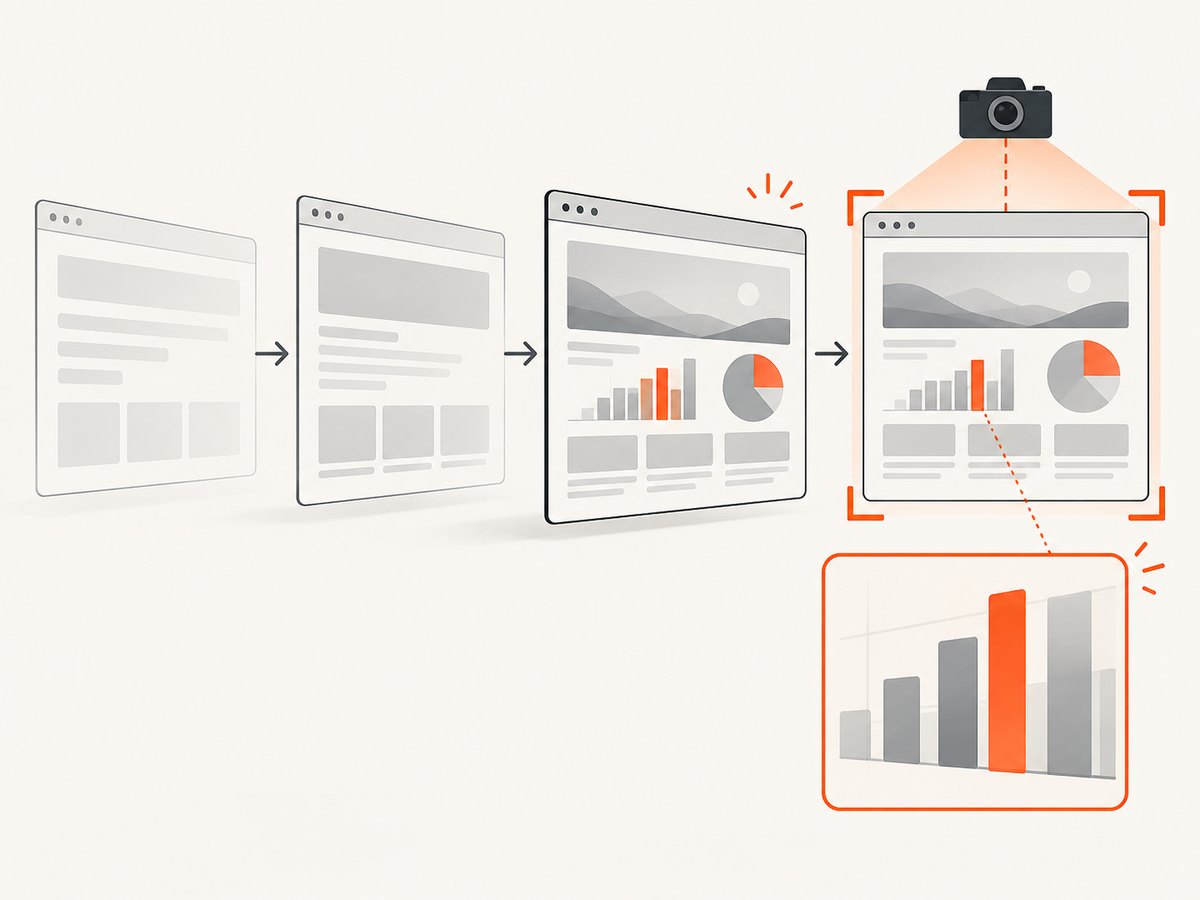
Install Playwright and its browser runtime using the instructions for your project and deployment environment. The following runnable Node.js example expects an already authorized storage-state file. Create that file through a controlled, authorized login process; do not commit it or expose it in logs. Playwright’s page API supports screenshots saved to a path or returned as a buffer, full-page capture, element screenshots, and PNG/JPEG/WebP options. See the Playwright Page API.
import { chromium } from 'playwright';

const browser = await chromium.launch();
const context = await browser.newContext({
  storageState: 'playwright/.auth/capture-user.json'
});
const page = await context.newPage();

try {
  await page.goto('https://app.example.com/reports/42', {
    waitUntil: 'domcontentloaded',
    timeout: 30_000
  });

  // Wait for content that confirms the authorized page is ready.
  await page.locator('[data-report-ready="true"]').waitFor({
    state: 'visible',
    timeout: 15_000
  });

  await page.screenshot({
    path: 'report.png',
    fullPage: true,
    type: 'png'
  });
} finally {
  await context.close();
  await browser.close();
}
Replace the example URL and readiness selector with your own. The selector should indicate the actual content you intend to capture, not merely that the document loaded. If the application does not expose a suitable marker, wait for a stable element that appears only after the data has loaded. A fixed sleep is a fallback for a known animation or delayed widget, but it can be either too short or waste time.
Capture an element or return image bytes
Use an element screenshot when the output should contain a chart, invoice, card, or other bounded region. A screenshot buffer can be passed to another function or returned by an application endpoint without writing a temporary file.
const chart = page.locator('#revenue-chart');
await chart.waitFor({ state: 'visible' });
const imageBytes = await chart.screenshot({ type: 'png' });
// Pass imageBytes to your storage or response code.
For a viewport-only image, omit fullPage or set it to false. For a long document, fullPage: true captures beyond the current viewport. Choose PNG for lossless text and interface details; JPEG can reduce size for photographic content; WebP is available when the consuming system accepts it. Check the API and downstream encoder behavior for the exact format and quality settings used by your installed Playwright version.
Session setup and safety
- Use a dedicated capture identity with the minimum access needed.
- Establish browser state using your application’s approved authentication flow or securely provisioned session state.
- Keep storage-state files and credentials out of source control, artifacts, and request logs.
- Constrain navigation to expected destinations so a page cannot cause credentials to be sent to an unintended host.
- Close contexts and browsers in cleanup logic, including on errors.
The cited Playwright page reference documents capture APIs, not a universal login recipe: authentication varies by application. Do not hard-code a production user’s password into a screenshot script.
3. Render a Rails view with Grover
If Rails has the data and view, render the view to an HTML string and give that HTML to Grover. This avoids an HTTP request back to the protected route, so the renderer does not need to impersonate a browser session just to fetch the markup. Grover is a Ruby gem backed by Puppeteer/Chromium and documents rendering Rails views and converting HTML to image output. Check the Grover README for current installation and API details.
# Gemfile
 gem 'grover'
# Example controller action
html = render_to_string(
template: 'reports/show',
formats: [:html],
layout: 'pdf'
)
image = Grover.new(html, format: 'png').to_png
send_data image,
type: 'image/png',
filename: 'report.png',
disposition: 'attachment'Adapt the template, layout, and response behavior to your application. Keep authorization in the Rails action that selects the record and renders the view; do not accept arbitrary template names or user-supplied HTML without a deliberate security review. The exact Grover options and the browser binary setup can vary by gem version and deployment platform, so confirm them against the README and your runtime.
When Grover must navigate to a URL
Sometimes the target exists only as a route or must run application JavaScript. Grover documents passing cookies when it requests a URL, including extracting them from a Rails request. Supply only the cookies required for the intended capture. Forwarding every incoming cookie can disclose unrelated session or tracking credentials to the rendering browser. Keep secrets out of logs and restrict the browser’s network access to intended destinations.
# Conceptual outline; verify option shape for your Grover version.
image = Grover.new(
  'https://app.example.com/reports/42',
  cookies: capture_cookies
).to_png
Use this URL-navigation pattern only when the renderer is meant to access that route and the cookie scope is understood. If the view can be rendered directly, HTML input usually makes the authentication boundary clearer.
4. Hosted capture for private pages
A URL-only screenshot endpoint generally makes its own request from outside your application. It does not automatically inherit a user’s browser cookie. The html2img Ruby integration guide states: “A capture is an anonymous request from the public internet, so an authenticated route comes back as your sign-in page.” See its Ruby and Rails integration guide.
For hosted processing, consider rendering the authorized view in your application and submitting the resulting HTML to an HTML-to-image API. The html2img Ruby client README documents HTML rendering and API-key configuration. This moves rendered page content to a third party, so assess data handling, current terms, and whether the content is permitted to leave your environment.
A second design is a narrowly scoped signed capture route. If you use one, make the token expire, limit it to the specific record and operation, and return only the intended content. These are application safeguards, not guarantees provided by a screenshot vendor. Avoid creating a general-purpose public route that exposes authenticated records.
5. ScreenshotNeo: one-call option
ScreenshotNeo is a website screenshot API and MCP server. A public-URL call is suited to pages the service can access; it does not magically inherit a private Rails session. For private content, use an explicitly designed safe route or an HTML-input workflow where supported. Its capture options include selector-based capture, waits, custom headers and cookies, full-page capture, image formats, and other controls. See the ScreenshotNeo API documentation for parameter details.
Or skip the browser setup: for a URL the API can access, make one request:
curl -G "https://api.screenshotneo.com/v1/shot" \
  -d access_key=YOUR_API_KEY \
  --data-urlencode url=https://stripe.com \
  -o shot.webp
import requests
r = requests.get(
"https://api.screenshotneo.com/v1/shot",
params={"access_key": "YOUR_API_KEY", "url": "https://stripe.com"},
timeout=90,
)
open("shot.webp", "wb").write(r.content)const q = new URLSearchParams({
access_key: 'YOUR_API_KEY',
url: 'https://stripe.com'
});
const res = await fetch(`https://api.screenshotneo.com/v1/shot?${q}`);
if (!res.ok) throw new Error(`Screenshot request failed: ${res.status}`);
await Bun.write('shot.webp', res);Replace the example target with a URL the service is authorized to capture. Cookie banners, popups, and chat widgets are removed before the shot; bot checks, blank pages, and failed loads are never billed. An MCP server lets AI agents take screenshots. The free plan includes 1,000 screenshots a month with no card; paid plans start at $5 for 3,000. Plans also include Growth at $15 for 15,000, Pro at $39 for 60,000, Scale at $99 for 250,000, and Business at $249 for 1,000,000; yearly billing gives two months free. Every feature is on every plan. See the docs for configuration and response headers, including page verdict and billing status.
Create a free ScreenshotNeo account to get 1,000 screenshots a month with no card.
6. Capture options and practical choices
| Need | Choice | Things to check |
|---|---|---|
| Whole document | Playwright full-page capture or the renderer’s full-page option. | Long pages can consume more memory; lazy content may need scrolling or explicit loading. |
| One component | Element locator or CSS selector capture. | Wait until the element is visible and populated; account for clipping and sticky overlays. |
| Deterministic readiness | Wait for a content selector or application-ready marker. | A navigation event does not prove asynchronous data has arrived. |
| Resolution and format | Choose viewport, device scale, and PNG/JPEG/WebP according to downstream use. | Higher pixel density increases output size and processing needs. |
| Private route | Render locally, use a tightly scoped authorized browser session, or submit HTML through an approved hosted workflow. | Do not assume URL fetchers can see a user’s session. |
Browser-backed tools may expose additional controls such as custom CSS, JavaScript, cookies, headers, device dimensions, or PDF output. Use the exact option names supported by your installed library or provider; do not assume one renderer’s options transfer unchanged to another.
7. Performance, reliability, and cost
Capture cost includes the browser or service runtime, image storage and delivery, and the engineering effort to keep sessions valid. The available research does not establish a measured speed or price advantage for Playwright, Grover, or hosted conversion. Benchmark with representative pages in your own deployment if latency or throughput matters.
- Wait on state: a specific selector or readiness marker avoids both premature captures and arbitrary long sleeps.
- Reuse carefully: a managed browser process can avoid launching Chromium for every image, but isolate contexts and session state between users.
- Bound work: set navigation and selector timeouts, cap page size where possible, and avoid unbounded concurrency that exhausts memory.
- Retry selectively: transient navigation failures may merit a bounded retry; authorization errors and missing records usually do not.
- Keep output predictable: fix viewport, scale, theme, locale, and timezone when consistent images are important.
- Track outcomes: distinguish successful images from login pages, blank content, timeouts, and rendering failures.
For hosted processing, include the service bill and the data-transfer/privacy review in the total cost. For self-hosting, account for browser installation, runtime compatibility, operational monitoring, and maintenance. ScreenshotNeo bills only clean shots; its response headers report page verdict and billed status, and cache hits cost nothing. Check current plan limits and your own capture pattern before choosing a tier.
8. Troubleshooting
| Symptom | Likely cause | Fix |
|---|---|---|
| The image shows a login page | The renderer made an anonymous request or its session state expired. | Render Rails HTML directly, establish a valid authorized browser context, or pass only the intended cookies to URL navigation. |
| The page is blank or missing data | Capture ran before client-side rendering or data loading completed. | Wait for a content-specific selector or readiness marker; inspect navigation and application errors. |
| Images or charts are absent | Lazy loading, delayed drawing, or external resources have not completed. | Wait for the relevant element and its content; use the page’s supported loading behavior and verify external requests are reachable. |
| Timeout during navigation | The page is slow, waits indefinitely on background traffic, or the timeout is too short. | Choose a meaningful navigation milestone, set explicit bounds, and wait separately for required content. |
| Grover works locally but fails in production | Chromium/Puppeteer runtime dependencies or versions differ in deployment. | Verify the deployed Ruby, gem, browser, and OS setup against Grover’s current README and platform requirements. |
| Cookie-authenticated capture is inconsistent | Wrong domain/path, expired cookie, or an overly broad cookie handoff. | Check cookie scope and expiry; use a dedicated capture identity and minimum cookie set. |
| Output is clipped or unexpectedly tall | Viewport capture was used where full-page or element bounds were needed. | Choose full-page capture or target the element; inspect fixed headers, overflow containers, and page dimensions. |
| Image differs between runs | Dynamic content, animation, theme, time, or viewport varies. | Fix viewport and relevant browser settings, wait for a stable state, and disable or accommodate changing content. |
9. Security checklist
- Authorize the target record before rendering it.
- Use a dedicated low-privilege capture identity where a browser session is needed.
- Never place credentials, cookies, or storage-state files in source control or logs.
- Limit destinations reachable by a capture browser and avoid forwarding unrelated cookies.
- Use expiring, narrowly scoped signed URLs if an external renderer needs temporary access.
- Review whether HTML, screenshots, and page data may be sent to a hosted provider.
- Delete temporary artifacts and isolate concurrent users’ browser contexts.
10. FAQ
Can a screenshot API use the login cookie in my browser?
Not unless you deliberately provide an authorized mechanism. A URL fetch normally runs independently and does not inherit the user’s browser session.
Should I use Rails rendering or Playwright?
Use Rails rendering when the view can be produced from application data as HTML. Use Playwright when the rendered result depends on browser-side behavior or an authenticated browser context.
Can I return an image without saving it to disk?
Yes. Playwright can return screenshot bytes as a buffer. Your application can pass those bytes to a response or storage layer.
Is a signed capture URL safe for private content?
It depends on its scope and handling. Make it short-lived, restricted to the intended record and operation, and review access logs and data exposure.
Which format should I choose?
PNG is a straightforward choice for crisp interface text; JPEG can suit photographic output; WebP is useful when supported by the consumer. Validate fidelity and size with your actual content.


