How to Convert Chinese Unicode HTML to PNG
Render Chinese HTML in a real browser, wait for fonts and assets, then save a full-page or clipped PNG without missing glyphs.
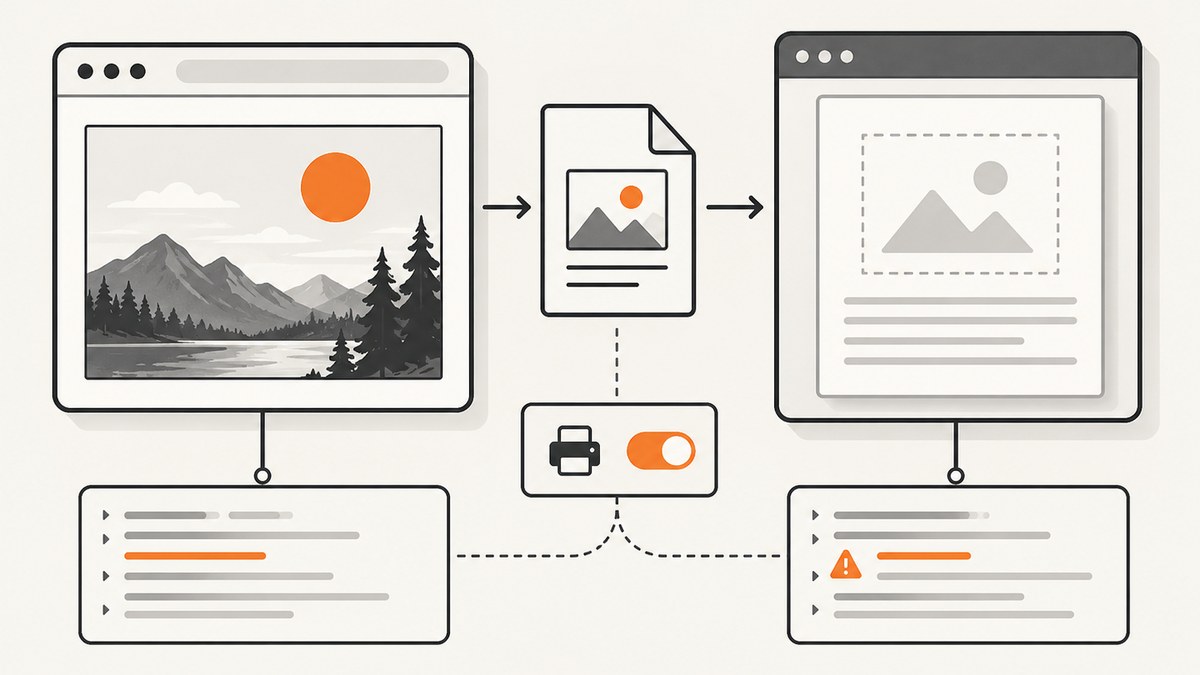
Direct answer: Convert Chinese Unicode HTML to PNG by rendering the document in a browser engine, ensuring a font that contains your actual Chinese characters is available, waiting for fonts, images, styles and asynchronous content to finish, and then taking a PNG screenshot. Playwright is a practical choice because it can render raw markup with page.setContent(), navigate to a URL with page.goto(), capture a viewport, clip a rectangle, or save the complete scrollable page with fullPage: true.
The browser step matters. HTML is a layout description, not an image format. CSS, web fonts, JavaScript, images and browser defaults all affect the pixels. A server-side string replacement or canvas drawing routine cannot reproduce general browser layout reliably. The workflow below gives you a repeatable local implementation, explains why Chinese glyphs become boxes, and shows a hosted option when you do not want to operate a browser.
1. The rendering pipeline
A dependable conversion has five stages:
- Prepare valid HTML. Include
<meta charset="utf-8">and preserve the original Unicode text when writing or transmitting the document. - Start a browser engine. Playwright launches Chromium and applies normal HTML, CSS and JavaScript layout rules.
- Make assets reachable. Absolute URLs or a suitable base URL are needed for stylesheets, images and fonts. Relative paths in an unserved HTML string often fail.
- Wait for readiness. Wait for
document.fonts.readyand for your application’s own rendering condition. A fixed delay is only a fallback. - Capture the intended region. Use a normal viewport for a card,
fullPage: truefor the entire scrollable document, orclipfor a selected rectangle.
Playwright documents PNG as the default screenshot format and supports full-page, clipped and device-scaled output. See the official Playwright screenshot documentation for the API details.
2. Install Playwright
Create a small Node.js project and install the package and browser binary:
mkdir chinese-html-png
cd chinese-html-png
npm init -y
npm install playwright
npx playwright install chromium
Keep the Playwright and Chromium versions consistent in CI and production. Browser version, operating system, installed fonts, viewport and rendering mode can change screenshot output; the Playwright documentation describes the environment considerations.
3. Complete Node.js example for Chinese HTML
This runnable script renders a Unicode string, waits for fonts, waits for an image, and writes a full-page PNG:
const { chromium } = require('playwright');

(async () => {
  const browser = await chromium.launch();
  const page = await browser.newPage({
    viewport: { width: 1200, height: 800 },
    deviceScaleFactor: 1
  });

  const html = `<!doctype html>
<html lang="zh-CN">
<head>
  <meta charset="utf-8">
  <meta name="viewport" content="width=device-width, initial-scale=1">
  <style>
    body { margin: 0; padding: 48px; background: #fff; color: #222;
           font-family: "Noto Sans CJK SC", "Microsoft YaHei", sans-serif; }
    h1 { font-size: 42px; margin: 0 0 16px; }
    p { font-size: 22px; line-height: 1.7; max-width: 850px; }
  </style>
</head>
<body>
  <h1>中文 Unicode HTML 转 PNG</h1>
  <p>浏览器会先完成字体、样式和脚本加载,然后生成图像。</p>
</body>
</html>`;

  await page.setContent(html, { waitUntil: 'load' });
  await page.evaluate(async () => {
    await document.fonts.ready;
  });
  await page.screenshot({
    path: 'chinese-output.png',
    type: 'png',
    fullPage: true,
    scale: 'css'
  });

  await browser.close();
})();
The scale: 'css' setting keeps output dimensions tied to CSS pixels. Omit it or use device scaling when you need more physical pixels for a high-density workflow. Check the resulting image for missing glyphs, clipping and late layout changes before using it downstream.
4. Raw markup versus a URL
Render a string with setContent
Use page.setContent(html) when your application creates the document in memory. Put a complete document in the string, including encoding and styles. If the markup references ./styles.css or ./font.woff2, those paths have no dependable base when the page is not served. Use absolute URLs, inline critical CSS, or serve the files from a local HTTP server.
Navigate to an existing document
const { chromium } = require('playwright');

(async () => {
  const browser = await chromium.launch();
  const page = await browser.newPage({ viewport: { width: 1200, height: 800 } });
  await page.goto('https://example.com/report.html', { waitUntil: 'networkidle' });
  await page.evaluate(() => document.fonts.ready);
  await page.screenshot({ path: 'report.png', fullPage: true, type: 'png' });
  await browser.close();
})();
networkidle can be useful for pages that finish loading their assets, but it is not a universal signal that application rendering is complete. Prefer an explicit selector or application flag when possible:
await page.goto(url, { waitUntil: 'domcontentloaded' });
await page.waitForSelector('[data-render-complete="true"]');
await page.evaluate(() => document.fonts.ready);
5. Fonts and Chinese glyphs
Empty squares, incorrect glyphs and unexpected line wrapping usually indicate a font problem. The browser needs a font installed on its host, or a web font that it can fetch, with coverage for the exact characters in your document. A generic family such as sans-serif is not proof that every Chinese character is available.
For exact typography, select the font deliberately and make it available in the runtime. If you use @font-face, wait for the font promise before capturing:
await page.addStyleTag({ content: `
  @font-face {
    font-family: "ReportChinese";
    src: url("https://static.example.com/fonts/report-chinese.woff2") format("woff2");
    font-display: block;
  }
  body { font-family: "ReportChinese", sans-serif; }
` });
await page.evaluate(async () => {
  await document.fonts.ready;
  await document.fonts.load('22px ReportChinese');
});
Test the actual text you will capture. Font coverage varies by font file and operating system, and a delayed web font can change glyph shapes and text metrics after the first paint. Avoid relying on an arbitrary sleep when a readiness check is available.
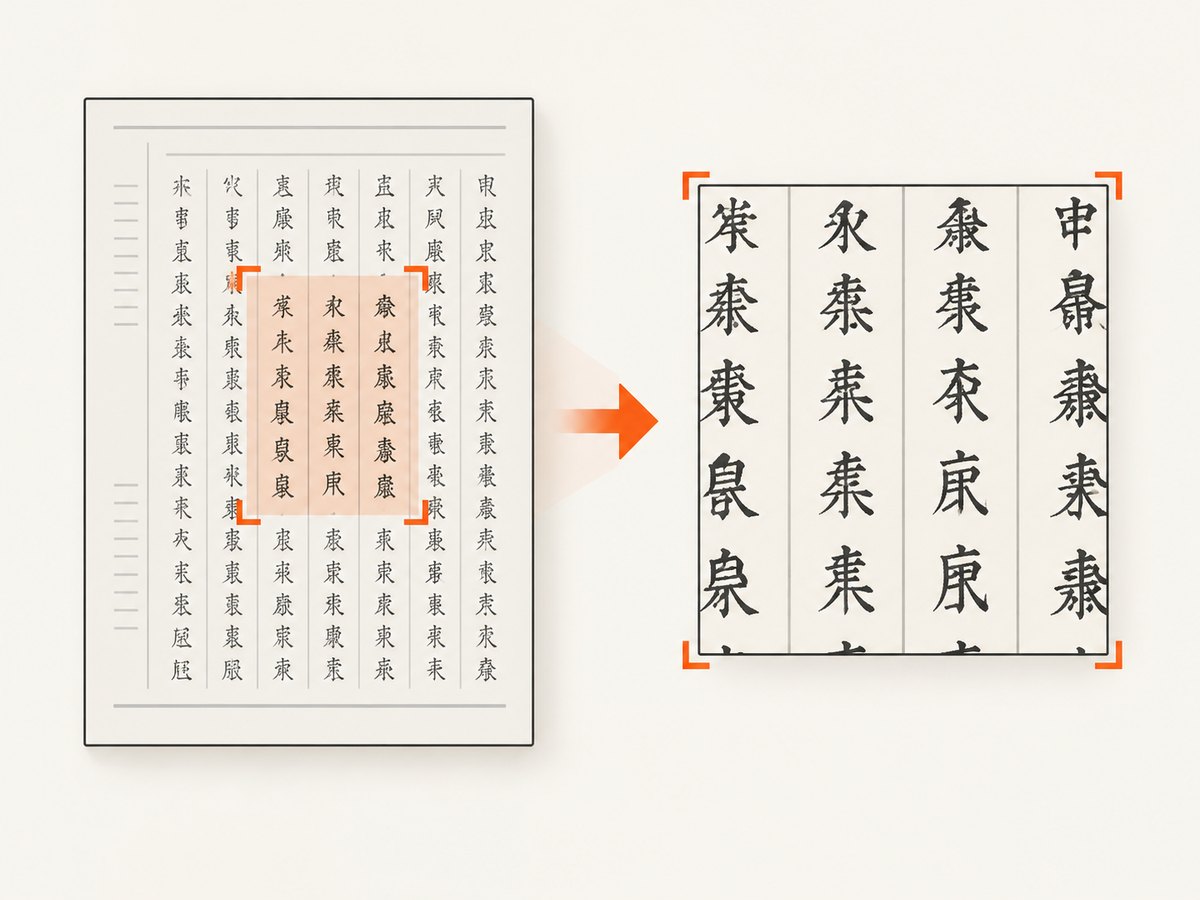
6. Capture size, region and quality
| Goal | Playwright option | Use it when |
|---|---|---|
| Fixed card or social image | Viewport screenshot | You need exactly the configured width and height. |
| Entire article or document | fullPage: true |
The complete scrollable page belongs in one PNG. |
| One element | locator.screenshot() |
You want a component without surrounding page content. |
| Arbitrary rectangle | clip: { x, y, width, height } |
A known coordinate region is required. |
await page.setViewportSize({ width: 1440, height: 900 });
await page.screenshot({ path: 'viewport.png', type: 'png', scale: 'css' });
await page.screenshot({ path: 'full.png', type: 'png', fullPage: true });
await page.locator('#invoice').screenshot({ path: 'invoice.png', type: 'png' });
await page.screenshot({
  path: 'header.png',
  type: 'png',
  clip: { x: 0, y: 0, width: 1440, height: 240 }
});
A full-page image can be substantially taller and larger than a viewport image. Decide whether downstream systems expect CSS-pixel dimensions or device pixels, and keep that choice stable across runs.
7. Dynamic content, images and styles
Charts, translated labels and client-rendered components may not exist when DOMContentLoaded fires. Add a page-specific completion condition, such as a marker attribute, then wait for fonts and important images:
await page.goto(url, { waitUntil: 'domcontentloaded' });
await page.waitForSelector('#dashboard-ready');
await page.evaluate(async () => {
  await document.fonts.ready;
  const pending = [...document.images]
    .filter(img => !img.complete)
    .map(img => new Promise(resolve => {
      img.addEventListener('load', resolve, { once: true });
      img.addEventListener('error', resolve, { once: true });
    }));
  await Promise.all(pending);
});
await page.screenshot({ path: 'dashboard.png', fullPage: true });
If lazy-loaded images appear only after scrolling, trigger the page’s lazy-loading behavior or use full-page capture and verify the resulting pixels. A fixed delay can mask a race during development but still fail under load.
8. Python and cURL alternatives
Playwright’s official Python package provides the same browser workflow:
from playwright.sync_api import sync_playwright

html = """<!doctype html>
<html lang="zh-CN">
<head><meta charset="utf-8"></head>
<body><h1>中文 HTML</h1><p>转换为 PNG。</p></body>
</html>"""

with sync_playwright() as p:
    browser = p.chromium.launch()
    page = browser.new_page(viewport={"width": 1200, "height": 800})
    page.set_content(html, wait_until="load")
    page.evaluate("document.fonts.ready")
    page.screenshot(path="output.png", full_page=True, type="png", scale="css")
    browser.close()
There is no general cURL command that renders arbitrary HTML with browser CSS and JavaScript. cURL can submit HTML to a service that performs rendering, but it cannot replace the browser engine on its own.
9. Or skip the browser setup
ScreenshotNeo accepts a URL and returns a clean PNG, JPEG, WebP or PDF. Its hosted browser handles the capture boundary, while options cover full-page output, custom CSS and JavaScript, waiting for a selector, delay or network idle, viewport and device presets, retina scale, cookies, headers, user agent, timezone and geolocation. See the ScreenshotNeo API documentation for the complete parameter list.
For a page already available at a URL, the one-call examples are:
curl -G "https://api.screenshotneo.com/v1/shot" \
  -d access_key=YOUR_API_KEY \
  --data-urlencode url=https://stripe.com \
  -o shot.webp
import requests
r = requests.get(
"https://api.screenshotneo.com/v1/shot",
params={"access_key": "YOUR_API_KEY", "url": "https://stripe.com"},
timeout=90,
)
r.raise_for_status()
open("shot.webp", "wb").write(r.content)const q = new URLSearchParams({ access_key: 'YOUR_API_KEY', url: 'https://stripe.com' });
const res = await fetch(`https://api.screenshotneo.com/v1/shot?${q}`);
if (!res.ok) throw new Error(`HTTP ${res.status}`);
require('fs').writeFileSync('shot.webp', Buffer.from(await res.arrayBuffer()));ScreenshotNeo removes cookie and consent banners, newsletter popups and chat widgets before capture, with each cleanup step configurable. Bot checks and CAPTCHAs, blank pages, timeouts, failed loads and cache hits are not billed; the response includes X-Page-Verdict and X-Billed headers. An MCP server exposes take_screenshot, get_page_info and capture_pdf to Claude, Cursor and other MCP clients. The Free plan includes 1,000 shots each month without a card; paid plans start at $5 for 3,000 shots. Create a free ScreenshotNeo account.
10. Troubleshooting checklist
| Symptom | Likely cause | Fix |
|---|---|---|
| Chinese characters are squares | No font with the required glyphs is installed or loaded. | Install or serve a font with coverage for the actual text; wait for document.fonts.ready. |
| Text changes after capture | Web font or late CSS arrived after the screenshot. | Wait for the font promise and an application-specific ready selector. |
| Images or styles are missing | Relative URLs have no base, or network access failed. | Use absolute asset URLs or serve the document from a local HTTP origin; inspect failed requests. |
| Chart or generated labels are absent | JavaScript rendering was still running. | Wait for a completion marker or the chart’s selector, then capture. |
| PNG is cropped | Viewport capture was used for a document that needed full-page output. | Set fullPage: true, or use an intentional clip. |
| Output is unexpectedly huge | Full-page capture includes a long scrollable document or device scaling. | Capture a locator, set a clip, or use scale: 'css'. |
| Local and CI images differ | Different browser, OS, fonts, viewport or rendering mode. | Pin the browser and dependencies and use the same runtime image. |
| Navigation times out | The page or a third-party request never reaches the selected wait state. | Use a realistic timeout, wait for a specific selector, and handle optional resources separately. |
11. Performance, reliability and cost
Local browser performance
Launching one browser per image is simple but expensive. For batches, launch Chromium once and create separate pages or contexts. Reuse a context when isolation permits, close pages promptly, and avoid loading unnecessary third-party resources. Full-page images consume more memory than viewport or element captures. Large device scale factors multiply pixel count and PNG encoding work.
Repeatability
Pin Playwright and the browser binary, install the same fonts in every environment, set an explicit viewport and timezone, and control data that changes between requests. Keep readiness checks deterministic. If a page uses animations, disable them with custom CSS or wait for a stable state before capture.
Hosted-service cost
With a hosted API, cost depends on the provider’s current plan and billing rules. ScreenshotNeo bills only clean shots; bot checks, blank pages, timeouts, failed loads and cache hits cost nothing, and verdict headers let you audit each response. Its plans are Free 1,000 per month, Starter $5 for 3,000, Growth $15 for 15,000, Pro $39 for 60,000, Scale $99 for 250,000 and Business $249 for 1,000,000; yearly billing provides two months free. Every feature is available on every plan.
12. Short FAQ
Can I convert an HTML string without writing a temporary file?
Yes. Pass the string to page.setContent(), include a character encoding declaration, and make external assets reachable.
Why does UTF-8 metadata alone not fix Chinese boxes?
Encoding tells the browser how to decode bytes. It does not provide glyph outlines. A suitable font must also be installed or downloaded successfully.
Should I use a screenshot or canvas?
Use a browser screenshot for normal HTML and CSS layout. Canvas is appropriate when you are deliberately drawing a graphic; it is not a general replacement for browser rendering.
How do I capture only one element?
Locate it and call locator.screenshot(). This avoids the height and memory cost of a full-page image.
How do I make captures available to an AI agent?
Use ScreenshotNeo’s MCP server, which provides take_screenshot, get_page_info and capture_pdf tools for MCP clients such as Claude and Cursor.


