How to Convert a Facebook Post to PDF on a Server
Build a reliable server workflow that reads an authorized Facebook post, creates a sanitized HTML snapshot, and renders a searchable PDF with Puppeteer.

Yes, you can convert a Facebook post to PDF on a server, but the server must first be authorized to read that post. The dependable workflow is: retrieve the post with the Meta Graph API, normalize the response into your own data model, render a sanitized HTML snapshot, and generate the PDF with a headless browser such as Puppeteer. This produces a stable document even when Facebook changes its interactive page layout.
This guide covers permissions, a complete Node.js implementation, print settings, media handling, security, retries, operational concerns, troubleshooting, and a managed alternative with ScreenshotNeo.
1. Decide what “convert a Facebook post” means
There are two different jobs:
- API snapshot: read fields you are permitted to access, then create your own document. This is the recommended server workflow for predictable output and auditability.
- Live-page capture: open a Facebook URL in a browser and print what is visible. This depends on login state, consent dialogs, privacy settings, JavaScript, and Facebook’s changing UI.
An API snapshot can preserve the author or Page name, message, publication time, permalink, and approved attachment data. It cannot bypass privacy controls. A post that your token cannot read cannot be converted reliably by adding more browser automation.
2. Check Meta access before writing PDF code
Use the Meta Graph API Post reference for the current version and permission rules. The retrieved reference documents the Post endpoint as GET /v26.0/{post-id}. Request only fields your application needs, commonly message, created_time, permalink_url, and attachment information.
A Page access token can read posts for that Page when the app has the required Page permissions. Public Page content can require pages_manage_posts and Page Public Content Access. User posts depend on the relevant user permission and the person’s privacy settings. Deleted posts, private posts, invalid or expired tokens, missing fields, rate limits, and “user not visible” responses must be treated as retrieval failures.
Keep the original post ID and permalink_url in your record. Store the retrieval timestamp and the API response metadata so a later reader can distinguish the Facebook source from your generated representation.
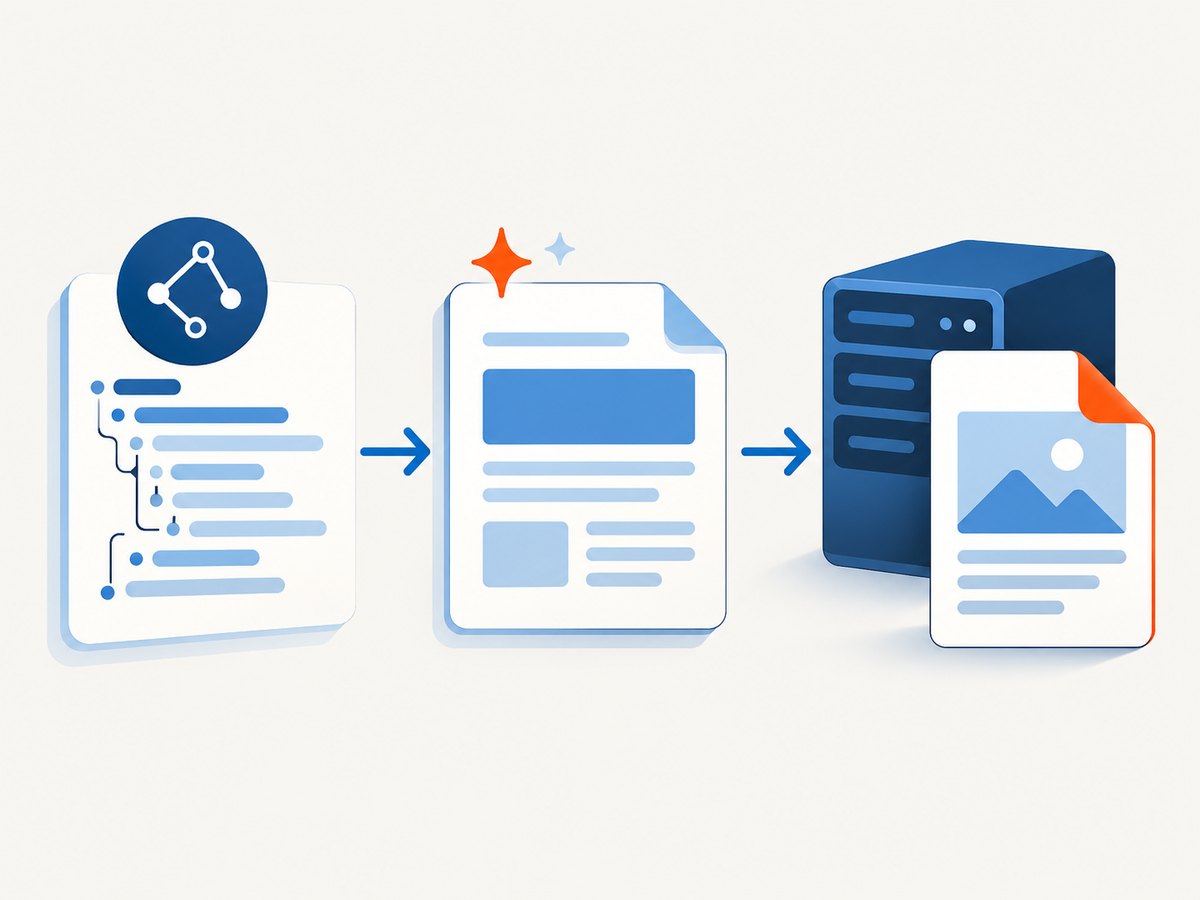
3. Recommended server pipeline
- Validate the incoming post ID and select a token from a server-side secret store.
- Call the Graph API with an explicit field list and a bounded timeout.
- Check the response for an API error and for a missing or empty post object.
- Normalize text, dates, author information, permalink, and permitted media into an internal model.
- Escape every text value and validate every URL before inserting values into HTML.
- Render a small, controlled HTML template with your own CSS and provenance metadata.
- Use Puppeteer to load that HTML and call
page.pdf(). - Return the bytes or upload them to object storage, then record the post ID, retrieval time, and PDF result.
This separation keeps Facebook access concerns out of your rendering code. It also prevents an arbitrary post body from becoming executable markup in your PDF worker.
4. Complete Node.js implementation
Install Puppeteer and an HTTP client:
npm install puppeteerThe following module accepts a normalized Graph response and writes an A4 PDF. Replace the Graph request with your application’s token-management and retry policy.
import puppeteer from 'puppeteer';
function escapeHtml(value = '') {
return String(value)
.replaceAll('&', '&')
.replaceAll('<', '<')
.replaceAll('>', '>')
.replaceAll('"', '"')
.replaceAll(''', ''');
}
function escapeAttr(value = '') {
return escapeHtml(value).replaceAll('`', '`');
}
function safeHttpsUrl(value) {
try {
const parsed = new URL(value);
return parsed.protocol === 'https:' ? parsed.toString() : '';
} catch {
return '';
}
}
function postHtml(post, retrievedAt) {
const message = escapeHtml(post.message ?? '').replaceAll('\\n', '
');
const permalink = safeHttpsUrl(post.permalink_url ?? '');
const imageUrl = safeHttpsUrl(post.image_url ?? '');
return `<!doctype html>
<html><head><meta charset="utf-8">
<style>
@page { size: A4; margin: 18mm; }
body { font: 14px/1.5 system-ui, sans-serif; color: #111; }
h1 { font-size: 24px; margin: 0 0 12px; }
.meta { color: #555; font-size: 12px; }
.message { white-space: normal; overflow-wrap: anywhere; }
img { display: block; max-width: 100%; height: auto; margin-top: 16px; }
a { color: #174ea6; overflow-wrap: anywhere; }
</style></head><body>
<h1>Facebook post</h1>
<p class="meta">${escapeHtml(post.author_name ?? '')}<br>
Published: ${escapeHtml(post.created_time ?? '')}<br>
Retrieved: ${escapeHtml(retrievedAt)}</p>
<div class="message">${message}</div>
${imageUrl ? `<img src="${escapeAttr(imageUrl)}" alt="Attachment from Facebook post">` : ''}
${permalink ? `<p class="meta">Content retrieved from Facebook: <a href="${escapeAttr(permalink)}">${escapeHtml(permalink)}</a></p>` : ''}
</body></html>`;
}
export async function postToPdf({ graphPost, outputPath }) {
const retrievedAt = new Date().toISOString();
const html = postHtml(graphPost, retrievedAt);
const browser = await puppeteer.launch({ headless: true });
try {
const page = await browser.newPage();
await page.setContent(html, { waitUntil: 'networkidle0', timeout: 30_000 });
return await page.pdf({
path: outputPath,
format: 'A4',
printBackground: true,
preferCSSPageSize: true,
waitForFonts: true,
timeout: 30_000,
margin: { top: '18mm', right: '18mm', bottom: '18mm', left: '18mm' }
});
} finally {
await browser.close();
}
}The escaping functions are deliberately explicit. In production, a maintained HTML-escaping library is appropriate. Never interpolate untrusted Facebook text, URLs, or attachment metadata directly into a template.
5. Retrieve and normalize the Graph response
A retrieval function should request a narrow field list and fail loudly:
export async function getPost({ postId, accessToken }) {
  const endpoint = new URL(`https://graph.facebook.com/v26.0/${encodeURIComponent(postId)}`);
  endpoint.searchParams.set('fields', 'message,created_time,permalink_url,attachments');
  endpoint.searchParams.set('access_token', accessToken);
  const response = await fetch(endpoint, { signal: AbortSignal.timeout(20_000) });
  const payload = await response.json();
  if (!response.ok || payload.error) {
    const type = payload.error?.type ?? 'GraphApiError';
    throw new Error(`${type}: ${payload.error?.message ?? response.statusText}`);
  }
  if (!payload.id) throw new Error('Graph response did not contain a post');
  return {
    id: payload.id,
    author_name: payload.from?.name ?? '',
    message: payload.message ?? '',
    created_time: payload.created_time ?? '',
    permalink_url: payload.permalink_url ?? '',
    image_url: payload.attachments?.data?.[0]?.media?.image?.src ?? ''
  };
}
Attachment shapes vary by post type and permissions. Treat this example as a normalization pattern, not a promise that every attachment has the same fields. If an image URL requires authorization, fetch it server-side with the permitted token and embed approved bytes or a controlled internal URL. Do not assume a full_picture or attachment URL is permanent.
6. Puppeteer PDF options that affect output
Puppeteer’s documentation identifies Page.pdf() as the PDF primitive. Its PDF generation guide and PDFOptions interface cover the controls below.
| Option | Use |
|---|---|
format |
Choose A4, Letter, or another paper preset. |
margin |
Reserve readable space around content. |
printBackground |
Include CSS backgrounds and colored blocks. |
preferCSSPageSize |
Honor an explicit @page size. |
pageRanges |
Export selected pages when a long document needs slicing. |
scale |
Adjust rendered size; verify readability after changing it. |
headerTemplate/footerTemplate |
Add page numbers or controlled metadata. |
waitForFonts |
Wait for fonts before producing output. |
timeout |
Bound PDF generation time. |
PDF output uses print CSS by default. Call page.emulateMediaType('screen') only when your screen stylesheet is the intended design. For a single post, avoid loading Facebook itself during rendering; use your own snapshot so a consent dialog or login redirect cannot replace the content.
7. Security and privacy checklist
- Keep access tokens out of source code, logs, URLs visible to clients, and PDF metadata.
- Authorize the caller before accepting an arbitrary post ID.
- Allow-list outbound hosts if your worker fetches media.
- Limit message length, image dimensions, total attachment bytes, and PDF generation time.
- Escape HTML text and attributes separately; validate URL schemes and reject
javascript:and data URLs unless your design explicitly supports them. - Do not log private post bodies. Log a request ID, post ID, status, and timing.
- Define retention for API responses, temporary images, and generated PDFs.
8. Reliability, performance, and cost
Launching Chromium is expensive compared with formatting a string. Keep a browser process warm in a worker, create a fresh page per job, and always close the page and browser in a finally block. Set separate timeouts for Graph retrieval, media downloads, HTML loading, and PDF generation. A bounded queue prevents a burst of posts from exhausting memory.
Cache normalized results only when your product can tolerate stale data. Include the post ID, requested fields, token scope, and retrieval timestamp in the cache key. If the same post is converted repeatedly, cache the PDF or the sanitized HTML and regenerate only when the source changes.
Self-hosting means paying for compute, Chromium dependencies, storage, bandwidth, and operational monitoring. API rate limits and browser concurrency are separate constraints. Measure retrieval latency, render latency, PDF byte size, failure reason, and retry count. Retry transient network failures with exponential backoff; do not retry permission denials, deleted posts, malformed IDs, or invalid tokens.
9. Common errors and fixes
| Symptom | Likely cause | Fix |
|---|---|---|
| OAuth or permission error | Token lacks access, is expired, or the post is private. | Request the documented permission, refresh the token, and verify the user or Page can see the post. |
| “User not visible” or empty object | Privacy settings, deleted content, or an unsupported post type. | Return a retrieval error; do not create an empty PDF. |
| Rate-limit response | Too many Graph requests. | Queue work, back off, cache safely, and expose a retryable status. |
| Blank PDF | Template is empty, content was not escaped correctly, or navigation replaced the page. | Log normalized field presence, render your own HTML, and inspect the generated HTML in a local worker. |
| Missing images | Attachment URL expired, requires authorization, or was blocked. | Fetch media server-side with permission and embed controlled bytes or a durable internal URL. |
| Fonts or icons missing | Font request timed out or is unavailable in the container. | Bundle required fonts, wait for them, and provide system-font fallbacks. |
| Chromium launch failure | Missing shared libraries, sandbox restrictions, or an incompatible browser build. | Install the dependencies for your deployment image, use the Puppeteer-supported browser, and inspect stderr without exposing tokens. |
| Content clipped | Long unbroken URLs, large images, or unsuitable margins. | Use overflow-wrap:anywhere, constrain images, and adjust margins or page size. |
| Timeout during PDF | Slow resources, an infinite script, or overloaded workers. | Use an internal static template, block unnecessary resources, set bounded timeouts, and cap concurrency. |
10. Or skip the browser setup
ScreenshotNeo provides a website screenshot API and MCP server. Its PDF endpoint can capture a URL with one request; see the ScreenshotNeo documentation for request options.

curl -G "https://api.screenshotneo.com/v1/shot" -d access_key=YOUR_API_KEY --data-urlencode url=https://stripe.com -o shot.webpimport requests
r = requests.get("https://api.screenshotneo.com/v1/shot", params={"access_key": "YOUR_API_KEY", "url": "https://stripe.com"}, timeout=90)
open("shot.webp", "wb").write(r.content)const q = new URLSearchParams({ access_key: 'YOUR_API_KEY', url: 'https://stripe.com' });
const res = await fetch(`https://api.screenshotneo.com/v1/shot?${q}`);For a Facebook post, use this route when you already have an authorized, stable URL or an internal HTML snapshot. Cookie banners, newsletter popups, and chat widgets are removed before capture. Bot checks, blank pages, failed loads, timeouts, and cache hits are not billed, and response headers report the page verdict and billing status. You can choose PDF paper size, margins, landscape mode, page ranges, custom CSS and JavaScript, waits, headers, cookies, user agent, geolocation, caching, signed links, async jobs, and bulk capture. Its MCP server lets Claude, Cursor, and other MCP clients call take_screenshot, get_page_info, and capture_pdf.
The Free plan includes 1,000 shots per month with no card. Paid plans start at $5 for 3,000 shots; yearly billing gives two months free. Create a free ScreenshotNeo account.
11. Short FAQ
Can I convert any Facebook post without an access token?
No. The server needs permission to read the post. Public visibility does not guarantee that your app has API access.
Should I print the live Facebook page?
Usually no. A normalized snapshot gives you stable layout, provenance, and predictable access behavior.
Can I include comments and reactions?
Only when the product requirement and your permissions support those fields. Treat them as optional data, not guaranteed output.
How do I make the PDF searchable?
Render the message as HTML text rather than as an image. Puppeteer then places selectable text in the PDF.
What should I retain for audits?
Keep the post ID, original permalink, retrieval timestamp, requested fields, permission context, and a hash or object reference for the generated PDF.
When is a managed service useful?
Use one when you do not want to maintain Chromium images, browser concurrency, media waits, and PDF workers. You still remain responsible for obtaining lawful access to the Facebook content.


