How to Convert an HTML Div to Canvas Without html2canvas
Convert a styled div to a canvas without html2canvas using SVG foreignObject, with working code, browser caveats, and export tips.

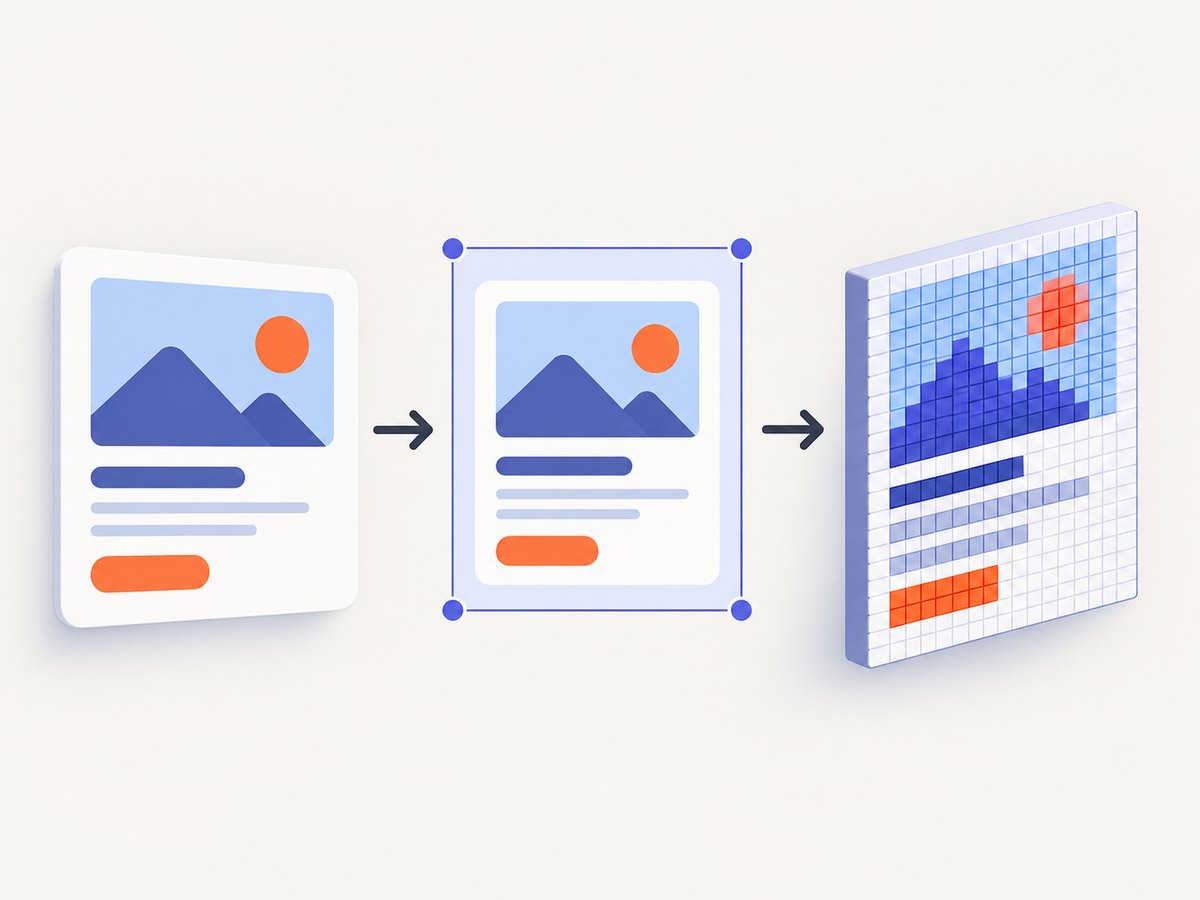
Short answer: Canvas 2D cannot draw a live DOM element directly. To convert a div without html2canvas, serialize a clone inside an SVG <foreignObject>, load that SVG as an image, then draw it onto a canvas. This works well for controlled content, but it is not a guarantee of pixel-identical browser rendering. If your design is simple and fixed, drawing it directly with Canvas 2D is more predictable.
This guide shows both methods, how to export the result, what commonly breaks, and when a server-side screenshot is a better fit.
1. Choose the right approach
| Method | Good fit | Trade-offs |
|---|---|---|
SVG foreignObject to canvas |
Exporting a styled DOM subtree once | Requires handling styles and assets; browser and SVG rendering details can vary |
| Manual Canvas 2D drawing | Cards, charts, badges, fixed templates | You implement layout, wrapping, clipping, fonts, and decoration |
| HTML-in-Canvas proposal | Experiments in supported builds | Experimental and flag-gated in the cited guidance; require a fallback |
MDN’s guidance is direct: “You can’t just draw HTML into a canvas.” The foreignObject route is a practical bridge: SVG can contain XHTML, the browser can load the SVG as an image, and Canvas 2D can draw that image. Google Chrome’s explainer characterizes manually reconstructing modern HTML layouts as computationally expensive and error-prone. For a production export feature, choose based on how much of the page’s layout you need to preserve.
2. Convert a div with SVG foreignObject
The code below clones an element, wraps the clone in an SVG foreign object, decodes that SVG as an image, and paints it onto a high-resolution canvas. It is an implementation pattern, not a promise that every CSS feature or control will render exactly like the live page.
async function divToCanvas(element, { scale = window.devicePixelRatio || 1 } = {}) {
  if (!(element instanceof HTMLElement)) {
    throw new TypeError("Expected an HTMLElement");
  }

  const rect = element.getBoundingClientRect();
  const width = Math.ceil(rect.width);
  const height = Math.ceil(rect.height);
  if (!width || !height) throw new Error("Element has no rendered size");

  const clone = element.cloneNode(true);
  clone.setAttribute("xmlns", "http://www.w3.org/1999/xhtml");

  const serialized = new XMLSerializer().serializeToString(clone);
  const svg = `<svg xmlns="http://www.w3.org/2000/svg" width="${width}" height="${height}">
    <foreignObject x="0" y="0" width="100%" height="100%">${serialized}</foreignObject>
  </svg>`;

  const objectUrl = URL.createObjectURL(
    new Blob([svg], { type: "image/svg+xml;charset=utf-8" })
  );
  try {
    const image = new Image();
    image.src = objectUrl;
    await image.decode();

    const canvas = document.createElement("canvas");
    canvas.width = Math.ceil(width * scale);
    canvas.height = Math.ceil(height * scale);
    canvas.style.width = `${width}px`;
    canvas.style.height = `${height}px`;

    const ctx = canvas.getContext("2d");
    if (!ctx) throw new Error("Canvas 2D context is unavailable");
    ctx.setTransform(scale, 0, 0, scale, 0, 0);
    ctx.drawImage(image, 0, 0, width, height);
    return canvas;
  } finally {
    URL.revokeObjectURL(objectUrl);
  }
}

const canvas = await divToCanvas(document.querySelector("#receipt"));
const blob = await new Promise((resolve, reject) => {
  canvas.toBlob(value => value ? resolve(value) : reject(new Error("PNG export failed")), "image/png");
});
const downloadUrl = URL.createObjectURL(blob);
const link = document.createElement("a");
link.href = downloadUrl;
link.download = "receipt.png";
link.click();
setTimeout(() => URL.revokeObjectURL(downloadUrl), 1000);
Run this in a browser after the target element has rendered. The canvas backing dimensions are multiplied by scale; the CSS display dimensions stay in CSS pixels. A scale of 2 produces roughly twice the pixel width and height, which uses about four times the pixel storage. Keep the scale modest for large elements.
What the code does not copy automatically
cloneNode(true) copies markup and descendants, but not the live computed appearance in a reliable, complete way. Stylesheets may not be present in the standalone SVG image document. Form values, canvas contents nested inside the element, pseudo-elements, shadow DOM, animations, and runtime state can also be missed. For a controlled component, explicitly copy the styles and state it needs before serialization.
A basic computed-style copy for the cloned root is:
function copyRootStyles(source, clone) {
  const styles = getComputedStyle(source);
  for (const property of styles) {
    clone.style.setProperty(property, styles.getPropertyValue(property));
  }
}
To preserve styles on descendants, walk source and clone trees in parallel and copy computed styles for each pair. This increases work and output size; test it on your actual markup. Resolve relative asset URLs against the original document before embedding them, and inline required raster assets as data URIs. The legacy MDN guidance notes that SVG images in this pathway cannot load external resources, so do not depend on remote images or fonts being fetched from the SVG.
3. Make serialization safe and reliable
- Measure the rendered area.
getBoundingClientRect()gives the visible border box, including fractional dimensions. Rounding up avoids clipping a partial pixel. If you need content beyond the visible box, calculate the intended dimensions and layout explicitly;scrollHeightalone may not reproduce a scrolled or clipped design. - Clone and prepare state. Set input values and other live state on the clone as needed. Remove IDs if duplicated IDs could affect embedded CSS or references.
- Copy styles deliberately. Inline required computed styles or include a controlled stylesheet. Dynamic selectors, inherited styles, CSS variables, and external stylesheets can behave differently in the SVG document.
- Handle XML and untrusted content. Use XML serialization, but also sanitize user-controlled markup and attributes before generating an image. Do not construct XML by concatenating untrusted text or URLs. Escaping alone is not an HTML sanitizer.
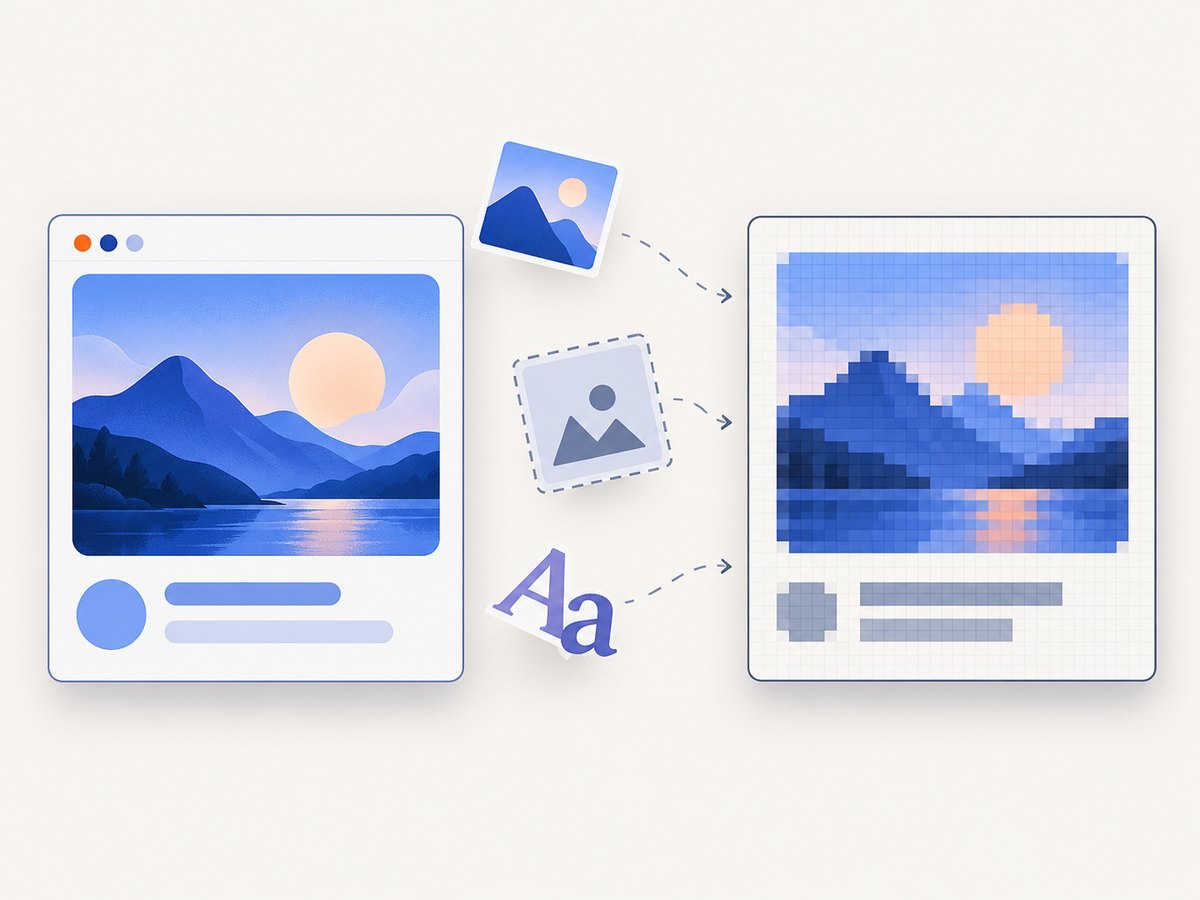
- Inline assets. Convert required images to data URIs where permitted, and make sure fonts are available before capture. Cross-origin fetches may require the asset host to allow CORS.
- Decode before drawing. Await
image.decode()(or useonloadwith an error handler) before callingdrawImage(). - Export and clean up. Prefer
toBlob()for a file. Revoke object URLs after use, including on error paths.
Canvas is a bitmap, so assistive technology does not receive the original semantic DOM from the pixels. Keep the accessible HTML available, or provide meaningful alternative text and a non-canvas route to the same content.
4. Export format, sharpness, and size
Use canvas.toBlob(callback, type, quality) for downloadable PNG, JPEG, or WebP where the browser supports the requested encoding. PNG is lossless and supports transparency; JPEG is useful for opaque photographic output; WebP can reduce size when supported by the consumers of the file. The quality argument applies to lossy formats and is typically in the 0–1 range. Check the returned blob type if downstream handling depends on a particular format.
toDataURL() is convenient for small inline images, but it creates a potentially large base64 string in memory. Use it when a data URL is specifically needed; use toBlob() for normal downloads or uploads. If a canvas contains image data that taints its origin-clean state, export methods can fail with a security error. Ensure cross-origin image requests use appropriate CORS settings before drawing.
Large canvases consume substantial memory. Pixel storage alone scales with width × height × 4 bytes for RGBA, before browser overhead and intermediate SVG/image buffers. Browser and device maximum dimensions vary, and a canvas above those limits can become unusable. For long pages, render sections in chunks or use a server-side capture workflow instead of raising scale indefinitely.
5. Manual Canvas 2D for simple designs
If the element is a stable card or label, direct drawing avoids XML serialization and foreign-object differences. The trade-off is that your code owns layout and text measurement.
async function drawCard({ title, subtitle }) {
  await document.fonts.ready;
  const width = 640;
  const height = 240;
  const scale = window.devicePixelRatio || 1;
  const canvas = document.createElement("canvas");
  canvas.width = width * scale;
  canvas.height = height * scale;
  const ctx = canvas.getContext("2d");
  if (!ctx) throw new Error("Canvas 2D context unavailable");
  ctx.scale(scale, scale);

  ctx.fillStyle = "#f4f6fa";
  ctx.fillRect(0, 0, width, height);
  ctx.fillStyle = "#ffffff";
  ctx.beginPath();
  ctx.roundRect(20, 20, 600, 200, 18);
  ctx.fill();
  ctx.fillStyle = "#182033";
  ctx.font = "600 28px system-ui";
  ctx.fillText(title, 44, 78, 540);
  ctx.fillStyle = "#536079";
  ctx.font = "18px system-ui";
  ctx.fillText(subtitle, 44, 118, 540);
  return canvas;
}
For wrapping, use measureText() and split text into lines. Load fonts before drawing; otherwise the browser can render with a fallback face. Add explicit clipping paths when content must stay within a card, and redraw at the new backing size when dimensions change. Setting only CSS width and height scales the existing bitmap and can blur or distort it.
6. Experimental HTML-in-Canvas API
Chrome’s guidance describes a proposed API involving layoutsubtree, drawElementImage, and a paint event. The documented implementation is experimental, described for Chrome Canary dev trial behind chrome://flags/#canvas-draw-element, with a corresponding flag description for recent Brave Stable builds. Treat these details as volatile and feature-detect the API. Do not rely on it as the sole production implementation.
<canvas id="c" layoutsubtree>
  <div id="content">Hello, canvas</div>
</canvas>
<script>
const canvas = document.querySelector("#c");
const content = document.querySelector("#content");
const ctx = canvas.getContext("2d");
if ("requestPaint" in HTMLCanvasElement.prototype) {
  canvas.onpaint = () => {
    ctx.reset();
    const transform = ctx.drawElementImage(content, 0, 0);
    content.style.transform = transform.toString();
  };
  canvas.requestPaint();
} else {
  // Use the foreignObject or manual-drawing fallback.
}
</script>
This is a prototype path, not a stable replacement for the methods above. Confirm current browser documentation and test the exact builds you support before shipping code that depends on it.
7. Troubleshooting
| Symptom | Likely cause | Fix |
|---|---|---|
| Blank output | SVG failed to parse or decode; foreign object lacks XHTML namespace | Set the XHTML namespace on the cloned root, inspect the generated SVG, and catch decode errors |
| Styles disappear | Stylesheet rules are not available in the standalone SVG image | Inline computed styles or embed a controlled stylesheet; test inherited values and CSS variables |
| Images are missing | External resources are not loaded by the SVG image pathway | Inline permitted assets as data URIs and wait for conversion before drawing |
| Export throws a security error | A cross-origin asset tainted the canvas | Serve assets with correct CORS headers or inline them from an authorized source before drawing |
| Text differs or wraps unexpectedly | Font is not loaded, dimensions changed, or line metrics differ | Await document.fonts.ready, set explicit width and font styles, and validate target browsers |
| Form field is empty | Clone markup did not capture the live value property | Copy value, checked state, and selected option state into the clone |
| Canvas looks blurry | Backing dimensions equal CSS dimensions at a high-DPI display | Multiply backing width and height by devicePixelRatio and scale the context |
| Tab or page becomes slow | Large pixel buffer or repeated SVG serialization | Reduce output dimensions or scale, debounce captures, and release blobs and object URLs |
| Unsupported API error | Experimental HTML-in-Canvas feature unavailable | Feature-detect and fall back to foreignObject or explicit Canvas 2D drawing |
8. Performance, reliability, and cost
For one modest component, the foreign-object pipeline is usually a few browser operations: clone, serialize, decode, draw, encode. Large DOM trees, many embedded images, high scale factors, and repeated exports increase CPU, memory use, and latency. Cache the resulting blob when the source content has not changed, debounce export triggers during editing, and avoid converting a full page if a smaller element is enough.
Rendering fidelity depends on browser behavior, CSS features, font availability, asset access, and content state. Test the browsers and content you actually support, including filters, transforms, pseudo-elements, form controls, and cross-origin images. If you need a complete website screenshot across arbitrary URLs, browser-side conversion is the wrong abstraction: it only sees content your page can access and serializes one subtree.
9. Or skip the browser setup
If your goal is a website screenshot or HTML/CSS export rather than a client-side canvas object, ScreenshotNeo is a website screenshot API and MCP server. A single GET request returns PNG, JPEG, WebP, or PDF. For documentation and parameters, see the ScreenshotNeo API docs.
curl -G "https://api.screenshotneo.com/v1/shot" -d access_key=YOUR_API_KEY --data-urlencode url=https://stripe.com -o shot.webpimport requests
r = requests.get("https://api.screenshotneo.com/v1/shot", params={"access_key": "YOUR_API_KEY", "url": "https://stripe.com"}, timeout=90)
open("shot.webp", "wb").write(r.content)const q = new URLSearchParams({ access_key: 'YOUR_API_KEY', url: 'https://stripe.com' });
const res = await fetch(`https://api.screenshotneo.com/v1/shot?${q}`);
if (!res.ok) throw new Error(`Screenshot request failed: ${res.status}`);
const bytes = await res.arrayBuffer();ScreenshotNeo removes cookie and consent banners, newsletter popups, and chat widgets before capture. Bot checks, blank pages, failed loads, timeouts, and cache hits are not billed; response headers identify the page verdict and billing status. Its MCP server offers take_screenshot, get_page_info, and capture_pdf for Claude, Cursor, and other MCP clients. The free plan includes 1,000 screenshots a month with no card; paid plans start at $5 for 3,000. Create a free ScreenshotNeo account.
10. FAQ
Can I convert a div to canvas without any library?
Yes. Use the SVG foreignObject bridge shown above, or redraw a simple fixed design with Canvas 2D. Browser rendering differences still apply.
Does this capture the whole page?
The example captures one element’s measured box. Capturing a whole page requires deliberate sizing and handling of scrolling, lazy content, and page state; a subtree export does not automatically do that.
Can I use the returned canvas as a PNG?
Yes. Call toBlob() with image/png and save or upload the blob. Keep the canvas origin-clean and handle a null blob result.
Should I use foreignObject or draw everything myself?
Use foreignObject when you need to preserve a styled DOM subtree. Use manual drawing when the design is small, controlled, and worth reproducing explicitly for predictable output.


