How to Convert HTML to an Image in Ruby on Rails
Render a Rails view in headless Chrome with Ferrum, then capture a viewport, full page, or element as PNG, JPEG, or WebP.

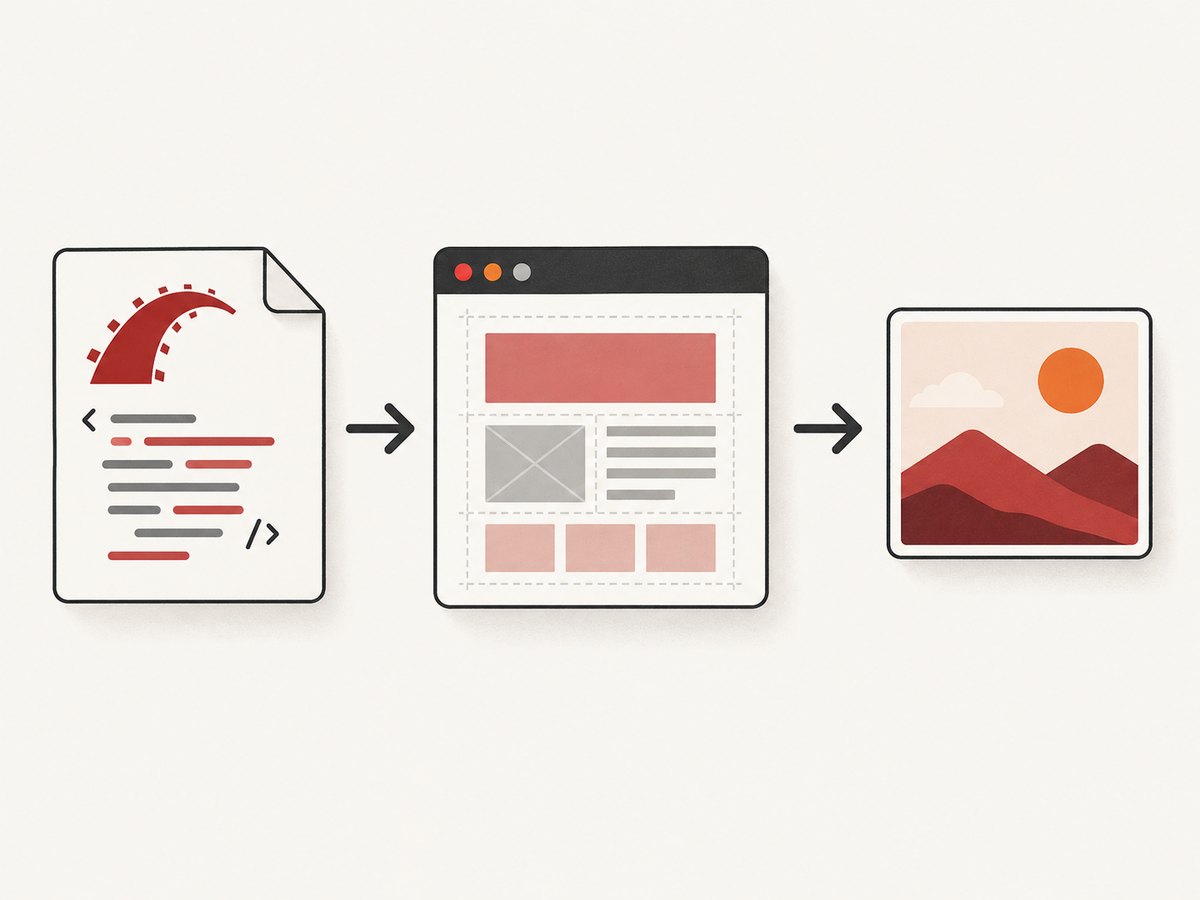
To convert HTML to an image in Ruby on Rails, first render a complete HTML document, then open it in a browser engine and capture its pixels. Ferrum controls Chrome or Chromium from Ruby and supports viewport, full-page, selector, and coordinate-area screenshots in PNG, JPEG, or WebP. Rails rendering creates HTML; it does not itself calculate browser layout or produce image pixels.
This guide uses Ferrum directly because it exposes the browser capture options without requiring a Capybara setup. It also covers a Rails wrapper, browser deployment, asset loading, background jobs, troubleshooting, and a hosted option. Ferrum’s README describes the browser prerequisite simply: “All you need is Ruby and Chrome or Chromium.”
1. Choose the rendering path
| Approach | Good fit | Tradeoff |
|---|---|---|
| Ferrum directly | Custom capture logic and control over Chrome | You manage Chrome/Chromium and browser lifecycle. |
| FerrumPdf | A Rails controller workflow using its screenshot renderer | Check current Rails and gem compatibility before adopting it. |
| Cuprite | An app already using Capybara-driven browser workflows | It adds Capybara; it is unnecessary just to call Ferrum’s screenshot API. |
| Hosted rendering API | You prefer not to install a browser runtime in your app environment | It adds a network request and an external service; assess data handling, cost, and availability for your use. |
Cuprite is a Capybara driver built on Ferrum. FerrumPdf documents a Rails controller renderer with a render_screenshot interface. Neither wrapper removes the need to check its compatibility and operational behavior against your application.
2. Install Ferrum and make Chrome available
Add Ferrum to the application bundle:
# Gemfile
gem "ferrum"

# Then run:
# bundle install
Install Chrome or Chromium in the environment that runs the render: local development, CI, containers, and production may differ. Ferrum must be able to discover the browser executable. If the binary is not on PATH, configure its location using the browser options supported by the Ferrum version you install; consult the Ferrum project documentation for the current option names. Verify this in a production-like environment rather than assuming a developer laptop’s installation will carry over.
Do not treat a container’s no-sandbox setting as a universal requirement. The Cuprite README shows it in a Docker example, but whether it is suitable depends on your container and security configuration.
3. Render a Rails view, then capture it
Keep the image’s markup in a normal view so the template can use Rails helpers and locals. For example, create app/views/social_cards/post.html.erb:
<!doctype html>
<html>
  <head>
    <meta charset="utf-8">
    <style>
      * { box-sizing: border-box; }
      html, body { margin: 0; width: 1200px; height: 630px; }
      body {
        display: grid;
        place-items: center;
        padding: 64px;
        color: #171717;
        background: #f5f1eb;
        font: 700 56px/1.1 system-ui, sans-serif;
      }
      main { width: 100%; }
      p { margin: 24px 0 0; font: 400 24px/1.4 system-ui, sans-serif; }
    </style>
  </head>
  <body>
    <main>
      <div><%= post.title %></div>
      <p><%= post.summary %></p>
    </main>
  </body>
</html>
Render the template to a complete document without the application layout, then give that HTML to Chromium. This example returns PNG bytes from a service object; adjust the template locals to match your model.
# app/services/social_card_renderer.rb
class SocialCardRenderer
  WIDTH = 1200
  HEIGHT = 630

  def self.render(post)
    html = ApplicationController.render(
      template: "social_cards/post",
      layout: false,
      locals: { post: post }
    )

    browser = Ferrum::Browser.new
    begin
      page = browser.create_page
      page.viewport = { width: WIDTH, height: HEIGHT }
      page.go_to("data:text/html;charset=utf-8,#{ERB::Util.url_encode(html)}")

      # Add an application-specific readiness signal here if needed.
      page.screenshot(format: "png")
    ensure
      browser.quit
    end
  end
end
Ferrum returns a binary string when no file path is supplied. A controller can send it directly with an image content type:
# app/controllers/social_cards_controller.rb
class SocialCardsController < ApplicationController
  def show
    post = Post.find(params[:id])
    send_data SocialCardRenderer.render(post),
      type: "image/png",
      disposition: "inline",
      filename: "post-#{post.id}.png"
  end
end
In a busy application, do not start a fresh browser for every image request without considering process cost and latency. A worker can generate and store the image asynchronously, while a managed browser process or pool can avoid repeated startup. Browser reuse needs lifecycle limits and isolation appropriate to your concurrency model; avoid sharing one mutable page between simultaneous renders.
4. Make styles, fonts, and images render reliably
The document must be self-contained enough for Chromium to load every dependency. A rendered Rails template may refer to assets through paths such as /assets/application.css; a data: URL has no Rails host from which those relative paths can resolve. For a simple card, inline CSS and absolute image/font URLs are straightforward. For a full Rails page, serve the page from a reachable application URL or embed required CSS and assets into the document.
- Use absolute URLs for remote images and stylesheets when the browser navigates outside your application.
- For private application assets, provide an authenticated route or embed the asset bytes; do not assume the browser inherits the Rails request’s session or credentials.
- Wait for the content that matters. A fixed delay can hide timing issues and waste time. Prefer an application-specific readiness marker, such as a selector that appears after client-side rendering or a script that waits for image decode.
- For web fonts, wait until
document.fonts.readyresolves before capturing. For images, checkimg.completeand, where necessary, decode them before taking the screenshot. - For full pages with lazy-loaded images, scrolling the page and waiting for images to load may be needed before capture; test the specific page rather than assuming all lazy-loading behavior is identical.
Ferrum exposes browser automation, but no one readiness condition works for every Rails page. Render pages with controlled data, deterministic timestamps, and stable asset versions if repeatable output matters.
5. Select image dimensions and capture bounds
Ferrum’s screenshot method supports the following controls. Its screenshot API documentation is the reference for the installed version.

| Option | Purpose and consideration |
|---|---|
format |
png is the default; jpeg, jpg, and webp are also supported. Check the target system’s format support. |
quality |
0–100 quality applies to JPEG; quality is not a PNG compression control. Ferrum documents WebP support as well. |
full: true |
Captures the full page rather than the viewport. Very tall pages can create large images and memory usage. |
selector: ".card" |
Captures the bounds of the selected element. Ensure the selector exists and the element has nonzero dimensions. |
area: { x:, y:, width:, height: } |
Captures a coordinate rectangle, useful for a known crop. |
scale |
Controls output scale. Larger values increase pixel dimensions and memory use. |
background_color |
Sets a background using Ferrum::RGBA; an alpha value can make it transparent. |
path |
Writes output to a file; without it, the screenshot is returned in memory. |
encoding |
Use :base64 when a Base64 result is useful; otherwise binary bytes are usually more convenient. |
Examples:
# Full page, WebP output
page.screenshot(path: "page.webp", full: true, format: "webp")

# One component as JPEG
page.screenshot(path: "card.jpg", selector: ".card", format: "jpeg", quality: 85)

# Fixed crop and transparent background
page.screenshot(
  path: "crop.png",
  area: { x: 20, y: 30, width: 600, height: 400 },
  background_color: Ferrum::RGBA.new(0, 0, 0, 0.0)
)
Use a viewport screenshot for fixed-size social images and cards. Use full-page capture for a complete document, while accounting for the resulting height. Selector capture is useful for a component preview, but selectors and area are ignored when full: true; when both selector and area are supplied, Ferrum prioritizes the selector. For predictable output, set explicit viewport dimensions and choose one capture mode deliberately.
6. Use a Rails wrapper or Capybara when it fits
FerrumPdf describes a Rails controller renderer that accepts HTML or a URL and exposes Ferrum screenshot options, including format, full-page mode, selector, area, scale, and background color. It can reduce controller integration code. Review the project’s current instructions and compatibility before adding it; wrapper interfaces and supported Rails versions can change.
Choose Cuprite when your application already drives browsers through Capybara, such as existing system-test workflows. Cuprite uses Ferrum under the hood and can expose browser methods through the Capybara driver. Introducing Capybara solely to capture one image adds another abstraction without being required by Ferrum itself.
7. Keep rendering work out of time-sensitive requests
Browser startup, remote assets, JavaScript, and large pages can make rendering slow or variable. For user-facing actions, consider enqueueing an Active Job and returning a pending state, or generating the image when the underlying record changes. Store the result and reuse it until the input changes. If you cache renders, include every output-affecting input in the cache key: template version, record data, dimensions, format, and any relevant theme or locale.
For reliability, set a bounded render timeout, clean up browser processes even when rendering raises, log the input record ID and failure category, and avoid retrying deterministic errors such as a missing template or invalid selector. Retry transient browser startup or network failures with a limit. Large full-page and high-scale captures consume more memory; cap dimensions and concurrency based on the resources available in your worker environment. No benchmark or universal safe concurrency number is established here, so measure your own workload.
Or skip the browser setup
If you want to capture a publicly reachable Rails page without installing Chrome in the app environment, ScreenshotNeo offers a website screenshot API. This one-call example captures a URL; replace the example URL with the deployed page you want rendered. See the ScreenshotNeo API documentation for options, including image format and capture settings.
# cURL
curl -G "https://api.screenshotneo.com/v1/shot" \
  -d access_key=YOUR_API_KEY \
  --data-urlencode url=https://stripe.com \
  -o shot.webp
# Python
import requests
r = requests.get(
"https://api.screenshotneo.com/v1/shot",
params={"access_key": "YOUR_API_KEY", "url": "https://stripe.com"},
timeout=90,
)
r.raise_for_status()
open("shot.webp", "wb").write(r.content)// Node.js
const q = new URLSearchParams({
access_key: 'YOUR_API_KEY',
url: 'https://stripe.com'
});
const res = await fetch(`https://api.screenshotneo.com/v1/shot?${q}`);
if (!res.ok) throw new Error(`Screenshot request failed: ${res.status}`);
const bytes = Buffer.from(await res.arrayBuffer());
await import('node:fs/promises').then(fs => fs.writeFile('shot.webp', bytes));# Ruby on Rails
require "net/http"
require "uri"
uri = URI("https://api.screenshotneo.com/v1/shot")
uri.query = URI.encode_www_form(
access_key: ENV.fetch("SCREENSHOTNEO_API_KEY"),
url: "https://your-app.example.com/social-cards/42"
)
response = Net::HTTP.start(uri.host, uri.port, use_ssl: true, read_timeout: 90) do |http|
http.get(uri)
end
raise "Screenshot request failed: #{response.code}" unless response.is_a?(Net::HTTPSuccess)
File.binwrite("shot.webp", response.body)ScreenshotNeo removes cookie banners, newsletter popups, and chat widgets before the shot. Bot checks, blank pages, and failed loads are never billed, and the response identifies page verdict and billing status in headers. Its MCP server lets AI agents take screenshots. The free plan includes 1,000 screenshots a month with no card; paid plans start at $5 for 3,000. Visit ScreenshotNeo for details, then sign up free.
8. Troubleshooting
| Symptom | Likely cause | Fix |
|---|---|---|
| Browser cannot launch | Chrome/Chromium is missing, not executable, or not discoverable. | Install the browser in the render environment and configure its executable path using the installed Ferrum version’s documented setting. Check container dependencies and permissions. |
| Screenshot is blank or incomplete | The page navigated before client-side content or assets finished loading, or the data: document could not resolve relative asset paths. |
Use absolute/reachable asset URLs, serve the page from a host, and wait for an application-specific readiness signal. |
| Fonts or images differ from the browser | Remote resources are blocked, unavailable, or still loading at capture time. | Check resource URLs and access requirements; wait for fonts and images that affect the output. |
| Selector capture fails or is empty | The selector matches no element, the element is hidden, or its bounds are zero. | Wait for the element, validate it in the rendered DOM, and capture a visible element with dimensions. |
| Image is clipped | Viewport capture was used for content extending beyond the viewport, or dimensions were too small. | Set the intended viewport and use full: true for a document capture or selector for a component. |
| Memory use spikes | Full-page output, large dimensions, or high scale creates many pixels. | Reduce dimensions or scale, capture a region, and bound concurrent jobs. |
| Controller request times out | Browser boot or page rendering is taking longer than the web request budget. | Move rendering to a background job, bound waits, and diagnose slow or unreachable assets. |
| Container reports sandbox failure | Browser sandbox requirements conflict with the container setup. | Review the browser and container security model. Cuprite documents a no-sandbox Docker example, but validate whether it is appropriate for your deployment. |
9. Cost, privacy, and operational tradeoffs
With Ferrum, there is no per-render hosted API charge described in the project documentation, but the browser runtime consumes your own compute and engineering time. Account for browser installation, updates, worker memory, concurrency, and the time spent debugging differences between environments. Reusing a process can reduce repeated startup overhead, while dedicated workers make resource limits and failure handling easier to manage.
A hosted renderer shifts browser operations to an external service and adds network latency and a service dependency. Before sending HTML or page URLs, decide whether the content may leave your infrastructure, how credentials or private pages will be handled, and how generated images will be stored. Pricing, privacy, and uptime comparisons for other hosted vendors are not established by this guide; check current terms directly. ScreenshotNeo’s published plans are Free for 1,000 shots/month, Starter $5 for 3,000, Growth $15 for 15,000, Pro $39 for 60,000, Scale $99 for 250,000, and Business $249 for 1,000,000; yearly billing gives two months free, and every feature is on every plan.
FAQ
Can Rails convert HTML to PNG without a browser?
Rails can render the HTML, but a browser engine or another HTML renderer is needed to lay it out and rasterize it. Ferrum uses Chrome or Chromium for this workflow.
Can I convert a Rails template instead of a public URL?
Yes. Render the view to a complete HTML string with ApplicationController.render, then pass the document to Ferrum. Ensure its assets resolve from the browser context.
Does Ferrum capture only the visible area?
By default, it captures the viewport. Set full: true for the page, or use selector or area to target a portion.
Is Cuprite required to use Ferrum?
No. Cuprite is useful when you want Ferrum-backed browser control through Capybara; direct screenshots can use Ferrum on its own.
Should image generation happen inside a Rails request?
For short, predictable renders it can, but browser and asset delays can make request latency unreliable. Background jobs are a practical fit for expensive or repeated generation.


