How to Convert HTML to an Image in SvelteKit
Convert SvelteKit HTML to PNG, JPEG, or WebP with server rendering, browser capture, or ScreenshotNeo. Includes runnable code and troubleshooting.

There are three reliable ways to convert HTML to an image in SvelteKit:
- Use
@ethercorps/sveltekit-ogin a+server.tsendpoint for deterministic server-generated PNG or JPEG images. - Use a browser-side DOM capture library such as SnapDOM when you need the exact layout, computed styles, loaded assets, or interactive state already visible in the browser.
- Use Playwright or a screenshot API when the page needs JavaScript execution and full browser behavior.
The right choice depends on where the HTML exists and how faithfully you need to reproduce it. A server endpoint is usually the shortest path for Open Graph cards and known templates. Browser capture is better for a mounted Svelte component. A headless browser or screenshot service is better for complete pages with JavaScript, browser APIs, and third-party resources.
1. Choose the rendering path
| Requirement | Recommended path | Reason |
|---|---|---|
| Generate an OG image from a title and template | @ethercorps/sveltekit-og |
Runs in a server endpoint without launching a browser. |
| Capture a Svelte element exactly as it appears | SnapDOM or another browser DOM capture library | It can read computed styles and the mounted layout. |
| Capture a complete page with JavaScript | Playwright or ScreenshotNeo | A browser runtime executes scripts and waits for page state. |
| Generate stable images during a build | SvelteKit prerendering | Known inputs can be rendered once at build time. |
Server-side Satori and Resvg rendering is not a full browser. It supports a documented subset of HTML and CSS, including supported flexbox and Tailwind styling, but JavaScript-dependent content and unsupported CSS need a browser capture path. Treat the renderer as a template engine rather than a replacement for Chromium.
2. Generate an image on the server with ImageResponse
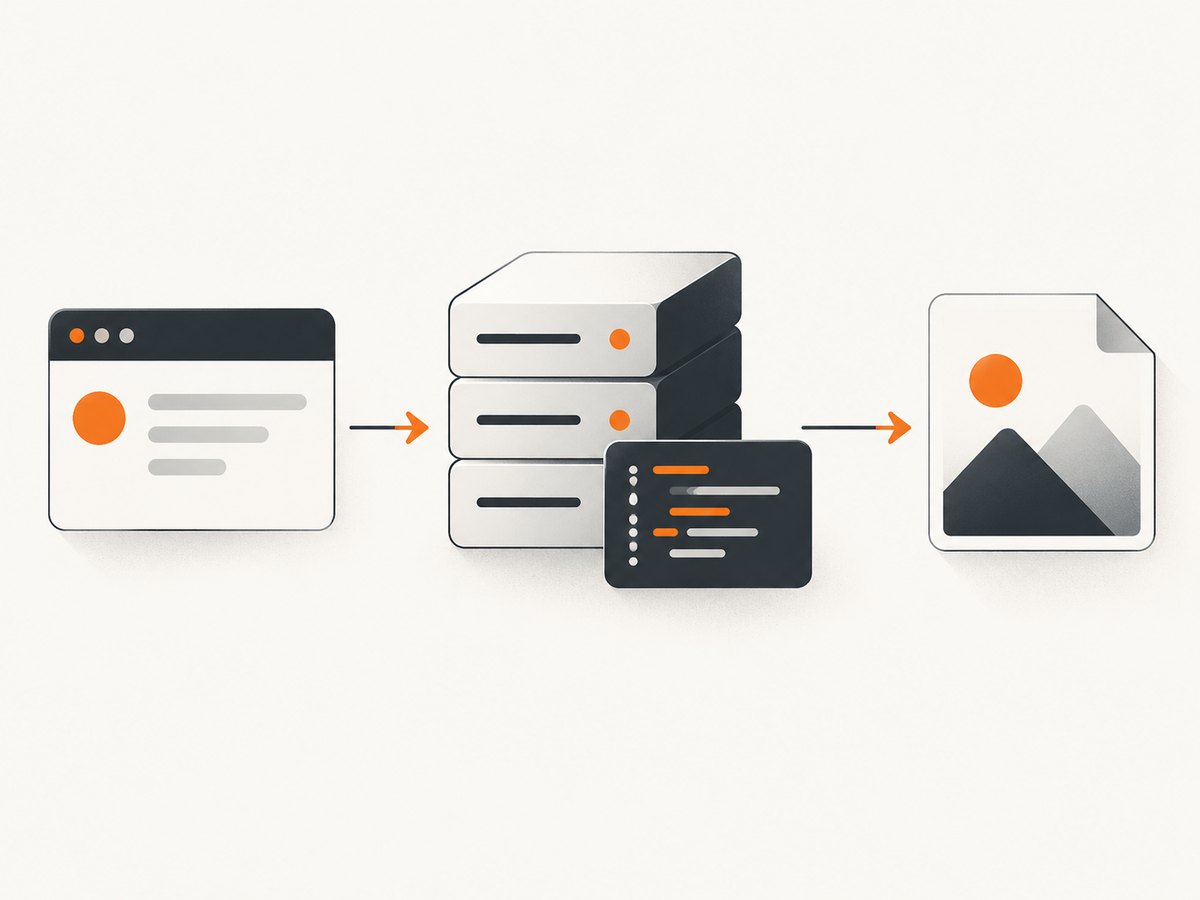
For a URL that returns an image, create a +server.ts endpoint and return an ImageResponse. The endpoint below renders raw HTML at 1200 by 630 pixels, a common Open Graph shape.
\/\/ src\/routes\/og\/+server.ts
import type { RequestHandler } from '@sveltejs\/kit';
import { ImageResponse } from '@ethercorps\/sveltekit-og';

const html = `<div style="display:flex;align-items:center;justify-content:center;width:100%;height:100%;background:#101011;color:#ddd">
  <h1>Hello from SvelteKit<\/h1>
<\/div>`;

export const GET: RequestHandler = async () =>
  new ImageResponse(html, { width: 1200, height: 630 });
Run your SvelteKit app and request /og. The response is an image, so it can be used as an Open Graph URL, an email asset, or a generated download.
Keep the template self-contained. Inline styles are the most predictable starting point because the server renderer does not automatically receive the browser’s compiled CSS. Test every CSS feature you use, especially grid, filters, complex positioning, and browser-only selectors.
Use a Svelte component as the template
ImageResponse can receive a Svelte component instead of an HTML string. The root element should explicitly define width: 100% and height: 100%. If the component uses a style block, inject or otherwise make that component CSS available to the renderer; a style block that only works in the browser will not automatically be present in the generated image.
\/\/ src\/routes\/og\/+server.ts
import type { RequestHandler } from '@sveltejs\/kit';
import { ImageResponse } from '@ethercorps\/sveltekit-og';
import Card from '$lib\/Card.svelte';

export const GET: RequestHandler = async ({ url }) => {
  const title = url.searchParams.get('title') ?? 'SvelteKit image';

  return new ImageResponse(
    { component: Card, props: { title } },
    { width: 1200, height: 630 }
  );
};
Keep query input bounded and escaped through component props. Do not concatenate untrusted values into raw HTML. If the title can contain arbitrary markup, render it as text in the Svelte component.
Make assets available to the server renderer
Relative browser paths such as ./logo.png are not automatically available when the server renderer runs. Use one of these approaches:
- Import a small local image through Vite so it becomes a data URL.
- Convert a larger local file to a data URL or ArrayBuffer before rendering.
- Use a public absolute URL that the server can fetch.
Fonts need the same treatment. Load the font data explicitly when your renderer supports it, and make sure images and fonts are available before creating the response. Otherwise, an image may contain a fallback font, a missing logo, or an empty image box.
Dynamic routes versus prerendered images
Use a dynamic endpoint when the title, author, product data, or other input changes at request time. If all inputs are known during the build, add export const prerender = true and generate the image during prerendering. A stable, build-time image avoids request-time work; user-specific or frequently changing content belongs in a runtime endpoint.
3. Capture a rendered Svelte element in the browser
Use browser capture when the important source is already mounted DOM. This preserves browser-computed styles and the state a user sees. SvelteKit can render a page on the server, but there is no browser layout to capture during SSR, so call the capture library from an event handler or onMount.
<script lang="ts">
  import { onMount, tick } from 'svelte';
  import snapdom from 'snapdom';

  let card: HTMLElement;
  let imageUrl = '';

  async function capture() {
    await tick();
    await document.fonts.ready;

    const images = Array.from(card.querySelectorAll('img'));
    await Promise.all(images.map((img) => img.decode().catch(() => undefined)));

    const result = await snapdom(card);
    imageUrl = await result.toPng();
  }
<\/script>

<section bind:this={card} class="card">
  <h1>Rendered Svelte content<\/h1>
  <p>This element is captured after fonts and images are ready.<\/p>
<\/section>

<button on:click={capture}>Download image<\/button>
{#if imageUrl}
  <a href={imageUrl} download="card.png">Save PNG<\/a>
{/if}
tick() waits for pending Svelte DOM updates only. It does not wait for fetch requests, image decoding, web fonts, CSS transitions, or animations. Await each resource explicitly, as in the example, and disable animations while capturing if a moving element must be deterministic.
Browser capture also inherits browser restrictions. Cross-origin images without suitable CORS headers can be unavailable to a canvas-based exporter. A font that loads after capture starts can change line breaks. A responsive component may produce a different image depending on viewport width and device pixel ratio. Set the capture container’s width, use stable data, and test the same browser conditions used in production.
4. Capture a complete page with Playwright
When the target is a route rather than one element, Playwright provides a full browser. This is useful for JavaScript-rendered pages, authenticated sessions, lazy content, and CSS that needs Chromium’s layout engine.
\/\/ scripts\/capture.mjs
import { chromium } from 'playwright';

const browser = await chromium.launch();
const page = await browser.newPage({
  viewport: { width: 1200, height: 630 },
  deviceScaleFactor: 1
});

await page.goto('http:\/\/localhost:5173\/card', { waitUntil: 'networkidle' });
await page.evaluate(() => document.fonts.ready);
await page.screenshot({ path: 'card.png', fullPage: true });

await browser.close();
In a server endpoint, launch and close the browser carefully, reuse a browser process when your deployment permits it, and set explicit timeouts. Verify that your hosting runtime allows Chromium. Edge and serverless environments may not include the binaries or process permissions required by Playwright.
5. Image format, dimensions, and capture options
Decide the output contract before implementing the route:
- PNG: lossless output and transparency; useful for UI cards, diagrams, and text.
- JPEG: smaller photographs and gradients, with no alpha channel.
- WebP: compact modern output when every consumer supports it.
- PDF: use a browser print flow or a service designed for PDF generation when pagination matters.
Set width and height explicitly for social cards. For full-page captures, choose whether the height follows the document or a fixed viewport. A retina scale of 2 produces more pixels but increases memory and transfer size. Capture one element when the page contains unrelated navigation, cookie banners, or ads. Capture the full page when the document itself is the asset.
For a reproducible pipeline, define these inputs:
- Viewport width and height.
- Device pixel ratio or output scale.
- Color scheme, usually light or dark.
- Timezone and locale if dates are rendered.
- Font files and image sources.
- Wait condition: selector, delay, or network idle.
- Animation and transition behavior.
- Authentication headers or cookies.
6. Common failure modes and fixes
| Symptom | Likely cause | Fix |
|---|---|---|
| Blank or transparent output | The root has no size or the background is transparent. | Set explicit width and height and a background color; confirm the element contains content. |
| Missing logo or image | Relative asset path or inaccessible remote URL. | Use a Vite data URL, an ArrayBuffer, or a public absolute URL. |
| Fallback font | Capture started before the font loaded. | Await document.fonts.ready in the browser, or provide font data to the server renderer. |
| Text wraps differently | Different viewport, font, scale, or renderer CSS support. | Fix dimensions and fonts; switch to a browser capture for unsupported layout. |
| Interactive content is absent | Server rendering does not execute browser JavaScript. | Use Playwright, browser DOM capture, or a screenshot API. |
| Capture happens before data appears | tick() completed before fetch or image decoding. |
Await the data promise, image decode(), fonts, and any transition. |
| Cross-origin canvas error | An image lacks CORS permission. | Serve the asset with suitable CORS headers, proxy it, or use a full browser screenshot. |
| Playwright works locally but fails in deployment | Chromium is missing or blocked by the runtime. | Use a deployment image that includes the browser, move capture to a worker, or use a screenshot service. |
| Slow requests or timeouts | Large pages, third-party requests, fonts, or long waits. | Block unnecessary resources, set a bounded wait condition, cache stable outputs, and use a smaller capture region. |
7. Performance, reliability, and cost
Server-side Satori and Resvg rendering avoids the startup and memory cost of launching Puppeteer or Playwright, which makes it suitable for deterministic cards and many serverless or edge deployments. Its limitation is fidelity: unsupported CSS and JavaScript content must be tested or moved to a browser path.
Browser capture costs more operationally. A Chromium process consumes memory, page startup adds latency, and third-party requests make output less predictable. Improve reliability by pinning viewport and fonts, using request timeouts, blocking ads and trackers, waiting for a specific ready selector, and caching images whose inputs have not changed.
For high-volume generation, prerender stable cards, cache by a hash of the inputs, and avoid rendering the same URL repeatedly. For user-triggered captures, return a clear error when a page cannot load instead of silently saving a partial image. Log the target URL, viewport, wait condition, renderer, and duration so failures can be reproduced.
8. Or skip the browser setup
ScreenshotNeo provides a website screenshot API and MCP server when you need a clean capture from a URL. It accepts one GET request and returns PNG, JPEG, WebP, or PDF. The API can load lazy images, capture a CSS-selected element, set dark mode and device presets, use any viewport and retina scale, apply custom CSS or JavaScript, click before capture, wait for a selector, delay, or network idle, block ads, trackers, requests, or resource types, and send custom headers, cookies, user-agent, Authorization, timezone, or geolocation. It also supports transparent backgrounds, resizing, TTL-based caching, signed links, asynchronous jobs with signed webhooks, bulk capture of up to 100 URLs per call, a usage API, and an OpenAPI specification.
See the ScreenshotNeo API documentation for the complete option list. The same parameter names used by other screenshot APIs also work, which can simplify migration.
curl -G "https://api.screenshotneo.com/v1/shot" \
  -d access_key=YOUR_API_KEY \
  --data-urlencode url=https://stripe.com \
  -o shot.webp
import requests
r = requests.get(
"https://api.screenshotneo.com/v1/shot",
params={"access_key": "YOUR_API_KEY", "url": "https://stripe.com"},
timeout=90,
)
r.raise_for_status()
open("shot.webp", "wb").write(r.content)const q = new URLSearchParams({ access_key: 'YOUR_API_KEY', url: 'https://stripe.com' });
const res = await fetch(`https://api.screenshotneo.com/v1/shot?${q}`);
if (!res.ok) throw new Error(`Screenshot failed: ${res.status}`);
const bytes = Buffer.from(await res.arrayBuffer());
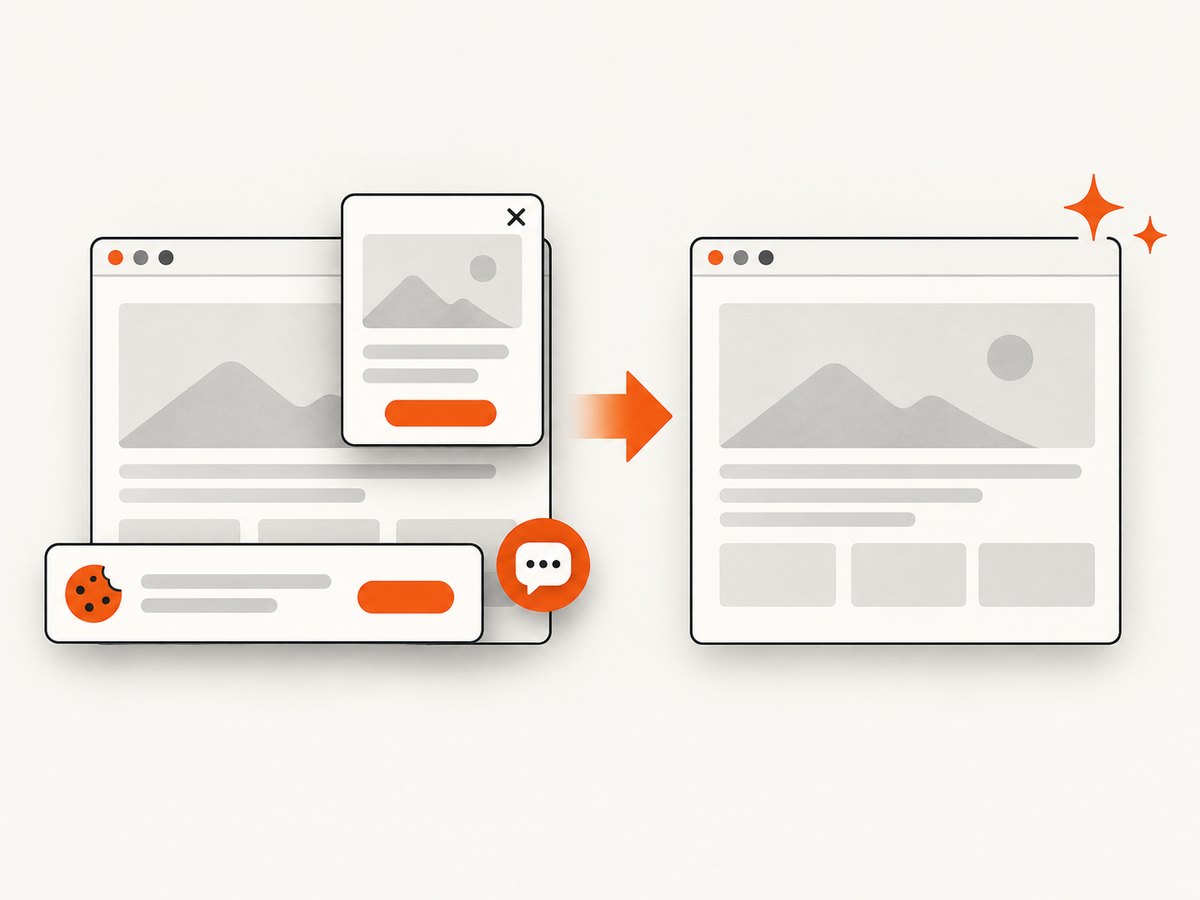
await import('node:fs/promises').then(fs => fs.writeFile('shot.webp', bytes));ScreenshotNeo removes cookie and consent banners, newsletter popups, and chat widgets before capture; each cleanup step can be disabled. Bot checks or CAPTCHAs, blank pages, timeouts, failed loads, and cache hits cost nothing, and the response identifies the result with X-Page-Verdict and X-Billed headers. An MCP server exposes take_screenshot, get_page_info, and capture_pdf to Claude, Cursor, and other MCP clients.
The free plan includes 1,000 screenshots per month with no card. Paid plans start at $5 for 3,000 shots; yearly billing gives two months free, and every feature is available on every plan. Create a free ScreenshotNeo account to get started.
9. Practical decision checklist
- Is the source a template or an already-mounted DOM node?
- Does the output require JavaScript, browser APIs, or interactive state?
- Can every image and font be embedded or fetched from an absolute URL?
- Do you need a fixed social-card size or a full document height?
- Will the deployment runtime support Chromium?
- Can the result be prerendered or cached?
- What should happen when a page times out or returns a bot check?
Start with ImageResponse for a controlled Svelte template. Move to browser capture when the mounted layout is the source of truth. Choose Playwright or a screenshot API when the page needs complete browser execution or when running Chromium is not practical in your SvelteKit deployment.
FAQ
Can SvelteKit convert arbitrary HTML to PNG?
Yes, if the HTML and CSS fit the server renderer’s supported subset. Arbitrary browser behavior, JavaScript-generated content, and unsupported CSS require a browser capture path.
Should Open Graph images be generated at build time?
Use prerendering when titles and assets are known during the build. Keep the endpoint dynamic when the image depends on request-time data.
Why does tick() not make my screenshot complete?
It waits for Svelte’s DOM update, not network requests, image decoding, fonts, or transitions. Await those resources separately.
When should I use a screenshot API instead of Playwright?
Use an API when you want URL-based capture without maintaining browser binaries and infrastructure, or when you need features such as cleanup, caching, bulk jobs, signed links, and webhooks.
Can I capture only one Svelte element?
Yes. Browser DOM libraries can capture a selected element, and ScreenshotNeo supports element capture by CSS selector for a URL.


