How to Convert HTML to Images with IMGKit and Wkhtmltoimage
Convert HTML, local files, or URLs to PNG and JPEG in Python with IMGKit and wkhtmltoimage, including CSS, cookies, headless servers, and fixes.
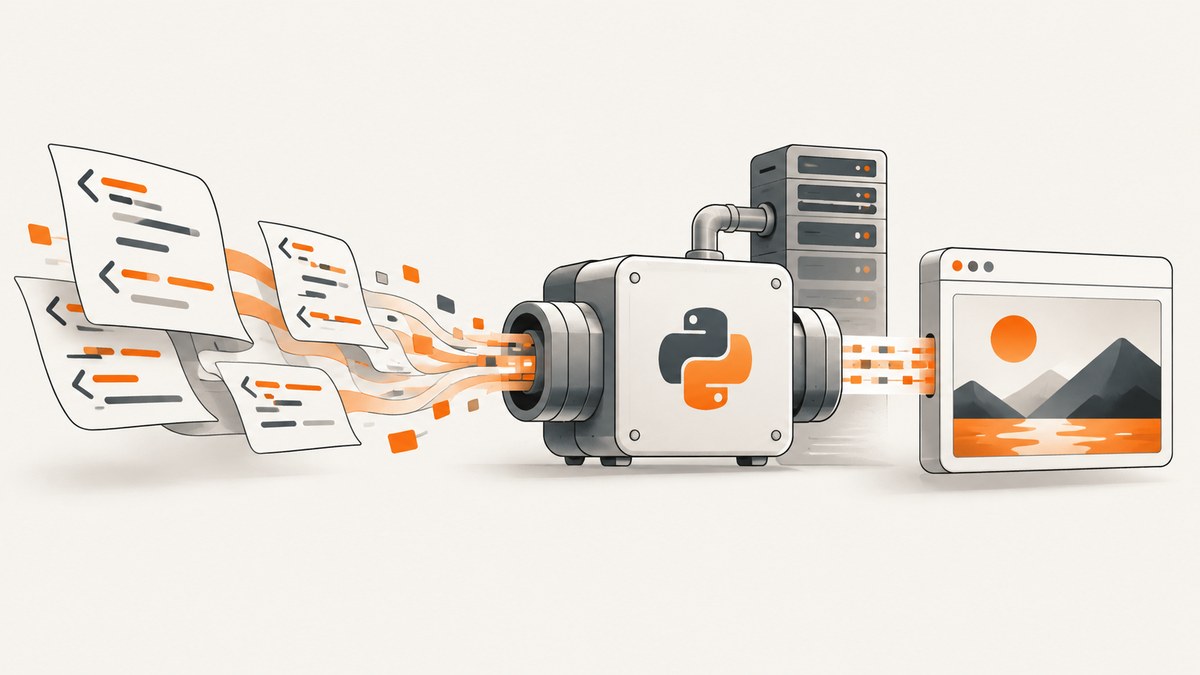
Direct answer: install the Python imgkit wrapper and a compatible wkhtmltoimage executable. Then call imgkit.from_string for HTML text, imgkit.from_file for a local document, or imgkit.from_url for a web page. Give each function an output filename such as out.png, or pass False to receive image bytes in memory. IMGKit translates your Python options into command-line flags for wkhtmltoimage.
This guide covers installation, complete examples, CSS and JavaScript controls, cookies and headers, cropping, output formats, headless Linux deployment, diagnostics, production concerns, and an API alternative when maintaining a browser binary is not practical.
1. How IMGKit and wkhtmltoimage fit together
IMGKit is a Python interface; it is not the renderer itself. The renderer is the separate wkhtmltoimage executable, which loads HTML and paints it into PNG, JPEG, or another supported format. Your Python process builds the input and options, IMGKit invokes the executable, and the executable writes the resulting image or returns an error.
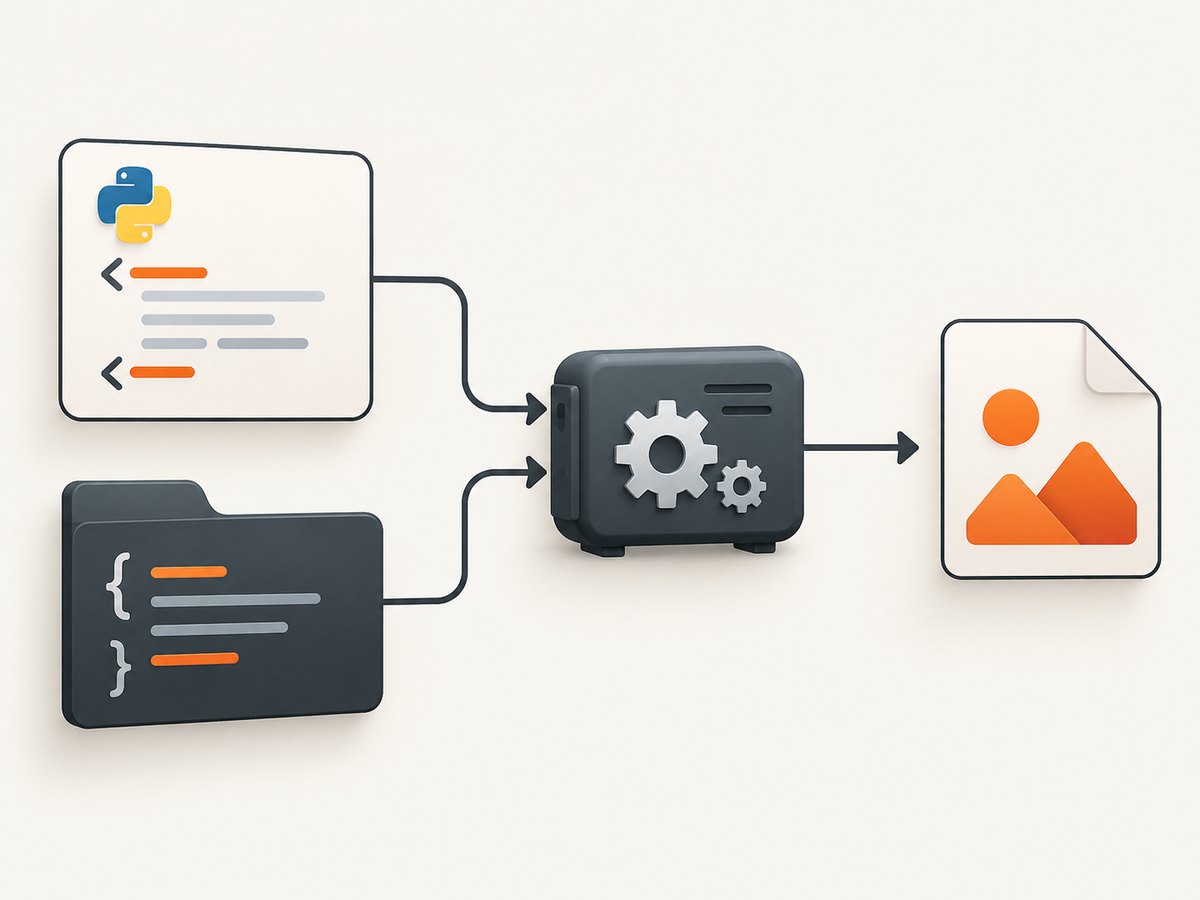
You can render three input types:
- HTML string: useful for templates, reports, invoices, and generated fragments.
- Local file: useful when HTML and assets already exist on disk.
- Remote URL: useful for public pages or authenticated pages configured with headers and cookies.
For a local or string input, you can also supply one stylesheet or a list of stylesheets through IMGKit’s css argument. Renderer flags are passed in an options dictionary without leading dashes, so --format png becomes {"format": "png"}.
2. Install IMGKit and wkhtmltoimage
Install the wrapper with pip:
python -m pip install imgkitInstall the executable separately. On Debian or Ubuntu, the package manager command is commonly:
sudo apt-get update
sudo apt-get install wkhtmltopdf
The package normally includes wkhtmltoimage. Verify that your shell can find it:
which wkhtmltoimage
wkhtmltoimage --version
On macOS, install the available Homebrew package and then check its path. On Windows and other systems, use a compatible binary installer and run where wkhtmltoimage in Command Prompt or PowerShell. Distribution builds can have reduced functionality when they do not include the upstream Qt patches. If an option behaves differently from the documentation, try a static upstream binary that supports the features you need.
Record the executable path for deployments. IMGKit can be configured explicitly:
import imgkit

config = imgkit.config(wkhtmltoimage='/opt/bin/wkhtmltoimage')
imgkit.from_string('<h1>Configured</h1>', 'out.png', config=config)
3. Minimal conversions you can run now
HTML string to PNG
import imgkit

html = """
<!doctype html>
<html>
  <head><meta charset="utf-8"></head>
  <body><h1>Hello from IMGKit</h1></body>
</html>
"""

imgkit.from_string(html, 'out.png')
Local HTML file to JPEG
import imgkit

imgkit.from_file('test.html', 'out.jpg')
Remote URL to an image
import imgkit

imgkit.from_url('https://example.com', 'example.png')
Keep the result in memory
Pass False instead of a filename. IMGKit returns the generated bytes, which you can send to object storage or an HTTP response without creating a temporary file.
import imgkit

image_bytes = imgkit.from_url('https://example.com', False)
with open('example.png', 'wb') as output:
    output.write(image_bytes)
4. Control format, size, crop, and encoding
Options map directly to wkhtmltoimage flags. The following example requests PNG output, UTF-8 input, and a crop rectangle:
import imgkit

options = {
    'format': 'png',
    'encoding': 'UTF-8',
    'crop-w': 1200,
    'crop-h': 800,
    'crop-x': 0,
    'crop-y': 0,
    'quiet': ''
}

imgkit.from_string('<div>Report</div>', 'report.png', options=options)
Flag-only switches use an empty string value. For example, no-outline becomes {'no-outline': ''}. Use the renderer’s own help output to confirm which flags your installed binary supports:
wkhtmltoimage --helpCSS dimensions determine the page’s layout. Set an explicit viewport width in your HTML when responsive breakpoints matter:
<style>
  html, body { margin: 0; }
  .canvas { width: 1200px; min-height: 630px; }
</style>
When a page is larger than the desired output, use crop options or style a fixed canvas. Cropping after rendering gives predictable coordinates; changing CSS gives the layout engine room to reflow content.
5. Add CSS, images, fonts, and JavaScript
For local files and HTML strings, pass a stylesheet path with css. A list applies multiple files in order:
import imgkit

imgkit.from_file(
    'invoice.html',
    'invoice.png',
    css=['css/reset.css', 'css/invoice.css']
)
Relative assets must be resolvable from the document location. If local images or stylesheets are blocked, enable local file access when your binary supports it and use correct file:/// references. Keep asset paths deterministic in containers; a path that exists on your laptop may not exist in production.
HTML can carry IMGKit settings in meta tags. For example:
<meta name="imgkit-format" content="png">
<meta name="imgkit-orientation" content="Landscape">
JavaScript-heavy pages are a common boundary. wkhtmltoimage uses an older WebKit engine, so modern syntax, modules, and browser APIs may fail or render before application code finishes. If you control the page, provide a server-rendered state or a simple static route. If you must wait for a known element, verify that your binary supports the relevant JavaScript delay or window-status options and use the smallest reliable wait.
6. Cookies, headers, and authenticated pages
IMGKit passes repeatable cookies and custom headers to wkhtmltoimage. Use these for a session cookie, a tenant header, or an authorization token, and avoid printing secrets in logs.
import imgkit

options = {
    'custom-header': [
        ('Authorization', 'Bearer YOUR_TOKEN'),
        ('X-Tenant', 'acme')
    ],
    'cookie': [
        ('session', 'YOUR_SESSION_COOKIE')
    ],
    'encoding': 'UTF-8'
}

imgkit.from_url('https://app.example.com/dashboard', 'dashboard.png', options=options)
Some wkhtmltoimage builds expect repeated flags as a list of pairs; others are more permissive. If a header is ignored, run the exact command shown by IMGKit’s exception and compare it with wkhtmltoimage --help. Never place credentials in a URL query string unless the target service requires it.
7. Headless Linux and Xvfb
On a headless server, install a virtual display when your renderer requires one:
sudo apt-get install xvfbPoint IMGKit at xvfb-run explicitly when it is not on PATH:
import imgkit

config = imgkit.config(
    wkhtmltoimage='/opt/bin/wkhtmltoimage',
    xvfb='/opt/bin/xvfb-run'
)

imgkit.from_string(
    '<h1>Rendered on a server</h1>',
    'server.png',
    config=config
)
Container images should pin the binary version and install all required shared libraries. Build a startup check that reports the executable path and version, then fail early if it is missing. Use a writable temporary directory and enforce a timeout around the Python call so a hung page does not consume a worker indefinitely.
8. A reusable Python conversion function
from pathlib import Path
from typing import Optional, Union
import imgkit


def render_html(
    html: str,
    output: Optional[Union[str, Path]] = None,
    *,
    css=None,
    options=None,
    wkhtmltoimage: Optional[str] = None,
):
    config = imgkit.config(wkhtmltoimage=wkhtmltoimage) if wkhtmltoimage else None
    target = str(output) if output is not None else False
    return imgkit.from_string(
        html,
        target,
        css=css,
        options=options or {'encoding': 'UTF-8', 'quiet': ''},
        config=config,
    )


html = '<main style="width:800px;padding:40px"><h1>Receipt</h1></main>'
render_html(html, 'receipt.png', options={'format': 'png', 'encoding': 'UTF-8'})
Returning bytes is useful in a web endpoint:
from flask import Flask, Response

app = Flask(__name__)

@app.get('/preview.png')
def preview():
    data = render_html('<h1>Preview</h1>')
    return Response(data, mimetype='image/png')
9. Troubleshooting common failures
| Error or symptom | Likely cause | Fix |
|---|---|---|
No wkhtmltoimage executable found |
The binary is not installed or is outside PATH. |
Run which wkhtmltoimage or where wkhtmltoimage; install it or pass an explicit imgkit.config path. |
| Blank or partial image | Resources are blocked, paths are wrong, or rendering ended before JavaScript completed. | Test local asset URLs, enable supported local access, use a fixed layout, and add a controlled wait only when necessary. |
| CSS appears ignored | The stylesheet path is invalid or the distribution binary lacks expected patches. | Use css= with an absolute path, inspect the generated command, and try a compatible static binary. |
| Fonts or images missing | The server lacks the font, or relative URLs resolve from an unexpected directory. | Install required fonts, use absolute or file:/// paths, and confirm permissions. |
| Segmentation fault | A renderer build or dependency is unstable for the page. | Run the printed wkhtmltoimage command directly, record the version, and test a supported upstream build. |
| Command output is noisy | Diagnostic messages are being written to stderr. | Add the quiet option after you have captured diagnostics during setup. |
| Remote page returns an error | DNS, TLS, authentication, robots policy, or a site-side bot check blocks the old engine. | Open the URL from the same server, add required headers or cookies, and consider a current browser-based capture service. |
10. Reliability, performance, and cost considerations
- Reliability: pin the executable and OS image, validate it during deployment, and keep a small fixture page for smoke checks. Treat remote pages as untrusted dependencies that can change or time out.
- Performance: reuse worker processes, keep HTML and assets local when possible, avoid unnecessary full-page images, and choose a fixed viewport. Large pages, web fonts, and JavaScript increase memory and render time.
- Concurrency: limit parallel wkhtmltoimage processes. Each process starts a renderer and may consume substantial memory; a queue with bounded workers is safer than unbounded threads.
- Cost: self-hosting has binary, VM, storage, and operations costs. Measure total render time and memory in your own environment because the IMGKit documentation does not publish a universal benchmark.
- Security: do not render arbitrary user URLs from a privileged network. Restrict outbound access, sanitize HTML where appropriate, and protect cookies and authorization headers.
11. Or skip the browser setup
If you need dependable website captures without packaging wkhtmltoimage and Xvfb, ScreenshotNeo provides a website screenshot API and MCP server. One GET request returns PNG, JPEG, WebP, or PDF. Cookie and consent banners are accepted and 60+ known consent platforms, newsletter popups, and chat widgets are removed before capture; each step can be turned off. Bot checks, blank pages, timeouts, failed loads, and cache hits are not billed, and response headers identify the page verdict and billing result.

cURL:
curl -G "https://api.screenshotneo.com/v1/shot" -d access_key=YOUR_API_KEY --data-urlencode url=https://stripe.com -o shot.webpPython:
import requests
r = requests.get("https://api.screenshotneo.com/v1/shot", params={"access_key": "YOUR_API_KEY", "url": "https://stripe.com"}, timeout=90)
open("shot.webp", "wb").write(r.content)
Node.js:
const q = new URLSearchParams({ access_key: 'YOUR_API_KEY', url: 'https://stripe.com' });
const res = await fetch(`https://api.screenshotneo.com/v1/shot?${q}`);
See the ScreenshotNeo documentation for the full option set, including full-page and element captures, dark mode, device presets, retina scale, custom CSS and JavaScript, waits, request blocking, headers, cookies, timezone, geolocation, transparent backgrounds, resizing, caching, signed links, asynchronous jobs, bulk capture, usage, and the OpenAPI specification. An MCP server exposes take_screenshot, get_page_info, and capture_pdf to Claude, Cursor, and other MCP clients.
There is a free plan with 1,000 screenshots per month and no card. Paid plans start at $5 for 3,000 shots, with every feature available on every plan. Create a free ScreenshotNeo account to start capturing.
12. IMGKit versus a hosted capture API
| Requirement | IMGKit and wkhtmltoimage | ScreenshotNeo |
|---|---|---|
| Input | HTML string, local file, or URL | URL plus API options; also HTML/CSS to image |
| Runtime | You maintain Python, binary, libraries, and possibly Xvfb | HTTPS request; no renderer installation |
| Browser engine | Older wkhtmltoimage WebKit | Managed capture service with page-cleaning steps |
| Automation | Options and flags supported by your binary | Selectors, waits, clicks, blocking, headers, cookies, scripts, and device settings |
| Billing | Your infrastructure and operations spend | Only clean shots are billed; failed and cache-hit responses are not |
13. FAQ
Can IMGKit convert HTML directly to PNG?
Yes. Call imgkit.from_string(html, 'out.png'), from_file, or from_url. Ensure a compatible wkhtmltoimage executable is installed.
How do I get bytes instead of a file?
Pass False as the output argument. IMGKit returns the image bytes.
Why is wkhtmltoimage missing after pip install?
pip install imgkit installs only the Python wrapper. Install the separate renderer and put it on PATH, or configure its absolute path.
Is IMGKit suitable for modern JavaScript applications?
It can work for simple pages, but its older WebKit engine may not support current browser APIs or wait for complex application state. Render a static route or use a current managed capture service when compatibility matters.
What should I pin in production?
Pin the OS image, wkhtmltoimage build, Python dependency versions, fonts, and your HTML/CSS fixtures. Run smoke captures after every image or binary update.


