How to Convert HTML to Landscape PDF with iText
Set landscape pages in iText pdfHTML with CSS or PdfDocument configuration, then troubleshoot resources, CSS support, JavaScript, and page breaks.

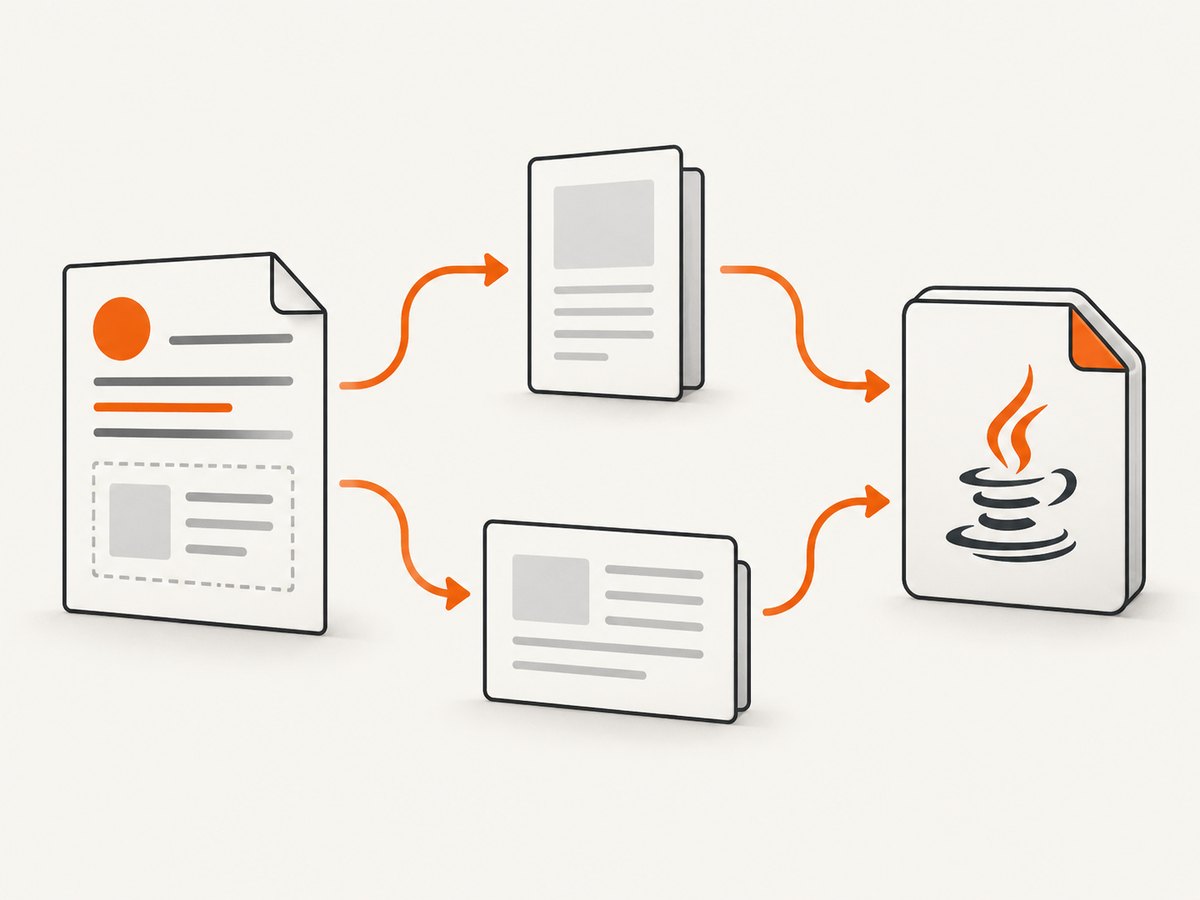
Use iText pdfHTML’s HtmlConverter to convert HTML and CSS to PDF. Set landscape orientation either in print CSS with @page { size: A4 landscape; } or in Java with PdfDocument.setDefaultPageSize(PageSize.A4.rotate()). Choose CSS when the template owns print layout; choose Java when the application must enforce page geometry.
pdfHTML parses HTML and CSS but does not execute JavaScript. If the page depends on JavaScript, render it first with a browser engine, then pass the resulting HTML to iText. Check the version-specific feature matrix before relying on any CSS feature. The cited iText matrix covers pdfHTML 6.3.3 with iText Core 9.7.0, so verify the compatible versions for your project.
1. Add compatible iText dependencies
Select matching versions of iText Core and pdfHTML. Do not mix arbitrary major versions; consult the current iText documentation and license terms for your project.
<dependencies>
  <dependency>
    <groupId>com.itextpdf</groupId>
    <artifactId>kernel</artifactId>
    <version>YOUR_ITEXT_VERSION</version>
  </dependency>
  <dependency>
    <groupId>com.itextpdf</groupId>
    <artifactId>layout</artifactId>
    <version>YOUR_ITEXT_VERSION</version>
  </dependency>
  <dependency>
    <groupId>com.itextpdf</groupId>
    <artifactId>html2pdf</artifactId>
    <version>YOUR_PDFHTML_VERSION</version>
  </dependency>
</dependencies>
The official tutorial demonstrates ConverterProperties, base URI handling, and the HtmlConverter conversion APIs: iText’s pdfHTML conversion tutorial.
2. Set landscape in CSS
Put the page rule in the stylesheet that is supplied to pdfHTML:
@page {
  size: A4 landscape;
  margin: 16mm;
}

@media print {
  .page-break {
    break-before: page;
  }
}

body {
  font-family: sans-serif;
  font-size: 11pt;
}
This keeps paper size, orientation, margins, and print breaks with the HTML template. The feature matrix reports support for @page, size, and landscape for its stated release; confirm support against the version you install: pdfHTML supported and unsupported features.
3. Set landscape in Java
Configure the PDF document before conversion when the calling application must impose the page dimensions independently of the HTML.
import com.itextpdf.html2pdf.ConverterProperties;
import com.itextpdf.html2pdf.HtmlConverter;
import com.itextpdf.kernel.geom.PageSize;
import com.itextpdf.kernel.pdf.PdfDocument;
import com.itextpdf.kernel.pdf.PdfWriter;

import java.io.FileInputStream;
import java.io.FileOutputStream;

public class HtmlToLandscapePdf {
    public static void main(String[] args) throws Exception {
        String htmlPath = "input/index.html";
        String outputPath = "output/landscape.pdf";

        ConverterProperties properties = new ConverterProperties();
        properties.setBaseUri("input/");

        try (FileInputStream html = new FileInputStream(htmlPath);
             FileOutputStream output = new FileOutputStream(outputPath);
             PdfWriter writer = new PdfWriter(output);
             PdfDocument pdf = new PdfDocument(writer)) {

            pdf.setDefaultPageSize(PageSize.A4.rotate());
            HtmlConverter.convertToPdf(html, pdf, properties);
        }
    }
}
PageSize.A4.rotate() produces an A4 page with its width and height exchanged. You can use another built-in size or construct a custom PageSize when your output requires a specific paper dimension. iText examples document setDefaultPageSize as a way to control output page dimensions: iText page-size configuration guidance.
4. A complete conversion with inline HTML
For generated markup, use a string or stream overload. This example keeps the orientation in CSS and writes a PDF file:
import com.itextpdf.html2pdf.HtmlConverter;

public class InlineHtmlToPdf {
    public static void main(String[] args) throws Exception {
        String html = """
            <!doctype html>
            <html>
            <head>
              <meta charset='utf-8'>
              <style>
                @page { size: A4 landscape; margin: 14mm; }
                body { font-family: Helvetica, sans-serif; }
                .columns { display: flex; gap: 12mm; }
                .column { flex: 1; }
              </style>
            </head>
            <body>
              <h1>Quarterly report</h1>
              <div class='columns'>
                <div class='column'>Left column</div>
                <div class='column'>Right column</div>
              </div>
            </body>
            </html>
            """;

        HtmlConverter.convertToPdf(html, new java.io.FileOutputStream("report.pdf"));
    }
}
The exact overloads vary by pdfHTML release. The API documentation shows conversion from strings, files, and streams, plus convertToPdf and convertToDocument: HtmlConverter API reference. Confirm signatures against your installed version.
5. Resolve images, CSS, and fonts
Relative URLs are resolved against the converter’s base URI. Keep the HTML and its resource directory together, or provide an absolute base URI:
ConverterProperties properties = new ConverterProperties();
properties.setBaseUri("/srv/reports/template/");
HtmlConverter.convertToPdf(htmlInputStream, pdfDocument, properties);- Use file paths or URLs that the conversion process can actually read.
- Check case sensitivity on Linux when an image or stylesheet works on a developer workstation but fails in production.
- Embed or configure fonts when the output must match a particular typeface.
- Prefer absolute resource URLs only when network access and reproducibility are acceptable.
6. CSS, page breaks, and wide content
| Requirement | What to configure | What to inspect |
|---|---|---|
| Landscape paper | @page { size: A4 landscape; } or PageSize.A4.rotate() |
Width is greater than height in the generated PDF |
| Margins | @page { margin: ... } |
Headers, tables, and images are not clipped |
| New section on a new page | break-before: page or supported page-break properties |
Break occurs before the intended element |
| Large tables | Set sensible column widths and repeat header rows where supported | Rows do not overflow the printable area |
| Images | Use explicit dimensions and resolvable URLs | Images appear at the expected resolution and position |
Landscape orientation does not imply browser-equivalent rendering. The feature matrix lists supported and unsupported CSS features, so validate the specific layout primitives used by your document.
7. JavaScript and dynamic pages
pdfHTML does not run JavaScript. A chart, data table, or framework-rendered component that appears only after script execution will be missing if you pass the original source directly to iText.
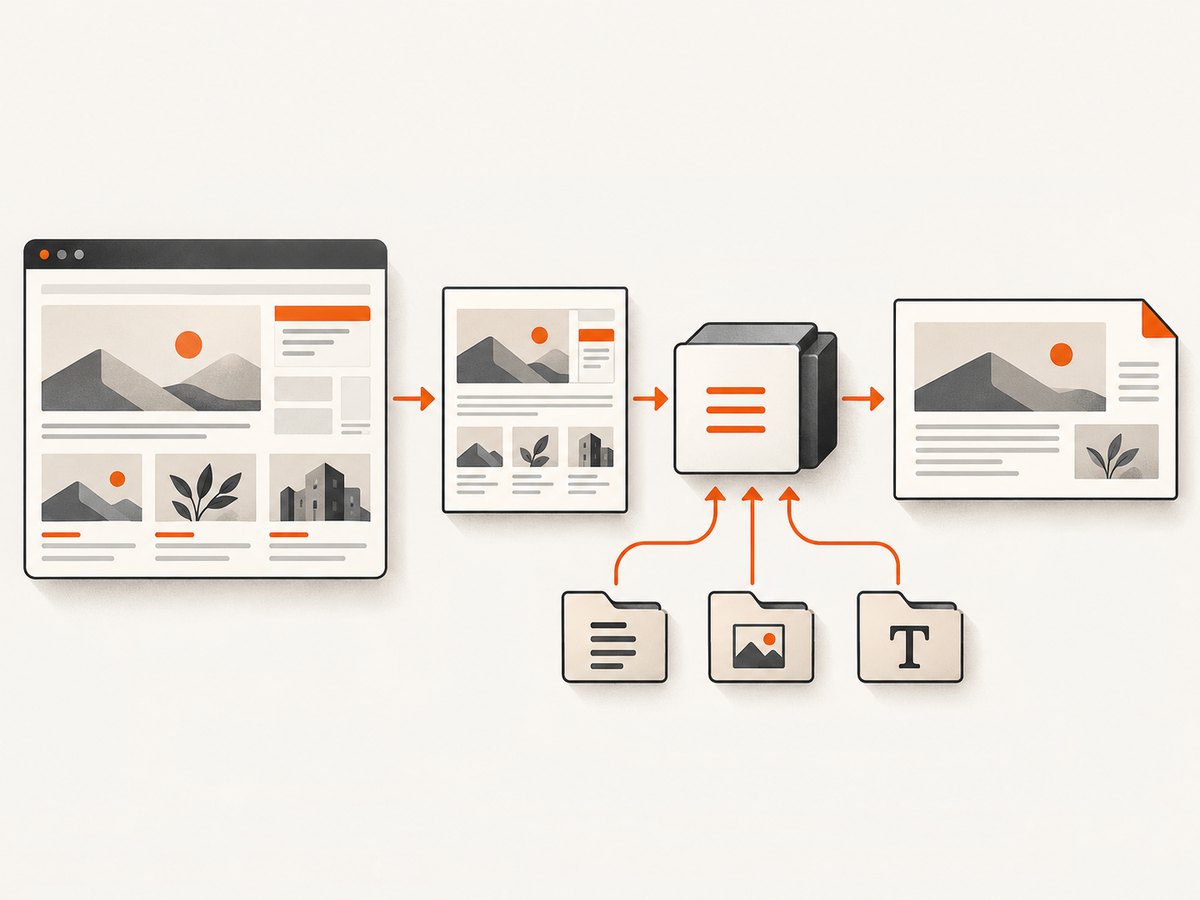
- Render the page with a browser engine until the required content is present.
- Serialize the resulting DOM or otherwise produce static HTML.
- Pass that HTML, its CSS, images, and fonts to pdfHTML with a correct base URI.
- Inspect the PDF for layout differences caused by CSS that pdfHTML does not support.
iText documents this browser-first approach for HTML, CSS, and JavaScript: Do we need a browser engine?
8. Troubleshooting
| Symptom | Likely cause | Fix |
|---|---|---|
| Pages are portrait | The CSS rule is not loaded, or the PDF page size was never changed. | Verify the stylesheet is resolved; add @page { size: A4 landscape; } or call setDefaultPageSize(PageSize.A4.rotate()) before conversion. |
| Images or CSS are missing | Relative paths have no usable base URI. | Set ConverterProperties.setBaseUri(...) and check file permissions, URL access, and filename case. |
| Dynamic content is blank | pdfHTML does not execute JavaScript. | Pre-render with a browser engine and convert the resulting static HTML. |
| Content is clipped | Fixed widths exceed the landscape page’s printable width, or margins are too large. | Reduce fixed widths, use flexible columns, adjust margins, and inspect wide tables and images. |
| Unsupported CSS behavior | pdfHTML’s CSS support differs from a browser’s. | Check the version-specific feature matrix and replace unsupported declarations with supported layout techniques. |
| Fonts differ or text wraps differently | The expected font is unavailable to the conversion process. | Install or configure the font explicitly and test on the same operating system used in production. |
| Conversion fails on remote assets | The runtime cannot reach the resource, or the URL requires authentication. | Bundle assets locally, provide accessible URLs, and verify network and credentials before conversion. |
9. Reliability, performance, and cost considerations
- Keep inputs deterministic: bundle critical CSS, fonts, and images when reproducible output matters.
- Control memory: very large HTML documents and high-resolution images increase conversion memory use; split long reports when practical.
- Reuse templates: generate only the data portion while keeping page rules and resource paths stable.
- Validate output: check page count, dimensions, missing resources, overflow, and representative pages in automated pipelines.
- Plan licensing: review iText’s applicable licensing terms before shipping a commercial application.
Or skip the browser setup
If you need a rendered PDF or image of a URL and do not want to maintain browser automation, ScreenshotNeo provides a single HTTP request. Its capture pipeline accepts cookie and consent banners like a visitor, then removes more than 60 known consent platforms, newsletter popups, and chat widgets before the shot. Bot checks, CAPTCHAs, blank pages, timeouts, failed loads, and cache hits are not billed, and response headers identify the page verdict and billing status. It also provides an MCP server for Claude, Cursor, and other MCP clients, with take_screenshot, get_page_info, and capture_pdf tools.
See the ScreenshotNeo API documentation for PDF parameters and the full option set. The basic request shape is:
curl -G "https://api.screenshotneo.com/v1/shot" -d access_key=YOUR_API_KEY --data-urlencode url=https://stripe.com -o shot.webpimport requests
r = requests.get("https://api.screenshotneo.com/v1/shot", params={"access_key": "YOUR_API_KEY", "url": "https://stripe.com"}, timeout=90)
open("shot.webp", "wb").write(r.content)const q = new URLSearchParams({ access_key: 'YOUR_API_KEY', url: 'https://stripe.com' }); const res = await fetch(`https://api.screenshotneo.com/v1/shot?${q}`);ScreenshotNeo includes full-page capture with lazy images loaded, CSS-element capture, dark mode, device presets and custom viewports, retina scale, PDF paper size, margins, landscape mode and page ranges, custom CSS and JavaScript, waits, request blocking, headers, cookies, user agents, authorization, timezone, geolocation, transparent backgrounds, resizing, caching, signed links, asynchronous jobs, bulk capture, usage reporting, and an OpenAPI specification. Every feature is available on every plan. The Free plan includes 1,000 shots per month with no card; paid plans start at $5 for 3,000 shots.
Create a free ScreenshotNeo account and get 1,000 screenshots a month with no card.
FAQ
Should orientation live in CSS or Java?
Use CSS when the HTML template owns print presentation. Use PdfDocument.setDefaultPageSize when application code must enforce the page geometry.
Can pdfHTML convert a live web application?
Only the HTML and CSS you provide are parsed. JavaScript is not executed, so render dynamic content first.
Does landscape automatically make every layout fit?
No. Wide tables, fixed-width elements, margins, and unsupported CSS can still overflow or clip.
Which iText version should I install?
Choose a compatible Core and pdfHTML pair from the current iText documentation. The cited support matrix is specifically for pdfHTML 6.3.3 with iText Core 9.7.0.
How do I debug missing resources?
Set a correct base URI, verify that every relative path resolves from it, and check permissions, URL access, and filename case.


