How to Convert HTML to PDF with iText XML Worker
Convert XHTML to PDF with iText 5 XML Worker, configure CSS, fonts and resources, troubleshoot failures, and plan a migration to pdfHTML.

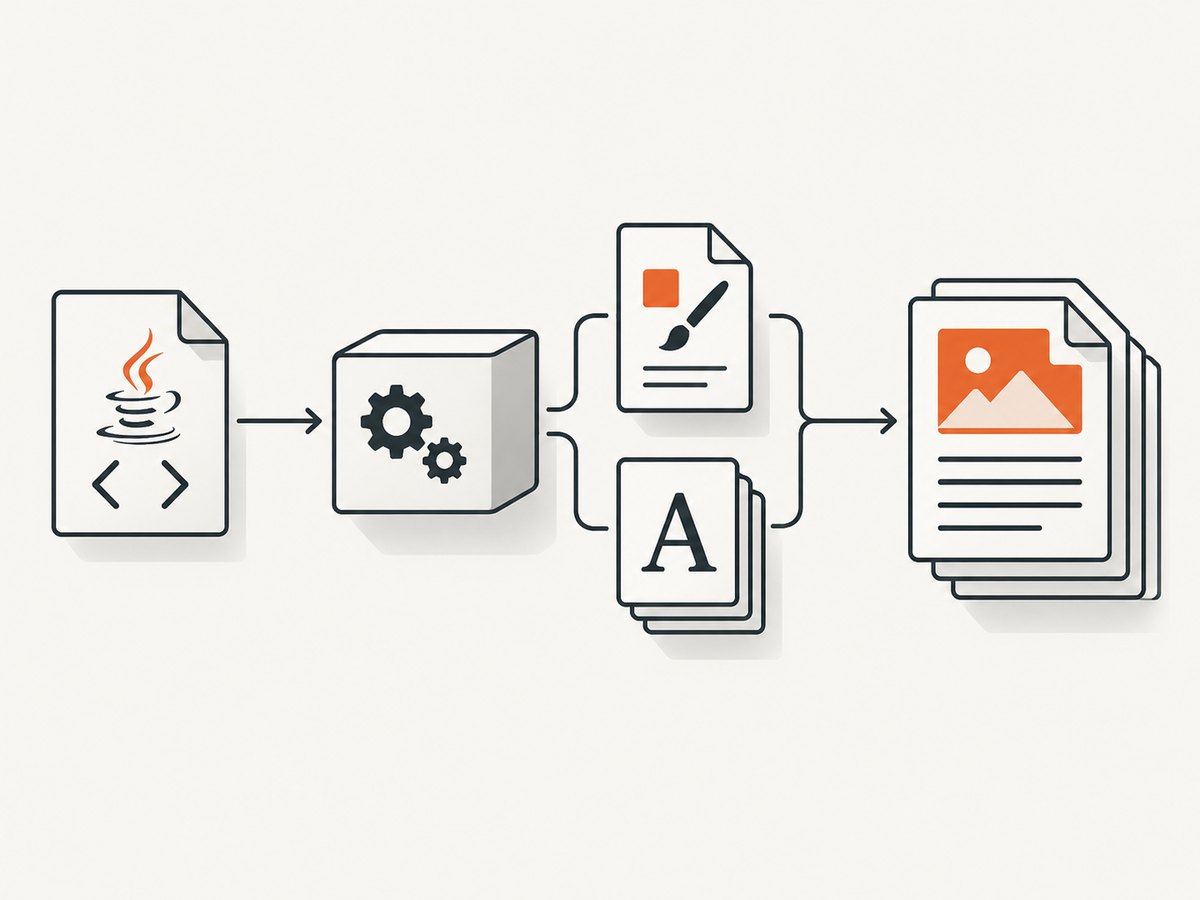
Use XMLWorkerHelper.parseXHtml with an open iText 5 Document and PdfWriter. XML Worker converts finished XHTML and a limited HTML/CSS subset to PDF. It does not run JavaScript or resolve dynamic ASP pages.
Document document = new Document(PageSize.A4);
PdfWriter writer = PdfWriter.getInstance(document, new FileOutputStream("output.pdf"));
document.open();
try (InputStream html = new FileInputStream("input.xhtml")) {
    XMLWorkerHelper.getInstance().parseXHtml(writer, document, html);
}
document.close();
For new applications, evaluate iText Core with pdfHTML. iText identifies pdfHTML as the replacement for XML Worker, whose development ended in 2016.
1. What XML Worker does and does not support
XML Worker is an iText 5 framework for parsing XML/XHTML and CSS into PDF layout instructions. It is suitable for server-side reports and other documents where the HTML is already rendered as static markup.
| Capability | XML Worker behavior |
|---|---|
| XHTML | Supported when the markup is well formed. |
| Basic CSS | Supported through XML Worker’s CSS parser; coverage is limited compared with a browser. |
| JavaScript | Not executed. DOM changes made by scripts never appear. |
| Dynamic ASP or application pages | Not resolved by the converter. Fetch or render the final XHTML first. |
| Images and other relative resources | Resolvable when a resources root is supplied and paths are correct. |
| Custom fonts | Supported through a configured FontProvider. |
2. Minimal Java conversion
2.1 Maven dependencies
Use compatible iText 5 and XML Worker artifacts already approved for your project. XML Worker is an iText 5 legacy component, so check the license that applies to your deployment before shipping.
2.2 Convert an XHTML file
import com.itextpdf.text.Document;
import com.itextpdf.text.PageSize;
import com.itextpdf.text.pdf.PdfWriter;
import com.itextpdf.tool.xml.XMLWorkerHelper;

import java.io.FileInputStream;
import java.io.FileOutputStream;
import java.io.InputStream;

public class HtmlToPdf {
    public static void main(String[] args) throws Exception {
        Document document = new Document(PageSize.A4);
        PdfWriter writer = PdfWriter.getInstance(
                document,
                new FileOutputStream("output.pdf")
        );

        document.open();
        try (InputStream html = new FileInputStream("input.xhtml")) {
            XMLWorkerHelper.getInstance().parseXHtml(writer, document, html);
        } finally {
            document.close();
        }
    }
}
The document must be opened before parsing and closed after parsing. Keep the input stream open for the complete call. A finally block ensures the PDF is finalized when parsing throws an exception.
2.3 Convert a string or Reader
String xhtml = "<html><body><h1>Invoice</h1><p>Paid</p></body></html>";

Document document = new Document(PageSize.A4);
PdfWriter writer = PdfWriter.getInstance(document, new FileOutputStream("invoice.pdf"));
document.open();
try (Reader reader = new StringReader(xhtml)) {
    XMLWorkerHelper.getInstance().parseXHtml(writer, document, reader);
} finally {
    document.close();
}
Use a character stream when the source is already a Java String or reader. Use an explicit charset when reading bytes whose encoding is not unambiguously declared.
3. CSS, character encoding, fonts and resources
The richer parseXHtml overloads let you provide CSS, a charset, a font provider and a resources root. These settings solve most problems involving styling, non-ASCII text and relative URLs.
3.1 External CSS and UTF-8
import com.itextpdf.text.Document;
import com.itextpdf.text.pdf.PdfWriter;
import com.itextpdf.tool.xml.XMLWorkerHelper;

import java.io.FileInputStream;
import java.io.FileOutputStream;
import java.io.InputStream;
import java.nio.charset.StandardCharsets;

Document document = new Document();
PdfWriter writer = PdfWriter.getInstance(document, new FileOutputStream("styled.pdf"));
document.open();
try (InputStream html = new FileInputStream("input.xhtml");
     InputStream css = new FileInputStream("print.css")) {
    XMLWorkerHelper.getInstance().parseXHtml(
            writer,
            document,
            css,
            html,
            StandardCharsets.UTF_8
    );
} finally {
    document.close();
}
Make the XHTML declaration, actual bytes and supplied charset agree. A mismatch commonly produces replacement characters or parser errors.
3.2 Relative images and stylesheets
String resourcesRoot = "/srv/report-assets";
XMLWorkerHelper.getInstance().parseXHtml(
        writer,
        document,
        css,
        html,
        StandardCharsets.UTF_8,
        fontProvider,
        resourcesRoot
);
The resources root is the base directory used to resolve relative references such as images/logo.png. Check the process working directory and file permissions; a path that works in an IDE may fail in a service.
3.3 Register custom fonts
import com.itextpdf.tool.xml.XMLWorkerFontProvider;
import com.itextpdf.tool.xml.pipeline.html.HtmlPipelineContext;

XMLWorkerFontProvider fontProvider = new XMLWorkerFontProvider();
fontProvider.register("/srv/fonts/NotoSans-Regular.ttf", "Noto Sans");
fontProvider.register("/srv/fonts/NotoSans-Bold.ttf", "Noto Sans");

// Pass fontProvider to the parseXHtml overload together with CSS, charset,
// and resourcesRootPath.
Use the family name in CSS after registration. Register every weight you use; otherwise bold or italic text may fall back to another font. Confirm that the font license permits embedding.
4. Prepare XHTML that XML Worker can parse
- Close every element and quote every attribute.
- Use lowercase, well-formed markup and an explicit character encoding.
- Prefer simple block and inline elements supported by the XML Worker HTML/CSS subset.
- Inline critical styles or pass a CSS stream explicitly.
- Use local, readable paths for images and fonts, or configure the resources root.
- Render dynamic content before conversion; XML Worker will not execute the page’s scripts.
<?xml version="1.0" encoding="UTF-8"?>
<html xmlns="http://www.w3.org/1999/xhtml">
  <head>
    <style type="text/css">
      body { font-family: "Noto Sans"; font-size: 10pt; }
      h1 { color: #23395d; }
    </style>
  </head>
  <body>
    <h1>Invoice</h1>
    <p>Customer: Ada Lovelace</p>
  </body>
</html>
5. Page size, layout and limitations
Set the page size and margins on the iText Document before opening it.
Document document = new Document(PageSize.A4, 36, 36, 48, 48);
// Landscape example:
// Document document = new Document(PageSize.A4.rotate(), 36, 36, 48, 48);
XML Worker is not a browser engine. Complex modern layouts, unsupported CSS properties, web fonts that cannot be read locally, animations and script-generated nodes may be ignored or appear differently. Design a print-oriented XHTML template and inspect representative PDFs.
6. Troubleshooting
| Symptom | Likely cause | Fix |
|---|---|---|
| “Element type must be terminated” or similar parser error | Malformed XHTML | Close tags, quote attributes and validate the input as XML. |
| CSS has no effect | CSS stream was not supplied, path is wrong, or property is outside XML Worker’s subset | Pass CSS explicitly, use a resources root, and simplify the rule. |
| Images are missing | Relative URL cannot be resolved or the service lacks permission | Use an absolute readable path or configure resourcesRootPath; verify case-sensitive filenames. |
| Accented characters become boxes | Wrong charset or missing glyphs | Use UTF-8 consistently and register a font containing the required glyphs. |
| Bold text is not bold | Only the regular font was registered | Register the bold face under the same family name. |
| JavaScript output is absent | XML Worker does not execute JavaScript | Render or snapshot the final HTML before passing it to XML Worker. |
| ASP or application route returns an empty document | Dynamic server page was not resolved into final XHTML | Call the application separately, authenticate it, and pass the resulting markup. |
| PDF is corrupt or has a missing trailer | Document was not closed after parsing | Close it in finally or try-with-resources where applicable. |
| Works locally, fails in production | Different working directory, fonts, permissions or classpath | Use explicit paths, package required assets, and log resolved resource locations. |
7. Performance, reliability and cost considerations
- Reuse immutable template text, but create a fresh
DocumentandPdfWriterfor each output. - Keep images near their display size; oversized raster images increase memory use and PDF size.
- Cache loaded font metadata and CSS where your application architecture permits, while avoiding shared mutable parser state.
- Set application-level timeouts around upstream HTML retrieval. XML Worker itself cannot make a dynamic page complete.
- Validate output by opening the generated PDF and checking page count, required text and image presence for representative fixtures.
- For high-volume jobs, bound concurrency and monitor heap usage because large tables and images accumulate during layout.
XML Worker has no separate per-document service charge; your costs are the iText license applicable to your use, compute, storage and any upstream rendering or hosting. Confirm licensing for the deployment model before committing to a new implementation.
8. XML Worker versus pdfHTML
| Area | XML Worker | iText Core with pdfHTML |
|---|---|---|
| Lifecycle | iText 5 legacy component; development ended in 2016. | Current iText product family recommended for new HTML-to-PDF work. |
| Entry point | XMLWorkerHelper.parseXHtml |
HtmlConverter.convertToPdf |
| Input | XHTML stream or reader, with optional CSS and resources | HTML string, file or stream, with optional ConverterProperties |
| Rendering | Limited HTML/CSS subset | Newer layout and renderer framework with broader current support |
| Migration | Keep for an existing stable iText 5 application | Evaluate for new work or substantial modernization |
| Licensing | Check the iText 5 terms for your deployment | Confirm the license required for your deployment model |
8.1 Current API shape
HtmlConverter.convertToPdf(htmlString, outputStream);
// Or configure conversion:
HtmlConverter.convertToPdf(htmlStream, pdfWriter, converterProperties);
The exact migration work depends on your templates, CSS, fonts and resource handling. Port a representative set of documents first, then compare pagination, typography, images and required metadata.
9. Or skip the browser setup
If your source is a live website rather than finished XHTML, ScreenshotNeo returns a screenshot or PDF from one GET request. It accepts cookie and consent banners as a visitor and removes more than 60 known consent platforms, newsletter popups and chat widgets before capture; each cleanup step can be disabled. Bot checks, CAPTCHAs, blank pages, timeouts, failed loads and cache hits are not billed, and the response identifies the result with X-Page-Verdict and X-Billed headers.

See the ScreenshotNeo API documentation for all options, including full-page capture, PDF paper size and margins, CSS selectors, custom CSS and JavaScript, waits, blocking rules, headers, cookies, authentication, timezone, geolocation, caching, signed links, asynchronous jobs, bulk capture and usage reporting.
cURL
curl -G "https://api.screenshotneo.com/v1/shot" \
  -d access_key=YOUR_API_KEY \
  --data-urlencode url=https://stripe.com \
  -o shot.webp
Python
import requests

r = requests.get(
    "https://api.screenshotneo.com/v1/shot",
    params={"access_key": "YOUR_API_KEY", "url": "https://stripe.com"},
    timeout=90,
)
r.raise_for_status()
open("shot.webp", "wb").write(r.content)
Node.js
const q = new URLSearchParams({
  access_key: 'YOUR_API_KEY',
  url: 'https://stripe.com'
});
const res = await fetch(`https://api.screenshotneo.com/v1/shot?${q}`);
if (!res.ok) throw new Error(`HTTP ${res.status}`);
const fs = await import('node:fs/promises');
await fs.writeFile('shot.webp', Buffer.from(await res.arrayBuffer()));
An MCP server also lets Claude, Cursor and other MCP clients call take_screenshot, get_page_info and capture_pdf. The free plan includes 1,000 screenshots each month with no card; paid plans start at $5 for 3,000. Create a free ScreenshotNeo account.
10. FAQ
Can XML Worker convert ordinary HTML?
It expects well-formed XHTML-style input. Normalize browser HTML before parsing.
Will it run JavaScript charts?
No. Render the chart to static markup or an image before conversion.
How do I include a logo?
Use a resolvable image path and set the resources root for relative references.
Should a new project use XML Worker?
Usually evaluate iText Core with pdfHTML first; retain XML Worker mainly for existing iText 5 applications that already depend on its supported subset.
Can ScreenshotNeo replace XML Worker?
It serves a different use case: capturing a live URL as an image or PDF, including browser-side cleanup and waits. It is useful when you need the rendered website rather than converting controlled XHTML inside Java.


