How to Convert HTML to PDF in Java with HttpClient
Use Java HttpClient with a local renderer or conversion service, handle PDF bytes safely, troubleshoot assets, and see a ScreenshotNeo shortcut.
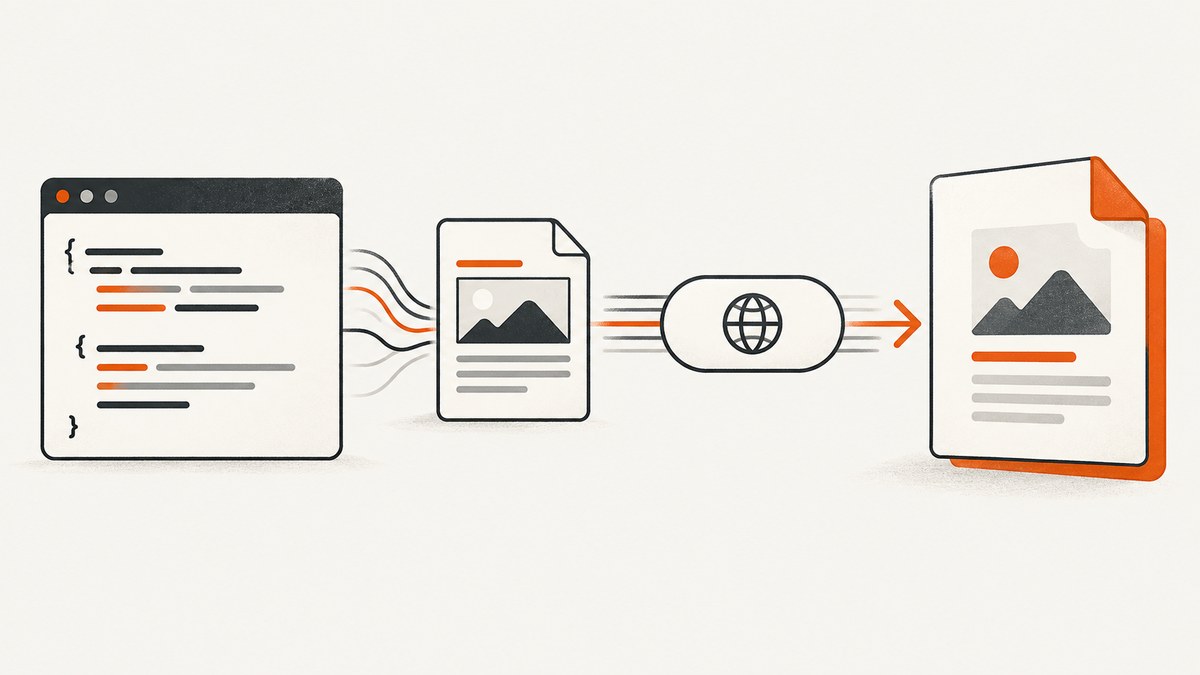
Short answer: java.net.http.HttpClient sends HTTP requests; it does not render HTML or create PDFs. Pair it with a renderer such as OpenHTMLtoPDF, or call a PDF conversion service. HttpClient then sends the HTML or URL, checks the response, and writes the returned PDF bytes.
Fetching HTML and saving it with a .pdf extension only saves HTML. A renderer must perform layout, pagination, asset loading, and PDF generation.
Choose an architecture
| Route | Rendering location | Best fit | Main trade-off |
|---|---|---|---|
| Local library | Your JVM | Templates that fit a documented HTML/CSS subset | You manage memory, fonts, assets, upgrades, and licensing |
| Remote service | A separate converter | Isolated conversion or an existing PDF service | You manage authentication, network failures, and the service contract |
| Browser-grade service | A browser runtime | Pages needing modern browser layout or JavaScript | More operational complexity and service cost |
PDFreactor documents both Java-library and web-service modes. OpenHTMLtoPDF is an in-process JVM option that supports a bounded subset of XHTML/HTML5 and CSS 2.1+. Aspose.PDF for Java documents options for scaling, CSS media, page rules, fonts, and resource resolution. Compare the exact version, supported markup, deployment model, and license before choosing.

Route A: render locally with OpenHTMLtoPDF
This route uses HttpClient to retrieve HTML and OpenHTMLtoPDF to generate the PDF. The project documents PDF and image output and LGPL 2.1-or-later licensing. It is not a full browser engine.
Add the dependency
<dependency>
  <groupId>com.openhtmltopdf</groupId>
  <artifactId>openhtmltopdf-pdfbox</artifactId>
  <version>REPLACE_WITH_PINNED_VERSION</version>
</dependency>
Fetch HTML and write a PDF
import com.openhtmltopdf.pdfboxout.PdfRendererBuilder;
import java.io.ByteArrayOutputStream;
import java.net.URI;
import java.net.http.*;
import java.nio.file.*;
import java.time.Duration;

public class HtmlToPdf {
  public static void main(String[] args) throws Exception {
    URI page = URI.create(args.length == 0 ? "https://example.com/" : args[0]);
    HttpClient client = HttpClient.newBuilder()
        .connectTimeout(Duration.ofSeconds(10))
        .followRedirects(HttpClient.Redirect.NORMAL)
        .build();
    HttpRequest request = HttpRequest.newBuilder(page)
        .timeout(Duration.ofSeconds(30))
        .header("Accept", "text/html")
        .GET().build();
    HttpResponse<String> response = client.send(request,
        HttpResponse.BodyHandlers.ofString());
    if (response.statusCode() / 100 != 2)
      throw new IllegalStateException("HTML fetch failed: HTTP " + response.statusCode());

    try (ByteArrayOutputStream pdf = new ByteArrayOutputStream()) {
      new PdfRendererBuilder()
          .withUri(page.toString())
          .withHtmlContent(response.body(), page.toString())
          .toStream(pdf)
          .run();
      Files.write(Path.of("output.pdf"), pdf.toByteArray());
    }
  }
}
The second argument to withHtmlContent is the base URI. It allows relative CSS, image, and font URLs to resolve. Test real templates because this renderer’s behavior is narrower than a modern browser’s.
Route B: call a conversion service with HttpClient
Service request schemas are vendor-specific. PDFreactor documents synchronous REST conversion through POST /convert and API-key query authentication when enabled. Confirm your deployed version’s fields, authentication, and response format. The example keeps the host in an environment variable instead of inventing a public endpoint.
import java.net.URI;
import java.net.http.*;
import java.nio.charset.StandardCharsets;
import java.nio.file.*;
import java.time.Duration;

public class ConvertWithService {
  public static void main(String[] args) throws Exception {
    String base = System.getenv("CONVERTER_BASE_URL");
    String key = System.getenv("CONVERTER_API_KEY");
    if (base == null || key == null) throw new IllegalArgumentException("Set converter variables");

    // Adapt field names to the selected service documentation.
    String json = "{\"document\":\"https://example.com/invoice/42\",\"outputFormat\":\"pdf\"}";
    URI endpoint = URI.create(base + "/convert?apiKey=" +
        java.net.URLEncoder.encode(key, StandardCharsets.UTF_8));
    HttpRequest request = HttpRequest.newBuilder(endpoint)
        .timeout(Duration.ofSeconds(120))
        .header("Content-Type", "application/json")
        .header("Accept", "application/pdf")
        .POST(HttpRequest.BodyPublishers.ofString(json))
        .build();
    HttpResponse<byte[]> response = HttpClient.newBuilder()
        .connectTimeout(Duration.ofSeconds(10)).build()
        .send(request, HttpResponse.BodyHandlers.ofByteArray());
    if (response.statusCode() / 100 != 2)
      throw new IllegalStateException("Conversion failed: HTTP " + response.statusCode());
    String type = response.headers().firstValue("Content-Type").orElse("");
    if (!type.toLowerCase().contains("pdf"))
      throw new IllegalStateException("Expected PDF, got " + type);
    Files.write(Path.of("output.pdf"), response.body());
  }
}
BodyHandlers.ofByteArray() buffers the entire PDF. For large output, stream directly to disk:
HttpResponse<java.io.InputStream> response = client.send(request,
    HttpResponse.BodyHandlers.ofInputStream());
if (response.statusCode() / 100 != 2) {
  try (var in = response.body()) { in.transferTo(java.io.OutputStream.nullOutputStream()); }
  throw new IllegalStateException("HTTP " + response.statusCode());
}
try (var in = response.body(); var out = Files.newOutputStream(Path.of("output.pdf"))) {
  in.transferTo(out);
}
Oracle’s HttpClient documentation requires streaming response bodies to be consumed, closed, or cancelled so resources are reclaimed and the request can complete.
Sending HTML instead of a URL
Converters may accept HTML as JSON, bytes, or multipart data. When markup contains relative resources, provide a documented base URL or bundle the assets. A URL-fetching converter must be able to access the page itself; your Java process’s cookies and headers are not automatically forwarded.
Important rendering options
- Paper and margins: configure page size, orientation, margins, and page rules.
- CSS media: select print media when templates contain print-only rules.
- Fonts: install or embed required fonts and configure fallback.
- Assets: use absolute URLs or a supported base URL for images and stylesheets.
- Authentication: configure converter-side headers or cookies for protected assets.
- JavaScript: verify whether the engine executes it; OpenHTMLtoPDF is not browser execution.
- Pagination: test tables, repeating headers, page breaks, and long unbreakable strings.
Reliability, performance, and cost
- Set separate connect and request timeouts.
- Retry only transient failures and selected 5xx responses; use idempotency keys when supported.
- Limit conversion concurrency to protect memory and file descriptors.
- Stream large PDFs instead of retaining many byte arrays.
- Cache immutable HTML and assets where appropriate.
- Log status, request IDs, and elapsed time without logging document secrets.
- Restrict outbound hosts and defend URL-fetching converters against SSRF.
Troubleshooting
| Problem | Cause | Fix |
|---|---|---|
| Unreadable PDF or HTML in the file | Error response was saved as PDF | Check status and Content-Type before writing bytes |
| Missing CSS or images | Relative URLs or blocked asset access | Set a base URL, use absolute URLs, and grant converter access |
| Different line wrapping | Missing fonts or fallback fonts | Install/embed fonts and test the deployed environment |
| Browser layout differs | Renderer has a narrower HTML/CSS scope | Use supported CSS or a browser-grade renderer |
| Request hangs | No timeout, slow asset, or converter queue | Set timeouts and inspect converter logs |
| OutOfMemoryError | Large documents or excessive concurrency | Stream output, reduce concurrency, and tune heap |
| 401/403 for assets | Converter lacks application credentials | Configure converter-side headers or cookies |
| Connection pool stalls | Streaming body was not consumed or closed | Use try-with-resources and read to completion |
Or skip the browser setup
ScreenshotNeo is a website screenshot API and MCP server that can return PDF output. Your Java application makes one request while ScreenshotNeo handles the capture browser.

import java.net.URI;
import java.net.http.*;
import java.nio.file.*;

public class ScreenshotNeoPdf {
  public static void main(String[] args) throws Exception {
    URI uri = URI.create("https://api.screenshotneo.com/v1/shot?access_key=YOUR_API_KEY&url=https%3A%2F%2Fexample.com&format=pdf");
    HttpResponse<byte[]> r = HttpClient.newHttpClient().send(
        HttpRequest.newBuilder(uri).GET().build(),
        HttpResponse.BodyHandlers.ofByteArray());
    if (r.statusCode() / 100 != 2) throw new IllegalStateException("HTTP " + r.statusCode());
    Files.write(Path.of("page.pdf"), r.body());
  }
}
See the ScreenshotNeo API docs for options. Cookie banners are accepted and 60+ known consent platforms, newsletter popups, and chat widgets are removed before capture; each step can be disabled. Bot checks/CAPTCHAs, blank pages, timeouts, failed loads, and cache hits are not billed, with X-Page-Verdict and X-Billed headers identifying the result. The MCP server exposes take_screenshot, get_page_info, and capture_pdf for Claude, Cursor, and other MCP clients. The Free plan includes 1,000 shots per month with no card; paid plans start at $5 for 3,000.
Create a free ScreenshotNeo account.
Equivalent cURL, Python, and Node.js calls
curl -G "https://api.screenshotneo.com/v1/shot" -d access_key=YOUR_API_KEY --data-urlencode url=https://stripe.com -o shot.webpimport requests
r = requests.get("https://api.screenshotneo.com/v1/shot", params={"access_key": "YOUR_API_KEY", "url": "https://stripe.com"}, timeout=90)
r.raise_for_status()
open("shot.webp", "wb").write(r.content)const q = new URLSearchParams({ access_key: 'YOUR_API_KEY', url: 'https://stripe.com' });
const res = await fetch(`https://api.screenshotneo.com/v1/shot?${q}`);
if (!res.ok) throw new Error(`HTTP ${res.status}`);
require('node:fs').writeFileSync('shot.webp', Buffer.from(await res.arrayBuffer()));FAQ
Can HttpClient convert HTML to PDF alone?
No. It transports data; a renderer performs conversion.
URL or uploaded HTML?
Use a URL when the converter can safely reach the page and assets. Upload HTML for private content and provide a base URL or bundled assets.
Why validate Content-Type?
Converter errors commonly return JSON or HTML. Validation prevents those bytes being mislabeled as PDF.


